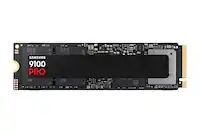
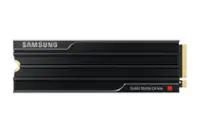
Customer Ratings & Reviews






- Model:
- MZ-VAP2T0B/AM
- SKU:
- 6618928
Rating by feature
- Value
Rating 4.6 out of 5 stars
- Quality
Rating 5.0 out of 5 stars
- Ease of Use
Rating 4.9 out of 5 stars
Customers are saying
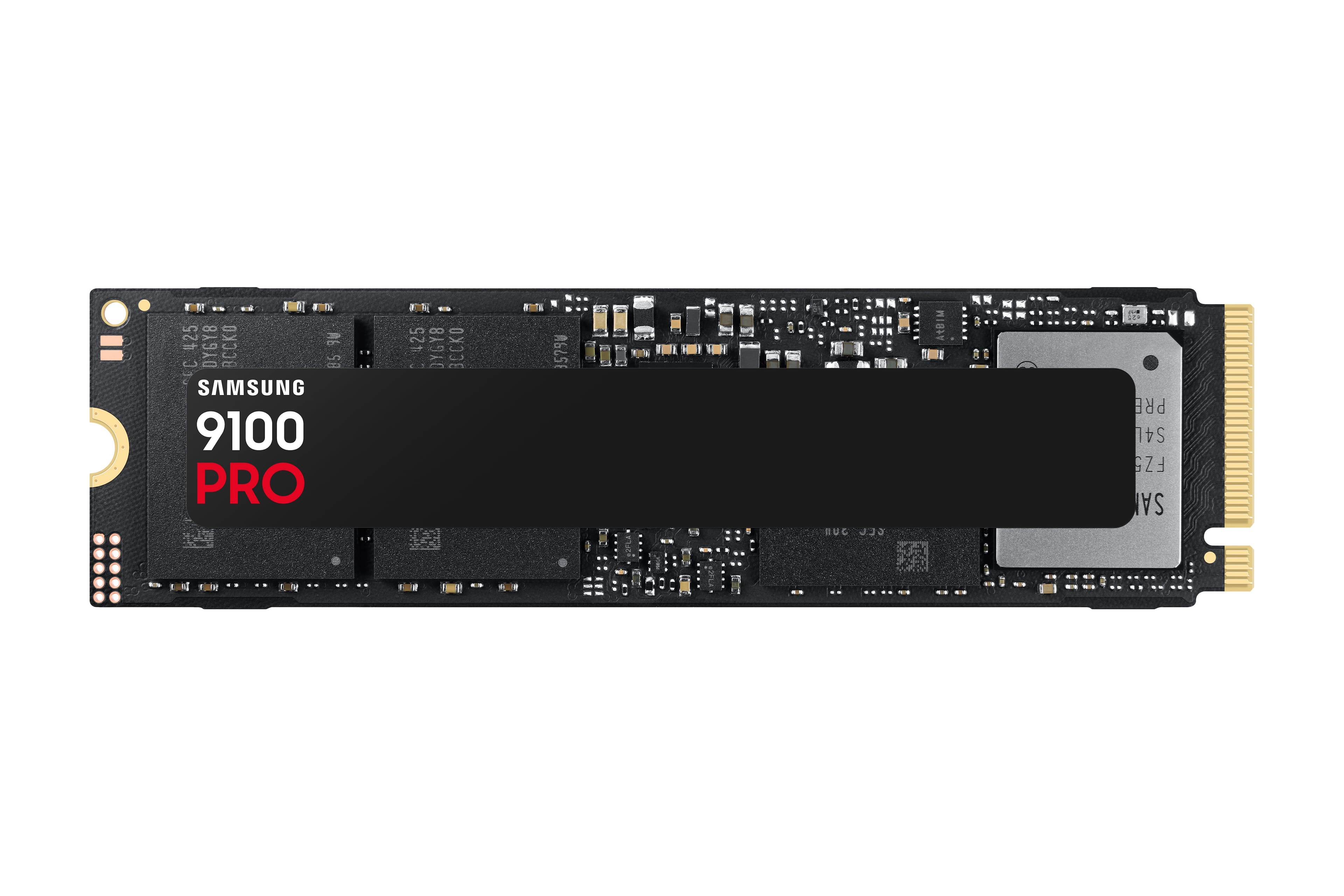
Customers find value in the 9100 PRO 2TB Internal SSD, particularly its speed and overall performance, making it a great addition to their computers. The drive's effective heat management is also appreciated, as it maintains a reasonable temperature. Users also report that the installation process is easy and straightforward.
This summary was generated by AI based on customer reviews.
- Pros mentioned:Overall performance, Speed

Samsung 9100 Pro 2tb SSD
|Posted .This reviewer received promo considerations or sweepstakes entry for writing a review.I picked this up to increase internal storage on a Playstation PS5 Pro. I knew going in that the PS5/PS5 Pro architecture is setup to run a gen 4 SSD and it wasn’t going to be able to fully utilize the speed available on a gen 5 drive but this is what I had so I used it. I picked up an inexpensive heat sink online to add to it and installed it in the bay. I had watched videos where some gen 5 SSDs had issues on startup in the PS5/PS5 Pro but happily that was not the case here. The console asked to format the new drive and did so in a matter of seconds. After formatting a screen popped up showing the read speed of the installed drive at 6375 MB/s, well above the minimum recommended speed of 5500 MB/s. In use, I have had no issues with game performance with this drive, every game I loaded has ran smoothly. If you’re looking to expand your storage this drive will work, you just won’t be able to take full advantage of the maximum speed of a gen 5 drive. With the price of gen 4 drives coming down there’s really no reason to run a gen 5 drive in a PS5 unless you catch it at a better price but at least you know it will work if you do.
I would recommend this to a friend - Pros mentioned:Speed
Game-changing drive when used appropriately....
|Posted .This reviewer received promo considerations or sweepstakes entry for writing a review.I build my own computers, and my current setup is: Mobo - Asus ROG Strix Z790-E CPU - Intel i913900K Memory - 32g GSkill Trident z5 DDR5 Graphics - Nvidia RTX 4070 Case - Coolermaster H500M OS - Windows 11 Pro This most recent build had depleted me of most of my cash with many of the components being bought at the same time, and as such I carried into the build a frankenstein collection of HDDs for various purposes. I have a 6TB platter for media storage, a recently acquired Samsung 990 Pro 2TB NVME drive for game storage, and a much older Samsung 970 Pro 512GB that I adopted for my operating system (OS) drive. It made the most sense to me because it was just my OS, the least important drive for my day to day computing. Or so I thought. Along comes the Samsung 9100 Pro 2TB NVME drive, and along with it the opportunity to use the previously dormant 5th gen M.2 slot in my motherboard that I had ignored when I initially put this build together. I hadn't really given the OS drive much consideration, and thought myself in good shape simply because I had a Samsung NVME drive already. I was completely unaware of how much of an improvement this would end up being. I am a huge Samsung acolyte- beyond the 970 pro and 990 Pro I have a media server running off of a 980 EVO, and a couple of older generation Samsung SSD's. They have been a trusted brand for me for almost a decade, and this new drive was a no brainer based on the consistent quality and value I had seen with them so far. As I had no desire at this time to do a fresh install, and for the cleanest and quickest swap, I bought an external enclosure for it with USB-C connectivity, and using cloning software the original drive was copied in about 10-15 minutes. I had it swapped in to the case a few minutes after that. Easy first boot, right to the Windows login, and zero issues with drivers or BIOS recognizing the new drive. After running it for a few days through some of the benchmarking paces and daily-driver activity, these were my main takeaways: Speed - this is Samsung's hallmark, and there were no missed expectations here. A few interesting observations worth noting: from startup - the timing from hitting the power button to Windows login did not really vary from my old gen 4 drive to the 9100. I was around 22 seconds on both, I thought it may show some improvement here. While it was harder to time in a practical manner, once logged into Windows, you absolutely could see Windows 'settle in' more quickly than before. Desktop and startup apps felt immediately engaged with little to no load lag. Another less-scientific but practical test was loading up games. I primarily game on the computer, and while my games normally load from the 990 Pro drive, I moved the gaming directory to the 9100 and tested it against the timing from the other drive. Using same games, I did notice a difference in game load time from hitting the load icon to the in-game start menu, and I definitely noticed an ascertainable difference in loading into the game from there, as well as loading into saved games. That was a faster and more streamlined experience. Other programs that I would typically keep on my OS drive, like Chrome/web browsing, Office and Adobe Suite products also loaded very quickly from launch. It is worth mentioning these real-time day-to-day examples of speedier transactions because that is where it feels the highest amount of value is with this drive. I benchmarked it and ran Crystaldisk as many others have, and have hit similar read (~14300) and write (~13400) marks - which were both enormously higher than the ~2700 read mark I was eking out of the 970 Pro - but I don't feel those data figures tell the story of what makes the drive so attractive. I also know that my benchmark scores likely have a higher ceiling than I received, but my cloning of the old drive and keeping the patchwork of different NVME and platter drives in my build likely handicapped those outcomes. If you are building new with a fresh OS install, and stay lean with internal NVME drives utilizing lanes on the motherboard, it will allow you to hit closer to that top-end capacity that is advertised. I just felt that it was incredibly cool that the whole operation of installing a new cloned version of my existing OS to me was less than a 20 minute exercise, and it picked up right where I left off, with the same docs, pics, files and settings that I didn't have to copy manually. The all-in experience of getting in and out of programs and software is the real noticable selling aspect to me, and was the real-life applications of the game-changing speed that I was anticipating when I got the drive Heat - this drive is known to run hot the more you stress it, but I don't think that will be a factor for most uers. I mentioned my case model above because while a little older, it is a roomy midsized case with two enormous 200mm intake fans, another 140mm intake on the rear, and three 120mm exhaust on the top pushing through a 360mm radiator for a Corsair iCue h150 AIO CPU cooler. This is a very cool box, in the literal sense. Utilizing the Samsung 9100 as an OS drive that I can also push gaming off of, it hasn't broken 42 degrees Celsius yet, and generally sits at 32 degrees C for daily driving. It did eclipse 60 degress during benchmarking, but I am not doing anything day-to-day that will exert it that hard, so this really isn't a terribly important factor to me. Your case/build and intended use may drive differernt results, but the 9100 Pro is a fairly cool customer for my use and needs. Use - this is a tough one, as it is a bit of a criticism, but I think a fair one. I really see this drive most optimally being used as an OS drive, and not much else. I really can't see any real advantage for use that makes sense, considering the premium you are paying for it. It makes a sincere difference in the actual day-to-day aspect of my computing, from loading in to loading anything launched directly from it. At 2TB I can easily dedicate a large portion to my favorite games, and still run a host of software, web browsers and general media with immediate and recognizable benefit, but if you were considering buying this for just a gaming drive, your money would be better spent on a Samsung 990 Pro, effectively doubling your storage at the same relative cost and still getting pretty great speed on loads and saves. I see folks mentioning using it in non-5th gen machines, external drives or even in Playstations...don't waste your time or money in these applications.....it is backwards compatible for gen 4 machines, but performs no better than a 4th gen drive and you gain none of the benefits this new drive architecture offers. I've been a longtime user of Samsung drives, and this first experience with their fifth generation product was absurdly beneficial for me. The 9100 Pro is a blazingly fast storage device, effectively quadrupling the speed from my old 970 Pro. I would highly recommend the 9100 Pro as the heart of your new build. There are many other Samsung drive products that I think make more financial sense as you expand your storage needs/capacity, but the 9100 Pro is a great investment as the foundational OS backbone drive.
I would recommend this to a friend - Pros mentioned:Heat management, Installation difficulty, Speed
Samsung 9100 PRO 2TB PCIe Internal SSD
||Posted .This reviewer received promo considerations or sweepstakes entry for writing a review.This SSD is insanely fast. Installation was simple, and the performance boost was immediately noticeable—boot times are near instant, games load incredibly fast, and large file transfers are effortless. Thermals have been solid, and reliability is exactly what you’d expect from Samsung. It’s perfect for gaming, content creation, or anyone who wants top-tier PCIe performance without compromises. If you want speed, capacity, and long-term reliability, this drive delivers on all fronts.
I would recommend this to a friend - Pros mentioned:Heat management, Overall performance, Speed
Excellent
||Posted .This reviewer received promo considerations or sweepstakes entry for writing a review.Pros Spectacular bandwidth: Nearly doubling Gen 4 speeds—ideal for large file transfers, content creation, heavy-duty gaming, and AI workloads. Solid thermals: Operates cooler and more efficiently than other Gen 5 SSDs, even without a heatsink amazon.com +2 techradar.com +2 amazon.com +2 . Trusted brand ecosystem: Backed by Samsung Magician software—firmware updates, drives health diagnostics, encryption support amazon.com +2 tomshardware.com +2 semiconductor.samsung.com +2 . Strong endurance & warranty: 1200 TBW for 2 TB model with a 5‑year limited warranty tomshardware.com +15 servethehome.com +15 techpowerup.com +15 . ⚠️ Cons Pricey: Premium cost—Samsung 9100 Pro 4 TB at $449 ($0.12/GB) compared to ~ $0.06–$0.07/GB for Gen 4 drives samsung.com +15 tomshardware.com +15 amazon.com +15 . Marginal gaming benefit: Real-world gains in load times are modest versus high-end Gen 4 SSDs . Late entry: Released after competitors already saturated Gen 5, so lacks a distinct edge in one category . Heatsink needed for some setups: Bare version may require added cooling in compact builds or laptops.
I would recommend this to a friend - Pros mentioned:Overall performance
Planning for the Future
|Posted .This reviewer received promo considerations or sweepstakes entry for writing a review.The only computer that I had available to install this state of the art NVMe drive in was a Dell desktop 3910 which has a motherboard designed to support 12th generation Intel chips. I had no expectation that its PCIe lanes would come anywhere near delivering the speed this 5X4 capable drive can support. I am heading toward building or buying a rig that will fully support a drive like the Samsung 9100 Pro , but I am not able to do that right now, especially with the current scarcity of supporting hardware. This Samsung package comes with the drive only: no heatsink is supplied, although BestBuy sells a package that does include a heatsink. When I removed the original 30 mm “shorty” NVMe drive from the Dell, I noticed that it had no thermal pad underneath. No thermal pad was supplied with the 9100 Pro either. Since I had heard so much about thermal issues with NVMe drives and had experienced thermal issues with other such drives in enclosures, I wondered how this brand-new drive would fare in the environment I could supply for it. It turns out that that it did quite well. With my use on this Dell desktop, the temperature of the drive, monitored by both the Windows 11 system and the Samsung Magician software which I downloaded, was well within the design parameters of the drive- usually running between 35 and 50 degrees C. Mind you, I am not running games on this rig nor am I performing intensive tasks. I’m not doing that now but may want to build a video editing rig when I get the hardware that will fully support it. This Samsung would certainly be ready for that new build and perform accordingly. As best I can determine, my current motherboard can only support up to 3X4 PCIe speeds, so both the Samsung Magician and CrystalDiskMark read and write speeds are in the 3500 MB/s range. Based on the specifications for this 9100 Pro drive, the proper motherboard and CPU can support delivery of almost five times the speed I am getting now. Have a noticed any difference in performance on my Dell? Of course! For one thing, I replaced a 256GB drive with a 2TB. Virtually everything I do on the computer is speedier, if for no reason other than having a brand new, larger capacity drive. One of the selling points of this highly-speced drive is its compatibility. It had no problem improving the performance of my Dell desktop. This drive is helping me now, but will also serve my future needs, and I am willing to invest in that capability. I recommend it.
I would recommend this to a friend - Pros mentioned:Speed
Stunning sequential speeds, but stagnant random
|Posted .This reviewer received promo considerations or sweepstakes entry for writing a review.I've been a fan and long time user of Samsung drives ever since their 800 line of 2.5" drives. Once they moved to the new M.2 format and NVMe specifically, I have used their 980 Pro, 990 Pro and now their 9100 Pro. I have Samsung SSDs in all my laptops and personal desktops. Packed in a nice, small sized box, one thing Samsung does is stay consistent with their packaging externally which I like. I already was using a Samsung 990 Pro 2TB as my main drive on an Asus X870e Crosshair Hero AM5 board which is PCIE5 enabled, so I went ahead and ran Crystal Disk Mark (CDM) on it to collect it's already blazing speeds before upgrading to the new 9100 2TB model with a clean install for comparison. I installed Samsung Magician just to over provision and check to see if a new firmware was available but as of the date of this review, the firmware included is the newest. For sequential speeds it is blazingly fast. I mean twice as fast as the 990 Pro even for Q8T1 and with Q1T1 reads are almost 3x as fast and writes again almost 2x as fast. This means for video editing, large model processing, large file transfers, transactions and any type of linear data processing, the gains are very impressive. Unfortunately, as has been the problem with SSD drives since 2.5" models, random reads and writes have stagnated and by the design of most SSDs themselves outside of Intel Optane and similar approaches, you will see relatively the same speeds. Most desktop and day to day functions are random in nature so you will not experience a meaningful uptick in your normal desktop performance. The good thing is that even older SSDs are still miles ahead of mechanical drives and very fast and this holds true for the 9100 Pro 2TB from Samsung. M.2 drives can run warm. NVMe variants run hot and as speeds increase so has heat. A heatsink of some sort is pretty much mandatory for Gen4x5 NVMe drives to stop them from heating up and throttling down but luckily most modern motherboards come with built in heatsinks. Even a basic NVMe heatsink will work to help keep temps at bay. My motherboard has a monster sized heatsink so running the Samsung 9100 Pro 2TB is no problem for my workflow. So if you need absolutely mind blowing PCIE5 level sequential speed and have the hardware to support it, the Samsung 9100 Pro 2TB is an absolute speed monster. I will continue to stick with Samsung as they continue to deliver time and time again.
I would recommend this to a friend - Pros mentioned:Speed
Super fast by a bit expensive!
|Posted .This reviewer received promo considerations or sweepstakes entry for writing a review.I recently picked up a Samsung 9100 Pro 2TB PCIe 5.0 x4 NVMe M.2 SSD drive – it is is Samsung's foray into the high-performance PCIe 5.0 SSD market, aiming to deliver exceptional speeds and reliability for demanding users. It’s a high-end storage platform that will truly enhance your computing and gaming experience – so long as you have a compatible machine to accept PCI 5.0 NVMe drives. My newest machine at home only support PCIe 4.0 – so I don’t see the maximum performance benefits the device provides – but it still improved my overall speed and experience! So – plan ahead on this…. The 9100 Pro boasts impressive sequential read and write speeds, making it one of the fastest consumer SSDs available. In synthetic benchmarks, it outperforms many competitors, particularly in sequential operations . However, in real-world applications, especially those involving random read/write tasks, the performance gains over high-end PCIe 4.0 drives were less obvious. Despite its high performance (usually comes hand in hand with more heat generation), the 9100 Pro maintains good thermal efficiency. Tests indicate that even under sustained workloads, the drive operates within acceptable temperature ranges, especially when equipped with a heatsink (which you can buy separately). This makes it suitable for systems with adequate cooling solutions. You can see this by installing and using the Samsung Magician SW, which can provide you with all sorts of interesting characteristics! While the 9100 Pro offers top-tier performance, its premium pricing may not be justifiable for all users, especially when Samsung also offers high-quality PCIe 4.0 alternatives are available at lower costs. Overall, the Samsung 9100 Pro 2TB SSD is a powerhouse designed for professionals and enthusiasts who demand the highest storage performance. Its impressive specifications make it ideal for tasks involving large file transfers, such as video editing or 3D rendering. However, for general consumers or gamers, the tangible benefits over more affordable PCIe 4.0 SSDs may be minimal.
I would recommend this to a friend - Pros mentioned:Speed
Fast Gen5 speed and good thermal performance
|Posted .This reviewer received promo considerations or sweepstakes entry for writing a review.When I built my AMD AM5-based desktop, I stuck with a PCIe Gen 4 NVMe SSD because the (few) available Gen 5 SSDs struck me as expensive and unrefined. Samsung's 9100 Pro, however, really takes advantage of PCIe 5.0 and widens the performance gap over the best Gen 4 drives. On top of the raw performance, Samsung's touted power efficiency made this a compelling time to make the leap to Gen 5. And so far, this drive has impressively lived up to its claims. Installation was as routine as would be expected for a 2280 M.2 drive. I made sure the thermal pad on my motherboard's heatsink was going to make contact with the visible metal heat spreader on the connector end of the drive. Thermal performance has been great so far - the SSD temperature is matching the temps that I was getting with the Gen 4 SSD I was using previously in the same slot. I was also very happy to see benchmarks indicating that I'm getting the advertised performance out of the drive - no bottlenecks or system issues to troubleshoot. For anyone interested, CrystalDiskMark hit 14,704 MB/s reading (99% of the quoted read performance) and 13,493 MB/s writing (which slightly exceeds the quoted write performance). These numbers are exactly double what CrystalDiskMark rated my Gen 4 SSD at. I haven't owned this drive long enough to comment on its long-term reliability, but Samsung is about as trustworthy a name as there is in SSDs so I am optimistic this SSD will last a long time. Although Gen 5 SSDs still command a bit of a price premium, the speed improvement is harder than ever to ignore if your computer has a PCIe 5.0 NVMe interface. With the Samsung 9100 Pro, I have now doubled my SSD performance without worsening my PC's thermal performance, and that makes it a worthwhile upgrade in my book.
I would recommend this to a friend - Pros mentioned:Overall performance
Not quite as fast as I expected but it is FAST
|Posted .This reviewer received promo considerations or sweepstakes entry for writing a review.I was kind of hoping to get 9,000-10,000 MB/s, but I wasn't able to achieve that on a PCI 4.0 laptop. If I had a PCI 5.0 slot chances are I would be able to hit that and likely more. All this just means I'll have to build a PC now lol. Anyway, I was able to achieve above 7100 MB/s pretty consistently in my super small and hot 14 inch gaming laptop. One thing I didn't expect was software for the SSD, at least for me, this is pretty new. I downloaded the software and there was more things I could do such as put it in performance mode, firmware updates, and get additional information such as performance and stats on the SSD. This was a nice touch. When I put it in performance mode, I couldn't quite tangibly feel any difference. From benchmarks to day to day performance, I don't think it did anything that was worth keeping it on for. So I ultimately turned it off. What I like about this is the fact that it's PCI 4.0 compatible, so I can use it now, and throw it in another computer later so I can get fast speeds now, and even faster speeds once I upgrade. It's a solid SSD and I think it's a good addition to my set up today, and will be a good addition for my setup later.
I would recommend this to a friend - Pros mentioned:Heat management, Installation difficulty, Speed
Its fats
||Posted . Owned for 4 months when reviewed.This reviewer received promo considerations or sweepstakes entry for writing a review.Easy to instal great speeds and heat teamps would recommend
I would recommend this to a friend - Pros mentioned:Overall performance, Speed
Fast and so far, reliable and compatible.
||Posted .This reviewer received promo considerations or sweepstakes entry for writing a review.This is a fast M.2 drive! Works well out of the box on my ASUS TUF G16 Gaming laptop. It is my secondary drive to store the games and large files I need to use a lot. So the speed in needed, not just the size.
I would recommend this to a friend - Pros mentioned:Installation difficulty, Speed
Next-Level Speed and Performance
||Posted .This reviewer received promo considerations or sweepstakes entry for writing a review.The Samsung 9100 PRO 2TB is insanely fast and delivers exactly what you’d expect from a PCIe Gen 5 SSD. Load times are nearly instant, file transfers are incredibly quick, and overall system responsiveness is noticeably improved. Installation was easy, and it runs reliably under heavy workloads. A top-tier SSD that’s absolutely worth it for high-performance builds.
I would recommend this to a friend - Pros mentioned:Speed
Fast as lightning!
||Posted . Owned for 2 weeks when reviewed.This reviewer received promo considerations or sweepstakes entry for writing a review.Fast reliable storage. Built a new system recently and decided to go with the Samsung 9100 Pro NVMe drive because it offered the fastest speeds and my motherboard supports this faster speed. Loading into the OS is fast as I've ever seen on any Windows system and loading apps and games are near instantaneous. I have used Samsung storage in the past and have had no issues. Would recommend so long as your system supports this speed of storage otherwise, I would go with the Samsung 990 Pro. Value wise I was able to get this drive on sale which made it a great buy.
I would recommend this to a friend - Pros mentioned:Heat management, Overall performance
Fantastic
||Posted . Owned for 1 month when reviewed.This reviewer received promo considerations or sweepstakes entry for writing a review.Get a tiny bit hot but not enough to take a start off. It works great :)
I would recommend this to a friend - Pros mentioned:Heat management, Speed
Gen 5 Fast transfers & Reads writes.
||Posted . Owned for 1 week when reviewed.This reviewer received promo considerations or sweepstakes entry for writing a review.Well packaged. Really fast. Not running hot. Happy with purchase. Easy install. Had to use Windows Disc Management to set as new simple drive. Up and running afterwards. Got it on sale great price.
I would recommend this to a friend - Pros mentioned:Heat management, Speed
Great drive, not the best value
||Posted .This reviewer received promo considerations or sweepstakes entry for writing a review.Great, fast drive. Sequential read/write speeds are blazing fast, the drive doesn't get above 60c max, and Windows is noticeably faster at loading apps installed on it. However, I really wish I'd just gone with a 990 Pro or similar PCIe 4.0 drive for cheaper, given I don't have any real need for the speeds this drive offers. If you're not doing tasks that really benefit from the blazing fast speeds, a 990 Pro/SN850x/similar will be more than enough while costing ~$100 less.
No, I would not recommend this to a friend - Pros mentioned:Heat management, Speed
Great ssd
||Posted . Owned for 2 weeks when reviewed.This reviewer received promo considerations or sweepstakes entry for writing a review.Super fast, you probably will not notice a difference in gaming loading times. Right now, for gaming you should stick with a 990 pro or 980 pro. Saying that, its the fastest ssd you can get and does not run hot at all while gaming.
I would recommend this to a friend - Pros mentioned:Overall performance, Speed
Can recommend
||Posted .This reviewer received promo considerations or sweepstakes entry for writing a review.This was my first time not cheating out on a ssd and it is a very fast and reliable ssd 10/10 recommend
I would recommend this to a friend - Pros mentioned:Overall performance
Get it before the prices go up
||Posted . Owned for 3 weeks when reviewed.This reviewer received promo considerations or sweepstakes entry for writing a review.I am very pleased with this purchase. I've gone with Samsung SSD storage for years due to reliability and easy firmware updates. The performance is very noticeable over my old 980 Pro 2TB.
I would recommend this to a friend - Pros mentioned:Overall performance, Speed
Sweet drive
||Posted . Owned for 1 week when reviewed.This reviewer received promo considerations or sweepstakes entry for writing a review.Fast drive! Gen 5 is the way to go. Very pleased with the performance.
I would recommend this to a friend