Customer Ratings & Reviews
- Model:
- ET-WV530B
- SKU:
- 5872506
to a friend
Customers are saying
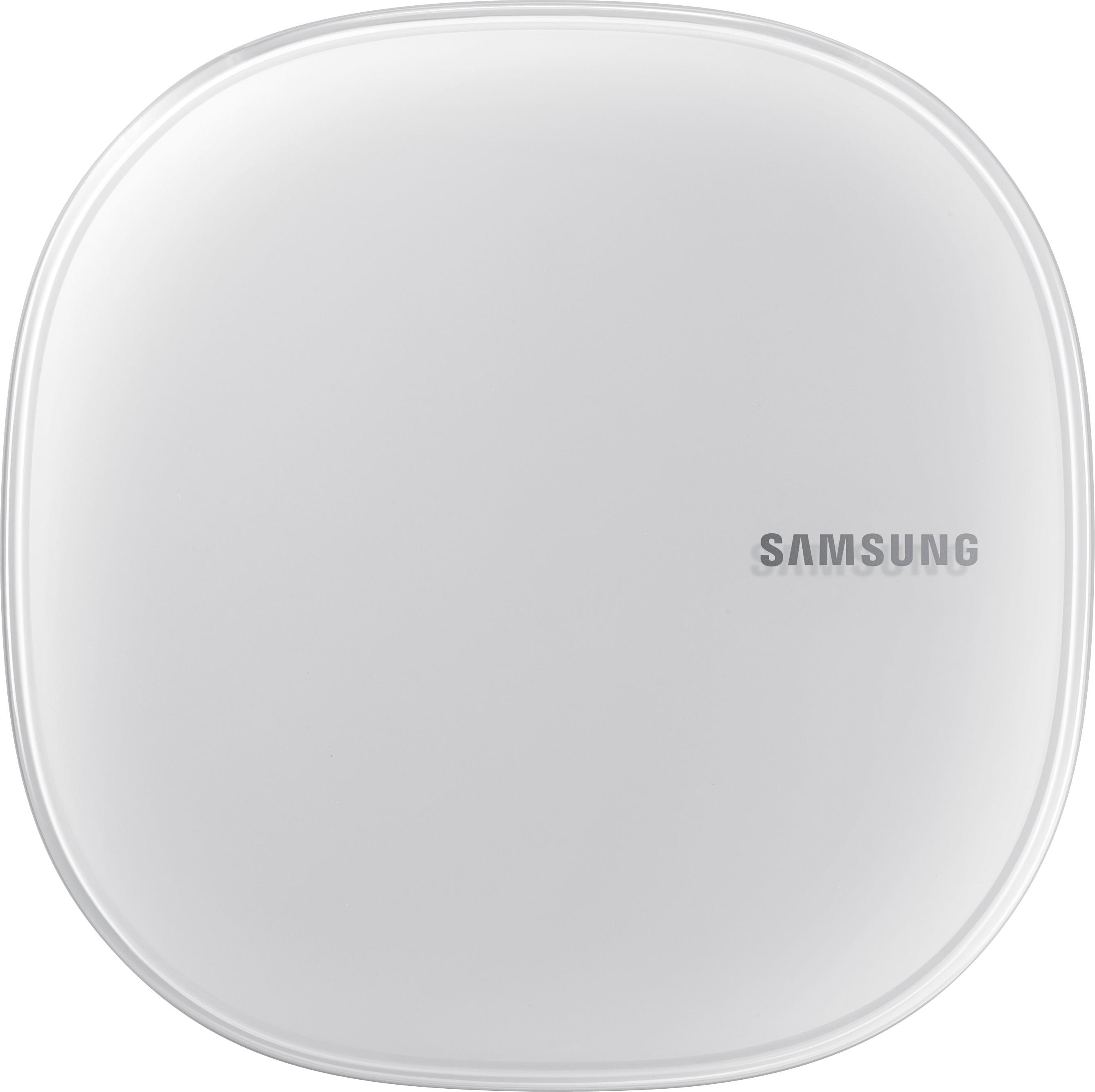
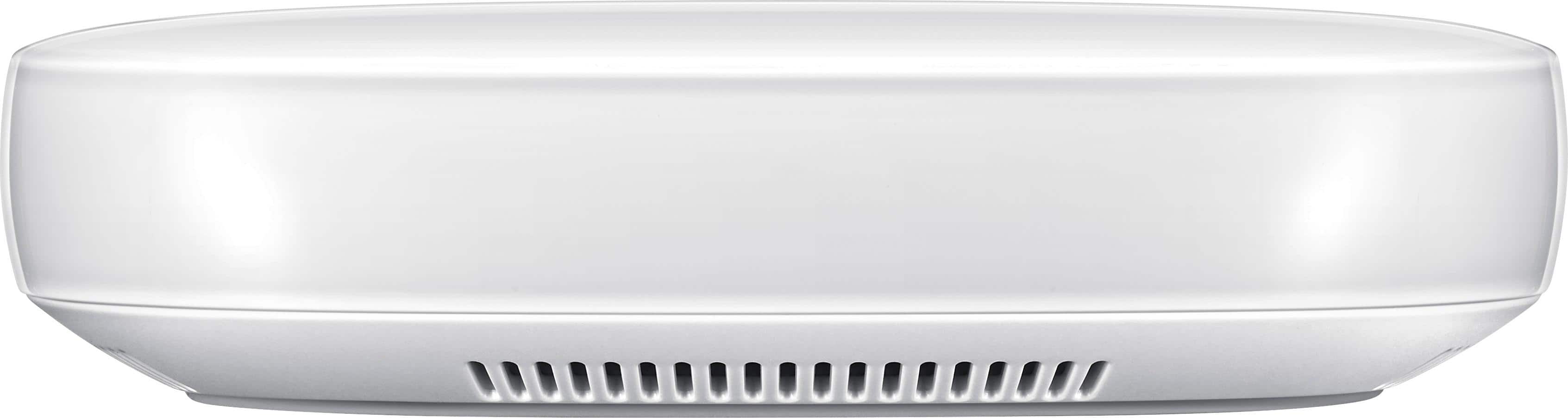
Customers consistently note the Connect Home Pro AC2600 Mesh Wi-Fi System's ease of use and compact size. Many appreciate its strong signal and wide range, allowing for reliable Wi-Fi coverage throughout their homes. However, some users point out limitations in the number of Ethernet ports and find the accompanying app to be less than ideal. The system's performance and design also receive positive feedback.
This summary was generated by AI based on customer reviews.
- Pros mentioned:Ease of use

Cool smart device
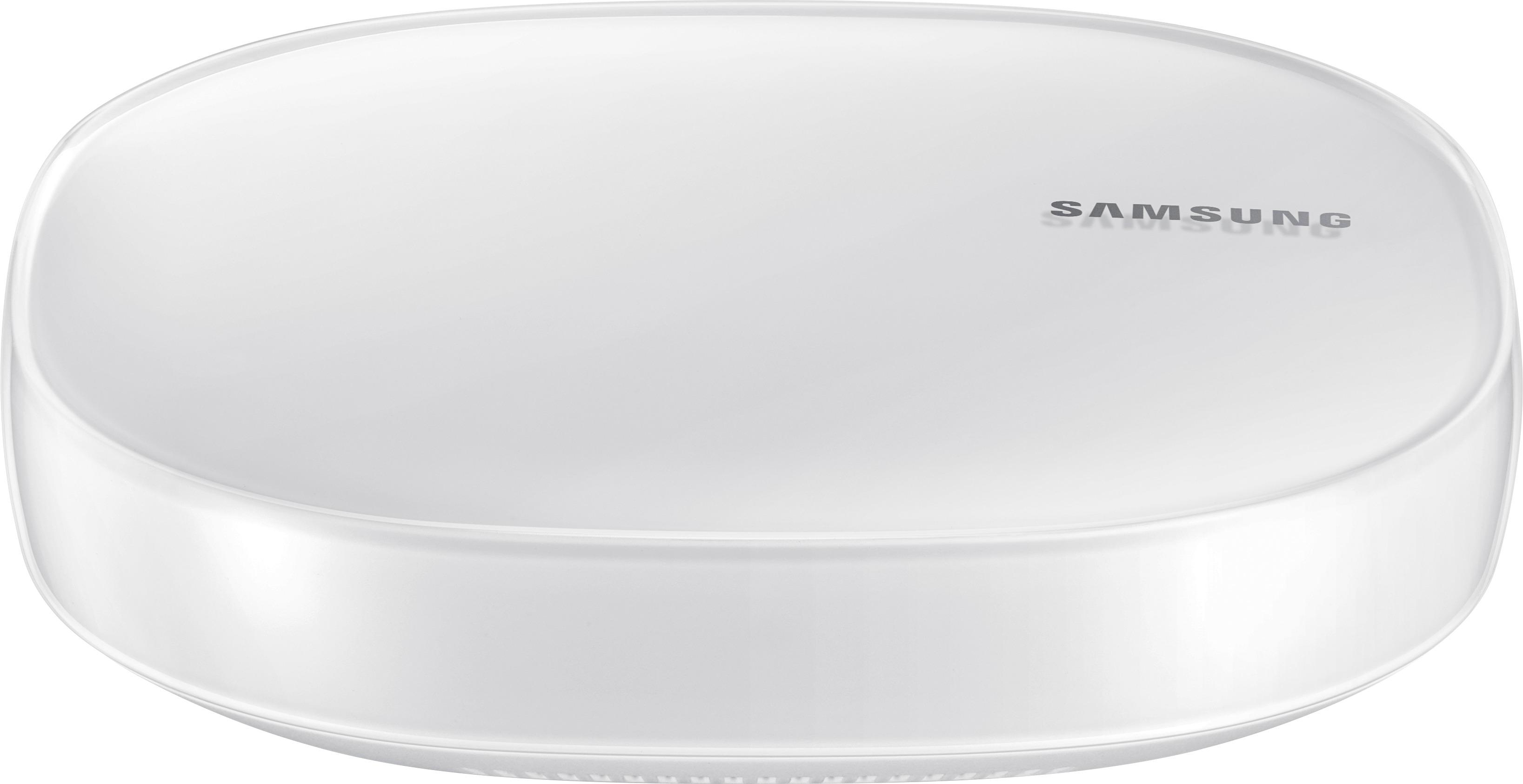
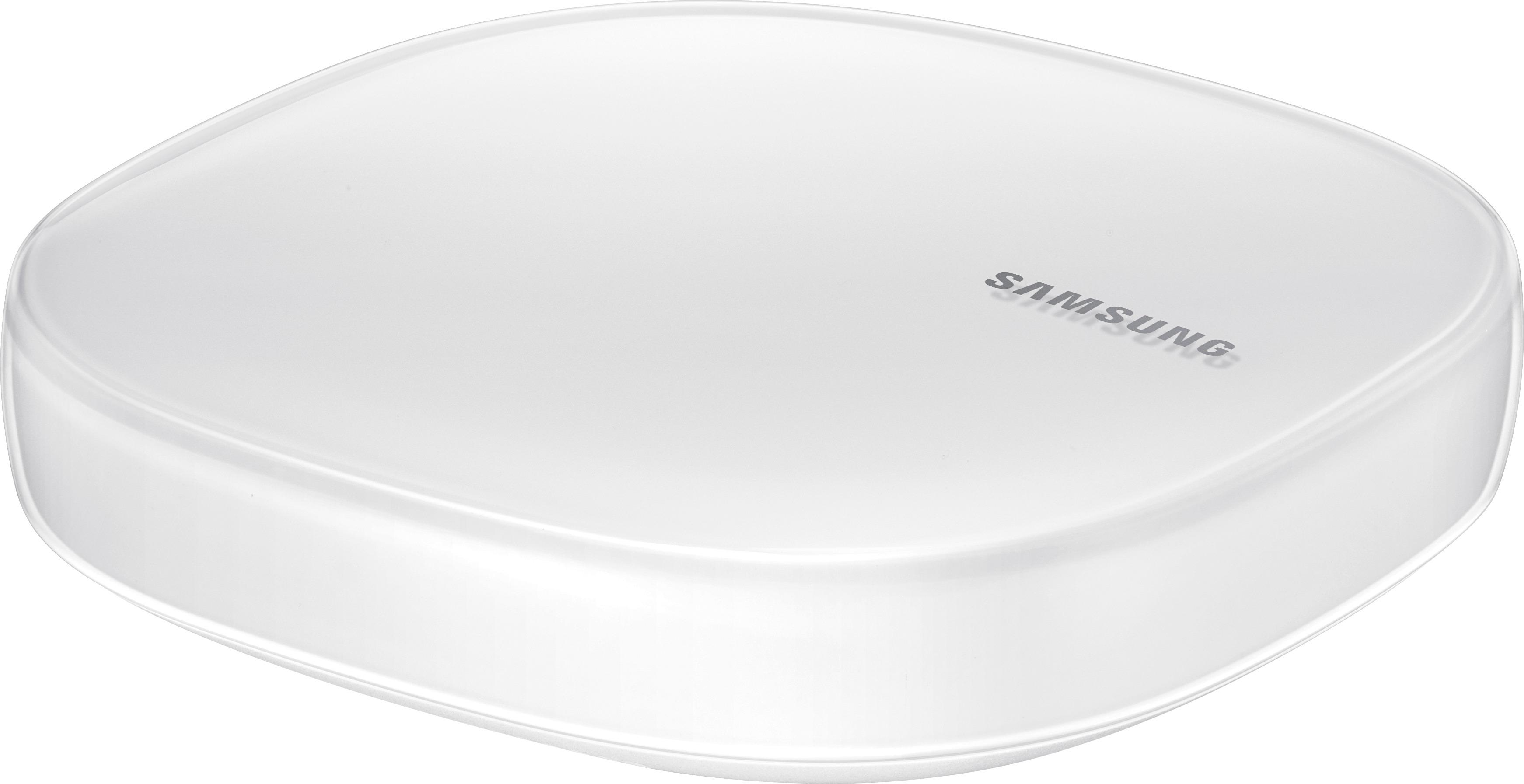
|Posted .This reviewer received promo considerations or sweepstakes entry for writing a review.Compact design, has 2.4 GHZ, 5 GHZ and 4x4 MU-MIMO, you can control smart "things" such as wall plugs, light bulbs, etc which is a plus too... coverage in my home was ok.... but i have a big home (larger than the recommended 1500 sg/ft) and the place where I have to plug in my router isn't ideal (small corner of my basement)...setup was fast and simple, and the app is another plus.
I would recommend this to a friend - Cons mentioned:Ethernet ports
Easy SmartThings Management
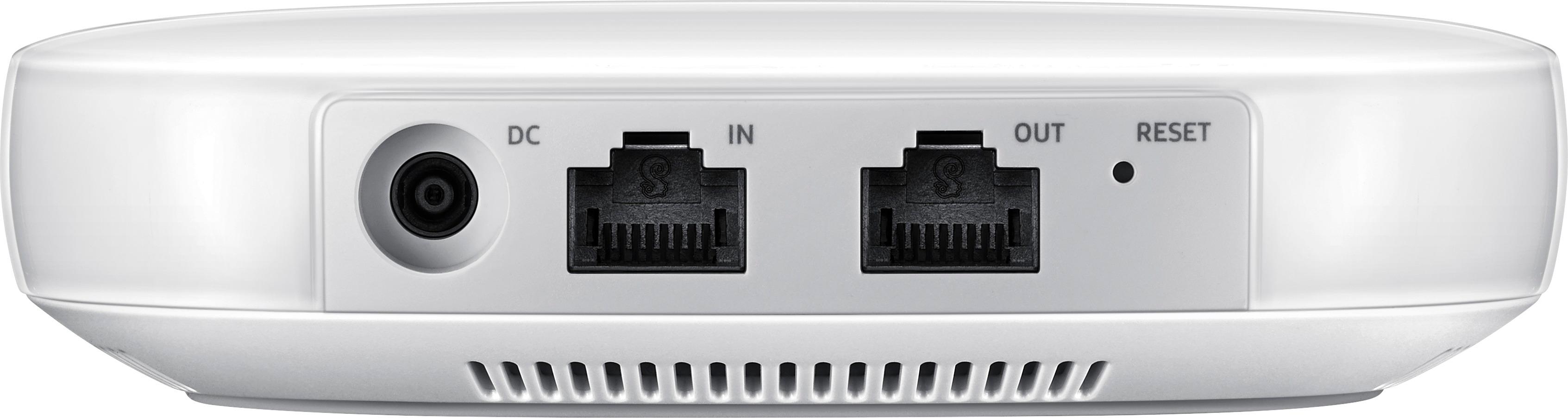
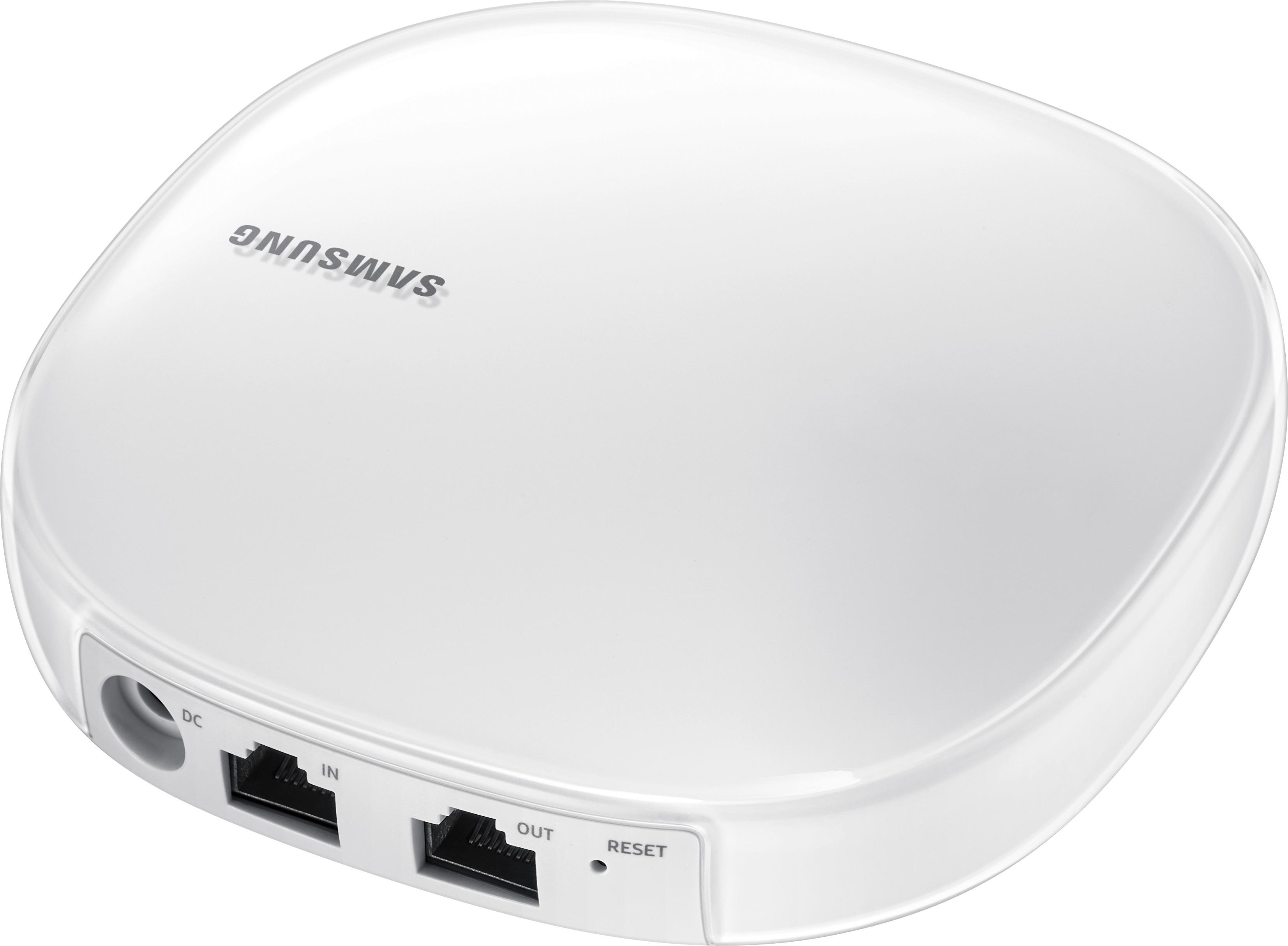
|Posted .This reviewer received promo considerations or sweepstakes entry for writing a review.The Samsung Connect Home Pro is both a Wi-Fi router AND a SmartThings hub. It supports Wi-Fi, Bluetooth, ZigBee, and Z-Wave Plus connectivity. While I have been very happy with the Wi-Fi performance on its own, which has achieved speeds as fast as any other router I have used, with strong connections through up to 2 walls, the most interesting feature about the Connect Home Pro is its ability to control your home automation devicces and systems. Using the Samsung app, you have control over individual devices, and can also setup "Activities." "Activities," such as leave the house, allow you to have preset actions for multiple devices, such as checking that all automated door locks are locked, specific lights are off (or on), and to raise or lower your thermostat temperature to save money. The limits to what can be accomplished with this are pretty much limitless, especially as more "smart" devices are developed for the home. The Connect Home Pro supports piggybacking more than one unit together to create a strong, mesh network, but doesn't come in multi-packs. You can only buy the faster Pro units individually at this time, whereas the non-Pro version are available in a 3-pack. The only other downside is that I wish the unit had more than 1 Ethernet output port. If you plan on having this device near your living room entertainment setup, and have multiple gaming systems that you want to hard wire, you will need an Ethernet switch.
I would recommend this to a friend - Cons mentioned:Ethernet ports
Having issues with using the router as a bridge
|Posted .This reviewer received promo considerations or sweepstakes entry for writing a review.My review is a bit individualized, as I want to use the router as a bridge. I have a Linksys EA9500 that I'm really happy with. I stream Roku throughout the house via wired and wirelessly. I'm sure the Connect is a good router, but without gigabit lan ports, it won't work with my network. I've been emailing Samsung technical support for about a week and they've been great at getting back to me, but as of yet we haven't gotten the information I need to setup the unit as a bridge. I'm confident it can be done based on what I've been told so far, just the connect app doesn't do on my end what it does on the techs end. Based on the time I've spent trying to get the unit to do what I want, I'm sure it's just a few steps to use it as a main router. I guess my con would be that the instructions shipped with the unit are extremely simplified. That leads me to believe they meant it to be basically plug and play. If you want to use it as I do, an addition to my network, you're going to have issues and need help. The android app just doesn't play nice with situations that aren't in step with the basic install.
No, I would not recommend this to a friend - Pros mentioned:Ease of use
Great all-in-one solution for a smart home
|Posted .This reviewer received promo considerations or sweepstakes entry for writing a review.This router provides an easy to setup solution for those who need a good router and smart home hub all in one. Pros Ease of use - The router is easy to set up and get up and running. It was also a very quick and simple connection to get devices on the internet and connect to your smart devices to it. Features - The fact that the Connect Home Pro is a well-constructed, attractive (not something all routers can say) router WITH a built-in smartthings hub is fantastic. The ease of organization of all of your smart devices is simple which, if you have different devices you know how hard it can be to get them to communicate. Cons Speed & coverage - Let me first start by saying that I think the Connect Home Pro is a great router for many use cases. However, it just doesn't quite match up to the top of the line routers I have used in terms of peak speed and coverage area. If you game or have A LOT of devices that are simultaneously connected, it might be worth investing the extra $ for a better unit.
I would recommend this to a friend - Pros mentioned:Setup, Size
Small but large
|Posted .This reviewer received promo considerations or sweepstakes entry for writing a review.Physically small unit; elegant and polished. Sits nice on the counter and provides a strong connection. Perfect for the apartment or condo. Would work for smaller homes. Easy to setup in minutes
I would recommend this to a friend Great start on Wifi Converged Device
|Posted .This reviewer received promo considerations or sweepstakes entry for writing a review.A few weeks ago I received a Samsung Connect Home Pro to review – and I’m happy to say it is a good looking device with better-than-average wifi strength AND combines some basic features of an Internet of Things Hub right into the device. I do have to agree with some other reviewers though – that this is an entry level IoT device/wifi Router combo and hopefully Samsung will build upon this platform to include more advanced features. Now, for the details. I have tested multiple WiFi mesh routers in the last two months. Most came in either a 2-pack or a 3-pack. This one, the Pro model, only comes in single pack – and I only had one to test with so I can say much about how easily I transitioned from one device to the other. However, I can say that I was pleased with the coverage of the single device, placed centrally in your home should be sufficient for most home users. For the IoT functions, I can see how this would work nicely for the home with Samsung appliances like their WiFi Fridge, Washer/Dryer, Range, robot Vacuum, etc as well as integrating simple features from, Hue lights, Amazon Alexa, etc. If you have Samsung Smartthings, you can likely handle the simple functions though this new Connect Hub, but more advanced features like Geolocation with your smartphone will need to be future improvements. Overall, this new converged device will likely set the trend for other manufacturers to start bundling features into their home devices as we are all starting to get too many hubs, connectors, integrators etc in our media closets!
I would recommend this to a friend- Pros mentioned:Speed
Samsung Connect things and Router in one
|Posted .This reviewer received promo considerations or sweepstakes entry for writing a review.What's in the box ----------------------- 1. Samsung Connect Pro 2. Network cable 3. power Adapter 4. Quick guide How to connect --------------------- Setup is fairly easy, download the samsung connect app (available on both apple and android) and follow the instructions to connect to the router to setup. it prompts you to setup a SSID for the network and password and it connects Speed -------- i have a link WRT AC1900 router and the speed of the router is comparable to this. for some reason this router did not give me an option to rename 2.4hz and 5hz differently not sure if it was an oversight on my part , i have a 2900 sqft house and have good coverage even in the furthest room Ports ------- No USB and has only 1 Ethernet out, i am bummed about that, i have a few devices which i would like to wire Samsung Smart-things ------------------------ i already have the samsung smart things and i was able to pair a motion sensor and outets but i like the smart things app better than the connect.
No, I would not recommend this to a friend Really good router with software on its way
|Posted .This reviewer received promo considerations or sweepstakes entry for writing a review.So I feel like the best features of this router is incorporating the Internet of Things that Samsung offers. It's nice being able to control everything from one convenient app that allows everything from scheduling of stuff to allowing you to run it right there. As a router it performs well. Not on par with the complete mesh network but definitely on par with other routers within its price range and is definitely a fair recommend. It's just not "spectacular" in any particular way. It is also worth mentioning that the app to set it up does not currently support Android 8.0 so at the time of this writing if you have a Google Pixel running the beta then you'll need to revert it in order to setup or use a different device. I used an LG G5 to do so. The app is pretty straightforward and has definitely received some polish since I set up the vacuum. It is definitely getting the support it deserves. Wireless range is pretty good. Two rooms away I was still getting acceptable bandwidth though it definitely fell off quite a bit. If you need to get coverage for many rooms this may not be the choice for you and I'd consider a mesh network at that point, or even additional hubs for it. Overall pretty good job for a first swing Samsung at a router.
I would recommend this to a friendAdequate Wi-Fi with Smart Home Hub
|Posted .This reviewer received promo considerations or sweepstakes entry for writing a review.The Samsung Connect Home Pro is a very well performing smart Wi-Fi system with the option of easily expanding for larger homes. Included within the router is a home hub capable of accepting all current standards for smart home accessories. The necessary app makes setting up your smart home very simple and is very easy to use. My biggest problem with this is the app only has limited options when it comes to setting up the Wi-Fi. It has all the standard options to name your network, set up your desired password, but as far as advanced options you can only choose to use it in bridged mode and that's about all. I could not even find the option to have separate names for the 2.4 and 5ghz networks as they seem to be set up so as to automatically use the best one per device. However this may or may not cause issues with older devices that also require your phone to be on the same bandwidth. Overall this is a very capable and easy to use Wi-Fi that also has a very easy to use smart home hub with tons of available options for devices that can easily be added. If you are looking for more advanced options for your Wi-Fi network you may want to do more research on this item, but if not it is more than great in all other aspects.
I would recommend this to a friendA lot of promise, failed delivery
|Posted .This reviewer received promo considerations or sweepstakes entry for writing a review.I wanted to like this product, but it was such a disappointing experience from the start that I can't recommend it. The app requires you to sign in to your Samsung account. Mind you, I don't have one, but when I tried to sign up, found that I had previously registered a product for a warranty, and this created an account. This led to frustration while I waited for a "password reset" email, and failed attempts to change my password from the web browser. Past that, and the quick start card isn't very clear as to how the setup should go. When I was finally able to login, it didn't go to a setup flow that was indicated on the card. I instead had to look through the mess of a list to figure out where the hub was. I ended up tapping on the hub button; which also led to some frustration as I tried to figure out what to do. Eventually, I found the "Wifi Hub" option after hitting the "+" button in the app. The setup flow failed twice, failing to find the hub. It required that I hard reset the device using the small pinhole. Then you have to wait over a minute for it to just boot up. The app doesn't really tell you when the router is ready for setup, you just have to wait for the app to find it. Once it does, you're not welcomed with a "we found it" message. Instead, you have to decipher the device name. I wasn't sure if it found the router, or some other smart light. It's essentially using either the Serial Number or a Model number (which isn't apparent). I wish the app would just say "Samsung Connect Pro" or something similar with a part of the Serial Number. Once setup, you're welcomed with the need to download an additional update to setup SmartThings. This was painless, and only took a few seconds. The app home page is more of a Sales Page, with ad banners, a catalog to view other SmartThings compatible devices, and "User stories." I figured the home button would be more of a place where my hub was listed, and let me start messing with the configuration. Instead, you have to go "Devices" in the app, then tap your router to check settings or view connected devices. That's where the nightmare begins. Tapping on the router button leads to a never ending loading circle, sometimes causing the app to crash. Once it does goes away, you can then set some simple settings. Like bridging the router, setting IP rules, and viewing devices. That's really about it. It's just an underwhelming experience to say the least. Which brings me to the speed of the router. I wasn't able to properly tell if I was getting full internet speeds while connected. Whenever I'd run a speed test, I was lucky if it passed 10 Mbps upload/download. It didn't matter which speed test I used. I pay for 300 TWC|Spectrum. I checked the connection at the modem, and even did a hard reset of the modem to check speeds. Both times, a direct connection to the built in Wifi, and a wired connection, yielded over those speeds. Even when comparing to another router (my eero) I was able to achieve faster speeds. I also experienced buffering on my Apple TV's when connected through a wired switch that was connected on the "Out" port. It's a gigabit adapter, and even then wasn't able to perform well. Needless to say, my use of this router didn't go past 1 day, let alone a night's worth of use. I'm hopeful that a few updates will fix this poor performance, and better yet, fix the app to be more useful. With various routers out there now offering a similar price point, mesh networking, better setup and app experience, I can't recommend this one.
No, I would not recommend this to a friend- Pros mentioned:Ease of use
you should love it!
Posted .This reviewer received promo considerations or sweepstakes entry for writing a review.I love how easy Samsung connect home is to set-up. It's SUPER easy. You don't even need to read the guide, just plug-in all the cables. ONLY two cables! The design of it is simple and really pretty. And, it comes with one FREE smart thing! I've never owned such a smart thing before. But, once I used it, I'm just attracted by using it. When I want to turn on & off the light or control the power quickly, I don't walk to the wall for the switch, just using my smart phone to control it. I highly recommend this to my friends!! <3
I would recommend this to a friend - Pros mentioned:Size
Ok as a Wi-Fi router - Bad for a Smartthings Hub.
|Posted .This reviewer received promo considerations or sweepstakes entry for writing a review.This may work for you if you are starting out new to SmartThings and need a Wi-Fi router. If you are an existing SmartThings user this hub is a step back as in a downgrade. You have to use the new Samsung Connect app to communicate with the hub. The new app doesn't support all of the devices as SmartThings does. So I lost some.It also does not recognize any smart phones as a arrival and departure sensor as SmartThings will. This is the deal breaker for me. You now have to use a separate sensor. So it would be like having two key fobs on your key ring. Not to bad but a step back for sure. And this is key to most of my homes automations. When I arrive home after dark lights come on, door unlocks. I leave all lights go off doors lock. Now I have a dumb home and it never knows if I'm home or not. And I don't want to buy a sensor for every one in the house when we all have smart phones that work just fine. So for a SmartThings hub I give it a 1 star. You would be better off buying the hub separate. Or if you could use the SmartThings app all of the problems would be fixed and this would be a 5 star review. Now as a Wi-Fi Router, It works very well. Set up was fast and easy, I feel almost any one can set this up with out having an issue. Very plug and play. I did get very good coverage all around my home. At the furthest point only dropping one bar. Not many Wi-Fi options, I found no where to play with port forwarding as I need. But I realize most people don't have this need and will not be an issue. It is very small for every thing it can do. Just falls short all around.
No, I would not recommend this to a friend - Cons mentioned:App
Potential, but....
|Posted .This reviewer received promo considerations or sweepstakes entry for writing a review.Ok, so I received this unit to test out for a few days. When I attempted to set it up I downloaded the app Samsung Connect app per the instructions. Started up the app on my phone and did the 'Create Profile', however this is where my problems began. It took forever for the app to move from one screen to the next, finally I completed my profile, but it never gave me confirmation that the profile was complete. The app seemed really buggy. I closed out and restarted the app to my surprise it allowed me to click on sign in. Upon attempting to sign in, I was greeted with another error message, stating the Network was Busy and to try at a later time. This went on for approximately 2 hours. So no dice. I will try and test this unit out again, but hopefully Samsung will update the network, the app, or perhaps both.
No, I would not recommend this to a friend - Pros mentioned:Setup, Speed
Great fast wifi
Posted .This reviewer received promo considerations or sweepstakes entry for writing a review.This product has doubled my coverage area in a brick house, the speeds are faster and the same everywhere even outside in the yard. The smart things hub makes it even better as you only need one device plugged in drawing power. Simple five minute set up including the software upgrade on both ends. Would recommend to anyone needing wifi.
I would recommend this to a friend Beyond my expectations
|Posted .This reviewer received promo considerations or sweepstakes entry for writing a review.Phenomenal wi-fi system and the smart hubs works great with all of my devices have total control of my house with the extra add-ons that I went and bought now I have control over every light every fan every lamp in this house all at my fingertips and it didn't cost $10,000 a couple of hundred but I'm much better trade-off. I love this thing.
I would recommend this to a friendHope it improves
|Posted .This reviewer received promo considerations or sweepstakes entry for writing a review.I have 3 high end routers in my home today, so it was easy fro me to compare the Samsung Home Connect Pro to my Netgear Nighthawk X6, and two Linksys systems, the Velop (3 pack) and MaxSteam (AC4000). But first my install experience. First you must download their Samsung Connect app, nor problems. Then you must register, seems I have 2 accounts, so some minor issues, then you must select to add the hub. I had this hang several times before resetting the router and getting it to work. Then I had issues with the Connect Pro connecting to the internet. The First Switch I connected the Samsung to would not connect to the internet, I verified I could connect with other devices, but I could not get the Connect Pro to see the internet. The second switch I connected to worked fine the first time. Not sure what the issue was. Then I compared performance (multiple times to be fair), my Nighthawk averaged 44mb down and 20mb up, The Velop averaged 35mb down and 25mb up, the MaxStream 30mb down and 30mb up and finally the Samsung (with SmartThings hub enabled) was 25mb down and 27mb up. The slowest of the 4 by quite a bit. I had hoped for much more. But the box clearly states that enabling the SmartThings hub will decrease performance - which it did. Given my routers are faster, I'll probably just use this for home automation with SmartThings, I have over 50 lights, multiple motion detectors and an EcoBee connected to my existing system. But I started by trying to pair one of my existing Samsung SmartHub TV's with the SmartHub; and I could get neither to pair. It paired fine with my Samsung smart vacuum robot. and several lights, but the lights doe not have as much functionality with SmartThings (today) as they do with Wink. So I'll stick with wink and only use the SmartHub for things the Wink can't control. I wanted to see the Connect Home Pro do better than it did, I love the concept of combining the router with the Home automation, as I have too many gateways now (5 now) . Hopefully future firmware releases will improve the Connect Home Pro, I know they will be releasing a version with multiple hubs linked together (like the Velop) soon. Maybe this will lead to improved performance. The distance I could get a wi-fi signal from the Samsung was as good as any of my other routers. I've not given up but I can't recommend it today.
No, I would not recommend this to a friendWorks as it should and even better
|Posted .This reviewer received promo considerations or sweepstakes entry for writing a review.The router is fantastic. It keeps the signal up and running around my home and it holds up against interference really well. This is advertised as a mesh router, however, it should be noted that with the price of two of these, you can get the Linksys Velop mesh router 2-pack for a cheaper price (at the time of this posting). If you have compatible smart objects around your house, this might be the better option for you as it allows you to connect all of those into the router. If you don't have smart objects and want a true mesh router experience, try looking into the Linksys Velop.
I would recommend this to a friendUnable to Setup
|Posted .This reviewer received promo considerations or sweepstakes entry for writing a review.Pros -Small and neat -4x4 antenna Cons -Small coverage area ( only 1500 sq-ft ) -Only one switch port on back -No USB ports for device sharing -No manual configuration or web access, must use app -App only iOS and Android, but not compatible with all devices Overall I tired multiple times and was never able to complete setup. This wouldn't be a problem if the router had a normal web access page that would allow you to configure the router manually. Instead, all setup and configuration must be done over the mobile application. The problem is the application isn't compatible with all devices. It's Android and iOS only, but even then it's not compatible with my Android 7.0 LG tablet for some reason. The router doesn't exactly have a list of which current Android devices it supports and which it doesn't. I tried using my wife's iPhone 6 instead, but the setup never completed. It could detect the router, but could never connect to it. For those devoted to Samsung devices and "smart home" connectivity, I imagine it could be a fine device. For most everyone else, it's far too expensive and has far too few features to be competitive. With only a single switched port on the back, you can only hard wire one device to the router, unless you want to spend more money and buy a switch. No USB ports means you can't share a printer or external drive with the rest of your network devices. There are far better units available with more features for less money that don't require you to register an account with a third party if all you want is a high performing wireless router.
No, I would not recommend this to a friendGreat wifi, horrible smart home execution.
|Posted .This reviewer received promo considerations or sweepstakes entry for writing a review.I don't have much good to say about the Samsung Connect Home Pro. The WiFi is great, that's about it, so this review is not a typical one for me. Here it is, short and not so sweet. Here is why the Samsung Connect Home Pro fails for a true connected home: 1: Samsung App on Android is one of the worst apps I have ever used. The app is unorganized and looks outdated. It also simply doesn't work. I have 6 month old Samsung 4k smart TV, guess what, it's too old for the Smart Home. Also, my Arlo cameras will not show on the connected app, but works on Arlo. Also, not one of my light switches work with it either. 2: One, yes, one wired WAN port, so you must have a switch. 3: Poor Range. While the wifi works great, compared to my traditional router, the range is horrid, you will need the 3 pack for most homes. 4: Internet Connectivity control. There is basically none, either it is your router or bridged, and you cannot adjust a thing, so it would not work the way I needed in either mode for my home. 5: UPnP does not work well, my current router can handle all 5 TV's in my home at once, this device cannot, two tvs max streaming of my server. I can only recommend this device is you are not tech savvy and need something for your apartment. I hope Samsung improves the issues or mine will just sit in a box never to see daylight again.
No, I would not recommend this to a friendNot a great router, decent smart hub
|Posted .This reviewer received promo considerations or sweepstakes entry for writing a review.As a router: I haven't had problems with range like other reviewers have stated but, for the price I think there are way better options. The first problem in my mind is the exclusion of a 5 GHz band. The second is that I have had serious connection problems. I had one evening where nothing would stay connected to the network and a reboot wouldn't fit the problem. I'm not sure if it was for to the volume of devices connected but, this isn't problems I've had with other routers in this price range. As a smart hub, it works fairly well. I use it with Arlo cameras, a wemo switch, and Google home. I can see the appeal of automating your house but, as of now it is entirely too complicated. Google home voice is only supported for timing on and off switches. It doesn't support voice commands for running routines or rules. To get that to work I had to incorporate iftt and virtual switches which, is way too complicated. I think it will get better but as of now the software side of Smart Things isn't as great as I'd like. Overall, this product is ok but, if the WiFi connection continues to be unreliable, I can't see this being a good choice over a normal smart things hub.
No, I would not recommend this to a friend