Customer Ratings & Reviews


- Model:
- HW-B550/ZA
- SKU:
- 6505159
Rating by feature
- Value
Rating 4.7 out of 5 stars
- Quality
Rating 4.7 out of 5 stars
- Ease of Use
Rating 4.7 out of 5 stars
Customers are saying
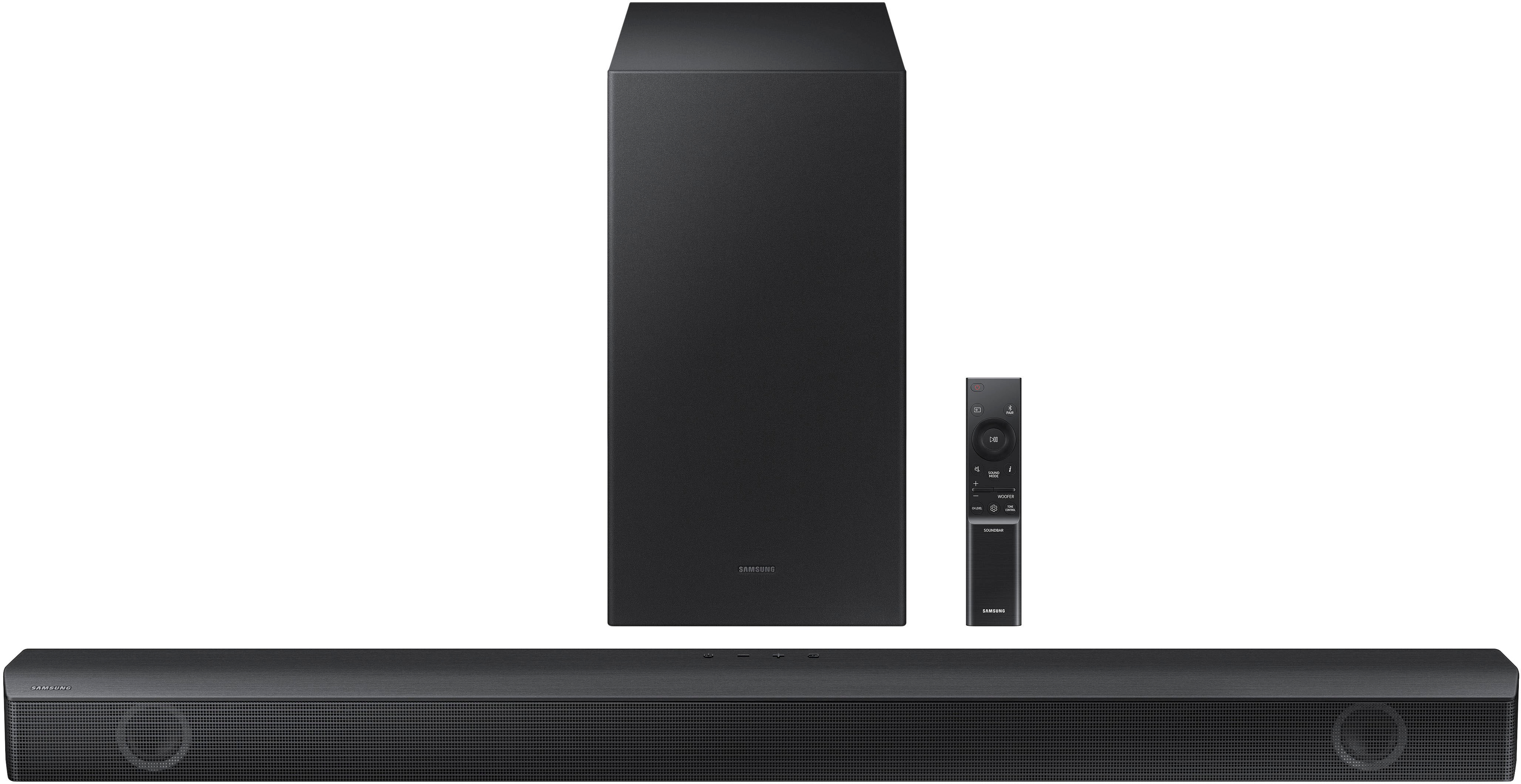
Customers value the HW-B550 2.1ch Soundbar's exceptional sound quality, ease of use, and strong bass response, frequently praising its performance for movies and ease of setup. Many also appreciate its compact size and Bluetooth connectivity. A small number of users reported some issues with the remote control's functionality.
This summary was generated by AI based on customer reviews.
- Pros mentioned:Sound quality
Great purchase
||Posted . Owned for 3 weeks when reviewed.This reviewer received promo considerations or sweepstakes entry for writing a review.Love it. Good quality sound and I’m very picky. I kept it.
I would recommend this to a friend - Pros mentioned:Sound quality
Decent, not great
||Posted . Owned for 3 weeks when reviewed.This reviewer received promo considerations or sweepstakes entry for writing a review.Decent, better than built in TV speakers. We need to keep the voice enhancement on constantly otherwise it's hard to hear talking for shows and movies. Works great for music
I would recommend this to a friendBrand response from Samsung
Posted .Hello danielle,
Thank you for sharing your review of the Samsung HW-B550 soundbar.
Please try the following to optimize your audio performance to your liking by pressing the SOUND MODE button on your soundbar remote, and then selecting the desired sound effect by choosing SURROUND SOUND, BASS BOOST, GAME, ADAPTIVE, DTS VIRTUAL:X, STANDARD.
By pressing the TONE CONTROL button, you can adjust the volume of the treble or bass sound. Press the button to select TREBLE or BASS and then adjust the volume between -6~+6 by using the Up/Down buttons.
Press and hold the SOUND CONTROL button for about 5 seconds to adjust the sound for each frequency band. 150Hz, 300Hz, 600Hz, 1.2kHz, 2.5kHz, 5kHz, and 10kHz are selectable using the Left/Right buttons and each can be adjusted to a setting between -6 to +6 using the Up/Down buttons. (Make sure the Sound mode is set to “STANDARD”.
Additionally, using the WOOFER button on the remote, you can adjust the subwoofer’s volume between -6 to +6 by toggling the button up or down. To set the subwoofer volume level to 0, press the button down.
I hope these tips help improve your enjoyment of the HW-B550 soundbar. For more help please call us at 1-800-SAMSUNG, 8AM - 12AM EST (Ask for Soundbars), 7 days a week. Our LiveChat agents are also available by clicking on the ‘Support’ link on our website.
~ Samsung Solutions
sound bar
||Posted . Owned for 1 month when reviewed.This reviewer received promo considerations or sweepstakes entry for writing a review.Seems to be fine. Our biggest goal was to project the sound forward and NOT backward and into our daughters bedroom
I would recommend this to a friendEasy Peasy
||Posted . Owned for 1 month when reviewed.This reviewer received promo considerations or sweepstakes entry for writing a review.Got this for my MIL's basement TV (great picture, rubbish sound). Since it has the ARC functionality, we didn't have to worry about an additional remote for her to deal with. Simple, easy, and cost effective.
I would recommend this to a friendGets the job done.
||Posted . Owned for 1 month when reviewed.This reviewer received promo considerations or sweepstakes entry for writing a review.Bought this for a second TV in the family room that will mostly be used for gaming. It's WAY better than just the TV speakers, but probably won't blow anyone away with the sound quality. One of the few with an HDMI out, which was essential for my setup.
I would recommend this to a friend- Pros mentioned:Bass, Sound quality
Awesome!
||Posted . Owned for 2 weeks when reviewed.This reviewer received promo considerations or sweepstakes entry for writing a review.The sound on this sound bar is amazing, the subwoofer packs a punch! Good for any movie, show, or games!
I would recommend this to a friend Amazing product
||Posted . Owned for 3 weeks when reviewed.This reviewer received promo considerations or sweepstakes entry for writing a review.Easy to install, compatible with a Samsung TV; one controller for everything. Amazing bass sound.
I would recommend this to a friendGreat item
||Posted . Owned for 1 month when reviewed.This reviewer received promo considerations or sweepstakes entry for writing a review.Perfect, does as advertised.... works great, kinda hard to figure out but be patient.
I would recommend this to a friendAs expected...
||Posted . Owned for 1 month when reviewed.This reviewer received promo considerations or sweepstakes entry for writing a review.Decent for the price... no known issues, but have not had it very long. Bass boost is marginal.
I would recommend this to a friendSoundbar Upgrade!!
||Posted . Owned for 3 weeks when reviewed.This reviewer received promo considerations or sweepstakes entry for writing a review.Price was great and we love the sound. Rebirthed an old TV. Staff at the store were stellar!!!
I would recommend this to a friendIts ok. Im ok with it.
||Posted . Owned for 1 month when reviewed.This reviewer received promo considerations or sweepstakes entry for writing a review.For the money its good.. but the sound is always unbalanced maby because its a all in plus sub setup... volume doesn't seem to get louder with volume up but that sub will THUMP.
No, I would not recommend this to a friendLove this!
||Posted . Owned for 2 months when reviewed.This reviewer received promo considerations or sweepstakes entry for writing a review.Love this product. The is the newer version of the one i had for 8 years that started to crap out
I would recommend this to a friendExcellent sound and bass
||Posted . Owned for 3 weeks when reviewed.This reviewer received promo considerations or sweepstakes entry for writing a review.Excellent speaker and subwoofer, sounds great and I love the easy Bluetooth connectivity, makes using it so much easier.
I would recommend this to a friendSound bar
||Posted . Owned for 3 weeks when reviewed.This reviewer received promo considerations or sweepstakes entry for writing a review.Thie product is very well built. It’s not like any other of the other sound bars that I looked at
I would recommend this to a friendSamsung makes great devices
||Posted . Owned for 1 year when reviewed.This reviewer received promo considerations or sweepstakes entry for writing a review.Great product, has been in the main viewing area of the house providing audio for a 75” screen
I would recommend this to a friend- Pros mentioned:Sound quality
Sound Bar
||Posted . Owned for 1 month when reviewed.This reviewer received promo considerations or sweepstakes entry for writing a review.A little disappointed. It works fine, but I'm not getting the virtual sound that I expected. It could be because of the cathedral ceiling in the room. Quality is good, typical Samsung.
No, I would not recommend this to a friendBrand response from Samsung
Posted .Hello PCTech,
Thank you for sharing your experiences with the HW-B550 Soundbar. I am sorry to see that the Soundbar did not live up to your expectations.
You can optimize your audio performance to your liking by pressing the SOUND MODE button on your soundbar remote, and then selecting the desired sound effect by choosing SURROUND SOUND, BASS BOOST, GAME, ADAPTIVE, DTS VIRTUAL:X, STANDARD.
Use either SURROUND or DTS VIRTUAL:X to further boost the surround sound experiences with any content you are watching.
By pressing the TONE CONTROL button, you can adjust the volume of the treble or bass sound. Press the button to select TREBLE or BASS and then adjust the volume between -6~+6 by using the Up/Down buttons.
Press and hold the SOUND CONTROL button for about 5 seconds to adjust the sound for each frequency band. 150Hz, 300Hz, 600Hz, 1.2kHz, 2.5kHz, 5kHz, and 10kHz are selectable using the Left/Right buttons and each can be adjusted to a setting between -6 to +6 using the Up/Down buttons. (Make sure the Sound mode is set to “STANDARD”.
Additionally, using the WOOFER button on the remote, you can adjust the subwoofer’s volume between -6 to +6 by toggling the button up or down. To set the subwoofer volume level to 0, press the button down.
I hope these tips help you enjoy your new product.
You can always contact us for further help at 1-800-SAMSUNG (Ask for Soundbars), 8 AM – 12 AM EST, 7 days a week. Our LiveChat agents are also available by clicking on the ‘Support’ link on our website.
~ Samsung Solutions
- Pros mentioned:Bass
No good tuning
||Posted . Owned for less than 1 week when reviewed.This reviewer received promo considerations or sweepstakes entry for writing a review.The bass completely drowns out the voice, I’ve tried every setting with the woofer turned all the way down and still can’t hear anything other than loud booms. Unfortunate because the bass does sound good and everything looks great but dang the bass is so overwhelming over just regular talking and sounds. Only had it installed for about an hour and already switched to my tv speakers instead.
No, I would not recommend this to a friendBrand response from Samsung
Posted .Hi Blaine,
We appreciate you taking a moment to review the HW-B550 Soundbar.
Here are some tips to optimize your audio performance to your liking. By pressing the SOUND MODE button on your soundbar remote, and then selecting the desired sound effect by choosing SURROUND SOUND, BASS BOOST, GAME, ADAPTIVE, DTS VIRTUAL:X, STANDARD.
By pressing the TONE CONTROL button, you can adjust the volume of the treble or bass sound. Press the button to select TREBLE or BASS and then adjust the volume between -6~+6 by using the Up/Down buttons.
Press and hold the SOUND CONTROL button for about 5 seconds to adjust the sound for each frequency band. 150Hz, 300Hz, 600Hz, 1.2kHz, 2.5kHz, 5kHz, and 10kHz are selectable using the Left/Right buttons and each can be adjusted to a setting between -6 to +6 using the Up/Down buttons. (Make sure the Sound mode is set to “STANDARD”.
Additionally, using the WOOFER button on the remote, you can adjust the subwoofer’s volume between -6 to +6 by toggling the button up or down. To set the subwoofer volume level to 0, press the button down.
If you need more help, Samsung is here for you. Please call us at 1-800-SAMSUNG, 8AM - 12AM EST (Ask for Soundbars), 7 days a week. Our Live Chat agents are also available by clicking on the ‘Support’ link on our website.
~ Samsung Solutions
Samsung Surround Speakers
||Posted . Owned for 1 month when reviewed.This reviewer received promo considerations or sweepstakes entry for writing a review.I love the sound in these speakers Thanks to one of the Boys in Thunderbird Store
I would recommend this to a friendWorks
||Posted . Owned for 11 months when reviewed.This reviewer received promo considerations or sweepstakes entry for writing a review.Everything seems to work as it’s supposed to. Works with my TV
I would recommend this to a friendHappy Customer
||Posted . Owned for 4 months when reviewed.This reviewer received promo considerations or sweepstakes entry for writing a review.Customer service was super. Definitely, well and above to assist me with finding the right product.
I would recommend this to a friend