Customer Ratings & Reviews
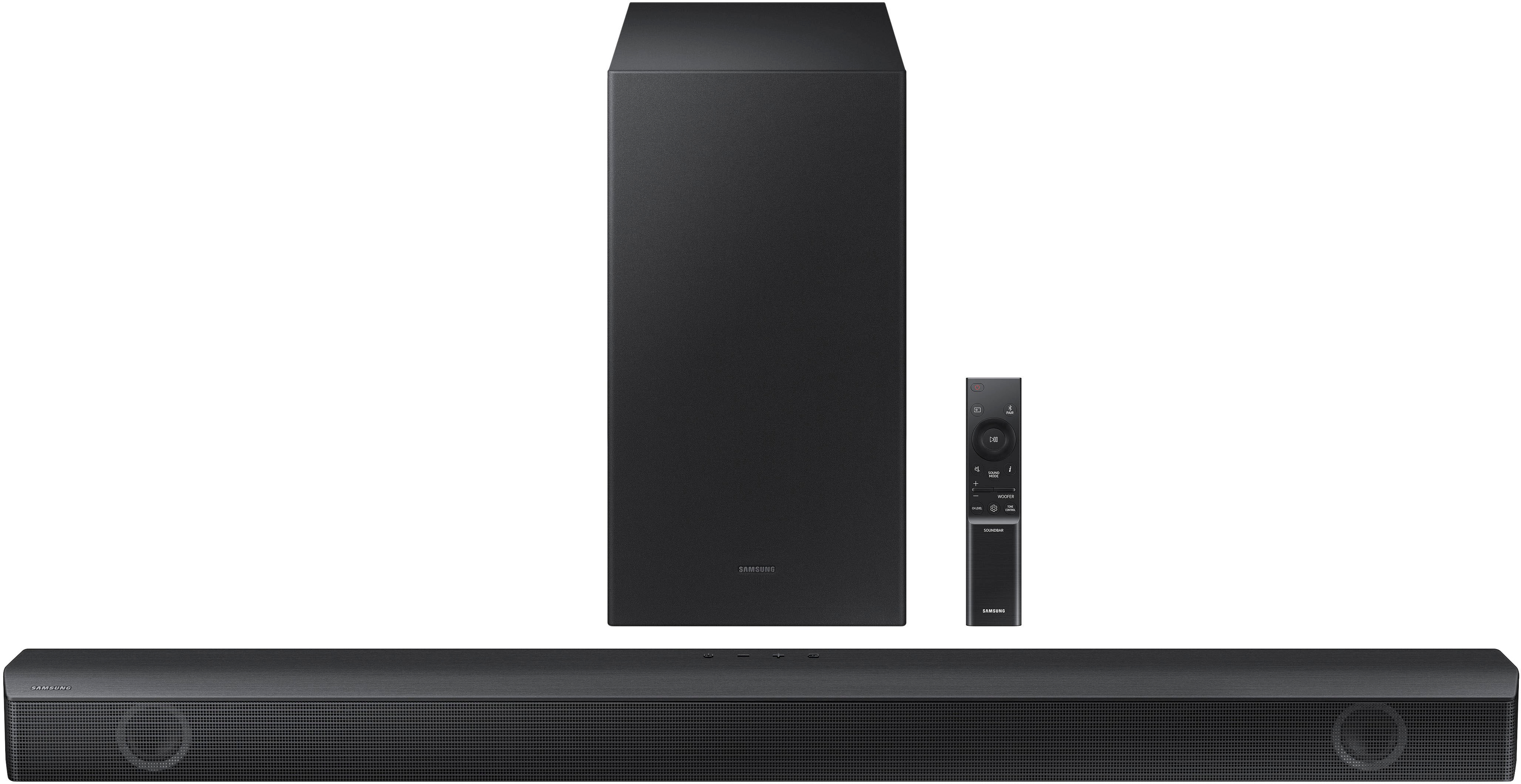
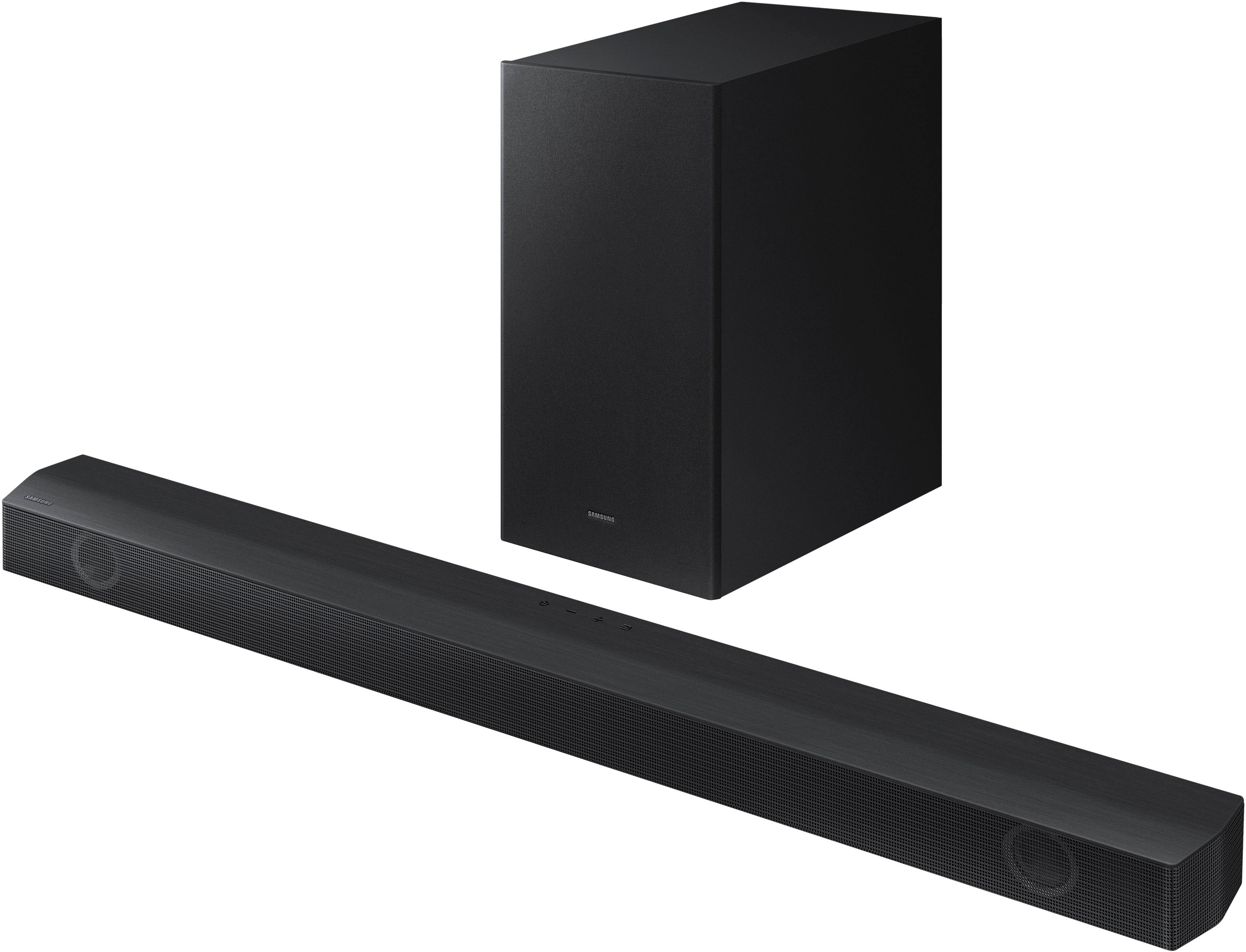
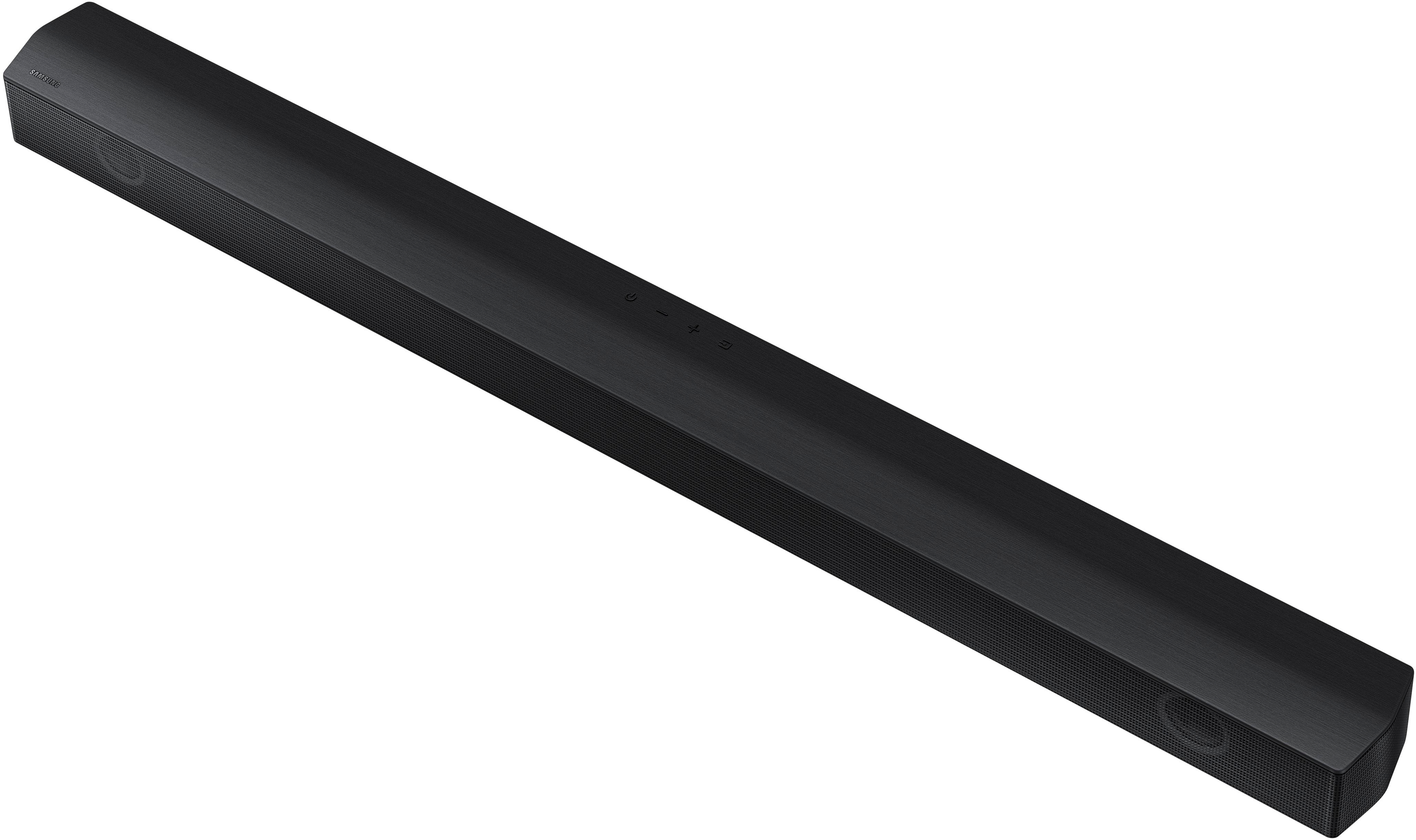


- Model:
- HW-B550/ZA
- SKU:
- 6505159
Rating by feature
- Value
Rating 4.7 out of 5 stars
- Quality
Rating 4.7 out of 5 stars
- Ease of Use
Rating 4.7 out of 5 stars
Customers are saying
Customers value the HW-B550 2.1ch Soundbar's exceptional sound quality, ease of use, and strong bass response, frequently praising its performance for movies and ease of setup. Many also appreciate its compact size and Bluetooth connectivity. A small number of users reported some issues with the remote control's functionality.
This summary was generated by AI based on customer reviews.
Failure to communicate
||Posted . Owned for 1 week when reviewed.This reviewer received promo considerations or sweepstakes entry for writing a review.Never told me that the item was out of stock didn't verify I had to call weeks later to find out what happened to the item. Poor customer service or outcome
No, I would not recommend this to a friendDefinitely not a good buy
||Posted . Owned for 5 months when reviewed.This reviewer received promo considerations or sweepstakes entry for writing a review.Didn’t last 5 months this is absolutely ridiculous
No, I would not recommend this to a friendNot compatible with my cable remote!
||Posted . Owned for less than 1 week when reviewed.This reviewer received promo considerations or sweepstakes entry for writing a review.Just purchased this soundbar. Cable remote and the soundbar volume remote are not compatible...Pain in the butt to use to seperate controls. The Geek squad guy who installed it says nothing he can do nothing fix this. I will be returning this
No, I would not recommend this to a friendBrand response from Samsung
Posted .Hello JeffF,
Thank you for purchasing the HW-B550 Soundbar. I am sorry to see that your setup process was less than ideal.
As long as your soundbar is connected to your TV with either an optical cable or HDMI via ARC, you can control the volume and mute the soundbar using your Samsung TV's remote. The soundbar should also turn on and off with the TV.
1. Use the TV remote to navigate to Settings, select Sound, and then select Sound Output on your Samsung TV.
2. Select your Samsung soundbar, and then select Close. Now you can use your TV remote to adjust volume and mute the soundbar. The soundbar should also turn on and off with the TV.
By default, Samsung TV remotes should be able to control Samsung soundbars. If it isn't working, be sure the soundbar is powered on, and then press and hold the WOOFER button up until "ON - TV REMOTE" appears on the display (about 5 seconds). Next, you'll need to choose between connecting with an optical cable or an HDMI cable.
For detailed instructions, please visit: https://www.samsung.com/us/support/answer/ANS00049279/
I hope this tip helps improve your enjoyment. For more help, please call us at 1-800-SAMSUNG (Ask for Soundbars), 8 AM – 12 AM EST, 7 days a week. LiveChat with an agent as well as manuals, software, and warranty info can be found at the ‘Support’ link on our Samsung website.
~ Samsung Solutions
issues with non Samsung tv
||Posted . Owned for 1 month when reviewed.This reviewer received promo considerations or sweepstakes entry for writing a review.Issues connecting to non Samsung TV. After a while i hear a beep noise that comes out through the tv (some times while playing netflix or amazon prime).
No, I would not recommend this to a friendBrand response from Samsung
Posted .Hello Katrose,
Thank you for sharing your experiences with the HW-B550 Soundbar. I am sorry to see that your Soundbar has not lived up to your expectations.
Please know that we are here and happy to help you, call us at 1-800-SAMSUNG (ask for Soundbars), available 8 AM – 12 AM EST, 7 days a week.
LiveChat with an agent by clicking the ‘Support’ link on the Samsung website.
~Samsung Solutions
Less than mediocre
||Posted . Owned for 3 weeks when reviewed.This reviewer received promo considerations or sweepstakes entry for writing a review.Had to return. The subwoofer would not connect after a few times. Also when it was able to connect, the sound was mediocre.
No, I would not recommend this to a friendBrand response from Samsung
Posted .Hello AlejM,
Thank you for your review of the Samsung HW-B550 Soundbar and for sharing the experience that has caused you to return your unit. Your feedback is very important to us and will be shared with our product team.
Should you ever decide to give Samsung Soundbars another try and have questions or need assistance with settings, setup, or features, please know we are always here to help.
Call us at 1-800-SAMSUNG (ask for Soundbars), available 8 AM – 12 AM EST, 7 days a week.
~ Samsung Solutions
Too mich Bass
||Posted . Owned for 3 weeks when reviewed.This reviewer received promo considerations or sweepstakes entry for writing a review.Too much bass, bad instructions, can not find on screen menu.
No, I would not recommend this to a friendBrand response from Samsung
Posted .Hi Riverjb1,
I’m sorry to hear that you’re dissatisfied with the performance of your HW-B550 soundbar.
Here are a few tips to optimize you Soundbar and make adjustments.
By pressing the TONE CONTROL button, you can adjust the volume of the treble or bass sound. Press the button to select TREBLE or BASS and then adjust the volume between -6~+6 by using the Up/Down buttons.
Press and hold the SOUND CONTROL button for about 5 seconds to adjust the sound for each frequency band. 150Hz, 300Hz, 600Hz, 1.2kHz, 2.5kHz, 5kHz, and 10kHz are selectable using the Left/Right buttons and each can be adjusted to a setting between -6 to +6 using the Up/Down buttons. (Make sure the Sound mode is set to “STANDARD”.
Additionally, using the WOOFER button on the remote, you can adjust the subwoofer’s volume between -6 to +6 by toggling the button up or down. To set the subwoofer volume level to 0, press the button down.
If you need more help, Samsung is here for you. Please call us at 1-800-SAMSUNG, 8AM - 12AM EST (Ask for Soundbars), 7 days a week. Our Live Chat agents are also available by clicking on the ‘Support’ link on our website.
~ Samsung Solutions
not a good sound bar
||Posted . Owned for 4 months when reviewed.This reviewer received promo considerations or sweepstakes entry for writing a review.I wasnt a fan of this set so I ended up returning it
No, I would not recommend this to a friendBrand response from Samsung
Posted .DeMarco,
Thank you for sharing your review of the Samsung HW-B550 Soundbar and experience.
It is possible that your unit needed minor troubleshooting, a firmware update, or adjustments in settings
Should you ever decide to give Samsung audio products another try and have concerns or questions, please know we are always here to help. You can contact Samsung Customer Support by any of the below options: 1-800-SAMSUNG, 8AM - 12AM EST (Ask for Soundbars), 7 days a week. Our Live Chat agents are also available by clicking on the ‘Support’ link on our website.
Again, thank you for taking the time to share your experience. We hope to regain you as a customer in the future.
~ Samsung Solutions
Samsung HW-8550/ZA
||Posted . Owned for 2 months when reviewed.This reviewer received promo considerations or sweepstakes entry for writing a review.poor sound quality and difficult functions on control, not user friendly.
No, I would not recommend this to a friendBrand response from Samsung
Posted .Hello FrancG,
Thank you for sharing you review of the HW-B550 Soundbar. I am sorry to see that you are having a difficult time with the Soundbar's One Remote.
You can optimize your audio performance to your liking by pressing the SOUND MODE button on your soundbar remote, and then selecting the desired sound effect by choosing SURROUND SOUND, BASS BOOST, GAME, ADAPTIVE, DTS VIRTUAL:X, STANDARD.
By pressing the TONE CONTROL button, you can adjust the volume of the treble or bass sound. Press the button to select TREBLE or BASS and then adjust the volume between -6~+6 by using the Up/Down buttons.
Press and hold the SOUND CONTROL button for about 5 seconds to adjust the sound for each frequency band. 150Hz, 300Hz, 600Hz, 1.2kHz, 2.5kHz, 5kHz, and 10kHz are selectable using the Left/Right buttons and each can be adjusted to a setting between -6 to +6 using the Up/Down buttons. (Make sure the Sound mode is set to “STANDARD”.
Additionally, using the WOOFER button on the remote, you can adjust the subwoofer’s volume between -6 to +6 by toggling the button up or down. To set the subwoofer volume level to 0, press the button down.
If you’d like more help with settings, please know we’re here to help! Call us at 1-800-SAMSUNG (Ask for Soundbars), 8AM - 12AM EST, 7 days a week. Or visit us on the Samsung website and click on the ‘Support’ link for:
• LiveChat
• Manuals, Software, & Warranty Info
~ Samsung Solutions
It’s okay.
||Posted . Owned for 1 month when reviewed.This reviewer received promo considerations or sweepstakes entry for writing a review.Got it on sale. Would not buy it on regular price. Sound is okay but not much difference noted from tv sound.
No, I would not recommend this to a friendBrand response from Samsung
Posted .Hello Dannyboy,
Thank you for your purchase and review of the HW-B550 Soundbar. Your feedback is very important to us about your audio experience.
There are a few steps you can take to optimize your soundbar to best fit your preferences. Press the SOUND MODE button on your remote, and then select your desired sound effect: STANDARD, SURROUND SOUND, BASS BOOST, GAME, or ADAPTIVE.
By using the TONE CONTROL button, you can adjust the volume of the treble or bass sound. Press the button to select TREBLE or BASS and then adjust the volume between -6~+6 by using the Up/Down buttons.
Press and hold the SOUND CONTROL button for about 5 seconds to adjust the sound for each frequency band. 150Hz, 300Hz, 600Hz, 1.2kHz, 2.5kHz, 5kHz, and 10kHz are selectable using the Left/Right buttons and each can be adjusted to a setting between -6 to +6 using the Up/Down buttons. (Make sure the Sound mode is set to “STANDARD”.
Additionally, using the WOOFER button on the remote, you can adjust the subwoofer’s volume between -6 to +6 by toggling the button up or down. To set the subwoofer volume level to 0, press the button down.
If you’d like more help with settings, please know we’re here to help! Call us at 1-800-SAMSUNG (Ask for Soundbars), 8AM - 12AM EST, 7 days a week. Or visit us on the Samsung website and click on the ‘Support’ link for:
• LiveChat
• Manuals, Software, & Warranty Info
~ Samsung Solutions
- Pros mentioned:Bass, Bluetooth, Sound quality
Solid performing soundbar system
Posted .This reviewer received promo considerations or sweepstakes entry for writing a review.For only $159 dollars, I am impressed with the sound quality. The subwoofer adds plenty of bass for my room. I like having Bluetooth capabilities for streaming music from my cell phone. The only glitch I have had was the subwoofer unpaired itself one day, but the troubleshooting guide walked me through repairing this problem. Overall, a solid performing soundbar system.
I would recommend this to a friend Awful
||Posted . Owned for 2 weeks when reviewed.This reviewer received promo considerations or sweepstakes entry for writing a review.Awful service Awful Awful Awful Awful Awful Awful Awful
No, I would not recommend this to a friendBrand response from Samsung
Posted .James,
Thanks for your review. So we can better understand this, please reach out to Samsung Customer Support at 1-800-SAMSUNG, 8AM - 12AM EST, 7 days a week. Our LiveChat agents are also available by clicking on the ‘Support’ link on our website.
~ Samsung Specialist
Underwhelming
||Posted . Owned for less than 1 week when reviewed.This reviewer received promo considerations or sweepstakes entry for writing a review.Not loud enough even at 100%. Was using in garage and sound still would not amplify outside open garage door.
No, I would not recommend this to a friendBrand response from Samsung
Posted .Hi Phormula,
You can try optimizing audio performance for your specific content by pressing the SOUND MODE button on your soundbar remote, and then select the desired sound effect by choosing STANDARD, SURROUND SOUND, BASS BOOST, GAME, or ADAPTIVE.
You can also press the Sound Control button on the remote (which looks like a gear) to adjust TREBLE and BASS.
Press and hold the Sound Control button for about 5 seconds to adjust the sound for each of seven frequency bands.
Using the WOOFER button on the remote, you can adjust the volume of the subwoofer to -12 or between -6 to +6 by toggling the button up or down. To set the subwoofer volume level to 0, press the button down.
I hope this tip helps improve your sound experience.
Should you ever have questions or need help, please call us at 1-800-SAMSUNG (ask for Soundbars), available 8AM - 12AM EST, 7 days a week.
For additional support resources, visit us on the Samsung website and click on the ‘Support’ link in the upper right corner of the homepage for:
1) Chat with Us/Product Help: To begin a chat or find solutions, choose ‘TVs & Home Theater’ and select your model & topic.
2) Manuals & Software
3) Warranty Info
4) Register a Product: For access to easy warranty support, convenient opt-in to special promos and offers, faster troubleshooting and service, and quick notification of system updates
5) Contact Us
~ Samsung Solutions
Not working
||Posted . Owned for 2 weeks when reviewed.This reviewer received promo considerations or sweepstakes entry for writing a review.The additional Speaker doesn’t work after multiple attempts
No, I would not recommend this to a friendBrand response from Samsung
Posted .Hello Rita,
Thank you for sharing your experiences with the HW-B650 Soundbar. I am sorry to see that your initial time with your Soundbar has not been ideal.
So we can offer step-by-step troubleshooting or warranty assistance, please contact Samsung Customer Support. Call us at 1-800-SAMSUNG (ask for Soundbars), available 8 AM – 12 AM EST, 7 days a week.
LiveChat with an agent by clicking the ‘Support’ link on the Samsung website.
~Samsung Solutions
- Pros mentioned:Sound quality
Weak
||Posted . Owned for 1 week when reviewed.This reviewer received promo considerations or sweepstakes entry for writing a review.Subwoofer isn't loud enough. Sounds good but weak bass.
No, I would not recommend this to a friendBrand response from Samsung
Posted .Hello Deluxe,
Thank you for your purchase and review of the HW-B550 Soundbar. Your feedback is very important to us about your audio experience. There are a few things you can do to optimize your soundbar to best fit your preferences.
By pressing the SOUND MODE button, you can select the desired sound mode.
SURROUND SOUND: Provides a wider sound field than standard.
BASS BOOST MODE: Sound field mode with emphasis on bass sound.
GAME MODE: Provides stereoscopic sound to immerse you in the action while gaming.
ADAPTIVE MODE: Analyzes the content in real time and automatically provides an optimal sound field based on the content you are enjoying.
DTS VIRTUAL:X MODE: Immersive 3D sound from any content.
STANDARD MODE: Outputs the original sound.
By pressing the TONE CONTROL button, you can adjust the volume of the treble or bass sound. Press the button to select TREBLE or BASS and then adjust the volume between -6~+6 by using the Up/Down buttons.
Press and hold the (Sound Control) button for about 5 seconds to adjust the sound for each frequency band. 150Hz, 300Hz, 600Hz, 1.2kHz, 2.5kHz, 5kHz, and 10kHz are selectable using the Left/Right buttons and each can be adjusted to a setting between -6 to +6 using the Up/Down buttons. (Make sure the Sound mode is set to “STANDARD”.
Additionally, using the WOOFER button on the remote, you can adjust the subwoofer’s volume between -6 to +6 by toggling the button up or down. To set the subwoofer volume level to 0, press the button down.
I hope these tips help you enjoy your new product.
You can always contact us for further help at 1-800-SAMSUNG (Ask for Soundbars), 8 AM – 12 AM EST, 7 days a week. Our LiveChat agents are also available by clicking on the ‘Support’ link on our website.
~ Samsung Solutions
- Pros mentioned:Ease of use, Sound quality
What Have I Been Missing!
Posted .This reviewer received promo considerations or sweepstakes entry for writing a review.Finally added one to our Samsung 65 inch and wow what a difference. I hear dialogue now and the sub is more than adequate for my TV needs. Easy installation and syncing. I wall mounted mine with the hardware included. Bingo!
I would recommend this to a friend - Pros mentioned:Bass, Sound quality
Sound Bar/subwoofer
Posted .This reviewer received promo considerations or sweepstakes entry for writing a review.It is a wonderful add-on to our TV. Ity really enhances the overall quality of sound and the sub-woofer adds an intense experience!! And the installers were professional. courteous and just wonderful! Thanks for the product and great serviuce.
I would recommend this to a friend - Pros mentioned:Bass, Sound quality
Unequaled Sound Experience
Posted .This reviewer received promo considerations or sweepstakes entry for writing a review.This sound bar is the best one I’ve purchased so far. The sound quality of it is incredible! The clarity and bass are amazing to listen to with no distortion at all. I highly suggest you check it out for yourself. I don’t write many reviews but I had to do this one!
I would recommend this to a friend - Pros mentioned:Ease of use, Sound quality
nice soundbar
Posted .This reviewer received promo considerations or sweepstakes entry for writing a review.This is a nice little soundbar & sub-woofer. Adds alot to our enjoyment of all tv programs and music. Was easy to hook up using the optical cable provided. I plan to upgrade to an HDMI cable soon.
I would recommend this to a friend - Pros mentioned:Ease of use, Sound quality
Sound bar review
Posted .This reviewer received promo considerations or sweepstakes entry for writing a review.Sound bar was very easy to install and connect to. Sound quality is great and for a very affordable price
I would recommend this to a friend - Pros mentioned:Price, Sound quality
Great sound!
Posted .This reviewer received promo considerations or sweepstakes entry for writing a review.This baby had my house bumpin!! Great sound and quality especially for the price!! We love music im our house, and we made sure to put it to good use. Will definitely buy again.
I would recommend this to a friend