Customer Ratings & Reviews










- Model:
- HW-B650/ZA
- SKU:
- 12378060
Rating by feature
- Value
Rating 4.7 out of 5 stars
- Quality
Rating 4.6 out of 5 stars
- Ease of Use
Rating 4.7 out of 5 stars
Sony Soundbar
||Posted . Owned for 3 weeks when reviewed.This reviewer received promo considerations or sweepstakes entry for writing a review.difficult to hook up and then was not compatible with TV
No, I would not recommend this to a friendBrand response from Samsung
Posted .Hello JamesG,
You are leaving a review for the HW-B650 Samsung Soundbar. From your description, I believe your review was intended for a Sony Soundbar.
Should you have any questions or concerns regarding your HW-B650 Samsung Soundbar, please contact Samsung Customer Support. Call us at 1-800-SAMSUNG (ask for Soundbars), available 8 AM – 12 AM EST, 7 days a week.
LiveChat with an agent by clicking the ‘Support’ link on the Samsung website.
~Samsung Solutions
Not Working Correctly
||Posted . Owned for 1 month when reviewed.This reviewer received promo considerations or sweepstakes entry for writing a review.The Remote is not working properly, I need to return it
No, I would not recommend this to a friendBrand response from Samsung
Posted .Hello RickJ,
Thank you for sharing your review of the Samsung HW-B650 Soundbar. We appreciate your feedback regarding the issues you are experiencing and are planning on returning it.
Samsung stands behind the quality and performance of our Soundbars with a limited 1-year manufacturer’s warranty when purchased brand-new from an authorized dealer.
Should you want to troubleshoot your issue first, please contact Samsung Customer Support. Call us at 1-800-SAMSUNG (ask for Soundbars), available 8 AM – 12 AM EST, 7 days a week.
LiveChat with an agent by clicking the ‘Support’ link on the Samsung website.
~Samsung Solutions
Muffled sound quality
||Posted . Owned for 3 months when reviewed.This reviewer received promo considerations or sweepstakes entry for writing a review.Nothing special, the sound is louder but the quality is not great almost muffled.
No, I would not recommend this to a friendBrand response from Samsung
Posted .Hello KellyC
Thank you for sharing your experiences with the HW-B650 Soundbar. I am sorry to see that your out-of-box experience has not been fantastic.
There are a few ways you can troubleshooting your Soundbar. First, make sure that the Soundbar it setup where the Samsung logo is facing upwards, with the speakers facing you.
We do recommend using a HDMI cable as this will offer the best audio and experience available. If you are still experiencing issues, try doing a soft reset, unplug the soundbar from the outlet for roughly 30 seconds, and then plug it back in.
Next, with the Soundbar on, press the + & - (Volume UP/DOWN) buttons on the body at the same time for at least 5 seconds. “INIT OK” appears on the display and then the Soundbar is reset.
Please know that Samsung is committed to providing the best possible product experience, quality, and value, and we back this soundbar with a 1-year limited manufacturer's warranty. Should you ever have questions or need help, please call us at 1-800-SAMSUNG (ask for Soundbars), available 8 AM – 12 AM EST, 7 days a week.
For additional support resources such as downloading a full manual, visit us on the Samsung website and click on the ‘Support’ link in the upper right corner of the homepage.
~Samsung Solutions
Great sound bar at a great price!
||Posted . Owned for 2 weeks when reviewed.This reviewer received promo considerations or sweepstakes entry for writing a review.Black friday deal on this soundbar was too good to pass up!!
I would recommend this to a friendGood stuff
||Posted . Owned for 3 weeks when reviewed.This reviewer received promo considerations or sweepstakes entry for writing a review.Not very satisfied with the bass but overall satisfied with the sound
I would recommend this to a friendBrand response from Samsung
Posted .Hello PeterE,
Thank you for sharing your thoughts regarding the HW-B650 Soundbar.
I am sorry that you are totally satisfied with the wireless subwoofer.
You can try adjusting audio performance to your liking by pressing the SOUND MODE button on your soundbar remote, and then selecting the desired sound effect by choosing SURROUND SOUND, BASS BOOST, GAME, ADAPTIVE, DTS VIRTUAL:X, STANDARD.
Press and hold the (Sound Control) button for about 5 seconds to adjust the sound for each frequency band. 150Hz, 300Hz, 600Hz, 1.2kHz, 2.5kHz, 5kHz, and 10kHz are selectable using the Left/Right buttons and each can be adjusted to a setting between -6 to +6 using the Up/Down buttons. (Make sure the Sound mode is set to “STANDARD”.
By pressing the TONE CONTROL button, you can adjust the volume of the treble or bass sound. Press the button to select TREBLE or BASS and then adjust the volume between -6~+6 by using the Up/Down buttons.
Additionally, using the WOOFER button on the remote, you can adjust the subwoofer’s volume between -6 to +6 by toggling the button up or down. To set the subwoofer volume level to 0, press the button down.
Should you ever have questions or need help, please call us at 1-800-SAMSUNG (ask for Soundbars), available 8 AM – 12 AM EST, 7 days a week.
For additional support resources, visit us on the Samsung website and click on the ‘Support’ link in the upper right corner of the homepage for:
1) Chat with Us/Product Help: To begin a chat or find solutions, choose ‘TVs & Home Theater’ and select your model & topic.
2) Manuals & Software
3) Warranty Info
4) Register a Product: For access to easy warranty support, convenient opt-in to special promos and offers, faster troubleshooting and service, and quick notification of system updates
5) Contact Us
~ Samsung Solutions
Doesn't work
||Posted . Owned for 2 months when reviewed.This reviewer received promo considerations or sweepstakes entry for writing a review.The Geek Squad came to hook up and said it doesn't work.
No, I would not recommend this to a friendBrand response from Samsung
Posted .Hi Jean,
Thank you for sharing your review of the HW-B650 Soundbar. We value your feedback and will share it with our teams.
If there is anything we can do to improve your enjoyment such as helping to optimize settings for your specific sound scenario, please contact Samsung Customer Support. Just give us a call at 1-800-SAMSUNG (Ask for Soundbars), 8AM - 12AM EST, 7 days a week. Our Live Chat agents are also available by clicking on the ‘Support’ link on our website.
~ Samsung Solutions
Poor sound quality sound alternates from TV speake
||Posted . Owned for 1 week when reviewed.This reviewer received promo considerations or sweepstakes entry for writing a review.Geek Squad has been to my home twice. Replaced the first sound bar and now the second is doing the same. Sound is alternating from sound bar to speaker. Very annoying! Could be the HDMI cord. But why wouldn’t geek squad bring the appropriate wires the first installation.
No, I would not recommend this to a friendBrand response from Samsung
Posted .Hello Kaye,
Thank you for sharing your review of the HW-B650 Soundbar. I am sorry to see that you have experienced these issues with your new purchase.
For any questions or concerns about Geek Squad please contact your local Best Buy.
Should you ever have questions or need help with your new Soundbar, please call us at 1-800-SAMSUNG (ask for Soundbars), available 8 AM – 12 AM EST, 7 days a week.
For additional support resources such as downloading a full manual, visit us on the Samsung website and click on the ‘Support’ link in the upper right corner of the homepage.
~Samsung Solutions
Easy
||Posted . Owned for less than 1 week when reviewed.This reviewer received promo considerations or sweepstakes entry for writing a review.Was easy to set up. They had it in stock. Very nice prple
I would recommend this to a friend10/10
||Posted . Owned for 3 weeks when reviewed.This reviewer received promo considerations or sweepstakes entry for writing a review.Purchased during Black Friday. I love everything about it
I would recommend this to a friendSOLIDDDDDDD
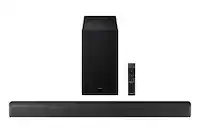
Posted .This reviewer received promo considerations or sweepstakes entry for writing a review.Introduction: In the pursuit of immersive home entertainment, a quality soundbar can make all the difference. Enter the Samsung HW-B650 Soundbar, a sleek and feature-rich audio solution designed to complement your TV viewing experience. In this in-depth review, we'll explore the design, audio performance, connectivity options, and additional features of the HW-B650 to help you determine if it's the right choice for your home audio setup. Design and Build Quality: Samsung is renowned for its commitment to design excellence, and the HW-B650 Soundbar is a testament to that ethos. With its slim profile, matte finish, and minimalist aesthetic, this soundbar effortlessly blends into any modern living space. The build quality is impressive, conveying a sense of durability and sophistication that reflects Samsung's attention to detail. Measuring just xx inches in width, the HW-B650 is an ideal companion for TVs of various sizes, whether wall-mounted or placed on a stand. The soundbar's unobtrusive design ensures that it doesn't overpower the room visually, allowing it to seamlessly integrate into your home entertainment setup. Additionally, the wireless subwoofer provides flexibility in placement, eliminating the need for cumbersome cables while delivering powerful bass that enhances your audio experience. Audio Performance: At the core of the HW-B650 lies its audio performance, which aims to deliver immersive sound that brings your favorite movies, music, and games to life. Equipped with Samsung's Acoustic Beam technology and tuned by the audio experts at Harman Kardon, this soundbar delivers a dynamic and detailed soundstage that fills the room with rich, clear audio. The HW-B650 features a dedicated center channel speaker, which ensures crystal-clear dialogues, making every word easily intelligible even in the midst of action-packed scenes. Moreover, the wireless subwoofer adds depth and impact to the sound, enhancing the low-end frequencies for a more cinematic experience. Whether you're watching a blockbuster movie or streaming your favorite playlist, the HW-B650 reproduces sound with impressive clarity and fidelity. Connectivity and Convenience: Samsung understands the importance of seamless connectivity in today's digital age, and the HW-B650 doesn't disappoint in this regard. The soundbar offers a variety of connectivity options, including HDMI ARC, optical, Bluetooth, and Wi-Fi, ensuring compatibility with a wide range of devices and streaming services. Setting up the soundbar is a breeze, thanks to its intuitive interface and user-friendly remote control. Additionally, the HW-B650 supports Bluetooth Multi-Connection, allowing you to connect two Bluetooth-enabled devices simultaneously. This feature comes in handy when you want to switch between watching TV and streaming music from your smartphone without having to constantly re-pair devices. Furthermore, the soundbar's compatibility with Samsung's SmartThings app enables convenient control and customization of audio settings from your smartphone or tablet. Additional Features: In addition to its core audio performance and connectivity options, the HW-B650 boasts a range of additional features that further enhance its versatility and appeal. One standout feature is Samsung's Adaptive Sound technology, which analyzes the audio signal in real-time and automatically adjusts the soundbar's settings to deliver the best possible audio experience. Whether you're watching a dialogue-heavy drama or an action-packed blockbuster, Adaptive Sound ensures that the soundbar optimizes its performance to suit the content. Moreover, the HW-B650 supports Samsung's OneRemote feature, which allows you to control both your TV and soundbar with a single remote. This streamlined control experience eliminates the need for multiple remotes cluttering up your living room and makes it easier than ever to navigate your entertainment setup. Conclusion: In conclusion, the Samsung HW-B650 Soundbar offers a compelling blend of design, performance, and convenience, making it a standout choice for anyone looking to enhance their home audio experience. With its sleek design, immersive sound, and versatile connectivity options, this soundbar delivers an impressive audio performance that elevates your favorite movies, music, and games to new heights. While it may not offer the advanced features found in higher-end models, the HW-B650 strikes a perfect balance between quality and affordability, making it an excellent investment for discerning consumers.
I would recommend this to a friendtitle
||Posted . Owned for 1 month when reviewed.This reviewer received promo considerations or sweepstakes entry for writing a review.very good. I appreciate all that Best Bu does. thank you
I would recommend this to a friendPoor Performance
||Posted . Owned for 5 months when reviewed.This reviewer received promo considerations or sweepstakes entry for writing a review.First of all, why does a Samsung sell a TV in which you can’t hear the words? Then you are forced to buy a stupid Sound Bar & getting that set up is a mind boggling experience. I still don’t have the base working & the sound is only slightly louder. It is a big waste of money!
No, I would not recommend this to a friendBrand response from Samsung
Posted .Lily,
I am sorry to hear that you are not completely satisfied with the overall volume of the soundbar. If you don't have a surround system, you will probably want to select PCM audio on your TV. You'll get much louder volume that way, and potentially better sound quality.
If your Digital Output Audio Format isn't set to PCM, for instance if you have a Dolby option selected, then you will likely notice decreased maximum volume. Dolby options are designed for surround systems (like 3.1.2 or 7.1), whereas PCM provides great sound quality for stereo speakers.
On a Samsung TV this can be found at Home > Settings > Sound > Expert Settings. (It can also be found in the Quick Settings.)
Your soundbar and subwoofer should connect automatically when they are turned on, but you can also connect manually just as easily.
When both soundbar and subwoofer are plugged in, they should begin to connect automatically. When the subwoofer is completely connected, the blue LED LINK indicator on the subwoofer stops blinking and glows continuously. If the blue LED does not stop blinking, the process has failed.
For manual connection, after both soundbar and subwoofer are plugged in to a wall outlet, press and hold the ID SET button on the back of the subwoofer for at least 5 seconds. The red indicator on the rear of the subwoofer turns off and the blue indicator blinks.
Press and hold the Up button on the remote control for at least 5 seconds. The ID SET message appears on the display of the Soundbar for a moment, and then it disappears. The Soundbar will automatically power on when ID SET is complete.
Check if the LINK LED is solid blue (connection complete). The LINK LED indicator stops blinking and glows a solid blue when a connection is established between the Soundbar and the Wireless Subwoofer.
I hope these tips helps. For further assistance with settings, features, or functions, please contact Samsung Customer Support 1-800-SAMSUNG (Ask for Soundbars), 8 AM – 12 AM EST, 7 days a week. Our LiveChat agents are also available by clicking on the ‘Support’ link on our website.
~ Samsung Solutions
Absolutely loved it!
||Posted . Owned for 1 month when reviewed.This reviewer received promo considerations or sweepstakes entry for writing a review.Excellent thank you so very much i absolutely love it!
I would recommend this to a friendMoney Down the Drain
||Posted . Owned for 1 month when reviewed.This reviewer received promo considerations or sweepstakes entry for writing a review.The system shut down completely on the 16 th day after purchase. Best Buy would not exchange or help. Money down the drain
No, I would not recommend this to a friendBrand response from Samsung
Posted .Hello KristianP,
Thank you for purchasing the Samsung HW-B650 Soundbar. We appreciate you sharing your experience with us.
Please contact Samsung Customer Support so we can better understand your issue and assist you with step-by-step troubleshooting or warranty service.
Call us at 1-800-SAMSUNG (ask for Soundbars), available 8 AM – 12 AM EST, 7 days a week.
LiveChat with an agent by clicking the ‘Support’ link on the Samsung website.
~Samsung Solutions
Excellent
||Posted . Owned for 3 weeks when reviewed.This reviewer received promo considerations or sweepstakes entry for writing a review.I love this product, and don’t have any complaints.
I would recommend this to a friendTV upgrade is great.
||Posted . Owned for 1 month when reviewed.This reviewer received promo considerations or sweepstakes entry for writing a review.Both TV and Sound System is just what we wanted. .
I would recommend this to a friendReview
||Posted . Owned for 3 weeks when reviewed.This reviewer received promo considerations or sweepstakes entry for writing a review.It was everything I was looking for in a sound bar
I would recommend this to a friendSolid sound bar
||Posted . Owned for 1 month when reviewed.This reviewer received promo considerations or sweepstakes entry for writing a review.Got this for our family room and it does the job. Sub-woofer could use a bit more bass
I would recommend this to a friendBrand response from Samsung
Posted .Hello Tech909,
Thank you for sharing your thoughts regarding the HW-B650 Soundbar.
You can optimize your audio performance to your liking by pressing the SOUND MODE button on your soundbar remote, and then selecting the desired sound effect by choosing SURROUND SOUND, BASS BOOST, GAME, ADAPTIVE, DTS VIRTUAL:X, STANDARD.
By pressing the TONE CONTROL button, you can adjust the volume of the treble or bass sound. Press the button to select TREBLE or BASS and then adjust the volume between -6~+6 by using the Up/Down buttons.
Press and hold the (Sound Control) button for about 5 seconds to adjust the sound for each frequency band. 150Hz, 300Hz, 600Hz, 1.2kHz, 2.5kHz, 5kHz, and 10kHz are selectable using the Left/Right buttons and each can be adjusted to a setting between -6 to +6 using the Up/Down buttons. (Make sure the Sound mode is set to “STANDARD”.
Additionally, using the WOOFER button on the remote, you can adjust the subwoofer’s volume between -6 to +6 by toggling the button up or down. To set the subwoofer volume level to 0, press the button down.
I hope these tips help you enjoy your new product.
You can always contact us for further help at 1-800-SAMSUNG (Ask for Soundbars), 8 AM – 12 AM EST, 7 days a week. Our LiveChat agents are also available by clicking on the ‘Support’ link on our website.
~ Samsung Solutions
Craped out already.
||Posted . Owned for 3 months when reviewed.This reviewer received promo considerations or sweepstakes entry for writing a review.Was working great. 3 months in and it no longer works. Sounds goes out constantly. Resetting doesn't help.
No, I would not recommend this to a friendBrand response from Samsung
Posted .Hello BrianO,
We appreciate you taking a moment to review the Samsung HW-B650 Soundbar.
Updating the firmware on your soundbar gives you all the benefits of the latest improvements. When an update is available, you can update the Soundbar by connecting the USB drive that contains the update firmware to the SERVICE port of the Soundbar.
1.Go to the Samsung Electronics website (www.samsung.com) → click on the “Support” option in the upper right corner.
2.Click on “Manuals & Software” from the pop-up list > TVs & Home Theater > Home Theater > Select your model
2. Download the firmware file (USB type).
3. Unzip the file to create a folder with the file name.
4. Store the created folder in a USB and then connect it to the Soundbar.
5. A sequence of “UPDATE” > “BYE” > “ON” will appear on the display 3 times. This will take around 6 minutes.
- During update, do not turn it off or remove the USB.
- If “UPDATE” does not appear on the display window, remove the power cord from the Soundbar and then reconnect it.
- When the latest Version is installed, no update is performed.
- Depending on the USB type, update may not be supported.
6. After the 3 cycles are complete, the Soundbar will restart and last source used will appear on the display for about 20 seconds and then it will go off (“UPDATE” > “BYE” > “ON”) 3 times “D.IN” > off
If you need more help, Samsung is here for you. Please call us at 1-800-SAMSUNG, 8AM - 12AM EST (Ask for Soundbars), 7 days a week. Our Live Chat agents are also available by clicking on the ‘Support’ link on our website.
~ Samsung Solutions
Upset customer
||Posted . Owned for 3 weeks when reviewed.This reviewer received promo considerations or sweepstakes entry for writing a review.Because your product failed and I no long have a box you won’t take it back and I’m stuck with it. Out of money.
No, I would not recommend this to a friendBrand response from Samsung
Posted .Hello JudyL,
We appreciate your feedback regarding the issues you are experiencing with your HW-B650 Soundbar.
Samsung is committed to providing the best possible product experience, quality, and value. We back this Samsung Soundbar with a 1-year limited manufacturer's warranty, including authorized repair for manufacturer defect, if purchased brand-new directly from an authorized seller.
Please give us the opportunity to assist you by contacting Samsung Customer Support. . Just give us a call at 1-800-SAMSUNG (Ask for Soundbars), 8AM - 12AM EST, 7 days a week. Our Live Chat agents are also available by clicking on the ‘Support’ link on our website.
~ Samsung Solutions