Customer Ratings & Reviews










- Model:
- HW-B650/ZA
- SKU:
- 12378060
Rating by feature
- Value
Rating 4.7 out of 5 stars
- Quality
Rating 4.6 out of 5 stars
- Ease of Use
Rating 4.7 out of 5 stars
Mrs.
||Posted . Owned for 1 month when reviewed.This reviewer received promo considerations or sweepstakes entry for writing a review.I'm not happy with my TV or the sound bar. Wish I had not purchased either.
No, I would not recommend this to a friendBrand response from Samsung
Posted .Hello CharleyB,
We appreciate you taking a few moments to review the Samsung HW-B650 Soundbar.
You can optimize your audio performance to your liking by pressing the SOUND MODE button on your soundbar remote, and then selecting the desired sound effect by choosing SURROUND SOUND, BASS BOOST, GAME, ADAPTIVE, DTS VIRTUAL:X, STANDARD.
By pressing the TONE CONTROL button, you can adjust the volume of the treble or bass sound. Press the button to select TREBLE or BASS and then adjust the volume between -6~+6 by using the Up/Down buttons.
Press and hold the SOUND CONTROL button for about 5 seconds to adjust the sound for each frequency band. 150Hz, 300Hz, 600Hz, 1.2kHz, 2.5kHz, 5kHz, and 10kHz are selectable using the Left/Right buttons and each can be adjusted to a setting between -6 to +6 using the Up/Down buttons. (Make sure the Sound mode is set to “STANDARD”.
Additionally, using the WOOFER button on the remote, you can adjust the subwoofer’s volume between -6 to +6 by toggling the button up or down. To set the subwoofer volume level to 0, press the button down.
With the optional SWA-9200S Wireless Rear Speaker Kit connected you can adjust the volume by using the provided Soundbar remote. Press CH LEVEL and select REAR LEVEL, then use the Up/Down buttons to adjust the volume within a -6 to +6 range.
If you need more help, Samsung is here for you. Please call us at 1-800-SAMSUNG, 8AM - 12AM EST (Ask for Soundbars), 7 days a week. Our Live Chat agents are also available by clicking on the ‘Support’ link on our website.
~ Samsung Solutions
It’s good for the price
||Posted . Owned for 2 months when reviewed.This reviewer received promo considerations or sweepstakes entry for writing a review.Great for the pricey, bass to audio ratio not my fav
I would recommend this to a friendavoid
||Posted . Owned for 3 months when reviewed.This reviewer received promo considerations or sweepstakes entry for writing a review.already broken no sound only worked short time. I expected better from BestBuy products they sell
No, I would not recommend this to a friendBrand response from Samsung
Posted .Hi jordan,
We appreciate your feedback regarding the issues you are experiencing with your HW-B650 Soundbar.
Samsung is committed to providing the best possible product experience, quality, and value. We back this Samsung Soundbar with a 1-year limited manufacturer's warranty, including authorized repair for manufacturer defect, if purchased brand-new directly from an authorized seller.
Please give us the opportunity to assist you by contacting Samsung Customer Support. Just give us a call at 1-800-SAMSUNG (Ask for Soundbars), 8AM - 12AM EST, 7 days a week. Our Live Chat agents are also available by clicking on the ‘Support’ link on our website.
~ Samsung Solutions
Had to return it not what I expected at all.
||Posted . Owned for 3 weeks when reviewed.This reviewer received promo considerations or sweepstakes entry for writing a review.Max volume was up to 100, from 40 to 85 same sound.
No, I would not recommend this to a friendBrand response from Samsung
Posted .Hello VictorS,
Thank you for your review of the HW-B650 Soundbar and for sharing these experiences that have caused you to return your unit. Your experience is very important to us and will be shared with our product team.
Should you ever decide to give Samsung Soundbars another try and have questions or need assistance with settings, setup, or features, please know we are always here to help.
Call us at 1-800-SAMSUNG (ask for Soundbars), available 8 AM – 12 AM EST, 7 days a week.
~ Samsung Solutions
Hard to get synced
||Posted . Owned for 1 month when reviewed.This reviewer received promo considerations or sweepstakes entry for writing a review.We haven’t gotten this to work yet. I had the store they didn’t suggest a mounting bracket so when it was installed, they did not install this because we didn’t have enough outlets.
No, I would not recommend this to a friendBrand response from Samsung
Posted .Hello ChristyH,
Thank you for sharing your review of the HW-B650 Samsung Soundbar. I am sorry to see that your not fully satisfied with your purchase.
So we can better understand your issues, please contact Samsung Customer Support at 1-800-SAMSUNG (ask for Soundbars), available 8 AM – 12 AM EST, 7 days a week.
LiveChat with an agent by clicking the ‘Support’ link on the Samsung website.
~Samsung Solutions
Do not waste your money
||Posted . Owned for 3 months when reviewed.This reviewer received promo considerations or sweepstakes entry for writing a review.Had it less than a month and it’s not working properly. I’m not even sure it’s eligible for an exchange. Best Buy website say it’s non returnable.
No, I would not recommend this to a friendBrand response from Samsung
Posted .Hello EricaS,
Thank you for purchasing the HW-B650 Soundbar, I am sorry to see that you have experienced an issue with your Soundbar.
So that we can better assist you, please reach out to Samsung Support via:
1) 1-800-SAMSUNG, 8 AM - 12 AM EST, 7 days a week. Ask for "Soundbars."
2) LiveChat with an agent by clicking the ‘Support’ link on the Samsung website homepage.
Samsung is committed to providing the best possible product experience, quality, and value, and we back this soundbar with a 1-year limited manufacturer's warranty.
We hope to hear from you.
~Samsung Solutions
Dissatisfied product customer
||Posted . Owned for 1 month when reviewed.This reviewer received promo considerations or sweepstakes entry for writing a review.Subwoofer low quality and does not play deeps sounds at all. I would not recommend this model. If you are looking for a great sound try another brand.
No, I would not recommend this to a friendBrand response from Samsung
Posted .Hello,
Thank you for sharing your thoughts about the new HW-B650 Soundbar. Your feedback is important and will be shared with our product team.
There are a few things you can do to improve your overall experience with your Soundbar.
Press and hold the (Sound Control) button for about 5 seconds to adjust the sound for each frequency band. 150Hz, 300Hz, 600Hz, 1.2kHz, 2.5kHz, 5kHz, and 10kHz are selectable using the Left/Right buttons and each can be adjusted to a setting between -6 to +6 using the Up/Down buttons. (Make sure the Sound mode is set to “STANDARD”.
You can try adjusting audio performance to your liking by pressing the SOUND MODE button on your soundbar remote, and then selecting the desired sound effect by choosing SURROUND SOUND, BASS BOOST, GAME, ADAPATIVE, DTS VIRTUAL:X, STANDARD.
By pressing the TONE CONTROL button, you can adjust the volume of the treble or bass sound. Press the button to select TREBLE or BASS and then adjust the volume between -6~+6 by using the Up/Down buttons.
Additionally, using the WOOFER button on the remote, you can adjust the subwoofer’s volume between -6 to +6 by toggling the button up or down. To set the subwoofer volume level to 0, press the button down.
Lastly if you press the SOUND MODE button, you can cycle through the pre-equalized sound settings: SURROUND SOUND - GAME - ADAPTIVE - BASS BOOST - STANDARD.
If you’d like more help with settings, please know we’re here to help! Call us at 1-800-SAMSUNG (Ask for Soundbars), 8AM - 12AM EST, 7 days a week. Or visit us on the Samsung website and click on the ‘Support’ link for:
• LiveChat
• Manuals, Software, & Warranty Info
~ Samsung Solutions
No power cord!?
||Posted . Owned for 3 weeks when reviewed.This reviewer received promo considerations or sweepstakes entry for writing a review.Opened it up in Christmas Day to find no power cord. Thanks Best Buy
No, I would not recommend this to a friendBrand response from Samsung
Posted .Hi KristiH,
We appreciate you taking a few moments to review the Samsung HW-B650 Soundbar.
If the soundbar was purchased new it would contain 2 power cords, one is for the soundbar and the other is for the subwoofer. If the soundbar was purchased open-box you may want to consider providing feedback directly to the Best Buy store where you made your purchase.
Should you have questions on the HW-B650 itself, Samsung is here for you. You can reach us at 1-800-SAMSUNG, 8AM - 12AM EST, 7 days a week. Our LiveChat agents are also available by clicking on the ‘Support’ link on our website.
~ Samsung Solutions
Disappointing Samsung soundbar
||Posted . Owned for 3 weeks when reviewed.This reviewer received promo considerations or sweepstakes entry for writing a review.Very disappointed! I expected more from Samsung. Poor sound very Bland,no bass ,no treble, poor sound wish I could take it back to BB Stay Away
No, I would not recommend this to a friendBrand response from Samsung
Posted .WilliamD,
I’m sorry to hear that you’re dissatisfied with the performance of your HW-B650 Soundbar.
If you press and hold the SOUND CONTROL button for about 5 seconds to adjust the sound for each frequency band. 150Hz, 300Hz, 600Hz, 1.2kHz, 2.5kHz, 5kHz, and 10kHz are selectable using the Left/Right buttons and each can be adjusted to a setting between -6 to +6 using the Up/Down buttons. (Make sure the Sound mode is set to “STANDARD”.
Additionally, using the WOOFER button on the remote, you can adjust the subwoofer’s volume between -6 to +6 by toggling the button up or down. To set the subwoofer volume level to 0, press the button down.
I hope this tip helps improve your enjoyment. For more help, please call us at 1-800-SAMSUNG (Ask for Soundbars), 8 AM – 12 AM EST, 7 days a week. Live Chat with an agent as well as manuals, software, and warranty info can be found at the ‘Support’ link on our Samsung website.
~ Samsung Solutions
Poor quality performance
||Posted . Owned for 3 weeks when reviewed.This reviewer received promo considerations or sweepstakes entry for writing a review.Poor performance from this soundbar. This soundbar quality isn’t effective like the TV I purchase I am considering to return I wouldn’t recommend this to anyone
No, I would not recommend this to a friendBrand response from Samsung
Posted .Hi Eddie,
I'm sorry to hear that you're not fully satisfied with the sound performance of your HW-B650 Soundbar.
I hope the following tips help improve your experience and enjoyment with your new Samsung HW-B650 Soundbar.
You can optimize your audio performance to your liking by pressing the SOUND MODE button on your soundbar remote, and then selecting the desired sound effect by choosing SURROUND SOUND, BASS BOOST, GAME, ADAPTIVE, DTS VIRTUAL:X, STANDARD.
By pressing the TONE CONTROL button, you can adjust the volume of the treble or bass sound. Press the button to select TREBLE or BASS and then adjust the volume between -6~+6 by using the Up/Down buttons.
Press and hold the SOUND CONTROL button for about 5 seconds to adjust the sound for each frequency band. 150Hz, 300Hz, 600Hz, 1.2kHz, 2.5kHz, 5kHz, and 10kHz are selectable using the Left/Right buttons and each can be adjusted to a setting between -6 to +6 using the Up/Down buttons. (Make sure the Sound mode is set to “STANDARD”.
Additionally, using the WOOFER button on the remote, you can adjust the subwoofer’s volume between -6 to +6 by toggling the button up or down. To set the subwoofer volume level to 0, press the button down.
If there is anything we can do to improve your sound such as helping to optimize settings, please let us know. You can reach Samsung Customer Support at 1-800-SAMSUNG (Ask for Soundbars), 8 AM – 12 AM EST, 7 days a week. Our LiveChat agents are also available by clicking on the ‘Support’ link on our website.
~ Samsung Solutions
Bad
||Posted . Owned for less than 1 week when reviewed.This reviewer received promo considerations or sweepstakes entry for writing a review.Static, poor sound.... Should have been more aware with negative reviews posted. Returned and bought high end soundbar.
No, I would not recommend this to a friendBrand response from Samsung
Posted .Hello,
Thank you for reviewing the HW-B650 Samsung Soundbar. Your input is invaluable in our continuous pursuit of delivering the best in product and customer experience
Should you ever decide to give Samsung audio products another try and have concerns or questions, please know we are always here to help. You can contact Samsung Customer Support by any of the below options:
Again, thank you for taking the time to share your experience. We hope to regain you as a customer in the future.
Call us at 1-800-SAMSUNG (ask for Soundbars), available 8 AM – 12 AM EST, 7 days a week.
LiveChat with an agent by clicking the ‘Support’ link on the Samsung website.
~Samsung Solutions
Wrong item
||Posted . Owned for 1 month when reviewed.This reviewer received promo considerations or sweepstakes entry for writing a review.I bought open box b650. But when I opened it, it was a different soundbar. I didn’t add any warranty so Im not allowed to return it
No, I would not recommend this to a friendBrand response from Samsung
Posted .Hi JesraellB,
Please know you are leaving a review and 1-star rating for the HW-B650 Soundbar, but we are sorry to hear of your Best Buy experience, nonetheless. You may want to consider providing feedback directly to the Best Buy store where you made your purchase.
Should you have questions on the xxx itself, Samsung is here for you. You can reach us at 1-800-SAMSUNG, 8AM - 12AM EST, 7 days a week. Our LiveChat agents are also available by clicking on the ‘Support’ link on our website.
~ Samsung Solutions
Returned for refund.
||Posted . Owned for 2 weeks when reviewed.This reviewer received promo considerations or sweepstakes entry for writing a review.The product should work on my TV with just an HDMI connection. First unit did not work so I returned it for an identical one. It did not work either.
No, I would not recommend this to a friendBrand response from Samsung
Posted .HassanA,
Thank you for your review of the Samsung HW-B650 Soundbar System. We appreciate you sharing your experience with us.
It is possible that your unit needed minor troubleshooting, a firmware update, or adjustments in settings.
You could try changing the TV’s audio output to PCM or Dolby Digital. (For a Samsung TV: Home → Settings → Sound → Expert Settings → Digital Output Audio Format).
We hope that, despite this incident, you would consider Samsung in the future and stop by your local Best Buy to experience in person the impressive audio performance of our soundbars.
Should you ever decide to give Samsung audio products another try and have questions or need or need help with settings, setup, or features, please know we’re here to help. Call us at 1-800-SAMSUNG, 8AM - 12AM EST, 7 days a week. Our Live Chat with an agent, as well as manuals, software, and warranty information, can be found at the “Support” link on our website. Again, thank you for taking the time to share your experience. We hope to regain you as a customer in the future.
~ Samsung Solutions
Low sound bar volume
||Posted . Owned for 2 weeks when reviewed.This reviewer received promo considerations or sweepstakes entry for writing a review.The sound of the bar is not strong enough, I had to turn up the volume to 70 and even then my TV speaker was louder. I am returning it to the store today.
No, I would not recommend this to a friendBrand response from Samsung
Posted .Hello LuisR,
Thank you for your review of the Samsung HW-B650 Soundbar and for sharing your experiences with the issues that have caused you to consider returning your soundbar. Your experience is very important to us and will be shared with our product team.
If you have not yet returned your unit, please give us the opportunity to troubleshoot your issue and work toward a solution.
You can reach Samsung Support at 1-800-SAMSUNG (ask for Soundbars) 8 AM – 12 AM EST, 7 days a week.
We hope to hear from you soon.
~Samsung Solutions
Do not buy!
||Posted . Owned for 1 year when reviewed.This reviewer received promo considerations or sweepstakes entry for writing a review.Very poor product. Not happy with the sound or the setup.
No, I would not recommend this to a friendBrand response from Samsung
Posted .Hi KevinC,
I’m sorry to hear that your Samsung HW-B650 Soundbar did not meet your expectations.
You can optimize your audio performance to your liking by pressing the SOUND MODE button on your soundbar remote, and then selecting the desired sound effect by choosing SURROUND SOUND, BASS BOOST, GAME, ADAPTIVE, DTS VIRTUAL:X, STANDARD.
By pressing the TONE CONTROL button, you can adjust the volume of the treble or bass sound. Press the button to select TREBLE or BASS and then adjust the volume between -6~+6 by using the Up/Down buttons.
Press and hold the SOUND CONTROL button for about 5 seconds to adjust the sound for each frequency band. 150Hz, 300Hz, 600Hz, 1.2kHz, 2.5kHz, 5kHz, and 10kHz are selectable using the Left/Right buttons and each can be adjusted to a setting between -6 to +6 using the Up/Down buttons. (Make sure the Sound mode is set to “STANDARD”.
Additionally, using the WOOFER button on the remote, you can adjust the subwoofer’s volume between -6 to +6 by toggling the button up or down. To set the subwoofer volume level to 0, press the button down.
With the optional SWA-9200S Wireless Rear Speaker Kit connected you can adjust the volume by using the provided Soundbar remote. Press CH LEVEL and select REAR LEVEL, then use the Up/Down buttons to adjust the volume within a -6 to +6 range.
If you need more help, Samsung is here for you. Please call us at 1-800-SAMSUNG, 8AM - 12AM EST (Ask for Soundbars), 7 days a week. Our Live Chat agents are also available by clicking on the ‘Support’ link on our website.
~ Samsung Solutions
Complicated for this Old Guy
||Posted . Owned for 3 weeks when reviewed.This reviewer received promo considerations or sweepstakes entry for writing a review.Actually this maybe should get a higher rating. I just don't know because it is a bit complicated for this old Senior Citizen. I will figure it out, though, and will try to come back and update this review.
No, I would not recommend this to a friendBrand response from Samsung
Posted .Hello Suretypro,
We appreciate your feedback regarding the general use of your new HW-B650 Soundbar.
To assist you in the functions and settings of your new soundbar, you can download the full user manual directly from Samsung’s website by clicking “Support” in the top right corner. Then go to “Manuals & Software” > “TVs & Home Theater” > “Home Theater” > “Sound Bars”. From there, you can select the HW-B650 under Standard Series.
If we can help with anything else, please call us at 1-800-SAMSUNG (Ask for Soundbars), 8 AM – 12 AM EST, 7 days a week. LiveChat with an agent as well as manuals, software, and warranty info can be found at the ‘Support’ link on our Samsung website.
~ Samsung Solutions
Aweful
||Posted . Owned for 3 months when reviewed.This reviewer received promo considerations or sweepstakes entry for writing a review.this is not a good system sound not good sound at all
No, I would not recommend this to a friendBrand response from Samsung
Posted .MarvinK,
Thank you for taking a moment to review the HW-B650 Soundbar.
By pressing the TONE CONTROL button, you can adjust the volume of the treble or bass sound. Press the button to select TREBLE or BASS and then adjust the volume between -6~+6 by using the Up/Down buttons.
Press and hold the SOUND CONTROL button for about 5 seconds to adjust the sound for each frequency band. 150Hz, 300Hz, 600Hz, 1.2kHz, 2.5kHz, 5kHz, and 10kHz are selectable using the Left/Right buttons and each can be adjusted to a setting between -6 to +6 using the Up/Down buttons. (Make sure the Sound mode is set to “STANDARD”.
Additionally, using the WOOFER button on the remote, you can adjust the subwoofer’s volume between -6 to +6 by toggling the button up or down. To set the subwoofer volume level to 0, press the button down.
With the optional SWA-9200S Wireless Rear Speaker Kit connected you can adjust the volume by using the provided Soundbar remote. Press CH LEVEL and select REAR LEVEL, then use the Up/Down buttons to adjust the volume within a -6 to +6 range.
If you need more help, Samsung is here for you. Please call us at 1-800-SAMSUNG, 8AM - 12AM EST (Ask for Soundbars), 7 days a week. Our Live Chat agents are also available by clicking on the ‘Support’ link on our website.
~ Samsung Solutions
Don’t wast your money
||Posted . Owned for 1 month when reviewed.This reviewer received promo considerations or sweepstakes entry for writing a review.Don’t buy it’s no good I don’t usually give reviews but for this one I had too. you don’t want to be mad at your self because of the money you wasted buying this product I was and still is upset
No, I would not recommend this to a friendBrand response from Samsung
Posted .Hello GavonT,
Thank you for sharing your review for the HW-B650 Soundbar. I am sorry that you are not fully satisfied with your purchase.
You can optimize your audio performance to your liking by pressing the SOUND MODE button on your soundbar remote, and then selecting the desired sound effect by choosing SURROUND SOUND, BASS BOOST, GAME, ADAPTIVE, DTS VIRTUAL:X, STANDARD.
By pressing the TONE CONTROL button, you can adjust the volume of the treble or bass sound. Press the button to select TREBLE or BASS and then adjust the volume between -6~+6 by using the Up/Down buttons.
Press and hold the SOUND CONTROL button for about 5 seconds to adjust the sound for each frequency band. 150Hz, 300Hz, 600Hz, 1.2kHz, 2.5kHz, 5kHz, and 10kHz are selectable using the Left/Right buttons and each can be adjusted to a setting between -6 to +6 using the Up/Down buttons. (Make sure the Sound mode is set to “STANDARD”.
Additionally, using the WOOFER button on the remote, you can adjust the subwoofer’s volume between -6 to +6 by toggling the button up or down. To set the subwoofer volume level to 0, press the button down.
I hope these tips help you enjoy your new product.
You can always contact us for further help at 1-800-SAMSUNG (Ask for Soundbars), 8 AM – 12 AM EST, 7 days a week. Our LiveChat agents are also available by clicking on the ‘Support’ link on our website.
~ Samsung Solutions
This Soundbar and Sub-Woofer is a great value!
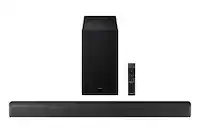
Posted .This reviewer received promo considerations or sweepstakes entry for writing a review.The soundbar is very cool, slender, and stealthy looking and fits perfectly in front of my tv. I was a bit nervous about the setup but it took me less than ten minutes from out of the box. The sound started working automatically after I plugged the soundbar into the wall (power strip) and then connected the soundbar to the tv with two cables: HDMI (not supplied) and Digital (supplied). The wireless sub-woofer is a nice, sturdy, sleek-looking black box. I positioned it on the floor rather than the wall and it also synced automatically with the soundbar and started working as soon as I plugged it into the wall (power strip). Easy breezy with no more steps to follow! The crystal clear sound quality coming out of the soundbar is even better than we had hoped, and the sub-woofer base adds a nice depth. Oversll we’re super pleased with this product combo and highly recommend it!
I would recommend this to a friendNot long term equipment
||Posted . Owned for 1 year when reviewed.This reviewer received promo considerations or sweepstakes entry for writing a review.Worked great for exactly a year. Now it won’t even turn on. It was purchased 11/18/22 and today in 11/28/23. Almost a year to the date.
No, I would not recommend this to a friendBrand response from Samsung
Posted .Hello JennyT,
Thank you for sharing your experiences with the HW-B650 Samsung Soundbar.
There are a few steps you can take to troubleshoot your Soundbar.
First, try doing a soft reset, unplug the soundbar from the outlet for roughly 30 seconds, and then plug it back in.
If this still does not correct your issue, then do a hard reset. With the Soundbar on, press the + & - Volume buttons on the body of the soundbar at the same time for at least 5 seconds. INIT OK” appears on the display and then the Soundbar is reset.
If you need more help, Samsung is here for you. Please call us at 1-800-SAMSUNG, 8AM - 12AM EST (Ask for Soundbars), 7 days a week. Our LiveChat agents are also available by clicking on the ‘Support’ link on our website.
~ Samsung Solutions