Customer Ratings & Reviews


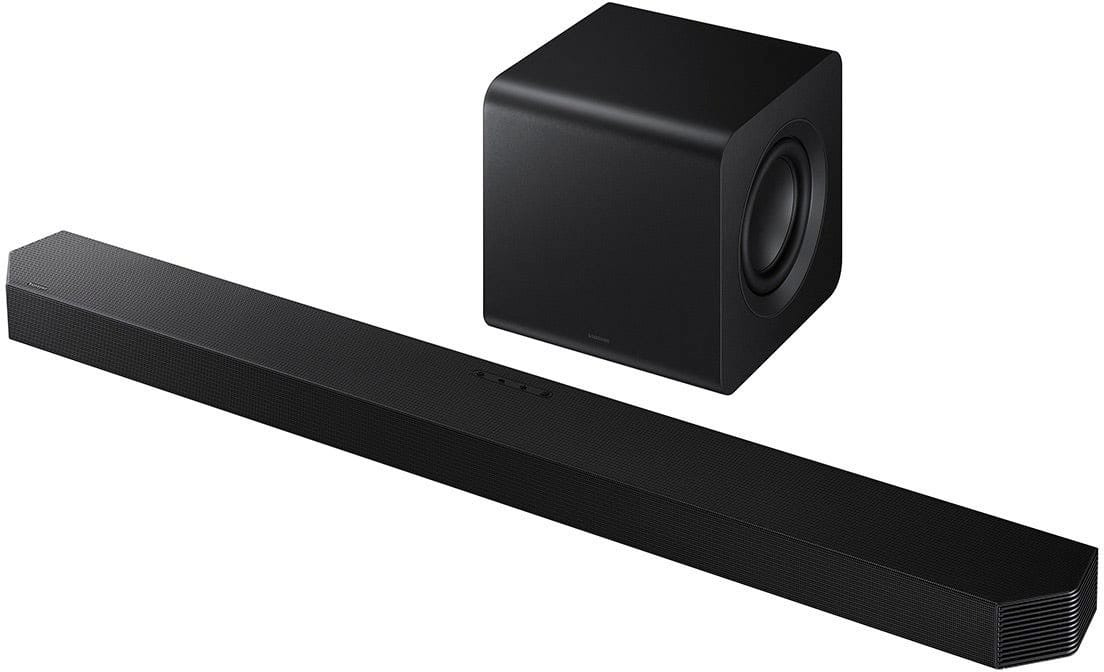
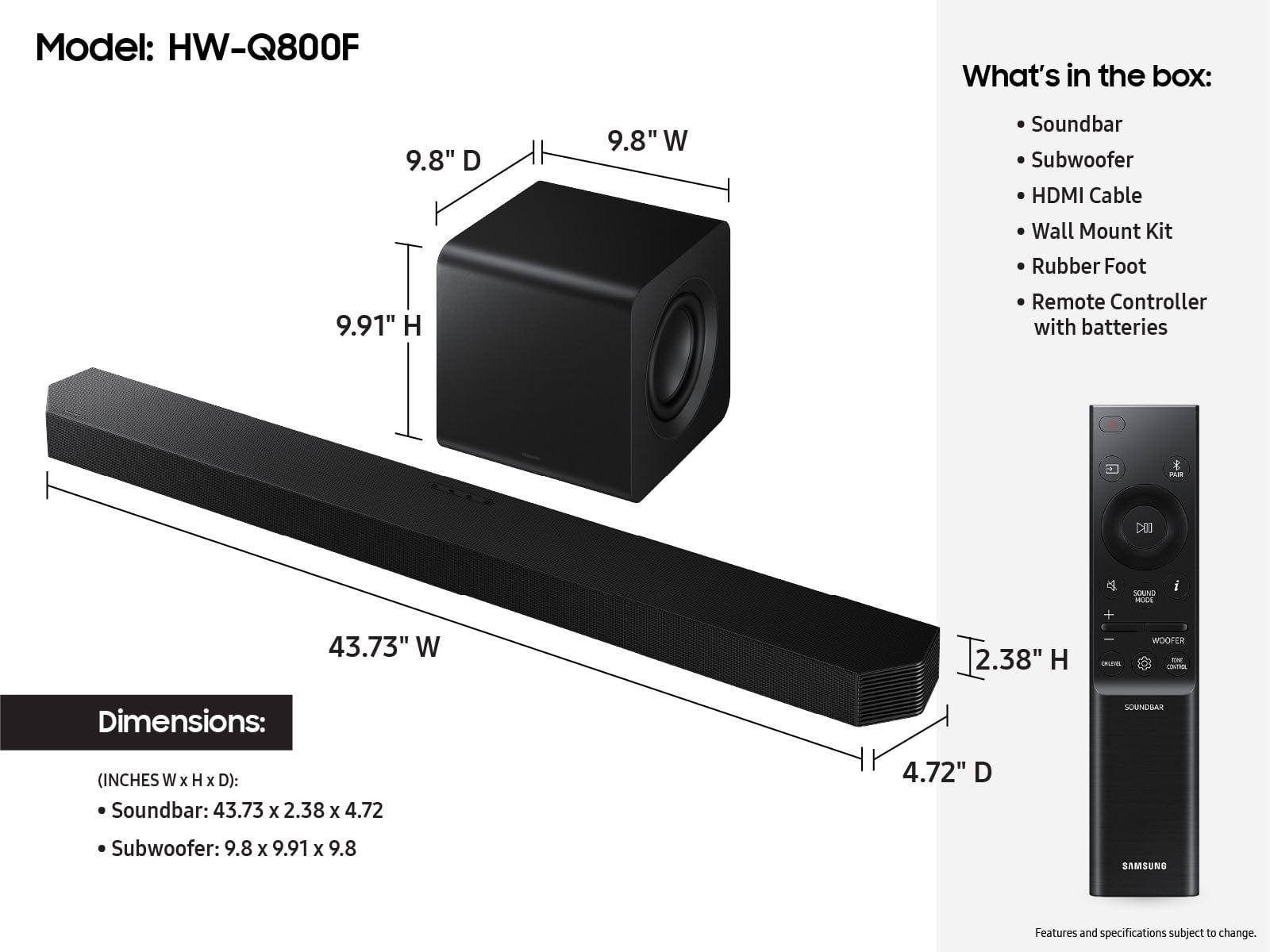

- Model:
- HW-Q800F/ZA
- SKU:
- 10187562
Rating by feature
- Value
Rating 4.6 out of 5 stars
- Quality
Rating 4.8 out of 5 stars
- Ease of Use
Rating 4.8 out of 5 stars
Soundbar
||Posted . Owned for 2 weeks when reviewed.This reviewer received promo considerations or sweepstakes entry for writing a review.Amazing quality very happy with my purchase! I’m so thrilled with the quality of this product!
I would recommend this to a friendWow.
||Posted . Owned for less than 1 week when reviewed.This reviewer received promo considerations or sweepstakes entry for writing a review.Tried 2024 soundbars and they weren’t this good. The way this handles dialog and details in lovies and music is incredible. The subwoofer also has a great connection where i’m able to place it back by my sofa to create a fuller space and sound
I would recommend this to a friendQ-series sound bar
||Posted . Owned for 3 weeks when reviewed.This reviewer received promo considerations or sweepstakes entry for writing a review.Sound is terrible, I have read the reviews, tried the tuning procedures. Bass is non-existent. Setup was great, sound is terrible
No, I would not recommend this to a friendBrand response from Samsung
Posted .Hi KentZ,
We appreciate you taking a moment to review the HW-Q800F Samsung Soundbar.
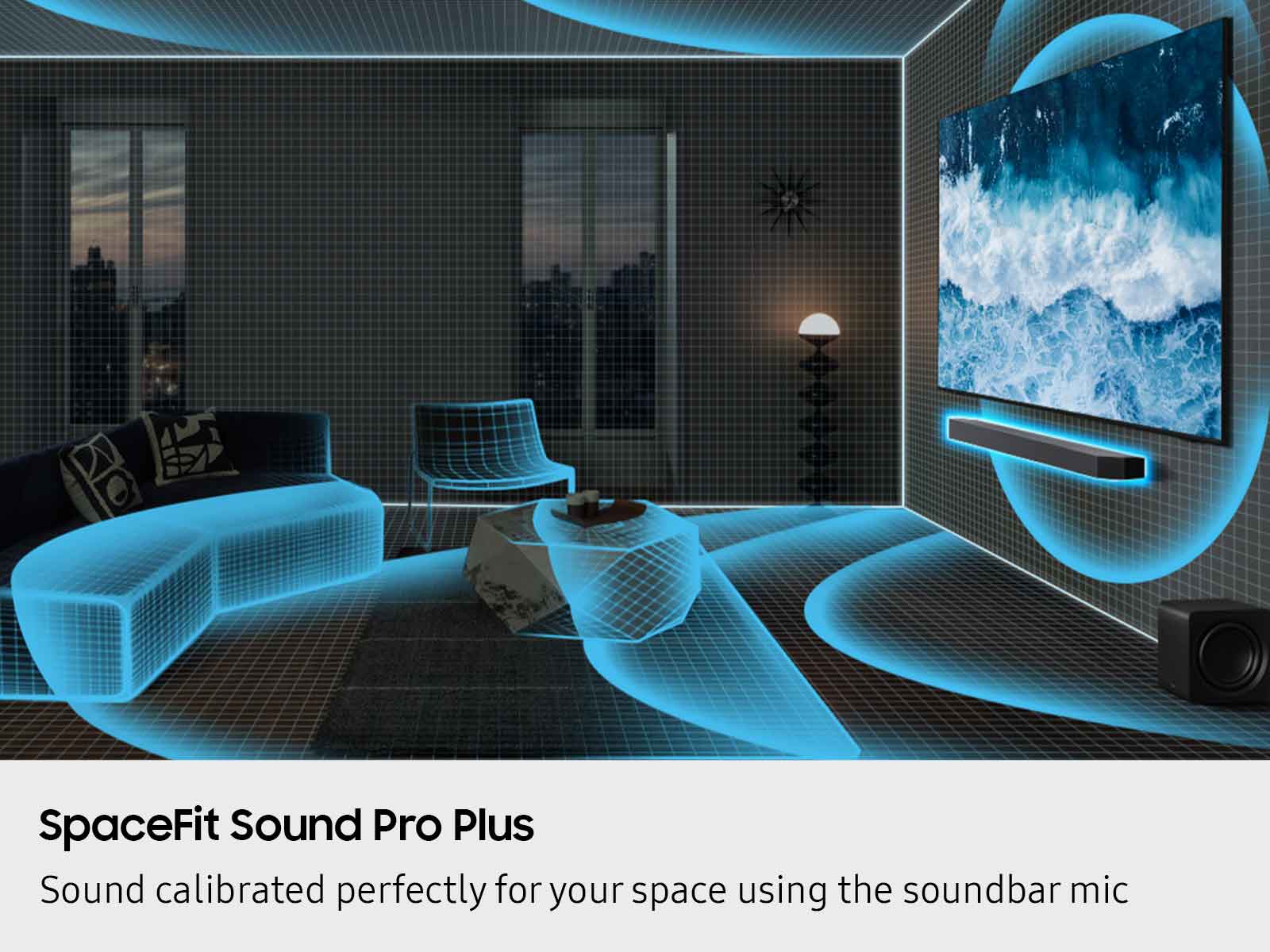
To improve your audio experience, the HW-Q800F features a wide range of sound modes and settings allowing you to fine tune the sound to your liking. Pressing the SOUND CONTROL button on your remote allows you to select the desired sound effect. You can select Spacefit sound, AVA, Voice Enhance mode, Night mode, Sync, Surround speaker mode, and Virtual. The desired item can be adjusted using the Up/Down buttons.
Alternatively, with the sound mode set to standard, press and hold the SOUND CONTROL button for about 5 seconds to adjust the sound for each frequency band. 150Hz, 300Hz, 600Hz, 1.2kHz, 2.5kHz, 5kHz, and 10kHz are selectable using the Left/Right buttons and each can be adjusted to a setting between -6 to +6 using the Up/Down buttons.
By pressing the SOUND MODE button on your remote, and then selecting the desired sound effect by choosing STANDARD, SURROUND SOUND, GAME PRO, or ADAPTIVE SOUND.
If you would like louder (or softer) bass from your subwoofer, you can adjust the level by rocking the WOOFER button on the soundbar remote, and then adjusting the level from -6 to +6. To set the subwoofer volume level to 0, press the button in.
You can adjust the Treble and Bass by pressing the TONE CONTROL button then use the UP/DOWN buttons to change the levels between -6 to +6.
With the optional SWA-9500S Wireless Rear Speakers connected you can adjust the volume by using the provided Soundbar remote. Press CH LEVEL and select REAR LEVEL or REAR TOP LEVEL, then use the Up/Down buttons to adjust the volume within a -6 to +6 range.
I hope these tips help you further enjoy the experience from your new Samsung Soundbar.
If you need more help, Samsung is here for you. Please call us at 1-800-SAMSUNG, 8AM - 12AM EST (Ask for Soundbars), 7 days a week. Live Chat with an agent as well as manuals, software, creating a service ticket, and warranty info can be found at the ‘Support’ link on our Samsung website.
~ Samsung Solutions
Great for bedroom
||Posted . Owned for 3 weeks when reviewed.This reviewer received promo considerations or sweepstakes entry for writing a review.For a bedroom this is great! Tried in living room first and not enough volume for large space but a standard bedroom is perfect.
I would recommend this to a friendSamsung HW-Q800F Soundbar
||Posted .This reviewer received promo considerations or sweepstakes entry for writing a review.Works but don't believe the marketing hype for room filling sound.
I would recommend this to a friendBrand response from Samsung
Posted .Hello AlanT,
We appreciate you taking a moment to review the Samsung HW-Q800F Soundbar.
To improve your audio experience, the HW-Q800F features a wide range of sound modes and settings allowing you to fine tune the sound to your liking. Pressing the SOUND CONTROL button on your remote allows you to select the desired sound effect. You can select Spacefit sound, AVA, Voice Enhance mode, Night mode, Sync, Surround speaker mode, and Virtual. The desired item can be adjusted using the Up/Down buttons.
Alternatively, with the sound mode set to standard, press and hold the SOUND CONTROL button for about 5 seconds to adjust the sound for each frequency band. 150Hz, 300Hz, 600Hz, 1.2kHz, 2.5kHz, 5kHz, and 10kHz are selectable using the Left/Right buttons and each can be adjusted to a setting between -6 to +6 using the Up/Down buttons.
By pressing the SOUND MODE button on your remote, and then selecting the desired sound effect by choosing STANDARD, SURROUND SOUND, GAME PRO, or ADAPTIVE SOUND.
If you would like louder (or softer) bass from your subwoofer, you can adjust the level by rocking the WOOFER button on the soundbar remote, and then adjusting the level from -6 to +6. To set the subwoofer volume level to 0, press the button in.
You can adjust the Treble and Bass by pressing the TONE CONTROL button then use the UP/DOWN buttons to change the levels between -6 to +6.
Also, you can also add the SWA-9500S Rear Speaker Kit to create a multi-channel system for a true surround sound experience.
I hope this tip helps improve your enjoyment. For more help, please call us at 1-800-SAMSUNG (Ask for Soundbars), 8 AM – 12 AM EST, 7 days a week. Live Chat with an agent as well as manuals, software, creating a service ticket, and warranty info can be found at the ‘Support’ link on our Samsung website.
~ Samsung Solutions
Just ok
||Posted . Owned for 3 weeks when reviewed.This reviewer received promo considerations or sweepstakes entry for writing a review.It’s better than the TV but not as good as we had hoped.
No, I would not recommend this to a friendBrand response from Samsung
Posted .Hello AmyR,
Thank you for taking a few moments to review the Samsung HW-Q800F Soundbar.
To improve your audio experience, the HW-Q800F features a wide range of sound modes and settings allowing you to fine tune the sound to your liking. Pressing the SOUND CONTROL button on your remote allows you to select the desired sound effect. You can select Spacefit sound, AVA, Voice Enhance mode, Night mode, Sync, Surround speaker mode, and Virtual. The desired item can be adjusted using the Up/Down buttons.
Alternatively, with the sound mode set to standard, press and hold the SOUND CONTROL button for about 5 seconds to adjust the sound for each frequency band. 150Hz, 300Hz, 600Hz, 1.2kHz, 2.5kHz, 5kHz, and 10kHz are selectable using the Left/Right buttons and each can be adjusted to a setting between -6 to +6 using the Up/Down buttons.
By pressing the SOUND MODE button on your remote, and then selecting the desired sound effect by choosing STANDARD, SURROUND SOUND, GAME PRO, or ADAPTIVE SOUND.
If you would like louder (or softer) bass from your subwoofer, you can adjust the level by rocking the WOOFER button on the soundbar remote, and then adjusting the level from -6 to +6. To set the subwoofer volume level to 0, press the button in.
You can adjust the Treble and Bass by pressing the TONE CONTROL button then use the UP/DOWN buttons to change the levels between -6 to +6.
I hope this tip helps improve your enjoyment. For more help, please call us at 1-800-SAMSUNG (Ask for Soundbars), 8 AM – 12 AM EST, 7 days a week. Live Chat with an agent as well as manuals, software, creating a service ticket, and warranty info can be found at the ‘Support’ link on our Samsung website.
~ Samsung Solutions
Dishonest company. DO NOT TRUST!
||Posted .This reviewer received promo considerations or sweepstakes entry for writing a review.bought this as an Open Box Excellent condition item. When I picked it up there was no box or even a remote control! Not as advertised and I used $130 in Reward Certificates which were never given back to me!!! NEVER do business with this company or at least never buy open box items. They totally misrepresent products.
No, I would not recommend this to a friendBrand response from Samsung
Posted .Hello Bryan,
Please know you are leaving a review and a 1-star rating for the HW-Q800F, but we are sorry to hear of your Best Buy experience, nonetheless. You may want to consider providing feedback directly to the Best Buy store where you made your purchase.
Should you have questions on the HW-Q800F itself, Samsung is here for you. You can reach us at 1-800-SAMSUNG, 8AM - 12AM EST, 7 days a week. Our LiveChat agents are also available by clicking on the ‘Support’ link on our website.
~ Samsung Solutions
Sound bar
||Posted . Owned for 2 weeks when reviewed.This reviewer received promo considerations or sweepstakes entry for writing a review.Returned it for a JBL 1000 the sound and quality of the JBL’s is better to me
No, I would not recommend this to a friendBrand response from Samsung
Posted .Hello RayGriffin,
Thank you for taking the time to provide feedback on your HW-Q800F Soundbar. I’m sorry you were not satisfied with your experience.
We are always here to help and would have been happy to assist in providing settings adjustments to resolve any issues you were experiencing. The HW-Q800F soundbar has many settings to optimize your audio experience and modes, such as Adaptive Sound, DTS Virtual: X, Music, Game and Standard, along with being able to adjust the Treble and Bass via the Tone Control button.
Should you ever decide to give Samsung audio products another try and have questions or need or need help with settings, setup, or features, please know we’re here to help. Call us at 1-800-SAMSUNG, 8AM - 12AM EST, 7 days a week. Our Live Chat with an agent, as well as manuals, software, and warranty information, can be found at the “Support” link on our website. Again, thank you for taking the time to share your experience. We hope to regain you as a customer in the future.
~ Samsung Solutions
Amazing Soundbar! Definitely recommend
Posted .This reviewer received promo considerations or sweepstakes entry for writing a review.Highly reccommend this soundbar! I have this paired with my Samsung S95F OLED 4K UHD Smart TV and the sound is amazing! It has deep bass and excellent sorround sound. I like that when I turn the TV on, that it also turns the soundbar on!
I would recommend this to a friendGreat Sound
Posted .This reviewer received promo considerations or sweepstakes entry for writing a review.Great soundbar for TV and music. Easy to setup and sync to TV and music.
I would recommend this to a friendSoundbar
Posted .This reviewer received promo considerations or sweepstakes entry for writing a review.Excellent sound and weike the multiple options available.
I would recommend this to a friendSound system & woofer
Posted .This reviewer received promo considerations or sweepstakes entry for writing a review.We are loving our sound bar & woofer. Both of these sound is amazing. I would definitely recommend the this sound system.
I would recommend this to a friendGood match with new Samsung TV
Posted .This reviewer received promo considerations or sweepstakes entry for writing a review.the product is as described by prior reviews and sales staff. good match for my new Samsung 65" TV
I would recommend this to a friend