Customer Ratings & Reviews

- Model:
- MU-PE4T0S/AM
- SKU:
- 10517854
Rating by feature
- Value
Rating 4.7 out of 5 stars
- Quality
Rating 4.9 out of 5 stars
- Ease of Use
Rating 4.9 out of 5 stars
HD for my xbox
||Posted . Owned for 6 months when reviewed.This reviewer received promo considerations or sweepstakes entry for writing a review.Not impressed, this drive would store things okay, but it would not be discoverable by my Xbox series x from time to time. I kept having to unplug it and plug it back in every time I used it.
No, I would not recommend this to a friendBrand response from Samsung
Posted .YellowSnow,
Thank you for purchasing the T7 Shield SSD. Thank you for sharing the issue of your SSD not being consistently discoverable.
There are a few things you can check.
1) Disconnect the cable and try again, making sure it is properly connected
2) Make sure the connector on the board does not contain any debris, or is not damaged,
3) Replace the cable and try again,
4) Connect the SSD to a different port - either a regular port or expansion port,
5) Lastly, connect the SSD to a different device to check if there is a problem with the SSD itself.
Should you need further assistance with your drive, please contact Samsung Customer Support, and a representative will gladly assist you with a solution or warranty service.
1) Call: 1-800-SAMSUNG (ask for Memory). Available 9AM - 12AM EST (Mon-Fri)
2) Email: [email protected]
3) LiveChat 9AM-9PM EST (Mon-Fri) - https://www.livehelpnow.net/lhn/lcv.aspx?d=34834&ms=&zzwindow=0&lhnid=29783
Thank you for choosing Samsung, we hope to hear from you.
~Samsung Pro
Its ok.
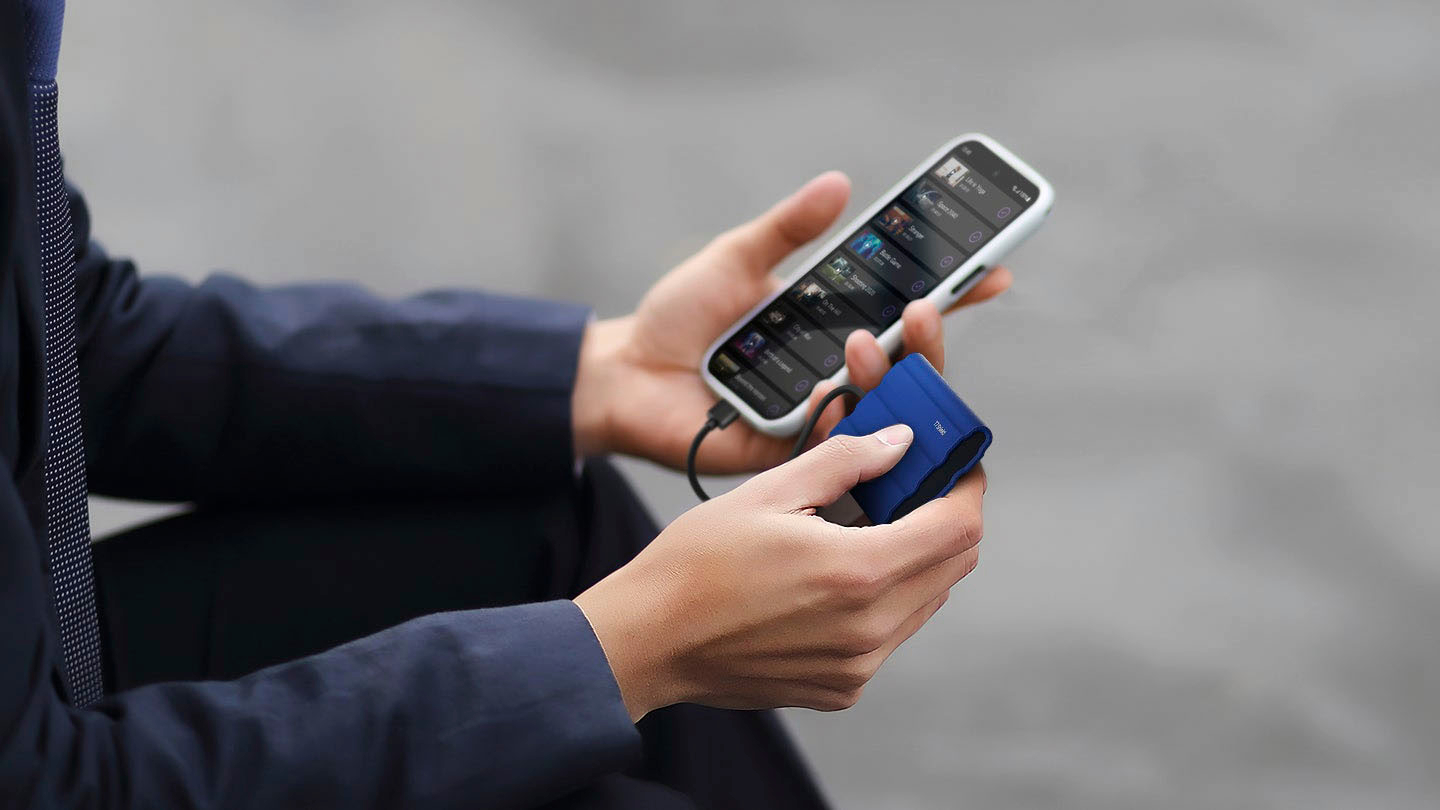
||Posted . Owned for 3 weeks when reviewed.This reviewer received promo considerations or sweepstakes entry for writing a review.You can only plug this to your computer or laptop, not directly onto your phone like the regular t5
I would recommend this to a friendBrand response from Samsung
Posted .SergioO:
Thanks for sharing your experience. I'm sorry that your experience fell short of expectations.
The T7 Shield may not be compatible with all devices but is compatible with Android devices using USB-C.
Should you have questions or need assistance using this product, please feel free to contact Samsung Customer Support.
1) Call: 1-800-SAMSUNG (ask for Memory or press #, then 6 for Memory products)
Available 9AM – 9PM EST (Mon-Fri)
2) Email: [email protected]
3) Or visit us on the Samsung website and click on the SUPPORT link in the upper right corner of the homepage for:
a) Chat with Us/Product Help: To begin a chat or find solutions, choose ‘Computing – Memory & Storage’ and select your model & topic.
Samsung is committed to providing the best possible product experience, quality, and value, and we are always here to help with any of your questions or concerns.
- Samsung Memory
Very confusing installation process
||Posted . Owned for 3 weeks when reviewed.This reviewer received promo considerations or sweepstakes entry for writing a review.Very confusing installation process for those who were not very familiar with it.
I would recommend this to a friendBrand response from Samsung
Posted .AppleCare:
I’m sorry for the difficulties with your SSD’s setup. We understand your frustrations and are here to help.
Please contact Samsung Customer Support to assist you with step-by-step troubleshooting.
1) Call: 1-800-SAMSUNG (ask for Memory or press #, then 6 for Memory products)
Available 9AM – 9PM EST (Mon-Fri)
2) Email: [email protected]
3) Or visit us on the Samsung website and click on the SUPPORT link in the upper right corner of the homepage for:
a) Chat with Us/Product Help: To begin a chat or find solutions, choose ‘Computing – Memory & Storage’ and select your model & topic.
We look forward to hearing from you soon.
- Samsung Memory
STAY AWAY. BUY SANDISK OR ANYTHING ELSE
||Posted . Owned for 1.5 years when reviewed.This reviewer received promo considerations or sweepstakes entry for writing a review.Please DO NOT BUY. My setup: MACOS Monterey Purchased 2 4TB SSDs. Initially when I bought it in 2023, it worked fine, now the speed is down to 1.3 MB (Worst than HDD). I am afraid to lose any data so not playing around until I can safely move data from this drive. Which should take about 3-4 months based on the speed.
No, I would not recommend this to a friendBrand response from Samsung
Posted .Harypal:
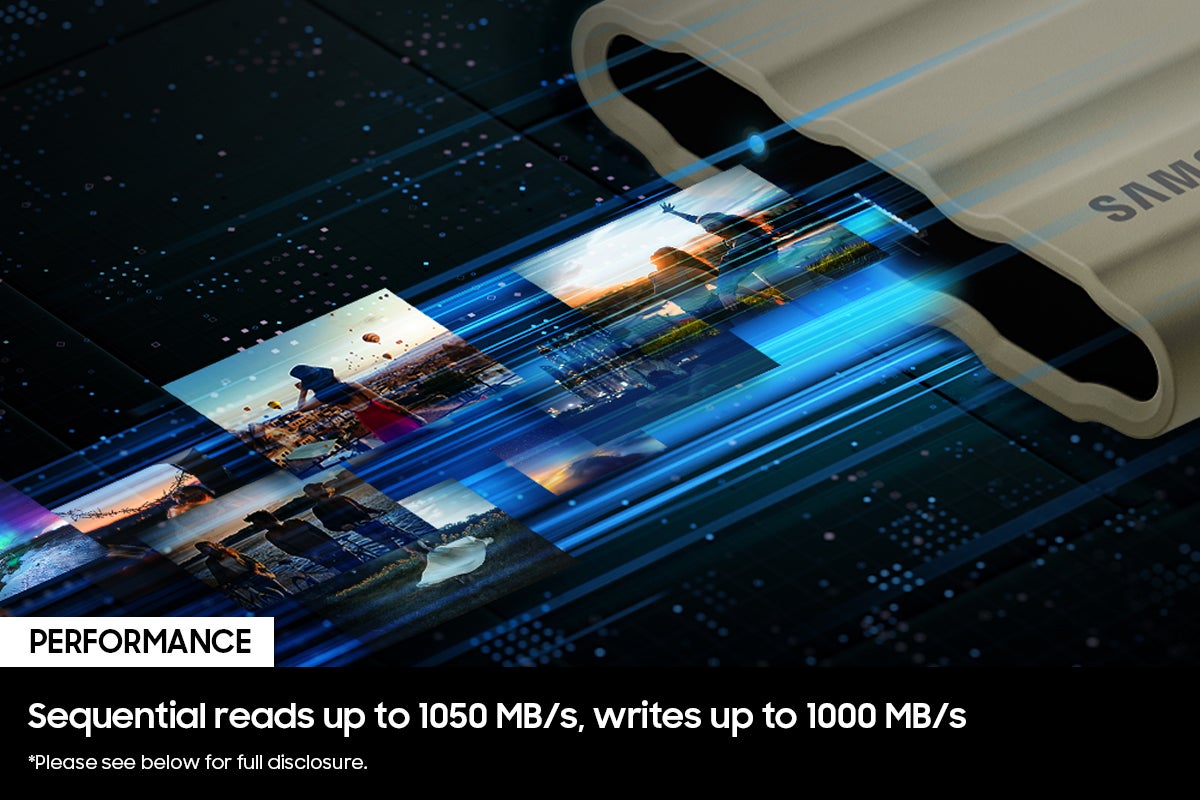
I’m very sorry for the difficulties you’ve experienced with your T7 Shield SSD. We completely understand your frustrations, and we are here to help. This model is designed to deliver speeds of up to 1,050MB/s Seq. Read & 1,000MB/s Seq. Write.
Please contact Samsung Memory Support directly so that we can better investigate your speed issue and assist you towards a solution or replacement.
1) Call: 1-800-SAMSUNG (ask for Memory). Available 9AM - 12AM EST (Mon-Fri)
2) Email: [email protected]
3) LiveChat 9AM-9PM EST (Mon-Fri) - https://www.livehelpnow.net/lhn/lcv.aspx?d=34834&ms=&zzwindow=0&lhnid=29783
Samsung stands behind the quality and performance of every T7 Shield SSD we manufacture with a limited 3-year manufacturer’s warranty when purchased brand-new, directly from any authorized dealer, like Best Buy.
We hope to hear from you soon.
~ Samsung Memory
Failing after barely any use compared to others
||Posted . Owned for 1 year when reviewed.This reviewer received promo considerations or sweepstakes entry for writing a review.Drive is failing after just 18 months of infrequent use, the drive sitting on the desk and hardly handled, and only 780GB written to it. Really disappointed. The drive cannot complete a Samsung Magician diagnostic scan which fails to complete
No, I would not recommend this to a friendBrand response from Samsung
Posted .MarkNYNY:
I’m very sorry for the difficulties you’ve experienced with your T7 Shield SSD. We completely understand your frustrations, and we are here to help.
Samsung stands behind the quality and performance of every T7 Shield SSD we manufacture with a limited 3-year manufacturer’s warranty when purchased brand-new, directly from any authorized dealer, like Best Buy.
Please contact Samsung Customer Support directly so that we can better investigate your issue and assist you towards a resolution or replacement.
1) Call: 1-800-SAMSUNG (ask for Memory). Available 9AM - 12AM EST (Mon-Fri)
2) Email: [email protected]
3) LiveChat 9AM-9PM EST (Mon-Fri) - https://www.livehelpnow.net/lhn/lcv.aspx?d=34834&ms=&zzwindow=0&lhnid=29783
We look forward to hearing from you soon.
- Samsung Memory
Save your money and buy one that works.
||Posted . Owned for 1 week when reviewed.This reviewer received promo considerations or sweepstakes entry for writing a review.Absolutely useless piece of garbage. Doesn't even work with its own brand of phone. Samsung galaxy refuses to recognize ssd but it works just fine on laptop. Yeah that doesn't help me when i need to share images through phone. I want my money back so i can buy one that works.
No, I would not recommend this to a friendBrand response from Samsung
Posted .MrDisappointed:
I’m very sorry for the difficulties you’ve experienced with your T7 Shield SSD. We completely understand your frustrations, and we are here to help.
Please contact Samsung Customer Support directly so that we can better investigate your issue and assist you towards a resolution.
1) Call: 1-800-SAMSUNG (ask for Memory or press #, then 6 for Memory products)
Available 9AM – 9PM EST (Mon-Fri)
2) Email: [email protected]
3) Or visit us on the Samsung website and click on the SUPPORT link in the upper right corner of the homepage for:
a) Chat with Us/Product Help: To begin a chat or find solutions, choose ‘Computing – Memory & Storage’ and select your model & topic.
b) Manuals & Software
c) Contact Us
We look forward to hearing from you soon.
- Samsung Memory
Very Disappointed
||Posted . Owned for 1 month when reviewed.This reviewer received promo considerations or sweepstakes entry for writing a review.I'm very disappointed with this drive. It crashes constantly and I can't feel confident in using it to safely secure my data. Unfortunately I waited to long to try and make it work and missed the return period. I don't recommend it.
No, I would not recommend this to a friendBrand response from Samsung
Posted .Hoff:
We always aim to deliver a great experience, and it’s unfortunate to hear the T7 Shield SSD did not meet your expectations.
Samsung stands behind the quality and performance of every T7 Shield SSD we manufacture with a limited 3-year manufacturer’s warranty when purchased brand-new, directly from any authorized dealer, like Best Buy.
Please contact Samsung Customer Support directly so that we can better investigate your issue and assist you towards a resolution or replacement.
1) Call: 1-800-SAMSUNG (ask for Memory or press #, then 6 for Memory products)
Available 9AM – 9PM EST (Mon-Fri)
2) Email: [email protected]
3) Or visit us on the Samsung website and click on the SUPPORT link in the upper right corner of the homepage for:
a) Chat with Us/Product Help: To begin a chat or find solutions, choose ‘Computing – Memory & Storage’ and select your model & topic.
We look forward to hearing from you soon.
- Samsung Memory
I hope I win the $$400 gift card.I really need it.
||Posted . Owned for 1 month when reviewed.This reviewer received promo considerations or sweepstakes entry for writing a review.It’s okay Over priced is what my husband keep repeating.
I would recommend this to a friendBrand response from Samsung
Posted .Clifton:
Thanks for choosing the Samsung T7 Shield SSD. I hope that your SSD is meeting your expectations, however, we are always here to help should you have any questions or concerns about this product.
1) Call: 1-800-SAMSUNG (ask for Storage Devices). Available 9AM - 12AM EST (Mon-Fri)
2) Email: [email protected]
3) LiveChat 9AM-9PM EST (Mon-Fri) - https://www.livehelpnow.net/lhn/lcv.aspx?d=34834&ms=&zzwindow=0&lhnid=29783
- Samsung Memory
Hardly Needed
||Posted . Owned for 3 weeks when reviewed.This reviewer received promo considerations or sweepstakes entry for writing a review.Complicated - it was easier to use a 1T Flashdrive
No, I would not recommend this to a friendBrand response from Samsung
Posted .DeanP:
I’m sorry for the difficulties with your T7 Shield. We understand your frustrations and are here to help.
We would love the opportunity to investigate this for you so we can provide additional troubleshooting assistance.
Please contact Samsung Customer Support directly so that we can better investigate your issue and assist you towards a resolution .
1) Call: 1-800-SAMSUNG (ask for Memory or press #, then 6 for Memory products)
Available 9AM – 9PM EST (Mon-Fri)
2) Email: [email protected]
3) Or visit us on the Samsung website and click on the SUPPORT link in the upper right corner of the homepage for:
a) Chat with Us/Product Help: To begin a chat or find solutions, choose ‘Computing – Memory & Storage’ and select your model & topic.
We hope to hear from you soon.
- Samsung Memory
- Pros mentioned:Portability, Speed, Storage capacity

Great Little Drive to Carry Around With You
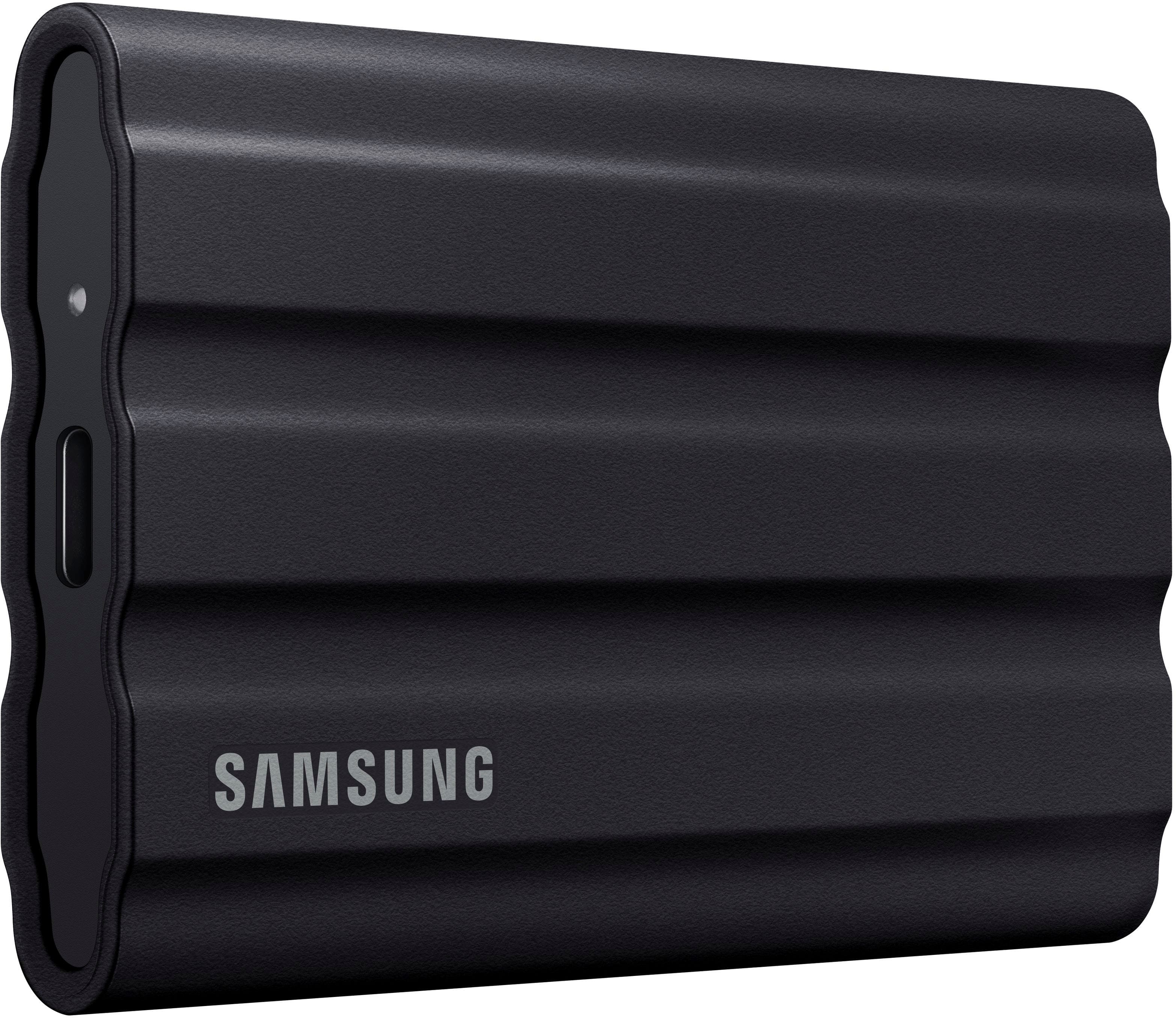
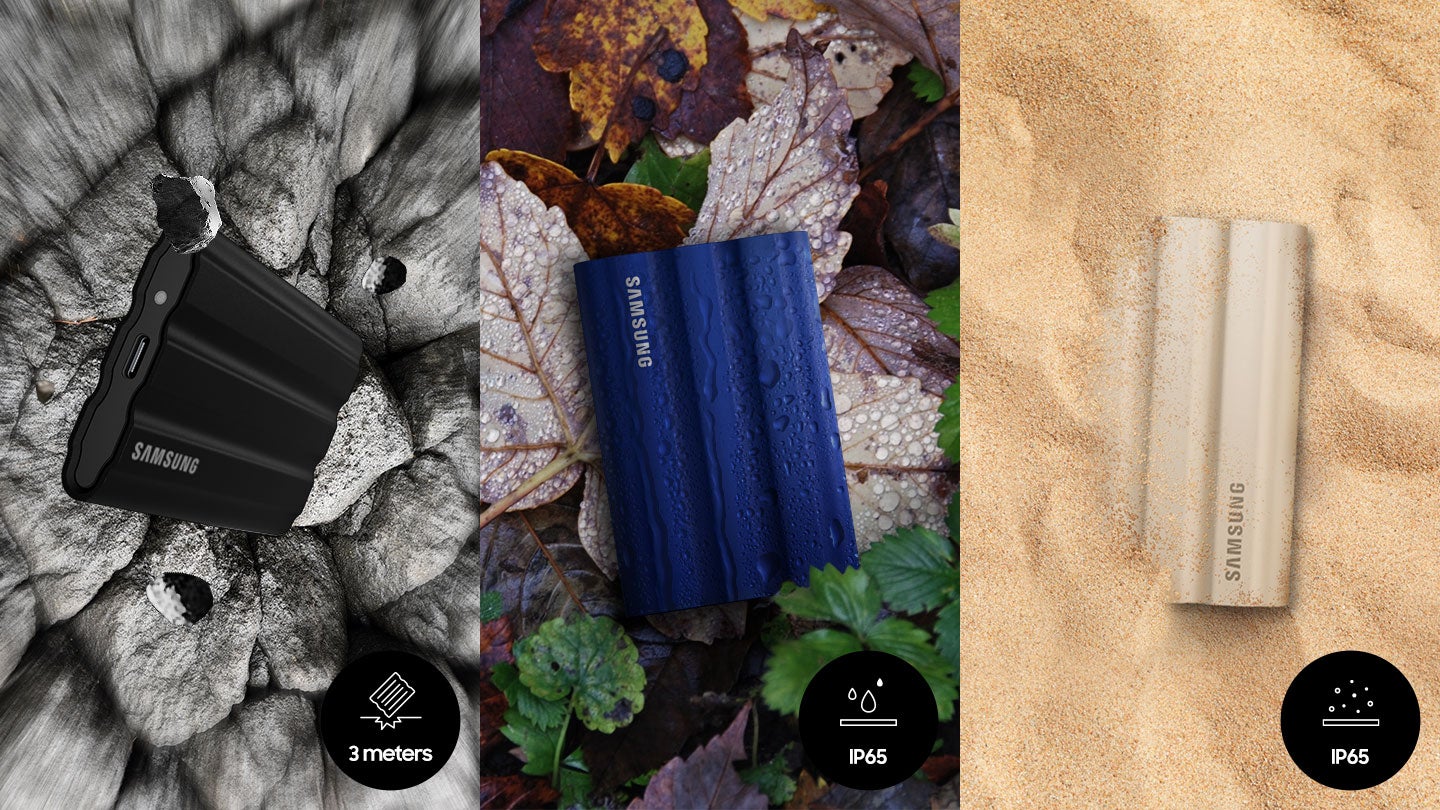
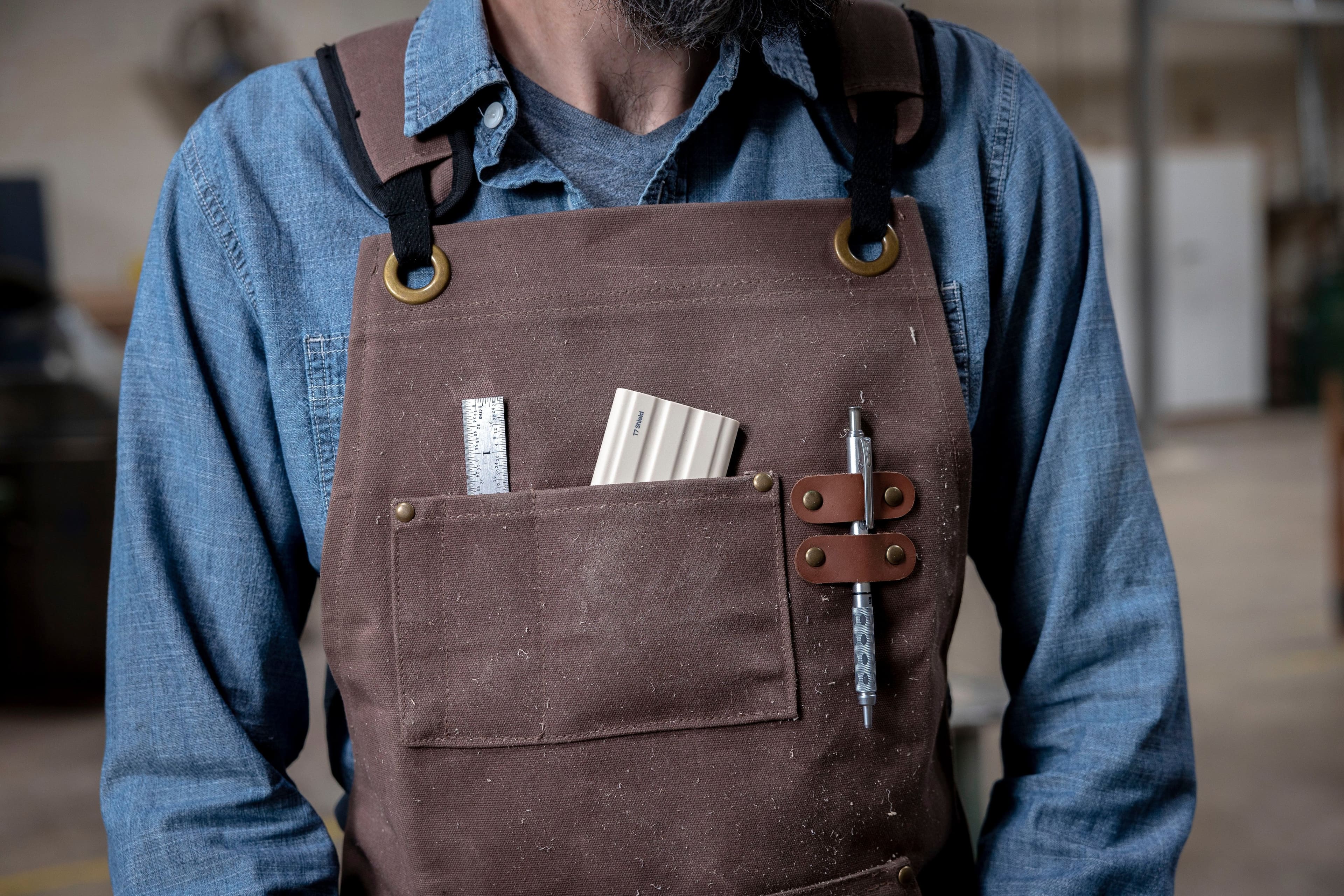
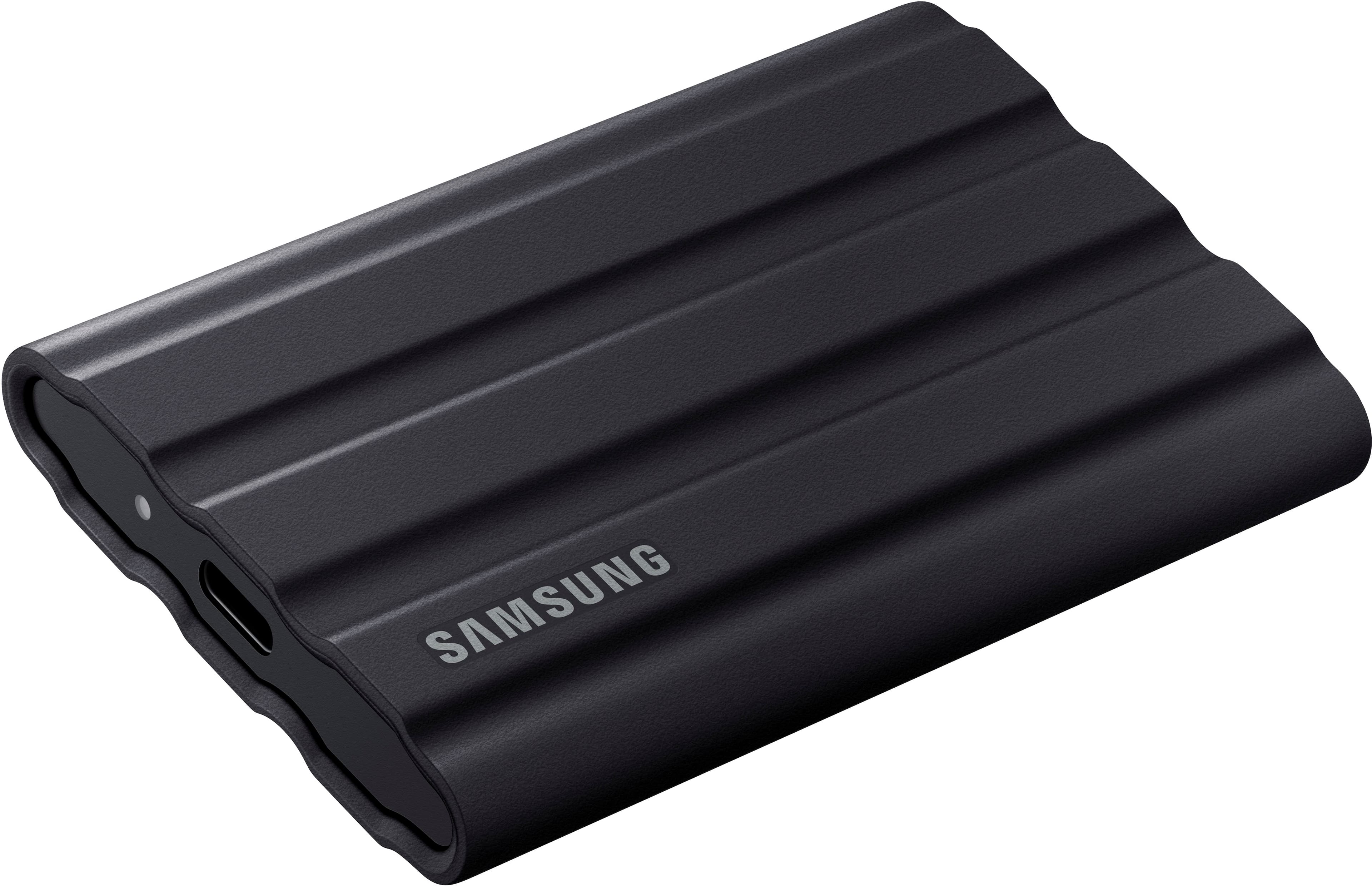
|Posted .This reviewer received promo considerations or sweepstakes entry for writing a review.As an IT professional, I usually have to transfer all of a client's work from their old computer to their new one and this SSD certainly has the space to copy their home folder no matter how big it is. Also, I am constantly going through multiple flash drives looking for some application, plug-in, document or whatever I need for a job. I have been carrying a keyring full of flash drives and even though I have them labeled, it takes a while to find what I'm looking for. Of course most of the things I carry can be found online or kept in a cloud drive, but it's a lot faster to just pull out a drive and plug it in and copy whatever I need from a this SSD. With this 1TB drive in my pocket, I have enough room to carry everything I might need on a job and have the files organized in a way that makes it a lot easier to locate. This Samsung Portable SSD T7 Shield drive is very small and takes up less room in my pocket that the ring of flash drives. It's covered in a rubber shell that will protect it in the event I bump into something or even drop it and it's water and dust resistant with an IP65 rating. It has a drop resistance of up to 3m. It has a USB 3.2 Gen2 rated at 10Gbps jack on it and it came with 2 cables, USB-C to USB-C and USB-C to USB-A for whatever computer I need to connect it to. This drive is way faster than any flash drive I have ever tried. It has a read speed of 1,050MB/s and a write speed of 1,000MB/s. You can download software for it for Mac, Windows and Android that will let you encrypt the drive. As a test, I put some movies and MP3's on the drive and plugged it into my iPad Pro and they played flawlessly so if you don't have a lot of free space on your iPad, this is a great way of carrying your entertainment with you. Don't forget, you can also use this drive to backup your computer as it's completely silent and fast.
I would recommend this to a friendBrand response from Samsung
Posted .Cueball2000:
I'm very glad to hear that you are happy with your new T7 Shield SSD. Engineered with no moving parts and a sturdy metal body, it can handle drops of up to 9.8 feet. The T7 Shield SSD allows you to take along large amounts of data so you can get things done wherever you go.
If you ever have any questions or concerns with usage or features, Samsung Customer Support is here to help.
1) Call: 1-800-SAMSUNG (ask for Memory or press #, then 6 for Memory products)
Available 9AM – 12AM EST (Mon-Fri)
2) Email: [email protected]
3) Or visit us on the Samsung website and click on the SUPPORT link in the upper right corner of the homepage for:
a. Chat with Us/Product Help: To begin a chat or find solutions, choose ‘Computing – Memory & Storage’ and select your model & topic.
b. Manuals & Software
c. Warranty Info
d. Register a Product: For access to easy warranty support, convenient opt-in to special promos and offers, faster troubleshooting and service, and quick notification of system updates
e. Contact Us
The Samsung Members Community is also a great resource for getting help from Samsung moderators and customers: https://us.community.samsung.com/
Thanks for choosing Samsung!
- Samsung Memory
Software not compatible for Mac OS
||Posted . Owned for 3 weeks when reviewed.This reviewer received promo considerations or sweepstakes entry for writing a review.Software does not install on Mac OS. The product is sturdy and good.
I would recommend this to a friendBrand response from Samsung
Posted .Kartik:
Thank you for purchasing the Samsung T7 Shield SSD and for your feedback regarding your drive and Mac OS.
This symptom may occur on some Mac OSXs due to the Apple policy that requires user approval when installing third-party software not directly distributed by Apple.
Please follow these troubleshooting guidelines.
You may see the “System Extension Blocked” message appears when installing the Samsung Portable SSD software, and the “No Samsung Portable SSD is connected” message appears when executing the Samsung Portable SSD software.
Open “Security & Privacy” in “System Preferences” menu and click “Allow” next to the message “System software from developer “Samsung Electronics” was blocked from loading”
If the symptom persists even after you follow these troubleshooting guidelines, please contact Samsung Customer Support.
1) Call: 1-800-SAMSUNG (ask for Memory or press #, then 6 for Memory products)
Available 9AM – 9PM EST (Mon-Fri)
2) Email: [email protected]
3) Or visit us on the Samsung website and click on the SUPPORT link in the upper right corner of the homepage for:
a) Chat with Us/Product Help: To begin a chat or find solutions, choose ‘Computing – Memory & Storage’ and select your model & topic.
b) Manuals & Software
c) Warranty Info
d) Register a Product: For access to easy warranty support, convenient opt-in to special promos and offers, faster troubleshooting and service, and quick notification of system updates
e) Contact Us
Samsung is committed to providing the best possible product experience, quality, and value, and we are always here to help with any of your questions or concerns.
- Samsung Memory
- Pros mentioned:Overall performance, Size, Speed
Best external drive I've ever owned.
|Posted .This reviewer received promo considerations or sweepstakes entry for writing a review.Samsung - T7 Shield 2TB External SSD Drive Interface USB 3.2 Solid State Drive – Black I found the Samsung external SSD to be very fast and reliable. It is smaller than most external drives and comes with both a USB C and a USB A cable. It is wrapped in a rubber like case. When testing on my main PC the read and write speeds were about half of what they should be. My main computer is 2 years old but has specs that should support the full speed of the drive. I then tested it on a brand-new computer, it got the full stated read and write speeds. So, by conclusion I can assume my main computer is not as up to date as I think. I went back to my main computer and wrote a 6 GB file to the drive. It wrote that file in about 4 seconds. That same file would take about 20 seconds to write to one of my other external “normal” drives. Both my main computer and my new computer have NVME SSD’s as their main storage. So the discrepancy from main to new must be in the USB ports. After seeing the difference in speed, I am now considering adding an updated USB card to my main computer. Even though my main computer states USB 3.2 on the box, I’m willing to bet that was just a selling point and they never really intended to get that fully implemented. Looking at my ports in computer management they state USB 3.1, so the box for the computer is just wrong. It was not really a fair test, my main computer has had 2 years’ worth of programs put on it. Anything in the world could be messing with it. That’s why I tested on a brand-new one. Nothing installed that it didn’t come with out of the box. I will be slowly replacing my old external drives with this type. And possibly adding a new USB card as well. Time is money, don’t need to be waiting on file transfers any longer than needed.
I would recommend this to a friendBrand response from Samsung
Posted .BradleyFl:
Thanks for purchasing Samsung's T7 Shield Portable SSD. I am happy to see that this compact drive is meeting your needs. The portable design allows you to access large amounts of data on the move, anytime, anywhere. With no moving parts and a sturdy, shock resistant body, it can handle drops of up to 9.8 feet.
If you should have any questions or concerns with usage or features, Samsung Customer Support is here to help.
1) Call: 1-800-SAMSUNG (ask for Memory or press #, then 6 for Memory products)
Available 9AM – 12AM EST (Mon-Fri)
2) Email: [email protected]
3) Or visit us on the Samsung website and click on the SUPPORT link in the upper right corner of the homepage for:
a. Chat with Us/Product Help: To begin a chat or find solutions, choose ‘Computing – Memory & Storage’ and select your model & topic.
b. Manuals & Software
c. Warranty Info
d. Register a Product: For access to easy warranty support, convenient opt-in to special promos and offers, faster troubleshooting and service, and quick notification of system updates
e. Contact Us
The Samsung Members Community is also a great resource for getting help from Samsung moderators and customers: https://us.community.samsung.com/
Thank you for choosing Samsung!
- Samsung Memory
Worst SSD on the market
||Posted . Owned for 1 year when reviewed.This reviewer received promo considerations or sweepstakes entry for writing a review.I thought Western Digital were bad, these drives boast a 1050 mbps but you will be lucky to 1.05 mbps. Slower than any 5400 rpm ide hard drive I have ever used. I strongly recommend staying away from these, also my experience with just about any Samsung product has proved to be a waste. I for one will avoid using anything Samsung going forward. You can’t even format them. They are worthless.
No, I would not recommend this to a friendBrand response from Samsung
Posted .Magriff:
Thank you for purchasing the Samsung T7 Shield SSD and for your review. We value your feedback regarding the speed of your SSD.
Your 4TB drive was engineered to deliver speeds of up to 1,050MB/s Seq. Read and 1,000MB/s Seq. Write.
The maximum transfer speed that can be achieved by the T7 Shield is 1,050 MB/s on a PC that supports USB 3.2 Gen2 and UASP Mode, but the speed may vary depending on your PC environment and the types of data being transferred.
As there are various factors that could affect speed, I would encourage you to call Samsung Customer Support to troubleshoot your issue.
1) Call: 1-800-SAMSUNG (ask for Memory). Available 9AM - 12AM EST (Mon-Fri)
2) Email: [email protected]
3) LiveChat 9AM-9PM EST (Mon-Fri) -- https://www.livehelpnow.net/lhn/lcv.aspx?d=34834&ms=&zzwindow=0&lhnid=29783
We hope to hear from you soon.
~ Samsung Memory
Bought New, Sent Used and Missing Parts
||Posted . Owned for less than 1 week when reviewed.This reviewer received promo considerations or sweepstakes entry for writing a review.This is a review of Best Buy shipping a used item with missing parts (usb cables) instead of the new item I paid for. Ended up with a drive to BestBuy to do an exhanche and waste an hour of time. The item itself is now fine and has all parts.
I would recommend this to a friendBrand response from Samsung
Posted .Arch:
We appreciate you sharing your experience.
Should you ever have questions or concerns regarding the usage or setup of your SSD, please contact Samsung Customer Support at:
1) Call: 1-800-SAMSUNG (ask for Memory). Available 9AM - 12AM EST (Mon-Fri)
2) Email: [email protected]
3) LiveChat 9AM-9PM EST (Mon-Fri) - https://www.livehelpnow.net/lhn/lcv.aspx?d=34834&ms=&zzwindow=0&lhnid=29783
The Samsung Members Community is also a great resource for getting help from Samsung moderators and customers: https://us.community.samsung.com/
Thank you for choosing Samsung for your memory storage needs!
- Samsung Memory
Excellent Rugged Portable Hard Drive Store
||Posted . Owned for 1 month when reviewed.This reviewer received promo considerations or sweepstakes entry for writing a review.Samsung has designed a good, rugged portable hard drive. It performs as designed.
I would recommend this to a friendSamsung - T7 External USB 3.2 Gen 2 Rugged SSD
||Posted . Owned for 3 months when reviewed.This reviewer received promo considerations or sweepstakes entry for writing a review.I bought Samsung - T7 Shield 1TB External USB 3.2 Gen 2 Rugged SSD on Sale.
I would recommend this to a friendQuality product!
||Posted . Owned for 1 month when reviewed.This reviewer received promo considerations or sweepstakes entry for writing a review.This is well made and robust. I like it and would highly recommend it.
I would recommend this to a friendFast durable and reliable
||Posted . Owned for 3 weeks when reviewed.This reviewer received promo considerations or sweepstakes entry for writing a review.Great form factor, no problems using it with ios, android or windows.
I would recommend this to a friendSamsung -T7
||Posted . Owned for 2 weeks when reviewed.This reviewer received promo considerations or sweepstakes entry for writing a review.I like the fact that is very flexible. the price was right as well.
I would recommend this to a friendFast SSD for editing
||Posted . Owned for 3 weeks when reviewed.This reviewer received promo considerations or sweepstakes entry for writing a review.Working great as an ssd for editing! No complaints on my end.
I would recommend this to a friend