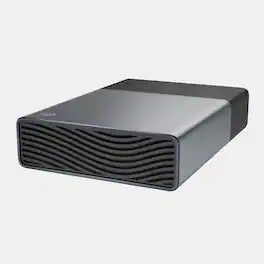
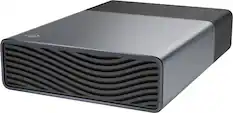
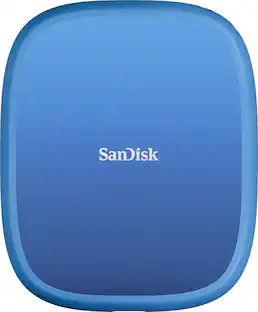
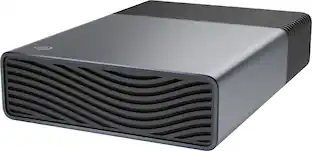
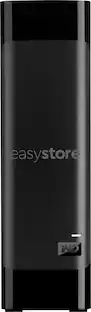
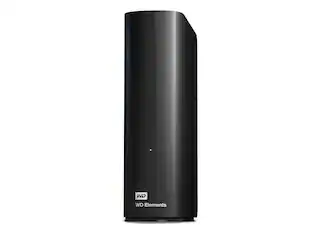
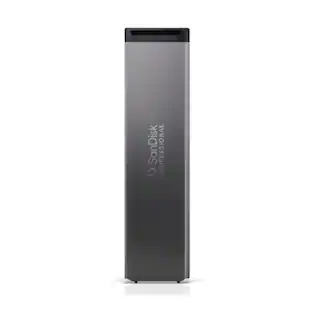
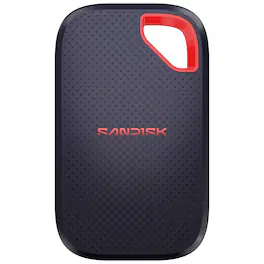
Introducing the SanDisk Desk Drive — a complete desktop backup solution. Designed with the higher capacity of an HDD, but with the speed and reliability of an SSD, it’s the perfect home base to quickly back up your favorite and important content. An immense capacity of up to 8TB will easily hold your photos, videos, music, and important documents, and read speeds up to 1000MB/s will help you access everything fast. With a compact design that fits naturally into any workspace, this drive helps protect your content — all in one place.
Q: What is the maximum storage capacity of this SanDisk drive?
A: This SanDisk drive offers a maximum storage capacity of up to 8TB.
Q: Can I use this drive for automatic backups?
A: Yes, you can set up automatic backups of your important files and folders using the included software.
Q: How fast can I read data from this drive?
A: This drive boasts read speeds of up to 1000MB/s.
Q: What kind of interface does this drive use for connectivity?
A: This drive utilizes a USB-C (USB 3.2 Gen2) interface for connectivity.
Q: Does this external SSD come with any warranty?
A: Yes, the drive comes with a 3-year limited warranty.
Q: Which operating systems are compatible with this drive?
A: The drive is compatible with Windows operating systems.
Q: Does this drive work with Apple Time Machine?
A: Hi, the SanDisk Desk Drive USB Type-C Desktop External SSD is fully compatible with Apple Time Machine. It comes pre-formatted in exFAT, allowing for immediate use with macOS without the need for reformatting. This drive is designed to work seamlessly with Time Machine, enabling automatic backups of your system. For more information, please see (https://support-en.sandisk.com/app/answers/detailweb/a_id/18952).
Q: Hi I am Jagdish Bhavsar, it's works with windows 11 laptop too? or only in with desktop?
A: Hi Jagdish, thank you for reaching out to us. The SanDisk 8TB Desk Drive works with both Windows 11 laptops & desktop PCs, and it is also compatible with macOS 14+ devices. It connects via USB-C and comes pre-formatted in exFAT, so it should be ready to use right out of the box on your laptop. Just make sure you’re using the included cable and the external power adapter, as the drive doesn’t run on USB power alone.

Introducing the SanDisk Desk Drive — a complete desktop backup solution. Designed with the higher capacity of an HDD, but with the speed and reliability of an SSD, it’s the perfect home base to quickly back up your favorite and important content. An immense capacity of up to 8TB will easily hold your photos, videos, music, and important documents, and read speeds up to 1000MB/s will help you access everything fast. With a compact design that fits naturally into any workspace, this drive helps protect your content — all in one place.

The Crucial X10 Portable SSD is available with up to 8TB of storage, making it perfect for storing files, photos, games, backups and videos. With read speeds up to 2,100MB/s, the X10 is twice as fast as the X9 and comes in a stylish matte blue enclosure. Built to withstand whatever life throws at you, the durable Crucial X10 is IP65 rated for dust and water resistance and is drop resistant up to 9.8 feet (3 meters). It’s compatible with Windows, Mac, Android, iPad, PC, and Linux via an included USB-C cable. Engineered by Micron Technology, a leader in the tech industry for 45 years, the Crucial X10 combines high quality with innovative features that let you edit directly from the drive. Store up to 500,000 4K photos, 114 games, 2.6 million MP3 music files and 133 4K videos.

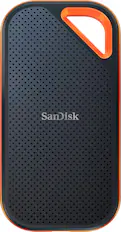
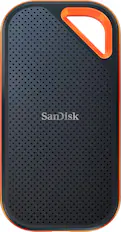
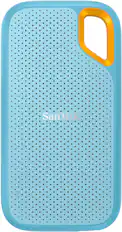
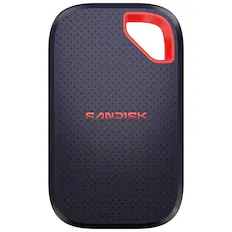
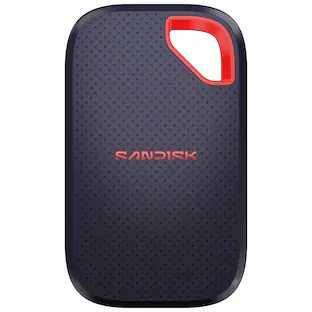
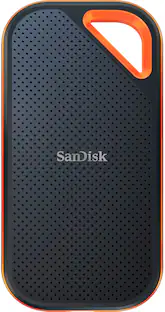
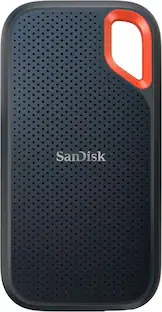
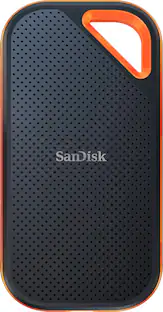
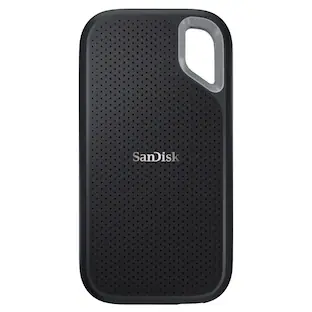
The SanDisk Extreme Portable SSD keeps up with your active lifestyle, thanks to speeds up to 1050MB/s read and a massive storage capacity at up to 8TB. No matter where you explore, this drive is tough enough to handle it. It's drop-proof up to 3 meters, and IP65 water and dust resistant. Plus, a handy carabiner loop lets you clip it securely to your bag. Trusted by professional photographers, the SanDisk Extreme Portable SSD is the perfect blend of speed, durability, and peace of mind. Backed by a 5-year limited warranty, you can capture and store your favorite memories with confidence.

Ideal for the home, office, or dorm, Seagate Expansion desktop drive offers enormous desktop storage for photos, movies, music and more. Backing up and transferring content is incredibly easy — just drag and drop! To get set up, connect the USB hard drive to Windows or Mac — no software required. For Apple Time Machine, simply reformat. Included is an 18-inch USB 3.0 cable and 18W power adapter. Plus, Seagate Expansion comes with Rescue Data Recovery Services for additional peace of mind.
| Pros for SanDisk - 8TB Desk Drive USB Type-C Desktop External SSD - Black | |||
|---|---|---|---|
| Size, Speed, Storage Capacity, Overall Performance | Storage Capacity, Read/Write Speed | Speed, Overall Performance, Storage Capacity, Size, Portability | Storage Capacity, Overall Performance, Drive Speed, Connectivity |
| Cons for SanDisk - 8TB Desk Drive USB Type-C Desktop External SSD - Black | |||
| There were no cons for this product— | There were no cons for this product— | Heat Dissipation | Noise Level |
Customers love the 8TB Desk Drive USB Type-C Desktop External SSD for its speed and small size. The large storage capacity is also a popular feature. Many customers report that the Desk Drive's overall performance is great.
The vast majority of our reviews come from verified purchases. Reviews from customers may include My Best Buy members, employees, and Tech Insider Network members (as tagged). Select reviewers may receive discounted products, promotional considerations or entries into drawings for honest, helpful reviews.
lightweigth, fast and compact, easy to travel with.
Posted by Ariel
At about 4” x 4”, a height of 1.5”, and 13.7oz weight (with cable and power adapter), the SanDisk Desk Drive is actually portable if you need it to be. Its small footprint takes up little space on a desk or work environment. The 12V power adapter is relatively slim at 2.5” x 1” x 1.5” (2.25” with the non-retractable prongs). The cable length of the power adapter is 5.5’. The length of the USB-C cable is 3’ 3”. With the USB-A adapter it comes to 3’ 4.5”. Full disclosure: The adapter that came with mine was defective which caused the speeds of the drive to be dramatically slow (44MB/s read and writes instead of 1000MB/s). I don’t know how prevalent my issue is, but if you experience the same, exchange your drive at the place of purchase or contact SanDisk and they will replace it under its limited 3 year warranty. The USB cable is pretty rigid, which is normal with high-speed cables such as this USB 3.2 Gen 2 cable, so you’ll need 2.5” of clearance space between the connection and an obstruction like a wall or the back of a desk. You might be able to flex the cable down to 2” of clearance, but I’d worry about the damaging of the cable at that point. The bottom of the Desk Drive has a silicone feeling base that does a decent job of keeping the drive in place on a flat surface. It’s more likely to slip on laminated surfaces when the cable is tugged on but it’s still able to establish a grip and it’s nothing terrible. Since the Desk Drive uses an SSD the drive has no moving parts. There is zero vibration and no noise while it is in operation, which tells me it’s probably not using a fan for cooling. I suspect it’s just using a heatsink, which probably accounts for most of the drive’s height and weight. Besides the power and USB-C connector, the only hole in the device is located on the back-left corner of the drive. I suspect it’s the Desk Drive’s only vent but I’m not sure since there’s no air blowing out to feel, again suggesting that there is no fan. After a sustained use of the Desk Drive for 1 hour, the drive never gets hot to a point where I can’t handle it. During operation the Desk Drive is at its hottest on the top of the device, but it’s still safe to touch. The Desk Drive is preformatted in exFAT so it’s compatible with Windows and macOS out of the box. On the drive itself is a single folder labeled “SanDisk Software” and it’s only 1.49 MB with 3 files: Software downloader for Mac (dmg), Windows (exe), and instructions for the software downloader (pdf). It doesn’t host the actual software itself. You will need an internet connection. You can always download the backup software, Acronis True Image, from Western Digital’s support website so you don’t need the included software downloader. Bear in mind that you’ll need almost 1 GB of free space to install Acronis. -=CrystalDiskMark 8.0.5 x64 test=- Sequential speed is the speed of a transfer of a single file. Random speed is the speed of a transfer when transferring many different files at once. Using the included USB-C cable plugged into Thunderbolt 4/USB 4 port: Sequential read: 1050.12 MB/s Sequential write: 1054.42 MB/s Random read: 126.93 MB/s Random write: 123.39 MB/s Using the cable with included USB-A adapter plugged into USB 3.2 Gen 2 port: Sequential read: 965.04 MB/s Sequential write: 900.53 MB/s Random read: 235.62 MB/s Random write: 215.50 MB/s Repeated tests will differ slightly but it lives up to its 1000 MB/s max read claim. I find it curious that the random speeds were slower on a USB 4 port but this may be a case of “your mileage may vary (YMMV)” and could just be my motherboard (ASUS ProArt X570-CREATOR WIFI). It’s not slow by any means, but just a glaring difference to me. It’s still dramatically faster than any mechanical drive solution out there. SSD is on a different class. -=Real life tests=- My PC’s NVMe SSD used in the following tests does 5000 MB/s read, 2200 MB/s write so it’s significantly faster than the Desk Drive and won’t be a bottleneck (a bottleneck is the thing that causes an output to be less than what you expect it to be). 34.4 GB of data comprised of 1095 files and 24 folders using USB-C cable: Desk Drive to NVMe SSD: 45 seconds NVMe SSD to Desk Drive: 57 seconds The same test using the USB-A adapter with the cable were pretty similar: SSD to NVMe SSD: 41 seconds NVMe SSD to SSD: 53 seconds 784 GB of data comprised of 64 files and 13 folders using USB-C cable: Desk Drive to NVMe SSD: 17 minutes NVMe SSD to Desk Drive: 21 minutes As you can see in all instances, the write speed takes slightly longer than the read speed. My read speeds typically range around the 930-960 MB/s My write speeds range around 575-700 MB/s Over a 10 minute span, the speeds were consistent, not showing any sign of thermal throttling. Acronis full backup of 706 GB from the NVMe SSD: 25 minutes Other external SSDs on the market at this price range with this storage capacity are only about half as fast as the Desk Drive (540 MB/s). The external SSDs that do run as fast as the Desk Drive typically don’t have a model with a storage capacity as high as the Desk Drive at 8TB. Spinning drives, while affordable, are nearly 5x slower than the Desk Drive. The SanDisk Desk Drive is currently the best bang for your dollar when it comes to high capacity AND high-speed storage. I highly recommend it.
Posted by KusMoG
You need space? This gives space. Lots of space. Not only did does this drive carry all my backups, pics, games and console HDD images, it is ridiculously small. The SanDisk SSD Desk Drive is a literal one-stop shop if you need to store and backup anything and everything. The portability part is just a huge bonus. Included in the box, you get your SSD, power cord, USB-C cable and a USB-C to A adapter. I even went to WD/SanDisk's website and downloaded Acronis to clone a couple of PCs hard drives. I connected via USB-C and hit the advertised the 1000 MB/s read speeds constantly. The footprint is small. I even place it right by my mouse to show its size. Saying the drive is massive is an understatement. I have backed up my phones files, 3 tablets, 1000s of pictures and videos, my entire Steam and Epic library and still have TBs free. I created separate partitions and stored images of 2 PCs. Just know, like every other HDD and SSD, you will get roughly 7.27TB of the full 8TB available (which is still a crazy amount). If you are in need of space albeit personal or even for workstations, this SSD is definitely a looker for sure.
Posted by Woo151