Presidents’ Day SaleEnds February 16. Limited quantities. No rainchecks.Shop now

Main Content

Customer Ratings & Reviews

Your price for this item is $998.00
The comparable value price is $999.99

Customer reviews

Rating 4.4 out of 5 stars with 434 reviews

Rating Filter

Rating by feature

  • Value

    Rating 4.3 out of 5 stars

  • Quality

    Rating 4.5 out of 5 stars

  • Ease of Use

    Rating 4.4 out of 5 stars

Pros mentioned filter

Cons mentioned filter

87%would recommend to a friend
The vast majority of our reviews come from verified purchases. Reviews from customers may include My Best Buy members, employees, and Tech Insider Network members (as tagged). Select reviewers may receive discounted products, promotional considerations or entries into drawings for honest, helpful reviews.
Page 3 Showing 41-60 of 434 reviews
  • Tech Insider Network Member

    Rated 5 out of 5 stars

    Crisp cutting edge soundbar - Could use more Bass

    |
    Tech Insider Network Member
    Posted .
    This reviewer received promo considerations or sweepstakes entry for writing a review.

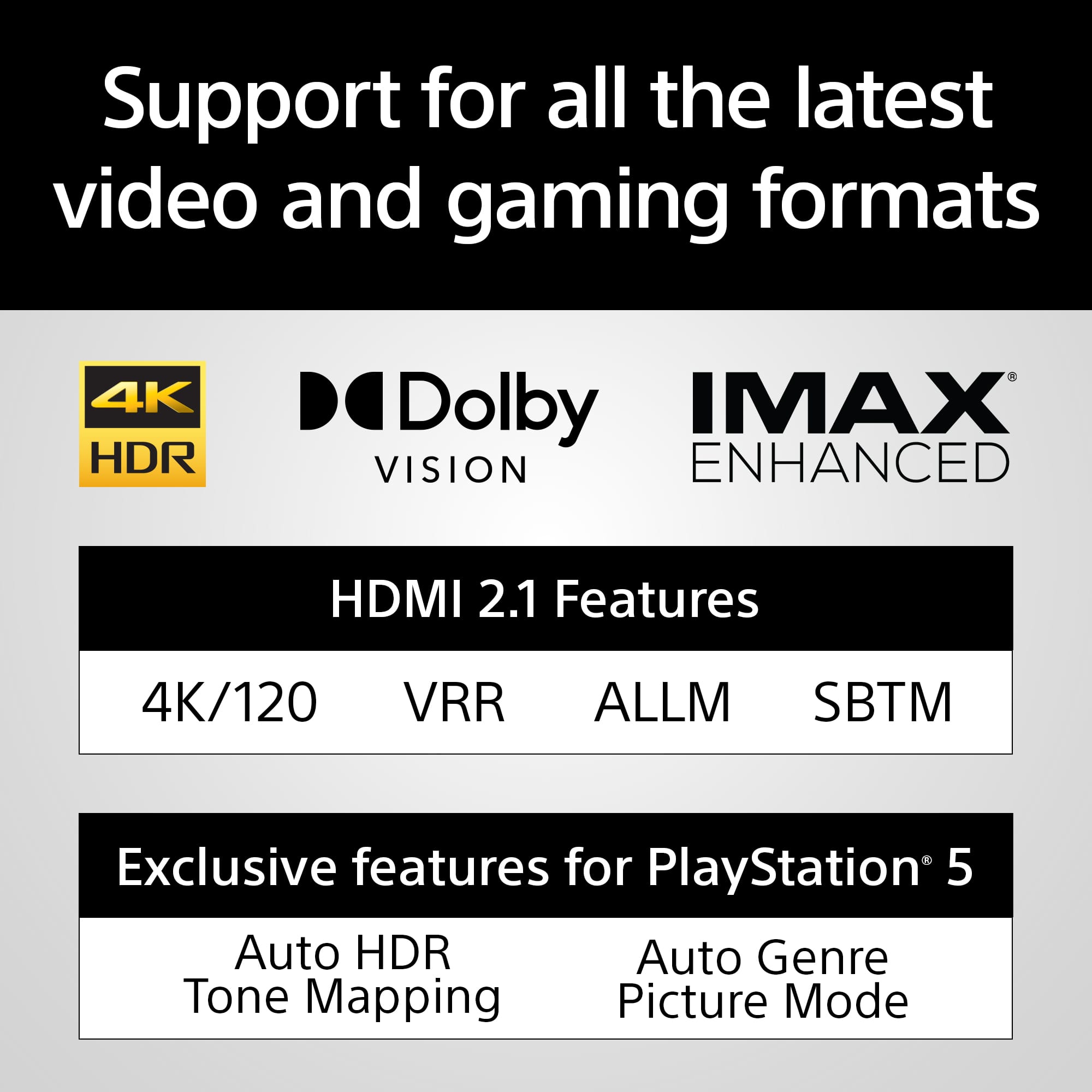
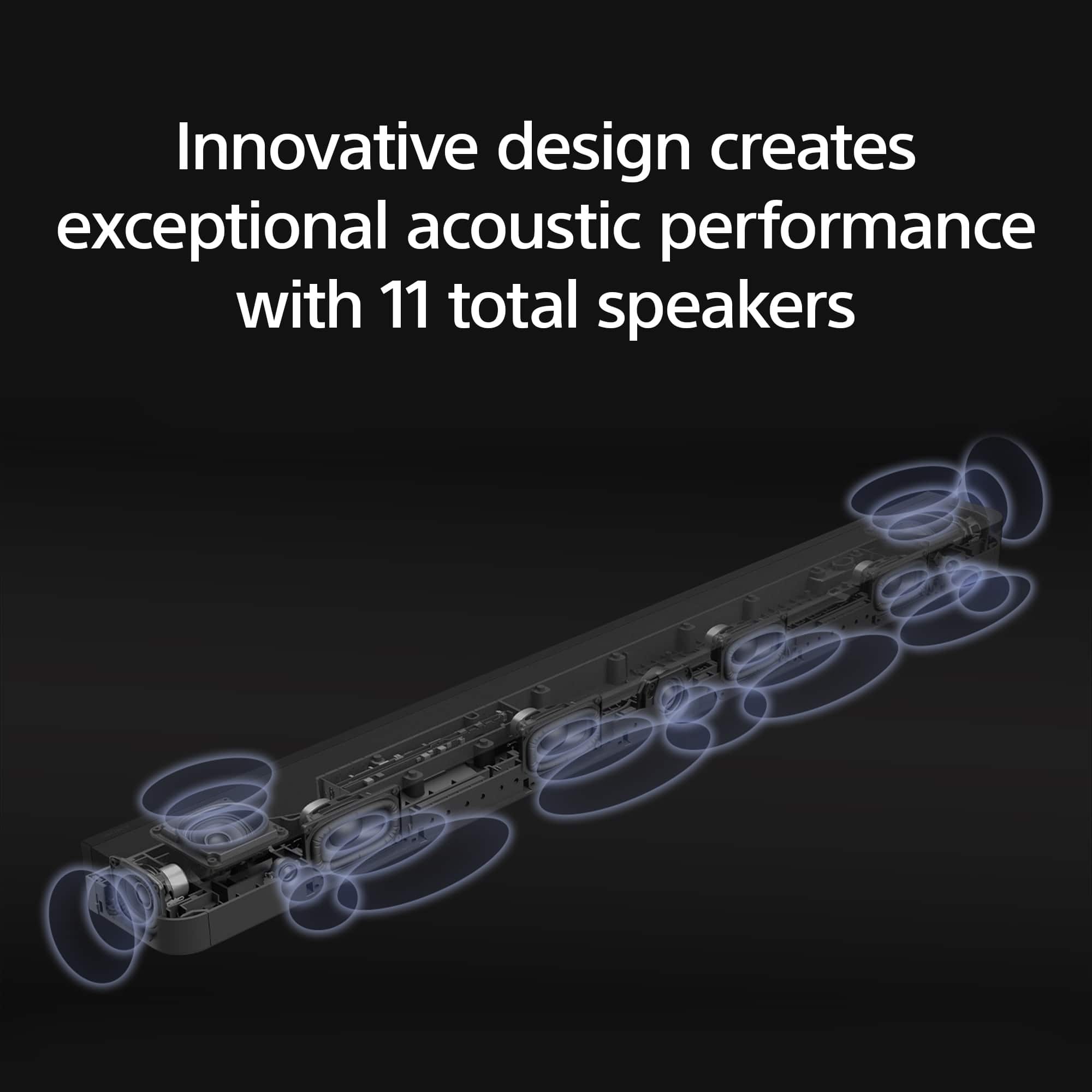
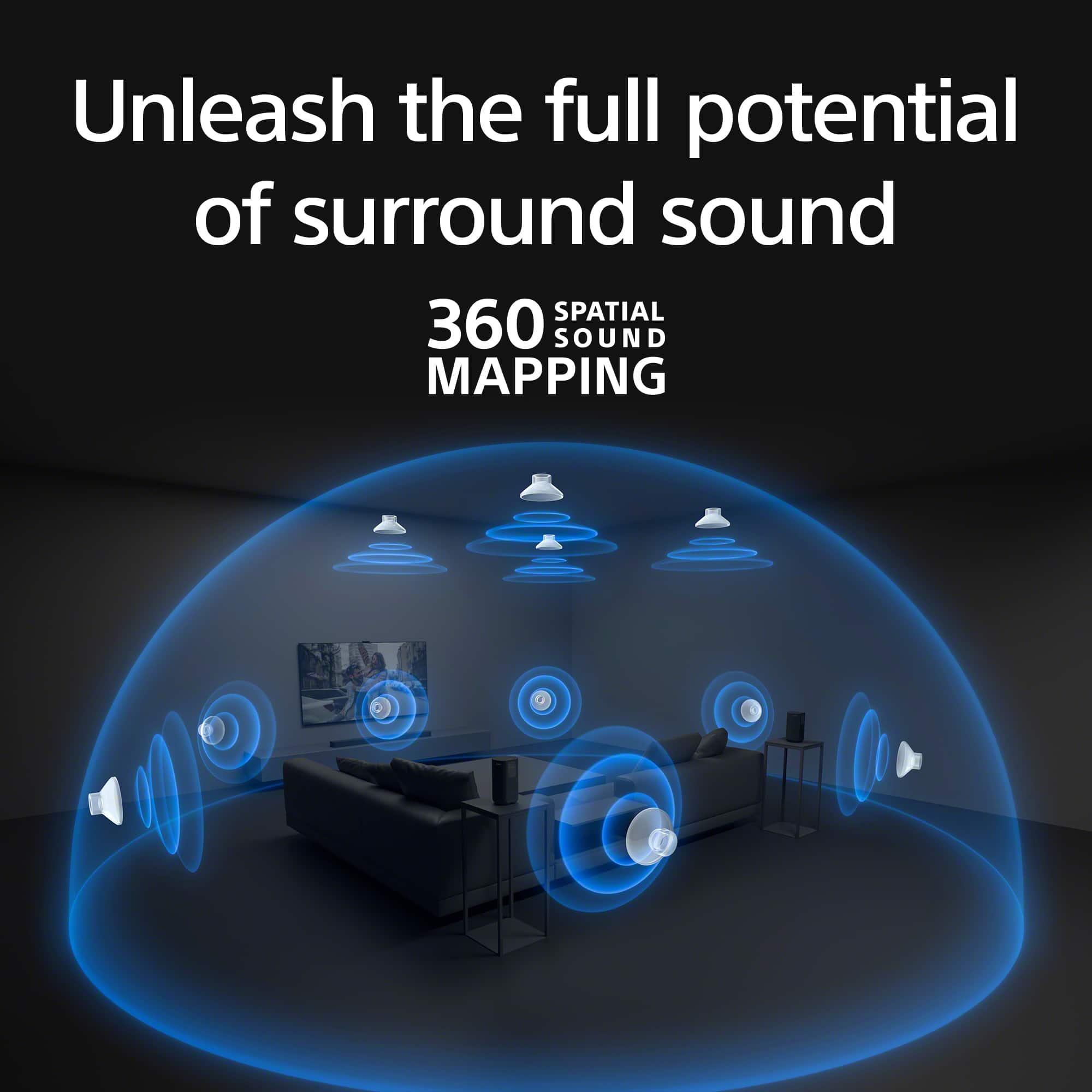
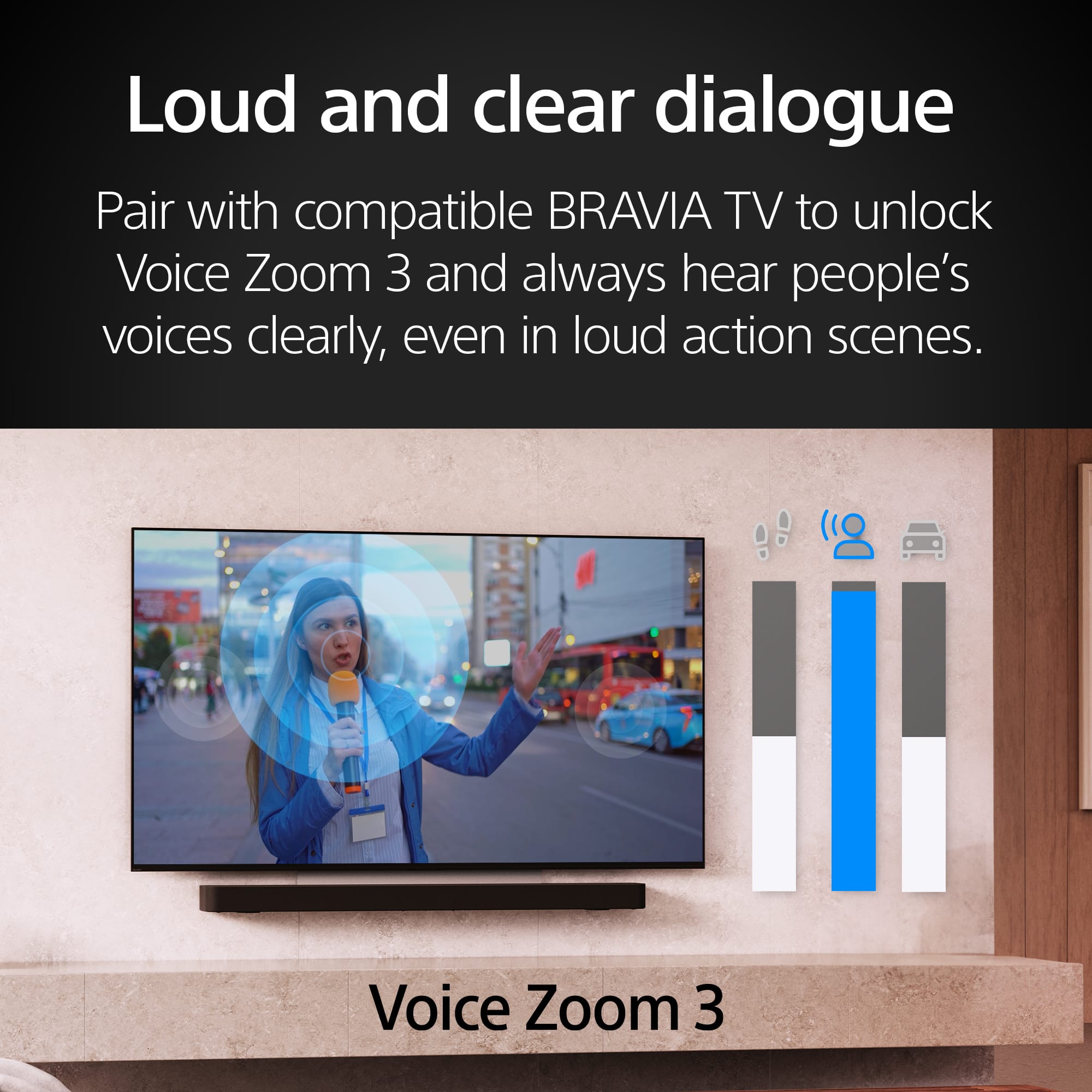
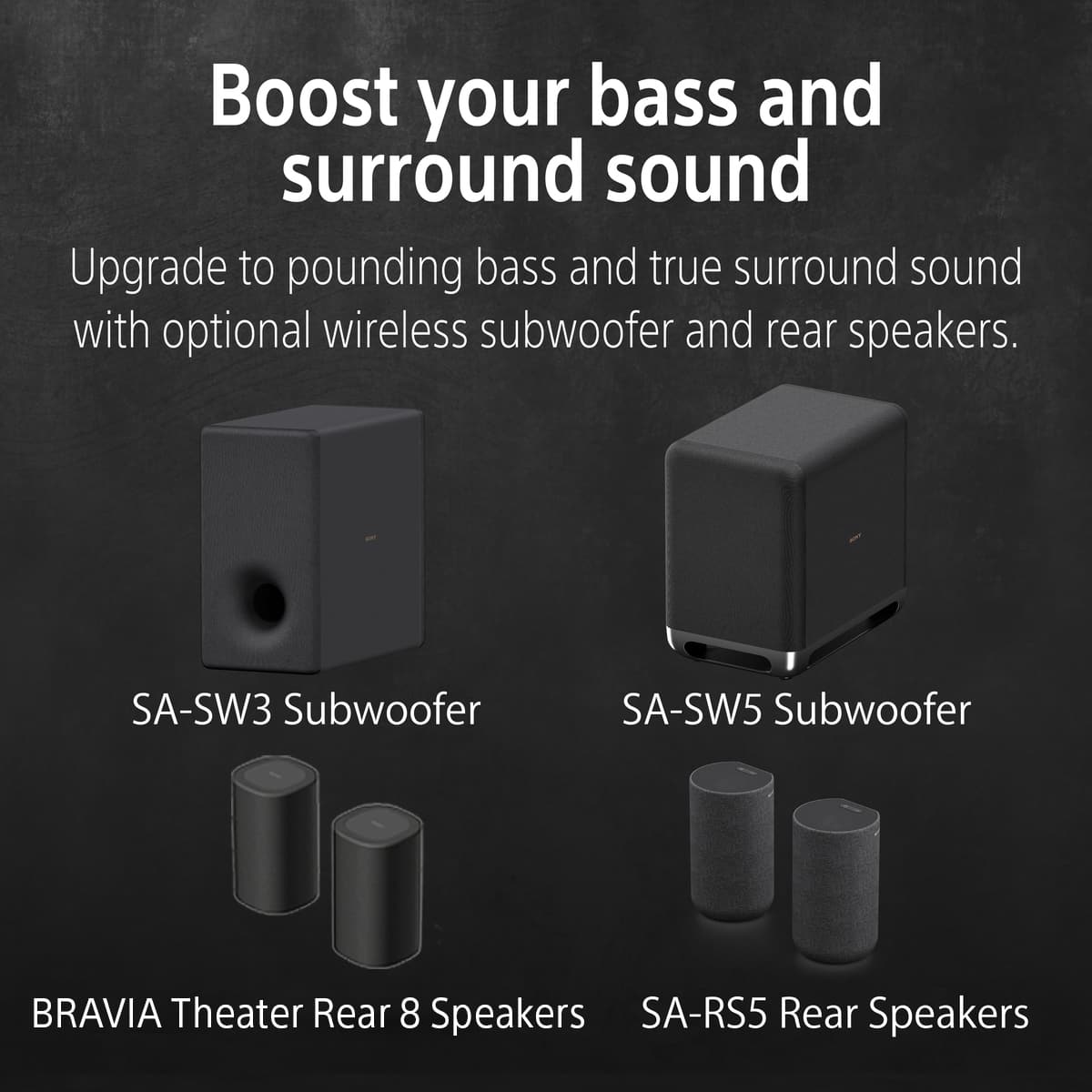
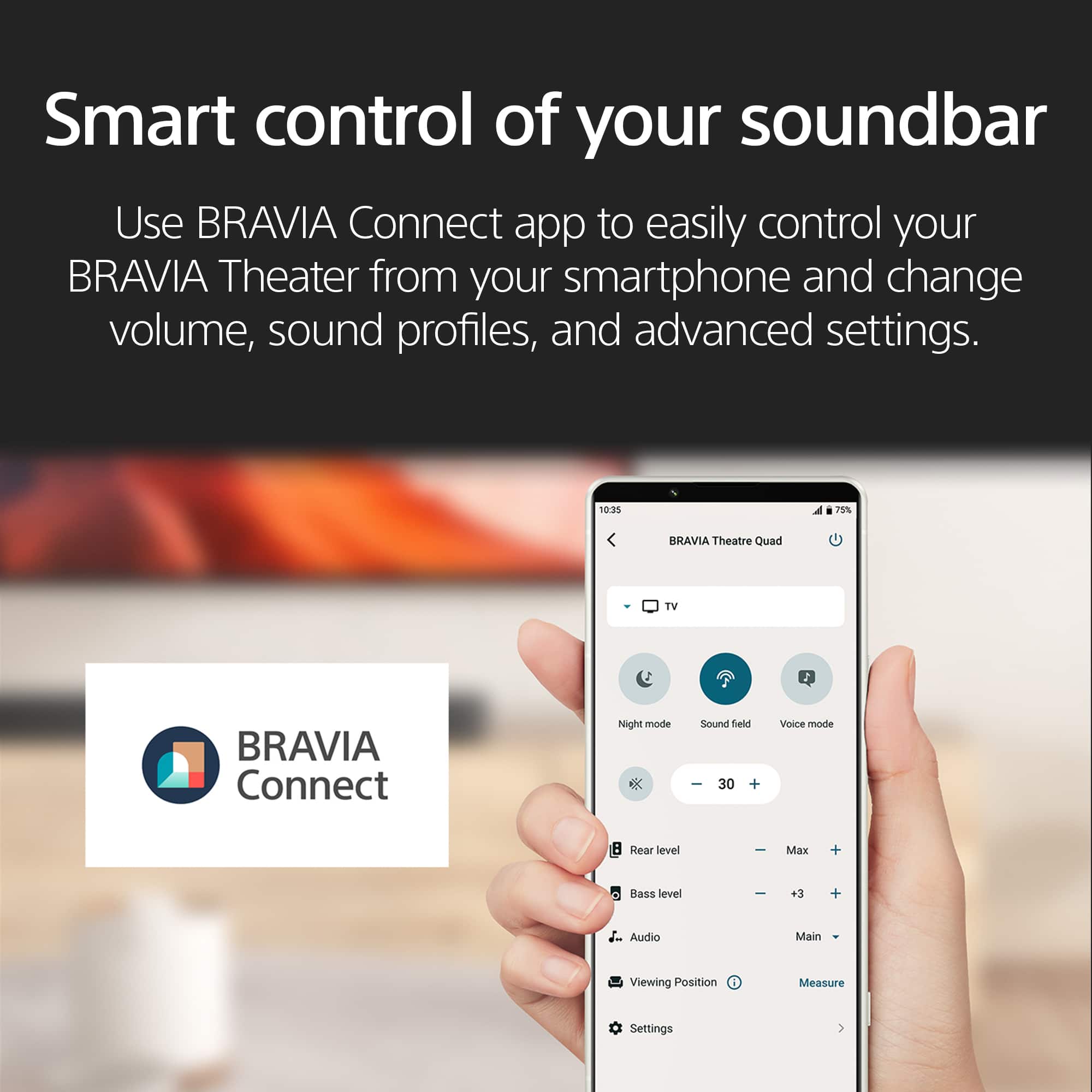
    THIS… Is the Sony Bravia theater Bar 8 (HT-A8000) with eleven built-in speakers, packed full of smart features and 4k120 passthrough which I have been looking forward to for a long time now! Something interesting about the new generation of the Sony ‘Bravia Bar’ series is that all the extra parts (subwoofer and rear speakers) are additional accessories… meaning it has no stand-alone subwoofer. It will be interesting to see how it sounds as I put it through the wringer, that being said, it does have four ‘woofers’ built into the bar. This Bravia Bar 8 will be replacing my aging Sony HT-ST5000 and will be my primary source of sound for all things gaming, music, and movies in my gaming room. TL;DR Great mid to high-end 5.1.2 soundbar packed full of the newest features for movies, music and gaming. HDMI 2.1 support, softer on bass but has the option to add one (and rear speakers) in after the fact or bought in a bundle from Bestbuy at the start. Straight out of the box I was really happy to see that Sony included risers for the soundbar so it isn’t half sitting on the TV stand rocking, a revised remote, and one of the sleekest-looking soundbars I have gotten to test in a long time. It was nice to see that Sony threw in a riser for the soundbar, a lot of TV’s have a flat pedestal and this helps the soundbar rest on top of that platform without rocking - an issue I just somewhat got over prior but I'm happy to see this solved here! Setup was quite easy, and with only one HDMI input so was cable management! Sony includes batteries, an HDMI cable, and a 3.5mm cable so you really are good to go straight out of the box. Setup required me to download Sonys Bravia app to set up the sound mapping which was a quick, but interesting process using my phone's microphone to listen to the soundbar bounce sounds around my room. A hidden feature of this soundbar is that it is well-sized for the power that it has. At about 43” wide, this soundbar can fit almost anywhere and look sleek, which is something that I needed in my space-limited setup. Now, what we are here for! The sound is genuinely one of the most fun aspects of this soundbar. The way that the soundbars channel is set up is interesting…It is 5.1.2, which begs the question… how do we get 5.1.2 from 11 speakers? Where do the other 3 speakers go? Well, Sony told me that the four ‘woofers’ and yes they are calling them dedicated subwoofers IN the soundbar are effectively combined into one channel. So you have the four woofers counting as one, with the option to expand the system out to 7.2.2 with the rear speakers and dedicated subwoofer (bought separately). The speaker layout is interesting though, three tweeters, four woofers, two up-firing units, and two side-firing units. My gaming room is FILLED with rich crisp sound. As you can imagine, the soundbar has punchy, but not floor-rocking bass. What it lacks in bass though, it makes up for in clarity and room-filling sound. I could really tell that the sound was hitting my ears from all angles, and in a demo, It was very interesting to listen to the soundbar bounce sound off my ceiling to behind me making me feel like I was completely wrapped in sound. Even listening to music, which is typically not a dynamic sound, I felt the soundbar wrap the soundwaves around me. The soundbar is rich-leaning, but honestly pretty balanced! I will 100% be adding a subwoofer, I think that most people will be on the fence… but when I watch movies I like to feel the movie. We are starting to see brands focus on an ecosystem now more than selling a closed-loop system (no expansion capability) which… I think I like! I think that being able to buy the additional parts later on allows me to have a much better sound system over time, as I can break up the purchases so it isn't just one large purchase out the door - and if one part bites the dust you can just replace/upgrade that ONE part. A cool feature if you have a Bravia TV is a feature called Voice Zoom 3 which elevates human voices and makes it a bit more crisp, Sony has done a lot of work to get you to go full-blown Bravia as well which I have slowly been sold on. You should check out their display at Bestbuy as they have the best (in my opinion) OLED TV’s on the market. Something that is annoying though is that you can only connect one subwoofer to the soundbar…so it is its own separate item…and then you can still only have one. I think that the audiophile in me wants more, but with a SA-SW5 I am sure that one will be enough. Sony has killed it with the Bravia Bar 8, and with almost every feature you could want thrown at it. Dolby EVERYTHING, IMAX Enhancement, 360 audio, HDMI 2.1 for HDR 8k60/4k120, DSEE, DTS:X. For gaming, it has VRR, ALLM and SBTM. This soundbar also makes life easy with Airplay 2 and Spotify Connect making casting and blasting seamless for even those that aren’t techie. The best part of the whole thing is when you buy this at Best Buy… you never have to worry about getting the wrong soundbar, they have this model and several other variations as well to fit all needs and setups. Best Buy has an excellent return policy and even better customer service, so you never have to worry about buying a product that you don’t like… so why not test it out! Expandable Speakers: Woofer - SA-SW3 / SA-SW5 Rear Speakers - SA-RS3 / SA-RS5 Channel Setup: 5.1.2 - expandable to 7.2.2 Pros: -supports VRR, ALLM and SBTM. -Auto HDR Tone Mapping and Auto Genre Picture Mode when connecting Bravia TVs and PS5 -Mids and Highs are phenomenal -360 spatial audio is REAL -4k120hz / 8k60hz Cons: -One HDMI port -No dedicated subwoofer 1 year factory warranty

    I would recommend this to a friend
    • Brand response from SonyListens
      Posted .

      Hi Exander, we're glad you like our product. We appreciate your feedback regarding the BRAVIA Theater Bar 8. Thanks for choosing Sony. ~Earl Sony_US

  • Tech Insider Network Member

    Rated 4 out of 5 stars

    Initially unimpressed, but

    |
    Tech Insider Network Member
    Posted .
    This reviewer received promo considerations or sweepstakes entry for writing a review.

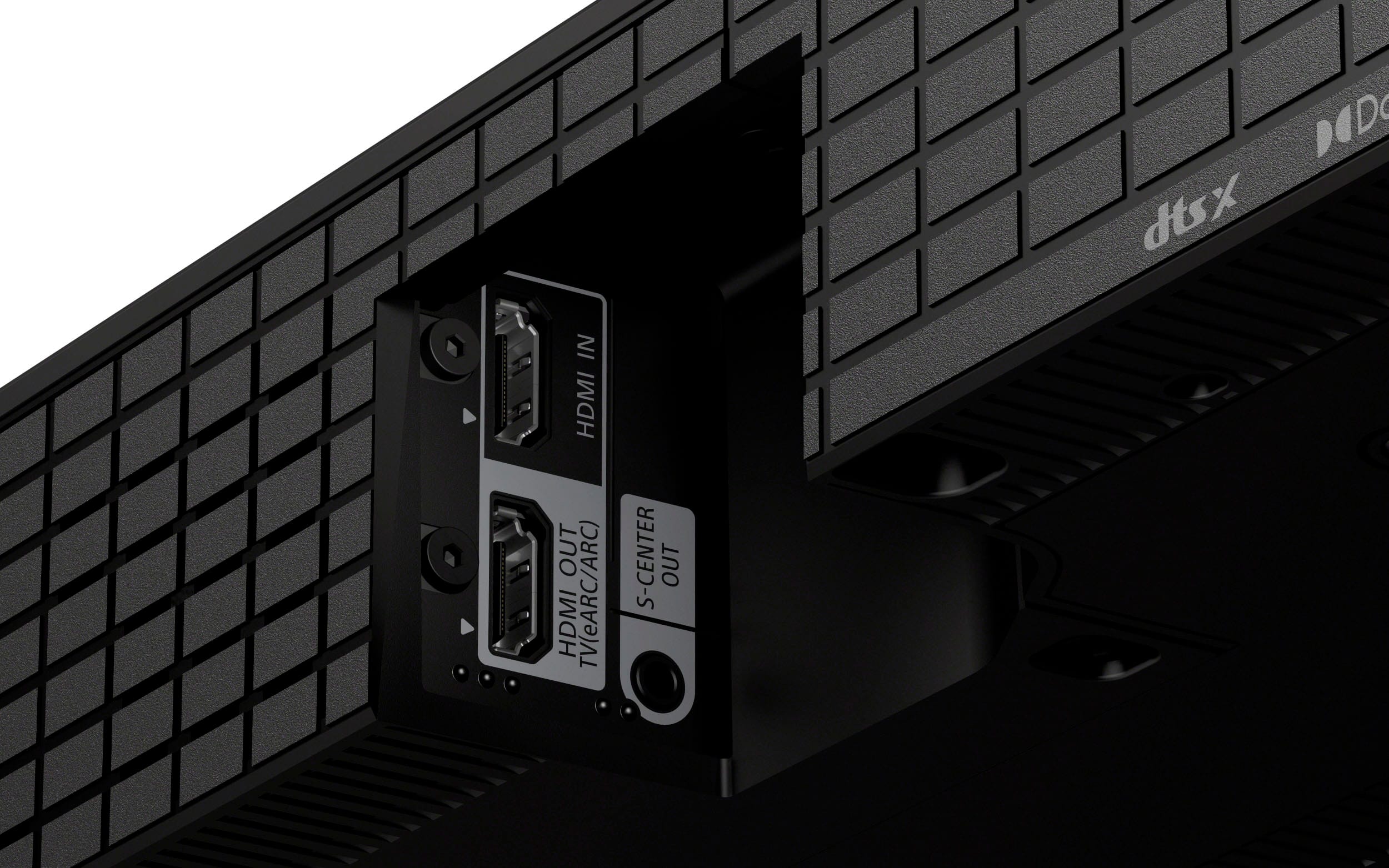
    I have been a longtime proponent of Sony products. TV’s, ES receivers, HT-Z9F soundbar (with subwoofer and rear speakers), Bluetooth speakers, etc – all of which I would recommend. Unfortunately, my initial impression of this soundbar was not good. However, after taking the time to go through the downloaded manual/app and “tweaking” the settings I am much happier with it and while it is not perfect, I would recommend it. Included in the box is Soundbar AC power cord, with NO brick – nice. Remote control HDMI 4K & 8K cable Center speaker analog mini cable connector Wall mount template and hardware 2 “feet” to raise soundbar if needed to accommodate a TV stand, etc. Unboxing was easy and I followed the provided card with installation instructions. Hooked up to TV using provided HDMI cable, plugged in and installed Bravia Connect app using provided QR code. Following the steps in the app I connected it through wifi. The soundbar does work without wifi but there is no functional support – it seems you can only control volume. With the soundbar now connected, I noticed the sound output was about 60% of my other soundbars at same output level from TV. I “fixed” this by turning on “Automatically adjust volume” option at bottom of sound settings. Another minor issue was the sound level wasn’t showing any numbers. The volume slide would show but it just indicated whether sound was going up or down. Granted you can hear the difference, but it irked me. In trying soundbar with 2 other brands of TV’s I discovered the problem seemed to only occur on my TCL TV (using eARC connection). I was now ready to test the soundbar. I did optimize my “sound field” which was easily accomplished using my phone. Pure and simple, I feel the app is a disappointment and should provide much better sound control options. There is no “sliding” control for bass – just minimum, mid or full. There are no controls for treble or midrange (or EQ). Turning voice mode on/off helps a little. The sound field is only on/off as well, with no settings for movie/sports/music etc. as my HT-Z9F allows. Nighttime mode seems to reduce the bass. The remote has the same limitations as the app as far as sound settings. The soundbar does allow for 1 HDMI input separate from the output/arc connection. I must admit I am confused a little as to whether functions should show on the TV screen – to this point they do not but maybe I missed a setting, so I used the app. I streamed an Atmos Dolby movie and was very impressed with the encompassing sound quality. I happened to have a Sony Dolby Atmos Demo Blu-ray DVD - provided with the HT-Z9F soundbar. Playing the DVD with my 4k dvd player the sound wes even more impressive than the movie. It came from in front, above and behind, as if I was standing in the middle of the sound. Playing music from my phone was also a very pleasant experience. But sound is so subjective your results may vary. The power output was more than enough for me, but it doesn’t really rattle the windows and probably won’t wake up the neighbors. The overall design is nice, and its 43-inch size should make it easy to use under a TV or to mount on the wall. There are no IR repeaters option in case it does block your TV. Has easy to understand inputs/output attachments on the back of the sound bar. There is 1 HDMI input and 1 HDMI ARC/output. I found the HDMI area to be very tight to attach cable(s) so hope yours is very flexible (same with HT-Z9F). There is also a no fiber optical connection but there is aux in (3.5 mm) for analog input, The front panel LED display gives some basic information by using different colored flashing/solid lights to indicate inputs, messages, etc. – brightness can be controlled as well. Final Thoughts App is lacking but hopefully with user feedback it will be updated for better control. Remote is not illuminated and makes it hard to find or use in dark room. The sound is impressive and for many the soundbar alone will be more than enough. But for me I think you really need a dedicated subwoofer and maybe rear speakers. While they are available it is a rather pricy upgrade. Since I do have other Sony products the provided remote turns on/off the HT-Z9F soundbar and Sony ES receiver. Overall, a very nice unit that for its size produces a very impressive sound.

    I would recommend this to a friend
    • Brand response from SonyListens
      Posted .

      Hi mkcar1, thanks for choosing and purchasing our product. We appreciate your feedback regarding our product. Enjoy your new soundbar. Thanks for trusting Sony. ~Earl Sony_US

  • Tech Insider Network Member

    Rated 5 out of 5 stars

    A SYMPHONY OF SOUND!!!

    |
    Tech Insider Network Member
    Posted .
    This reviewer received promo considerations or sweepstakes entry for writing a review.

    I recently had the pleasure of experiencing the Sony Bravia Theater Bar 8 and it was nothing short of spectacular. The Sony BRAVIA Theater Bar 8 is a soundbar that delivers a truly immersive home theater experience with its 11 speakers and innovative 360 Spatial Sound mapping technology that fills your room with rich beautiful audio. So, let’s go over what makes the Sony Bravia a spectacular soundbar. Home Theater Sound: The Bravia Theater Bar 8 grabbed me with its 11-speaker system that pumps out crystal-clear, room-filling audio. The sound quality is simply phenomenal, delivering crisp, clear, and immersive and deep bass audio that fills the room. Whether you're watching an action-packed movie or listening to your favorite music, the sound is rich, detailed, and incredibly lifelike. 3D Audio: Dolby Atmos and DTS:X take things to another level by creating an immersive 3D soundscape. You'll feel like you're in the middle of the movie, with sounds coming from all around you, including from above. The height channels add to a whole new dimension, making your living room feel like a giant theater. It's not just about hearing the sound, but also about feeling it. Easy to use and stylish: The Theater Bar 8 is a breeze to set up and its sleek design looks great under your TV or mounted on the wall with the provided mounts, adding a touch of sophistication to your space. The Bravia Connect app will guide you through the connection and the setup process. The application also runs the spatial 360 reality audio setup and once done correctly should have complete theater experience. Wireless expandability and Connectivity: While the soundbar itself delivers powerful audio experience, you can add an optional subwoofer and rear speakers for an even more complete home theater setup. The BRAVIA Theater Bar 8 offers a variety of connectivity options, including Bluetooth, Wi-Fi, and HDMI. This makes it easy to connect to your TV, streaming devices, and other audio sources. The Theater Bar 8 also supports 4K HRD, 8K HRD, Dolby Vision and Dolby Vision HDMI 2.1 Gaming features 4K120, VRR and ALLM for all the PS5 gamers out there and myself being one. Connecting this bar to my PS5 added a whole new experience of Warzone and at times it felt as if there was war in my room, It was amazing. Overall, the Sony Bravia Theater Bar 8 is a is an exceptional soundbar that delivers a true theater-quality listening experience. From rustling leaves to explosive explosion, you will hear them all. If you're looking to elevate your home entertainment setup, this is a fantastic option. I honestly could not find anything that I was not happy with the Bravia Theater 8 and believe me I tired, this is just an exceptional sound bar at a reasonable price point.

    I would recommend this to a friend
    • Brand response from SonyListens
      Posted .

      Hi Hmirza, great! We appreciate your detailed review of our product! We're glad you are enjoying it! Thanks for choosing Sony. ~Earl Sony_US

  • Tech Insider Network Member

    Rated 5 out of 5 stars

    Incredible sound, easy setup

    |
    Tech Insider Network Member
    Posted .
    This reviewer received promo considerations or sweepstakes entry for writing a review.

    I’ve been using the Sony Bravia Theater Bar 8 for a couple of days now and it ranks as the best soundbar I have ever owned (this is my 6th soundbar from various manufacturers). Included in the box is everything you need for setup including a highspeed HDMI cable and wall mount brackets if you need them. In order to set it up you must first download the Sony Bravia Connect app. I do not own a Sony Bravia TV (yet) and in reading the literature it appears to be a very seamless setup process when adding the Theater Bar 8, so I wasn’t sure how my setup might go. Once I downloaded the app I began the setup process, and the app walks you through everything in terms of connecting to your TV set as well as speaker optimization based on your room and where you typically sit while watching TV. The app goes through a measuring process and once completed the result is “optimized surround sound”. The theater bar has 11 separate speakers built into it and I can definitely hear the “360 spatial sound mapping” in my room. It delivers very full and clear sound. I was a bit concerned about the two subwoofers in the theater bar figuring they probably would not be too impressive, but I was wrong. There is very nice bass coming from the theater bar. Its probably not as booming as a separate subwoofer would be which can be added to the system, but for my room/setup the bass delivery is excellent from just the Theater Bar 8. While the Theater Bar 8 comes with a remote control, I was surprised after setting it up that both my TV remote and our DirecTV remote both automatically controlled the volume of the Theater Bar. In the past, particularly with DirecTV, I’d have to do a separate setup to get that remote to work with a sound bar, but not with this one. I suppose that’s because the Theater Bar 8 and our TV both have eArc HDMI (a first for me), I’m not really sure, but it sure made the setup process easy! To be honest, the first movie I watched with the Theater Bar 8 I was not quite thrilled with the volume I was getting from it, even cranked to 100/full volume. I also listened to some music through Spotify and was not very impressed with the sound quality or volume when playing through the Theater Bar 8. The sound was kind of tinny and the bass was definitely lacking. So I began checking the app to see what other changes and options there are in terms of fine-tuning the soundbar for my setup. One of the Sound Settings I ran across was “automatically adjust volume”. Once I turned that on it made a HUGE different in volume both for TV viewing as well as music through Spotify. I’m guessing it about doubled the volume so I can now make is much louder and more like movie theater volume if I’m in the mood. I’ll need to keep testing/tweaking other app settings to see if there are any other improvements I can make but as of now I am extremely impressed with the sound quality. Overall, as I said previously, this is the best soundbar I’ve ever owned. It delivers high-quality fantastic immersive surround sound that fills my room, a huge improvement over our previous soundbars. Love it!

    I would recommend this to a friend
    • Brand response from SonyListens
      Posted .

      Hi Randy, we're glad you love our product! We appreciate your detailed review! Thanks for choosing Sony! ~Earl Sony_US

  • Tech Insider Network Member

    Rated 5 out of 5 stars

    No Subwoofer needed!

    |
    Tech Insider Network Member
    Posted .
    This reviewer received promo considerations or sweepstakes entry for writing a review.

    I never thought a soundbar without a sub will sound this good and the Sony Bravia theater 8 is that soundbar. I have been an audiophile for many years, and I have owned many soundbars. I currently have the Sony HT-ST5000 which was rated one of the best soundbar with Atmos when the Dolby Atmos trend started in the soundbar section. Many years have passed and technology has since evolved. The Bravia theater 8 does not only have a smaller footprint but packs an amazing sound with its 11 speakers. It has a great built quality. It does not have a metal grill like my old soundbar, instead is wrapped with a fabric mesh that gives an elegant appearance. It comes with two HDMI ports, 1 input and 1 output that supports eARC (Enhanced Audio Return Channel) and ARC (Audio Return Channel). That means if you have multiple devices, most of them have to be connected to the TV. That could be good or bad depending on your setup and the age of the TV. Honestly ARC has gotten way much better from what it used to be, and now is enhanced (eARC) so I understand why they chose the route of not adding many HDMI inputs. Let the TV handle the video and the soundbar the sound. The HDMIs are 2.1, and they support video formats of 4K HDR, 8K HDR, Dolby Vision, and gaming features 4K at 120hz, VRR, ALLM. Setting it up is very simple, but some may find it challenging especially those who are not tech-savvy. The reason I said that is because the bar does not have any buttons, a display or on-screen menus. The simplest method if you do not wish to use the app and the rest of the soundbar features is connecting the HDMI cable from the bar's output to the TV's HDMI eARC/ARC input. You have to connect the soundbar to the TV that way regardless. However, the soundbar will work this way without the detailed setup from the app. Make sure that your TV has the HDMI remote feature enabled and that should do the trick. The soundbar will power on and off with the TV. For detailed setup, download the Bravia connect app. Grant the app the necessary permissions, and the app will detect the soundbar and guide you through the process. I really like the 360 sound mapping. That will measure the speaker distance from the listening position to the soundbar and create a 360 listening environment using your walls and ceiling. I found the mapping feature to be impressive since it works in a similar way to the mapping I performed in my dedicated theater room. The difference is that this soundbar uses your phone microphone to measure the distance compared to the wired microphone I used in my theater room. The app also provides access to all soundbar settings and features, including the ability to connect additional surround speakers and subwoofers. In terms of sound quality and performance, it’s just amazing. It delivers a well-balanced sound with rich mids, clear highs and surprisingly good bass. I haven't heard a soundbar that sounds this good without a separate subwoofer. The magic happens with 4 front 2way woofers of (3 5/8" drivers) that also acts as front channels. It is not going to be the rumbling bass you’ll get from a dedicated sub but is a really good bass that is well balanced with the audio track and is very noticeable. To my experience I found it optimal to watch movies or shows with the sub settings higher and music at mid-level. In other words, this soundbar will be great for a small room without a sub. You have the option to expand this bar's great sound capability by adding wireless surround speakers and a wireless sub. However, that will beef the price over $2000 if you choose the two higher price surround and sub wireless speakers. If you plan to place this in a bedroom you will be good with the soundbar alone. This bar also supports most of the industry-standard audio formats including Dolby Atmos, DTS:X, and IMAX Enhanced. When it comes to music you can stream it via Bluetooth, Spotify Connect and Apple Airplay 2. This bar will not just play your wireless music, but it will also upmix it to its 360 Reality Audio. Music streaming sounds great too, especially with the sound field enabled. Unfortunately, this soundbar does not support casting. If you're an Android user, you have to stream the music via Bluetooth. Is sad that Sony did not include Chromecast built-in for this model. Overall, this soundbar delivers exceptional audio quality without needing a separate subwoofer. Its compact size and contemporary design make it a great fit for any room. If you have a Sony TV that supports center channeling, this soundbar includes center channel cable. This cable connects to the TV, enabling it to function as a center channel, providing the soundbar with greater flexibility to utilize the center speaker for other audio purposes. You can place it on top of the entertainment center or mount it on the wall, and the mounting brackets are included. Thanks to its compatibility with modern sound and video formats, this soundbar will remain useful for years. In the box you get the soundbar, remote, 2 AAA batteries, wall mounting kit, power cord, HDMI cable, TV center mode cable, and manuals.

    I would recommend this to a friend
    • Brand response from SonyListens
      Posted .

      Hi Wishkid, we appreciate your detailed review of our product! Hope you are enjoying it. Thanks for choosing Sony. ~Earl Sony_US

  • Tech Insider Network Member

    Rated 5 out of 5 stars

    A fantastic sound bar that produces a rich sound !

    |
    Tech Insider Network Member
    Posted .
    This reviewer received promo considerations or sweepstakes entry for writing a review.

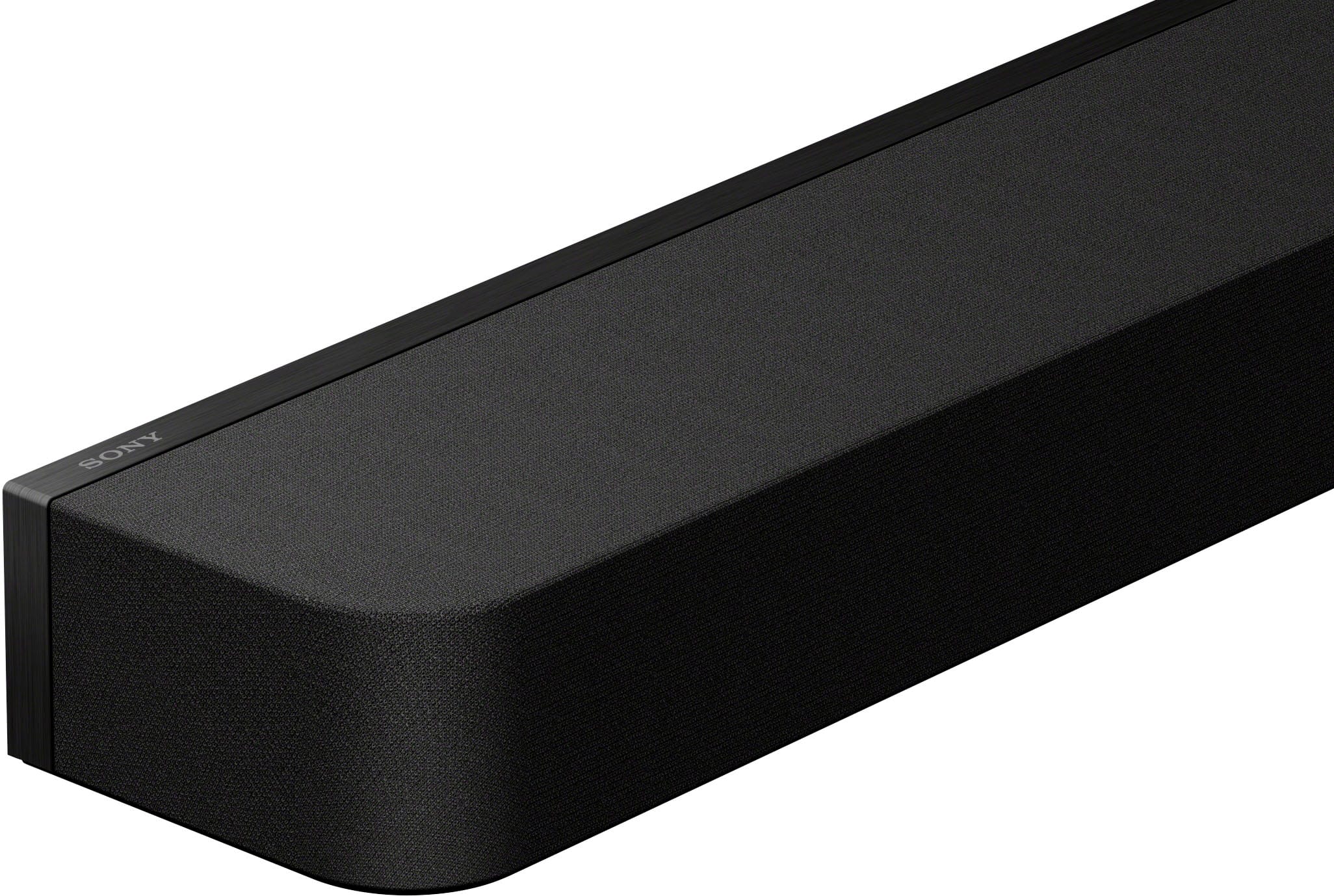
    I was perfectly happy with my old sound bar that has a dedicated sub-woofer until I listened to the Sony Bravia Theatre Bar 8. There is a big difference between a sound being loud and being rich. While soundbars tend to produce loud sound with good bass, this Sony soundbar produces a rich sound. The clarity of the audio is simply amazing. I did not realize what I was missing out on, until I heard this and played them side by side. Size and Features ---------------------------------- It is amazing how a 2.5 x 43.5 x 4.5 inch soundbar can hold 11 speakers and complement one another to produce a high quality Surround sound with Dolby Atmos. - 2 speakers on the side - 3 tweeters (a big one in the center and 2 on the side) - 4 Deep bass woofer - 2 up-firing speakers They all combine to produce a 3-D immersive audio. I get a much better bass effect without a separate sub-woofer than what I used to get with my previous sound bar with a sub-woofer. (by setting Bass level to MAX in Sound settings). This seats perfectly between the legs of a 75-inch tv and a 65-inch tv. Installation ------------------------- Installation was a breeze. Just plug the power cable and the HDMI cable and connect it to the TV’s e-Arc port. For accessing all the speaker options and setting up a Sound optimization based on the room and seating position, install the BRAVIA Connect app and connect it through your phone. This also has an HDMI-IN option where we can connect an external HDMI device like Blu-ray player or PS5 or a fire stick TV and route the output to the TV. The sound is magnificent, as it directly routes the sound through the bar. The HDMI signal format is capable of transmitting 4K 120Hz or 8K videos. But of course, the TV should be compatible, else it would be toned down to TV’s max resolution. Speaking of HDMIs, the slots could have been placed better. I found it a bit difficult to access the HDMI-IN port as the IN and OUT ports are so tightly packed next to each other. Boot time is slightly longer. It takes about a minute to completely boot and to route the audio through the speaker. I wish it had a faster processor or whatever was needed to boot it quickly or at least on par with TV’s boot speed. However, once its ON, and as long as its connected to power, booting from stand-by is instant and super-fast. Bluetooth Connectivity ------------------------------------ The sound bar supports connecting a Bluetooth device to transmit audio from the device to play it through the bar. However, there is no option to transmit sound from the bar to a Bluetooth headset. At night, if I need to watch through my headset, I need to connect to my TV’s Bluetooth. The Soundbar also offers a 3.5mm port to connect to the center speaker of the TV if the TV has the port. But, like the Bluetooth, this cannot be used to transmit sound to a wired headset. There are no other connectivity options like optical cables etc. Sound settings & BRAVIA connect app -------------------------------------------------------------- This has a Night Mode and a Voice mode. Accessing the sound setting through Bravia app, I felt turning off the Audio DRC yielded a better sound to my liking. There HDMI settings, Sound settings let you play around with various settings to choose as per your liking. When connected to a Bravia TV, this is much more efficient with enhanced qualities like voice enhancement through AI machine learning technology to listen to clear voice sounds. Additional Wireless Subwoofer Rear speakers connectivity options -------------------------------------------------------------------------------------------- The sound bar can also be connected wirelessly to an external sub-woofer and rear speakers if you need to enhance your sound quality and listening experience. This is compatible with the following options: Subwoofers: SA-SW5 / SA-SW3 Rear Speakers: SA-RS5 / SA-RS3S This is undoubtedly a brilliant high-end speaker that produces rich surround sound through a bar which is much more space efficient. Although this is perfectly sufficient for a regular sized living room, I would have loved for Sony to provide some sort of bundle with additional sub-woofer and the rear speakers coupled with the bar.

    I would recommend this to a friend
    • Brand response from SonyListens
      Posted .

      Hi Kalai, we're glad you like your new soundbar! Thanks for choosing Sony! Enjoy! ~Earl Sony_US

  • Tech Insider Network Member

    Rated 5 out of 5 stars

    The Mighty BRAVIA Soundbar From Sony

    |
    Tech Insider Network Member
    Posted .
    This reviewer received promo considerations or sweepstakes entry for writing a review.

    With Sony's reputation for high-quality products, the company continues to improve and release captivating new technology. I've added the new BRAVIA Theater Bar 8, featuring an impressive 11 speakers, to my Sony audio setup (Sony BRAVIA A90J OLED 55”, Sony STR-AN1000 7.2 AVR, and PS5) this BRAVIA soundbar produced an incredible sound. Sony has always been my trusted brand for audio upgrades. This high-end soundbar delivers an immersive audio experience, especially when paired with Sony BRAVIA TVs. It boasts 11 built-in speakers and supports Dolby Atmos, DTS:X, and 360 Reality Audio for a truly immersive sound experience I felt immersed in. Out of the box, its sleek, modern design complements Sony BRAVIA TVs. I was impressed by the soft fabric wrapping the bar. Having used the Sony HT-A7000 7.1.2 for the past two years, I connected the new BRAVIA to my TV and used the BRAVIA Connect app on my iPhone for setup, which took only about 5 minutes. My first impression was that the sound was so incredible I had to check if it was coming from the soundbar or my wall-mounted speakers. The room-filling sound and clear voices made it feel like the actors were beside me. After rerunning the audio optimization as prompted by the app, I played Inside Out and Avengers movies. I was amazed as sound effects came from everywhere, thanks to Dolby Atmos and 360 Spatial Audio technology. The remote is well-designed and minimalist, unlike other Sony devices that share similar remotes, which I find confusing. I synced the soundbar with my TV’s central speaker, enhancing the sound experience. Sony thoughtfully includes the latest technology and connectivity options in its products. This soundbar features Bluetooth, Wi-Fi, Apple AirPlay, and Chromecast for easy streaming. Connectivity-wise, it supports 4K HDR, 8K HDR, Dolby Vision, and HDMI 2.1 for high refresh rates of 4K at 120Hz with VRR and ALLM for the PS5. Gaming on the PS5 with this soundbar was incredible, providing a 360-degree sound experience. It also offers HDMI eARC, HDMI out, and optical for versatile connectivity. During the setup, the app kept asking me to add the wireless subwoofer SA-SW5 and Sony SA-RS3S rear speakers that I have in my other Sony setup in the living room which I ignored. There are two things I don't like about this soundbar: it lacks control buttons on the device, so you must use the remote or app, and the remote IR is compatible with other Sony devices. For example, turning on the soundbar also turns on my Sony AVR and HT-A7000, which requires unplugging nearby devices to avoid overlapping controls. I hope Sony designs unique remotes for each device in the future. Despite these issues, I'm extremely pleased with the experience, and my weekend movie night was fantastic.

    I would recommend this to a friend
    • Brand response from SonyListens
      Posted .

      Hi Zaid, we're glad you are enjoying our product! Thanks for choosing Sony! ~Earl Sony_US

  • Tech Insider Network Member

    Rated 5 out of 5 stars

    Wow, just wow!

    |
    Tech Insider Network Member
    Posted .
    This reviewer received promo considerations or sweepstakes entry for writing a review.

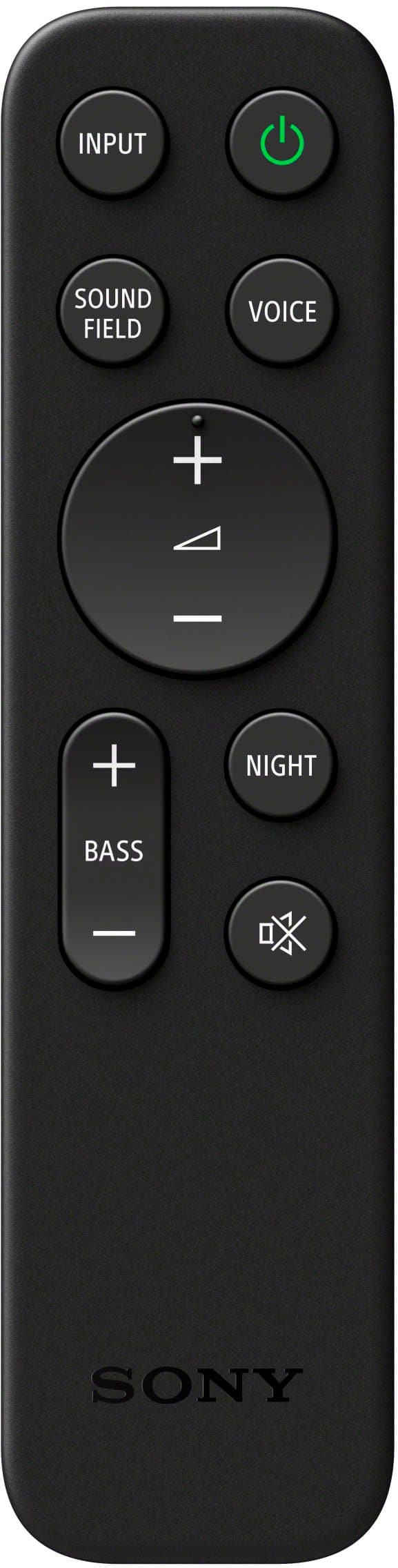
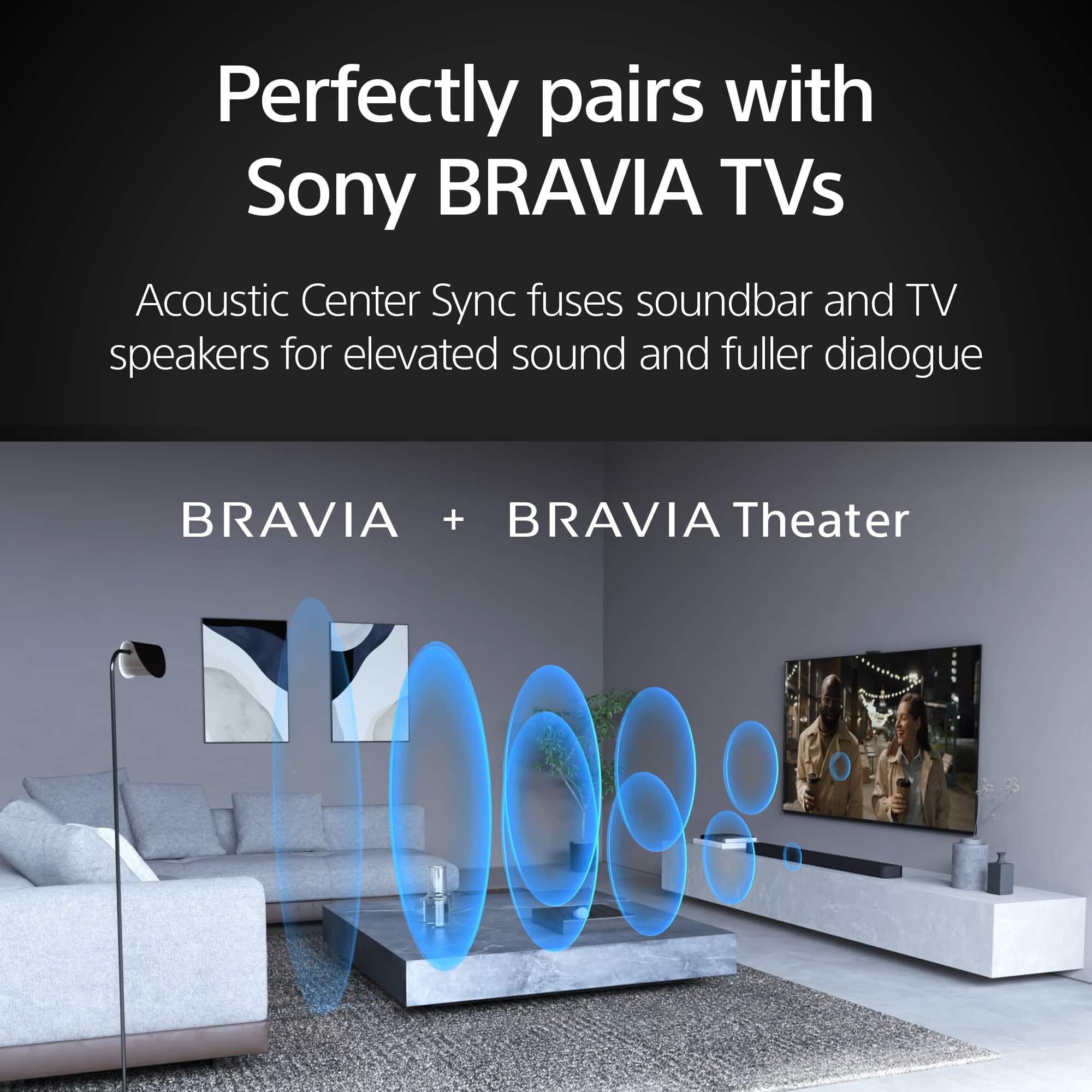
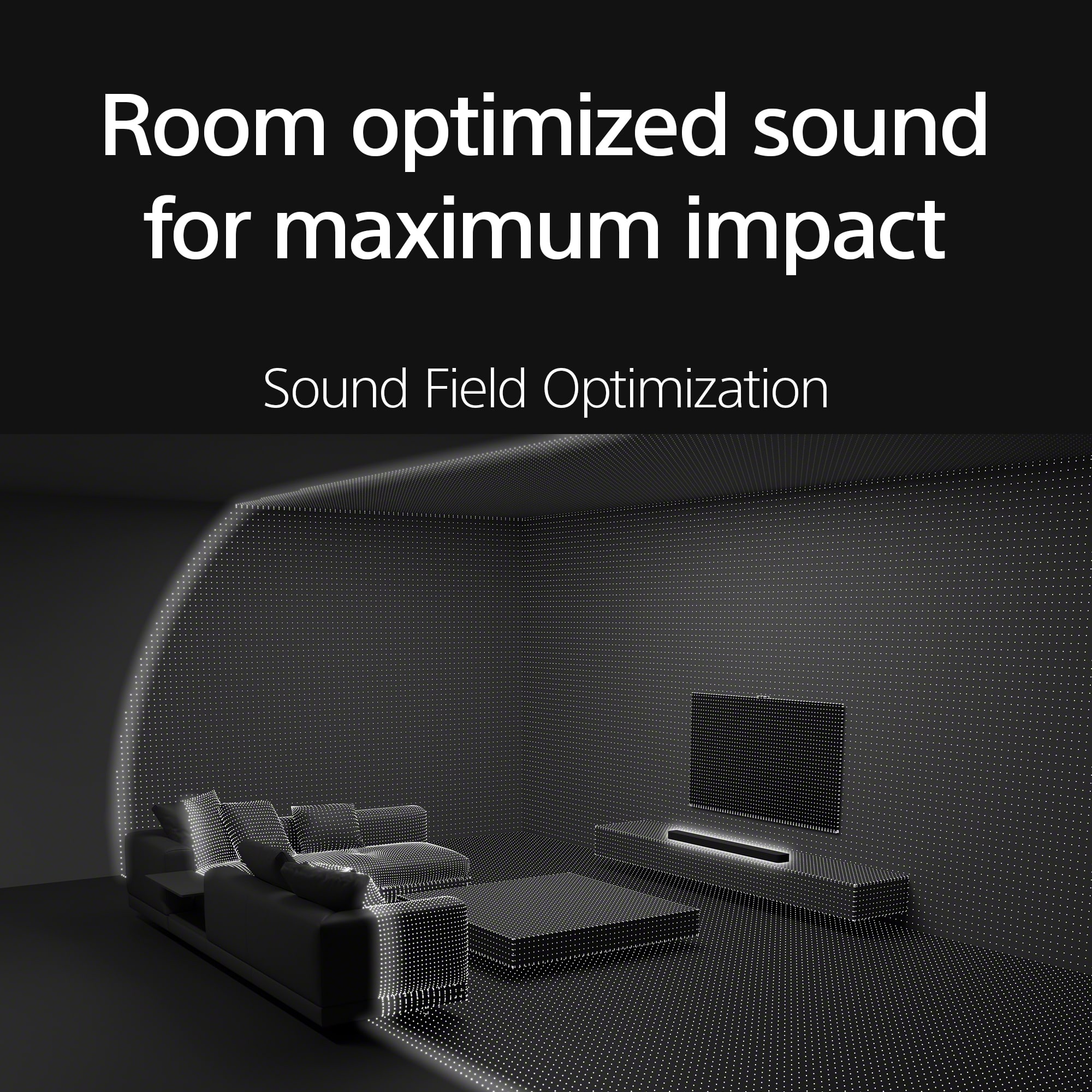
    I recently purchased a new Sony 4K TV and really wanted an external soundbar/home audio system to take full advantage of the new purchase. The Sony BRAVIA 8 Theater Bar with 11 speakers and Dolby Atmos/DTS:X (with optional SA-SW3 wireless sub-woofer and SA-RS3 rear channel speakers) is the perfect solution. The soundbar comes well packaged in a fully recycled box and includes the speaker, wall mounting brackets and template, attachable feet, remote with batteries, power, HDMI and Center channel cables and documentation including a quick start guide with link to the Sony BRAVIA Connect App. The build quality is top-notch as expected from Sony with 11 speakers and 360 Spacial Sound Mapping. The unit feels substantial but not overwhelming at 43” in length and weighing approx. 10lbs. Setup Once unboxed, setup was very straight forward...simply connect the sound bar to the TV via HDMI (eARC preferred if available)...which my TV has. Connect any other components via HDMI to the TV as there is only one HDMI port available on the soundbar. Plug in the power on the soundbar, optional sub and rear channel speakers and they all connect automatically at startup. At this point, the soundbar was up and running and automatically synced to the TV remote…this was too easy! The BRAVIA Connect App is necessary to connect the soundbar and there is a QR code in the box that calls this out and it also provides Sound Field Optimization during the setup process. This process maps the room and a user’s typical viewing location to create that 360 Spatial Sound Mapping. After initial setup, I disconnected the optional speakers to test the sound of the BRAVIA 8 Theater Bar only. Performance Initially I used the provided remote to try some of the sound options like “Voice Mode”, “Night Mode” and “Bass Level”. The remote is small but provides adjustments for Sound Field, Voice, Bass, Mute, Night Mode and volume. I have always had a challenge hearing/following dialogue and with the “Voice Mode” turned on this is no longer an issue. The dialogue level is raised while maintaining all other sound characteristics. Nice job Sony! With a BRAVIA TV that supports the Acoustic Center Sync feature, the BRAVIA 8 supports Voice Zoom 3 for additional audio enhancement. Bass can be adjusted from low to mid and Max. I tried the soundbar without the SA-SW3 wireless sub-woofer and the sound is impressive on the “Max” setting. Depending on and individual’s wants and room size, the BRAVIA 8 can easily stand on its own without additional speakers/subs. With the 360 Spatial Sound Mapping feature the single soundbar producing an amazing surround sound experience. I have this soundbar installed in my bedroom which has 14’ ceilings and it fills the room with incredible sound quality and dispersion…it’s like being at a movie theater! Overall, the Bravia 8 Theater Bar is an incredible solution as a standalone soundbar and can also be enhanced with the addition of a subwoofer and rear channel speakers. BRAVIA Connect App After a bit of confusion trying to pair this soundbar using the Sony Connect app, I followed the link in the box and downloaded the BRAVIA Connect app by Sony. It’s interesting that Sony has multiple “connect” apps available, but I should have just followed the QR code in the box. Anyway, the app does provide the same controls found on the Sony remote, but it also provides additional sound setup options like DSEE, Audio DRC and DTS Dialog Control. Now that I have the soundbar and system dialed in, I tend to use my Sony TV remote for basic adjustments. There are several sound options available including Dolby Atmos, DTS:X and IMAX Enhanced and it also supports video formats 4K HDR, 8K HDR, Dolby Vision and HDMI 2.1 gaming features 4K120, VRR, ALLM. For music, The BRAVIA 8 uses Bluetooth, Spotify Connect or Apple AirPlay 2 to connect to an audio device/phone. Connecting is straightforward and the sound quality is far superior to any BT speaker system I have ever owned. Pros: - 360 Spatial Sound Mapping – surround sound quality from a single soundbar! - Deep rich sound quality and great dialogue clarity with Voice Mode - Ease of setup, basically plug-and-play - Self connecting Wireless Sub-Woofer and Rear Channel Speakers (optional) - Bluetooth, Spotify Connect and Apple AirPlay 2 connection option for enjoying music - Top-notch quality and modern design and aesthetics, wall mountable - Dolby Atmos/DTS:X supported - Good range of audio and setup adjustments via remote, app or Bravia TV - Attachable feet for clearing TV stands is a nice touch Cons: - Only 1 HDMI port on the speaker (optical and USB options included) Overall, this is a great sounding, easy to set up and great looking sound bar and speaker system. I would definitely recommend this setup to anyone looking for a premium-sounding soundbar that can provide cinema surround sound quality.

    I would recommend this to a friend
    • Brand response from SonyListens
      Posted .

      Hi mstanleynh, great! We appreciate your detailed review of our product. We're glad you like your new soundbar. We understand your feedback regarding the number of HDMI ports available on your Sony unit. Thanks for choosing Sony. ~Earl Sony_US

  • Tech Insider Network Member

    Rated 4 out of 5 stars

    Nice but not perfect

    |
    Tech Insider Network Member
    Posted .
    This reviewer received promo considerations or sweepstakes entry for writing a review.

    I currently have several home theater setup's by a couple of different manufacturers of which a couple of them are Atmos capable. Given this, I think that I can make a fairly bias opinion on where I think the new Sony Bravia Theater Bar 8 stands in regards to its competition. There are aspects that I think the Bar 8 excels and some where it falls short. Everything arrived safely & in tact however this $1k soundbar was shipped in a package that did not contain a single piece of tape to "lock" it in, 2 simple "flaps" and the whole thing comes tumbling out. Like I said, it was packaged nicely & comes with everything you need to get setup and also included a set of wall mount brackets which other brands consider as an option. Overall setup is fairly straightforward & simple however I am soo frustrated with every product that now forces you to download yet ANOTHER app and sign up/register on some website, STOP IT, ENOUGH ALREADY! I will many times now search out products that do not force you to do this and purchase them instead. If I am forced to have the app then why have a remote and then the app only provides simplified functionality for sound settings. This is a $1k unit & does not have some sort of EQ adjustability, the bass adjustment is low-med-high, like what? The overall sound from the BAR 8 is quite good but seems as though it could have been soo much better if you were given the ability to adjust everything to your liking. I get a feeling that the development was taken seriously and then along the way decided the budget is gone soo just produce what we have. A perfect example of this is the ports on the rear of the bar & the way the plugs go into the soundbar. I had to get a new HDMI cable because the one I had was too big to fit in the e/Arc port. The end part was too wide where the plug is, I get that it needs to be sideways because this can be wall mounted but there needs to be a little more room for various size plugs. My largest isssue with all of these systems no matter the brand is that unless you also buy the satellite speakers then there is no sense in spending $1k for just the bar itself because if you do then you will forever feel lacking like peanut butter without jelly or a hotdog without the bun.

    I would recommend this to a friend
    • Brand response from SonyListens
      Posted .

      Hi IBEWSuper,

      Thank you for the review and we're glad to hear that you like the sound quality of the soundbar. Your feedback is greatly appreciated. Thank you for choosing Sony!

      -David Sony_US

  • Tech Insider Network Member

    Rated 4 out of 5 stars

    Sony - BRAVIA Theater Bar 8 with 11 speakers

    |
    Tech Insider Network Member
    Posted .
    This reviewer received promo considerations or sweepstakes entry for writing a review.

    TL;DR: 1. SETUP: Plug the wall adapter into the soundbar and into the outlet (mine is in a surge protector). Connect the included HDMI cable into the soundbar and TV. Download the mostly required Sony Bravia app and create an account. Follow the step-by-step directions on the app. Accept the privacy requests and customize the sound settings. 2. USE: Once set up, you can use the app (easier) or the included remote (not difficult, but there is a slight delay. 3. USABILITY: It’s simple. There are included “feet” if you need to adjust the height by up to about an inch and wall adapters if you want to install on a wall. 4. OVERALL: It takes a short time before the settings seemed stable. Movies, music and sports sound great. The 360° sound works well. There is good bass even in my medium to large living room with 14’ vaulted ceilings. A subwoofer and additional rear speakers would help with the fully immersed 360° feeling. As is, it has very good sound. It integrates fine with my LG TV, but probably would integrate better with a Sony. It’s still an excellent choice. 
I replaced an older soundbar with this Sony Bravia Theater Bar. The Sony is slightly wider and longer than my older (10+ years old) Samsung soundbar. It’s amazing there are so many speakers that all do their function very well. On my other TV and soundbar (different brands) I purchased over the holidays, the set up was much more time intensive and difficult. With the Bravia’s app assistance, it made set up very easy. The quick cheat sheet guide that was attached to the liner the soundbar came, made it simple (picture below). Once I plugged everything in (very quick and painless), I downloaded the app and followed it’s on screen directions. The privacy agreement was a bit of a surprise, but nothing more than anything else these days. The full set up was less than 10 minutes. One of my favorite movies to test sound out with is “Top Gun” or “Top Gun: Maverick”. I played a few minutes of both. The Theater Bar did not disappoint. I was able to hone in and adjust the sound to how I like it. There are also several songs in several genres that I will listen to and they all sounded great. There was a slight delay when initiating a song through Apple Music, but everything else seemed fine. Sony has a connection with Spotify, so if you have Spotify, you may not see the delay. YouTube, TV shows, movies, etc. were all seamless without any delay. My criticisms are minor, but I want to address them. The included remote control is very basic and could have better features (although they do include Sony AAA batteries which is a positive). My other criticism is wondering why It lacks a display on the Theater Bar itself. There are 2 lights, but a physical display would be a nicer touch; the app and remote control work fine, though.

    I would recommend this to a friend
    • Brand response from SonyListens
      Posted .

      Hello MKLight,

      Thank you for the positive feedback! We're glad to hear that you like the sound quality, ease of setup, and smart features of the Sony soundbar. We appreciate the review and thank you for choosing Sony!

      -David Sony_US

  • Tech Insider Network Member

    Rated 5 out of 5 stars

    Excellent Dolby Atmos Soundbar

    |
    Tech Insider Network Member
    Posted .
    This reviewer received promo considerations or sweepstakes entry for writing a review.

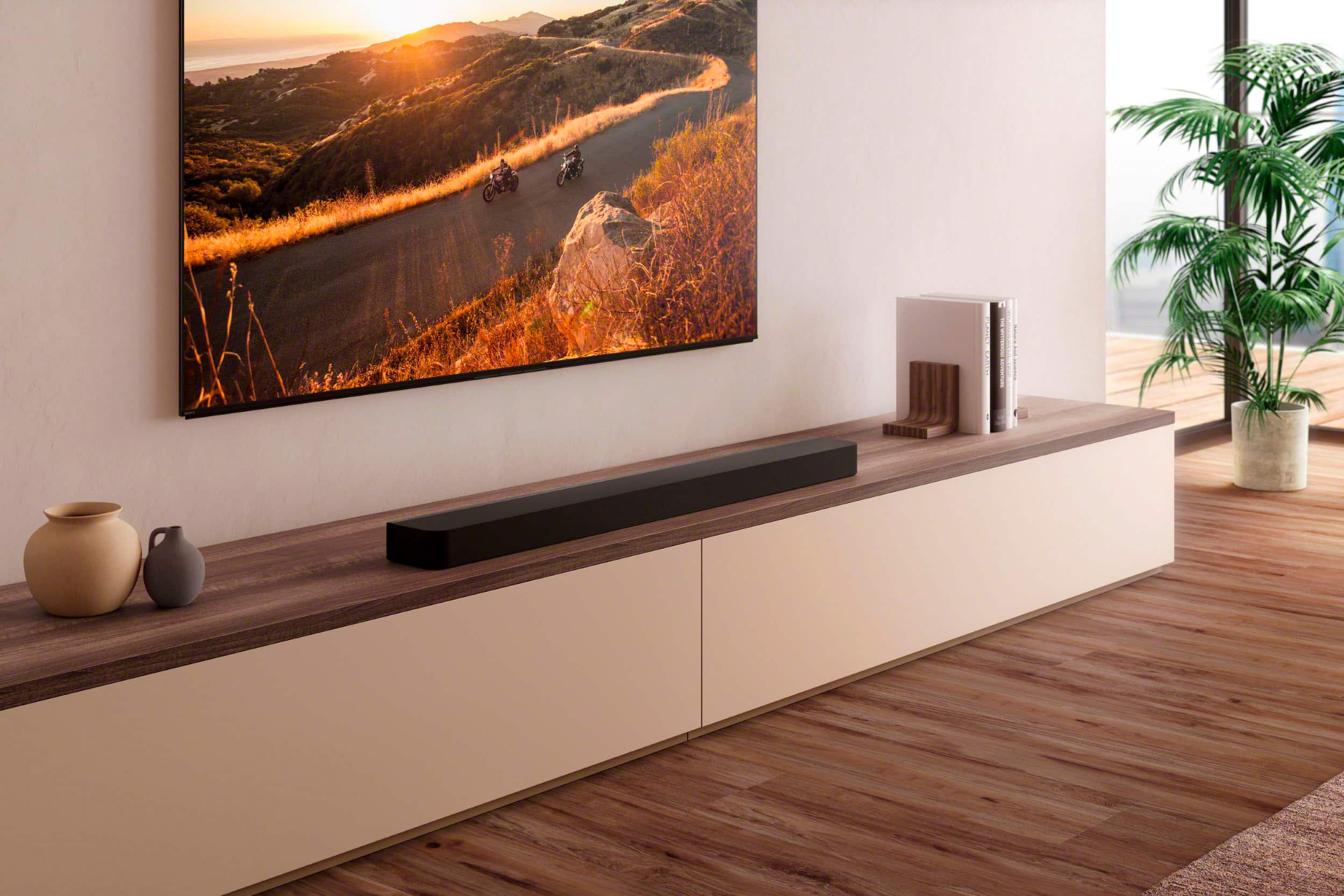
    The Sony Bravia Theater Bar 8 is an excellent Dolby Atmos Soundbar. I love the slimmer form factor compared to the previous generation of Sony’s soundbars as it is easier to fit into a smaller home theater setup. I also think it’s a very good looking soundbar. The build quality seems to be very good although I’m not that much of a fan of fabric speaker grill covers as I worry about accidentally tearing them. It was also a little bit lighter than I expected. The soundbar comes packaged in a very eco-friendly box that uses absolutely no plastic or Styrofoam. Included with the soundbar was a simple remote, batteries, HDMI cable, TV center speaker mode cable, AC power cord, wall mounting brackets and a set of speaker feets. –Feature Set– Some of the standout features of the Sony Bravia Theatre Bar 8 are: - One HDMI Input that supports HDMI 2.1 (Supports video formats 4K HDR, 8K HDR, Dolby Vision and HDMI 2.1 gaming features 4K120, VRR, ALLM). This feature also allows you to be able to get the best audio quality even if your TV doesn’t support eARC - Support for Dolby Atmos, DTS:X, and IMAX Enhanced for future proofing. - Supports Bluetooth, Spotify Connect and Apple AirPlay 2. - Expandable with optional wireless surround speakers (SA-RS3R or SA-RS5) and subwoofers (.SA-SW3 or SA-SW5). - DSEE Ultimate. This uses AI technology to improve the sound quality of compressed music such as MP3 music files. –Setup– Setup was very easy. You just download the Bravia Connect app and follow the instructions. You do need to have a Sony account for this. During setup, you should definitely perform Sound Optimization as I feel it does make a big difference in sound quality. –User Experience– The Sony Bravia Theater Bar 8 has been very reliable with my TCL 49 inch 5 Series TV. My two other soundbars have had issues with this TV (a lot of times, I have to cycle the other soundbars off and on to get sound to play) but the Sony Bravia Theater Bar 8 does not seem to have this issue. It has been rock solid. The included remote is a little too simple for me as it and the soundbar gives no indication on whether a button turned a feature on or off. Because of this, I prefer to use the app on my phone to make any adjustments to the soundbar. –Sound Quality– Overall the Sony Bravia Theater Bar 8 has excellent sound quality. I thought it produces a well balanced sound that is bright and crisp. Dialog clarity is extremely good and this is very important to me. My initial impression was a little underwhelming as I thought it lacked the theater quality ambience and bass that I experienced with my other sound bars. I decided to increase the Bass to Max (instead of MID), and redo the Sound Optimization setup. The first time I did Sound Optimization, I didn’t follow the suggestion to remove the cover from the phone (since it might obstruct the microphone). This time I did remove my phone’s cover for the Sound Optimization and the end result was much more impressive. I watched John Wick 4 and Moonfall and I thought the Sony Bravia Theater Bar 8 produced a wide immersive sound field with excellent dialog clarity but it seemed to be lacking a bit on sound directionality. I never felt as if any sound was coming from above or behind me. I only got the sense that the sound field was wide. But I might be expecting too much from a single sound bar. My other soundbars do have optional surround speakers and I can’t remember how they sounded without them so I might be making an unfair comparison to my other soundbars. I have purchased the optional SA-RS5 surround sound speakers and will be posting a review of them soon. For this review, I only wanted to test the Sony Bravia Theater Bar 8 by itself. Music also sounded great. Vocals and instruments sounded clear and crisp and with decent punchy bass when using Bluetooth. Overall, I can recommend the Sony Bravia Theatre Bar 8 to anyone looking for a Dolby Atmos soundbar. It has an excellent feature set that allows the soundbar to grow with you and helps future proof your purchase. I think most people would be happy with this soundbar for a small to mid-sized home theater setup. It provides an excellent theater-like experience with excellent dialog clarity.

    I would recommend this to a friend
    • Brand response from SonyListens
      Posted .

      Hi DoctorHoo, great! We appreciate your detailed review of our product. Hope you are enjoying your new soundbar! Thanks for choosing Sony! ~Earl Sony_US

  • Tech Insider Network Member

    Rated 5 out of 5 stars

    One Sleek Bar - One Dynamic Rich Sound

    |
    Tech Insider Network Member
    Posted .
    This reviewer received promo considerations or sweepstakes entry for writing a review.

    The sound quality of the Sony BRAVIA Theater Bar 8 is truly exceptional. It is unlike anything I have ever experienced in my home. At first glance, this slim bar may not seem to pack a punch, but it is a game-changer once set up correctly with your system and the BRAVIA Connect app. Fine-tuning the settings allowed me to unlock the full potential of this product, delivering a sound experience that is truly immersive and unparalleled. I do not own a Sony TV, but I have another brand that is less than six months old, and it, too, has all the newer technology built in. The BRAVIA Connect app guides you through a simple setup process, and connection through Bluetooth, Wi-Fi, and HDMI are options to connect the soundbar and the TV. However, I could not get the soundbar to stay connected, and I had to keep removing and deleting the connection of the soundbar of the same manufacturer of the TV that had been connected. Several times, I went through resetting the Sony Bravia 8 and reconnecting it to the TV, just to have it fall off again and search for the one I had removed and deleted from the system numerous times. Finally, I reset the sound bar again and went to the connection setup on the TV. Immediately after connecting using that method, I went to the BRAVIA Connect app and finished setting up the soundbar to maximize the 360-degree spatial surround sound, Dolby Atmos, DTS:X, and IMAX Enhanced High-Resolution Audio. At this point, I was really impressed with the potential of this piece of audio equipment. The app takes one through a series of steps and maps the sound based on the seating arrangement and size of your TV viewing area. This gives the “theater effect” of the bar. The capability exists to add rear speakers and a sub-woofer, but I am pleased with it as it is, and it really does not need a sub-woofer. The BRAVIA Theater Bar 8 has eleven (11) speakers built into one sleek and slim soundbar. At only 2.51 inches tall, 43.3 inches wide, and 4.44 inches deep, it weighs just 10.36 lbs. It is wall-mountable and comes with all the hardware to mount it. Design provisions were also considered to make it sleekly fit as the bar with the TV's support legs. The soundbar has one (1) HDMI input and one (1) HDMI output. The packaging includes the remote control and batteries, which are the primary way to operate the soundbar if it is not programmed to work with a universal remote, the HDMI cable, and a simple power cord without the brick, which makes it genuinely nice for wall mounting. Sony offers a one-year warranty on both Parts and Labor. I have only had time since receiving the sound bar to watch a small part of an action movie, but I found the sound thrilling like I had not experienced in my home before. I have been playing audio through the bar using Spotify and have really enjoyed the rich sound it delivers. Whether or not you own a Sony TV, I recommend this to anyone looking for an audio sound bar. It has a dynamic sound that you will genuinely enjoy. It is important to remember that you could experience the initial connectivity issues I did before I thought about using my TV’s connection setup in conjunction with the BRAVIA Connection app. I still think this soundbar deserves five stars because the connection issues I experienced probably had nothing to do with Sony and the BRAVIA Theater 8 Soundbar but were instead an issue of the manufacturer of the brand of my particular TV.

    I would recommend this to a friend
    • Brand response from SonyListens
      Posted .

      Hi SwigglesMilam, we appreciate your detailed review of our product. We're glad you like it. Thanks for choosing Sony. Enjoy! ~Earl Sony_US

  • Tech Insider Network Member

    Rated 4 out of 5 stars

    Sony Bar 8 with sound that comes from everywhere

    |
    Tech Insider Network Member
    Posted .
    This reviewer received promo considerations or sweepstakes entry for writing a review.

    I picked up the Sony Bravia Theater Bar 8 to use with my 65” TV. My goal was to enhance the sound of my viewing experience. What I didn’t expect was the enveloping sound that came out of this Sound Bar. Knowing that the Bar 8 has surround sound doesn’t begin to tell the story. The sound seems to come from everywhere. The Good! • Setup using the Sony Bravia Connect app on your Phone is very easy and includes Room Optimization to provide the best sound at your seating position. Once the Optimization process is finished, the sound is noticeably better. • The Bravia Connect app provides three sound modes, Night mode, Sound field and Voice Mode. You can also change the volume, mute the volume and change the bass levels. • The surround sound seems to come from everywhere out of this single sound bar. Usually, it takes many speakers to achieve this level of quality sound. The Bar 8 decodes Dolby Atmos, DTS-X and IMAX. • The Bar 8 is expandable so you can add wireless surround sound speakers and subwoofer to elevate the sound even more. • The Bar 8 is also Bluetooth enabled for streaming content to it from your Phone or Bluetooth sources. • EARC for return sound from TV and sources that are connected to the TV works well and provides easy setup and connectivity. • The Bar 8 can connect to Amazon Alexa and Google Assistant to integrate into the ecosystem of your choice. • There is one HDMI input and one HDMI EARC output. • The included wall mounts are easy to use and gives a look of the Sound bar floating on the wall. The Not so good! • There are very basic instructions that don’t provide any real setup information. I had to go to the Sony support page to find the setup guide. Once there, it was a breeze! • Size! The Bar 8 is very long, at 43 ¼ inches long by 4 ½ inches wide and 2 ½ inches high, placed on a TV cabinet takes up a lot of real estate. • The Price is higher but provides higher quality sound. Conclusion This is a great Sound bar for a small to medium size room that provides outstanding performance and is very versatile. You can expand your home theater experience by adding wireless surround speakers and subwoofer. After using the room sound enhancements through the Bravia Connect app on your phone, the Bar 8 comes alive with movie soundtracks and music that keeps you on the edge of your seat. This is a very strong sound bar in a sea of sound bars and I highly recommend it.

    I would recommend this to a friend
    • Brand response from SonyListens
      Posted .

      Hi Quincy0980, thanks for your detailed review of our product. Hope your enjoy your new soundbar. We appreciate your feedback regarding the setup guide, size and price of the BRAVIA Theater Bar 8. We recommend following this link when setting up the soundbar:

      https://helpguide.sony.net/ht/208283c/v1/en/index.html

      If you require any additional support with regard to this product, please email us at [email protected] with the following details: Name: Username: Model Number: Issue: Telephone Number:

      Thanks for choosing Sony! ~Earl Sony_US

  • Tech Insider Network Member

    Rated 5 out of 5 stars

    Surprisingly good without a sub

    |
    Tech Insider Network Member
    Posted .
    This reviewer received promo considerations or sweepstakes entry for writing a review.

    When I first received this the sound bar, I was surprised it didn’t come with a subwoofer as other sounds bars, I have used usually do or they don’t sound great. There is an option to add a sub and speakers but after setup and trying it actually sounds good without. On the sounds side I was impressed and would recommend it beyond just the speakers of a TV. I would have like to see how the option sub and speakers sound and if it’s better but generally the sound is pretty good. Setup was simple too. Take it out the box, connect to HDMI 1 on the TV and download the app. The app runs you through the setup and gets it working with your TV and also connected to your internet. Once setup you can still use the app to turn it on and off. The AirPlay also seems to work pretty well at first, I used Bluetooth but then found I can simply go to the share menu on the iPhone and the soundbar shows up and you can output to it. So, if you’re listening to music and want to turn it on just switch over. The one thing missing is just being able to use the app to play music. It needs AirPlay to work so there isn’t too much to use the app after install. The other bad part is to get the full experience you need to add more and the sub and speakers. Wish it was all together but even just the sound bar is good. Overall a good soundbar with nice integration with airplay. Good upgrade from a regular TV speaker.

    I would recommend this to a friend
    • Brand response from SonyListens
      Posted .

      Hi blahnika, we're glad you are enjoying your new soundbar! Thanks for choosing Sony! ~Earl Sony_US

  • Tech Insider Network Member

    Rated 5 out of 5 stars

    Great 360 sound from Sony

    |
    Tech Insider Network Member
    Posted .
    This reviewer received promo considerations or sweepstakes entry for writing a review.

    Overall I am very happy with the rich sound my new Sony Bravia 8 sound bar provides. Starting with the basics which I typically don’t get into, but this Sony soundbar was shipped in very solid packaging to keep this sound machine safe from damage and/or moisture. It comes with a hdmi cable for connection to your tv so no need to scramble to find one. The remote is tiny with few buttons needed to control things. There are feet that come with it if you need to elevate the bar to slide a tv stand under it or you can wall mount with the provided brackets. Set up was quick and easy using the Sony Bravia app. The app has many of the same controls as the remote with additional features to customize the sound to your room, connections, and quality as seen in the pictures. You should definitely optimize the sound for your room for the best 360 spatial sound quality. The default sound quality is exceptional after optimization. The bass is adjustable within the app and at the mid level provides a nice deep boom without bothering the neighbors. Worried you’re going to disturb someone? Switch to night mode in the app or on the remote and get clear sound with a lower volume without rocking the house. The 11 speakers produce a very full sound with the 360 spatial mapping which bounces sound off walls to create what Sony terms phantom speakers. It’s really immersive and upscales your content in real time to make compressed sounds sound full and rich as they are intended to be. Again overall, I’m thrilled with the sound coming from this Sony Bravia soundbar. I like to not only hear my music and movies, but to also feel them and immerse myself in the sounds and moods they provide and this soundbar definitely allows for this.

    I would recommend this to a friend
    • Brand response from SonyListens
      Posted .

      Hi Kristof33, we're glad you like the overall performance of our newest soundbar! Thanks for choosing Sony. ~Earl Sony_US

  • Rated 3 out of 5 stars

    Bar 8 with Bravia 8 TV is ok, but not great system

    |
    |
    Posted .
    This reviewer received promo considerations or sweepstakes entry for writing a review.

    The BRAVIA Theater Bar 8 sounds better than the speakers on the BRAVIA 8 OLED TV, but it is not very user friendly. The Bar 8 doesn't provide anything other than a couple LEDs on the front-it doesn't provide any on-screen information to indicate settings or aid in configuration. Sony apparently thinks an app on yet another device (a smartphone) makes more sense for configuration than using the video device that the Bar 8 is directly attached to. Sony may be more interested in harvesting data through the Sony account you have to create to use the app than making the Bar 8 and Bravia 8 TVs easy to operate. One quirk that I found is that if the Bar 8 is used as a Bluetooth speaker from another device (an advertised feature), then it stops working automatically from the connected Bravia 8 TV until it is reconnected. Surprisingly, the Bar 8s operation with the Bravia 8 TV (both current year models from the same manufacturer) is far less "automatic" than my Denon 2313 surround sound system working with my 2013 Panasonic Plasma TV (a 12 year old multi-vendor system), which flawlessly switches between various audio sources.

    No, I would not recommend this to a friend
    • Brand response from SonyListens
      Posted .

      Hi MarkJ, thanks for choosing and purchasing our product. We're sorry to hear that you have an issue with the indicators and connectivity of the soundbar with the TV.

      The HTA8000 soundbar does not have a front panel display for indicating its status or settings. To adjust the settings, you typically need to use the Sony Music Center app or the remote control. Unfortunately, there is no built-in display on the soundbar itself to show the settings directly. If you prefer not to use the app, you can use the remote control to navigate through the settings, but you will need to rely on the on-screen display of your connected TV to see the changes.

      For a more seamless experience, you might consider using the soundbar with the TV through a wired connection, such as HDMI ARC/eARC, which can help maintain a stable connection between the devices.

      If you require any additional support with regard to this product, please email us at [email protected] with the following details: Name: Username: Model Number: Issue: Telephone Number:

      ~Earl Sony_US

  • Rated 5 out of 5 stars

    Compact with great sound

    |
    |
    Posted . Owned for 1 week when reviewed.
    This reviewer received promo considerations or sweepstakes entry for writing a review.

    I was looking for a 3D type sound system and rep at the store recommended this. At first I was like how can this work, where are all the speakers! They didn't have a sample on display to checkout so I trusted the rep, he also assured me I could return it and bought it. I am happy to report that the sound quality awesome, it exceeded my expectations. I would never I thought a single sound bar could produce such robust sound that fill in my big living room!

    I would recommend this to a friend
    • Brand response from SonyListens
      Posted .

      Thank you so much for the review, Arinze!

      We are so happy to hear that the BRAVIA Theater Bar 8 exceeded your expectations! It’s completely understandable to be a bit skeptical at first—looking at a single, slim bar, it’s hard to imagine how it could possibly replace a room full of speakers.

      The "magic" you’re hearing is thanks to the 11 internal speaker units working alongside our 360 Spatial Sound Mapping technology. By reflecting sound off your walls and ceiling, the bar creates "phantom speakers" all around you, which is how it manages to fill such a large living room with that robust, 3D audio.

      Thank you for trusting Sony and for sharing your experience!

      Best regards,

      Gus, Sony Social Media Team sony-global

  • Rated 4 out of 5 stars

    Decent Soundbar with Some Issues

    |
    |
    Posted . Owned for 5 months when reviewed.
    This reviewer received promo considerations or sweepstakes entry for writing a review.

    First and foremost the Sony Bravia Soundbar 8 produces good sound for all types of sources it is connected to, whether it is cable/satellite, streaming services, 4K/regular Bluray player, etc. This soundbar especially shines when Dolby Atmos is engaged (available thru various streaming services and 4K Bluray discs); the soundfield is truly remarkable with the widening sound stage you are presented with. I do not have a subwoofer like some of you have, as I personally feel it is adequate enough for my needs. As far as issues I’ve had with this, well when I turn on my excellent Sony XR65A95L OLED TV (review coming soon on that one) it takes a solid 10 or so seconds before the audio from the soundbar gets connected. During this 10 seconds you’ll hear the voices then it will cut out, you’ll hear voices once more and then it will cut out again until finally a few seconds later the voices will come back permanently. Really not sure what the problem is but it is annoying to say the least. Other issue is about a handful of times the soundbar did not connect to my TV and the audio was coming from the TV speakers, not the audio system (it tells you this) so I had to disconnect the soundbar from the TV, waited about 10 seconds, reconnected and then everything was fine…audio system recognized. Funny things happen with bluetooth connectivity is what I’ve attributed this to but again, just annoying. So in summary this is a good sounding soundbar, make no mistake about it but it is a bit buggy at times that can get frustrating.

    I would recommend this to a friend
    • Brand response from SonyListens
      Posted .

      Hi Bones, thanks for sharing your thoughts and experience with the Sony - BRAVIA Theater Bar 8!
      We are glad that is serving you well with the excellent sound quality, Dolby Atmos and the Sound field effect. In regards to the connectivity issue you're having while using the Sound bar with the TV, we understand this can be really frustrating to deal with. Therefore we would like to share some recommendations to resolve it.
      1- Perform a handshake, you will need to unplug the TV and the Sound bar from the power for 2 min, as well as the HDMI cable connected. Then you plug the TV back and turn it on, after that, plug the sound bar, turn it on and connect the HDMI cable, make sure you do it ARC to ARC.
      2- Enable the Bravia Sync device list, you can go to your TV settings > channels and inputs > external inputs > Bravia sync settings > Bravia sync device list > press "Enable". This will ensure both devices are synced
      3- Make sure the Sound bar is up to date, you can into your Sound bar settings > Software update
      We hope these steps help you in getting it to work the way it should be, if the issue persists, you can contact our technical support team via: https://us.esupport.sony.com/support/s/support-contact?language=en_US&category=headphones
      Thank you for choosing Sony! Regards, -Dominick Sony_US

  • Rated 4 out of 5 stars

    Sound bar

    |
    |
    Posted . Owned for 1 month when reviewed.
    This reviewer received promo considerations or sweepstakes entry for writing a review.

    The soundbar is adequate for what I'm used to.. I feel it's missing options to where you can fine-tune it yourself. You have to go with the factory set settings and I'm not a fan of that.⁹ It does give you very good sound. I just wish I gave you more options.

    I would recommend this to a friend
    • Brand response from SonyListens
      Posted .

      Hi LawrenceC,

      We are pleased to hear you are enjoying the sound quality of your BRAVIA Theater Bar 8! While the factory settings provide a balanced starting point, you can unlock more control by using the Sony | BRAVIA Connect app on your smartphone. Within the app, you can fine-tune the audio using the Equalizer (EQ) settings and adjust the Sound Field features to better suit your personal listening preferences.

      Thanks for choosing Sony.

      Best regards,

      Eliab Sony_US

  • Rated 5 out of 5 stars

    Great soundbar worry free

    |
    |
    Posted . Owned for 9 months when reviewed.
    This reviewer received promo considerations or sweepstakes entry for writing a review.

    I was use to other soundbars where you have to constantly make sound adjustments. So at first I was confused and searching for things to tweak. But soon I realized that after initial set up and having my optimal settings completed, I could just relax and watch my content with minimal involvements on my part other than volume control. I competely understand why some other reviewers are unnerved by not being more involved with the operation of the soundbar. However, this soundbar sounds great with almost no manual input from the user post set up. It is very inteligent that way. Once I realized I could just enjoy the content, I realized what a great soundbar this is.

    I would recommend this to a friend
    • Brand response from SonyListens
      Posted .

      Hi BigMar,

      Thank you so much for sharing your thoughtful experience with the BRAVIA Theater Bar 8! We're immensely pleased to hear that, after the initial setup, you've been able to simply sit back and enjoy your content without needing to constantly make adjustments. The soundbar is designed to provide an optimized and intelligent listening experience, and it's wonderful to know that this has allowed you to relax and focus on what matters most—your entertainment. We truly appreciate your feedback and recommendation!

      Thank you for choosing Sony.

      Regards,
      Dominick Sony_US

Sponsored