Customer Ratings & Reviews






- Model:
- HTA8000
- SKU:
- 10893301
Rating by feature
- Value
Rating 4.2 out of 5 stars
- Quality
Rating 4.5 out of 5 stars
- Ease of Use
Rating 4.4 out of 5 stars
- Pros mentioned:Ease of use, Sound quality
Sound bar sounds great. Easy to connect to Sony TV
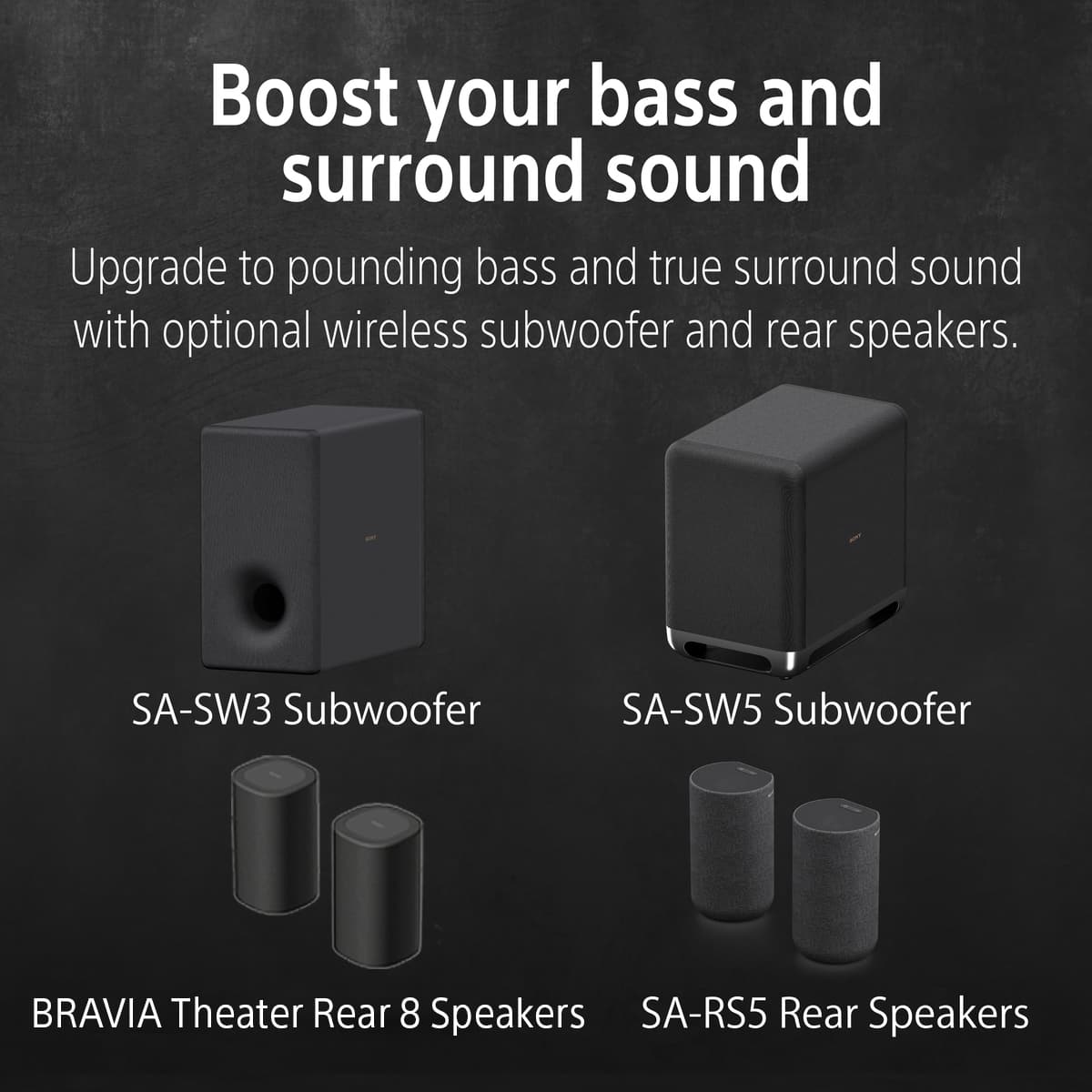
Posted .This reviewer received promo considerations or sweepstakes entry for writing a review.The soundbar sounds great paired with my Sony subwoofer and rear speakers. I had to use the Bravia app to improve the sound, and once that was done, I’ve been happy ever since. Easy to connect with a Sony TV
I would recommend this to a friendBrand response from SonyListens
Posted .Hi Thorough, Awesome! We are so glad to hear that you are happy with your new Theater Bar 8! Thank you so much for choosing Sony! -Carl


Good surround bar but requires app
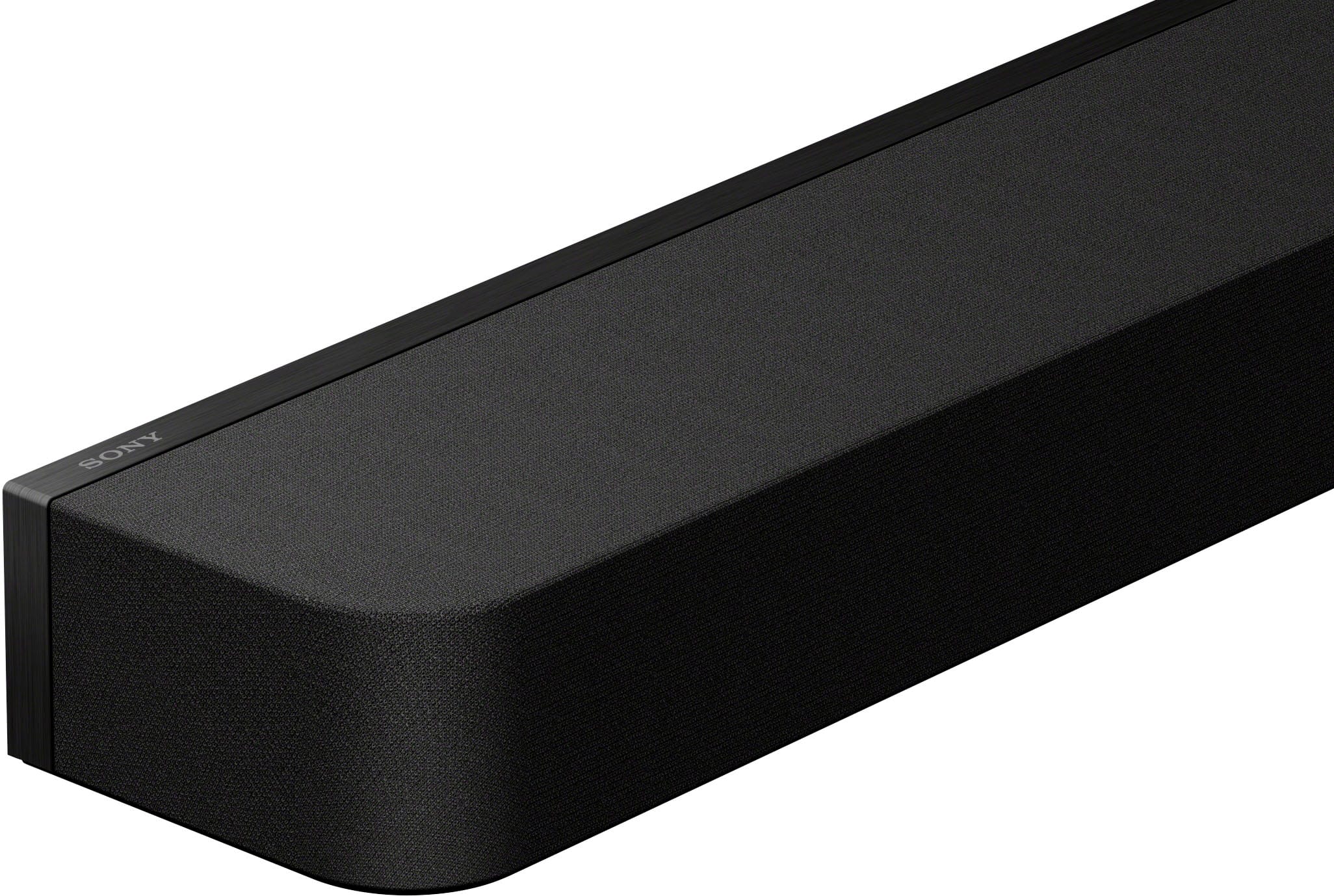
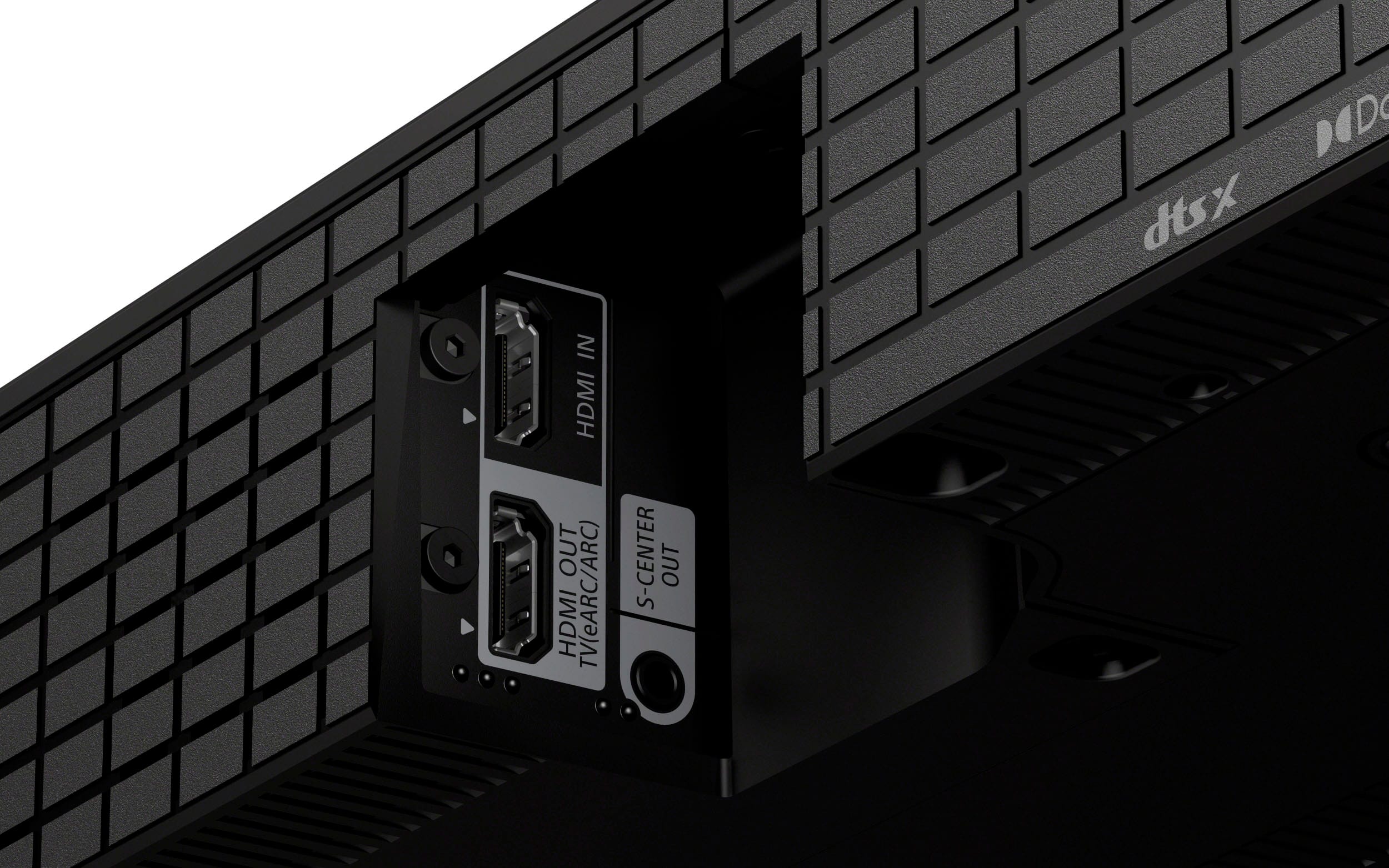
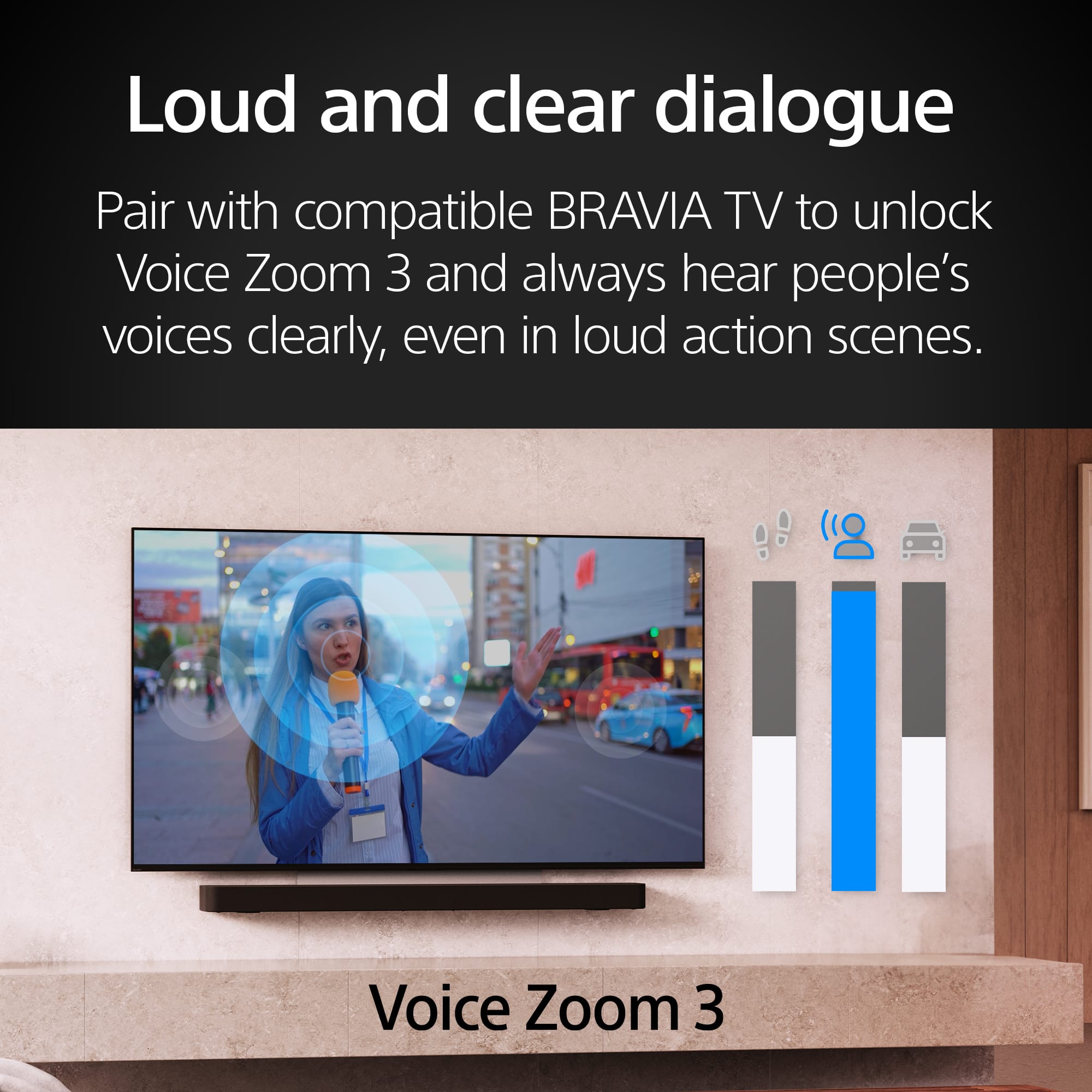
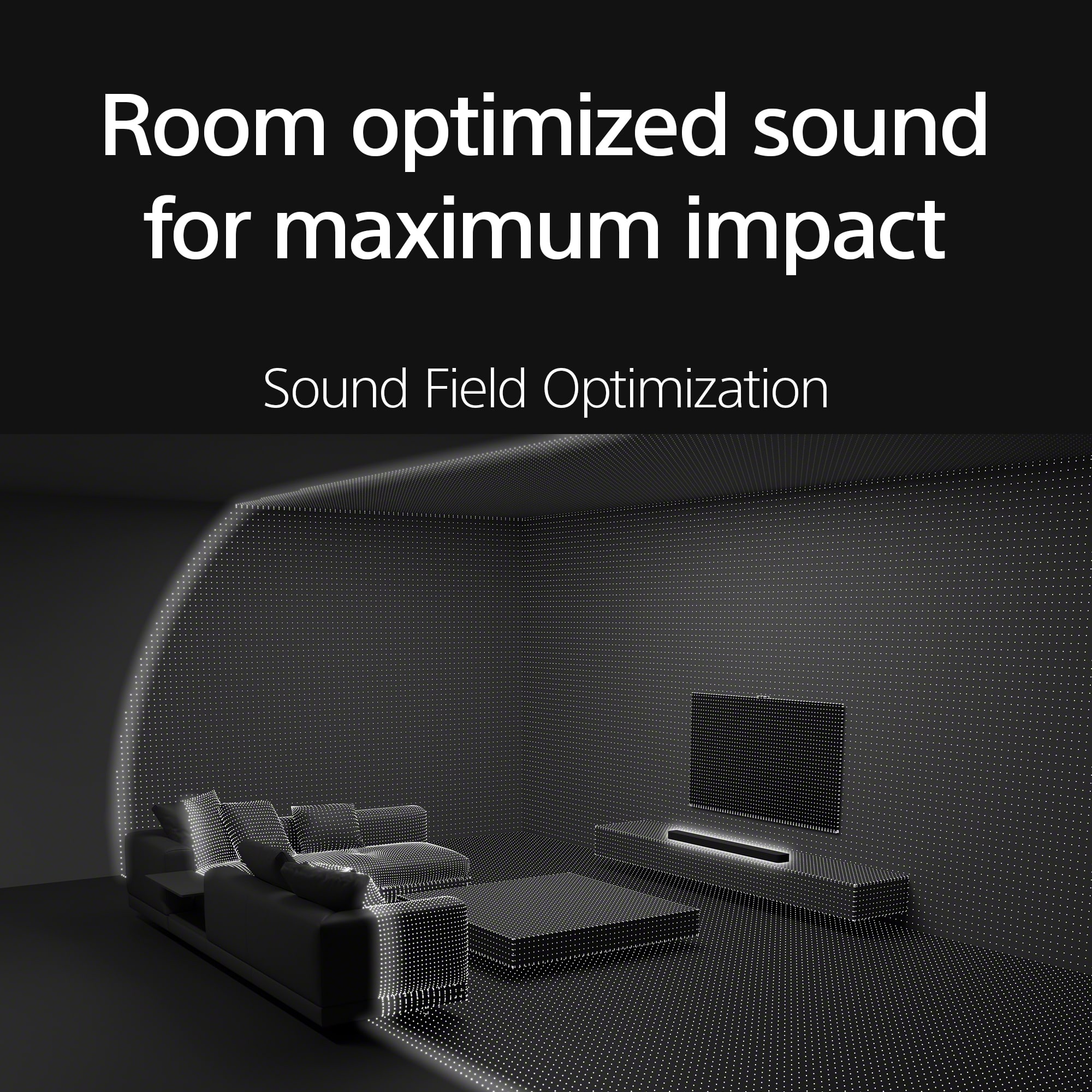
|Posted .This reviewer received promo considerations or sweepstakes entry for writing a review.In the box: • Bar speaker • Remote control • 2 AAA Batteries • TV center speaker mode cable • HDMI cable (4K, 8K transmission supported) • AC power cord • Feet • Wall mounting brackets with screws & template Setup: Connected soundbar to HDMI (ARC) port on LG C8PUA 4K UHD TV Setup requires the BRAVIA Connect app and an account with the Sony Home Entertainment & Sound Service. Users should be aware of data and privacy issues related to the associated service agreements. Initial setup efforts (several over 1.5h) stalled after network setup step with a “server unavailable” error. Setup completed as expected the following day. Sound field optimization was guided with the app. It is advised that you remove any case from your phone prior to optimization to prevent any interference with the microphone. Some steps require you to turn the phone so that the microphone is pointed up. The screen prompts conveniently invert so that you can read subsequent instructions. Soundbar Design: There are only two small lights on the front of the unit to indicate its status. The myriad of different color and blinking combinations are impossible to decipher without three pages of information in the Help Guide. The HDMI and power ports are recessed to allow for flush wall mounting. App Design: Aside from the server issue noted above, the app’s setup dialog was straightforward. The app only allows storage of one seating location at a time. Given the limitations of the indicator lights, the app is the only convenient way to determine the status of the soundbar. Operation: While there is a remote, the indicator lights are so cryptic as to make render it useless. The app is needed for almost all operations. Before installing the soundbar, I was able to control my cable box with the LG TV remote. This functionality is retained with another LG TV and Sony soundbar. It is NOT retained with the BRAVIA Theater Bar 8. I now have to use a separate remote to turn on the cable box and change channels. Audio Quality: Once optimized, the simulated surround sound is quite good. The bass is adequate when equalized to its highest level but a subwoofer would be nice addition. The voice enhancement does a very good job of clarifying dialog. Overall: Once optimized, the surround simulation is good. The disabling of my TV remote functionality for cable box power and channel selection is a real inconvenience. Dialog enhancement works very well.
I would recommend this to a friendBrand response from SonyListens
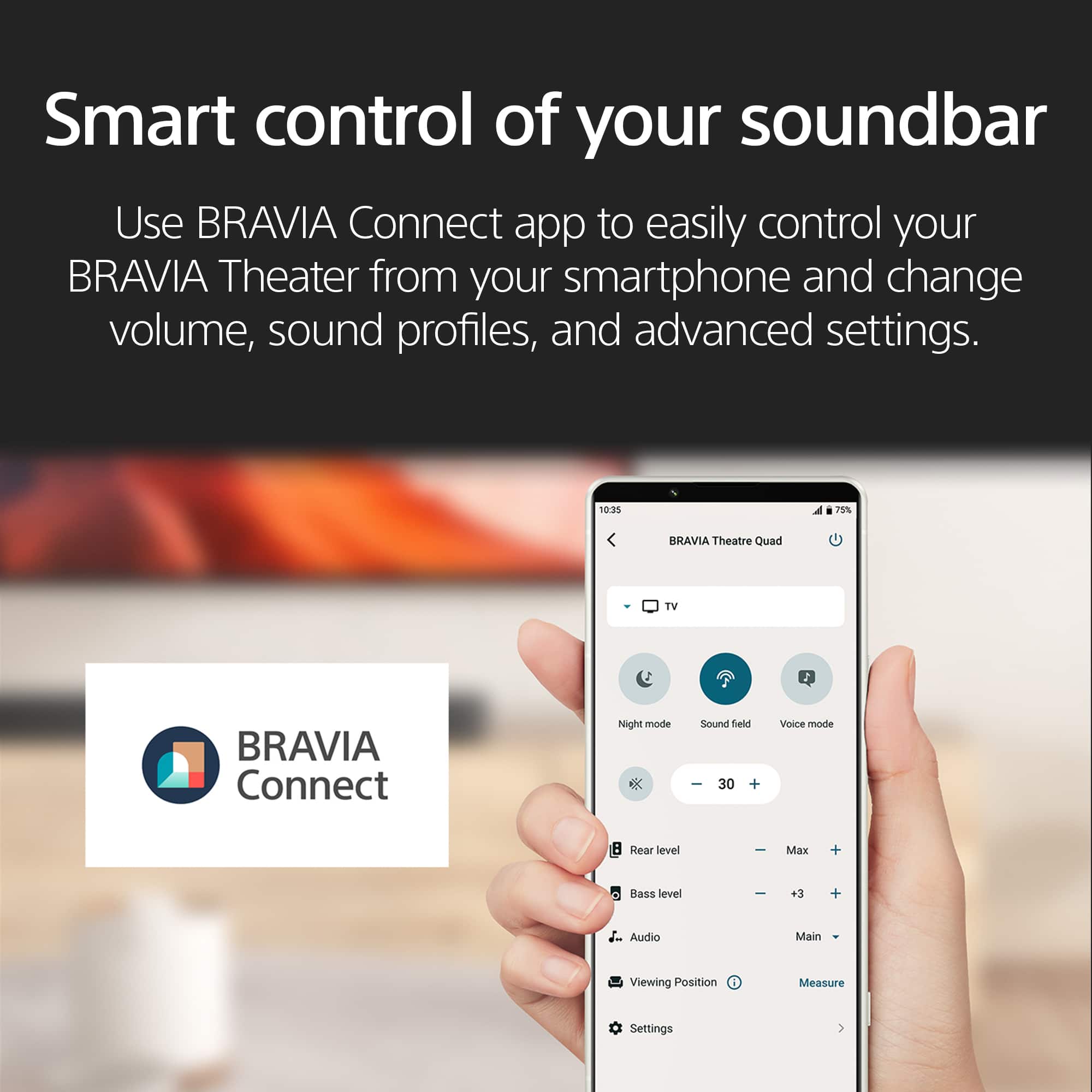
Posted .Hi SonyCameraGuy, we appreciate your detailed review of our product. We're glad you are enjoying your new soundbar. We understand your feedback regarding the app. Use BRAVIA Connect app to easily control BRAVIA Theater from your smartphone and change volume, sound profiles, and advanced settings.
If you require any additional support with regard to this product, please email us at [email protected] with the following details: Name: Username: Model Number: Issue: Telephone Number:
Thanks for choosing Sony. ~Earl
High end soundbar which deliveres
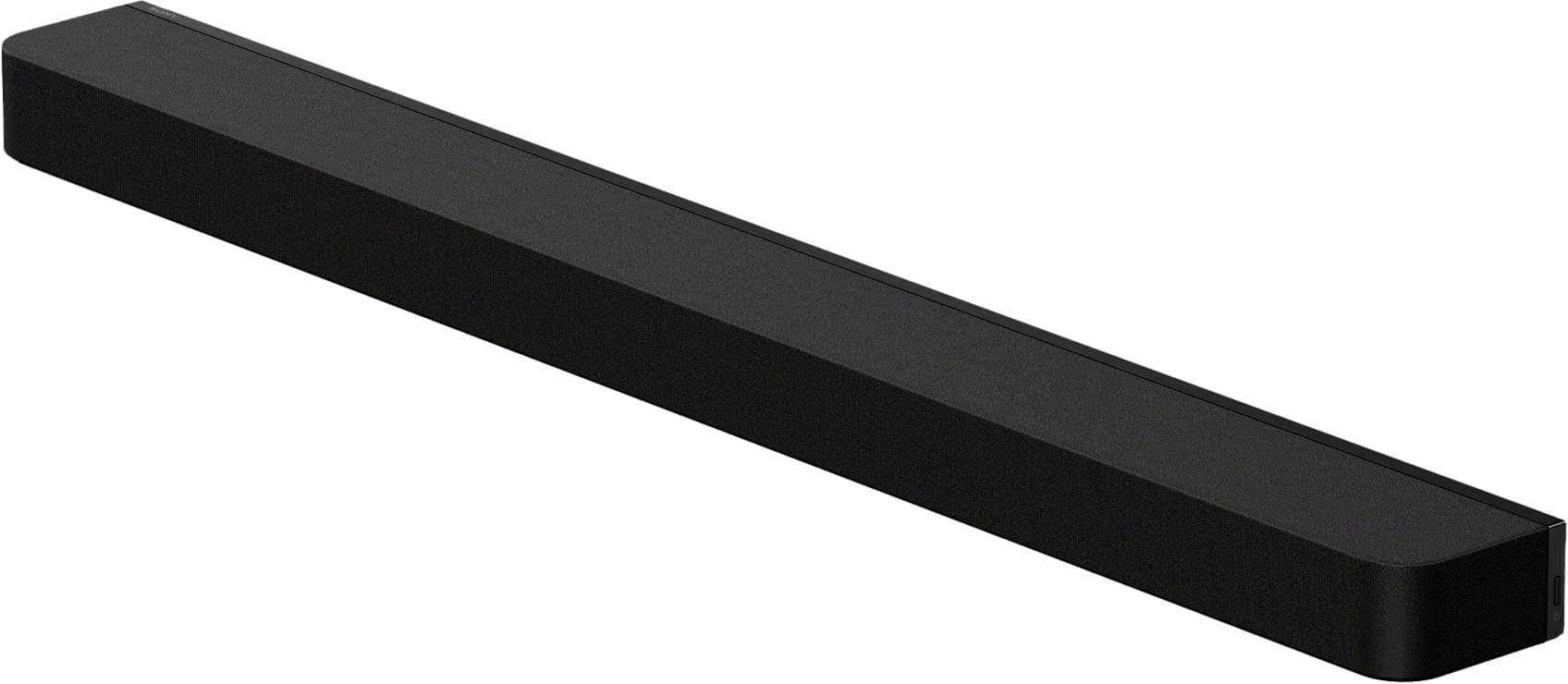
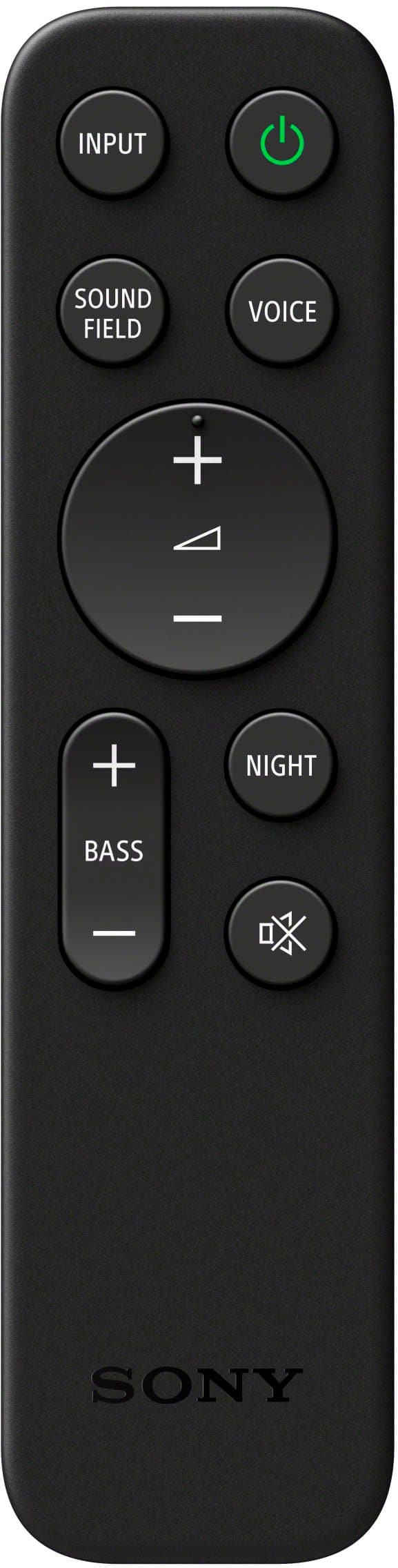
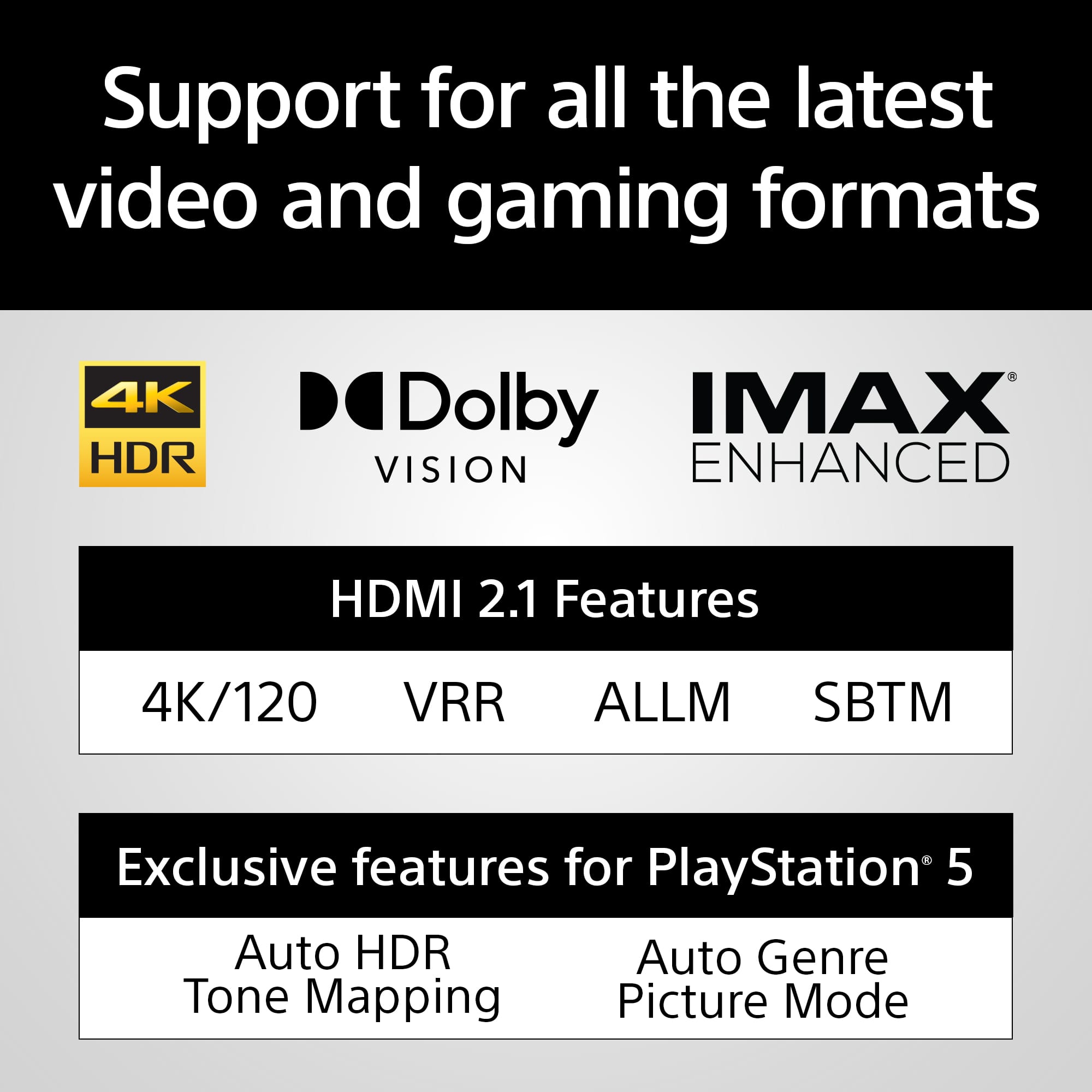
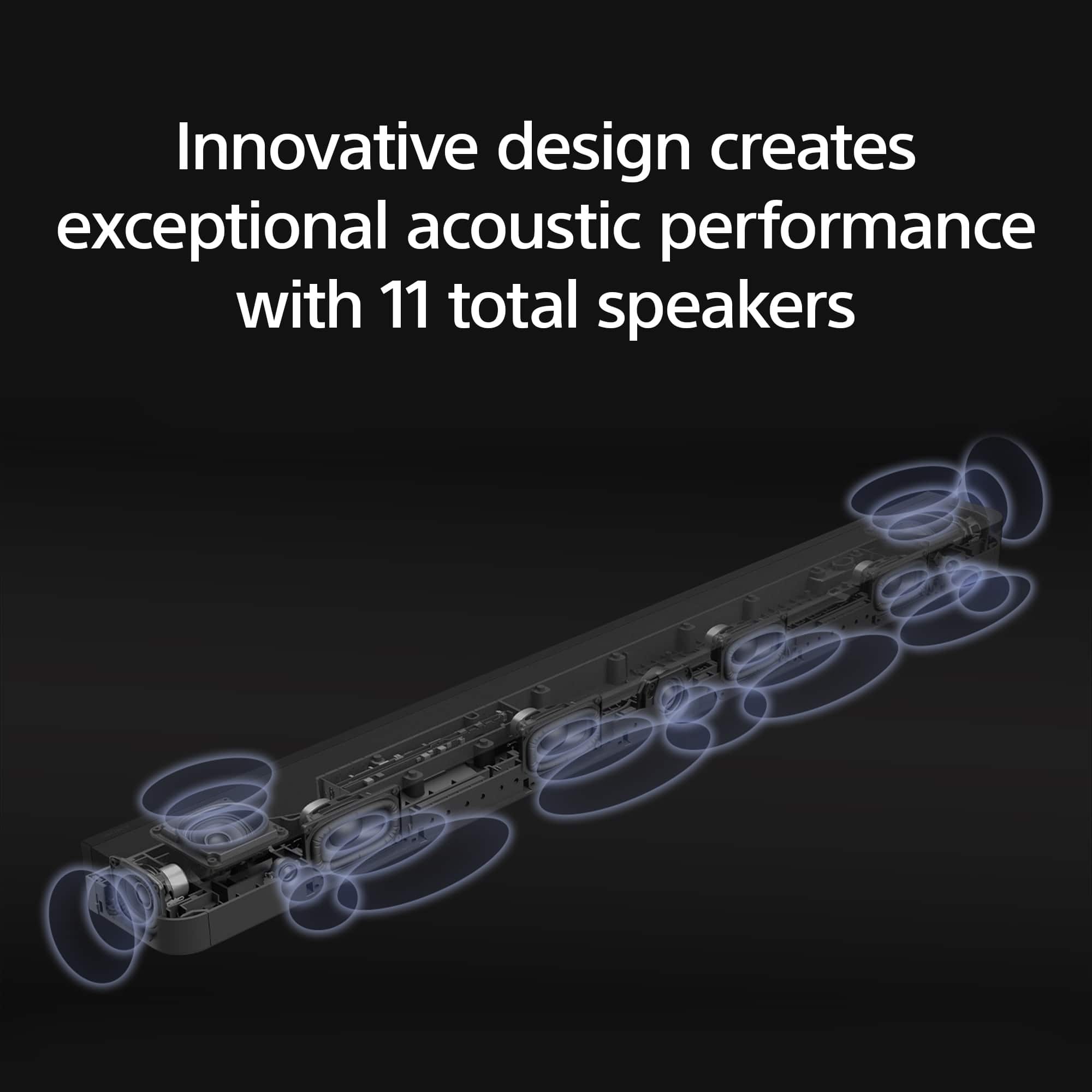
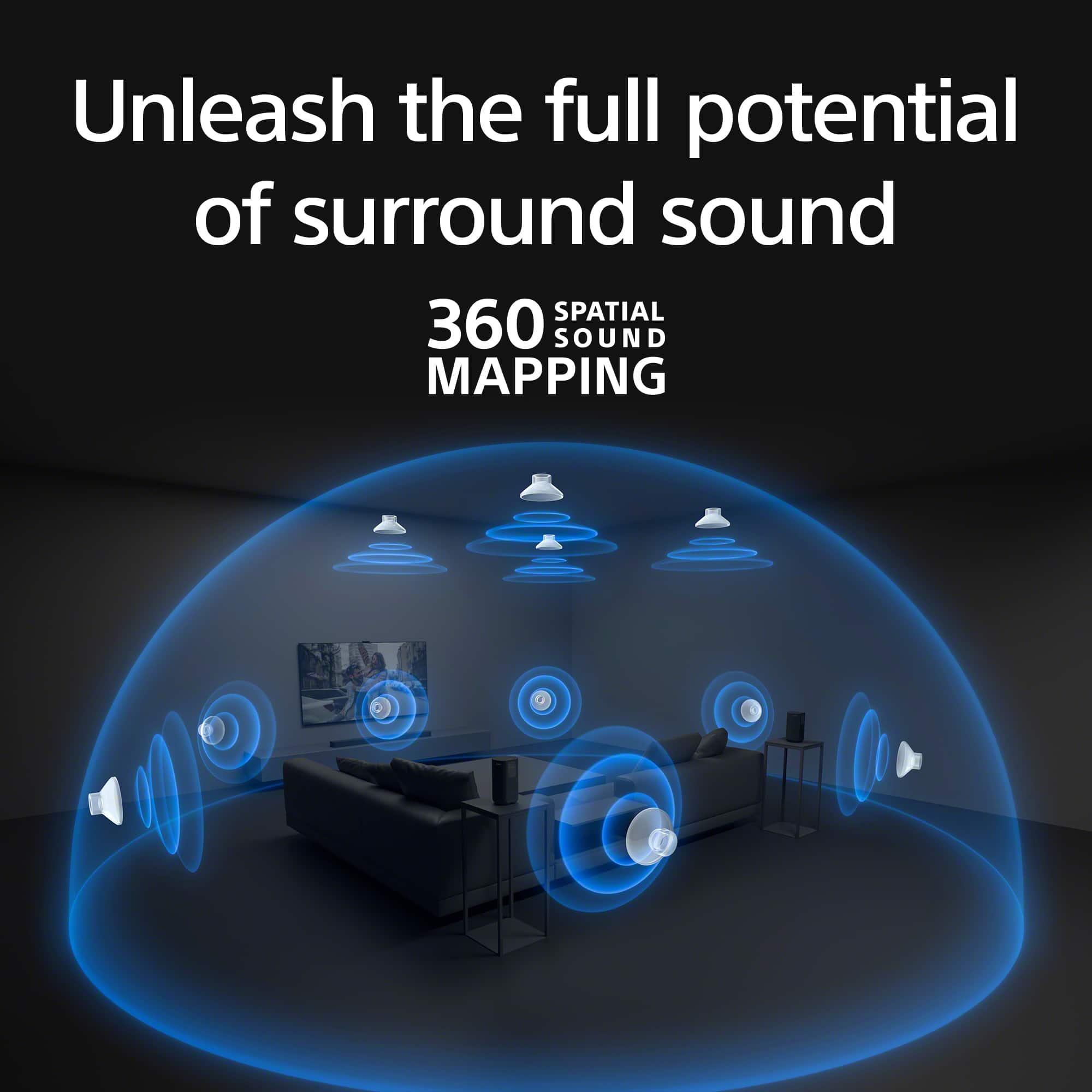
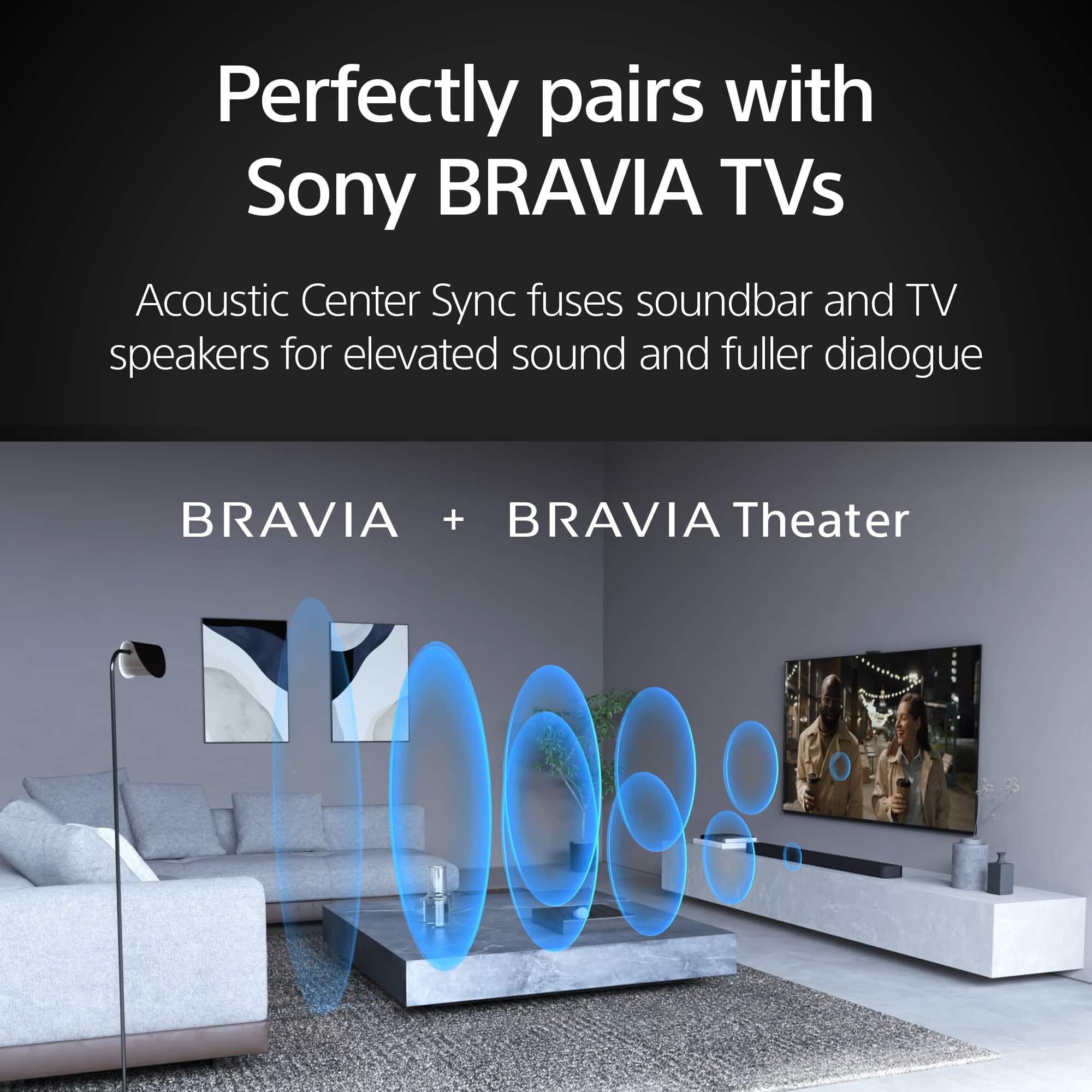
|Posted .This reviewer received promo considerations or sweepstakes entry for writing a review.The Sony BRAVIA Theater Bar 8 is an all-in-one soundbar which has some unique engineering and design qualities which produce an immersive entertainment experience. Able to decode the advanced Dolby Atmos and DTS-X digital output of modern content sources this unit is able to provide an impressive sound field without the need for surround speakers or an external subwoofer (more about that later). The sound bar contains eleven speakers including four front firing woofers, three front tweeters with a dedicated center channel. To provide the surround components there are two side firing speakers and two up-firing speakers (both with are used to mimic a dedicated Dolby Atmos or DTS-X experience usually provided by numerous speakers. The results are fairly impressive for a sound bar, although the bass is not exactly punchy, it does provide good lower end. Given that the built in amplifier provides 495 RMS watts, it is not underpowered or lightweight. The BRAVIA Theater Bar 8 is also compatible with specific dedicated wireless Sony subwoofers as well dedicated wireless surround speakers. For my use case, I have two distinct areas where we watch television, one room which is essentially our home theater, with dedicated surrounds, a subwoofer and ceiling firing Dolby Atmos speakers all attached to a dedicated AV Receiver. However, in my living room where the acoustics are not tuned and frankly is not meant to be a home theater I have the venerable Sony HT-CT660 sound bar (which was a monster of a soundbar, when soundbars became a thing). This Sony BRAVIA Theater Bar 8 is an evolutionary solution for everyday television watching or music playback (given that this soundbar is Apple Airplay 2, Bluetooth and Spotify Connect compatible). Setup isn’t overly difficult and by downloading the BRAVIA Connect mobile app the setup process will actually use the microphone on your mobile device to calibrate the unit for optimal configuration based on your typical listening position. Originally, I was not overly impressed by the unit, until I determined that my LG OLED TV was passing PCM digital stream and not set to Auto. Once I set my TV to Auto and the soundbar was able to determine the digital audio stream my TV was feeding it, the performance of the soundbar became really impressive, decoding a Dolby Atmos stream. In addition, the soundbar has a few settings which really are useful, including a late night mode which reduces the dynamic range (also good for apartment dwellers), a woofer setting (three different levels), a Sound field and dialog enhancer feature. Some of these which can be accessed by the provided remote control. However, the Bravia app is best to adjust these settings and I found provided the remote control mostly unnecessary (except to provide to my wife for more basic control of the soundbar). Since this unit is ARC compatible, your TV remote can also be used for basic soundbar control. If you happen to have a Sony Bravia TV you can also use (via the provided cable) the internal TV speakers as a dedicated center channel/dialog speakers. In addition, the Sony Bravia lines of televisions will recognize and display some of the functions on the TV screen. One of the overlooked aspects of a soundbar is its ability to passthrough video streams to other devices via HDMI. This unit is compatible with 8K/60Hz and 4K/120Hz video passthrough with support for Dolby Vision, HLG, and HDR10. The soundbar can also be controlled using Google Assistant or Amazon Alexa device. Overall, this is a very good soundbar and provides a rich audio experience in an integrated all-in-one unit. Pros: - Good immersive surround experience, Dolby Atmos and DTS-X compatible - Decent bass, you can get away without a dedicated subwoofer - Easy setup process via the BRAVIA Connect mobile app - Passthrough capabilities - Expandability within the Sony Home theater ecosystem Cons: - Wish the optional subwoofer was included - No indicator lights other than power on the soundbar. - Only one HDMI eArc and HDMI in port.
I would recommend this to a friendBrand response from SonyListens
Posted .Hi Bappy, we're happy to know that you like your new soundbar. We appreciate your feedback regarding light indicator, number of HDMI ports and optional subwoofer. Thanks for choosing Sony. ~Earl
- Pros mentioned:Sound quality
Salesman misinformed me horribly.
Posted .This reviewer received promo considerations or sweepstakes entry for writing a review.For the price and it being a stand alone system that can not be connected to home Theater A/V Unit like My Denon 7.1.2 system and can only add 4 more surround speakers due to it being stand alone. I was very disapointed and was misinformed by the sales man who told me i couls connect it to my A/V unit, & said i could add up to 7 more RS5 to get a total of 7 more speakers was disappointing. I will be returning this in the next few days. As by itself with the SW5 sub, it is ok. But for me to have perfect surround sound in my huge master suite i need to be able to add up to 7 more speakers & now i know i can only add 4 more. So hugely disappointed. Been trying to find out if i buy the Bravia 9 Bar, if i could add 7 more speakers or at minimum 5 pairs of the RS5 speakers. Hopefully i can find the answers somewhere, but not even Sony themselves can provide that answer. I had bought the Sony XR95L TV, and added the bar and sub due to connectivity issues, but if i can't connect the Bar to my Denon A/V unit it means both 4K HDMI ports on my TV are used. The only downfall to the XR95L is only 2 out of 4 HDMI are 4K and only 1 is EARC. So if you plan to buy the best OLED TV as I did, this is something you must consider when buying the Sony Bar, sub, and rear speakers.
No, I would not recommend this to a friend One great sound bar for your house
|Posted .This reviewer received promo considerations or sweepstakes entry for writing a review.In full disclosure, I am a firm believer in Sony technology and my TV was already a Bravia model. The Sony Bravia Theater Bar 8 is a natural combination for my living room set. I tested the model for a few days (5 in total) and to be safe with my feedback, I tried all kinds of shows: movies, sports, talk shows, and news. After all those tests, I can affirm that this is the best soundbar that I own (I have 3 right now at home). I love that Sony always includes all the components needed for the use of the product since day one and this is not an exception. The box includes the ARC/HDI cable, the remote (with batteries), and the power cord, all as expected. In this case, it also includes the wall mount brackets and the instructions for a definitive installation on your walls. In case you decide that the bar could be used with other inputs, note that Bluetooth is an option as one audio jack. The initial setup is summarized in four basic steps that are quite intuitive: connect to your TV, sound, and power cords and the Bravia Connect app does the rest. I found it strange that the quick start instructions are not in a separate paper but on one of the cardboards covering the bar you could miss them once you unbox the bar. Note that after installation, the app recognizes the bar, and the setup is launched. After connecting to your home wireless, you will be able to download the last firmware version (that was quick) and optimize the sound delivery, which includes a measurement of the space and your position in that space. This bar has eleven speakers so, the coverage of the entire space is absolutely guaranteed but its capacity to deliver a surrounding sound is out of this world. The bar does not include a separate subwoofer but if you decide to go for it, the bar will connect to them also with Bluetooth. I note that because I own a Bravia TV, my usage of the app or the bar remote is very limited for basic functioning, all goes directly from the TV remote and the TV sound setup. However, I strongly recommend spending some time in the app settings, when you see the different options play extensively with the ‘Sound Settings” when you change your content. The specs are clear the bar, supports all the sound formats in the market: Dolby, DTS, and IMAX but one of the options that worked the best for me is activating the automatic volume adjustment to minimize volume changes when there are changes in the input signals. More obvious options are the adjustment of the 3 Bass levels (min, mid, or max) to obtain a quality sound. This is still a great option even without annexed subwoofers. The final, test was the bar power, it’s clear that this is a monster and complements any TV. It’s so powerful that it’s impossible to stay in a room (mid-size) with more power than 50%. Great quality and great aesthetics complement the package. One single complaint that I hope is not a problem, I wish that Sony would increase the warranty period. For such an investment, more than a year could be nicer. This is a great option and a great addition to your living room.
I would recommend this to a friendBrand response from SonyListens
Posted .Hi Luis, we're glad you like our newest product. We appreciate your feedback regarding the warranty. Thanks for choosing Sony. ~Earl
- Pros mentioned:Ease of use, Sound quality
Bravia TheaterBar 8
Posted .This reviewer received promo considerations or sweepstakes entry for writing a review.Excellent sound Easy to use I had Geek Squad do the set up. You need the Sony App on your phone to keep subwoofer connected.
I would recommend this to a friendBrand response from SonyListens
Posted .Hi RobertO, we're glad you like the ease of use and sound quality of our product! Thanks for choosing Sony. ~Earl
- Pros mentioned:Sound qualityCons mentioned:Bass
Excellent soundbar
Posted .This reviewer received promo considerations or sweepstakes entry for writing a review.Great sound. A major upgrade from my previous soundbar. The only knock I have on it is the bass. Adding a sub is a must
I would recommend this to a friendBrand response from SonyListens
Posted .Hi nino313, Thanks for the 5-star rating! Enjoy and thanks for choosing Sony. -Carl
No regrets!
Posted .This reviewer received promo considerations or sweepstakes entry for writing a review.Absolutely wonderful, paired with S5 rear speakers and subwoofer. Stayed up until 2:00am listening to our favorite music. No regrets!
I would recommend this to a friendBrand response from SonyListens
Posted .Thank you for the fantastic review, Joey!
We’re thrilled to hear you’re loving the BRAVIA Theatre Bar 9! There’s no better compliment than a listening session that lasts until 2:00 AM. Pairing it with the SA-RS5 rear speakers and a subwoofer truly unlocks the full potential of 360 Spatial Sound Mapping, making your favorite music feel like a live performance.
Thank you for choosing Sony!
Best regards,
Gus,
Sony Social Media Tea
Sound in your face and all around
|Posted .This reviewer received promo considerations or sweepstakes entry for writing a review.Eleven speakers in a single bar that fire in every direction that you could want! The sound is incredible and, if your room is small and reflective enough, you won't need surrounds. The Sony Bravia Theater Bar 8 is the best speakerbar I've ever owned, the older Bravia used to be my favorite. The sound literally surrounds you and emulates surround sound. In a smaller room the sound seems like it's coming from everywhere and you'd swear that you have rear speakers already installed. But that trickery gets a bit weaker in a larger room. It still gives a sense of rear speakers, but just not as well. I bought a set of rear speakers and a sub fill those slight holes in the sound. The bass, while not booming, isn't lacking without a sub. The sound is full, voices clear, and the volume gets pretty loud to fill the house. But I like the deep sub bass so I had to get the subwoofer. I have the SW5 from my old set, but settled with an SW3 and paired it to the old bar and put the Theater Bar 8 in the main TV spot. Everything paired without issue. The only thing I do wish is that there were more HDMI ports. The TV I have only has 3 ports and 1 ARC port. So that leaves only 3 inputs for the 5 devices I have hooked up - 2 consoles, 1 PC, 2 streaming devices (until Rifftrax adds an Android TV app I need 2 streamers). It's not a big deal after getting an HDMI switch, but it would be nice to not need it. With the quality sound it puts out and the ease of setup, Sony has another with the Bravia Theater Bar 8.
I would recommend this to a friendBrand response from SonyListens
Posted .Hi MadSquabbles, we're glad you are enjoying our product! We appreciate your feedback regarding the number of the HDMI ports on your Sony unit. Thanks for choosing Sony! ~Earl
Amazing Sony Sound Bar
|Posted .This reviewer received promo considerations or sweepstakes entry for writing a review.Incredible Experience This is definitely a super advanced sound bar with all the latest features that provide high resolution audio with Dolby Atmos, DTS:X and IMAX. The First thing I noticed especially when playing music to the bar, Sounded like I was hearing the artist's intended sound. I was hearing more instruments in the mix. The 11 Speakers for forward, sides and upward especially with 360 spatial sound mapping creating a cinema style sound The Bravia app The app does a great job of sound mapping. Setting up the app and syncing devices was very seamless. The sound field optimization feature calibrated flawlessly with my room. It was very quick. There are so many choices for settings in the app. Sound field, voice mode, night mode. Bass level. Volume control. Wireless speaker set up. 360 reality audio. lets just say theres alot to tweak from the app and more than I just mentioned. You can also switch between TV-HDMI-BLUETOOTH for your audio input signals. Other Great Features This bar supports 4K HDR, 8K HDR, Dolby Vision, HDMI 2.1 Gaming for a great gaming experience with friends. Connectivity So far I connected my phone, bluetooth turntable for streaming audio. I also have a set of headphones connected. Summary So far this has been a great experience. I have always relied on Sony for my video/audio needs. Quality of their products. My sony component collection continues to grow.
I would recommend this to a friendBrand response from SonyListens
Posted .Hi LayPhrog, we appreciate your detailed review of our product. We hope you are enjoying your new soundbar! Thanks for choosing Sony. ~Earl
Sony Sound System
Posted .This reviewer received promo considerations or sweepstakes entry for writing a review.Excellent sound, easy to use and looks great. The sound is pure.
I would recommend this to a friendBrand response from SonyListens
Posted .Hi DebbieL,
We are immensely pleased to hear that the BRAVIA Theater Bar 9 is delivering such a pure and high-quality audio experience in your home. It is fantastic to know that the sleek design complements your space and that the setup was intuitive and easy for you. We take great pride in ensuring our flagship soundbars provide that crystal-clear, immersive soundstage without any added complexity.
Thank you for choosing Sony to elevate your home cinema experience.
Regards,
Dominick
- Pros mentioned:Ease of use, Sound quality
Sony bar 9,with sub
Posted .This reviewer received promo considerations or sweepstakes entry for writing a review.Awesome sound very easy to hook up, having trouble pairing sub
I would recommend this to a friendBrand response from SonyListens
Posted .Hi TEoldone, Thanks for the 5-star rating! Enjoy and thanks for choosing Sony. -Craig
Pair with a Sony TV Good otherwise it's a pass
|Posted .This reviewer received promo considerations or sweepstakes entry for writing a review.So let's jump right into what I liked about this soundbar – if you pair it with a Sony TV it seems to work pretty well via wireless and HDMI. I had no problem hooking up via HDMI all the TVs (LG, Sony, and Samsung). The app is absolutely needed for use – more on that to follow – and is a game changer in the use of the soundbar. The aesthetics and look are very nice just as I would expect from a Sony product. The surround-sound capabilities are very good – given the optimal room design. Now, what I didn’t like – there is no display on the unit, just a few LEDs that I could never really figure out what they meant – this is a real negative if you don’t have a Sony TV. The sound – out of the box particularly the low end leaves a lot to be desired. If you are going to purchase this the addon sub is an absolute necessity. That said at this price point there are others on the market that include a sub. As far as setup – the app is a necessity - The first thing you need to do is use the sound mapping function it takes about 5 min or so to complete but makes a significant change in the sound platform – move it from horrible to actual not bad, cleans up a lot of the sound issues however does tune the sound profile to a location in the room and if you move around the room it does not sound as good (still better than out of the box) Overall this is a decent soundbar, maybe even good if you own a Sony Bravia TV, however for the price there are better options out there
No, I would not recommend this to a friendBrand response from SonyListens
Posted .Hi BigA, thanks for choosing and purchasing our product. We're glad you are enjoying your new soundbar. We appreciate your feedback regarding the light indicator and the pricing. BRAVIA Theatre Bar 8 combines physical and phantom speakers, creating a wider surround sound field that covers more of the room. Now more people can enjoy the same immersive surround experience. By using phantom speakers, 360 Spatial Sound Mapping technology achieves wider coverage than conventional virtual surround systems. Bring authentic cinema surround sound quality to your living room. BRAVIA Theatre Bar 8 not only supports industry-standard formats including Dolby Atmos® and DTS:X®, but also has IMAX® Enhanced certification. Thanks for choosing Sony. ~Earl
- Cons mentioned:Price
Sounds great and love the 4K pass through
Posted .This reviewer received promo considerations or sweepstakes entry for writing a review.May be on the pricey side but you get what you pay for, for my purposes I don’t even need the sub woofer add on.
I would recommend this to a friendBrand response from SonyListens
Posted .Hi Chronos886, Thanks for the perfect rating! We're glad you like your new soundbar. Enjoy and thanks for choosing Sony. -Craig
You can feel the sound!
Posted .This reviewer received promo considerations or sweepstakes entry for writing a review.Wow - I love this sound bar! It's so good I am adding the rears speakers to my system!
I would recommend this to a friendBrand response from SonyListens
Posted .Hello TomL!
Thank you for your enthusiastic feedback! It is fantastic to know that you’re loving the HT-A8000 soundbar.
Adding the rear speakers will take your audio experience to the next level with immersive surround sound that truly fills the room.
Thank you for becoming a Sony customer!
Warm regards,
Estefany
Owner
Posted .This reviewer received promo considerations or sweepstakes entry for writing a review.Very good sound is so clean we love it my son he using too much
I would recommend this to a friendBrand response from SonyListens
Posted .Hello BhaminiP,
Thank you for choosing Sony!
We're excited to hear that you and your son are enjoying the clear, high-quality sound of the HTA8000. It’s wonderful to know our product is enhancing your listening experience and bringing joy to your family. Thank you for sharing your positive feedback!
Best regards,
-Fred
Amazing
Posted .This reviewer received promo considerations or sweepstakes entry for writing a review.This soundbar is just incredible. Fantastic sound with the sound map feature. I have a Bravia TV as well so the two mesh very well!!! Easy set up and surprisingly a lot of features to control through the app. Highly recommend.
I would recommend this to a friendBrand response from SonyListens
Posted .Hello Jack,
Thank you for choosing Sony!
We're delighted to hear that you’re enjoying the fantastic sound quality and the innovative sound map feature. It’s great to know that pairing your HTA8000 soundbar with your Bravia TV has created such a seamless audio-visual experience. We designed the setup process and app controls to be as user-friendly as possible, so we’re glad you found them intuitive and packed with features. Your recommendation means a lot to us.
Best regards,
-Fred
Do not understand the necessity of this.
Posted .This reviewer received promo considerations or sweepstakes entry for writing a review.Sound from this extra piece of equipment does not seem to add to the experience beyond what would have been TV speakers.
No, I would not recommend this to a friendBrand response from SonyListens
Posted .Thank you for your feedback, LindaB.
We are sorry to hear that your new HT-A8000 isn't providing the "wow" factor you expected compared to your TV speakers. The Bravia Theatre Bar 8 is designed to create a 360-degree "bubble" of sound, but this often depends on the room's layout and settings.
To get a more immersive experience, we recommend running the Sound Field Optimization through the Sony | BRAVIA Connect app. This calibrates the 11 internal speakers to your specific room acoustics. Also, checking that your TV’s audio output is set to "Audio System" and that you are using a high-speed HDMI (eARC) cable can make a significant difference in depth and clarity!
Thank you for choosing Sony!
Best regards,
Gus, Sony Social Media Team
Bravia speaker bar
Posted .This reviewer received promo considerations or sweepstakes entry for writing a review.Sound could be improved. Does not project well. Otherwise, is okay.
No, I would not recommend this to a friendBrand response from SonyListens
Posted .Hi TishaC, thanks for the feedback and for giving the HT-A9000 a try.
We're sorry to hear the sound doesn’t project as well as you hoped. We know that can be disappointing, and we really appreciate you pointing it out.
A few things you can try to improve the sound:
-Use the Sony | BRAVIA Connect app to run Sound Field Optimization, which helps the soundbar adjust to your specific room layout. https://helpguide.sony.net/ht/208283c/v1/en/contents/067_Sound_Settings.html
-Adjust your sound settings to Voice mode for clearer dialogue, or toggle the Sound Field setting based on your content.
-Make sure the soundbar is not inside a cabinet or too close to objects on the sides, so the side and up-firing speakers can bounce sound off the walls and ceiling.
Thanks for considering Sony and sharing your thoughts. We hope these tips help!
Warm regards,
Estefany
- Pros mentioned:Sound quality
Great
Posted .This reviewer received promo considerations or sweepstakes entry for writing a review.Excellent soundbar! Movies are so much better!……..
I would recommend this to a friendBrand response from SonyListens
Posted .Hi RobertN, You made the right choice with the Sony BRAVIA Theatre Bar 8! We're thrilled that you are enjoying the superb sound quality and functionality of the soundbar. Thank you for choosing Sony! -Jess