Customer Ratings & Reviews

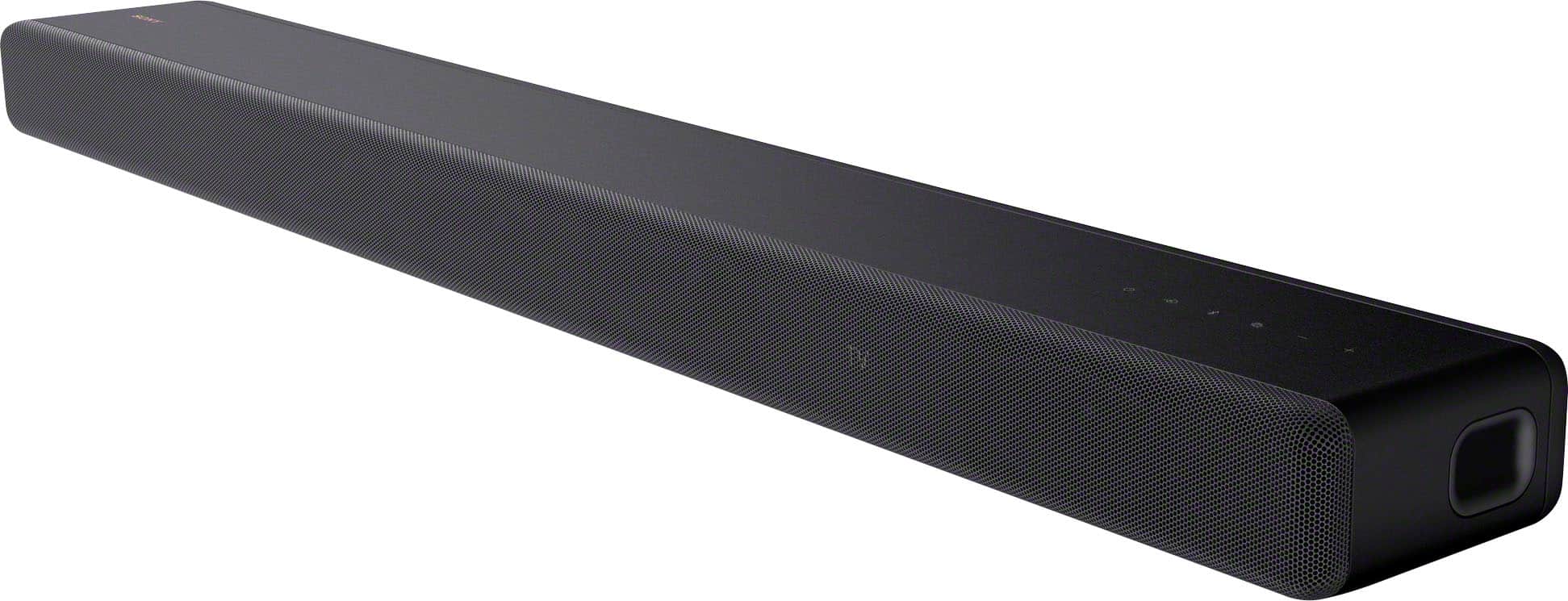





- Model:
- HTA3000
- SKU:
- 10893300
Rating by feature
- Value
Rating 4.2 out of 5 stars
- Quality
Rating 4.4 out of 5 stars
- Ease of Use
Rating 4.5 out of 5 stars

Easy to install, but needs refinement.
|Posted .This reviewer received promo considerations or sweepstakes entry for writing a review.I was very excited to try out this soundbar system in my basement. My basement gets very loud due to the HVAC air intake. I had an old sound bar that was OK but when you are sitting on the couch you can still not hear much. I liked this Sony system since it looked to be fully immersive with a wireless soundbar and wireless rear surround speakers. So far my experience has been less than exciting. First off, the setup of this system was very simple. You connect the soundbar to power, and in my case HDMI (ARC). Then you literally connect the soundbar and two speakers to power and they automatically sync to the soundbar. It does not get much easier than that. Then I setup the soundbar in the settings, which was not too bad. It runs an auto calibration and then you connect it to your network. This was the first issue. It showed my connection as "failed" and then rebooted itself when I tried again. Then it did not power back up. I unplugged it twice and it was still frozen on the "hello" screen. I was frustrated so I left it, then it finally powered back on by itself about 5 minutes later. Then it showed the Wi-Fi connection as "connected". The next time I used it, the soundbar showed me being offline. The soundbar is right next to my router so I tried to plug it in directly to the LAN port. Unfortunately the soundbar does not have an ethernet port. So I have to keep this unstable wireless connection. Then the next time I turned on my TV the soundbar was in sleep mode and did not wake up. I had to turn it on with the soundbar remote then change my TV's sound settings. This is very frustrating especially since it is connected via HDMI ARC. My TV is a Samsung, so is this Sony/Samsung not playing nice? Either way, I had to then go into my settings to turn off all auto sleep modes and make sure the soundbar is always on stand by. This is so that I can keep the luxury of only using my TV's remote, because who wants to constantly keep two remotes to watch TV? Now onto the actual sound and performance. The soundbar does sound very nice. It has very nice and clear range. I played some action movies and noticed that sound was that explosive. So I had to manually adjust the surround and subwoofer to have this system really make an impact. Then it sounded better, but the experience is not very immersive. It sounds very good, but I don't think the overall sound feels very high end. I cannot complain because it does it's job, but it does not make you feel that you have a top of the line sound system. Overall, I do like this soundbar system, but it does not impress me. The sound is nice, but not very immersive. The install was easy, but the bugs were just too much for me. I think there is much to be desired here.
No, I would not recommend this to a friendDebbie
||Posted . Owned for 1 month when reviewed.This reviewer received promo considerations or sweepstakes entry for writing a review.Not at all impressed with the volume or the woofer! May look to return cause it’s not worth the money!
No, I would not recommend this to a friendBrand response from SonyListens
Posted .Hi DebbieM,
We are sorry to hear that it hasn't performed to your standards when it comes to the volume level. If the sound or volume is low, try to increase the volume of the Soundbar using the remote control. Increase the volume of the output device, such as a TV, USB or Bluetooth. To ensure that you are getting the most out of your HT-A3000, make sure to run Sound Field Optimization so that the soundbar can calibrate its performance to your environment, and that it sounds like it was engineered to be in your room. You can also set the speaker distance from your listening position and their output level, etc. to obtain the best possible surround sound. For this, you may refer to the guidelines below:
https://helpguide.sony.net/ht/a3000/v1/en/contents/TP1000525192.html
We understand that we have different preference when it comes to audio. That is why we include ways to adjust the sound quality and sound field setting to your liking. A separate article is available if the sound from the Soundbar subwoofer is too low on this link here: https://www.sony.com/electronics/support/articles/00246877
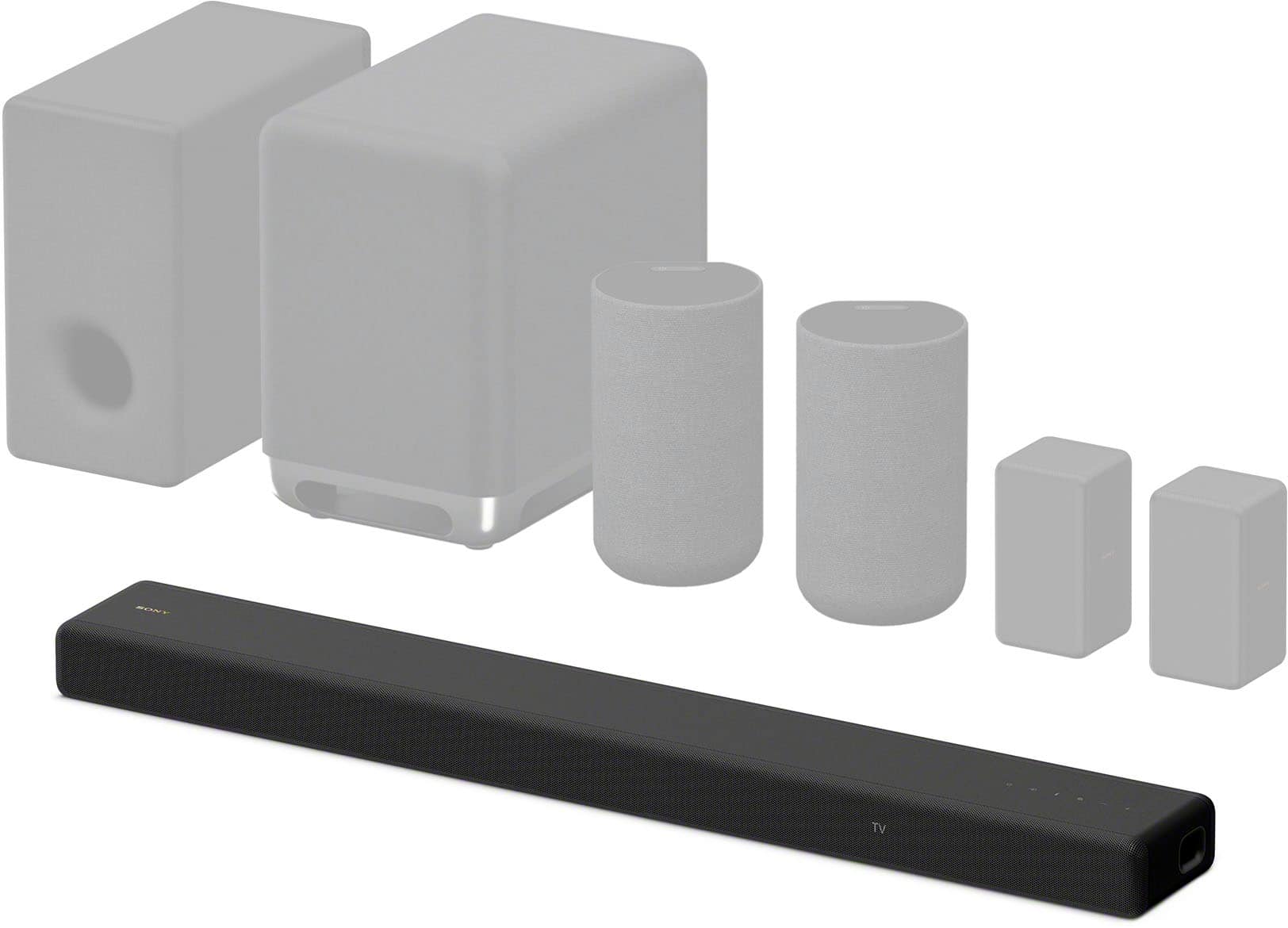
You can try to perform a factory reset on the soundbar then connect it to Wi-Fi and do software update on the soundbar to help resolve the issue for optimum performance. For enhanced listening, you have options: Our subwoofers (SA-SW3 and SA-SW5) and rear speaker sets (SA-RS3S or SA-RS5) are designed to expand your listening experience—just power them on and they pair automatically with your soundbar.
It's unfortunate that you consider returning the unit. We want to make sure you’re taken care of.
If you still have the unit and you need further assistance regarding your concern, you can email us at [email protected] with the following details:
Name:
Best Buy Username:
Model Number:
Issue:
Telephone Number:
Sincerely,
Jess
Don’t buy this soundbar.
||Posted . Owned for 3 weeks when reviewed.This reviewer received promo considerations or sweepstakes entry for writing a review.Worked for a week then lost all power. Would not turn on again. Had to return.
No, I would not recommend this to a friendBrand response from SonyListens
Posted .Hello BobbyF,
We sorry to hear about what happened. This is not the news nor the experience we want you to have. You may check the AC power cord if properly or securely connected to the power outlet. Sometimes this may cause any power issue. Please know that we have troubleshooting steps to fix the issues you've mentioned and are available on the Help Guide. It is unfortunate that we can no longer help you troubleshoot your problem. We are optimistic that you will consider Sony again in your future purchases.
The speaker system does not power up.
https://helpguide.sony.net/ht/a3000/v1/en/contents/TP1000525201.html
Soundbar troubleshooting guide
https://www.sony.com/electronics/support/sound-bars-home-theater-systems-sound-bars-surround-speakers/ht-a3000/articles/00223961?model=HT-A3000&category=sound-bars-home-theater-systems-sound-bars-surround-speakers
Then select the appropriate topic or issue. Should you need any assistance, please email us at [email protected] with the following details:
Name:
Username:
Model Number:
Issue:
Telephone Number:
Regards,
Marco
Low voice quality & clarity
||Posted . Owned for 3 weeks when reviewed.This reviewer received promo considerations or sweepstakes entry for writing a review.Conversations are difficult to understand using the sound bar. Voices are not clear.
No, I would not recommend this to a friendBrand response from SonyListens
Posted .Hi PamKam, we're truly sorry to hear that you've had trouble with the voice clarity on the Sony - HTA3000. That's definitely not the experience we want you to have. Dialogue clarity can often be improved by doing some of the troubleshooting steps below:
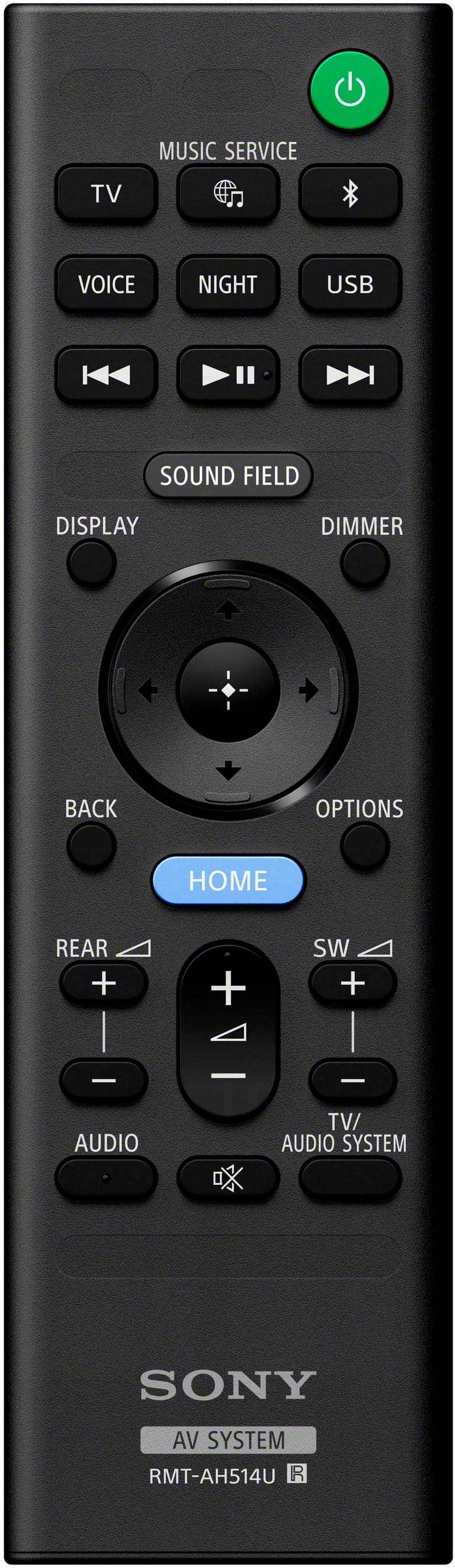
1- Change the sound mode to [Voice mode]. Using the soundbar remote press the Voice button, this will change the sound settings and will accentuate the speech so you don't miss a word.
2- Consider using an HDMI eARC connection between the TV and the soundbar. The HDMI allows for higher-quality audio formats and better sync between sound and video, which can improve dialogue clarity.
3- If your TV has a built-in Equalizer you can focus on boosting the midrange frequencies (around 1 kHz - 4 kHz). Human speech primarily lives in this range and can make voices stand out more.
4- Check if your soundbar is up to date. You can visit the link below on how to update your soundbar:
https://helpguide.sony.net/ht/a3000/v1/en/contents/TP1000525200.html
We hope these steps help improve your experience. If you have any questions or need further help, you can contact our technical team via:
https://us.esupport.sony.com/support/s/support-contact?language=en_US&category=ht
Thank you for considering Sony products!
Best regards,
Dominick
Steve S
||Posted . Owned for 3 weeks when reviewed.This reviewer received promo considerations or sweepstakes entry for writing a review.Sound quality was not what I expected.. Without a sub woofer, this sound bar didn’t make any improvement to the sound .
No, I would not recommend this to a friendBrand response from SonyListens
Posted .Hi Stephens, thanks for choosing and purchasing our product. We're sorry to hear that you have an issue with the sound quality of your Sony unit. To enhance the experience with sound quality, you can turn the surround effect on or off to suit sound sources. Please check this link for more details. (Refer to page 33-34):
https://www.sony.com/electronics/support/res/manuals/5034/fb032f8a57cc6abfdb1f8ba11cf465f2/50344891M.pdf
If you require any additional support with regard to this product, please email us at [email protected] with the following details: Name: Username: Model Number: Issue: Telephone Number:
~Earl
Underwhelming for big room
||Posted . Owned for 2 weeks when reviewed.This reviewer received promo considerations or sweepstakes entry for writing a review.It was a decent sound bar, but really underwhelming for what I was wanting. I ended up exchanging for the HT-A7000. It's incredible!
I would recommend this to a friendBrand response from SonyListens
Posted .Hello GarrettE,
While we're happy that you appreciate our Sony HTA3000, we're sorry to hear that it wasn't good enough or loud enough to suit in your big room. Good thing that the HTA7000 suits your purpose of using in a bigger/larger room.
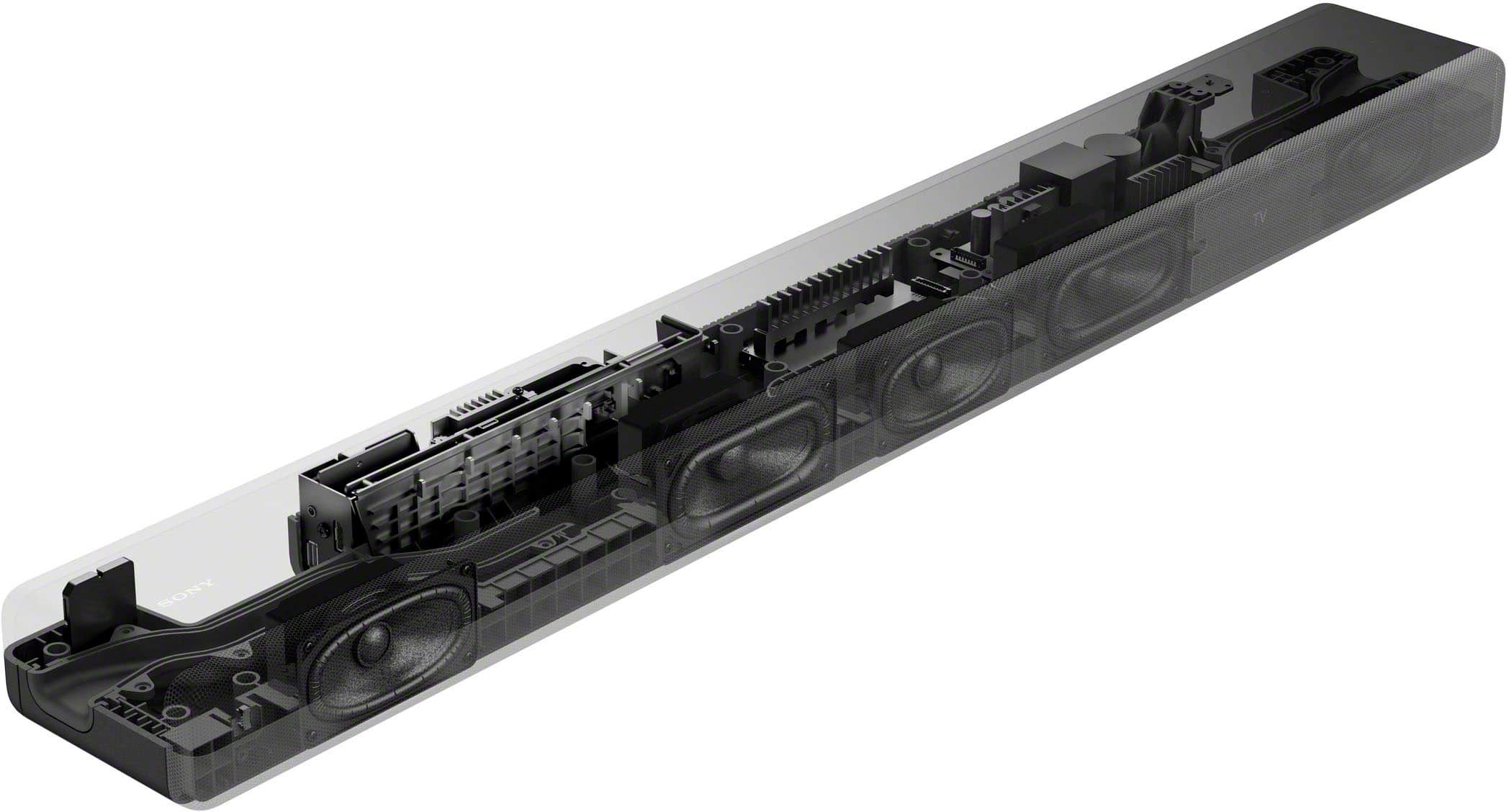
You can also take advantage of using the HTA3000 settings to customize the settings to suit your preferences. For future reference, please refer to the manual or the Help Guide. The HTA3000 immerses you in authentic surround sound with a center speaker for clear dialogue and a built-in dual subwoofer for impressive power. With optional rear speakers, it supports 360 Spatial Sound Mapping, so you can lose yourself in your favorite movies, TV shows and music. Should you need further assistance, please feel free to email us at [email protected] with the following information:
Name:
BestBuy Username:
Model Number:
Issue:
Telephone Number:
Thank you for choosing Sony!
Marco
Need help with setting up remotes.
||Posted . Owned for 3 weeks when reviewed.This reviewer received promo considerations or sweepstakes entry for writing a review.Shuts off by itself. It appears to be out of sync with the TV. Great picture no sound.
No, I would not recommend this to a friendNot impressed
||Posted . Owned for 3 weeks when reviewed.This reviewer received promo considerations or sweepstakes entry for writing a review.We returned this item as it did nothing to engage the tv sound alone.
No, I would not recommend this to a friendBrand response from SonyListens
Posted .Hi AngelaC, We are sorry to hear that you had to return the HTA3000 as it did not meet your expectations. This is not the experience that we would like you to have with our premium products and we hope that you consider Sony again in your future purchases.
Regards,
Carl
A great sounding soundbar
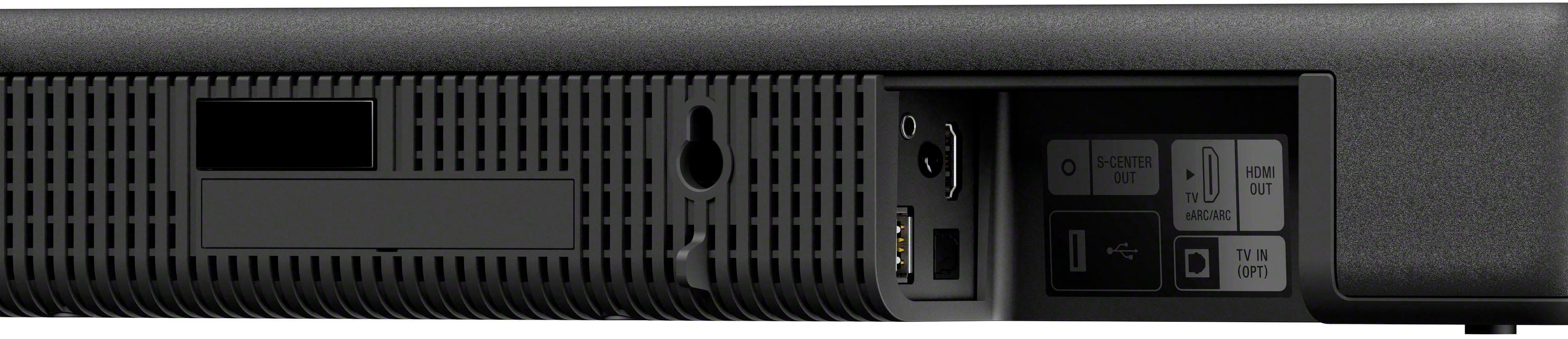
|Posted .This reviewer received promo considerations or sweepstakes entry for writing a review.This is a great sounding soundbar once you get it configured to your TV. Setup is fairly easy by following the on screen directions. You can also go back and easily adjust settings, which you can do via a menu on your TV screen when you press the "HOME" button. I really like this feature. I'm not going to lie, when I first hooked it up, I was like, really, that's all? But then I went through the settings on my TV and found that my audio was set to PCM. Once I set my TV audio to pass through, The Sony A3000 soundbar came to life. You have three options for surround sound virtualization: Sony's in-house preset, Dolby Virtualization, and DTS:X. Having tried all three options with the Top Gun movie (86), I have found the DTS:X mode to be my favorite. The Sony mode was surprisingly a close 2nd. Strangely, I found that the Dolby Virtualization mode seemed to cut the volume of the soundbar in half and didn't sound as good as the other two modes, even with the volume set to match the other modes. This could be just a software issue that could be addressed via an update. You also get Alexa and Google services built in, which does come in handy. Another nice feature about this soundbar is that it can be expanded. You can add a wireless powered sub and wireless rear surround speakers to get a more authentic home theater experience. I would highly recommend getting the powered sub that this soundbar supports. It makes a world of a difference in my experience. This soundbar can get fairly loud if you want it to. One thing I didn't like was the the lack of inputs on the soundbar. There is only one HDMI input for your TV. This means that if you have your TV on the wall, like in my situation, and run the wires through the wall, you're going to have to run extra cables through the wall which can be a pain. Likes: 1.) Great Sound 2.) On-screen(TV) menu 3.) Expandability: subwoofer, rear surrounds Dislikes: 1.) Only one input for the TV 2.) Subwoofer not included
I would recommend this to a friendSony soundbar HTA3000 3.1 ch
||Posted . Owned for 1 month when reviewed.This reviewer received promo considerations or sweepstakes entry for writing a review.Disappointed in the Sony soundbar. Not good at all. Don't waste your money.
No, I would not recommend this to a friendBrand response from SonyListens
Posted .Hi AngelaaB,
We are really sorry if our HT-A3000 didn't live up to your expectations. This is certainly not the news we'd like to hear from you. We'd love to know more about the problem you are having with your unit and help you out. Please email the information below to [email protected] so we can better assist you.
Name:
BestBuy Username:
Model Number:
Issue:
Telephone Number:
We value you being a Sony customer. Sorry for the inconvenience and hope to speak directly to try to resolve this matter.
Thank you for letting us help assist you.
Sincerely,
Romeo
Sony Social Support
Don't buy
||Posted . Owned for 1 month when reviewed.This reviewer received promo considerations or sweepstakes entry for writing a review.Bought this TV back in September. Not happy with it. Watching a movie with my kid and I see flickering lights down the bottom of the screen. It comes and goes. And is now non returnable. Should have gone with the lg
No, I would not recommend this to a friendSurround sound experience at a cost
|Posted .This reviewer received promo considerations or sweepstakes entry for writing a review.First, this soundbar is quite the product from Sony. It has Dolby Virtual Atmos and is one of the lowest priced soundbars in the Sony lineup (with the features and options it offers). This is a good thing in that it doesn’t sacrifice on sound, that experience is as it should be and what you would expect both from Sony and at this price point. One thing to note is what you don’t get is an HDMI input on the soundbar. This is not a problem if your TV has HDMI ARC/eARC. As long as it does, you don’t need the additional HDMI input because everything will run through the HDMI ARC once connected to your TV (or Bluetooth of course for features like Apple AirPlay). Also, as long as you are setting up with HDMI eARC, setup is incredibly simple because you plug in the power, plug in to the TV and connect to the bar and you’re basically ready to go. There is additional setup and options to choose and an accompanying app, but basic setup is about as simple as it gets. The sound delivered is rich and with Dolby Virtual Atmos, it gives you the best imitation of the immersive experience of surround sound but without the headache of actually having to install surround sound speakers. Of course it’s not quite surround sound, but it’s certainly a good sound experience and the setup is MUCH easier than installing surround sound. Keep in mind also that this soundbar is a 3.1, and Sony offers some great peripherals in the form of rear speakers and subwoofer, which are connected wirelessly. Again, easy setup and a big enhancement to that surround sound experience. The biggest problem of course is that the rear speakers and subwoofer must be purchased separately from the soundbar, so your price tag starts going way up. I would say if you have a smaller space, you probably don’t need to mess with the rear speakers or subwoofer. The sound bar does have two built in subwoofers and of course the Dolby Virtual Atmos. The bigger your space though, the more the peripherals can add to your experience. The soundbar on its own is a pretty amazing piece of sound tech and does the job it’s supposed to admirably. And on its own, with the features offered, I’d say it’s actually a pretty decent price point as well. Just keep in mind the HDMI eARC requirement as well as the additional cost if you decide the rear speakers and subwoofer are necessary to complete your experience.
I would recommend this to a friendSound bar
||Posted . Owned for 3 weeks when reviewed.This reviewer received promo considerations or sweepstakes entry for writing a review.I stream out of a firestick which is not dolby atmos so you do not get the full experience of the surround sound system , its not nearly clear or loud enough unless we are streaming from dolby atmos compatible devices , the new firesticks are dolby atmos compatible and have 16 gig memory for less buffering .
No, I would not recommend this to a friendA quick, easy, and considerable upgrade to your HT
|Posted .This reviewer received promo considerations or sweepstakes entry for writing a review.I love Sony soundbars, I have been using them for the last couple of years. We have a rather large open living room so we setup the A7000 series soundbar in there a while back. The sound is amazing despite the open area and high ceilings. We were looking for something that would work well in a bedroom, and the A5000 series seemed like it might be just a tad too much for the smaller area. This A3000 series soundbar from Sony seems to fit that niche just right. Setup process is incredibly easy, run the power cable to the outlet near your TV, connect the HDMI cable from the eARC TV out port on the back of the soundbar to your eARC input on the back of your TV. The soundbar has one HDMI input in the back of the soundbar so we plugged in our streaming box to that. Once you have everything powered on, the soundbar walks you through the final setup process in configuring the sound to your room. Sony’s audio wizards can reflect sound off the walls and ceiling to really make it feel like the sound is moving around you as opposed to just coming from the soundbar. One small gripe I had when I was setting up was that the soundbar only has 1 HDMI input, not a deal breaker since I can run my other devices to the TV and the soundbar is still going to produce excellent sound. Some of Sony’s other models offer 2 HDMI inputs so it was just a bit of a bummer seeing that this one only had the one, again not a deal breaker but worth noting. So, the sound. In a word ‘Wow!’. I already knew what to expect since we use one of Sony’s higher end models in the living room, but this soundbar on its own can give you an immersive feeling. The clarity and separation are amazing. We were watching a movie and at one point in the movie it was raining, but I instinctively looked outside my bedroom windows thinking it was raining outside. I felt silly a second later when I realized it was just the soundbar making it sound like the rain was coming from behind us. With the soundbar supporting Dolby Atmos, DTS:X, and Vertical Surround Engine Sony really has you feeling like you are in the scene. Another amazing feature, that I feel often gets overlooked is their support of 360 Reality Audio. Paired with the right digital streaming provider and songs, this makes for a unique listening experience that has you feeling like you are there in the studio or concert where the music is being recorded. Even more so if you are using their wireless rear speakers and sub. More of a test to see if I should make the extra investment, I grabbed the sub and wireless speakers from my living room setup and linked them to the A3000. This is super easy since you just click the link buttons on each speaker and the soundbar can locate them and connect to them. The sound was improved, but if I had to choose just one of those things to make the investment in, it would be the sub. The soundbar can create good bass for explosions in action movie, but unfortunately doesn’t come close to what the sub is able to do on its own. Depending on your room you might get away without utilizing the wireless rear speakers, but if you want the most out of those action movies then the sub should be a serious consideration. This isn’t the best soundbar on the market, but for the right size room and setup this can deliver an incredible experience without emptying your bank. Again, paired with the sub this makes for a very immersive cinema experience.
I would recommend this to a friendFaulty sound bar
||Posted . Owned for 1 month when reviewed.This reviewer received promo considerations or sweepstakes entry for writing a review.Bought with sony 77 inch oled television. Could not get it to work. With Sonys help we discovered it was faulty. Returned for refund
No, I would not recommend this to a friendBrand response from SonyListens
Posted .Hi GregoryW,
Thank you for your time writing this review. We're sorry to hear that the soundbar is not working and unit had been returned. All Sony products are manufactured to the highest level of quality control for the specific features for any model before distribution for sale. This does not happen often and definitely not the buying experience we want you to have. We do apologize for the inconvenience caused and hope that you will still consider Sony on your future purchases. Thanks again for shopping Sony. - Kris
Sony soundbar.
||Posted . Owned for 1 month when reviewed.This reviewer received promo considerations or sweepstakes entry for writing a review.Did not work as i was shown on store sample. Tv is excellent without it. Will return.
No, I would not recommend this to a friendBrand response from SonyListens
Posted .Hi PatT,
Thank you for the purchase and we do apologize for the inconvenience. To further assist you, we need more details regarding your concern. If the soundbar is still with you, please email us at [email protected] with the following details:
Name:
Best Buy Username:
Model Number:
Issue:
Telephone Number:
-David
Sony soundbar over $1,000 dosnt work
||Posted . Owned for 1.5 years when reviewed.This reviewer received promo considerations or sweepstakes entry for writing a review.I brought this soundbar a year and a half ago and it didn’t work all it says is HELLO.
No, I would not recommend this to a friendBrand response from SonyListens
Posted .Hi LevarF,
Thank you for the review and we're sorry to hear what happened with your soundbar. Power reset the soundbar. Power off your device. Unplug the power cord from the electrical outlet. Leave the power cord disconnected for at least 60 seconds then plug the power cord back into the electrical outlet.
If the issue is unresolved, please email us at [email protected] with the following details:
Name:
Best Buy Username:
Model Number:
Issue:
-David
Defective sound bar
||Posted . Owned for 3 weeks when reviewed.This reviewer received promo considerations or sweepstakes entry for writing a review.Bought this in store as a open box item I set it up it worked for one week and that was it..I thought all merchandise bought back to best buy was thoroughly inspected before being sold...
No, I would not recommend this to a friendBrand response from SonyListens
Posted .Hi LeonardB,
This is not the news that we would like to hear. We would like to know more about what happened and turn your experience around. Please email us at [email protected] with the following details:
Name:
Username:
Model Number:
Issue:
Telephone Number:
Sincerely,
-Ralph
intermittent sound bar
||Posted . Owned for 3 weeks when reviewed.This reviewer received promo considerations or sweepstakes entry for writing a review.The sound bar would intermittently go silent for 2 to 7 seconds at a time. I left a v mail for a geek concerning this issue. I didn't receive a response. I returned it after about a week.
No, I would not recommend this to a friendBrand response from SonyListens
Posted .Hi SteveF, we're sorry to hear that you had returned your Sony unit. We really wished we could turn your opinion around regarding our HTA3000. If there is a device nearby that generates electromagnetic waves, such as a wireless LAN or a microwave oven in use, set the optional speaker and the speaker system apart from it. It is recommended to check this link when dealing with intermittent sound on the unit.
We have our Support team that is always happy to assist you. You may email us anytime at [email protected] with the following details: Name: Username: Model Number: Issue: Telephone Number:
We hope you consider Sony again. ~Earl
Pour Sound
||Posted . Owned for 1 month when reviewed.This reviewer received promo considerations or sweepstakes entry for writing a review.Not sure why the volume needs to be turned on to almost 85 to sound loud. Not sure but so far I do not like this soundbar. My Samsung bar that I purchase 6 years ago sounds way louder.
No, I would not recommend this to a friendBrand response from SonyListens
Posted .Hi FernandoR, we're sorry to hear that the sound isn't loud. This is definitely not the experience we'd like you to have. Allow us to help and turn this into a better experience.
If there's no sound or or only a very low-level sound of the device connected to the speaker system is heard, please try the following:
Press (volume) + on the remote control and check the volume level.
Press (muting) or (volume) + on the remote control to cancel the muting function.
Make sure the input source is selected correctly. You should try other input sources by pressing the input select button on the remote control (TV/USB/BLUETOOTH).
Make sure that the connectors are firmly inserted.
Ref: https://helpguide.sony.net/ht/a3000/v1/en/contents/TP1000525531.html?search=low%20sound
I hope this helps but if you still need assistance, do not hesitate to drop us an email at [email protected] with the following details:
Name:
BBY Username:
Model Number:
Issue:
Telephone Number:
Sincerely,
Erin