Customer Ratings & Reviews

- Model:
- 1000044180
- |
- SKU:
- 12123692
Customer reviews
Rating 4.5 out of 5 stars with 6732 reviews
(6,732 customer reviews)Rating by feature
- Value4.5
Rating 4.5 out of 5 stars
- Quality4.7
Rating 4.7 out of 5 stars
- Ease of Use4.6
Rating 4.6 out of 5 stars
- Pros mentioned:Overall performance, Screen quality
Rated 5 out of 5 stars
Present for my nephew
||Posted .This reviewer received promo considerations or sweepstakes entry for writing a review.Great product! Great look, runs smooth and the screen is a decent size with quality graphics
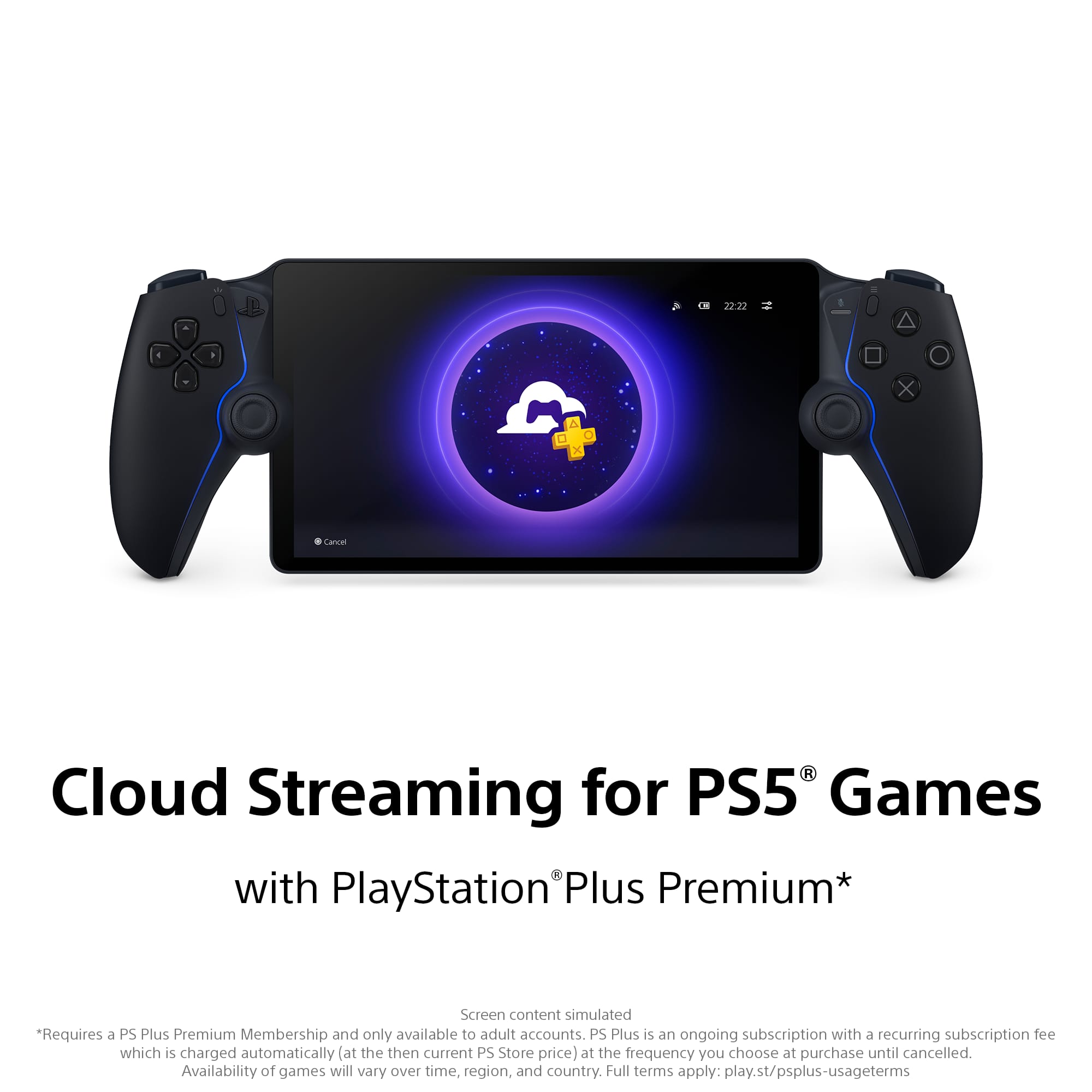
This review is from Sony Interactive Entertainment - PlayStation Portal Remote Player - Midnight Black
I would recommend this to a friend - Pros mentioned:Portability
Rated 5 out of 5 stars
Perfect pooping play thing
Posted .This reviewer received promo considerations or sweepstakes entry for writing a review.Best gift ever given. My little brother was stoked to have this game sent to him. He couldn’t wait to break it in while sitting on the toilet. Perfect for on the go gamers.
This review is from Sony Interactive Entertainment - PlayStation Portal Remote Player - White
I would recommend this to a friend - Pros mentioned:Portability
Rated 5 out of 5 stars
Free the TV
||Posted . Owned for 2 weeks when reviewed.This reviewer received promo considerations or sweepstakes entry for writing a review.Love the ability to play PS5 games without being tied to the TV. I’ve ready that some have problems with connectivity, but I’ve had zero issues at home, haven’t traveled with it yet. Very happy with this purchase.
This review is from Sony Interactive Entertainment - PlayStation Portal Remote Player - White
I would recommend this to a friend - Pros mentioned:Screen qualityCons mentioned:Connectivity
Rated 3 out of 5 stars
Drops connection constantly
||Posted .This reviewer received promo considerations or sweepstakes entry for writing a review.Amazing when it’s functioning as intended but it drops network connectivity nearly every time I use it, regardless of the strength of the WiFi signal or configuration. I have a google 6e tri band mesh router with three access points, along with 1 gb per second fiber service (1gb both upload and download) and it still repeatedly drops connection. Pretty sad because the screen, sound, and build quality are all top notch but that isn’t worth anything unless the wireless connection is stable. It’s worth noting that no other devices on my network ever drop connection or lag whatsoever. Also, my ps5 is hardwired directly to the base modem in the google config.
This review is from Sony Interactive Entertainment - PlayStation Portal Remote Player - Midnight Black
No, I would not recommend this to a friend - Pros mentioned:PortabilityCons mentioned:Connectivity
Rated 4 out of 5 stars
A Solid Device
||Posted .This reviewer received promo considerations or sweepstakes entry for writing a review.A really good devise for relaxing in bed or if you share a TV with someone. Requires a strong wifi connection especially if you're on a different network. Even though the joysticks are supposed to feel like a Dual Sense they fell off to me. Just a little too tall.
This review is from Sony Interactive Entertainment - PlayStation Portal Remote Player - Midnight Black
I would recommend this to a friend Rated 5 out of 5 stars
The portable beats the switch on comfort alone
||Posted . Owned for 2 months when reviewed.This reviewer received promo considerations or sweepstakes entry for writing a review.I have been waiting for a sony portable gaming device that fits in my grown up hands. Tge psvita was slmost goid enough but not quite right. This thing is great. It is lite weight and has a beautiful screen. Make sure you create a separate network on your router to connect both your ps5 and playstation portable to. This will help lesson the glitching that will sometimes happen. Network over crowding ( phones, tvs, ipads, computers, devices that use your internet) cause the speed slow downs and glitches. You shouldn’t experience this on a deficated network running top speed. Tye device is basically a dual sense controller with a nice sized screen where the touch pad woukd be. Its bigger and better thsn the switch 2 screen. I love Nintendo but tfe switch 2 is heavy ttats hard to hold for long periods. The portable beats the switch on comfort alone.
This review is from Sony Interactive Entertainment - PlayStation Portal Remote Player - White
I would recommend this to a friend- Pros mentioned:Overall performance, Portability
Rated 5 out of 5 stars
Good handheld
||Posted . Owned for 1.5 years when reviewed.This reviewer received promo considerations or sweepstakes entry for writing a review.Great for playing when you're away from your ps5 but Still looking.To play
This review is from Sony Interactive Entertainment - PlayStation Portal Remote Player - White
I would recommend this to a friend - Pros mentioned:PortabilityCons mentioned:Connectivity
Rated 4 out of 5 stars
Same gaming, but portable and accessible.
||Posted . Owned for 1 month when reviewed.This reviewer received promo considerations or sweepstakes entry for writing a review.I enjoy it for the most part. It gives me the opportunity to play while my wife can watch TV. I like the portability and another option of gaming that it provides. Nice to travel and still be able to play your games without having to pack up the whole system. Only downside is the lag or connectivity due to various internet speeds.
This review is from Sony Interactive Entertainment - PlayStation Portal Remote Player - Midnight Black
I would recommend this to a friend - Pros mentioned:Overall performance, Portability
Rated 5 out of 5 stars
PS portal
||Posted . Owned for 4 months when reviewed.This reviewer received promo considerations or sweepstakes entry for writing a review.Loving the portability of the PS portal graphics are good and it’s easy to set up!
This review is from Sony Interactive Entertainment - PlayStation Portal Remote Player - Midnight Black
I would recommend this to a friend - Pros mentioned:Portability
Rated 4 out of 5 stars
Solid buy.
||Posted . Owned for 1 month when reviewed.This reviewer received promo considerations or sweepstakes entry for writing a review.I like it and it's definitely cool but I don't think you absolutely need it. It's very convenient of you travel or like to watch TV and play games but it can be a little slow and is very dependant on your internet. Cool product tho and $200 is a reasonable price.
This review is from Sony Interactive Entertainment - PlayStation Portal Remote Player - Midnight Black
I would recommend this to a friend - Pros mentioned:Portability, Screen quality
Rated 5 out of 5 stars
Muito bom
||Posted .This reviewer received promo considerations or sweepstakes entry for writing a review.Produto de ótima qualidade, gostei muito, fácil de conectar, fácil de jogar e imagem muito boa
This review is from Sony Interactive Entertainment - PlayStation Portal Remote Player - White
I would recommend this to a friend - Pros mentioned:Overall performance, Screen quality
Rated 4 out of 5 stars
A Good Gadget for Gamers
||Posted . Owned for 1 month when reviewed.This reviewer received promo considerations or sweepstakes entry for writing a review.This is NOT a PS5 dedicated Switch. It doesn't travel beyond the boundaries of your home WiFi network. This is made clear in the literature, but often overlooked. That said, it is nice to be able to access the PS5 from anywhere in the house and at anytime, especially if the PS5 is connected to a TV that is used for other purposes. This means that no matter who else is using that TV at the time, you can still play your PS5 games. The unit, itself, has comfortable and familiar controls, and the screen is vivid and easy to view over an extend play-session. If you have strong WiFi through out the house, there is little if any lag or stuttering. I think of this item as a "gadget" to help extend my opportunity to access my PS5. It also helps keep the peace when there is a conflict between the TV watchers and the gamers.
This review is from Sony Interactive Entertainment - PlayStation Portal Remote Player - White
I would recommend this to a friend - Pros mentioned:Overall performance
Rated 5 out of 5 stars
Very good quality ,good graphic,good speed
||Posted . Owned for 2 months when reviewed.This reviewer received promo considerations or sweepstakes entry for writing a review.Very good , but thought i could play from a far distance like at a park , not that option , maybe soon they would come with something with such features . But is a good product overall , thanks
This review is from Sony Interactive Entertainment - PlayStation Portal Remote Player - Midnight Black
I would recommend this to a friend Rated 4 out of 5 stars
Solid experience for a few.
||Posted .This reviewer received promo considerations or sweepstakes entry for writing a review.The build overall is solid. 4 starts because personally I don't use it that often. I'm always drawn to go back to the PS5-TV experience. It is a shame that in order to really enjoy the experience you need a very stable WIFI signal, although I understand that being the case. I expected the joystick feeling being the same as the one from the Dualsense, but that's not the case. The joystick are significantly smaller and for someone like me with big hands and fingers the experience wasn't that comfortable. I would say if you are the type of gamer that enjoys FPS games then stay clear from it, nor comfortable at all for that. I struggled playing RDR2 every time I had to shoot (so imagine games like BF or COD). Again, it there was a 3.5 star rating I would rate it like that, but 4 seems fair too since I'm basing it purely on my tastes and experiences with it. I used probably 5 times, no more than 2 hours per sitting. For me having ~$200 laying around with little to no use is not worth it.
This review is from Sony Interactive Entertainment - PlayStation Portal Remote Player - Midnight Black
No, I would not recommend this to a friend- Pros mentioned:Screen quality
Rated 5 out of 5 stars
Great Device if You Have Family/Kids
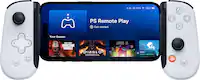
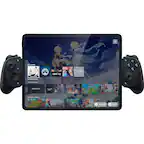
||Posted .This reviewer received promo considerations or sweepstakes entry for writing a review.I believe this device works perfectly for someone who has family/kids. Personally for me, I can't be in my gaming room all day when I have a wife & a kid. My wife & I co sleep with our son and it would be selfish of me to go to my gaming room everynight while my wife is stuck in bed with our son. There are times where my wife want's times for herself which mean I'll be putting my son to sleep instead of her. Now, there are a lot of people bashing on this device because you can already remote play with your phone/tablet and I've been doing that with my phone using the Backbone. Here are two things that I like about this PlayStation Portal over using a Backbone. 1) The screen size is bigger. My phone is only 6.3" so having that 8 inch is a plus for me. I personally don't care that the screen is an LCD that doesn't bother me at all. 2) Being able to use a Duelsense controller with all the heptic feed back is a plus. You don't get that feeling using a Backbone and to be honest. My hands gets fatigue afte about an house using a Backbone where else I don't get that using the Playstation Portal. Yes! you can connect your Duelsense to a tablet and get a bigger display than the PlayStation Portal, but you have to place your tablet on a table. You can't lay in bed with a tablet while using your Duelsense which is where this PlayStation Portal shines to me. IF YOU DON'T HAVE A FAMILY/KIDS THAN THIS DEVICE ISN'T FOR YOU. NO REASON WHY YOU WOULD WANT IT UNLESS YOU WANT TO.
This review is from Sony Interactive Entertainment - PlayStation Portal Remote Player - White
I would recommend this to a friend - Pros mentioned:Portability
Rated 5 out of 5 stars
My Husband LOVES It!
||Posted . Owned for 1 month when reviewed.This reviewer received promo considerations or sweepstakes entry for writing a review.Pros: Seamless Remote Play: Lets you stream your PS5 games anywhere with Wi-Fi without needing to tie up your main TV. Portable PlayStation Experience: Feels like a dedicated PlayStation handheld with DualSense controls, adaptive triggers, and haptic feedback. No Need to Buy Extra Games: Uses your existing PS5 library, so you don’t have to spend extra on new games. Instant Pairing with PS5: Super easy setup if you’re already in the PlayStation ecosystem. Best for Households Sharing a TV: Great if someone else is using the TV but you still want to play. Cons: Wi-Fi Dependent: No cloud gaming or offline play—needs a solid home Wi-Fi or fast internet to work well. No Native Apps: Can’t run games or apps like Netflix or YouTube natively—strictly for remote play. Battery Life: Around 4-6 hours depending on use—not bad, but not stellar. Limited to PS5 Owners: If you don’t already have a PS5, it’s essentially useless.
This review is from Sony Interactive Entertainment - PlayStation Portal Remote Player - White
I would recommend this to a friend - Pros mentioned:Screen quality
Rated 4 out of 5 stars
PlayStation Portal: Great for Gaming, Limited for
||Posted .This reviewer received promo considerations or sweepstakes entry for writing a review.The PlayStation Portal looks and feels great, and it really shines when you have a strong, stable Wi-Fi connection. The screen quality is excellent, and the responsiveness is solid when streaming from the PS5. It does exactly what it promises, lets you take your PS5 gaming away from the main TV and enjoy it anywhere in the house (or outside which I did not try) That said, I do wish it had a bit more versatility. It would be amazing if you could use it to stream your favorite shows or at least act as a remote control for what’s playing on the PS5 when you’re not gaming. Right now, it’s strictly focused on gameplay. Overall, it’s a sleek and fun way to extend the PlayStation 5 experience, but it could be even better with added media features.
This review is from Sony Interactive Entertainment - PlayStation Portal Remote Player - Midnight Black
I would recommend this to a friend - Pros mentioned:Screen qualityCons mentioned:Input lag
Rated 5 out of 5 stars
Much Better Than You Think!
||Posted . Owned for 1 month when reviewed.This reviewer received promo considerations or sweepstakes entry for writing a review.I definitely agree with a lot of reviews I’ve seen about this. This is a great device if a PS5 is your main device and you are a parent, or someone who makes time to game before bed. There have been days where there just isn’t time for me to sit on the couch, but I can play a little winding down for the night in bed! The screen is very nice, and the internal audio is solid enough. I also already have a pair of Pulse headphones which really helps! I wouldn’t play an FPS on here, as there is a little input lag that throws off timing, but I’ve really enjoyed playing single player games on here. A Steam Deck certainly does more, but this device definitely has a place in a lot of people’s homes!
This review is from Sony Interactive Entertainment - PlayStation Portal Remote Player - White
I would recommend this to a friend - Pros mentioned:Screen quality
Rated 5 out of 5 stars
Playstation portal
||Posted . Owned for 1 month when reviewed.This reviewer received promo considerations or sweepstakes entry for writing a review.Great for PS5 owners who want to play anywhere at home. Streaming is smooth with solid Wi-Fi, controls feel just like a DualSense, and the screen looks sharp. Downsides: no native/cloud gaming and it’s useless without a PS5 or strong internet. Worth it if you mainly want portable PS5 Remote Play.
This review is from Sony Interactive Entertainment - PlayStation Portal Remote Player - Midnight Black
I would recommend this to a friend - Cons mentioned:Connectivity
Rated 4 out of 5 stars
Good remote play device, with room for improvement
||Posted . Owned for 1 week when reviewed.This reviewer received promo considerations or sweepstakes entry for writing a review.PlayStation Portal is as comfortable to hold and use as the DualSense controller, and has the same haptic feedback and adaptive triggers of that controller. The lightweight design, ergonomics, and full DualSense experience are definitely highlights of the Portal. The 8" LCD screen is bright and vivid, and looks great for playing games. Though, many games seem to have at least some text that's a bit too small for that screen size, which might cause some eye fatigue (e.g. Disco Elysium's non-dialogue text). As a result, I found it more comfortable to play such games on the TV. Connection to PS5 (including waking it up from rest mode) felt seamless and sufficiently quick. I did not have any disconnection issues. One downside of the Portal is the extra latency it adds to controller inputs (measured as the time difference between changes on the TV screen and the Portal screen, using a 60 fps camera recording of both screens at once), which seems to be usually around 67 milliseconds (4 frames in 60 fps video), occasionally going down to 50 ms or so (3 frames). This is with a TP-Link Deco XE75 AXE5400 WiFi router with "optimized" channels, both PS5 and Portal "prioritized" on the router, PS5 wired to the router, and Portal connected to 5 GHz frequency WiFi network at 6 feet distance from the router. While the extra latency did not feel terrible, it was still noticeable for me in most games I've tried, especially when compared with playing directly on the TV. So, the latency might hinder players' performance in games that would benefit greatly from having quick reaction times or precise timing, like Returnal, rhythm games, and online competitive shooters, but it's probably fine for casual players, especially in slower-paced games. Another downside (at least with the current system software version, 2.0.6) seems to be the consistent and periodic micro-stutters or dropped frames (which last 2-3 seconds and happen every 10 seconds or so), to which some people are apparently less sensitive and therefore may not notice. Between those micro-stutters, updating of the screen actually felt as smooth as the TV screen and smoother than using Remote Play on some other devices (MacBook, iPhone, iPad). Hopefully, Sony can find a way to eliminate those micro-stutters in a future software update to further improve the Portal experience. The speakers sound OK for a handheld device. Though, they would sound even louder if they were directed toward the user (perpendicular to the screen) instead of upward (parallel to the screen) like they are now. The Pulse Explore earbuds do work well with the Portal. Charging the Portal using PS5's USB-A port has been somewhat slow (at a speed that would take around 3 hours to fully charge, though I never charged it from 0 to 100%). Also, the placement of Portal's charging port (behind its screen) makes it a bit hard to find and plug in the cable. It would be better if Sony at least made that USB-C port easier to see, e.g. by making its border a lighter color. The lack of support for PS+ Premium streaming or captive WiFi portal pages (for public networks) seem like weird omissions, as they would significantly increase the use cases for this device. Sony should really add those features in future software updates. And if they ever make a successor to this device, I hope they also add a couple of buttons on the back, which I missed when playing certain games (with jumping and dashing actions) after getting used to such buttons on the DualSense Edge controller. A larger-capacity battery with faster charging would also be a useful improvement.
This review is from Sony Interactive Entertainment - PlayStation Portal Remote Player - White
I would recommend this to a friend