Customer Ratings & Reviews


- Model:
- 62618
- SKU:
- 6501463
Rating by feature
- Value
Rating 4.1 out of 5 stars
- Quality
Rating 4.4 out of 5 stars
- Ease of Use
Rating 4.4 out of 5 stars
Customers are saying
Customers are enthusiastic about the Aerox 9 Wireless gaming mouse, particularly its lightweight design, long battery life, and responsiveness. Users appreciate the smooth design, nice RGB effects, and the ease of use of the programmable side buttons. However, some customers have expressed concerns regarding the side buttons, scroll wheel functionality, and the software. Additionally, a few users have noted that the mouse is larger than expected.
This summary was generated by AI based on customer reviews.
- Pros mentioned:Responsiveness, WeightCons mentioned:Connection, Side buttons, Software

Don’t eat at your desk
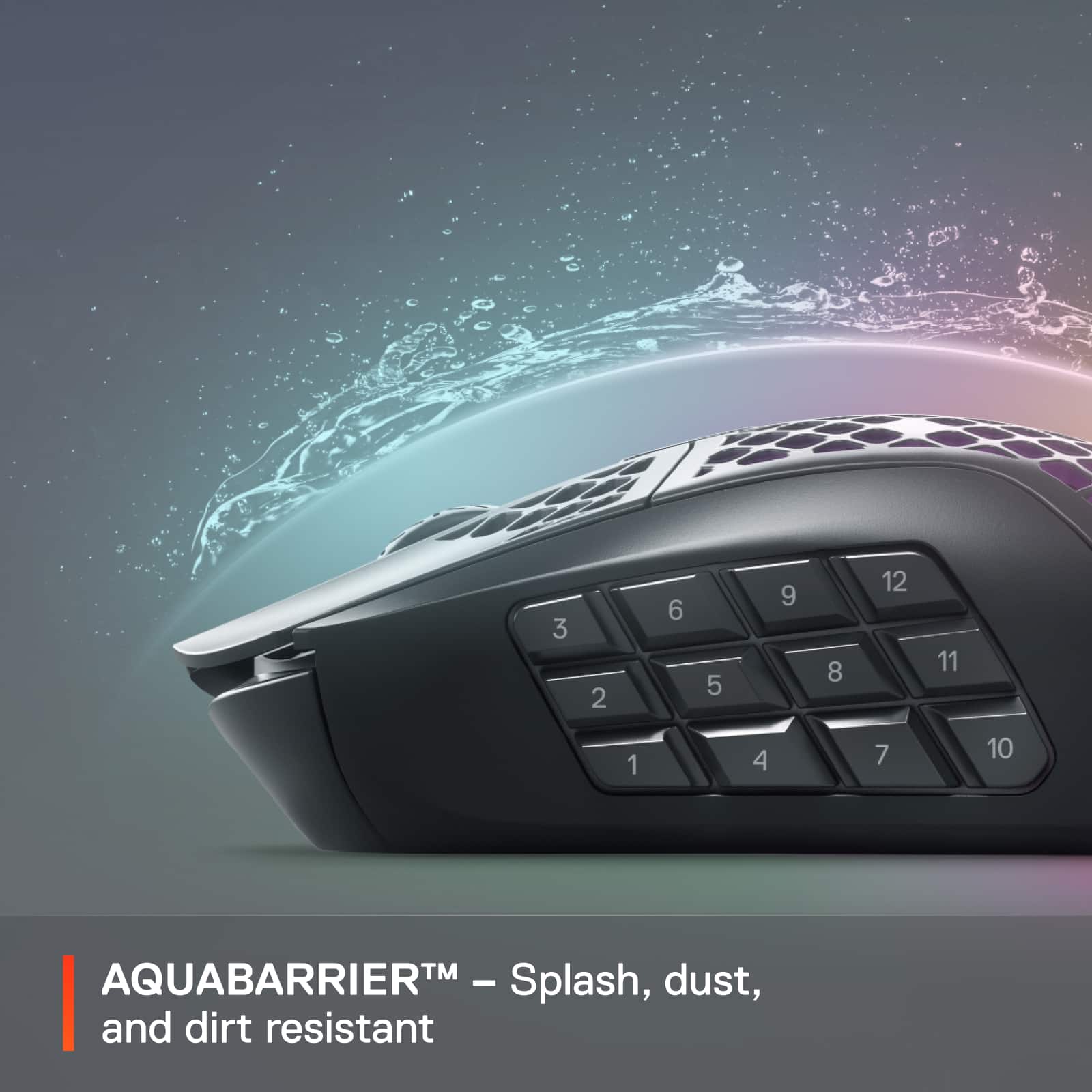
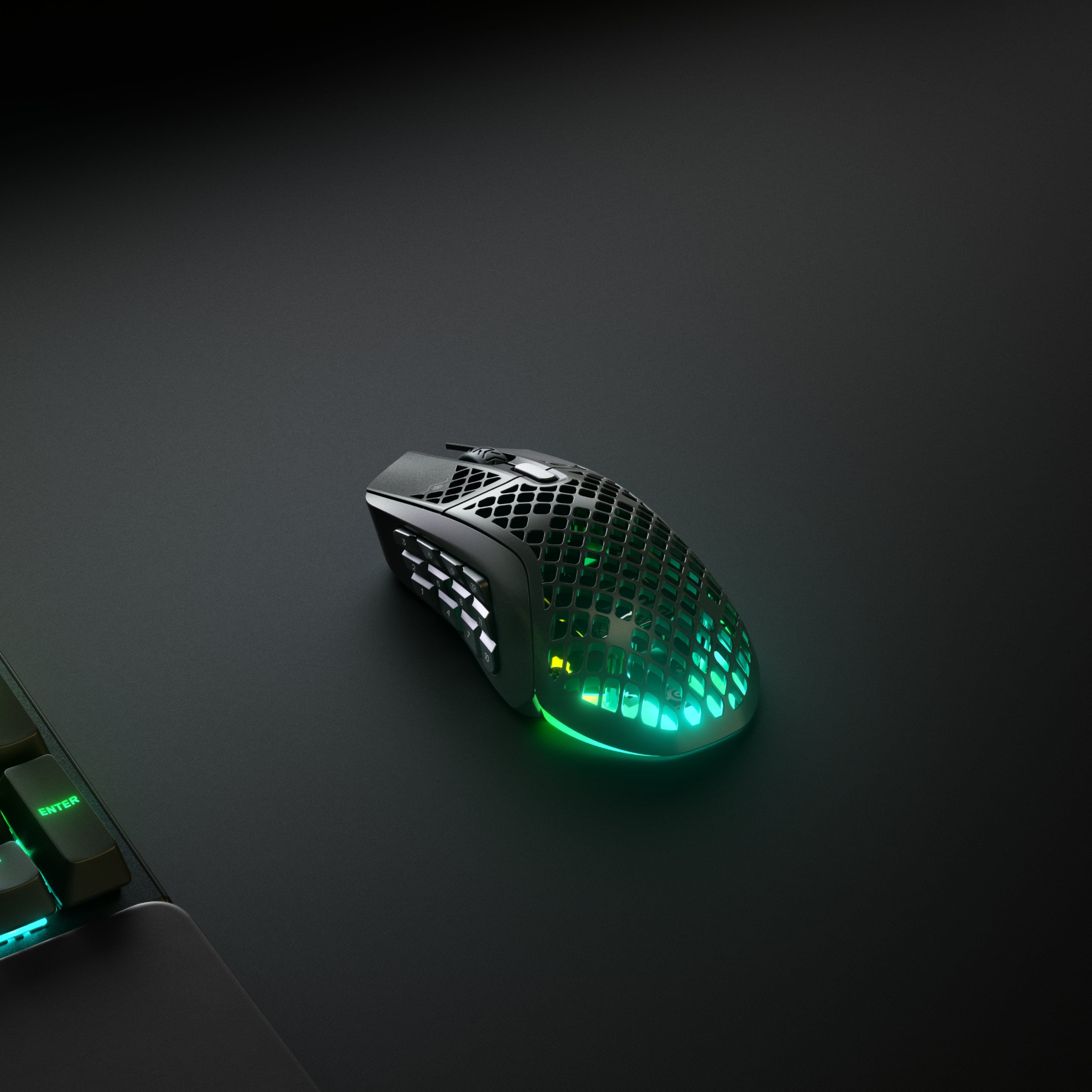
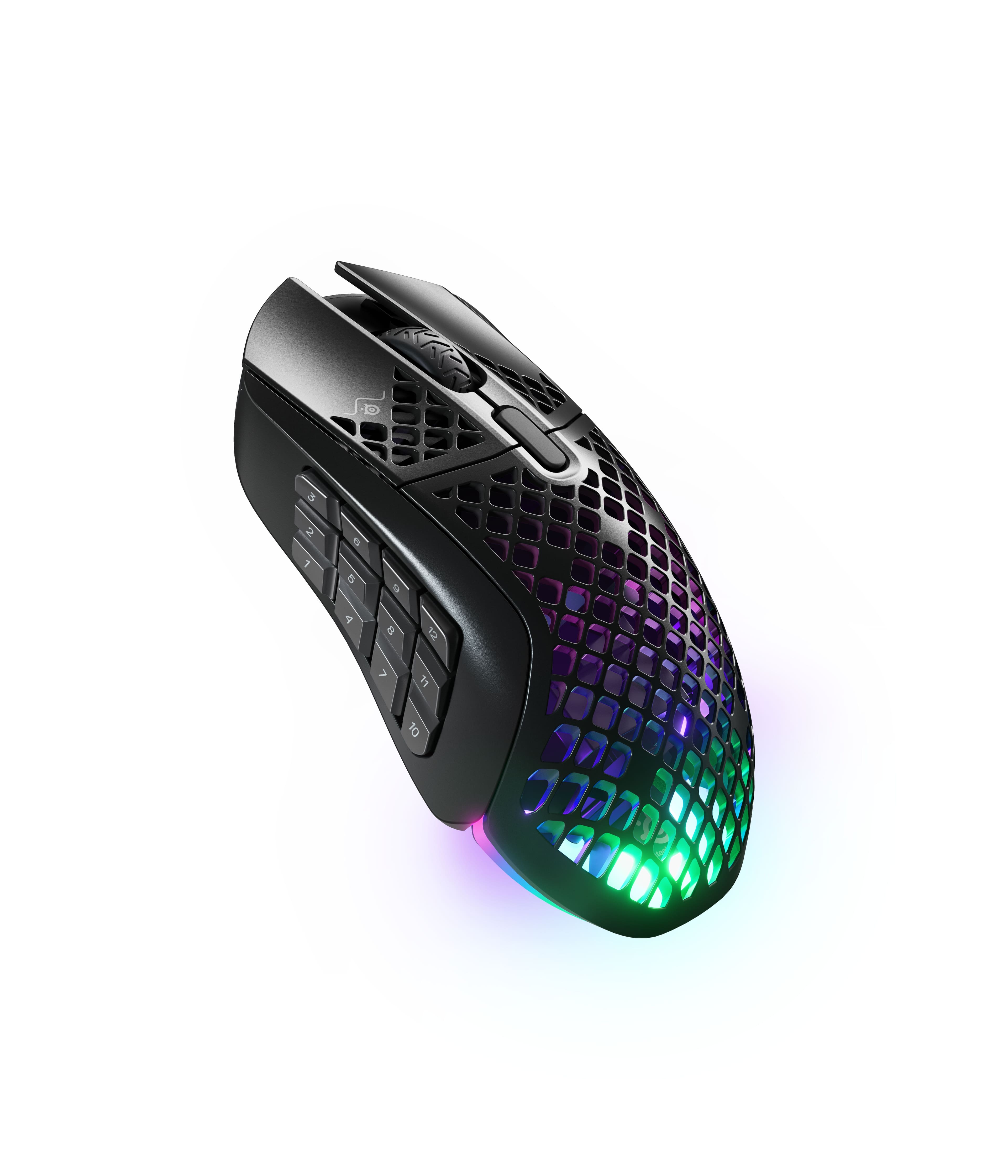
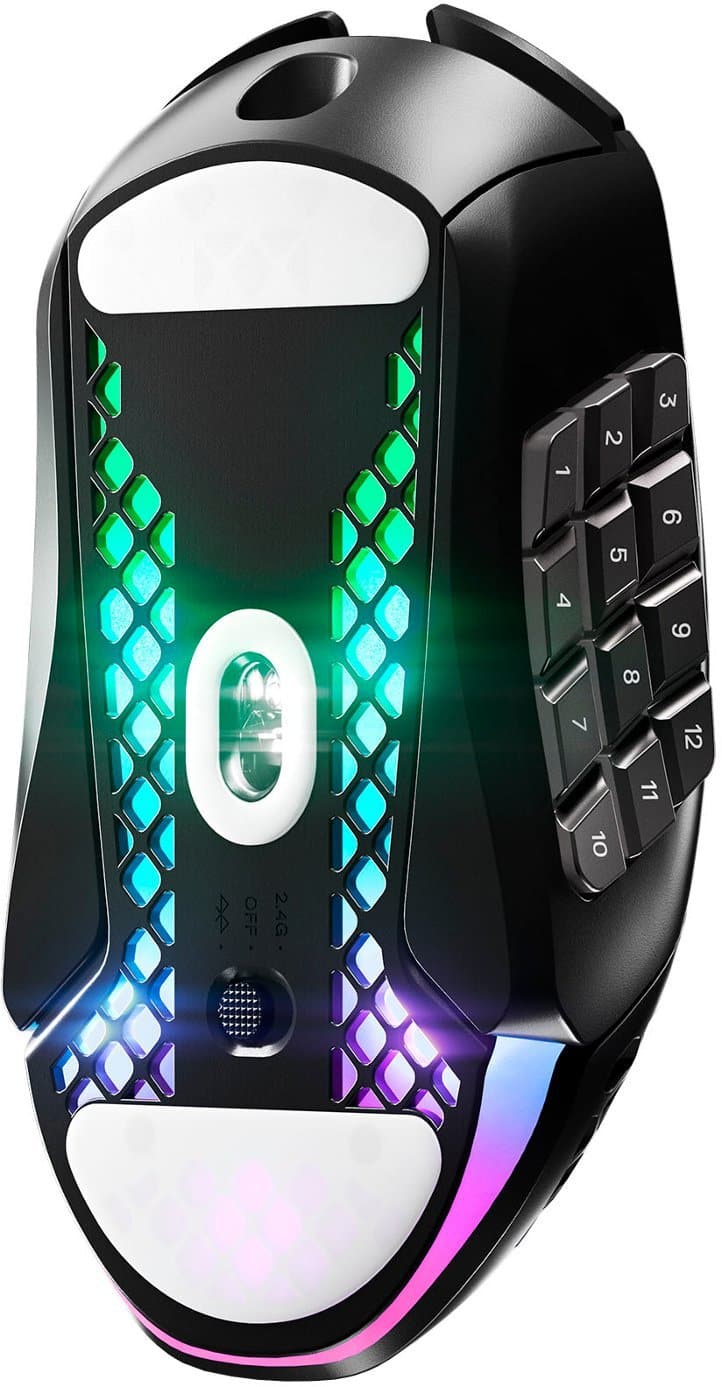
|Posted .This reviewer received promo considerations or sweepstakes entry for writing a review.Ok, it may be a little sarcastic, but it was the first thing I thought of when I saw this. What in the crumb catching tarnation is this? A mouse gets pretty grimy as it is, but now it is open and ready to catch everything on the inside. The picture below is an exaggeration, but I can only imagine what this will look like after a year's worth with someone that eats and or smokes while playing. It does however make that mouse feel much lighter and it is IP54 rated, so the main components inside should remain safe. It makes for an interesting mouse too, especially since the LED lights are at the base and shine through. With the connection options, you can technically connect this mouse to 3 different computers, but not all used at the same time. Wired overrides the switch on the bottom, so no matter where it is flipped, if it is connected USB to a PC, it takes priority. The other two options are the 2.4Ghz dongle or Bluetooth. With the dongle and wired you get to customize all the options with the SteelSeries GG software. This includes sensitivity, assigning different functions for all the buttons, illuminations, polling angle snapping and acceleration/deceleration. However, in Bluetooth mode you don’t get to adjust all those settings even with the software installed. Another strange thing, if you assign buttons on the wired/dongle computer with the software, but have the software on the Bluetooth connected computer as well, nothing is retained between switching devices. However, if the software is not on the Bluetooth connected device, some button bindings, provided they are normal keyboard/mouse buttons, will remain assigned to the mouse. As for the software GG, it really feels bloated and has lots of excessive advertising of other products. Plus, the Sonar application just takes over your audio input/outputs without you even knowing, so you might want to turn that off unless you are using something other than a mouse. Really would have been nice if I could just have the “Engine” tab and remove everything else. The mouse is pretty responsive on all three connection types. There is however a bit of delay in it reconnecting from it having fallen asleep, a timer that can be changed as well. Besides being lightweight, the main thing about this mouse is being able to have 12 assigned buttons at your thumb. Great for those games that have assignable task bars. I personally found myself constantly trying to feel around which button I was using as only the 5 button, like a number pad, had any tactile feel to it. They also take a little force to push, but are good to prevent accidental pushes. The spacing does feel a little long, like you may really have to move your hand just a bit to go from 1 to 12, but I found myself using the inside knuckle of my thumb to catch the last couple buttons. Besides a weird bug when I first connected this mouse over Bluetooth, which the resolution is to unpair it and pair it again, it has done me nicely. The computer I used it for while on Bluetooth I don’t ever really game on, so losing some of the settings when switching connections didn’t bother me. I just found it odd that the software doesn’t carry over the settings between devices even when logged into the same account on both. Overall, if they could release just the ‘Engine’ part of the software and retain all the settings between wired/dongle and Bluetooth, it would be even more amazing. Otherwise, it is still a nice lightweight customizable mouse that will collect crumbs over time.
I would recommend this to a friend - Pros mentioned:Weight
Best mouse by far
||Posted . Owned for 3 weeks when reviewed.This reviewer received promo considerations or sweepstakes entry for writing a review.Great light weight mouse I would recommend it 10/10
I would recommend this to a friend Recommend
||Posted . Owned for 1 week when reviewed.This reviewer received promo considerations or sweepstakes entry for writing a review.It’s amazing I would recommend it. Only downside battery life
I would recommend this to a friendBuy from Best Buy - at your own risk!
||Posted . Owned for 3 months when reviewed.This reviewer received promo considerations or sweepstakes entry for writing a review.The mouse is easy to use and to program. The positioning of the side buttons makes it so that the first 3 buttons are a little hard to reach at natural rest. However, they are accessible and the response is excellent. That being said, the mouse lasted exactly 3 months before it quit on me. In the middle of using it, it just shut off and would no longer function. Without the extended warranty, Best Buy was less than helpful. At the store, they charged me $199 for the mouse. The manufacturer would not assist because I purchased it through Best Buy rather than their website. Looking online, I saw many similar reports of the mouse just "bricking" for no apparent reason, which is a shame as it is otherwise a solid choice. My suggestion is, if purchasing from Best Buy, get the extended warranty or, better yet, purchase it directly from the manufacturer as it is typically $50 cheaper and they offer a longer warranty. If not, buy it from Amazon as they would likely replace it within a reasonable timeframe whether you bought an extended warranty or not. I ended up going back to my Redragon Impact mouse which is $35 (for wired) has the same amount of side buttons, has adjustable weights to make it as heavy or as light as you want, and I've had it for almost 5 years without any issues.
No, I would not recommend this to a friend- Cons mentioned:Connection
Disappointed
||Posted . Owned for 3 months when reviewed.This reviewer received promo considerations or sweepstakes entry for writing a review.Functioned for 4 months before battery no longer retained charge, Bluetooth no longer connected. I might as well have bought a $130 wired mouse. Don’t buy this product for long term use.
No, I would not recommend this to a friend - Pros mentioned:Battery life, Design, Weight
Lightning Fast ultralight RGB Wireless Game Mouse
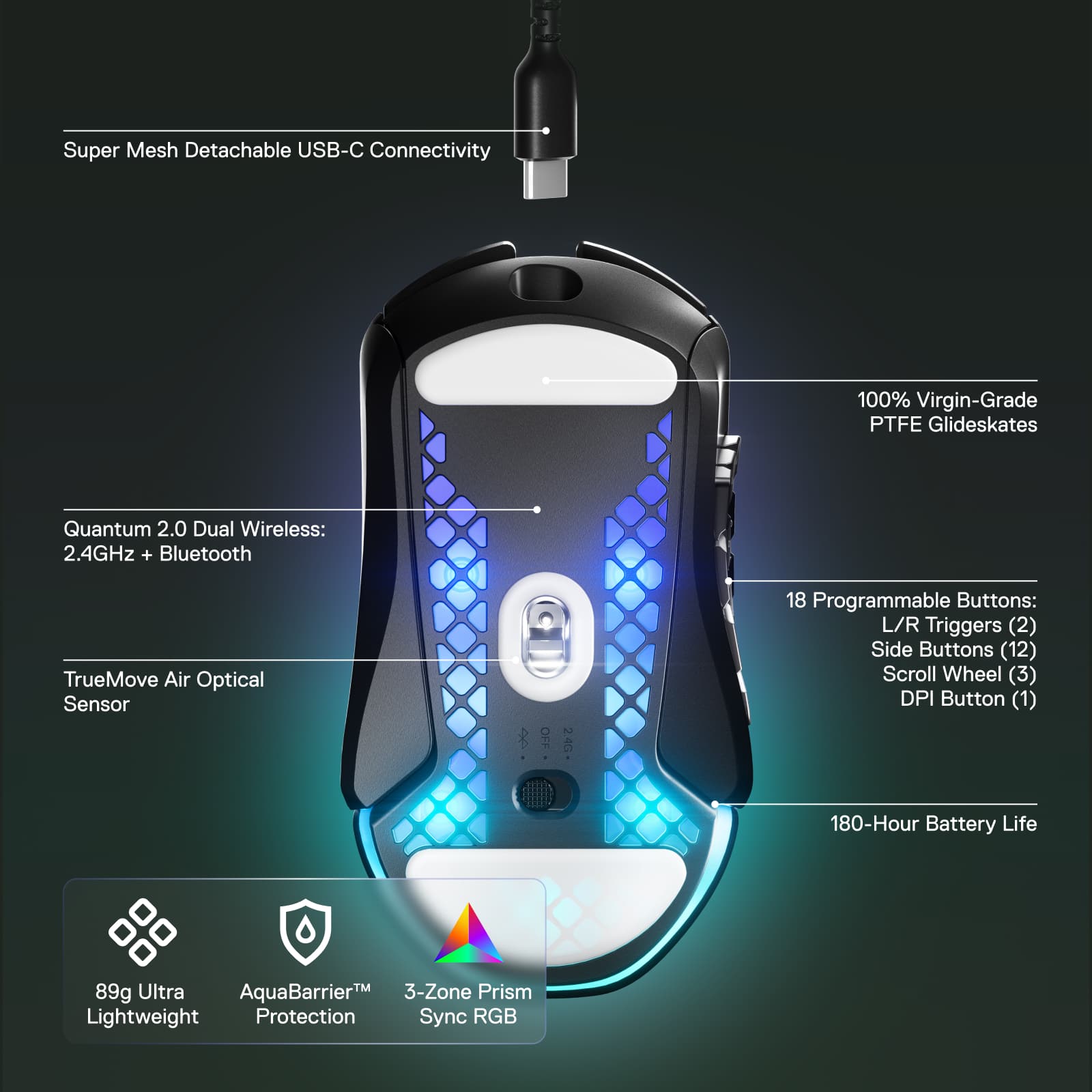
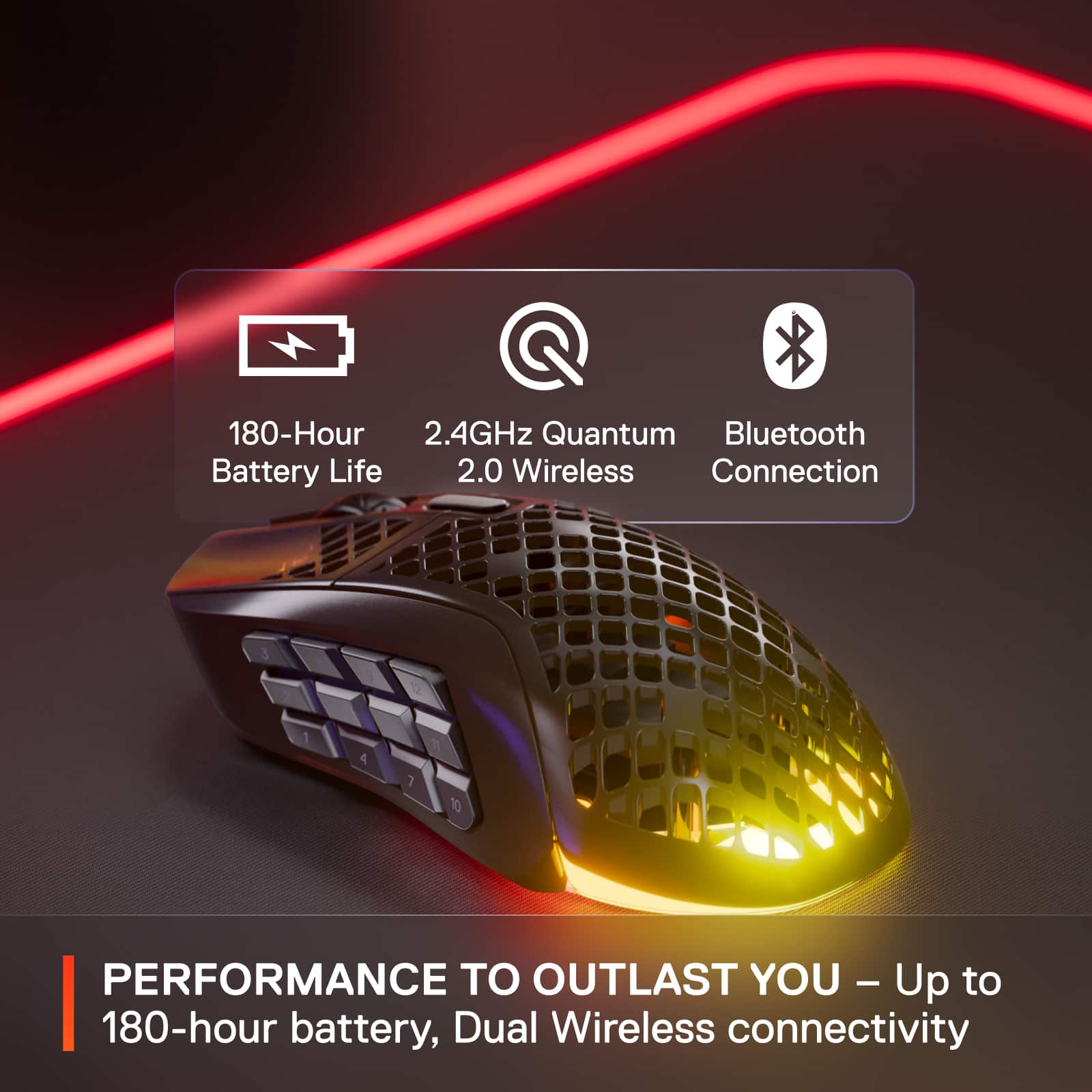
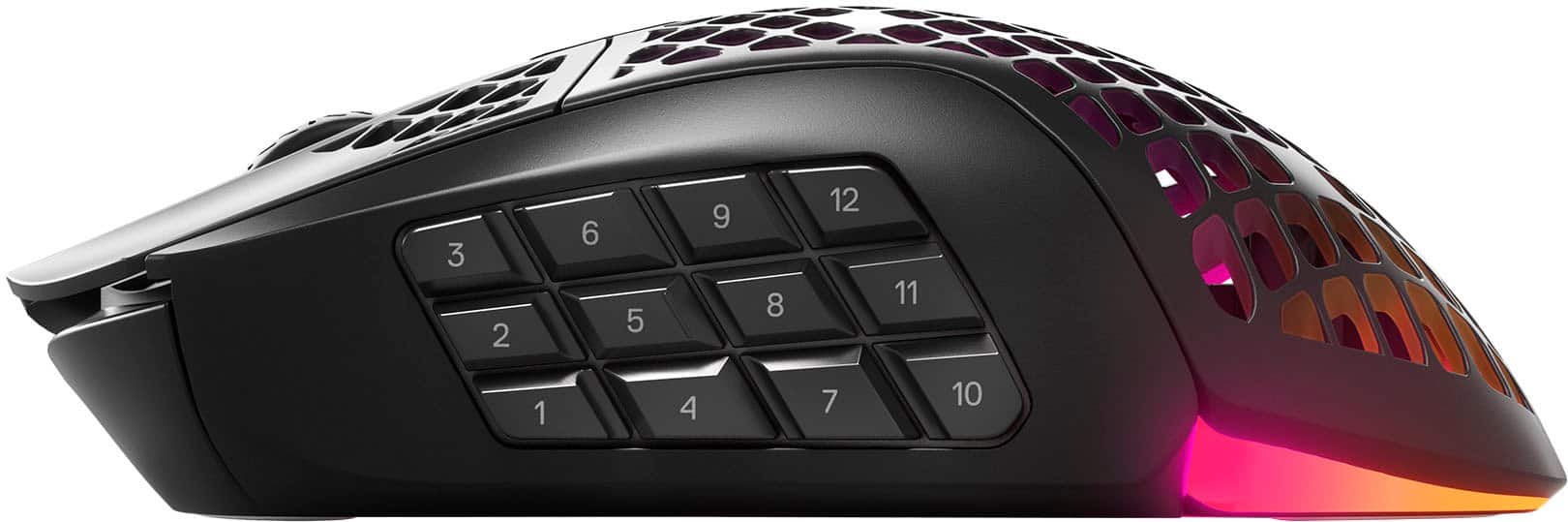
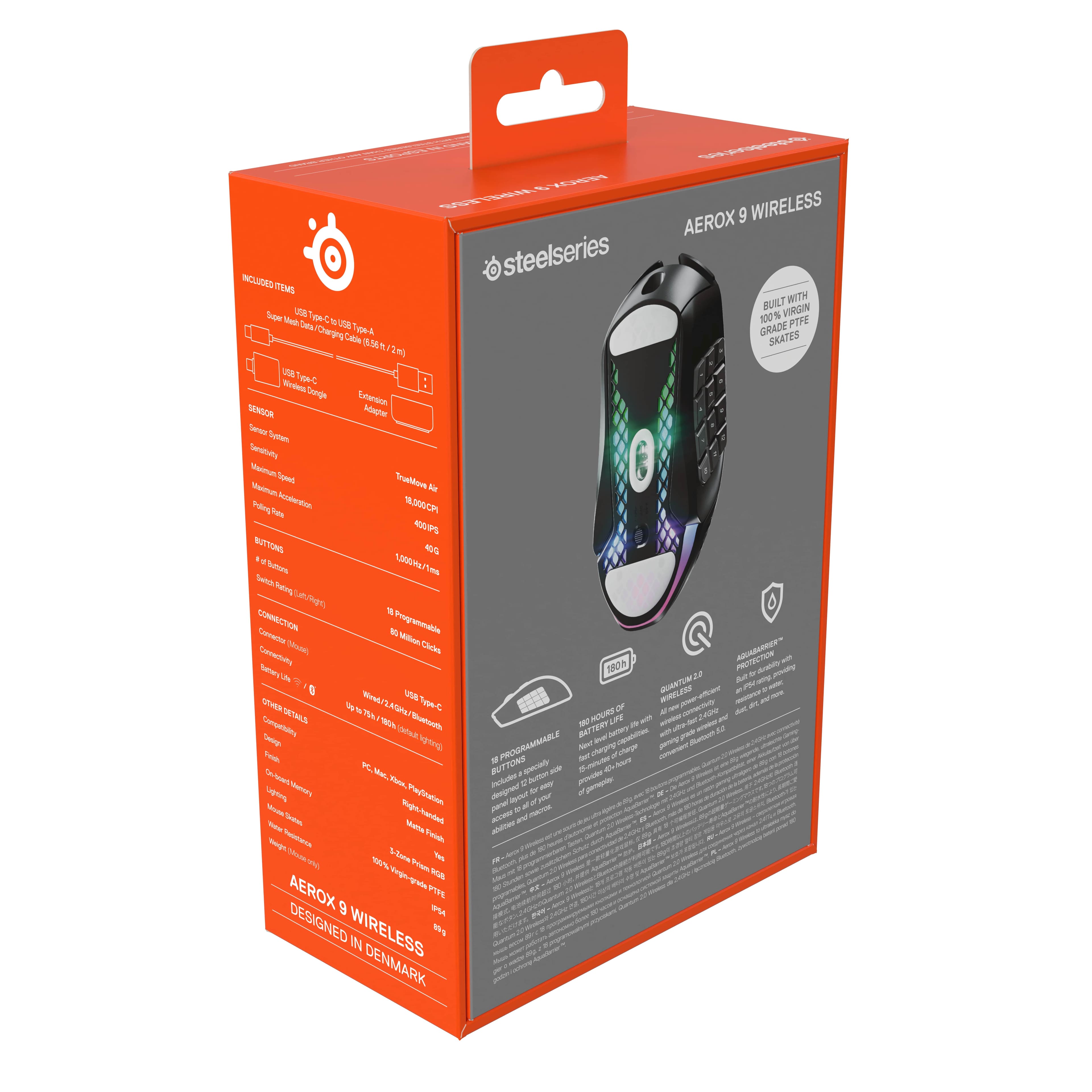
|Posted .This reviewer received promo considerations or sweepstakes entry for writing a review.SteelSeries Aerox 9 Wireless gaming mouse is one of the lightweight of its class. Weighing at 89g this honeycomb mesh design is very comfortable to work and play without having any stress for complex games on your arm/wrist. It has total of 18 programmable buttons with 12 buttons on the side numbered from 1 to 12 for quick access to macros, left and right click button on top, scroll wheel, tilt click button for right and left and a DPI button. This mouse features dual wireless connection of both 2.4GHz (Quantum 2.0) connection and Bluetooth 5.0 with just toggling the switch at the bottom. To use the 2.4GHz connection, you will need to use the dongle that comes in the package. You will also need the 2.4GHz to update the firmware of the mouse. In the box, you will find all the accessories needed to get connected. It comes with a long super mesh USB-A to USB-C cable, wireless dongle, USB-C extension adapter. Aerox 9 is rated at IP54 and uses AquaBarrier technology to protect the mouse from dust, oil, dirt, and debris. Battery life is advertised at 180 hours, but this can be achieved only with the RGB lighting turned off. It does come with fast charging capability allowing to quickly charge for 15 minutes to get 40 hours of gaming use when required. I have been using this mouse for few days now for editing videos/pictures, gaming and its very responsive and smooth. Smoothness is due to the SteelSeries Truemove air sensor that delivers great tracking, precision, acceleration, and tracking. RGB lighting provides crisp colors for great gaming experience. Pros • Well-Engineered light weight honeycomb shell design with excellent build quality • 2.4GHZ and Bluetooth option • Sturdy switches • Customizable mappable buttons with competitive feature sets • PTFE Glide skates for smooth swipes and controls Cons • High price point • Button grid on the left is little cluttered and takes time for adoption Overall, this ultralight fast wireless mouse is a great gaming mouse for anyone who is in the market for a new MBO/MOBA mouse.
I would recommend this to a friend Gaming mouse
||Posted . Owned for 2 months when reviewed.This reviewer received promo considerations or sweepstakes entry for writing a review.Scroller tends to dislodge repeatedly and for a price should be sturdier
No, I would not recommend this to a friend- Pros mentioned:ResponsivenessCons mentioned:Size
THE Mouse To Have For MMOs. Simply Outstanding!
|Posted .This reviewer received promo considerations or sweepstakes entry for writing a review.Over the COVID years I got back into MMOs, specifically Star Trek Online, Neverwinter, and The Elder Scrolls Online. They were/are a great way to still connect with people and to keep entertained during all those long days at home. How I wish I had this mouse back at the start of that time! The SteelSeries Aerox 9 should be in the arsenal of any and all MMO players. When working I like a mouse with a bit of 'heft' to it and I always assumed that was best for my gaming as well. Some of these ultra light mice just felt so flimsy that I was afraid I would fling them off my desk with the flick of a wrist. Boy was I wrong. Over the last two years of using a professional work mouse to play games, I have found that even on my expansive desk pads I was moving the mouse and moving the mouse and that got tiring really quick. The Aerox 9 is so light and I can set the DPI exactly where I want it so that now I can move the mouse to where I want it with just a tap almost. I used the Engine software to set up my profile with set DPIs for different parts of each game and it works perfectly for when I'm on ground missions in STO or flighting off Klingons in space. The Aerox 9 is so smooth moving on my desk pad, that it almost feels like it is on ice or has antigravity built in. I hope that keeps up as the pads wear down, but fortunately you can buy replacements pretty easy from SteelSeries. Speaking of the Engine software, it is incredibly easy to use. Fortunately the default profile with the side buttons mapped to the number row actually works perfectly for almost all of my needs but I was able to reconfigure the last row for very specific call outs like scanning, while not losing out on the power of having all of my ability hotkeys under my thumb. Those 12 side buttons and all 18 buttons in total make it so that I hardly ever have to take my left hand off of the move key quadrant. (Note to SteelSeries: Please make a left hand controller with a thumb-stick; I will be unstoppable with that combo!) The side keypad is pretty tightly grouped but I got the hang of the feel/location of the buttons pretty quickly. Very minor quibble: I wish they were numbered from the top instead of the bottom. My thumb tends to rest higher on the side than where I think SteelSeries assumes most players will place their thumb. It is easier to have my prime power keys go 1-3 down from the top and I reconfigured them in the software to be that way, it's just if I look at them I see the numbers and sometimes it messes me up in the heat of battle. Again, once I got used to it I rarely have to look at the buttons. Maybe even just getting rid of the numbers would be better. The responsiveness of all the buttons is great but especially those of the primary left/right mouse buttons. They are nice and crisp. The wheel also has a good amount of resistance to keep from rolling all over the place but not so much as to make you fight it. The left/right lean to the wheel is also nice and responsive. Overall the Aerox 9 just feels good in your hand, though it is big. I have what I consider to be medium size hands and it fills my hand completely. If you have small hands, you might want to check a demo model out in the store before buying it. The accessories that SteelSeries provides with the Aerox are also top notch. The USB-A to USB-C cable is outstanding and has a really nice fabric covering. The USB-C to USB-C extender has heft and a nice grippy bottom to keep it in place. Finally the Type-C wireless dongle is great now that a lot of computers are making USB-C the default plug. Again, only a small quibble here but the mix of USB-C and A can be a little weird. My laptop only has USB-C plugs that aren't taken up with another dongle/adapter. When doing the firmware update, you NEED to use a cable and I don't have a place to plug in the A-to-C cable. I grabbed a C-to-C cable but the port on the mouse is almost fitted to included cable and I couldn't get it to fit. Granted, firmware updates are few and far between (hopefully), but it was just an awkward experience. Also, you have to be connected via the wireless dongle or corded to change the profiles, it does not work while in Bluetooth mode (which is what I primarily use). That is only for changing the profiles not for using them in play. Overall, I'm pretty geeked with the Aerox. I don't care about the lights (I turned those off), but man if it ain't the best mouse I have ever used for MMOs. If you love playing MMOs, do yourself a favor and pick up the SteelSeries Aerox 9, you can thank me later via the comments below.
I would recommend this to a friend - Pros mentioned:WeightCons mentioned:Side buttons
Ultimate Customization!
|Posted .This reviewer received promo considerations or sweepstakes entry for writing a review.The Aerox 9 is the absolute macro champ! The amount of customization available is absolutely wild. Not only are all of the usual mouse buttons present and customizable, but there are 12 additional buttons on the left side all ready to do your bidding. Unfortunately, SteelSeries seems to have made almost no effort to make the 12 extra buttons easy to use. The button labeled 5 does have a raised bump similar to the “F” and “J” home keys on a keyboard - but distinguishing between 12 tiny keys (which are laid out in 3 rows of 4) is very difficult for the thumb. Learning where each button is takes an incredible amount of practice and I struggle to find the appropriate keys at a snail’s pace - and even more so during game-play. …Perhaps instead of 12 buttons lined up in rows - a better option would have been a D-Pad layout with extra buttons in the diagonal space. This way the thumb could rest on the D-Pad and easily rock to press Up, Down, Left, Right, or Center. Then additional buttons could easily be found Up & Forward, Down & Forward, Up & Back, and Down & Back. This option would, however, only provide 9 additional buttons - But, nearly anything would be better than the current layout. The mouse is impressively light weight - especially considering the 12 extra buttons. The USB-C port is placed appropriately in the front and the super-mesh charging cable is wonderfully flexible. I do wish, however, that the sides of the mouse had texture or rubber grip - fortunately the ergonomic shape does aid in grip and maneuverability. The glide skates are smooth and appropriately functional, but the 2.4G USB-C Wireless Dongle does not store inside of the mouse - so if you take it on the go, make sure you don’t lose it. But, compatibility is not an issue as Bluetooth is also an option. The customization is so good that the Aerox 9 is also an excellent option for productivity. Thankfully, several profiles can be saved so the mouse can be used for work and gaming. I appreciate all of the customization options, but if I were to guess - most users will probably not utilize all 12 side buttons as they are just too difficult to locate with the thumb. Also, be aware that the Aerox 9 is specifically designed for use in the right hand. If you use your mouse in your left hand, the Aerox 9 is not for you. Overall, I do feel that the rather high cost is justified by the build quality, the comfort, and - of course - the customization options.
I would recommend this to a friend - Pros mentioned:DesignCons mentioned:Side buttons
Good gaming mouse
|Posted .This reviewer received promo considerations or sweepstakes entry for writing a review.I'm a very light gamer but my kids are pretty hardcore so we all tested the aerox 9 and we pretty much came up to the same conclusion. When you unbox the mouse, I liked that it was minimalistic. Mouse, cable, usb-c dongle, an extender and a small instruction booklet. I gotta say I really like that cable. It feels soft yet sturdy. There are 3 ways to connect the mouse, bluetooth, 2.4 ghz with a usb-c dongle or wired. We tried all 3 connections. I personally didn't notice any lag, maybe a little bit with the bluetooth but the kids hated the bluetooth connection. My daughter and I didn't think 2.4 connection affected the gameplay and really liked that it was wireless. My son, intense gamer, did not like it as much. Said it was ok for most uses but not for competitive gaming. The kids didn't have a problem with the shape of the mouse but for my hands, it didn't fit the way I liked it. But that would be different for each user. The mouse itself was light and moved easily. Response time for me was really good, my son thought otherwise. We all liked the design and rgb lights. The buttons had a really really nice click and feel. The mouse wheel had a tilt and click feature which was really good and felt good on the fingers. Everyone really appreciated all the button options on the side of the mouse, but my son tells me that for his gaming it was way more than he needed. I agree. But it is nice to have the option if you ever do. The only real complaint for me is, and why the 4 stars, maybe it's just the way I hold the mouse but I hit those side buttons by mistake a couple of times. My kids did not have this problem. The mouse did not fit my hands great, got uncomfortable after awhile. The price is just a little too high for what, I think, you get. It's a really good gaming mouse and we all liked it, but, the price needs to go down a bit.
I would recommend this to a friend MY FAVORITE GAMINE MOUSE EVER
|Posted .This reviewer received promo considerations or sweepstakes entry for writing a review.STEELSERIES - AEROX 9 WIRELESS OPTICAL GAMING MOUSE WITH ULTRA LIGHTWEIGHT DESIGN - BLACK MODEL:62618 Best Buy Tech Insider Network MY FAVORITE GAMINE MOUSE EVER OVERALL: I was not sure what to expect from the STEELSERIES - AEROX 9 WIRELESS OPTICAL GAMING MOUSE. I had not heard of the brand before (yes, I must have had my head in the sand). All the buttons, etc seemed like gimmicks. I don’t care too much about mouse-based lighting effects. Thus, I thought the STEELSERIES - AEROX 9 WIRELESS OPTICAL GAMING MOUSE was going to be “all sizzle and no steak”. \ WOW was I wrong. The STEELSERIES - AEROX 9 WIRELESS OPTICAL GAMING MOUSE is now my new favorite gaming mouse of all time. I’ve used some pretty expensive mice before and was never that much more impressed compared to a basic mouse. Even before I changed any settings or programmed any of the extra buttons, the moment I plugged it in, it just somehow felt better. Once I started experimenting with the settings, I realized I was just scratching the surface in terms of capabilities and my mind started to churn about ways I could program the buttons and settings to improve gameplay. SETUP: I started with the mouse plugged in directly to the USB port to make sure it was fully charged. Then I loaded the “ENGINE” software. It immediately found the mouse, and identified a needed firmware update. It even prompted me to unplug the mouse (from the computer) and to make sure it was running in the wireless (dongle) mode for the firmware update. Next, I launched the ENGINE software, set the lights and speed to my preference, and programmed some keys to use as shortcuts for my main game layouts. For example, I made the largest button “1” to throw a “space bar” key press. Then the top row, (3,6,8,12) to be (Q,E,F,X) key presses. Because I’m a touch typist, it never felt natural to me to use WASD with my left hand and then have to search for QEFX as well. I was always having to look at the keyboard, since I am so used to using a keyboard for typing instead of gaming. Now that I programmed QEFX on the mouse, it just seems more natural to me and I’m not hunting around for keys anymore. COMFORT: The STEELSERIES - AEROX 9 WIRELESS OPTICAL GAMING MOUSE feels very good. I wish it was a touch taller for my taste. Because I have large hands, it is not perfectly easy to hit the bottom rows of buttons that are only a fraction off of the mouse pad. Nevertheless, it is still very nice. TESTING: I set the speed to 1200DPI and loved it. Though it can go as high as 3200DPI in the preset options. I instantly saw an improved in game play just by moving a few buttons from the keyboard to the mouse. I’m sure if I spend some time making macros to send a group of commands, it will go up another notch. What I liked about the STEELSERIES - AEROX 9 WIRELESS OPTICAL GAMING MOUSE - USB-C Charging Port on Mouse - USB-C Dongle - Long Charging Cable (for some reason this is USB-A, to USB-C instead of C-C) - Can be used WIRED, DONGLE MODE, or BLUETOOTH MODE (no dongle) - Easy to use / understand software - Weighted USB C-C Coupler to keep the dongle / charging cable secure on your desk. CONCLUSION / RECOMMENDATION The SteelSeries - Aerox 9 Wireless Optical Gaming Mouse is the mouse I’ve been waiting for, for a long time. I would never have looked at in the past owing to the price point, but now that I’ve used it, I think it is worth every penny if you want a better gaming experience. Video Walkthrough https://youtu.be/YWig1sN7-EM
I would recommend this to a friend- Pros mentioned:Battery life
Like a feather but better!!!!
|Posted .This reviewer received promo considerations or sweepstakes entry for writing a review.THE BREAKDOWN: I wasn’t sure what to expect with the steel series as I have never used any of there products before. I have seen there headsets and some of my friends to have and swear by the headsets so I decided to give this Aerox 9 Wireless Gaming mouse a try. Generally, I don’t really care about all the programmable lighting effects that peripherals have these days and in truth that sometime detracts me from products. The setup was easy. I just switched the slider to Bluetooth on the mouse and went to my computer Bluetooth setting and added the device. It was simple and quick. There is also a wireless USB-C dongle method and a USB-C to USB-A cable (the length is 2 meters) method. So, in short you can connect by wired, 2.4G/Bluetooth. This mouse is the lightest mouse I have ever used. This thing feels like a feather in your hand. It has a TrueMove Air sensor system with a sensitivity of 18,000 CPI, maximum speed of 400IPS, Maximum Acceleration 40G and a polling rate of 1,000Hz/1ms. It has 18 programmable buttons and a switch rate of 80 million cycles. It is compatible with PC, Mac, Xbox and PlayStation. I love the honeycomb shell, but I think it will catch a lot of crumbs if you eat at your desk. So, I tested this mouse using the 1200DPI setting and found to be a great speed for me. I found that moving just a few of the buttons from the keyboard to mouse freed up some space and helped to improve my gameplay. It did take some time to learn the side thumb buttons as I only had 2 before. I felt like the responsiveness was great with all the buttons and the left and right click to be very crisp. Even the mouse wheel seems to be perfectly calibrated, not too much spin at a time and not too little. I have a fairly big hand and this mouse fits it perfectly. If you are looking for a solid wireless MMO/MOBA mouse, then this is your item! PRO’s: - Ultra lightweight - 18 programmable buttons - 180-hour battery life - Crisp and well-made buttons - Several ways to connect it CON’s: - The 1, 2, 3 side buttons are just a touch too far forward SUMMARY: Overall, this product worked as intended, and I would recommend this to a friend if they were in the market for item like this.
I would recommend this to a friend - Pros mentioned:Battery life
A Solid Mouse-Unless You’re on a Older PC
|Posted .This reviewer received promo considerations or sweepstakes entry for writing a review.Overall A solid mouse. At only 3.3 ounces or 95 grams, it’s a very light yet customizable mouse featuring 18 programmable keys and an easily accessible cpi switch. The exterior shell is mostly plastic, almost like a polyurethane material. A fence like mesh coats most of the body’s top side with the only closed portion being at the tip of the clickers. The clickers are very responsive and overall feel very nice. My fingers rest on the solid portion of the buttons. But moving them higher up to the mesh, I can’t say they feel as great. Between them rests the scroll wheel with an interesting texture. The plastic coating with the textured surface makes for an abrasive surface that doesn’t allow for slipping. On the underside, that same mesh texture continues between the slider grips with a reflective, plexiglass like-material below it. I assume the pcb screws into this material. If I’m being totally honest however, I’m not a big fan of the open design as it allows for dirt, sweat, and any other foreign material from resting on the internal electronics of the mouse. In the Box This part had me stumped in the beginning. In the box you’ve got the mouse sitting on top. Lifting it reveals the instruction manual and a compartment housing the 6’ Type C to Type A USB cable. In an adjacent compartment you’ve got a Type C USB wireless dongle and a Type C to Type C extender. This extender had me confused thinking it was a Type C to Type A adapter until I picked it up to see both ends. Everything being male connections, except for the extender. Potential Issues This is what makes this mouse not so compatible with older systems. I mean, it does work but the setup is more of an eyesore. Plugging in the Type A to Type C cable in the PC then attaching the extender and finally the dongle allows you to use the dongle. Alternatively, you could use Bluetooth but a lot of older systems didn’t come with Bluetooth as a standard feature so you’d have to buy a Bluetooth dongle if you didn’t already have one. My old 2015 custom built system doesn’t offer any Type C or Bluetooth, which was the first system I had planned to test with. But my custom built 2021 system had no issues. Some of my older, not ancient, 2018-2019 desktops that serve as file servers, media servers, or general test environments also do not have a Type C but do offer OEM built-in Bluetooth. So this area will really vary by what you plan to use this mouse with. The last thing I’ll add here is that you’ll need the 6’ cable to charge the mouse so if you went the first route with cable > extender > dongle you’d need to keep the cable available to charge the mouse when needed. Tying it up behind the desktop to keep out of sight isn’t a good option for everyone if you don’t have another Type C to charge the mouse with later. Software To get full functionality out of the Aerox 9, you need to install the Steelseries Engine software. It allows you to map any of the 18 programmable buttons on the mouse. Create custom lighting profiles using the simple click and set editor to map 3 programmable areas of the mouse. Additionally, it comes bundled with software to clip, edit, and share gaming highlights. Conclusion Over the span of a few days, I made the Aerox 9 a daily driver. During that time the same charge the mouse arrived with was more than enough. This leads me to believe the 150 hour claim on the packaging to be accurate. It is also very responsive, for all tasks I threw at it from productivity to gaming and everything in between. The lighting options are a nice addition to it. This is certainly one of the lighter mice I’ve held before, if not the lightest. I just can’t get used to the feel of the open mesh design on the palm of my hand as I can feel every opening in the material.
I would recommend this to a friend - Pros mentioned:Responsiveness, Weight
Mouse is amazing, but a little long in length
||Posted . Owned for 10 months when reviewed.This reviewer received promo considerations or sweepstakes entry for writing a review.Overall great mouse, lightest mouse ive found with mmo buttons on the side, i have very small and uncoordinated hands so the buttons on the side is a must for me when playing games requiring multipke key inputs, only thign the i dont like is how long it is. I ciuld not grt a comfortable grip on it despite how much i tried do to the distance of the furthest back buttons and where id like my hand to rest. I enjoyed all other aspects of the mouse outside of that. Responsiveness was great, the honeycomb feel is very similiar to final mouse ultra lightX. No other comaints truly a great mouse for mmo or other various forms of activity requiring multiple key inputs.
I would recommend this to a friend - Pros mentioned:Battery life, WeightCons mentioned:Side buttons
Not the best MMO Mouse but not the worst.
||Posted . Owned for 1 week when reviewed.This reviewer received promo considerations or sweepstakes entry for writing a review.Being a very long time MMO Player having an MMO mouse helps out greatly in playing them. And I've tried a number of MMO mice out. From the Naga, to the G600, to the Scimitar. Thus when I had a chance to try out the SteelSeries Aerox 9 I decided why not as I have been using a SteelSeries keyboard for sometime. And over all it was just very rather... Okay. The things I liked about it? It was rather light, thus it didn't feel too heavy to mess around with. And for giggles I did try out other non-MMO titles with it and it performed fairly well with games like Cyberpunk 2077 and Destiny 2. And while the design of the mouse isn't for everyone, I did like how it looked and the battery life was pretty good as well. However then the cons came in. I have bigger hands and it just didn't feel *right* in my hands. Due to that pressing the side keypad buttons felt off at times. The side keys at least for me felt just a little too close together and maybe it was just due to it being new but pressing the buttons down felt a little bit harder then what I'm used too. And again I do have to bring up the look of the thing, while yes I don't mind how it looks. I can see other people looking at it and thinking it's ugly as can be. Really over all I just found it very okay. It's just not the mouse for me and my hand size. That said? If you are someone with smaller hands? I can see you really liking this mouse. More so if you have tried something like the Scimitar and found it far too big. If you are someone who plays other titles besides MMO's? I think this may not be too bad for you, however may want to grab one of the new Naga's over it. In the end? If you have smaller hands and are looking for something a bit more light and that can work somewhat well with other games besides MMO's? I'd recommend it. If you are like me and have bigger hands or just want something a bit bigger? There's other mice out there that are a bit better thus I wouldn't recommend the Aerox 9.
I would recommend this to a friend - Pros mentioned:Design, WeightCons mentioned:Side buttons
Better than razer naga
||Posted . Owned for 2 weeks when reviewed.This reviewer received promo considerations or sweepstakes entry for writing a review.I really am tried of spending money in these higher end mice for them to have issues within the first year. I loved my scimitar but unfortunately it started to double click so i bought a razer naga pro because the limited selection of MMO mice at the time and i wanted to double down on a mouse i could travel with and use with my laptop as well with minimal cables. The naga side buttons stopped registering properly within a 6 months so id have to click two or three times for the mouse to register the action bring taken. I bought this mouse back in December and have been using it daily for a few weeks now and i love it so far, the mouse fits my large hand without causing fatigue while the side buttons are stiff and i am working on breaking them in they are still very responsive and quiet so my wife approves the mouse as well. Surprisingly very light and the mesh style helps keep my hand from sweating during longer gaming sessions.
I would recommend this to a friend - Pros mentioned:Responsiveness, Weight
Great for MMOs
||Posted . Owned for less than 1 week when reviewed.This reviewer received promo considerations or sweepstakes entry for writing a review.Wonderful MMO gaming mouse. Can be used wired or wireless with the dongle or Bluetooth. I've not noticed any lag in any configuration. Like others have said the side 1-3 buttons can be a bit hard to reach but, this is due to the size of the buttons. Any smaller and you would accidentally click two or three buttons at once. So they balanced both problems into minor issues instead of creating one major issue either way. With a bit of practice clicking those buttons becomes second nature. The mouse is very light, seemingly very durable and well built, and extremally responsive. Everything it should be. The only other issue would be the cost but in the end it is worth the price.
I would recommend this to a friend - Cons mentioned:Connection, Side buttons
SteelSeries Aerox 9 vs Razer Naga Pro
||Posted .This reviewer received promo considerations or sweepstakes entry for writing a review.Let me start with saying there are only 2 brand name mice with this number of buttons in a wireless format. Razer Naga Pro and this SteelSeries Aerox 9. I have been using the Razer Naga Pro and while it worked without issues it always felt like cheap plastic. So when the Aerox came out I decided to try it out. The Aerox feels like it is made with better material and overall I prefer it to the Razer. With that said there are some things you should know if you are trying to decide which mouse to buy. The side buttons on the Aerox are very much more forward than the Razer. This means for the front most buttons this will be a stretch for most users. It took some getting use to but for me I find a way to reach them without issue but it took some getting use to. I will also say that the button layout on the Razer is easier to feel where your thumb is at compared to the Aerox. With all that said I still prefer the Aerox feel in my hand over the Razer. Also I am using an MSI Raider GE76 laptop so it is nice to have the same brand in my mouse as my laptop RGB components. The big negative that I have that is making this review 4 stars is that my first Aerox mouse had connection issues. Sometimes when I had been away for a while the mouse would not connect back up and I would have to turn it off and/or remove the receiver dongle and plug it back in. And eventually it got to the point where the mouse never connected. This happened within a couple weeks of getting the mouse so I exchanged it at Best Buy for a new one and will see how this one works. If not for that I would have given it 5 stars as once again for me this mouse just feels better in my hand compared to the Razer.
I would recommend this to a friend - Pros mentioned:Design, Weight
Great Purchase!
||Posted . Owned for 1 month when reviewed.This reviewer received promo considerations or sweepstakes entry for writing a review.Bought this item on sale and I must say this mouse has transformed my gaming life! Its super light like it says and its perfect for my large hands. Overall this is just a great mouse! It feels great to use and is great when I play my FPS games!
I would recommend this to a friend - Pros mentioned:Battery life, Responsiveness
Casual gamer and competitive
||Posted . Owned for 1 week when reviewed.This reviewer received promo considerations or sweepstakes entry for writing a review.This mouse is incredibly snappy, making it great for flick shots in fast-paced games. It also performs well for casual gaming, thanks to its multiple programmable buttons that are easy to remap based on your preferences. The build quality is impressive — made from durable plastic that can withstand a lot of pressure. On top of that, the battery life is excellent, holding a strong charge even after extended use. Overall, it’s a solid choice for both competitive and everyday gaming.
I would recommend this to a friend