Customer Ratings & Reviews
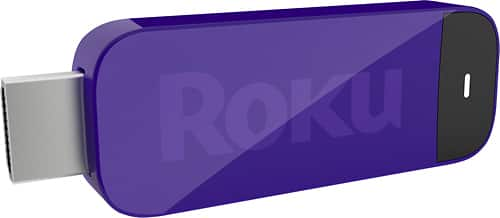
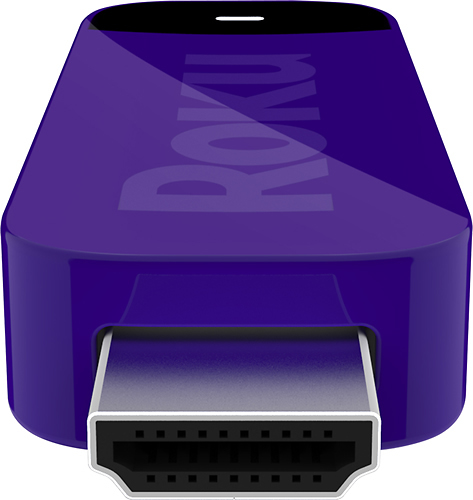
- Model:
- 3400M
- |
- SKU:
- 1484019
Customer reviews
Rating 4.2 out of 5 stars with 80 reviews
(80 customer reviews)to a friend
Customers are saying
Customers recognize the Streaming Stick Roku Ready MHL Version as easy to use, noting its plug-and-play setup and independence from other devices. Its small size and reasonable price are also frequently praised, along with its reliable WiFi connectivity enabling convenient streaming. The product's impressive functionality for its cost is a recurring theme in positive feedback.
This summary was generated by AI based on customer reviews.
Rated 5 out of 5 stars
Great entertainment stick!
||Posted .This reviewer received promo considerations or sweepstakes entry for writing a review.This ROKU ready MHL-enabled entertainment stick is great for non-SMART TVs.
I would recommend this to a friendRated 5 out of 5 stars
Works exactly as represented!
||Posted .This reviewer received promo considerations or sweepstakes entry for writing a review.I would recommend this to anyone who wants smart TV features. Very easy to setup and use.
I would recommend this to a friendRated 5 out of 5 stars
Makes TV "SMART"
||Posted .This reviewer received promo considerations or sweepstakes entry for writing a review.This device turns TV into an internet connectable TV for much less than a "smart TV". Only works with select TV.
I would recommend this to a friend- Pros mentioned:Ease of use, Remote control
Rated 4 out of 5 stars
Almost perfect
Posted .This reviewer received promo considerations or sweepstakes entry for writing a review.The device is very small and it requires no independent power since it gets it from the TV. You have the option of using TV remote or devices remote. Unlike Smart TV you can upgrade your Smart Stick in five years. Unlike Google Chromecast you don't need you tablet or phone to operate it. It requires an MHL enabled televisions, but Best Buy now sells models starting at under $200 . My only concern is that if your home or basement has dead spots you do not have the option of connecting an ethernet cable like you do with a stand-alone Roku box.
I would recommend this to a friend Rated 2 out of 5 stars
Doesn't work with my TV like it said
||Posted .This reviewer received promo considerations or sweepstakes entry for writing a review.Doesn't work with the tv like it stated on the best buy web site should have researched it better before buying
No, I would not recommend this to a friendRated 5 out of 5 stars
great value delivered on time
||Posted .This reviewer received promo considerations or sweepstakes entry for writing a review.got exactly what I wanted and delivery was right on schedule
I would recommend this to a friend- Pros mentioned:Connectivity, Remote control, Setup
Rated 4 out of 5 stars
Nice to have
Posted .This reviewer received promo considerations or sweepstakes entry for writing a review.While most TV's that this works on are already smart TV's, some of those TV's still do not feature all the channels Roku has. A lot of channels still need cable TV subscription or subscriptions to them. Set up was very straight forward. The user interface has a number of styles to pick from. You will need a good Wi-Fi signal and speed to expect good streaming quality. It is nice to be able to use the TV's remote to control Roku instead of a separate remote. I now use Roku over the smart TV apps.
I would recommend this to a friend - Pros mentioned:Overall performance
Rated 1 out of 5 stars
Not Roku Ready!
||Posted .This reviewer received promo considerations or sweepstakes entry for writing a review.I had this device in the past with a pro scan tv and it worked perfectly. Got a new tv and a new stick and it does not work.
No, I would not recommend this to a friend Rated 2 out of 5 stars
controler difficut to use
||Posted .This reviewer received promo considerations or sweepstakes entry for writing a review.the original controller with the Roku ready tv make it difficulte and slower the the old streamer I have
No, I would not recommend this to a friendRated 5 out of 5 stars
Self Powered, Occasional freeze
Posted .This reviewer received promo considerations or sweepstakes entry for writing a review.Best smart device that is platform neutral. Google Chrome cast, Fire TV, Smart TVs, Smart Blue Ray players all are limited based on the deals they have with companies or exclude competitors. Roku is definitely better than paying extra for bad Smart TV platforms. Also has more than gaming system PS3. The stick is self powered on Roku Ready TVs, which prevents need for additional cords. It takes up little space, which is awesome. Only negative encountered is that the Roku occasionally freezes on the Sharp TV that I have when using the pause button.
I would recommend this to a friend- Pros mentioned:Overall performance
Rated 3 out of 5 stars
middle end TV
Posted .This reviewer received promo considerations or sweepstakes entry for writing a review.Replaced my 50" Sharp TV by this one (though the service of Sharp really sucks, they usually won't contact with you at the time they stated so, e.g., they called me the Saturday before last saying to send me an email with resolve letter by last Thursday but now today is the 2nd Thursday and still no email yet although I called and emailed them in the past days). Sharp TV setup is always easy. Good picture and color. Two major problems: 1) USB only support MPEG-2, JPG, and MP3 (no MP4, AVI, etc) This give me a hardship to playback the MP4 and AVI contents 2) the Roku stick WIFI signal strength and control Comparing to the Roku 3 in WIFI mode side by side Roku stick has much slower connection speed (the TV is in the family room downstairs and the WIFI router is in closet upstairs). It sometimes is very slow. If I put a WIFI router next to it it works fine. The TV remote can control the Roku, however, there's an obvious delay (my Roku remote can always control my Roku 3 fast and smoothly)
I would recommend this to a friend Rated 1 out of 5 stars
Must have Roku enabled TV
||Posted .This reviewer received promo considerations or sweepstakes entry for writing a review.NOTE: Must have TV with enabled Roku on it. Otherwise this wont work.
No, I would not recommend this to a friendRated 2 out of 5 stars
Don't waste your $ on the MHL version.
Posted .This reviewer received promo considerations or sweepstakes entry for writing a review.NOTE: This review is specific to the MHL version of Roku Streaming Stick, and not the HDMI version. I got this product because my TV said it was "Roku Ready" and had an MHL port. This way I wouldn't have to worry about an extra USB cable and could control it with the TV remote. It does that much, but there are some BIG caveats: 1. This is Roku's red-headed stepchild. It does NOT get the same updates as the HDMI streaming stick or any other Roku. The Netflix channel, for example, does not support user profiles or auto-advance, like it does on all the other Rokus. 2. It's terribly under-powered, and often freezes. By 'often' I mean I dreaded using it because I knew it would freeze once a day at least. I'd have to unplug it and plug it in again, only to find I could not get the remote app to connect to it. I'd have to reboot it 2-3 times before it would work the way it should. 3. Odds are your Roku-ready TV remote is missing one crucial button: the *. You use it more than you think, and not having it is a problem. I gave a friend the HDMI version of the streaming stick and was not happy when I realized their experience was better than mine. Two weeks later I asked if there were any problems, and she said no. By all means, get the HDMI version. It's awesome, but take a pass on this one.
No, I would not recommend this to a friendRated 2 out of 5 stars
Not really that great.
Posted .This reviewer received promo considerations or sweepstakes entry for writing a review.1st, you'll never get real 1080p streaming. You'll either get 720p or a compressed 1080p. Standard Wifi network routers are not capable of carrying true 1080p streaming for long without glitches. So it's not up to your TV's capabilities. Programming which you will have to pay a separate monthly subscription for or a per view fee for are by far the best programming available. But subscribing to just three of these will cost you more than you would have paid for cable. Then there is the free stuff. Most people will find the free stuff completely useless and unwatchable. Tons of little short feeds/video blogs and previews, many of which are years old and not updated. Most of you won't get any free stuff worth watching unless you like Youtube and video blogs. Also if you think you will watch TV shows you only get on cable channels, think again. Many of the networks will not allow you to setup to watch the shows unless you can verify you have a cable TV subscription. So you'll still need cable TV for many cable networks. The number of those requiring this are growing rapidly. You may also have to pay for a subscription fee with some if you can't prove you have cable TV. And lastly your experience with this stick will vary greatly depending on how good your TV remote supports the stick. This version comes with no remote and yet costs a good deal more than the older HDMI version with a remote. I highly suggest you just skip this device. It's way too much money for the $10 of electronics inside and far more than Googlecast which gives you more features. If you really want to try it, I suggest buying the cheaper non-MHL version which comes with a remote made to work with Roku. Most universal remotes can accept the Roku remote signals. But if you use this MHL version, you'll have to use a poor phone app or rely on your TV remote being able to work with this.
No, I would not recommend this to a friend- Pros mentioned:Overall performance
Rated 1 out of 5 stars
Doesn't load or takes forever and drops signal
Posted .This reviewer received promo considerations or sweepstakes entry for writing a review.I bought this to go with the roku ready insignia tv because I thought only having one remote would be easier for my mother. I plug it in it took forever to load the setup screen which was odd because my other Roku 3 was very easy to setup. I set up the TWC app for my mother but it keep losing signal and freezing. Then after a day or two of this I tried to set up Netflix and Amazon Prime. I was able to put in account info for Netflix but it took over 15 minutes for it to load. It finally got to screen where you could chose a program to watch but program never loaded. I then tried Amazon Prime. I put in account info but Prime screen never loaded. Same thing with other channels A&E, Crackle. I tried contacting Roku best advice unplug and plug it back in. At this point I took my Roku 3 off my TV and put it on my mother's it works perfectly and the tv picture is even better than with the streaming stick. I returned the roku streaming stick today did not want a replacement stick.
No, I would not recommend this to a friend - Pros mentioned:Connectivity
Rated 4 out of 5 stars
Better apps compare to smart TV
Posted .This reviewer received promo considerations or sweepstakes entry for writing a review.Why buy smart TV. Smart TV only had a few apps, also the price its higher. with this Roku streaming stick, u can upgrade your TV better than smart TV, u will get thousands channel, and another thousands Private channel. its really nice device.
I would recommend this to a friend Rated 3 out of 5 stars
Good for Netflix
Posted .This reviewer received promo considerations or sweepstakes entry for writing a review.So far my use with the Roku stick has been limited since it does not connect to wifi very often due to the distance from the router, but when it has, it does seem to have a good interface and works well with Netflix. I will need to get an extender to finish my review. But I do like what it has to offer.
No, I would not recommend this to a friendRated 5 out of 5 stars
perfect
Posted .This reviewer received promo considerations or sweepstakes entry for writing a review.Great product! I bought Roku to save money from renting videos ! There is a very wide variety of programming available !
I would recommend this to a friendRated 5 out of 5 stars
Plug it in, connect to WiFi, and GO
Posted .This reviewer received promo considerations or sweepstakes entry for writing a review.GREAT little item. It keeps me from having to buy cable or satellite or U-Verse, so it saves me a TON of money. It was very easy to set up once it hooked up to the WiFi. It updated itself, asked about what channels I wanted, and then it started up. We were watching Justified in mere minutes!
I would recommend this to a friendRated 1 out of 5 stars
could be better
Posted .This reviewer received promo considerations or sweepstakes entry for writing a review.The HML version has a version of netflix that is very old and is not supported anymore. It doesn't support profiles and wont play mature movies if your Netflix account has parental controls enabled. To me this is huge and makes it almost unusable. I have 2 other rokus because all my TV's are dumb and roku make them smart. They work great,the MHL version not so much.
No, I would not recommend this to a friend