Customer Ratings & Reviews



- Model:
- TDNS2B-01-CN
- |
- SKU:
- 6211546
Customer reviews
Rating 4.1 out of 5 stars with 659 reviews
(659 customer reviews)Rating by feature
- Value4.0
Rating 4.0 out of 5 stars
- Quality4.2
Rating 4.2 out of 5 stars
- Ease of Use4.0
Rating 4.0 out of 5 stars
Customers are saying
Customers are satisfied with the ease of use, WiFi connectivity, recording flexibility, and picture quality of the DUAL LITE OTA DVR with WiFi. Many appreciate the simple setup and the commercial skip feature, but some users experienced issues with buffering, occasional heat generation, and reception problems. The need for an external hard drive for storage is also a recurring theme. While the interface and program guide are generally well-received, performance inconsistencies were reported by a few users.
This summary was generated by AI based on customer reviews.
- Pros mentioned:Setup
Rated 5 out of 5 stars
Cut Out The Cable
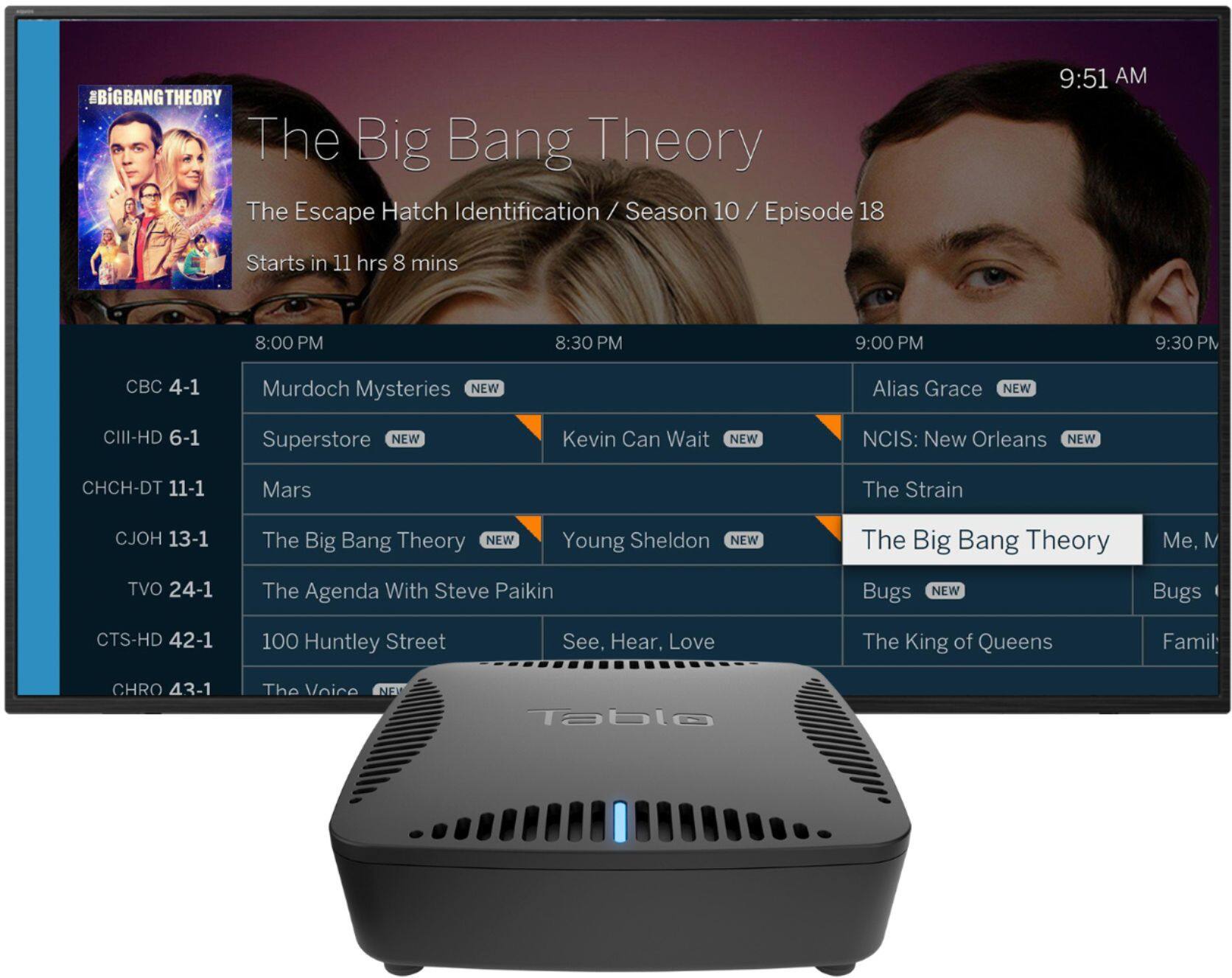
||Posted . Owned for 3 weeks when reviewed.This reviewer received promo considerations or sweepstakes entry for writing a review.My wife saw an ad on TV for the Tablo and remarked that we should look at it. After researching its function and capabilities we thought about purchasing one. Since we already had a Roku and had installed an outdoor antenna, we cancelled our cable TV. The Tablo seemed to be the next logical step. We purchased the Tablo and a 2Tb external hard drive for recording storage. The Tablo operates similar to a cable DVR. It was very easy to set up following the enclosed instructions. It will operate through an Ethernet Cable or wirelessly. Once installed at the Tablo Website you can scan all the available channels through your outdoor antenna and then select only those channels you want to have included on the Table Channel Guide. The Channel Guide is the only feature that requires a subscription. If you do decide to subscribe it will provide you with a 14 day look ahead of your selected channels. Our Tablo scan showed 90 over the air channel available. The Tablo can then be operated through the Roku via a Tablo App. Live TV is high definition and the recording capabilities have a number of options available. One of the greatest features is the commercial skip. The system can be set to detect program commercial breaks and then skip over them during playback. With the added hard drive, live TV can be paused or even reversed. Overall, we are extremely happy with the Tablo and have recommended it to our family members and several of our neighbors.
I would recommend this to a friend Rated 5 out of 5 stars
Best OTA DVR for budget minded
||Posted .This reviewer received promo considerations or sweepstakes entry for writing a review.Pros: This is a great product for a very reasonable price. You will have to add a portable hard drive. 1 tb is more than sufficient unless you never want to have to delete watched programs. That adds another $50-$59. Advantage is that you can exchange, add, or replace hard drive without having to replace main box. I had Tablo in the early days when guide and software wasn’t quite as good and enjoyed it then. Much improved now and enjoying it much more. First time around, I purchased a lifetime subscription to their extended guide. Unlike Tivo, the subscription registers to the user, and not just to the device. With Tivo, if your DVR dies, you not only get to buy a new DVR, but also a new “lifetime subscription” to their guide service. Also, with Tablo, you can use a limited guide without having to purchase the extended one. After years of trying other routes, I’m back to Tablo and very pleased. Also their internal tv tuner is much stronger than Tivo’s. I had a Tivo for years that I used with cable, which had the ability to work with antenna (although you could only use one or the other, not both). After “cutting the cord,” I tried using it for OTA (over the air-antenna) and found that it would only pick up two stations using a very good antenna (the same one I used with older Tablo). Since Tivo had recently came out with an OTA “only” box, I hoped the tv tuner might be more powerful. I purchased it and still only got the same two channels. Yes, I did use “Antenna Point” and other instruments to get best signal. With same antenna mounted and pointed the same, the Tablo tuner picked up almost thirty channels clearly.im sure the Tivo would work well in a large city with powerful antennas, but doesn’t in my smaller market. And I also purchased the newest, high end antenna, which gave the same results. Cons: Tablo’s guide is good (similar to cable guide), and sufficient for my needs. However the one area that Tivo excels is in their guide. I have to admit they are miles ahead of any other TV guide and user controls, bar none (OTA dvr, cable, satellite, etc.). I had convinced myself to pay their higher dvr and subscription price to keep their guide, but saw that was not possible with their weak tv tuner. I’m still scratching my head as to why they would now sell an OTA only box with a pitifully weak tuner??? Even trailing slightly in the guide (only), Tablo is the clear winner as best value and best product. And by the way, this review is completely independent and unsolicited. I have not (nor will not) received anything from Tablo.
I would recommend this to a friend- Pros mentioned:SetupCons mentioned:Reception
Rated 5 out of 5 stars
Finally cut cable due to this
||Posted . Owned for 1 month when reviewed.This reviewer received promo considerations or sweepstakes entry for writing a review.I've tried different over-the-air tuners over the years but they all have enough shortcomings that I wind up going back to cable or another equally expensive streaming service. This was the exception. Easy to setup and use, easy to scan for channels and set up the guide. Simple to set up a hard drive DVR. Smooth fast intuitive interface on the Roku. The interface for the Roku is what sold it for me. Even some of the best DVRs I've had in the past have terrible guis. My only complaint is if it is recording a show on a station with poor reception, it will reboot to try to correct the issue. This is a pain if you're watching a different channel when it happens. I wish I had the option to disable this and make it just stop recording.
No, I would not recommend this to a friend - Pros mentioned:Dvr, Setup
Rated 4 out of 5 stars
Works Very Well for Me.
||Posted . Owned for 1 month when reviewed.This reviewer received promo considerations or sweepstakes entry for writing a review.I have 5 weeks experience with the Tablo Dual Lite OTA DVR, and I can say that I am quite happy with it. I liked the program guide and I used it for the first 30 days, but elected to pass on the subscription - only because I felt it was too pricey for anything more than regular scheduling for recordings, Once the football season ends, I will probably not record much. Still, the program guide is a good feature, if you can justify its price (I can not.). Setup was easy and performance is good. I am viewing live broadcasts at the full resolution without buffering. Same with recordings. Both settings are good with my environment (wifi & Roku). I elected to use an antenna splitter so that I can feed the antenna signal directly to the TV while also feeding the Tablo. I do not see much difference when comparing the two feeds, and use the direct antenna feed for my regular viewing. This was a curiosity purchase for me. Would the device perform well with my wifi/Roku environment, would the program guide meet expectations, and would the DVR function work well. I can say yes to all three questions, and would recommend this device for those with the need and the high LAN bandwidth to support it.
I would recommend this to a friend - Pros mentioned:Setup, Wifi
Rated 4 out of 5 stars
Great OTA DVR for cord cutters
||Posted .This reviewer received promo considerations or sweepstakes entry for writing a review.I'm primarily an HDHomerun user, but I decided to give this OTA Tuner a try due to its built in DVR capabilities. So far I've been very impressed. I've tried streaming over both wifi and Ethernet and experienced no lag or stuttering on either connection, although I'd still recommend using Ethernet. If you have to use wifi, then I recommend using the 2.4 frequency as the 5.0 frequency seemed more susceptible to interference. Tablo also offers a monthly subscription for additional guide data, however the free 14 days of guide was sufficient for my needs. All in all this is a great tuner for those who want an all in one solution. Pros: Supported on multiple streaming devices Easy to setup Built in Wifi Free 14 days of guide data Cons: Weak 5.0ghz No Plex support
I would recommend this to a friend - Pros mentioned:Dvr, Wifi
Rated 5 out of 5 stars
Great OTA DVR
||Posted . Owned for 1 month when reviewed.This reviewer received promo considerations or sweepstakes entry for writing a review.The Tablo Lite is overall a great Over the Air DVR to buy, since it is platform independent and does not need a subscription like some other DVRs (ahem, Tivo). This model (the lite), however, does need its own storage - in the form of a USB flash drive or hard drive. I went with a 64 GB USB flash drive and it holds a good amount of TV. Note that there is an optional subscription for advanced TV guide data - but it is not needed for the functionality of this product. A good Wifi router is recommended though, since everything about this DVR is internet based. If you want to watch TV away from home, some internet ports will need to be opened on your router (a potential barrier if you're a renter).
I would recommend this to a friend - Pros mentioned:Ease of use, Recording
Rated 5 out of 5 stars
A must have for cord cutters.
||Posted . Owned for less than 1 week when reviewed.This reviewer received promo considerations or sweepstakes entry for writing a review.This is a must have for cable cutters. Brings in hi-def channels and allows you to record easily. Just plug it in and go. I use it via Roku, so it just looks like another channel to choose from. It opens up a 14 day look ahead at programs and you can record what you want and even skip commercials. I added it with an antennas direct antenna. I used the mast from the dish and the same cable. ALL FREE!
I would recommend this to a friend - Pros mentioned:Ease of use, Wifi
Rated 5 out of 5 stars
Excellent way to cut the cord.
||Posted . Owned for 3 weeks when reviewed.This reviewer received promo considerations or sweepstakes entry for writing a review.Simple and easy to setup. Plugged in an old USB drive for storage and works! I previously had SlingTV and used their Cloud DVR, but decided to reduce monthly costs and make full use of my antennae in the attic so I cancelled my SlingTV service and use this as my DVR. I have a ROKU box as well, and installed the Tablo App on the Roku box. The only hitch I have had so far has been the local stations changed frequency and that required I rescan all my channels.
I would recommend this to a friend - Pros mentioned:Recording, Setup, Wifi
Rated 5 out of 5 stars
GREAT EASY TO SET UP AND USE Tablo OTA DVR
||Posted .This reviewer received promo considerations or sweepstakes entry for writing a review.If you are looking for an inexpensive but high quality OTA DVR the Tablo DUAL Lite is great. I already had an external hard drive so the setup was quick and easy. And you can watch Tablo TV on your phone or tablet with the Tablo app. It has two channels so you can watch one program and record another at the same time or record two programs at the same time. The $5/mon subscription is totally optional and Tablo works fine without it but it does give you user friendly graphics and two weeks advanced recording. Without the subscription you can record only 24 hours in advance.
I would recommend this to a friend - Pros mentioned:Dvr
Rated 5 out of 5 stars
cut the cord and don't look back
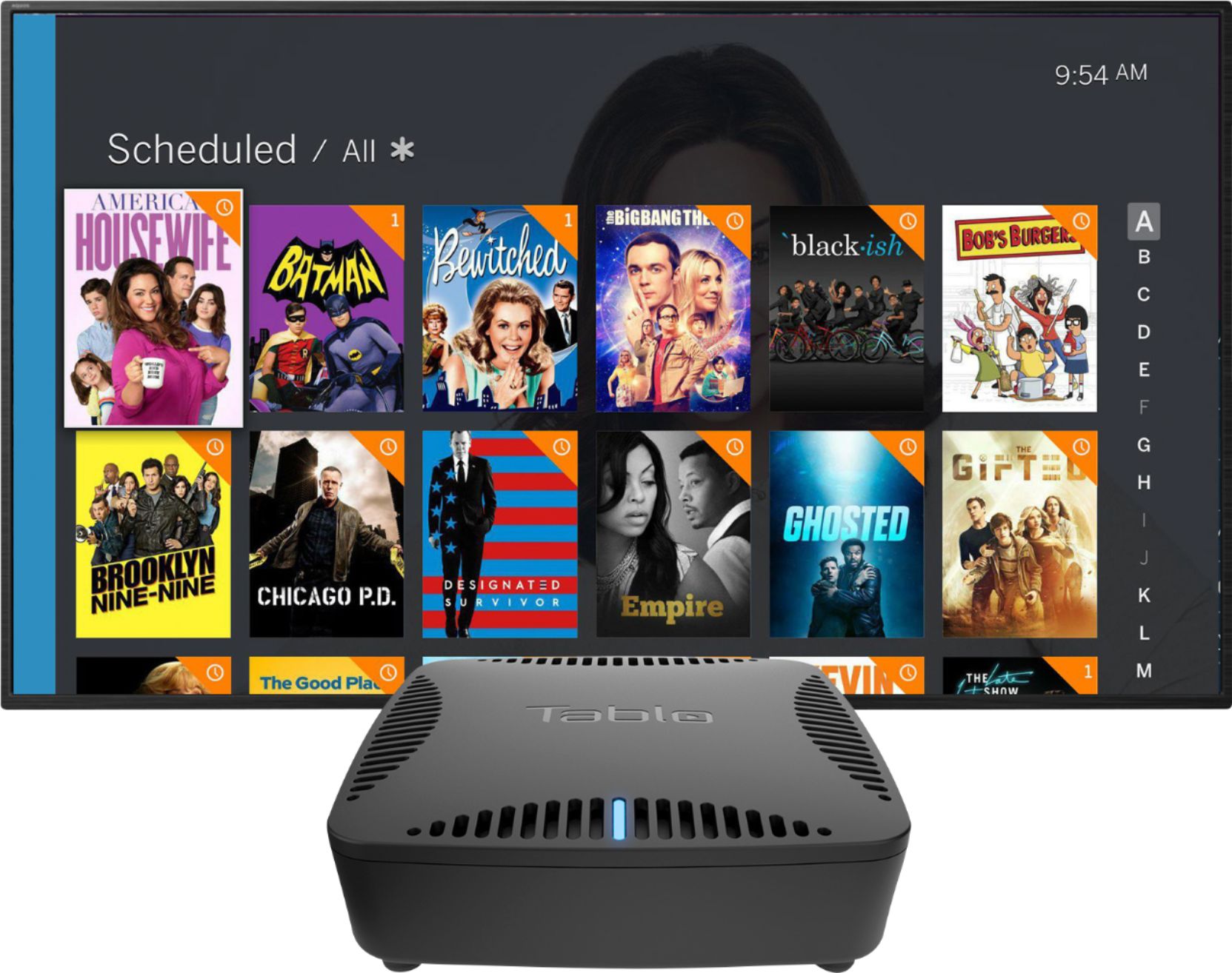
||Posted . Owned for 10 months when reviewed.This reviewer received promo considerations or sweepstakes entry for writing a review.Best thing we bought since cutting the cord. We switched from a PC based recorder and this is so much easier to use. The commercial skip (extra fee required) is nearly flawless. Getting to watch programs on a computer or tablet is a plus and looking for shows and movies to record on a tablet makes it super easy. We got a 2TB hard drive and have literally hundreds of shows recorded, including entire series runs of some shows. It lists the recorded shows by season which is super helpful.
I would recommend this to a friend - Pros mentioned:Recording, Wifi
Rated 4 out of 5 stars
Overall, works well.
||Posted . Owned for 2 weeks when reviewed.This reviewer received promo considerations or sweepstakes entry for writing a review.After some aggravation I managed to set this up. I'm an older non- tech savvy woman, so take this for what it is. It works well and I'm able to utilize it for recording, and for accessing channels which I could only get on my upstairs antenna. Here's a tip..you need to plug your antenna amplifier, if you have one, into an electrical outlet and NOT your TV USB port. It took me a few days to realize why I only got a signal on my living room TV when the bedroom TV was on.I'm proud of myself for figuring it out, lol! Owned a few weeks.
I would recommend this to a friend - Pros mentioned:WifiCons mentioned:Heat
Rated 5 out of 5 stars
TABLO-Dual Lite DVR
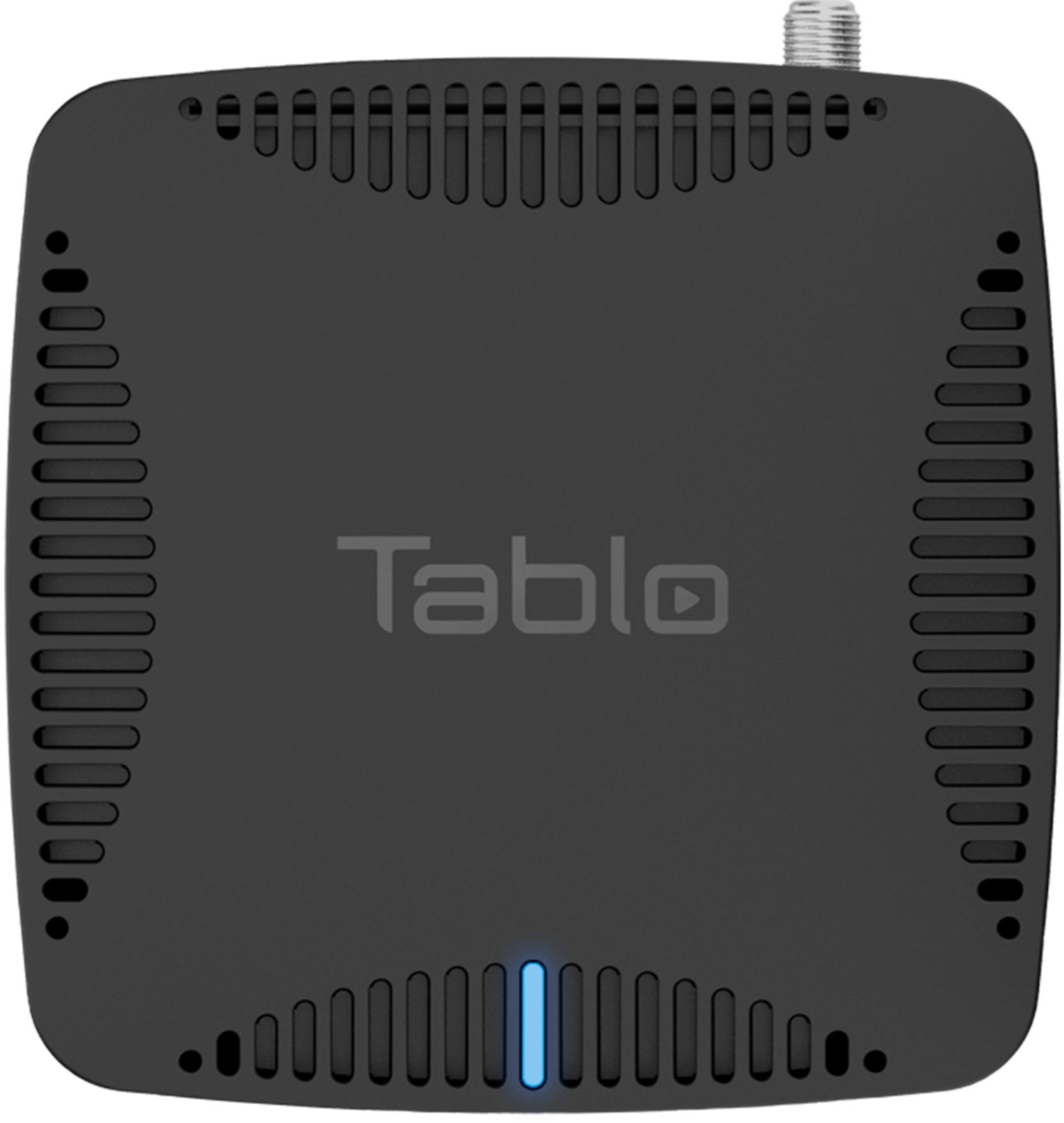
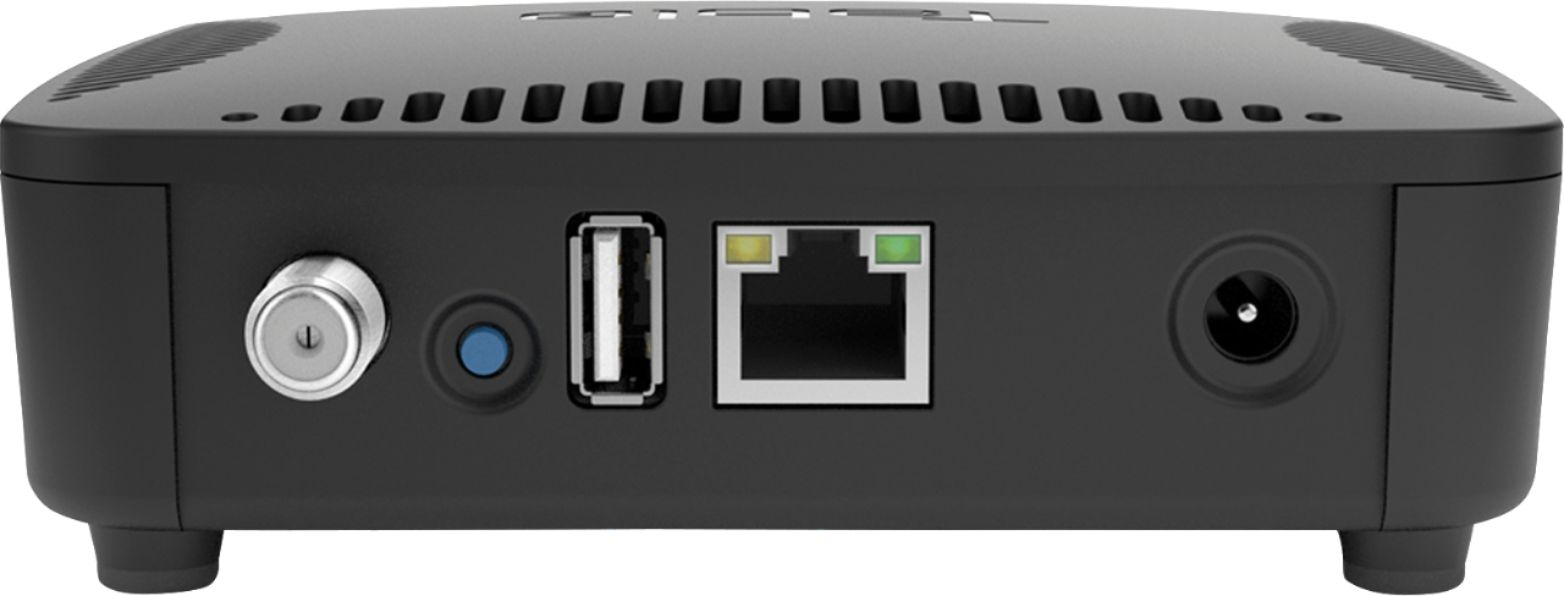
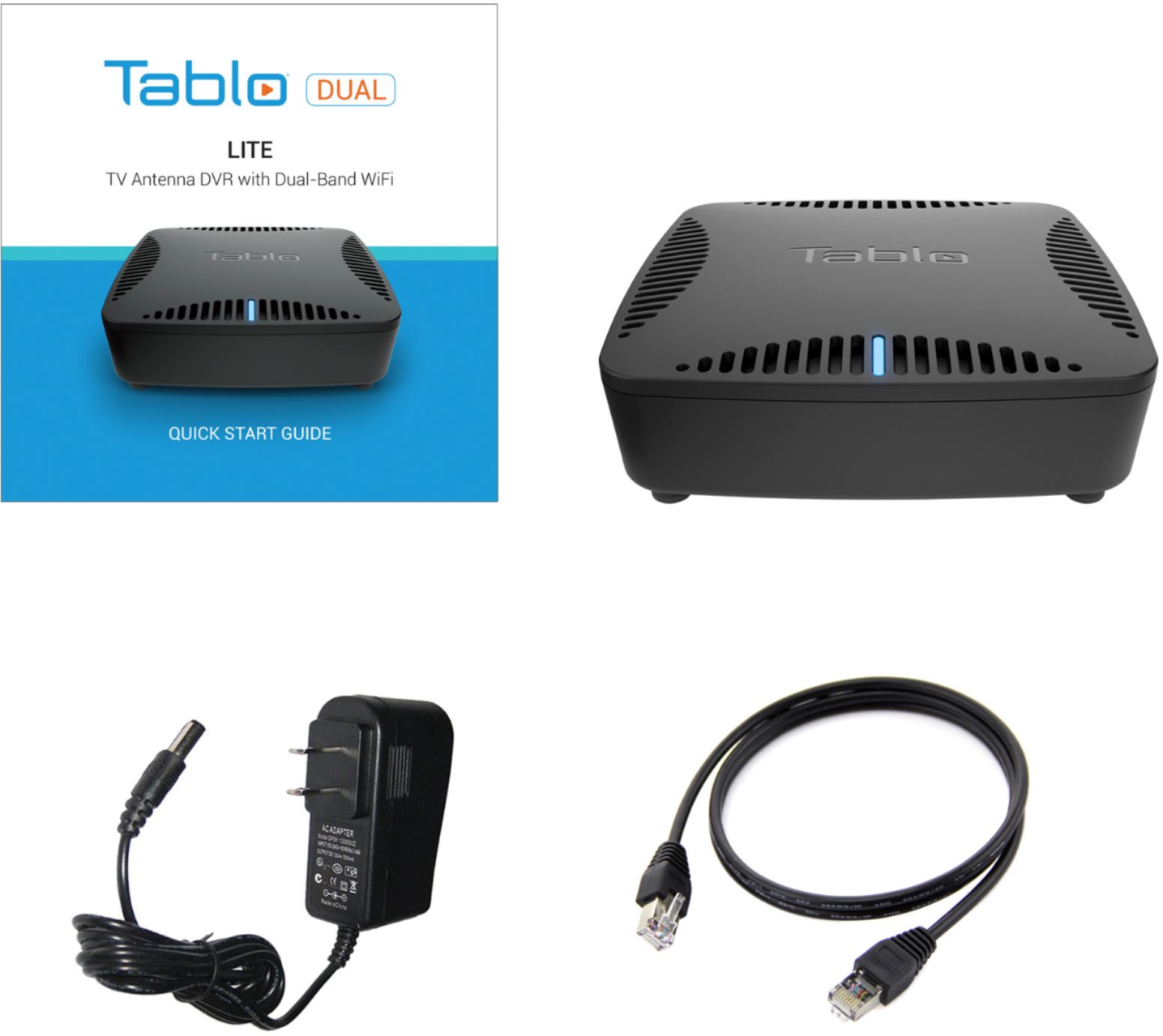
||Posted . Owned for 1 month when reviewed.This reviewer received promo considerations or sweepstakes entry for writing a review.having kicked COMCAST to the curb, I was wanting a DVR for OTA recording. This unit is basically a controlling device to sort local OTA channels and set-up recordings as desired. The box comes with the TABLo device, a wall wart power supply, an ethernet cable, and a quick-start guide. it does NOT have a storage capacity-you have to supply that. I had a spare Western Digital 1 gig solid state hard drive that I plugged into the TABLO with a USB cable. The TABLO can be hard-wired to your WiFi/router with the supplied ethernet cable, or via a WiFi signal which is how I set mine up. Set-up took about ten minutes and I have been streaming my OTA channels and recording when desired. I would suggest you position the TABLO where it gets some airflow as it does run warm to the touch. So far, the only issues I've had in the month I've owned it are two instances where I received a message the TABLO was not connected; I fixed these by unplugging the unit and letting it re-boot itself.
I would recommend this to a friend - Cons mentioned:Heat
Rated 3 out of 5 stars
Unit gets very hot and locks up Needs a fan
||Posted . Owned for more than 2 years when reviewed.This reviewer received promo considerations or sweepstakes entry for writing a review.This unit in the beginning was good but then I had problems with it locking up I contacted the company for warranty and they shipped out another unit and same problem. I ask the tech if it needs a fan because it gets really hot and the unit has a spot in the case for a fan but is not installed I ask if I could install a fan they said it would void my warranty but when I go to the forums people are putting in the fan and are having good results
No, I would not recommend this to a friend - Pros mentioned:Wifi
Rated 4 out of 5 stars
Good DVR w/ some limitations
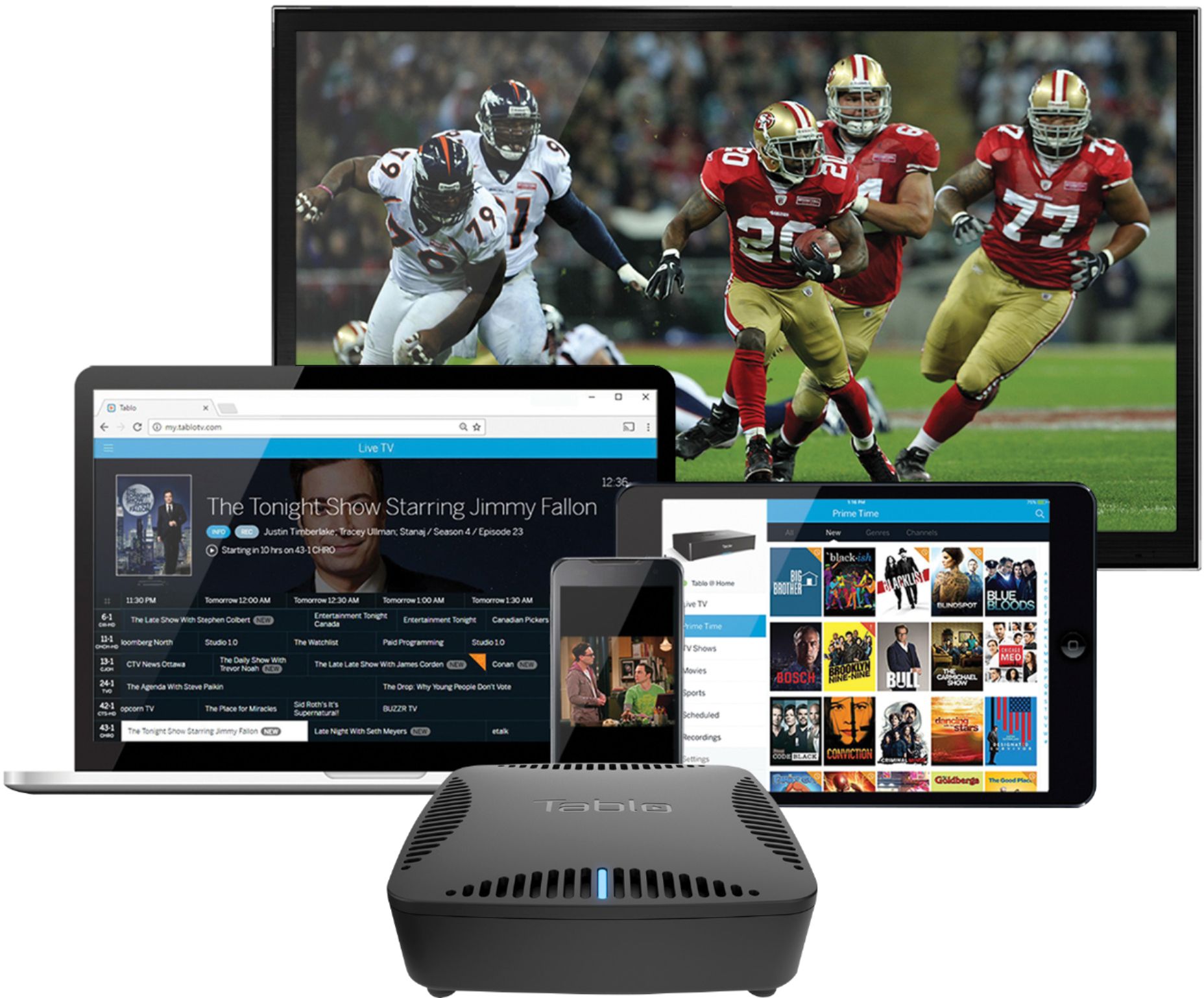
||Posted .This reviewer received promo considerations or sweepstakes entry for writing a review.This a good DVR for whole house (and beyond) video. Anyone with a device connected to your home network can view live and recorded over-the-air TV on a Tablo. Devices outside of the house can view recording as well if the option is selected. We view content on our TVs by way of Chromecast and Android TV. The same recordings may be also watched on smart phones and on computers through a web interface. Note there is no HDMI connector nor is the interface as polished as a TiVo. The output is best seen at the recommended 720p setting although 1080p is available. A surround-sound setting is available but that doesn't work on all devices. Even with these limitations this is still a good and versatile product.
I would recommend this to a friend - Pros mentioned:Recording, Wifi
Rated 5 out of 5 stars
lucky day for me
||Posted .This reviewer received promo considerations or sweepstakes entry for writing a review.This is a good ota dvr. you connect it to your router, a tv antenna and up to an 8tb external hard drive. you stream to all your tvs thru wifi with 1 tablo. You just need a roku or an amazon firestick at each tv. It has a guide schedule that you can set to record programs for later viewin. Verry satisfied with tabloyou can also have more than 1 tablo if you want. I am going to use 2 antenna one for north and 1 from south. If you search tablo their website will give you all the info you need.
I would recommend this to a friend - Pros mentioned:Setup
Rated 4 out of 5 stars
Great, depending on your setup
||Posted . Owned for 11 months when reviewed.This reviewer received promo considerations or sweepstakes entry for writing a review.This DVR works great depending on your setup. I have smart TV's and streaming sticks that support Table. Some may not. It works, the guide is just like a cable box if you like that look. It needs an external hard drive, doesn't matter the brand from what I know. It also needs an Antenna hooked up to it just so you know. The setup was relatively easy to setup. I ultimately ended up returning it, mainly because I use sling and their box AirTV for my setup, but if you just need the OTA channels or don't mind the different apps it will work well for you.
I would recommend this to a friend Rated 4 out of 5 stars
Great product but still has some shortcomings
||Posted .This reviewer received promo considerations or sweepstakes entry for writing a review.Well, I have been through all of the DVRs for cord cutters, this is by far the most versatile. However, de93nd on your particular needs this may or may not work for you. If you are a live TV watcher, you really need to be patient as you flip channels, you can safely go fry a couple of eggs and then come back to get to the channel you want. BUT, this product really shines if you are a DVR person like me. I mostly watch lots of news and shows but can't watch them live due to my work schedule. The navigation is highly reliable, the interface is the best in it's field. Coming from other platforms such as HD Homerun, airtv player and others, this tablo performance leaves them in it's wake. The remote connect is a plus, but a great reason to buy this product is it's ability to watch on multiple home TVs, I own a Roku, and there performance is flawless. The only reason for 4 stars is the length of time to change the channels is about 8 to 12 seconds. Despite some tweaks from Tablo customer service, it is still slow. Nevertheless, I am very pleased with this product and I would highly recommend it to all DVR enthusiasts with multiple TV. By the way, I use it with a 2max antenna and the reception is superior, in Detroit and I get about 60 channels. One area that Tablo performs well is the transcoding, the picture is still amazing on my sony 4k TV. Finally, the setup was a breeze and have not had a single hiccup since it was installed.
I would recommend this to a friend- Pros mentioned:Ease of use, Recording, Wifi
Rated 5 out of 5 stars
Easy to Setup, works well with AppleTV
||Posted . Owned for less than 1 week when reviewed.This reviewer received promo considerations or sweepstakes entry for writing a review.I had an old DVR that didn't close caption, so I was looking for an upgrade. This does the job! So easy to set up, I ordered a 2TB Seagate Expansion($10 more than 1TB), It formatted and I was on my way. Downloaded the app and using WiFi to stream through Apple TV. Initially did not see my local OTA channels. Be patient. After a couple of minutes, BOOM! There they were! And recording OTA with captioning. I love it.
I would recommend this to a friend - Pros mentioned:Ease of use
Rated 5 out of 5 stars
Best OTA recorder for us
||Posted . Owned for 1 month when reviewed.This reviewer received promo considerations or sweepstakes entry for writing a review.Had a Magnavox DVR for OTA, DVD or Hard drive. It's getting unreliable, errors, missed recordings, served me well. Time to upgrade. Now that I've had the Tablo Dual Lite for a month, I'm doing a review. Tablo Dual Lite is pretty much the base model, entry level, two tuner, no internal memory or hard drive. Easy to connect, easy to manage, works on the Roku with the app. Just like any other channel like Netflix or Hulu. Easy to navigate once installed. There were some issues with getting the external drive to be recognized and to format. Solution, nice good USB 3 drive. Since that, never a blink from anything Tablo. When the TV Data Guide subscription runs out in 30 days, it will be time to think, $4.99 monthly, $49 annual or $149 lifetime. We're going lifetime. This service is the only added expense, unlike other devices that want to charge fees and more fees. Note that when comparing prices for the long term. The advantage of the TV Guide is, you can set, record new or all and the service will respond to the actual TV listing, and adjust for those odd time showings. The only disadvantage I can see is, if something runs over and the times are delayed or wrong. Which is the same as with self programming? Manual programming is not the easiest, but once done, it's there and reliable. The name on the show will be what you name it. The Guide recording are much better, with name, date and information. My reason for details about the Table Guide Data Subscription is just to make it clear that most people are probably going to want that, and knowing in advance, you might better decide the actual cost of getting this device up and running for years to come. Device, external drive, and Data subscription. I did use an extra long CAT5 cable and we already has a good Clearstream antenna up on the roof. In our case the remote is the Roku remote. Tablo does not connect to the TV in any way, it's a wireless device only. The TV must have a way to receive the data. Many devices are supported, Chromecast, Fire TV, Apple Tv and more. https://www.tablotv.com/apps-compatible-devices/ What else can I say, I'm impressed and we're happy. There's online support and you can contact their tech support via email.
I would recommend this to a friend Rated 5 out of 5 stars
Best option for cord cutters
||Posted . Owned for 1 year when reviewed.This reviewer received promo considerations or sweepstakes entry for writing a review.I’ve had my Tablo over a year now. I like it pretty well. It depends a great deal on how successful you are with an antenna, and I had to try several options before getting something I could live with. Still not perfect, but it works. Get a big external drive and don’t expect to swap out drives; it’s possible but a pain. There’s really no way to manage files across multiple drives. So get a big one, like 5 TB. I was disappointed when Tablo changed the terms on the commercial skip feature, which is nice (not perfect) but not worth paying extra for. It’s easy enough to skip commercials manually without it, and their feature sometimes cuts some of the programming anyway. It’s weird and a little annoying how the interface varies across devices. On a Roku or AppleTV, it shows recent and upcoming recordings but not on iOS or MacOS apps. The interface on those is better for resolving conflicts and for skip large segments of recordings. The menus are organized differently on different devices and aren’t very customizable. Had some big glitches with remote access, but a) they fixed some things and b) I finally got the settings right both on the device and my router. It does work and seems pretty stable now, but now way to fix remotely. With all that, it’s still more robust and user-friendly than the alternatives.
I would recommend this to a friend