Customer Ratings & Reviews


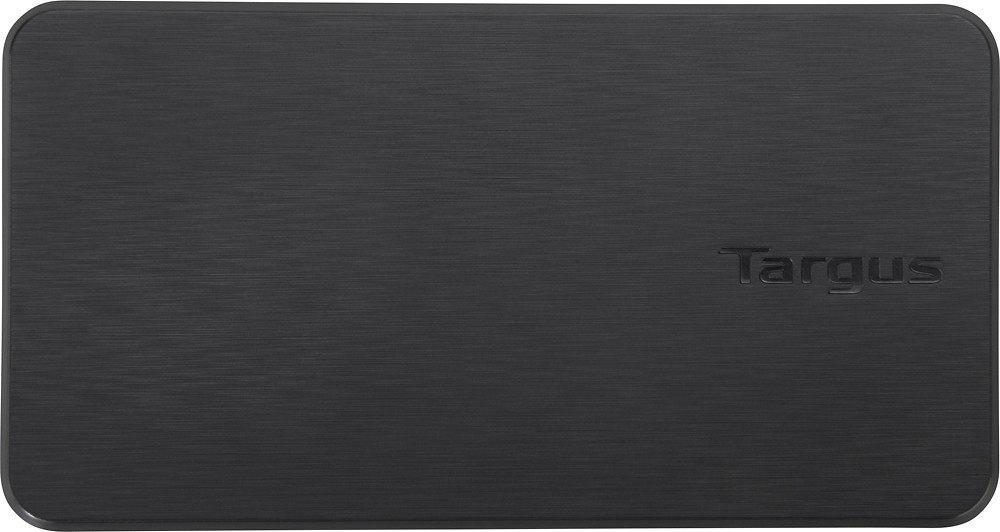
- Model:
- ACP110US
- |
- SKU:
- 5009401
Customer reviews
Rating 4.3 out of 5 stars with 148 reviews
(148 customer reviews)to a friend
Customers are saying
Customers value the VersaLink Universal Dual Video Travel Dock's ease of use and compact size, frequently praising its simple setup and ability to support multiple monitors. The affordable price and versatile ports are also highlighted as significant advantages. Many appreciate its compatibility with various devices and its lightweight design, making it convenient for travel.
This summary was generated by AI based on customer reviews.
Rated 4 out of 5 stars
Works very well
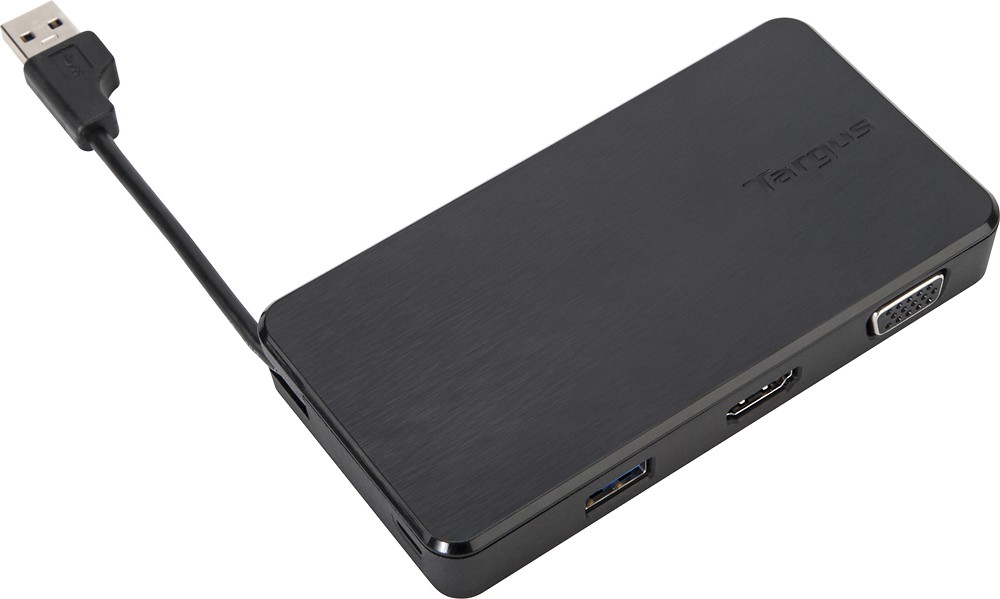
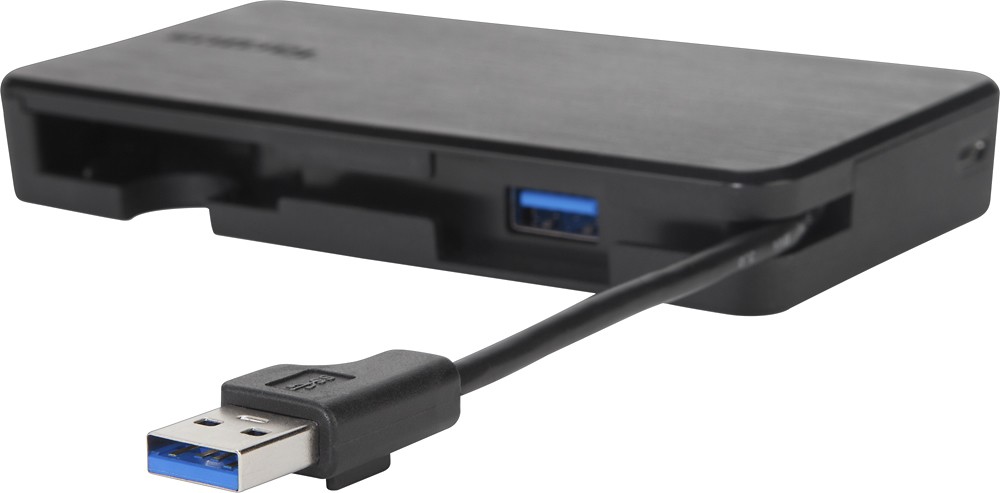
||Posted .This reviewer received promo considerations or sweepstakes entry for writing a review.I purchased the VersaLink to attach both a newer hdmi Samsung monitor and an older vga I-inc monitor to my Sony Vaio laptop. The VersaLink bypasses my graphics card and controls all three monitors through my usb 3.0 port. The unit works well with no adverse issues. My only critique is the usb cord is short at 3".
I would recommend this to a friend- Pros mentioned:Monitor support, Price
Rated 5 out of 5 stars
is the solution to the problem
||Posted .This reviewer received promo considerations or sweepstakes entry for writing a review.I needed a reasonably priced dock port and that would give me access to not one... not two... but three monitors. It is doing the job as I type. Fantastic.
I would recommend this to a friend - Pros mentioned:Hdmi, Price
Rated 4 out of 5 stars
Good Dock
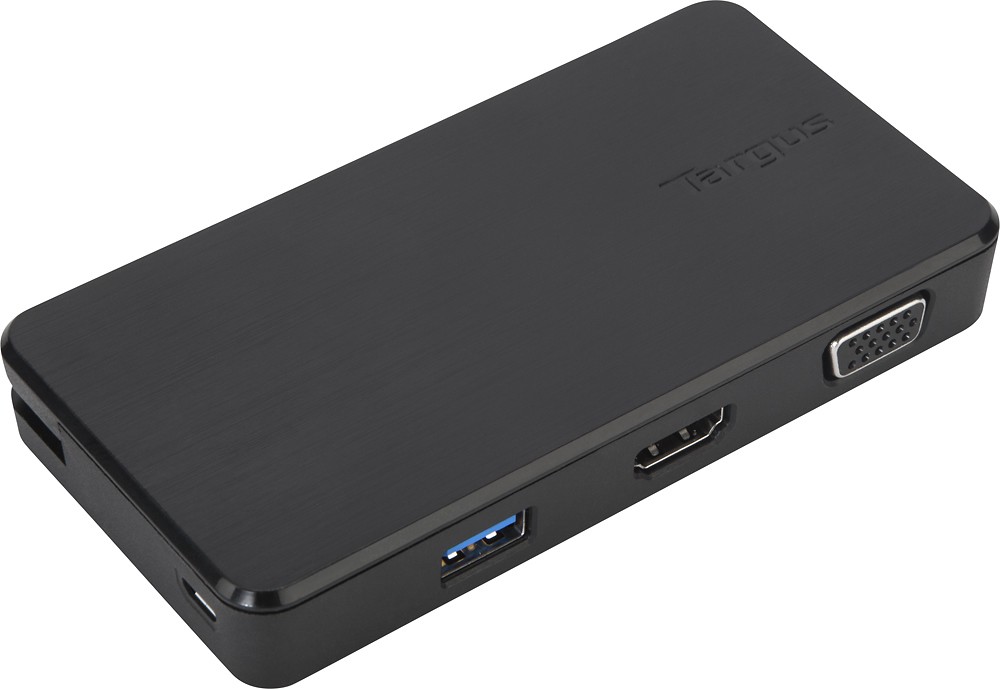
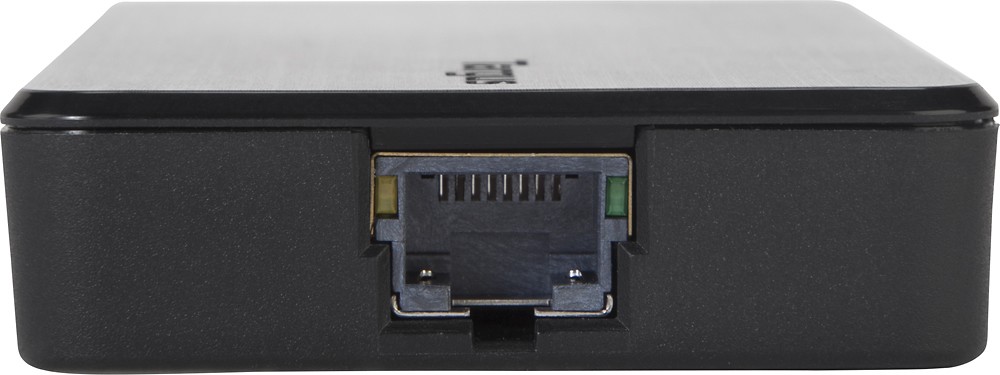
||Posted .This reviewer received promo considerations or sweepstakes entry for writing a review.This travel dock has monitor outputs for HDMI and VGA. It has 2 additional USB ports. You could also plug in an Ethernet cable. It hooks up to the laptop by plugging into a USB 2.0 port. I was not planning on using this for travel but I think it would work well. Best Buy did not have a very good selection at the store for docks. This dock extends my laptop display to two additional monitors and works well enough. Every once in a while the screens black out and my mouse pointer moves to a different monitor. This could be really annoying if you were doing any gaming, but for what I use it for is a minor inconvenience. It was also the cheapest option at the store.
I would recommend this to a friend - Pros mentioned:Ease of use, Monitor support, Size
Rated 5 out of 5 stars
Great for home or on the road
||Posted .This reviewer received promo considerations or sweepstakes entry for writing a review.This mini dock station works great. You can connect up to 2 other monitors with your laptop totaling 3 screens which makes it so much easier for work. Plus it's small enough to put it in your jacket pocket or your bag.
I would recommend this to a friend - Pros mentioned:Monitor support
Rated 5 out of 5 stars
Great way to add extra monitors!
||Posted .This reviewer received promo considerations or sweepstakes entry for writing a review.I bought this mainly to add extra monitors for use with my laptop. The USB ports also help to extend the ones on my laptop so I can add a DVD burner and external drive. Nice to be able to plug in one cable and get all my devices connected. Overall working great.
I would recommend this to a friend Rated 5 out of 5 stars
Fantastic tool
||Posted .This reviewer received promo considerations or sweepstakes entry for writing a review.I travel for work and need to present all over the place at various locations. I never know what I'll have available as a connection for video inputs, but with this device it's the only thing I ever need. As long as I have this with me, I'm covered!
I would recommend this to a friend- Pros mentioned:Ease of use
Rated 4 out of 5 stars
great small compact dock
||Posted .This reviewer received promo considerations or sweepstakes entry for writing a review.needed a small compact dock for travel use with my personal laptop and this one fit the requirements.
I would recommend this to a friend - Pros mentioned:Ease of use, Size
Rated 5 out of 5 stars
Great Dock
||Posted .This reviewer received promo considerations or sweepstakes entry for writing a review.Easy to use has lots of different ports. The dock is small and easy to set up.
I would recommend this to a friend - Pros mentioned:Price
Rated 4 out of 5 stars
Good way to add ports
||Posted .This reviewer received promo considerations or sweepstakes entry for writing a review.This travel dock was what I needed to use my desk monitor and keyboard with my Lenovo Yoga laptop, which has limited USB ports. I also have a mini iHome sharing device with 4 USB ports connected to the Travel Dock which allows me to plug in my wireless mouse and fitbit dongle. Although great for traveling, I also find it useful in the home office, to have everything running off my laptop and no need for another PC. This travel docking station was less than 1/2 the price of the recommended Lenovo Docking Station. The only reason I didn't give this 5 stars is because without the added iHome sharing, I am only able to connect my Monitor and keyboard, so it is limited and would be 5 stars if it had more USB ports that charged as well.
I would recommend this to a friend Rated 4 out of 5 stars
Has worked will with multiple laptops
||Posted .This reviewer received promo considerations or sweepstakes entry for writing a review.This mini-dock is working well on several different laptops. The video seems a little slow to refresh sometimes, but that is made up for by the flexibility of the multiple ports on the unit. Thank you.
I would recommend this to a friend- Pros mentioned:Monitor support
Rated 4 out of 5 stars
Good enough for my needs
||Posted .This reviewer received promo considerations or sweepstakes entry for writing a review.4 instead of 5 stars due to performance on my MacBook....and it may be the MacBook that is the issue...who knows. Needed a way to add 2 additional monitors. One connects via VGA....the other HDMI to DVI cable. (Thunderbolt port going HDMI to original monitor). So 3 total monitors...again...maybe pushing limits on the mac video card. There is some lag on the mouse...not horrible...and sometimes intermittent. In addition, there is some ghosting on the monitors and pixelation on dark backgrounds. Again...could be due to USB / laptop performance of my Mac. But overall, was an inexpensive solution to what I needed. Also verified the ethernet connection works just fine as well.
I would recommend this to a friend - Pros mentioned:Ease of use
Rated 5 out of 5 stars
Easy to use
||Posted .This reviewer received promo considerations or sweepstakes entry for writing a review.did exactly what I needed it to do. Very easy to set up. Only wish it had at least 1 more usb port.
I would recommend this to a friend - Pros mentioned:Ease of use, Hdmi
Rated 5 out of 5 stars
Great little docking station
||Posted .This reviewer received promo considerations or sweepstakes entry for writing a review.Needed VGA, HDMI and ethernet capability for work and since most new laptops don't have those features I needed to go with a docking station to accommodate them. The dock works great and if needed it's easy to pack up and take with you.
I would recommend this to a friend - Pros mentioned:Hdmi
Rated 5 out of 5 stars
Perfect for taking your laptop to the office
||Posted .This reviewer received promo considerations or sweepstakes entry for writing a review.I wanted a device that could add two 22" displays to my Macbook Pro when I'm at work. I originally tried a device that connected to a Thunderbolt port that was supposed to support two HDMI connections, but I could only get it to do mirrored displays with the thing, and not very well. This device connects to e a USB 3.0 port, and gives me one VGA, one HDMI, a network port and another USB 3.0 connection. I connected one display as VGA, one as DVI using a HDMI-to-DVI converter, and my keyboard connects to the USB port. Don't need the Ethernet port. I run both displays at 1680x1050. So now when I come in to work, I just need to plug in this device into one of my USB 3.0 ports and I'm ready to go!
I would recommend this to a friend Rated 4 out of 5 stars
Good enough
||Posted .This reviewer received promo considerations or sweepstakes entry for writing a review.It is a good enough docking station although it doesn't work with some.older versions of HP laptops since you have to manually find the drivers for those and install them
I would recommend this to a friend- Pros mentioned:Price
Rated 5 out of 5 stars
Perfect travel device for docking PC
||Posted .This reviewer received promo considerations or sweepstakes entry for writing a review.This is a very simple and light weight device to connect the PC to a monitor and key board. It is very inexpensive compared to other devices and exactly what I was looking for
I would recommend this to a friend - Pros mentioned:Ease of use, Size
Rated 4 out of 5 stars
Easy to set up and takes up little space
||Posted .This reviewer received promo considerations or sweepstakes entry for writing a review.Very convenient due to small size. Easy for travel and handles different types of ports
I would recommend this to a friend - Pros mentioned:Ease of use, Size
Rated 4 out of 5 stars
Easy to carry
||Posted .This reviewer received promo considerations or sweepstakes entry for writing a review.Good size and easy to carry. Great for traveling. Would like to recommend
I would recommend this to a friend Rated 4 out of 5 stars
Good but cord too short
||Posted .This reviewer received promo considerations or sweepstakes entry for writing a review.This is great for being able to work from home but the connector is too short.
I would recommend this to a friend- Pros mentioned:Ease of use, Size
Rated 5 out of 5 stars
Great buy!
||Posted .This reviewer received promo considerations or sweepstakes entry for writing a review.Works great! Was easy to hook up both of my monitors and fits perfect on my desk.
I would recommend this to a friend