Customer Ratings & Reviews

- SKU:
- 10406626
Rating by feature
- Value
Rating 4.0 out of 5 stars
- Quality
Rating 4.3 out of 5 stars
- Ease of Use
Rating 4.2 out of 5 stars

Versatile, lag-free Xbox controller
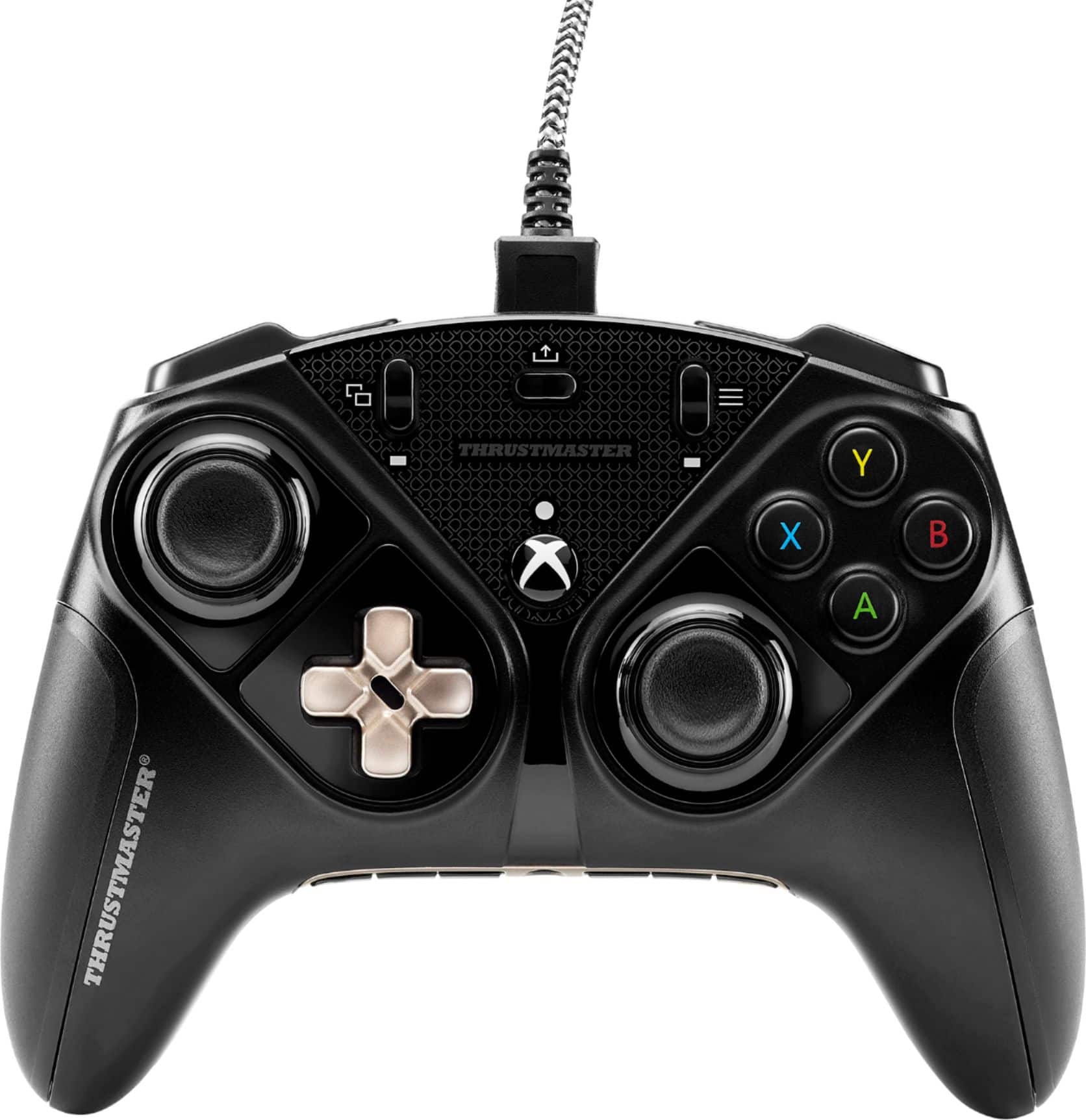
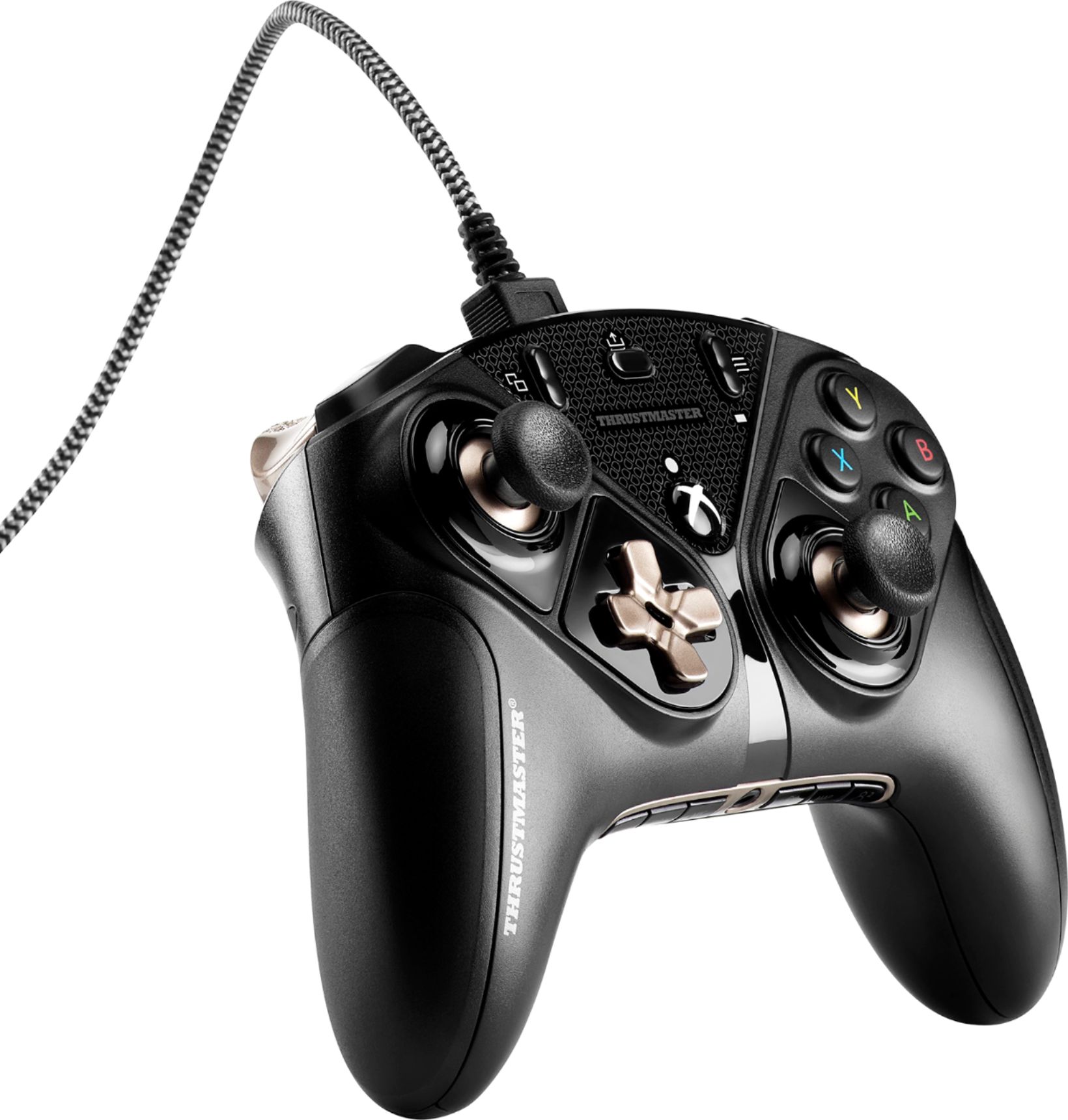
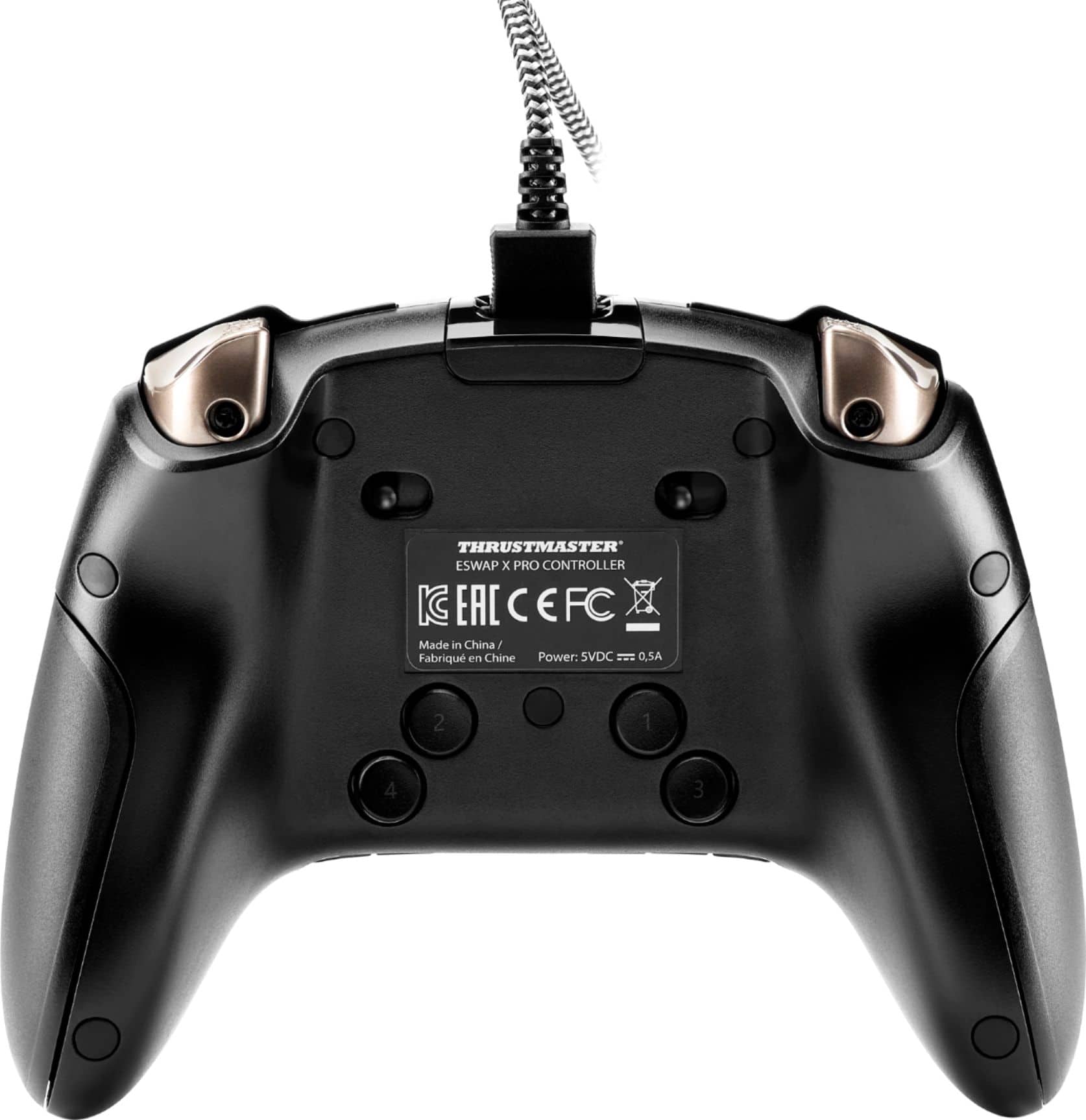
|Posted .This reviewer received promo considerations or sweepstakes entry for writing a review.The Thrustmaster ESWAP X Pro Controller for Xbox is a remarkable controller with an amazing amount of customization options to the point where it is almost overwhelming (in a good way). I really like the feel of the controller and its weight. It feels a bit heavier and sturdier than regular Xbox controllers and like it will last a long time. The buttons have a different feel to them but I think it makes each press more efficient for an ever so slight edge over the standard controllers. It should also be noted that this is a wired controller that cannot be used wirelessly but the included cable is pretty long. The four buttons on the back of the controller are an amazing addition that I am still trying to get used to. I have had to shift the way I hold the controller to better utilize these buttons but with enough practice, I’m sure it will get easier to use them which will really help. Overall, I am very impressed with the Thrustmaster ESWAP X Pro Controller for Xbox and I highly recommend it!
I would recommend this to a friendInsane, and I love it!
|Posted .This reviewer received promo considerations or sweepstakes entry for writing a review.PROS: - Customize almost EVERYTHING about this controller based on your needs - Solid, premium build - Braided USB cable - Thrustmaster software helps you get the most out of the controller - Included travel pouch CONS: - I wish the USB cable was just a little longer == SETUP == Before you first use the X Pro controller, I would HIGHLY recommend going to the Microsoft store to download the most up-to-date firmware for it. Using the Thrustmaster software is very simple and easy to customize the controller. You can adjust the trigger sensitivity and map what you want each of the buttons on the back of the controller. In my opinion, the buttons on the back of the controller is what really makes this controller special. You can map the buttons to what helps you play, but it really helps to make one-handed play SO MUCH easier. == PERFORMANCE == I ALWAYS prefer to use a controller with a cable in competitive games, so it’s no surprise there is no wireless option with the X Pro. The included USB cable is quite long and works very well with my PC, but if you plan to use it with your X Box and have a large living room, you may need to sit closer to the console than usual. All of the button clicks feel very solid and premium. Customizing the sensitivity of the trigger buttons really does make a difference, and I really love that I can move the left stick position based on what feels more comfortable to play. While it wasn’t an issue for me, the X Pro is quite hefty compared to standard controllers, so you may start to really feel the weight of it after a couple hours of playing. == BOTTOM LINE == I have never loved a controller this much in my life. I really can’t find anything to seriously complain about. The closest thing to a complaint I can make is that I would have liked an extra foot or so on the USB cable. Everything about this controller screams “premium”. The buttons are super satisfying to click, the mappable buttons on the back can be serious game-changers, and customizable trigger sensitivity will make it IMPOSSIBLE to go back to a “basic” controller. If you take gaming more seriously, I would HIGHLY recommend checking out the X Pro. If you spend the time, money, and energy to build up your system with the best components you can find, why wouldn’t you want the best controller to go along with it?
I would recommend this to a friendCustomizable Gaming Product
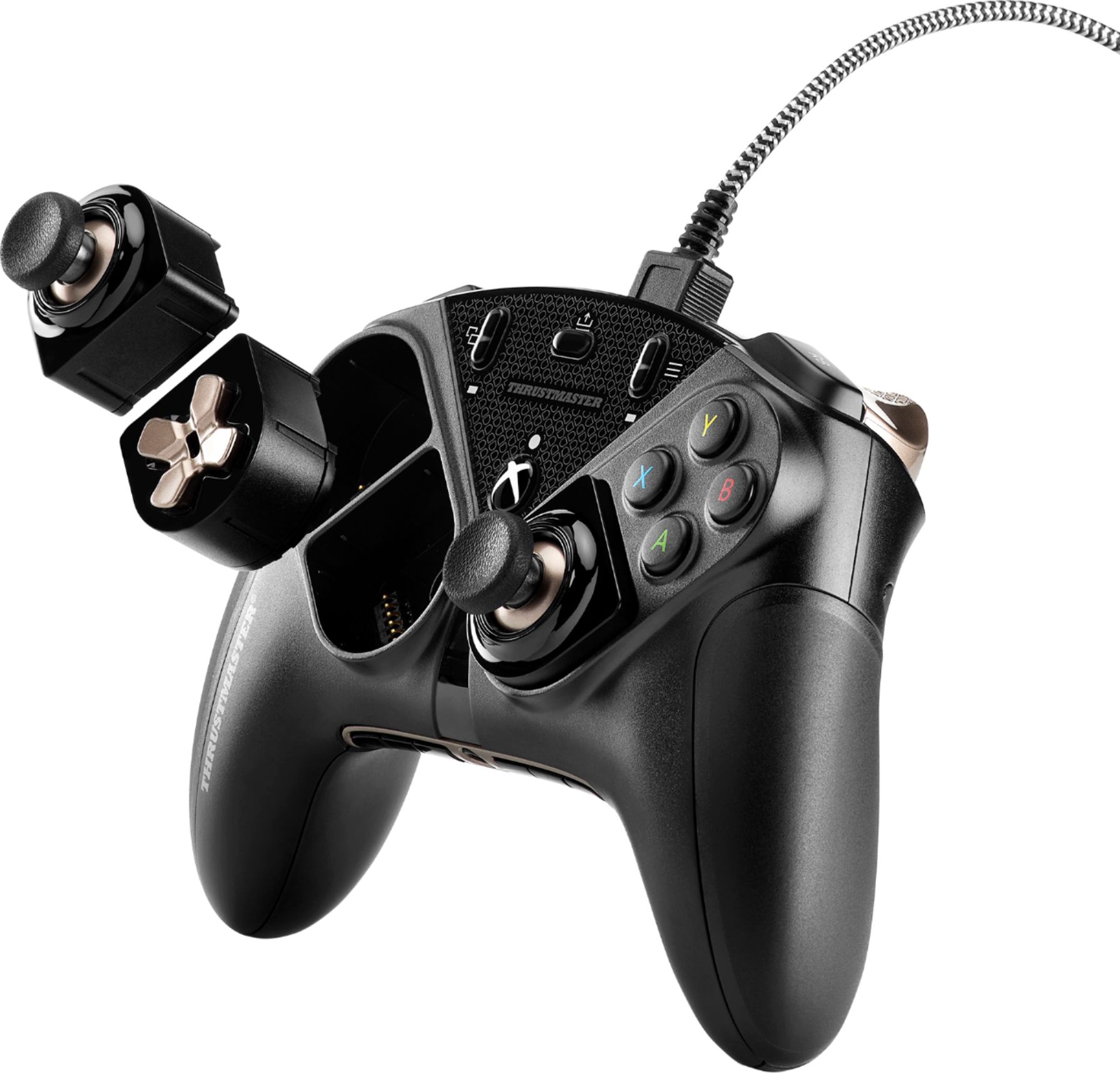
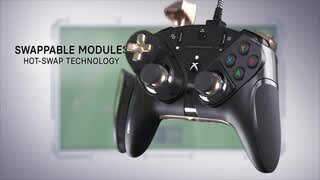
|Posted .This reviewer received promo considerations or sweepstakes entry for writing a review.In the box comes the controller, tool for swapping parts, detachable cord, and a pouch for storing. The pouch does fit the controller, but snuggly as it’s moreso for use of the cord, tool, and any other accessories you may have with the controller. Swapping is easy; either gently pull out the magnetic attachment, or reach for your tool to insert and pop it out that way instead. Like many pro controllers you can remap them buttons using TM’s 1 10 and/or Xbox software. You can save up to two presets, each having a toggle button on the bottom of the controller. Also on the bottom of he controller is a mute, and up and down volume buttons for easy party adjustments. But the TM e-swap pro controller isn’t just a shiny gamepad. It’s a sharp precise controller that reacts with sharp and precise responsiveness when just a bit precision can make or break a match. **Quick Round of Info that May be Useful** •The TM e-swap pro controller is wired, with a detached wire for easy storage. It does not play wireless, unfortunately for those grinding levels from the couch, or gaming in bed. •There are four extra buttons on the back with numerical inputs for PC gamers (and console alike should you map an input to each button). •The grips on the sides are interchangeable, meaning TM will more than likely sell rubberized grips for those gamers that like an extra steady hand •The E-swap pro controller comes with two sets of joysticks, the concave ones already attached to the controller, and some extra convex ones for those who prefer that grip style. (The joysticks are removed by first taking out the interchangeable base, then twisting the joystick itself counterclockwise) •TM sells different colored D-pads, Joysticks, and grips separately for those who like to customize their controller to their personality!! Would I recommend to friends and family, yes!!!!!!
I would recommend this to a friendGreat Pro Controller for Xbox or PC
|Posted .This reviewer received promo considerations or sweepstakes entry for writing a review.I have used a few different pro controllers and this is one of the better ones. The design of this controller is great. The buttons have a nice tactile feel and the joy sticks are good in length. Its also comes with extra tips for the joy sticks depending on preference. The ability to hot swap the joy sticks and dpad is great however it requires a tool to pull out the dpad which takes longer to accomplish. The only downside is that this controller is wired. However the wire that it comes with is decent in length, durable, and locks in place. There are 4 buttons on the back that are programmable which is really useful during first person shooters. There are two different programable profiles allowing you to have two easily switchable set up. Programming the buttons wasn't to difficult as long as you follow the instructions. I would highly recommend this controller to anyone looking to up there game in Xbox or anyone looking for a good controller to use on PC.
I would recommend this to a friendMost customizable Xbox Controller
|Posted .This reviewer received promo considerations or sweepstakes entry for writing a review.So most controllers will allow you add custom assignments to different buttons so you can play how you want. How about we take that a little further and allow you to put your thumbsticks and D-pads where you want! This customization allows you have your sticks in Xbox or PS configurations if you're more comfortable with one over the other. First thing you should do is get the ThrustmapperX app from MS store on the Xbox. This is where you really get to tweak your beast. I'm not a fan of Xbox's default deadzone. The moment I touch a stick, I want the movement registered. Without a 0 deadzone I toss the controller. You can even tweak how fast 100% ramps up through the curve in the thumbstick settings. The app also allows tweaking of the triggers to increase or decrease sensitivity. You can also limit the range of motion by switches located near the triggers. The only reason for the 1 dropped star is because of the back buttons. I prefer paddles over buttons and, for me, the buttons are just placed awkwardly. I can't use my normal grip and have easy access to the buttons without shifting my grip. I'm not going to take time to relearn my grip so I'll just keep from using the back buttons. Mapping buttons to your liking is rather easy. Either use the on-board memory and program them manually or use can use ThrustmapperX's interface to achieve the same. Pick whichever is easiest for you. I find the wing rumble are massive. I love the force but I'd probably tone it down if I were in a competitive game. For immersion, full force! The triggers have a good, almost strong joy buzzer feel. I did play a bit of Halo prior to the review and ended up tweaking my stick to be even more sensitive. Took a little work but I found my perfect curve and really enjoying the quick response. Not saying it'll boost my ranking if I were competing, but it'll give me one less thing to blame for my loss, lol.
I would recommend this to a friendGreat wired customizable controller
|Posted .This reviewer received promo considerations or sweepstakes entry for writing a review.I think it looks great with high quality construction and very smooth feeling controls. If looking for a something to allow you to expand your gaming options this would definitely fit the bill. Very modular design that even comes with screwdriver and bag to carry controller and its “extra” mini-sticks, triggers, extremely long 118-inch cable, etc. Software allows you to adjust pretty much any setting including sensitivity, trigger travel, Haptic (vibration) feedback, etc. There are a few manual adjustments you can make on the controller itself. I am a casual gamer used to using PS4 controller and was able to easily configure this one to same layout/settings. Mostly play DOOM and felt much more in control with this unit than my old one. Used with Windows 10 Dell G5 gaming laptop with NVIDIA Geforce GTX 1660 with 6GB DDR6 memory and had no issues installing and setting up. 2-year warranty The only real downside, for me, is it’s not cordless. If looking for a customizable/modular controller that doesn’t break the bank I would recommend.
I would recommend this to a friendAbove average Xbox Controller
|Posted .This reviewer received promo considerations or sweepstakes entry for writing a review.It's a controller, not much to write about, it works for both PC and Xbox One so that's nice. I like the swappable joy sticks, and definitely use the different profiles depending on the type of game I'm playing. I like the rounded ones for driving games and the contoured ones for shooters. I like being able to remap the buttons, especially the ones on the back side of the controller, perfect for swapping weapons or hitting boosts without having to take your thumb off the joy stick. The adjustable trigger pull is perfect for FPS, so you don't have to pull it as far the actuate the trigger button. This works really well if you're an FPS player that gravitates towards the semi-auto type firearms. Downsides: the software wasn't ready on release so it was stuck as an overpriced xbox controller for a few weeks. It's available now though, but it doesn't inspire confidence that it wasn't available for a few weeks after the street date. All 4 of the vibration motors in my particular controller have a different strength and frequency to them. You can test the 4 independently in the software on PC and it's laughably bad how different they are. I personally don't see the benefit of the swappable pad/stick locations. I never really was a fan of the playstation style layout with both joy sticks being down low on the body, but if you prefer that and all your friends play on Xbox and you do now too, then this is definitely for you.
No, I would not recommend this to a friendAmazing Controller. Mind blown by how customizable
|Posted .This reviewer received promo considerations or sweepstakes entry for writing a review.The Thrustmaster eSwap X Pro Controller for Xbox is a premium wired controller. I have tested this with both my Windows 10 Gaming PC Setup and my Xbox One. TLDR: Amazing controller. Works out of the box with Xbox One and Windows PC (should work fine with the new Xbox given it's all backward compatible). So many customization and configuration options it will blow your mind. Well built, feels premium and hot swap buttons are a huge plus, especially for people who prefer a PlayStation-style controller layout. Mind blown by how much you can customize. All controllers should be like this. Long version. Out of the box. Impressed. This is a premium feeling wired pro gaming controller. It weighs a little more than the standard Xbox controller. In the box you get the controller, an extra long nylon braided USB cable (removable), a carrying pouch and a little screw driver type thing... let's talk about that screwdriver thing. I want to also note, some smart thinking here, the microUSB plug has some plastic guide sockets on it so you can plug it in blind. Smart! The BIG selling point on the Thrustmaster eSwap X is that you can hot swap the Joycons and D-Pad. These are magnetic and easy to just lift out. The D-Pad has a small slot and the included screw driver thing as a t-bar hook you can use to lift out the D-Pad (although you can pull with your nails if you want). There is so much of the controller that can be customized. You can adjust the dampening/travel of the Left/Right Trigger, there are magnetically interchangeable side plates, 4 user configurable custom buttons underneath the controller, and saveable profiles. It's pretty crazy how much you can do - it's definitely best for the serious PC gamer as a lot of configurations are managed using the free Thrustmaster eSwap software. I fired up Rocket League for my test, as it has a lot of rapid keypress moves and where customizations matter. Wow! The buttons are lightning fast and I was able to do jumps, flips, saves that I had never done before. There are definitely top quality switches in this thing and the hot swappable buttons do not compromise on response time. It's a real credit to Thrustmaster. For a quick play of Watch Dogs, it was even better and I felt I had more fine control over movement. Overall, can't wait to spend a few good hours of gaming with this. My advice, if you're a PC gamer after a controller you absolutely want this. It gives you everything you need and more. In fact I'd even go so far as to say it helps you do away with the need for a keyboard on PC. Buy it!
I would recommend this to a friendWell thought out with nice response
|Posted .This reviewer received promo considerations or sweepstakes entry for writing a review.This controller has great response time and smooth controls. The button mapping aspect is nice however at the time of this review the mapping app was not available. The controller itself is slightly larger than a normal Xbox controller making the mappable buttons underneath a little far for smaller hands. Also the volume controls favor the in game sound as opposed to voice chat which made it tough to communicate at times. I’m sure that as time goes on extra features, tweaks, and specialty swapped components (this controller’s real spot to shine) will make this controller a real contender. Time will tell if it holds up to rigorous play but for the time being it’s a great paddle to work with and while the buttons tend to be a bit spaced compared to stock controllers, it makes up for it in response time and versatility.
I would recommend this to a friendAmazing controller!
|Posted .This reviewer received promo considerations or sweepstakes entry for writing a review.This is my first Thrustmaster controller, and I am very happy with it. The joysticks, buttons, and triggers all feel very premium. It's comparable to my Elite controller in overall feel and build quality. I love the fact that the joysticks and d-pad can be moved around, and even replaced if anything starts to fail or wear out. The usb cable it comes with is excellent quality. I have tried this controller with my XBox One-X as well as my gaming pc, and it has performed flawlessly. Overall size is slightly larger than an official xbox controller, but the fit and finish are superb. I've played a few PC games with it, and it was true plug and play compatibility, zero hiccups whatsoever. Feels excellent in my hand, and it's built like a tank. I can definitely see myself getting many years of use out of the controller, and while I will primarily use it for PC gaming, it was the perfect addition to my gaming desk. Highly recommend!
I would recommend this to a friendPlay like a Pro
|Posted .This reviewer received promo considerations or sweepstakes entry for writing a review.This is fantastic controller. It has modules that allow you to set the controller layout to how you like it. There are even kits that allow you to change the colors and style of this controller. Reading more about it on the website, you can even buy other modules for an even more custom experience. The buttons have a quick response and a click you can feel so you know your hitting the button. The clicks remind me of how a good gaming mouse clicks and feels. You can manually remap buttons on the fly, and also assign two separate profiles. The Analog sticks have good tension. They also include convex thumbpads you can easily swap out in case the pre-installed concave style is not to your liking. Lately I've been playing "The Crew 2", and have been doing a lot of PVP racing, which has been putting the controller through the paces. Precision is key to winning races, and this controller delivers. The ThrustMapperX software makes it easy to remap buttons, adjust the sensitivity (up to three zones) on the thumbsticks, and also setup dead zones. It also allows you to fine tune your trigger buttons. I'm glad I downloaded the software because I found out my triggers were set to only 90%. Once I set them to 100% I was able to tell the difference immediately when racing online. I really like this controller, and is the only one I use now. Likes: 1.) Great overall feel in hands 2.) Can change the layout to suit your preference 3.) Can purchase additional modules to customize layout and colors 4.) Included convex thumbstick pads 5.) ThrustMapperX software Dislikes: 1.) I wish the X,Y,A,B pad was swappable/replaceable. I tend to press buttons hard while gaming, and those are usually the first to quit working for me
I would recommend this to a friendAwesome Pro Controller with emphasis on CONTROL!
|Posted .This reviewer received promo considerations or sweepstakes entry for writing a review.This controller is amazing. First you have the physical characteristics and features of the controller. You can swap the controls around for a PlayStation-like layout or an Xbox-like layout. The quick start guide for the controller states " Additional modules packs will be available soon, allowing for more possible configurations." Exciting. These are easy to swap around, especially the mini sticks. You can swap out the mini stick caps, I prefer the flatter headed ones. You can swap out the grips, and swap out the Left and Right Triggers. You can adjust the trigger travel via switches on the back of the controller. There are four buttons on the back of the controller that copy 4 controls from the front, profile 1 has these as the A X Y B buttons by default, profile 2 has these as the RB/LB/RT/LT buttons. But you CAN modify these assignments on the fly from the controller itself. Really cool. As for how the controller works by default. Pretty good. Very sensitive and solid feeling, good response by buttons and triggers without much adjusting, but we all like our adjustments. This is where the software comes in. Its available for Windows 10 and Xbox Series / Xbox One. I used it on Xbox One. It's called ThrustmapperX. You will want to check for updates to the controllers firmware first, you do that through the GEAR icon. Other than that prepare to modify to your hearts content. Vibration intensity for handles and triggers independently, check. Independent dead zone adjustment for the triggers, check. Independently set sensitivity curve and center and outer dead zones on the mini sticks, check and check. And of course, remapping of the buttons and triggers to your hearts content and the mapping of the back duplicate buttons. And saving them as presets for exporting and sharing and importing from elsewhere. I had fun setting up several profiles and tried them out in Fortnite, Forza Horizons, Rocket League, and even a couple single player games, and the controls helped a lot, especially setting up the back buttons for things that are hard to do when you are turning and shooting with the right hand for instance, like press A B Y X buttons to jump for an example. I had a lot of fun tweaking this controller to several games and trying it out. Its a great wired controller, can't wait to see the additional modules they release for it.
I would recommend this to a friendSo far so good
Posted .This reviewer received promo considerations or sweepstakes entry for writing a review.The controller is a bit large and the buttons a bit stiff. However, after a couple of weeks, I'm getting used to it (the buttons have softened as well). We'll see if it lasts more than the cheaper XBox controllers.
I would recommend this to a friendA no joke controller
|Posted .This reviewer received promo considerations or sweepstakes entry for writing a review.Okay, seriously... this controller is the real deal. You are paying top dollar, and you are getting a top dollar performance. You are not stuck to some over tested, common-usage layout. Change it up, make it yours... what works for you, and get to it... and that INCLUDES changing physical items as well, not just limited to mapping button A to function B. The weight is good, and hearty... you are NOT going to throw this at the tV, as the TV will lose that fight. It is corded, so make sure your gaming environment supports that (which was just on the edge of a limit for me, as I am older and sit a little further away from the tV). Be careful that your College Gamer doesn't get a glimpse of it, as it will disappear as well... as he found it exceptional as well (may have to bolt it to the table). Gameplay... fast response, no issues at all.. Due enjoy the fact that I am not going to have to worry about batteries dying it. So I dove right in and starting playing various versions of COD with it, and well... I am not sure if it helped or hurt, or I am just not that good at the game.. .but it was still fun. I am looking forward to pulling this from the XBOX, and getting it onto my game PC, need to extend the cord. I am looking to use this and customize the mappings to play Flight Simulator... If you want to up your game, and have some personalization... go with this one.
I would recommend this to a friendGreat controller
|Posted .This reviewer received promo considerations or sweepstakes entry for writing a review.This is a great configurable control. Took a little getting used to how to configure it both hard ware and software (must sure to dl the latest configuration software to take advantage of all the options. Once it’s set up works great and has excellent action with no discernible lag
I would recommend this to a friendCool concept but a failure in my book
|Posted .This reviewer received promo considerations or sweepstakes entry for writing a review.The controller concept is great. However, there were many flaws. First, the instructions aren't accurate for Xbox. Second, when I plugged it into my Xbox all it did was making my console take screen shot and screen recordings. Then after I downloaded their app it still did not function properly. After I contacted their customer support (Another reason for only two stars) it took them over a day to contact me back (You can only contact them via e-mail). Their e-mail was as vague as their instructions. The smaller buttons on the bottom are in my opinion too close. I don't have massive hands, but I don't have dainty ones either, when I go to push one button on the bottom, I had to be extremely careful not to hit both. Oh yeah and a cord...Really...Cords are horrible for controllers. However, they do make a wireless one. If you buy the controller and you have a hard time getting it to work, turn on your console. Press the select profile button, then select the profile you wish (All on the rear middle (front faces console), then press the profile again. The concept is great, which is why it's two stars. However, I would not buy this ever.
No, I would not recommend this to a friendJust what my Xbox Series X needed
|Posted .This reviewer received promo considerations or sweepstakes entry for writing a review.I gotta say I was very excited about this controller. And for a good reason, Thrustmaster ESWAP X Pro Controller Very customizable buttons for every game. And awesome customer support, rolled out fresh firmware to keep you in the game. If you have an Xbox, do yourself a favor and get yourself one.
I would recommend this to a friendMy preferred controller.
Posted .This reviewer received promo considerations or sweepstakes entry for writing a review.Best controller I've ever used. I don't love the d-pad, and the back buttons take some getting used to. Otherwise, I love everything about this.
I would recommend this to a friendCould have been good..
Posted .This reviewer received promo considerations or sweepstakes entry for writing a review.Comfortable feel, larger than normal xbox controller. Defective out of the box. No power to controller no matter what cable was used. Im sure it would have been a nice product if it was usable...
No, I would not recommend this to a friendBrand response from Thrustmaster Expert
Posted .I'm sorry to hear that you had an issue with our eSwap X controller.
I would suggest that you reach out to Thrustmaster Tech Support team at: https://support.thrustmaster.com/en/contact-en/
They can help you trouble shoot and arrange to replace any defective product.