Customer Ratings & Reviews
- Model:
- RA2400
- SKU:
- 6470822
Rating by feature
- Value
Rating 4.5 out of 5 stars
- Quality
Rating 4.3 out of 5 stars
- Ease of Use
Rating 4.3 out of 5 stars
Customers are saying
Customers are impressed with the ease of use and the quality of the remote control of the Stream 4K UHD Streaming Media Player. Many also praise the picture quality, especially when streaming in 4K with features like Dolby Vision. However, some users experienced issues with the device's performance and found the user interface somewhat confusing. A few also commented on the setup process and the device's size.
This summary was generated by AI based on customer reviews.
Enjoying
||Posted . Owned for 1 week when reviewed.This reviewer received promo considerations or sweepstakes entry for writing a review.Works perfectly. Needed for streaming and no problem setting up.
I would recommend this to a friendGarbage
||Posted . Owned for 4 months when reviewed.This reviewer received promo considerations or sweepstakes entry for writing a review.Garbage. Always reboots itself randomly. Playback often stutters, especially with 4k. Garbage.
No, I would not recommend this to a friendLove TiVo
||Posted . Owned for 1 week when reviewed.This reviewer received promo considerations or sweepstakes entry for writing a review.I can watch all kinds of shows on my non-cable TV!
I would recommend this to a friend- Pros mentioned:Picture quality

Kinda confusing, but also kinda amazing
|Posted .This reviewer received promo considerations or sweepstakes entry for writing a review.First things first, video and sound quality are excellent across the board. For $40 you get HDR10, Dolby Vision and Dolby Atmos support. That’s really pretty incredible considering a few short years ago you basically needed an expensive 4k blu-ray player to tick all those boxes. If you care about those things and are looking for an inexpensive option (my main goal is to use this as a streamer to easily throw in my bag when traveling, for example) then it’s going to be hard to beat this TiVo. But let’s talk TiVo, because if you have nostalgia for the glory days of the brand’s incredible DVRs you can put that to the side right now. Don’t get me wrong, I’m happy TiVo made this thing but I also don’t quite understand why their software is on here at all. So, in case you weren’t aware this box is an Android TV device. What that means mostly is that you can sign in with a Gmail account, use Google Assistant (there’s a dedicated button on the remote), run lots of apps and games you’d find in the Play store, etc. But like Roku or Amazon’s Fire devices, Android TV has their own Home Screen UI where you’ll find your shows, movies, apps, and whatnot. More on that below. So where does TiVo fit in? It’s essentially an app. But this app kind of acts like Home Screen 2.0 and that’s where I find I’m just kind of confused. The TiVo app has sections for TV shows, movies, sports, etc. - as well as a guide that shows you what’s playing on the free TV service Pluto. I think you can have the guide access other live tv streaming services, but I’m not positive. Because frankly I find it just as easy to open the Pluto app itself from the Android TV Home Screen. Or hold down the Google Assistant button and say, “Open Pluto.” Sure, you can add your favorite shows and whatnot, but… I don’t know. It just feels like there are probably easier and more direct ways to access most of the content in the TiVo app as I’m using it. And, sadly, it doesn’t even have those awesome TiVo blip sounds from back in the day. Bring those back! There’s a big TiVo button on the remote and it’s impossible to delete the TiVo app. Understandable, but again…TiVo’s not the star of the show here, unfortunately, even though they’re the ones who made this incredibly affordable and overall really nice streaming box. I’ve got an AppleTV4k as my main device in my home theater. I’ve used Rokus. Both of these devices have a UI that’s cleaner and designed to just let you download the app you want, and then open that app from a grid. Android TV throws that out the window a bit. Not unlike Android phones have done forever, your downloaded apps are somewhat tucked away (but not hard to find) in favor of generating a Home Screen that shows you rows of thumbnails of suggested content from your apps. Some of these thumbnails (like the ones from the NHL app) will even actually play video on the Home Screen itself, just by scrolling to it. I thought this would be annoying, but now I really quite like it. If I just want to see a quick sports highlight I can do so right on the Home Screen and then go find something else to watch. This whole layout makes getting a glance at what’s available on a bunch of different apps extremely easy and, while I wish it was all laid out a little cleaner and more intuitively, I have all but fallen in love with the usefulness of this design. It’s like having the Netflix or YouTube home screens but for ALL your apps. Fantastic idea and I imagine the implementation will get even better over time. Quibbles: I had to activate this box on TiVo’s website three separate times. No clue what was going on there. I also had major playback issues with the Google Play Movies app initially, until I discovered there was an app update waiting to install. You have to dig into the App Store to find these updates and this isn’t in the settings section of the Home Screen, like it really should be. There’s no Google Photos app for Android TV?? Weird and disappointing. No illuminated remote buttons. Those seem rare these days, but I really wish this one had it. Very easy to hit the Home Screen button instead of the back button. The box itself is a little weird looking? Like a mini-PS4 or something. Also, I’m not generally a fan of the way you have to stick this into an HDMI port; if you’ve got other things plugged in and your TV’s ports are close to one another it can get a little awkward trying to position the TiVo in there. Aside from these, I’m really getting happily used to this device and the Android TV interface. It’s pretty great.. Everything I stream looks awesome, sounds awesome, and this price is just insanity. I just wish that the TiVo side of the software had more to offer.
I would recommend this to a friend - Pros mentioned:Ease of use, Remote control
Convenient little device!
|Posted .This reviewer received promo considerations or sweepstakes entry for writing a review.I started using this TiVo Stream 4K player basically as a rookie to the streaming devices world but I have enjoyed this TiVo device so far. This TiVo stream device was very easy to connect and set up. I was even able to plug the power cable for the device right into a USB port on the back of my TV instead of running the power cord to an outlet, the cord is a little shorter than I would prefer so I’m glad this worked. The on screen setup process was more involved than I thought, but still easy for most people to do. Sure it was a hassle selecting all the free and paid streaming services you use, and logging into all of them, but once you are logged in it is very straightforward to use and maneuver. I called myself a streaming device rookie because I have always found them cumbersome. We have a Firestick in our home and I have only used it once or twice, because I feel 2-3 times my age while using it. I have always found its interface to be confusing for some reason but I did not have that issue with this TiVo stream 4k. The actual streaming device is fairly small and hides well, it obviously hid behind the 55 inch tv fine, but I was a little worried about putting it on the back of a 22 inch tv but it still tucked nicely behind it and it did not hang out in plain sight. I thought the remote was a little tricky at first but just like the user interface, once I learned it it was easy to use. The remote has a lot of helpful features but just enough that it is not crowded with pointless buttons. We also really like the Google Assistant feature, that is something we use often on our cable remote so the fact that we can still use it is great. I really like how this TiVo device combined so many streaming services, the list is honestly endless. There are streaming services available that I've never even heard of, and the fact that they can now be all in one simple place is awesome. I like the guide feature, and also the classic menu version we have all come accustomed to. Also important to note is the screen and sound quality, I am very impressed with the 4k streaming and have zero complaints. I rarely use the smaller TV we have as it is about 10 years old and small, but plugging this streaming device into it gave it a new life. It made a non-smart TV a Smart TV and the quality is great, much better than the HD cable box connected to it. It also seems like this device is very Android user friendly so it fits right into this Android only household. Overall I really recommend this just do about anyone, especially anyone who is already paying for multiple streaming services.
I would recommend this to a friend - Pros mentioned:Picture quality, Remote control
Didn't work for me
|Posted .This reviewer received promo considerations or sweepstakes entry for writing a review.Yet another streaming adapter? This time it’s a familiar old name, TiVo, that’s entered the crowded market. There’s a lot to like about this dongle with a little square box, but it’s got some potentially serious kinks as well. TiVo decided to make it a miniature version of their streaming DRV’s, and they decided to price it aggressively considering its capabilities. As the name says, it can stream 4K video, and it also can handle Dolby Atmos and HDR or Dolby Vision. That’s a lot for the money, and the video and sound quality is top-notch. The operating system is Android TV with an added TiVo layer for curating content … a TiVo strong point. It’s somewhat Sling-centric, so if you’re a Sling user, it may be just the thing. Setup was a breeze using the app. It automatically found my other devices and programmed the remote to control them. The remote is one of its best features. It looks like a mini version of a regular TiVo remote and is very full function. The problem was with my Samsung soundbar. It found the bar and streamed high-quality audio just fine. However, it seems to constantly poll or ping the soundbar every minute or so, and this caused two issues. The soundbar’s status lights annoyingly turned on whenever this happened. More than annoying was that if the sound is muted, it came back on. It didn’t matter which HDMI port I used on my TV, or if the TiVo was not the “active” device. It just does this, and the only cure was to disconnect it. I searched their website and found no answer. There doesn’t appear to be any phone support, and an email to support resulted in a canned, automated reply. When I explained the issue in more detail, I had no reply. Perhaps it’s related to my specific equipment, and your results may vary. However, without a cure for this problem, it’s not usable on my system.
No, I would not recommend this to a friend No local channels without a script
||Posted . Owned for 3 weeks when reviewed.This reviewer received promo considerations or sweepstakes entry for writing a review.Or tv dongle that i can figure out, i bought it to get FOX but I would have to get another box now!!!!!
No, I would not recommend this to a friendLimited tv apps
||Posted . Owned for 2 months when reviewed.This reviewer received promo considerations or sweepstakes entry for writing a review.Limited android tv many apps not available the device is self worked Fine
No, I would not recommend this to a friendGood streaming stick
||Posted . Owned for 1 month when reviewed.This reviewer received promo considerations or sweepstakes entry for writing a review.It’s need work . I good but the remote control issues are driving me crazy.
I would recommend this to a friend- Pros mentioned:Remote controlCons mentioned:User interface
Great for Streaming & Chromecast, TiVo app just OK
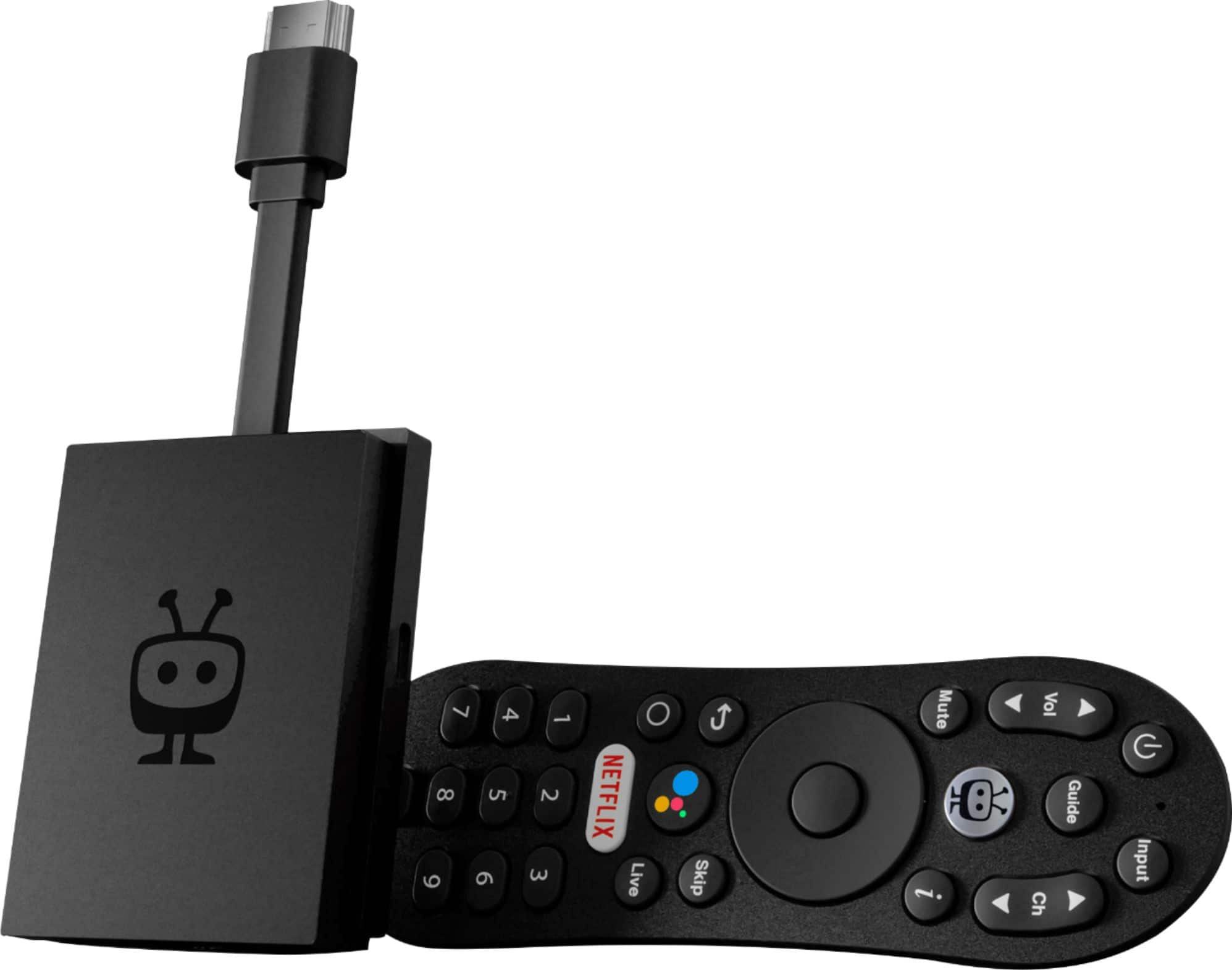
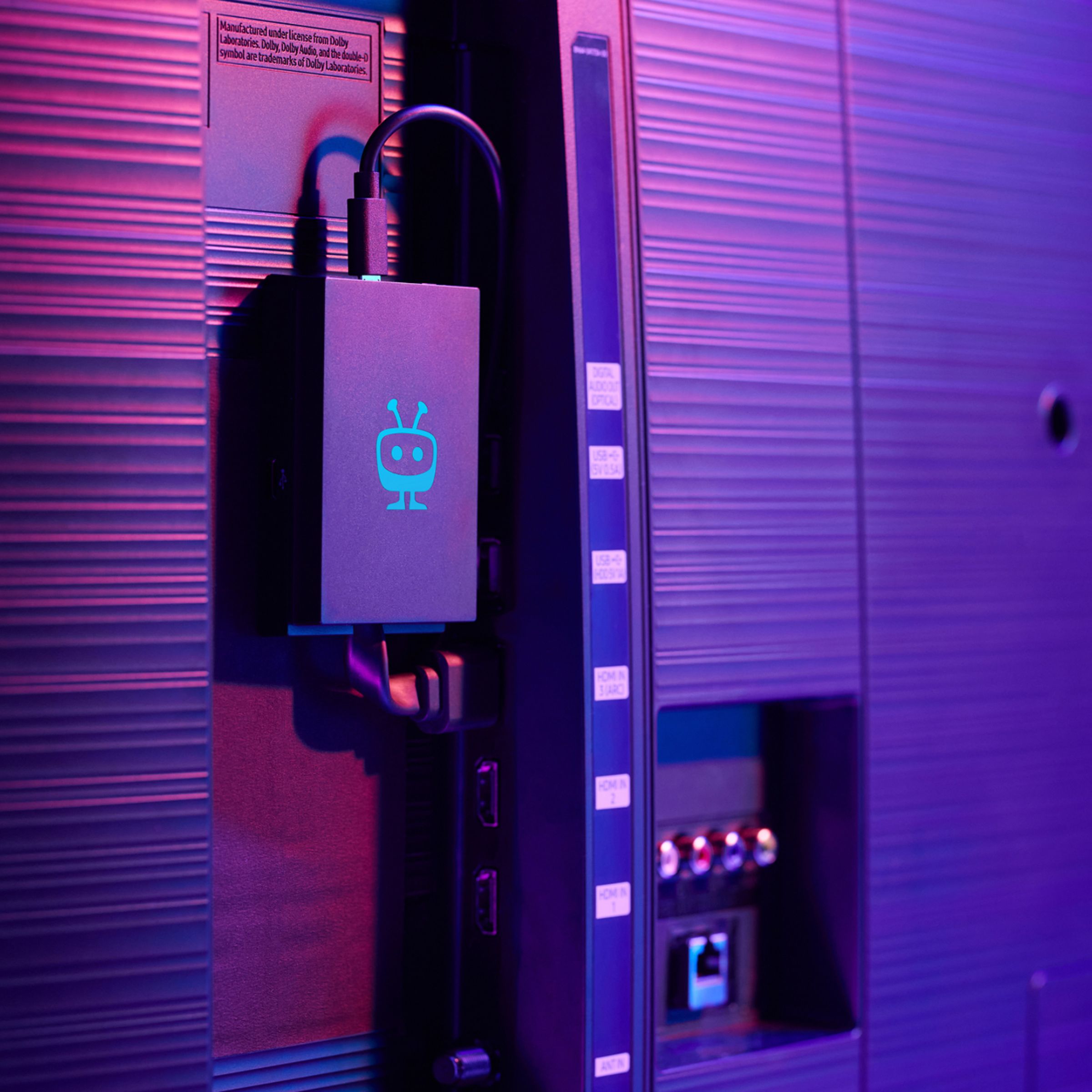
|Posted .This reviewer received promo considerations or sweepstakes entry for writing a review.The TiVo Stream 4K is one of a few different devices on the market that add streaming and other online/smart features to any TV. It’s got support for a wide variety of streaming services right out of the box, and the fact that it’s powered by Android TV and its Play Store means that you can install many, many more apps. Installation was pretty easy – you just need a power outlet and open HDMI port on your TV. The device itself is a small box that hangs from a short HDMI cable. This is more versatile than a “streaming stick” style, especially if your HDMI ports are close together… but I’m glad my HDMI port hidden around the back of my TV, and I don’t have to worry about the little box dangling alongside the screen. Set up takes a few minutes – between setting up the TiVo app, then signing into all of your various online content services. But that’s only really one time. After that, using the TiVo Stream 4K is pretty easy. The TiVo Stream 4K also has Chromecast built in, making it really easy to broadcast from my Android phone (using the built in Cast feature), my Windows computer (using the Chrome browser), or even an iPhone or iPad (using certain apps that have Chromecast support built in). I also really like the design and features of the included remote. It allows control of my TV (power, volume, input), the Android TV interface, and even has a Google Assistant button, which is nice since I already use Google Assistant on my phone and other devices. Interestingly enough, the one thing I didn’t really care for about the TiVo Stream 4K was the TiVo app. I guess the idea is that you can search for streaming movies, shows, and live TV across all of your various services from one place. It also makes recommendations based on what you tell it you like. But I found the interface kind of counterintuitive, and the recommendations kind of useless. Fortunately, the TiVo Stream 4K works great without ever having to launch the TiVo app! So, I think the TiVo Stream 4K is great for online media streaming services, convenient as a Chromecast, and includes a compact, helpful remote. Maybe others will like the TiVo specific app more than I do… but even if not, the other features of this device make it worth the price, and something I will enjoy using.
I would recommend this to a friend OK
||Posted . Owned for 2 months when reviewed.This reviewer received promo considerations or sweepstakes entry for writing a review.Good product, but didn't meet what I was looking for
I would recommend this to a friend- Pros mentioned:Ease of use, Remote control
Android TV meets Tivo software
|Posted .This reviewer received promo considerations or sweepstakes entry for writing a review.The Tivo Stream is a small rectangular dongle with a somewhat stiff cable/HDMI connector so that it sticks out from the back of the television. It comes with a power brick and micro-usb cable. The remote is a smaller version of the familiar Tivo peanut remote. Setup was a fairly painless, though lengthy process, after booting the device and connecting to the wifi, the device will download a fairly sizable software update. Tivo will try to establish an interest profile by displaying pairs of programs for you to choose among. Pairing the remote was a painless process. Hold down a couple of buttons on the remote and the remote automatically pairs to the TV. The remote will control power, volume, input selection and channel changes so it can serve to replace your tv remote. The basic device runs a vanilla android TV, running version 9. Select Tivo and it will run a Tivo overlay, which serves as an aggregator for programming, using streaming services that yoiu subscribe to. The Tivo software will select programming that it feels will meet your interest profile. Rating further programs as you use the device will improve suggestions as the device learns your interests. Why only 4 stars? I really like the device, it is easy to use and seems very stable. I have used other android devices which seem to drop wifi connections frequently. This device has given me no trouble. I did have trouble activating the voice search feature. I kept being instructed to authorize the searching and no matter how many times I would authorize it, it wouldn't work. It wasn't until I decided to try rebooting the device that the search function worked. Sadly, this was not covered in the documentatiion.
I would recommend this to a friend - Pros mentioned:Remote control
Great streaming device
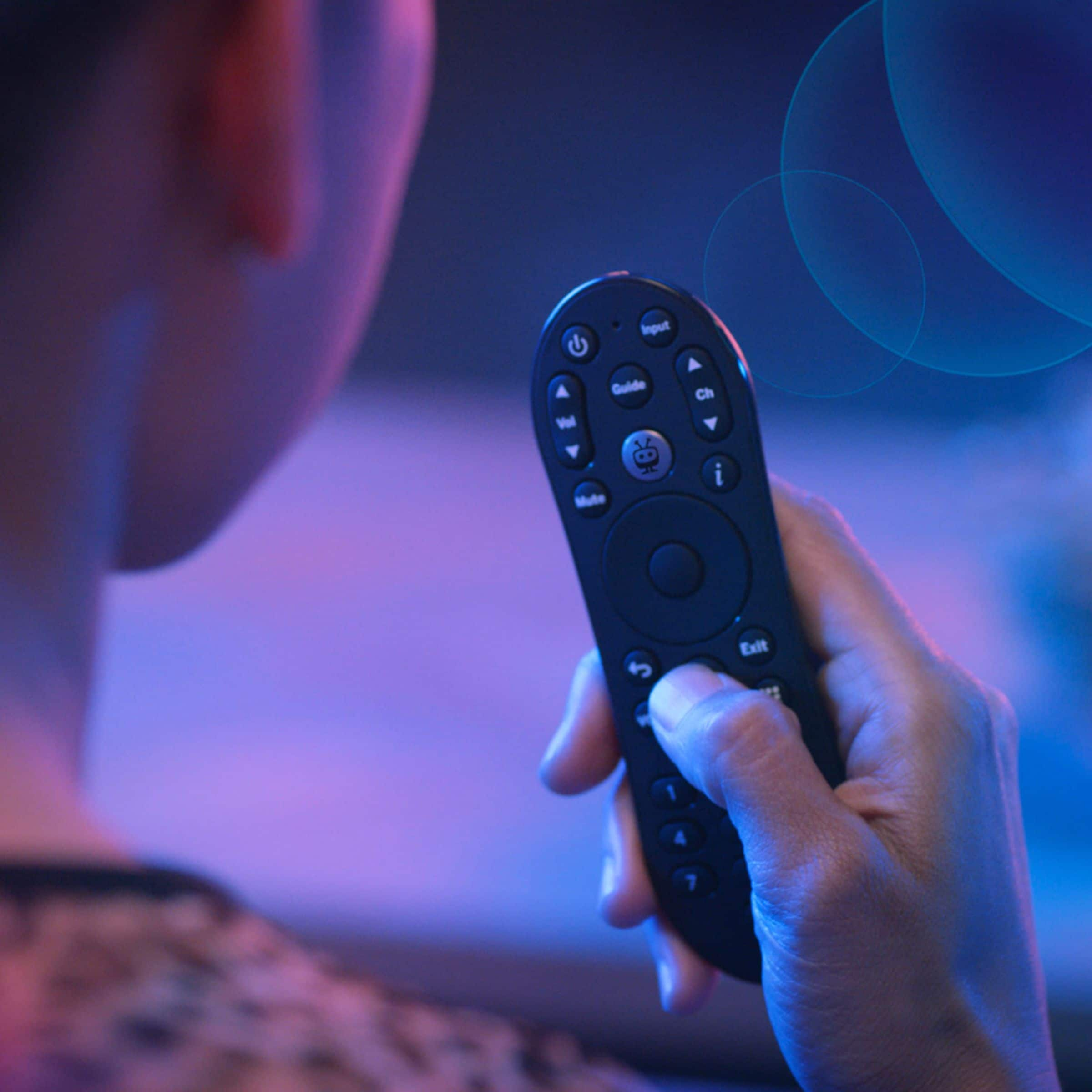
|Posted .This reviewer received promo considerations or sweepstakes entry for writing a review.The Tivo Stream 4K is a great streaming device that does everything a streaming device needs to do. The Device comes with a small voice remote that fits nicely in your hand. The remote has all your basic buttons like Vol, CH, Guide, Input and even a Netflix button. The remote is a universal remote and easily connects to your TV so you can ditch your TV remote. The main device is a small box with an HDMI coming off the end of it. The device is powered by a USB cable and adapter. Setting up the player is simple and the OS walks you right through it. After you set up your profile, you can start streaming any app you can find on the google play store - in 4k HDR. One of the things that sets this appart from other streaming devices, is the customized user experience. The device will choose movies and shows based on your interests and display them like a Tivo guide. Watching movies is better than ever, as they can be played in 4K HDR, Dolby Vision, and it also supports Dolby Atmos. The OS that it's currently running on it Android 10 and it runs smooth and fast. Overall, I like the Tivo Media player. The remote is very comfortable and has all the functions and keys to control both your TV and media player with one remote. The user experience is simple and great. And watching movies in 4K HDR look amazing. I would recommend this to anyone looking for a new 4K media streaming device.
I would recommend this to a friend - Pros mentioned:Picture quality, Remote control
Pretty Cool Player
|Posted .This reviewer received promo considerations or sweepstakes entry for writing a review.This is a nice Android TV type device to help manage watching media. Have a great search function and if you have TV will show you want is on. Again great if you go I want to watch some Random 80's movie from childhood it will find it and link you to the streaming services. Being Android you can add other apps as well so great. The remote is fantastic and the picture is awesome. If you use it to watch YouTube and Twitch might be a bit overkill for your needs. However if you want to consume all the streaming media this is definitely the player and being able to sideload apps easily I'm sure helps make this a modders dream.
I would recommend this to a friend - Pros mentioned:Picture qualityCons mentioned:Performance
Amazing
Posted .This reviewer received promo considerations or sweepstakes entry for writing a review.Well, first of all I have this device for only 1 day, enough to be in love with it, second: I have all of the others (2 generations of apple tv, 2 Google chromecast with tv 4k, Amazon tv cube 2nd generation and roku stick 4K plus, and honestly non of them displays the amazing picture I found on TiVo, 4k imagen quality is outstanding in this little device, I’m planning to give all of the others in adoption within the family, believe me you won't regret to buy this, even with the rebooting loops i was having yesterday while watching Monday night football on ESPN plus, but I’ve changed the wall charger for an apple one (Old generation iPad wall charger) and it stopped , I’m so happy to be testing devices all the time or I couldn’t find this one
I would recommend this to a friend - Pros mentioned:Remote control
Great streamer
Posted .This reviewer received promo considerations or sweepstakes entry for writing a review.I own many Android TV devices, and Chromecast with Google TV devices. I like Android TV over Chromecast with Google TV, and this device is a perfect fit. It seems like a standard Android TV device with some added features. Dolby Vision and HDR are great when the content supports them. The best thing about this device is the remote. Better then any other remote including my Nvidia Shield. I would recommend this streamer. You even get to save a few dollars over the Chromecast with Google TV.
I would recommend this to a friend - Cons mentioned:Size
Decent all in one streamer
|Posted .This reviewer received promo considerations or sweepstakes entry for writing a review.Good overall streamer. With the big brand in streamers having a similar UHD unit with a voice remote, I expect this would have some stiff competition, but this one holds its own quite well. The biggest plus is the massive amount of streaming services. I only use a few, but this literally works with most you can think of. Takes a bit to get them all setup, but its nice having pretty much all of them available. The unit itself is a bit chonky vs other streamers, which isn't a huge deal, just adds to the clutter behind your TV and the remote is also bigger than some, actually larger than my TV remote! Overall, great streamer, good value, and has most of the streaming services!
I would recommend this to a friend A solid streaming box option at a good price
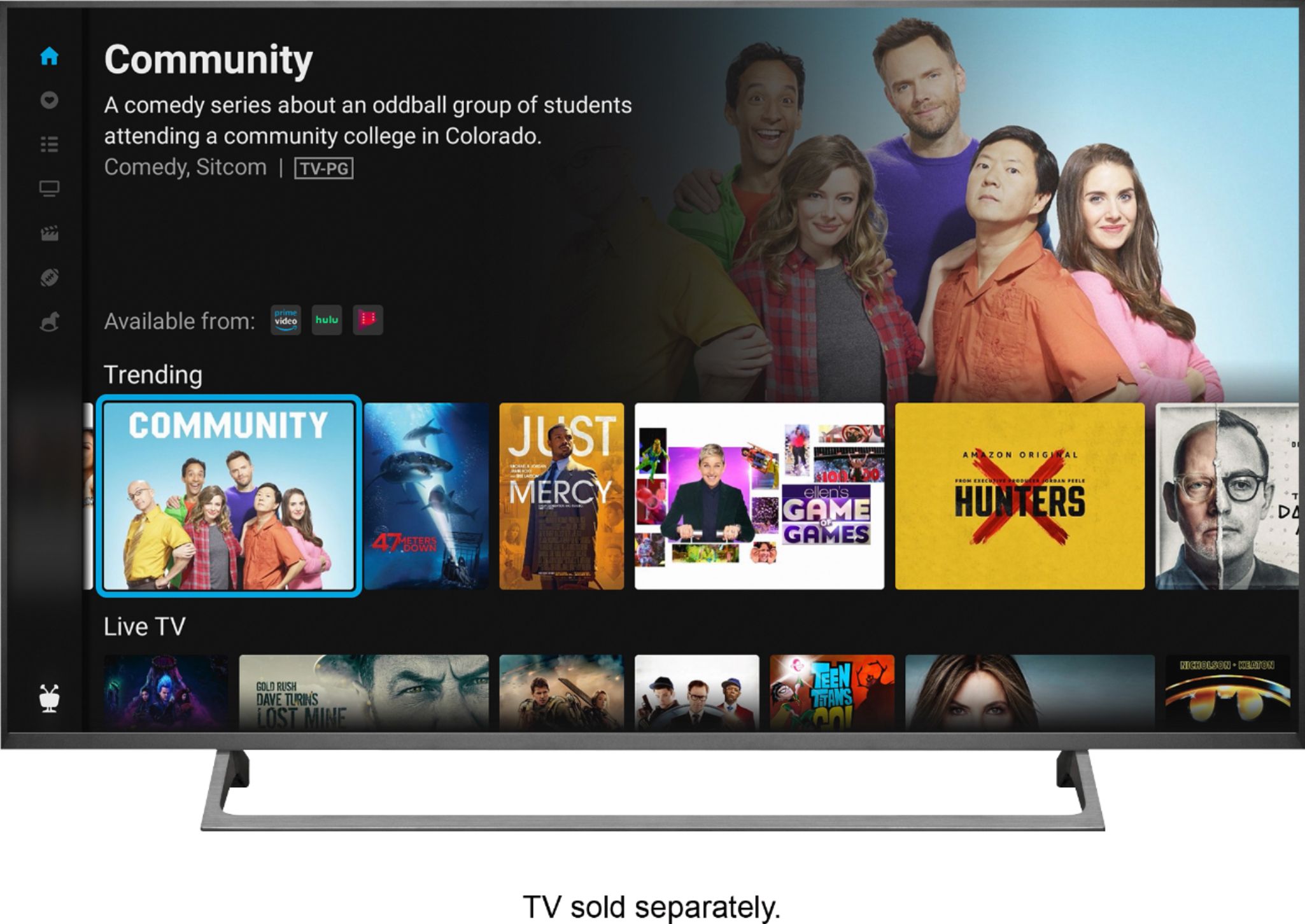
|Posted .This reviewer received promo considerations or sweepstakes entry for writing a review.The Tivo 4K Stream is pretty much identical to Google’s offering. They both used the same hardware and perform just as well, with the differentiator being the Tivo stream app and the remote control. Supports up to 4K resolution including HDR, HDR 10, and Dolby Vision, along with Dual Band AC WiFi for strong wireless connectivity. I ended up putting the Tivo 4K stream in my daughter’s room which is located upstairs getting a signal from the router that is located downstairs by the front door. Even with the bedroom door closed, I did not hear any complaints from her about buffering issues so that’s a good thing lol. The Tivo Stream app it’s like the Tv Guide for streaming apps. If there’s something you want to watch and you’re not sure which streaming service has it, the app shows you and takes you there. It can be beneficial for someone that is new to the streaming world and would like a good starting point. The only thing I would ding it for that’s it requires a Tivo account and you cannot skip this during the setup process. I would prefer for it to be optional instead of being forced to create a Tivo account if you don’t have one. No complaints about the remote. It offers voice search which is handy when searching for stuff like in the YouTube app. A nice feature is that it has the ability to pair up your favorite Bluetooth headphones. The sound quality was good and loud. I also did not see any noticeable out-of-sync audio. My smart tv with the built-in Android Tv has horrible audio sync issues when using Bluetooth audio. Overall, the Tivo 4k Stream is a solid streaming device that performs well and comes with some nice features like Bluetooth audio support and a USB C port to connect additional peripherals like an external storage device or a keyboard too if you wanted to. The hardware is not powerful enough to handle demanding 3D games like Genshin Impact but other light demanding games like Candy Crush or Angry Birds should be fine. The only gripe I have you have to create a Tivo account if you don’t have one or sign in with it if you do. But for everything else handle it like a champ.
I would recommend this to a friend- Pros mentioned:Remote control
Great upgrade from older streaming devices
|Posted .This reviewer received promo considerations or sweepstakes entry for writing a review.The TiVo - Stream 4K UHD Streaming Media Player is a great addition to the long list of streaming devices available now. Sure, it takes a while to get it completely setup since you have to log in to each of your streaming services so you may be tempted to simply continue using whatever you currently use to stream your content, but in the end, I think it is well worth upgrading to this device. It functions so much smoother and quicker than my old Amazon Fire TV stick which on its own makes the upgrade a no-brainer. On top of this, the 4K quality is great and the voice control via Google Assistant is the icing on the cake. Overall, you can’t go wrong upgrading to the TiVo - Stream 4K UHD Streaming Media Player and I highly recommend it!
I would recommend this to a friend - Pros mentioned:4k
Makes streaming easier
|Posted .This reviewer received promo considerations or sweepstakes entry for writing a review.This unit consolidates your various streaming services into one easy to use interface. Especially now that many shows are moving from broadcast TV to streaming you can do a search for a show and it will tell you what services it is streaming on even if it isn't one you subscribe to. I have been able to look at which services I'm paying for and easily see which ones I'm actually using. One service I was paying for I only watched one show on and it was also available on another service I was also paying for that I use for multiple shows. I no longer have to jump from one service to another to find where a show is available. It is also 4K so picture quality is fantastic!
I would recommend this to a friend