Customer Ratings & Reviews
- Model:
- 1FC5.019.00
- SKU:
- 4071003
to a friend
Customers are saying
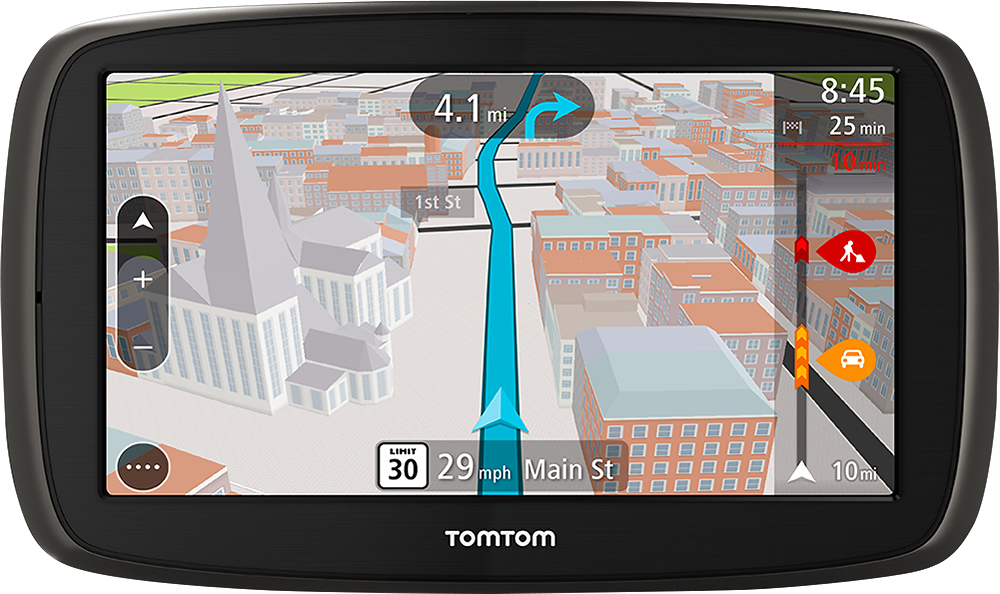
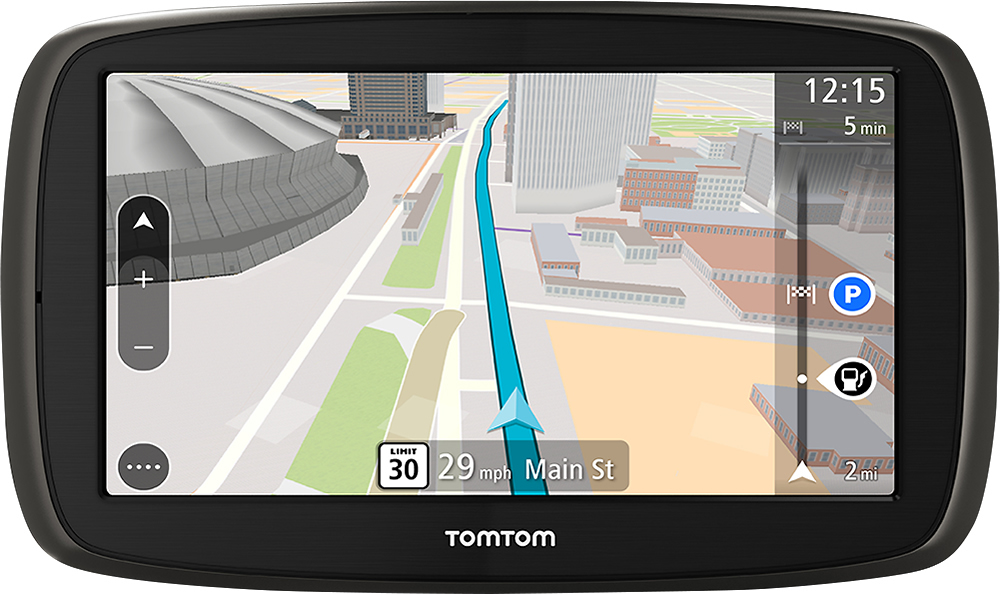
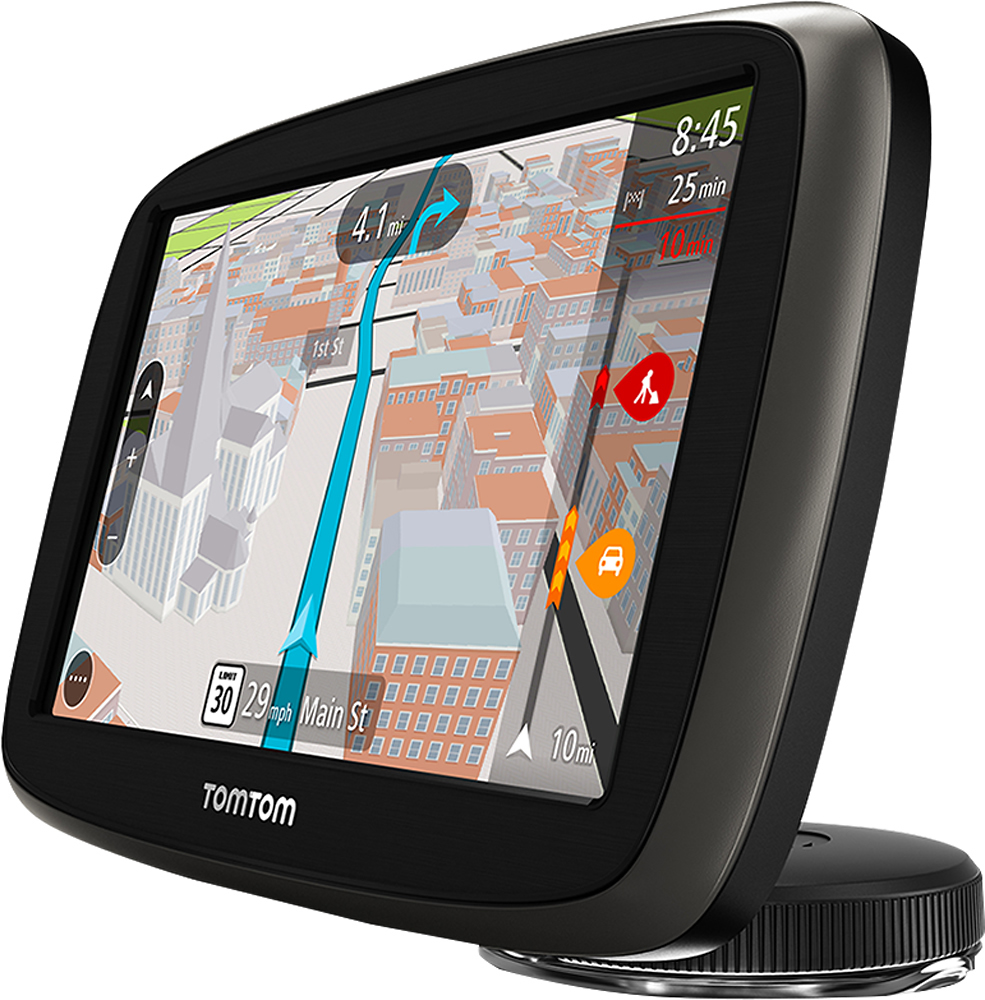
Customers praise the GO 50 S 5" GPS for its ease of use, accurate GPS navigation, and convenient screen size. Many appreciate the device's accuracy in finding destinations and its overall value for the price. However, some users experienced challenges with map updates and found the user interface to be less intuitive than previous versions. Concerns were also raised regarding battery life in certain instances.
This summary was generated by AI based on customer reviews.
Great GPS
||Posted .This reviewer received promo considerations or sweepstakes entry for writing a review.My husband loves this gps. We are going to buy another for our daughter
I would recommend this to a friend- Cons mentioned:Features
Don't buy this
||Posted .This reviewer received promo considerations or sweepstakes entry for writing a review.I have owned 4 TomTom devices and this version is terrible. The software id not standard TomTom and is hard to program address into. Does not have enough programmable features. If I could return it I would it is junk!
No, I would not recommend this to a friendBrand response from TomTomCommunityManager
Posted .Hello RickS, I’m sorry to read that your expectations have not been met by the GO 50 S, your review will be shared with the product team. Your feedback will be essential in decisions about which features and functionality to bring in future updates.
There are various ways you can enter addresses on the device, we have tried to simplify it for our users’ benefit. You can read more on the different ways you can use Search here http://bit.ly/1lf3l7j on page 26. I hope this helps ease the issues. You can reach out to us via our direct line 866 486 6866 or the following page: http://bit.ly/Jn4Fjv. Our agents will assist you further.
I can't be with out it now. I love it!!
||Posted .This reviewer received promo considerations or sweepstakes entry for writing a review.I have no sense of direction so it is vital for someone like me.
I would recommend this to a friendGreat Product
||Posted .This reviewer received promo considerations or sweepstakes entry for writing a review.Good product, right price and Liftime updates; what else do you need?
I would recommend this to a friendHard to use!!!
||Posted .This reviewer received promo considerations or sweepstakes entry for writing a review.It is very frustrating to use and most times I give up and just use the GPS on my phone!!! I miss my old GPS!!!
No, I would not recommend this to a friendBrand response from TomTomCommunityManager
Posted .Hello, I'm sorry to read you find the GO frustrating to use. You can download the user manual here: http://bit.ly/1oOtk7P to help you learn more oh how to get the best form the GO.
issues with TomTom website and cannot log into upd
||Posted .This reviewer received promo considerations or sweepstakes entry for writing a review.issues with website cannot login to update the device. The window attachment does not work with my vehicle and the angle.
No, I would not recommend this to a friendBrand response from TomTomCommunityManager
Posted .I am sorry to read that you are encountering some issues and I would like to help you fix them; however, I do not have enough information to do so. Please contact us via our direct line 866 486 6866 or the following page: http://bit.ly/Jn4Fjv. Our agents will assist you further.
Not recommended for anyone!
||Posted .This reviewer received promo considerations or sweepstakes entry for writing a review.I have owned several TomTom's over the past numerous years & loved them! The 50s is pure junk, has no idea where it is & gives directions to places, I suppose, to where it wants to go. This product is not recommended for anyone and I wouldn't even give it to my worse enemy!
No, I would not recommend this to a friendBrand response from TomTomCommunityManager
Posted .hello Dan , I'm sorry to read that you find the device not recommendable. we continue to work on improving its features and functionality with the intent to add more through software updates in the future.
The device always shows your current location when you turn it on. if you are willing, can you please share with us the details of location of the destination(s) that it gave you the wrong directions to on [email protected]? This will allow us to investigate, then work with you to verify them as well as give you additional tips. I will share your comments with the product team.
A piece of junk
||Posted .This reviewer received promo considerations or sweepstakes entry for writing a review.No instruction manual; icons that don't make any sense; touch screen that can't "drag"; not in any way "intuitive"---can't figure out how to program it (since there's no instruction manual, that's all you can do, try to FIGURE IT OUT). DO NOT BUY THIS ITEM; you'll regret it if you do!!!!!!!!!
No, I would not recommend this to a friendBrand response from TomTomCommunityManager
Posted .Hello, I'm sorry to read that the GO has not been to your satisfaction. The pinch to zoom feature is available on the premium edition, the GO 5/600 series. You can download the instruction manual of the GO here: http://bit.ly/1oOtk7P.
Waste of time and money
||Posted .This reviewer received promo considerations or sweepstakes entry for writing a review.do yourself a favor and go get a real GPS buy a Garmin. this thing takes entirely too long to locate satellites is not user friendly and for upper model does not have many features you can spend less money on a Garmin and get a much better GPS
No, I would not recommend this to a friendBrand response from TomTomCommunityManager
Posted .Hello, i'm sorry to read that GO 50 S did not meet your expectations. We are working on adding more features and functionality, we will be doing so via a software updates in the future.
Regarding slow GPS, it is not a common occurrence,we have engineered the new GO series to support two major sets of GPS satellites (GPS and GLONASS) and we also have our QuickGPSFix technology to aid in locating satellites. QuickGPSFix will tell your GO device where in the sky the GPS satellites will be for the next 7 days. This enables your device to then search specific areas of the sky to quickly get your current location. When you connect your GO to your smartphone running the MyDrive app, you will automatically receive a QuickGPSFix update. You will also receive an update when connecting to MyDrive Connect on your computer. Please give these steps a try and if you still experience slow GPS location (when the chevron turns blue) please reach out to us via our direct line 866 486 6866 or the following page: http://bit.ly/Jn4Fjv.Our agents will be of assistance to you.
Poor product for price compared to free Google
||Posted .This reviewer received promo considerations or sweepstakes entry for writing a review.I wouldnt suggest this product, compared to the fact that google maps and traffic are free. plus this product uses the smart phone for data, so why not use smart phone for google maps which is completely free.
No, I would not recommend this to a friendBrand response from TomTomCommunityManager
Posted .Hello Nick, I'm sorry to read that the GO did not meet your expectations, we are working hard to improve its features and functionality, there will be new ones added in the near future through software updates.
It is not clear from your review what did not go right with your device as I would have like to assist you with the some of the issues. You can contact us for assistance here: 866 486 6866 or the following page: http://bit.ly/Jn4Fjv
- Cons mentioned:User interface, Voice command
Terrible OS update. Now 3D is like the 2D on my XX
Posted .This reviewer received promo considerations or sweepstakes entry for writing a review.Bought it a week ago and used it for a week. I had owned a TomTom XXL and I loved it, but the capacity was´t enough to update the maps, so I decided to by this one. But I took it back last night. I almost switched to Garmin but ended up ordering a VIA, I just love the old OS. Here's the reasons why I returned it: *I never saw the 3D effect, in any type of road (with or without the auto zoom option selected), it looked more like the 2D on my old XXL. *I can't believe instead of showing you the lanes and exit simulating the highway now is only small blue arrows on top that make you keep your eyes more off the road. *Other indicators are small, Distance, Time remaining, etc. on the old OS you could see all the info in a glimpse. *Harder to input addresses. The keys are smaller in the keyboard, and there's not enough space in the screen to see a list of suggested addresses, you have to hide the keyboard and wait for the GPS to load the list of addresses. *Less voice options *Takes more steps to go to Recent Places than in the old OS. *And why do you have to tell the GPS you want to go to the address you just selected? If I look for recent addresses and select one 99%of the times is because I want to go there again. So selecting it should be enough to start planning the route. *Believe it or not I miss the car pic that was replaced with just an arrow (and my wife misses it too). I am expecting the VIA 1535TM to be here tomorrow, hopefully I can use it for a few more years until TOMTOM comes up with a better and newer interface.
No, I would not recommend this to a friendBrand response from TomTomCommunityManager
Posted .Hello SanSonV, It's unfortunate that you have decided to return the device. I hope the VIA will be to your liking. Your feedback, just like every feedback we get, will be shared internally with the relevant teams.
A major improvement in finding your destination
Posted .This reviewer received promo considerations or sweepstakes entry for writing a review.My first concern was the amount of data using your cellphone for traffic would be chewed up. After all WAZE tears your data plan to pieces as it constantly finds your location on your cell phone. However, the GO 50 only gets traffic updates and location finding is done in the GPS itself. According to Tom Tom, only 7 MB a month will be eaten from your cell data plan if you use your GPS for a hour a day. A small, almost negligible amount. With that problem out of the way, I felt confident to buy the GO 50 and upgrade my former GPS. The access of the Internet through your cellphone is invaluable. Not only for data entry of the your destination, but also for traffic conditions. All I had to do was enter a store name and the GPS would find the location for me. I am very happy with the unit.
I would recommend this to a friendAdditional Features Do Not Work Well
Posted .This reviewer received promo considerations or sweepstakes entry for writing a review.Basic GPS functions work, but MyDrive (phone and PC app to "plan" routes) is sorely lacking. MyDrive will map a route but doesn't allow you to add stops or change the route taken, all functions that have worked for online mapping for years. The connection to my Android 4.4.2 phone worked at first, but once lost, has been impossible to reestablish. I have to set aside more time for TomTom tech support call(s) to work this out. A very nice feature is the "coming attractions" bar that displays POIs that you'll be passing soon. I have mine set to show fuel stations and rest areas so you can see at a glance what is in your near future. No need to open up a search and try to type while driving. If the MyDrive application was better, I would rate this much higher.
No, I would not recommend this to a friendBrand response from TomTomCommunityManager
Posted .Thank you for the review and feedback. The MYDrive app is being updated all the time with new features and functions (we just added the ability to send a phone contact address directly to your TomTom GO) Plus the website now lets you plan stops!
If you have a destination set on your GO you can add stops to your route via the "Current Route" menu.
- Cons mentioned:Features, User interface
Not What I expected from TomTom
Posted .This reviewer received promo considerations or sweepstakes entry for writing a review.As a loyal user of TomTom ONE and VIA, I thought I'd buy the GO 50 S. Out of the box I would expect to at least be able to navigate through the menu with ease...Did not happen.The whole new design feels awkward and not very user friendly...And the features are non existent...No bluetooth for calls? C'mon. What focus group gave the OK to put this inferior product out?I took mine back and bought a Garmin.....Loaded with features for around the same price. Very Satisfied now. TomTom better get their act together because there are going to be a lot of unhappy loyal customers.
No, I would not recommend this to a friendBrand response from TomTomCommunityManager
Posted .Hello, I'm sorry to read the GO did not meet your expectations. it is unfortunate you decided to return it before contacting us for help.
For other customers I'd like to address some of the issues that were brought up. if you want to learn more on how to use the device you can download the user manual here:http://bit.ly/1oOtk7P.
Regarding features, we will be introducing more features to the existing ones in the coming months through software updates. Lastly , if you experience any issues that you cannot solve you can reach out to us via our direct line 866 486 6866 or the following page: http://bit.ly/Jn4Fjv
- Cons mentioned:Map updates
Dont waste your time
Posted .This reviewer received promo considerations or sweepstakes entry for writing a review.Bought this one to replace my old Tom Tom because they want $80.00 for a one year map update. New one came with lifetime updates, and if they worked it might be a good product. I never got to use it. Out of the box the maps were over a year old and and there were 4 updates available. I followed the directions and downloaded the updates to my computer, took over an hour on a fast connection. It was time to install on GPS and first it would not find the GPS. Then all of a sudden it connected and the install began, reached 6% and stopped saying it was interrupted. Tried several times and gave up. Then turned it on and it said no map loaded, please load or purchase a map. OK tried again same thing would not complete. Finally after multiple hours it got to 38% then jumped to 100% and said all updated. GREAT!! But when i turn it on it still said there was no map loaded. Plugged it back in, it connected and declared That it was up to date. no updated to install. So no map and no updates. Back to Best Buy it went where they returned it with no issues at all. they offered Geek squad to look at it, but I was done. In the time spent wasted on this paperweight I could have learned how to use a Garmin.
No, I would not recommend this to a friendBrand response from TomTomCommunityManager
Posted .Hi ljmn,
I am sorry to hear about the negative experience you had with the TomTom GO 50S and that you have decided to return it. What you described should, of course, not happen.
For the sake of other customers – if you encounter any difficulties please do not hesitate to contact us. You can contact us on direct line 866 486 6866 or via the following page http://bit.ly/1Rk5Yp3.
I cannot wait to recommend this product
Posted .This reviewer received promo considerations or sweepstakes entry for writing a review.I had used TomTom One for 5 years, and wanted to switch to Garmin. When I bought a Garmin product priced at over $300, I found its visual quality was great, but its mapping system was poorer than expected. So, I had to return it, and bought this TomTom Go without great expectations. Then, I finally found this product was what I really wanted. Its visual quality is great, and its mapping system is excellent as it shows the way so that the driver can avoid confusion when he/she needs to change the road. I strongly recommend this product.
I would recommend this to a friendBrand response from TomTomCommunityManager
Posted .Thank you for your review, anyboot. It's good to know that you are happy with the GO 50 S you have purchased.
- Cons mentioned:Voice command
Not as good as my old VIA1450
Posted .This reviewer received promo considerations or sweepstakes entry for writing a review.I am a bit disappointed in this GPS I have been using it for around 5 months now. The directions are sometimes inaccurate where it will take you the long way (not the fastest route) to locations I know. So I am gun-shy when it come to finding places I have never been to before. I miss the written turn by turn feature and now you must use the preview function. If you preview a 500 mile trip it takes almost a half hour for the preview to run through. I miss the voice command feature. As a bus driver I have to sometimes change things on the fly, voice command was great for that. Now I have to pull over and retype a new destination. This unit is ok for the casual traveler. But for a professional driver or business person.not a good choice.
No, I would not recommend this to a friend - Pros mentioned:Gps
Awesomeness
Posted .This reviewer received promo considerations or sweepstakes entry for writing a review.It is a great product I have always loved Tom Tom but this is the best one yet.
I would recommend this to a friend - Pros mentioned:Overall performance
works great
Posted .This reviewer received promo considerations or sweepstakes entry for writing a review.Works great. Just don't know how to work the traffic part yet.
I would recommend this to a friend - Cons mentioned:User interface
Solid maps but UI is a step backward
Posted .This reviewer received promo considerations or sweepstakes entry for writing a review.The maps are still solid, but the UI had been dumbed down to the extreme. Features I've used often on older TomTom's are now buried 2 or 3 clicks deep.
No, I would not recommend this to a friendBrand response from TomTomCommunityManager
Posted .Hi Nate Boggs,
I am sorry to hear that the User Interface was not to your liking. It is true that the User Interface has gone through some changes. We, however, have found that once user get used to the new interface they grow to like it better than the previous iterations. To help you understand some of the changes and learn how to do certain things, you can download the user manual here: http://bit.ly/1oOtk7P.
Thank you for your feedback. I will share your comments with the relevant teams internally to improve our products. If you still have any queries or would like assistance please do not hesitate to contact us. You can contact us on either direct line 866 486 6866 or via the following page http://bit.ly/1Rk5Yp3.