Customer Ratings & Reviews



- Model:
- P55W-C5316-4K
- SKU:
- 4516900
to a friend
Customers are saying
Customers have good things to say about the Satellite Radius 2-in-1 laptop's touch screen, 4K display, versatility, storage, processor, and RAM. They appreciate the exceptional price, stunning display, and the speed and storage capacity of the laptop. However, some customers have concerns about the short battery life, software compatibility issues, display driver crashes, frequent WiFi connection drops, and the lack of an Ethernet port.
This summary was generated by AI based on customer reviews.
- Cons mentioned:Battery life
Not Great
Posted .This reviewer received promo considerations or sweepstakes entry for writing a review.Bought this a week ago and will return it. Battery lasts about 3-4 hours even after draining it twice. Had it plugged in for six hours and battery at 85%. Windows software has reset the desktop twice now after I personalized it. Boot up is not that quick for an i7 6th gen w/12gb of ram. Then there is the issue of some programs not being compatible with the 4K and you cannot resize only magnify.
No, I would not recommend this to a friendBrand response from ToshibaStaff
Posted .Thank you for the review, Bruno, and sorry to hear that you aren't fully satisfied with your Satellite P55W-C5316-4K.
Your experience with the 4K display is essentially a characteristic of Windows' default handling of 4K displays. Please see the helpful article at https://www.thurrott.com/windows/windows-10/4597/windows-10-feature-focus-display-scaling for instructions on how to adjust the text size.
I wonder if you can provide any more detail about your mention that "Windows software has reset the desktop." I recommend doing a Windows Reset to restore the laptop to its factory settings to see if that eliminates the symptom you're experiencing. The Toshiba Forums community knowledge base article at http://forums.toshiba.com/t5/System-Recovery-and-Recovery/What-recovery-options-are-available-in-Windows-10/ta-p/657985 has more details and step-by-step instructions for that process.
Should you need further assistance, please contact Toshiba support at 800-457-7777.
Thank you for the feedback and sorry for the trouble.
- Pros mentioned:4k display
This is a best laptop.
Posted .This reviewer received promo considerations or sweepstakes entry for writing a review.This is a best laptop so far that I have. I have it. It can display 4K and be convert to the tablet.
I would recommend this to a friend - Cons mentioned:Battery life
Problems with this model
Posted .This reviewer received promo considerations or sweepstakes entry for writing a review.The first computer I got the battery only had 2hrs of life and the screen kept shutting down from the time I got it. Exchanged for a second and the screen also shut down periodically and then what sounds like the cooling fan is making noise so will take this one back too - only used it 2 weeks. Have always had good luck with Toshiba but not this particular model.
No, I would not recommend this to a friendBrand response from ToshibaStaff
Posted .Thank you for the review, Annie, and sorry to hear that you haven't been happy with your Satellite P55W-C5316-4K.
I understand that you're planning to return the unit but I recommend first making sure all available Windows Updates have been installed. I also recommend updating the Display driver with the latest one available from http://support.toshiba.com/support/modelHome?freeText=1200011099 (currently Intel Display Driver version 20.19.15.4300.)
Please feel free to contact Toshiba support at 800-457-7777 if you'd like troubleshooting help.
Thanks for the feedback and sorry for the trouble.
- Pros mentioned:Speed
super clear screen very fast !!!!
Posted .This reviewer received promo considerations or sweepstakes entry for writing a review.very fast awesome display!!! touch is very accurate ! love it !!!!!
I would recommend this to a friend Could use a lot of refinement
Posted .This reviewer received promo considerations or sweepstakes entry for writing a review.Pros: Good 4k display Good keyboard layout and size Not too heavy for 15.6 Cons: No ethernet port Unstable wireless Display driver resets This laptop had some promise when I picked it up but... The wireless would not connect to certain access points unlike the ASUS I replaced it with. The display driver would fail and restart every once in a while. The lack of an ethernet port in an almost full sized laptop was not good for IT work. The display was wonderful though.
No, I would not recommend this to a friendToo epensive
Posted .This reviewer received promo considerations or sweepstakes entry for writing a review.I just bought this computer and already having problems. First the battery making a very loud noise and its super hot. The computer freezes a lot. The 4k videos take to long and it buffers a lot.. I know its not my internet because I have the 105mps. I have a MacBook pro and never have any issues with it.
No, I would not recommend this to a friendDo not buy
Posted .This reviewer received promo considerations or sweepstakes entry for writing a review.I have owned this computer for one month now and have had nothing but problems after the first week. Even with an I7 and 12gb of ram the computer is slower than my 4 year old computer with an I5 and 8gb of ram. The computer also resets itself randomly, sometimes in the middle of doing something, sometimes while nothing is running. It also randomly disconnects from all the usb ports and the internet. I have been on the phone with Toshiba support several times and they are of absolutely ZERO help whatsoever. You would think you were getting an amazing deal with this computer, but you are in fact getting a piece of junk. First and last Toshiba I ever buy.
No, I would not recommend this to a friendBrand response from ToshibaStaff
Posted .Thank you for the review, Mick and sorry to hear that you're experiencing some issues with your Satellite P55W-C5316-4K.
A Windows Reset would confirm whether or not the issues you're experiencing were introduced by software installations or configuration changes. The Toshiba Forums community knowledge base article at forums.toshiba.com/t5/System-Recovery-and-Recovery/How-do-I-reset-my-Windows-10-computer-to-factory-defaults/ta-p/657990 has more details and step-by-step instructions for that process.
If the problems persist after running the Windows Reset, please contact Toshiba support (again) at 800-457-7777 for help making warranty repair arrangements.
Thanks again for the feedback and sorry for the trouble.
So Many Problems and Restore to Factory Fails?
Posted .This reviewer received promo considerations or sweepstakes entry for writing a review.So many problems and restore to factory default fails? Graphics issues flickering, color changes, E-mail opens then instantly closes, screen lock went from 4 digit and suddenly overnight to a password for Windows. Wow! This is under warranty too and I had errors requesting the original disc which should be included in the package
No, I would not recommend this to a friendBrand response from ToshibaStaff
Posted .Thank you for the review, Shawn, and sorry to hear that you've had variety of problems with your Satellite Radius P55W-C5316-4K.
Can you share a bit about what happens when you try to run a Windows Refresh or Reset? Are there error messages? And can you also tell us more about what you mean by "errors requesting the original disc." If you haven't already done so, please review the Toshiba Forums community knowledge base article at forums.toshiba.com/t5/System-Recovery-and-Recovery/How-do-I-perform-a-system-restore-in-Windows-10/ta-p/657989 for details about how to restore the system without the need for disc media.
The login screen, from screen lock or Windows boot, can be toggled between the 4-digit PIN or Windows password by clicking/tapping the "Sign-in options" prompt.
I recommend downloading and reinstalling or updating the Intel Display driver from http://support.toshiba.com/support/modelHome?freeText=1200011099 (click on the "Drivers & Updates" tab, then select "Display" from the filter on the left-hand side.) I see that an update was posted on 12/23/15.
If the above info doesn't resolve all the problems you've experienced please contact Toshiba support at 800-457-7777 for help with troubleshooting and, if needed, making warranty repair arrangements.
Thanks again for the feedback and sorry for the trouble.
Brand new Lemon
Posted .This reviewer received promo considerations or sweepstakes entry for writing a review.I bought this computer to replace my old toshiba after almost 7 years of it working great. This computer takes FOREVER to do anything right off the bat. It kept freezing right after I just got it out of the box literally. I'm thinking its a lemon. But now seeing other reviews I am hesitant about spending my $1000 on a potential piece of poo. I'm returning it very inconveniently today.
No, I would not recommend this to a friendBrand response from ToshibaStaff
Posted .Thank you for the review, Tiff, and sorry to hear about the performance issue with your Satellite P55W.
I understand that you're planning to return it but if you haven't done so please note that Windows Update is typically busy downloading & installing updates on brand new systems. That process will tax initial performance until the updating process is completed.
If you confirm that Windows Update has completed installing any available updates and the problem persists then please do return the unit for replacement.
Thanks for the feedback and sorry for the trouble.
Great Powerful Laptop
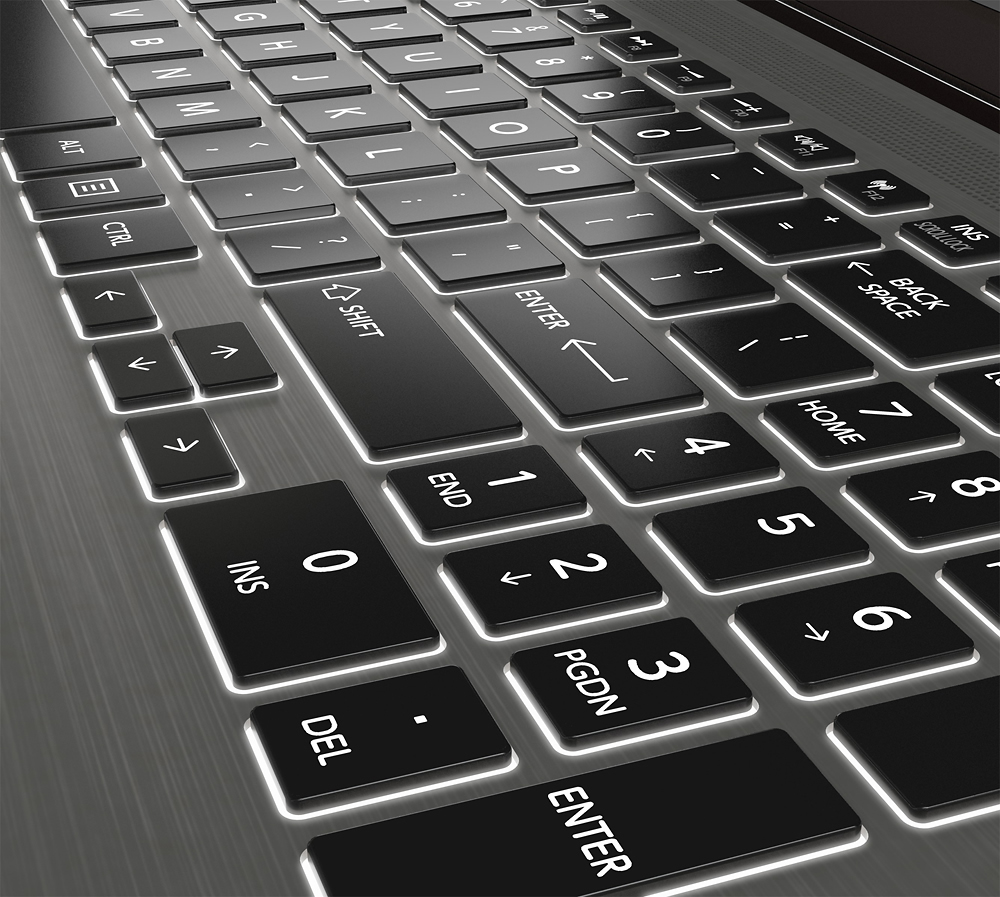
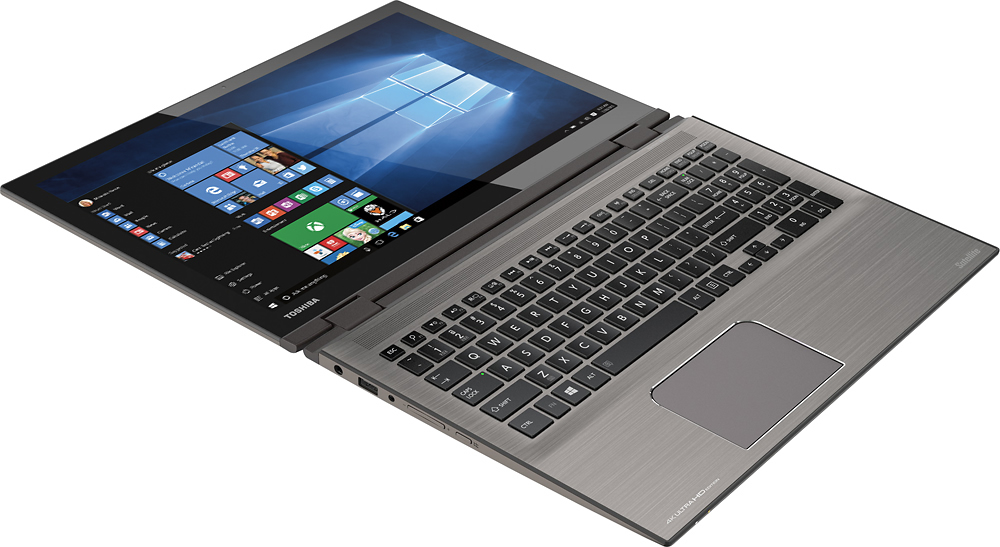
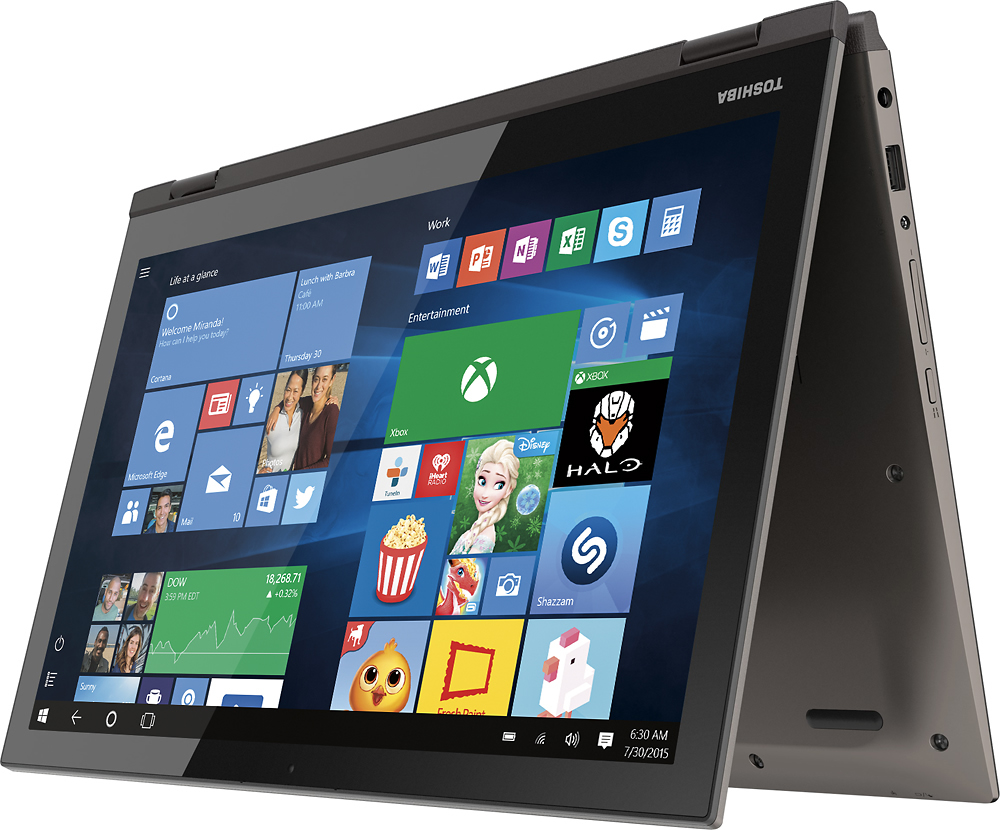
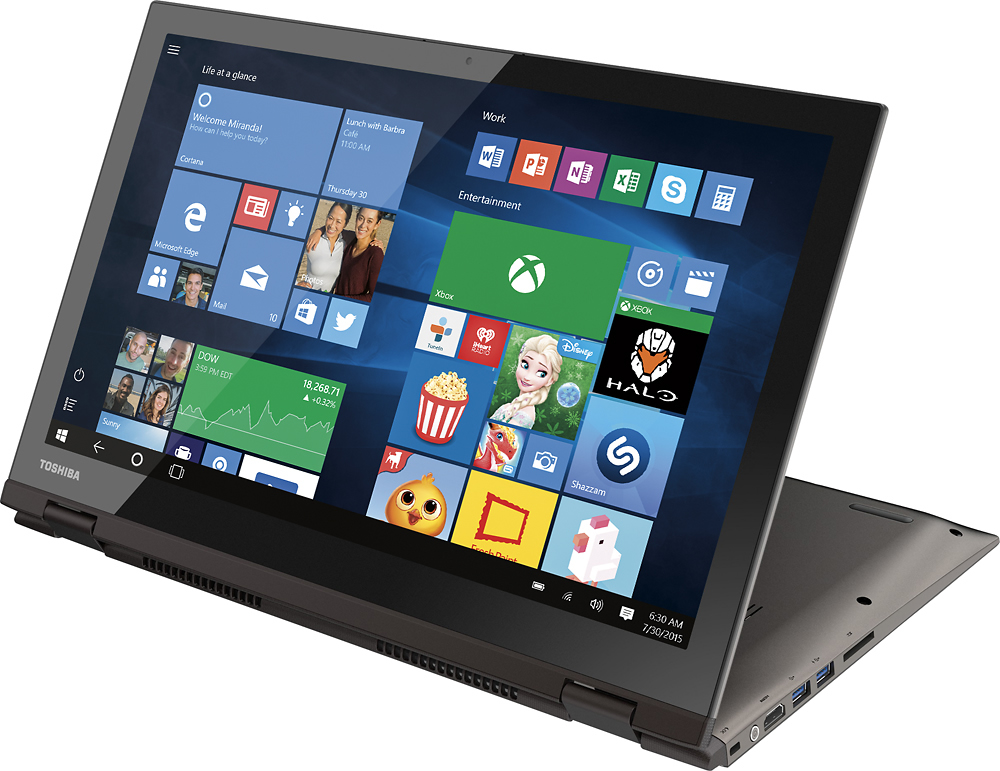
Posted .This reviewer received promo considerations or sweepstakes entry for writing a review.I don't know about other reviewers but I love this laptop, I've had zero wifi drops and good battery life. Now I do only use this to surf the internet and stream videos so I don't use it for editing or running multiple programs at once, so for me this works great. Slim design amazing clarity on the display, keyboard is crisp and responsive. Surfing the internet and cycling through programs is a breeze. Exterior is a sleek carbon grey exterior with a back lit black keyboard. Honestly I thought the "yoga" aspect of the laptop was a gimmick however I thoroughly enjoy it and use it as a touch screen constantly.
I would recommend this to a friendWas so excited then so disappointed
Posted .This reviewer received promo considerations or sweepstakes entry for writing a review.I purchased this to replace a laptop I have had for the past 7 years with no problems, just was getting old and we were leaving on a vacation and wanted something lighter. After looking at all the models available, I choose this. I am into photography and was excited about the 4k screen. 3 days into a 10 day vacation the whole system crashed and nothing will bring it back. I had just sent an email and left to go visit a friends room only to return to find an error message on the screen. I had downloaded several days worth of photos onto it and now have nothing to show for those days. Not to mention I had installed photoshop and several other photo editing software to use on the trip. So glad I am still within the window to return it. I will get something that will not ruin my next vacation.
No, I would not recommend this to a friend- Cons mentioned:Wifi
If I could give it a lower rating I would
Posted .This reviewer received promo considerations or sweepstakes entry for writing a review.Frequent display driver crashes Hardly connects to WiFi Had to return twice and now going to get my money back Don't waste your time with this, the specs are excellent but it doesn't work. So you'll never get the full experience.
No, I would not recommend this to a friendBrand response from ToshibaStaff
Posted .Thank you for the review and sorry to hear about the Wi-Fi and display driver problems with your Satellite P55W-C5316-4K.
If Windows is displaying a "limited" or "no connectivity" message or indicating "no Internet access" even though you know that your Wi-Fi router is connected to the Internet, there's a very specific fix which is normally installed automatically by Windows Update. Microsoft's support article at support.microsoft.com/en-us/kb/3114149 explains details about the symptom, cause, and how to implement the solution.
Toshiba also has a Support Bulletin at www.support.toshiba.com/sscontent?contentId=4008443 with detailed instructions on how to manually implement the solution.
Regarding the display driver, I recommend updating or reinstalling the display driver with downloads available at support.toshiba.com if you haven't already done so.
If the problems persist, please contact Toshiba support at 800-457-7777 for troubleshooting help.
Thanks again for the feedback and sorry for the trouble.
great specs
Posted .This reviewer received promo considerations or sweepstakes entry for writing a review.Sorry to say this laptop is junk. Ran into out of the box setup loop. really fun to fix that. Now only 3 days in I find it just reboots out of nowhere. 3 times in just the few hours I have had it on this evening, losing all the stuff I was doing. No doubt it will continue happen. I'm upset I found a laptop with everything I wanted to have this happen, I havn't even installed anything yet. I will call Toshiba for an explanation, and most likely return it for a full refund. Do Not Buy this laptop unless you really hate the person you would buy it for. This is my second Toshiba laptop within a year to go bad. My other laptop the keyboard went bad. I am really upset with Toshiba at the moment to continue with a pg rating review.
No, I would not recommend this to a friendBrand response from ToshibaStaff
Posted .Thank you for the review, Michael and sorry to hear that you encountered an issue with your Satellite P55W-C5316-4K randomly rebooting.
I understand that you're planning to return it but if you haven't already done so, you may want to try doing a Windows Reset to restore Windows to its factory configuration to see if that eliminates the problem. The Toshiba Forums community knowledge base article at forums.toshiba.com/t5/System-Recovery-and-Recovery/How-do-I-reset-my-Windows-10-computer-to-factory-defaults/ta-p/657990 has more details and step-by-step instructions for that process.
Toshiba support is available at support.toshiba.com and by phone at 800-457-7777 if you'd like troubleshooting help.
Thanks again for the feedback and sorry for the trouble.
Thank you for the review, Michael and sorry to hear that you encountered an issue with your Satellite P55W-C5316-4K randomly rebooting.
I understand that you're planning to return it but if you haven't already done so, you may want to try doing a Windows Reset to restore Windows to its factory configuration to see if that eliminates the problem. The Toshiba Forums community knowledge base article at forums.toshiba.com/t5/System-Recovery-and-Recovery/How-do-I-reset-my-Windows-10-computer-to-factory-defaults/ta-p/657990 has more details and step-by-step instructions for that process.
Toshiba support is available at support.toshiba.com and by phone at 800-457-7777 if you'd like troubleshooting help.
Thanks again for the feedback and sorry for the trouble.
Thumbs down, sad face
Posted .This reviewer received promo considerations or sweepstakes entry for writing a review.There were mixed review so we took the chance and bought the laptop. The features were nice but because the laptop kept crashing it was hard to enjoy. The screen kept glitching and we had to keep restarting it. The glitching annoyed me and luckily it was within the 15 days so we returned it. We exchanged it for the Lenovo edge 2 and so far the exchange was worth it.
No, I would not recommend this to a friendBrand response from ToshibaStaff
Posted .Thank you for the review, Adamo, and sorry to hear about the trouble with your Satellite P55W-C5316-4K.
Toshiba has extensive quality controls built into our manufacturing processes but occasionally something goes wrong with a brand new unit that wasn't seen during factory testing. That's when the new product returns policy kicks in to protect our (Toshiba's and Best Buys') mutual customers to ensure that customers have a window of opportunity to return products for replacement.
I understand that you've already returned the unit and replaced it with a different model, but I hope you'll consider updating your review with a bit more detail describing exactly what you experienced when the "glitching" occurred.
Thanks again for the feedback and sorry for the trouble.
Powerhouse Laptop
Posted .This reviewer received promo considerations or sweepstakes entry for writing a review.After comparing laptops left and right, this one seemed to have the best specs for the price, while coming from a trustworthy company. So far it's been running great.
I would recommend this to a friendReturned twice
Posted .This reviewer received promo considerations or sweepstakes entry for writing a review.I had to return this laptop twice. Now the 3rd model is not connecting to the internet. The connection is painfully slow. My wife also has the same model and her webcam doesn't work. I will be contacting customer service i have limited time due to school work and two children. This is stupid. Look at a different model
No, I would not recommend this to a friendBrand response from ToshibaStaff
Posted .Thank you for the review, Gerald, and sorry to hear that you had difficulty establishing a Wi-Fi connection with your Satellite P55W.
Please review the Toshiba Wi-Fi troubleshooting knowledge base article at forums.toshiba.com/t5/Networking-Wi-Fi-Knowledge-Base/What-can-I-do-if-my-Wi-Fi-wireless-isn-t-working-in-Windows-10/ta-p/663603 for troubleshooting help.
Regarding the webcam issue of the other computer, I recommend reviewing the article at forums.toshiba.com/t5/Video-Display-Knowledge-Base/How-can-I-fix-my-webcam/ta-p/281393 for tips and help.
For personalized assistance from a support rep, please contact Toshiba support at 800-457-7777.
Thanks for the feedback and sorry for the trouble.
Terrible
Posted .This reviewer received promo considerations or sweepstakes entry for writing a review.Brought this laptop home from Best Buy. It would only turn on when the AC adapter was plugged in. The moment I unplugged the AC adapter, it would shut off. Battery defect. Also, the lid of the laptop was bent. So when I shut the laptop, one side would completely close, the other side had almost 1/4" gap. Terrible.
No, I would not recommend this to a friendBrand response from ToshibaStaff
Posted .Thank you for the review, dcalhoun, and sorry to hear about the battery and apparent lid alignment problem on your Satellite P55W-C5316-4K.
The battery operation issue may be resolved by letting the battery charge for 12 hours or so while the system is shut down. However, the lid issue seems to call for replacement. We have returns agreements in place with authorized retailers (including Best Buy) to ensure that customers have a window of opportunity to return defective products for replacement.
I recommend returning the unit to where it was purchased ASAP, though you also have the option of contacting Toshiba support at 800-457-7777 to make warranty repair arrangements.
Thanks again for the feedback and sorry for the trouble.
Poor QA Control
Posted .This reviewer received promo considerations or sweepstakes entry for writing a review.I exchanged this laptop 3 times - the first one had bad LED edge light bleedthrough as well as a thumbsized array of dead pixels in the lower center of the screen making that area lighter when viewing dark images. The second had a great screen, but a very noisy trackpad - very annoying and deafening if using it while the wife is trying to sleep. It was like the trackpad wasn't clipped down flush and made a rattle every time I tapped or swiped. I thought that was a flaw and exchanged it again. The third had LED edge light bleedthrough in the upper right hand section of the screen that was really bad. Also, that noisy trackpad. The fourth I didn't even leave the store with, couldn't tell how the screen was but that noisy trackpad that I thought was faulty is apparently the norm (but the first one I got wasn't noisy). Ultimately I just returned the item and got my money back. Very disappointed with Toshiba.
No, I would not recommend this to a friendA very good product, recommendable
Posted .This reviewer received promo considerations or sweepstakes entry for writing a review.The truth that the quality of the product is very good, fulfilled my expectations
I would recommend this to a friendThe fan drives me crazy
Posted .This reviewer received promo considerations or sweepstakes entry for writing a review.The worst computer I have ever had and all because a bad cooling fan. The thermal cooling software has two settings - off and full speed. At full speed it is so loud you can hear it from across the room. Absolute failure of a product and no support from Toshiba.
No, I would not recommend this to a friend