Customer Ratings & Reviews
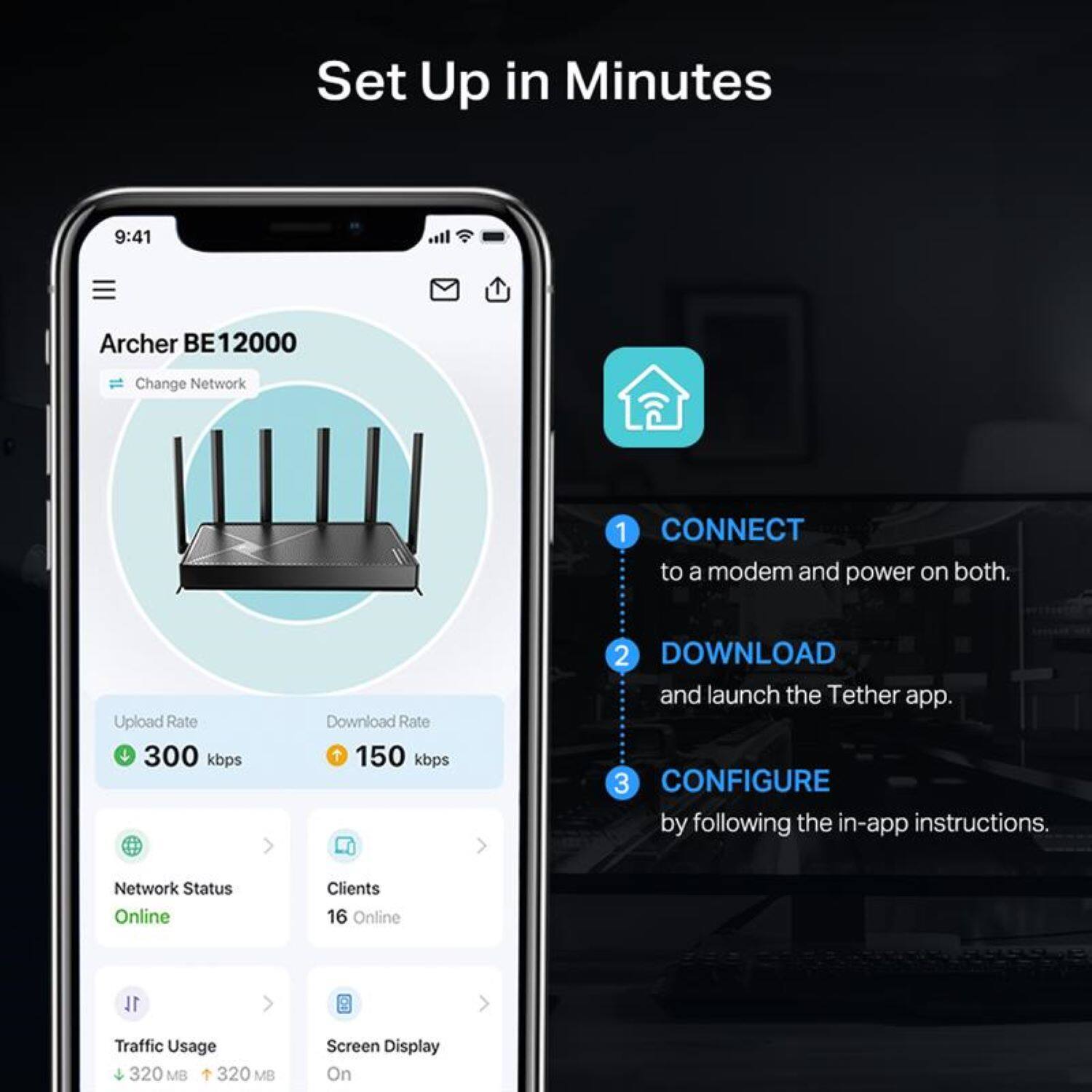
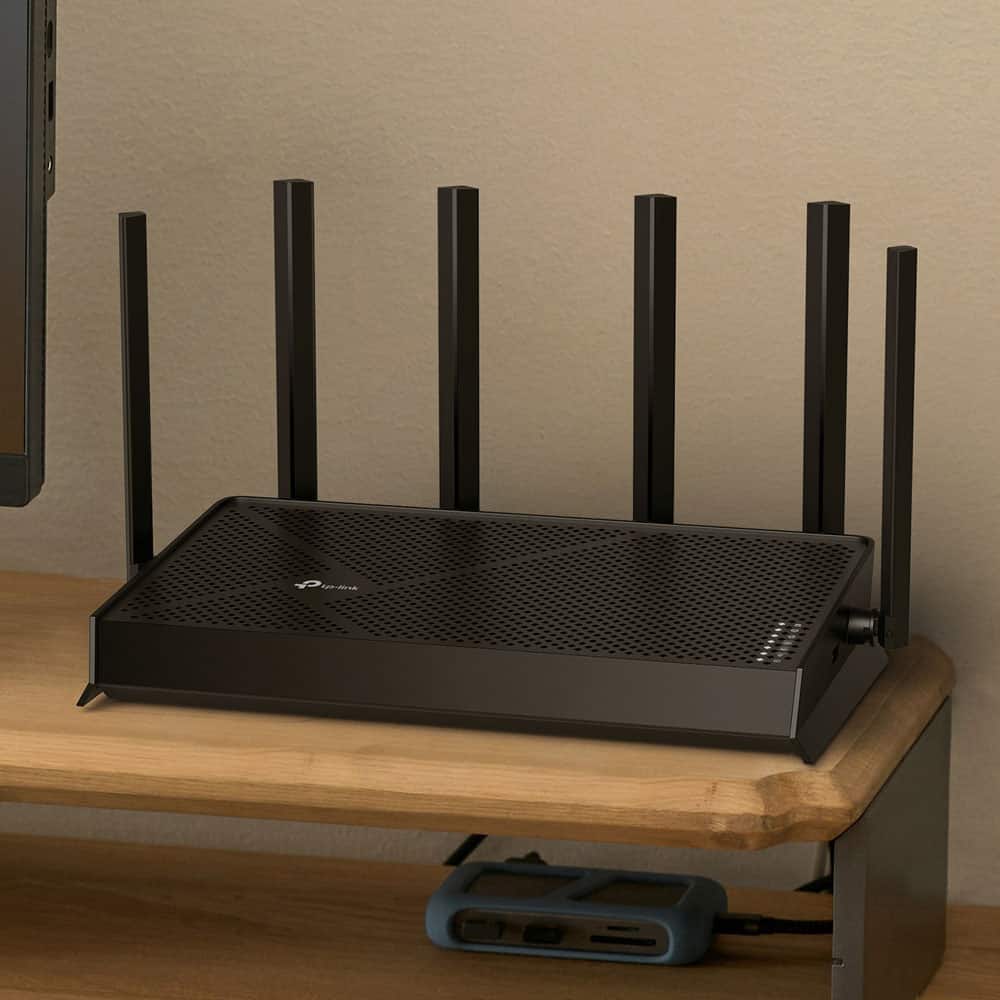
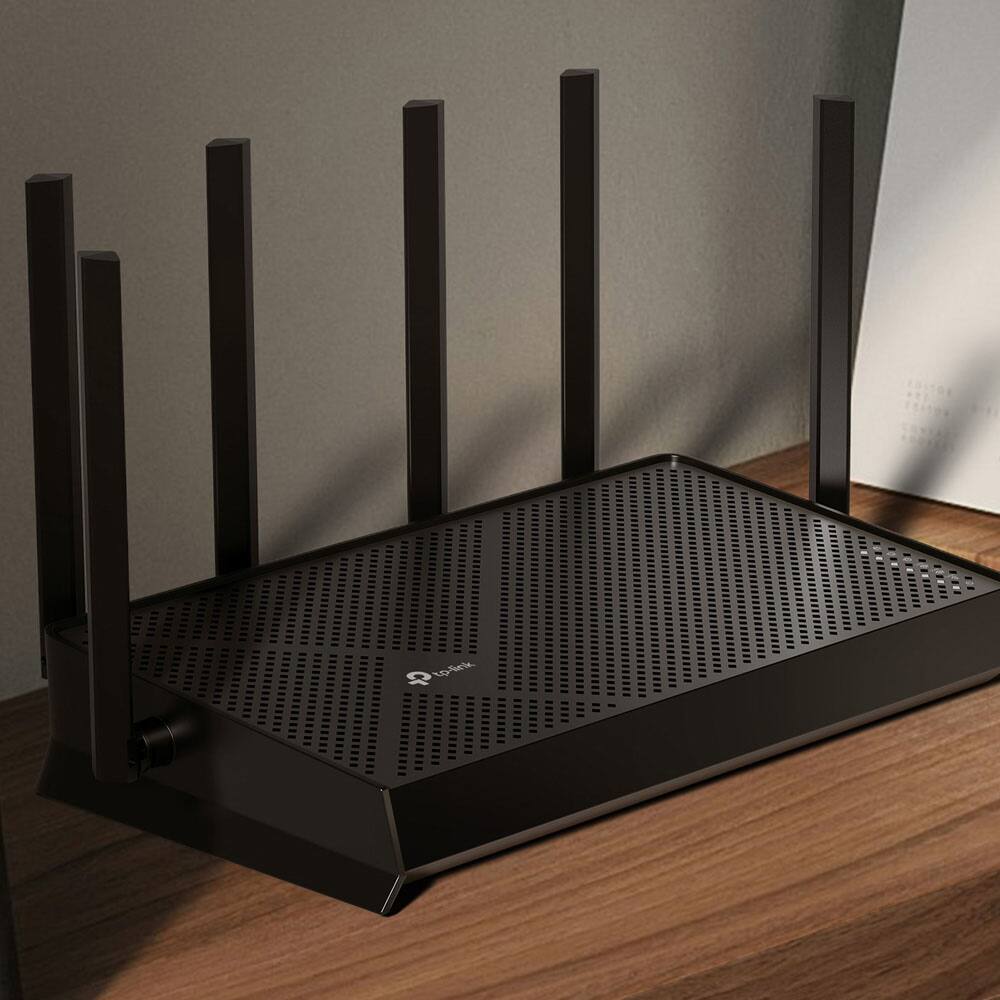


- Model:
- Archer BE12000
- SKU:
- 6668882
to a friend
Customers are saying
Customers frequently mention that the product is easy to set up and delivers reliable performance with impressive wired connectivity options. Users also appreciate the solid build quality and the consistent coverage provided by the device. While most feedback is positive, some customers noted that the range does not always meet expectations and expressed a preference for replaceable antennas.
This summary was generated by AI based on customer reviews.
Wi-Fi router
||Posted . Owned for 1 week when reviewed.This reviewer received promo considerations or sweepstakes entry for writing a review.I replaced my spectrum router with this one. And it works great. Much faster. No issues with it so far.
I would recommend this to a friend- Pros mentioned:Connectivity, Coverage

Blazing Fast Wi-Fi 7 Beast That Just Works
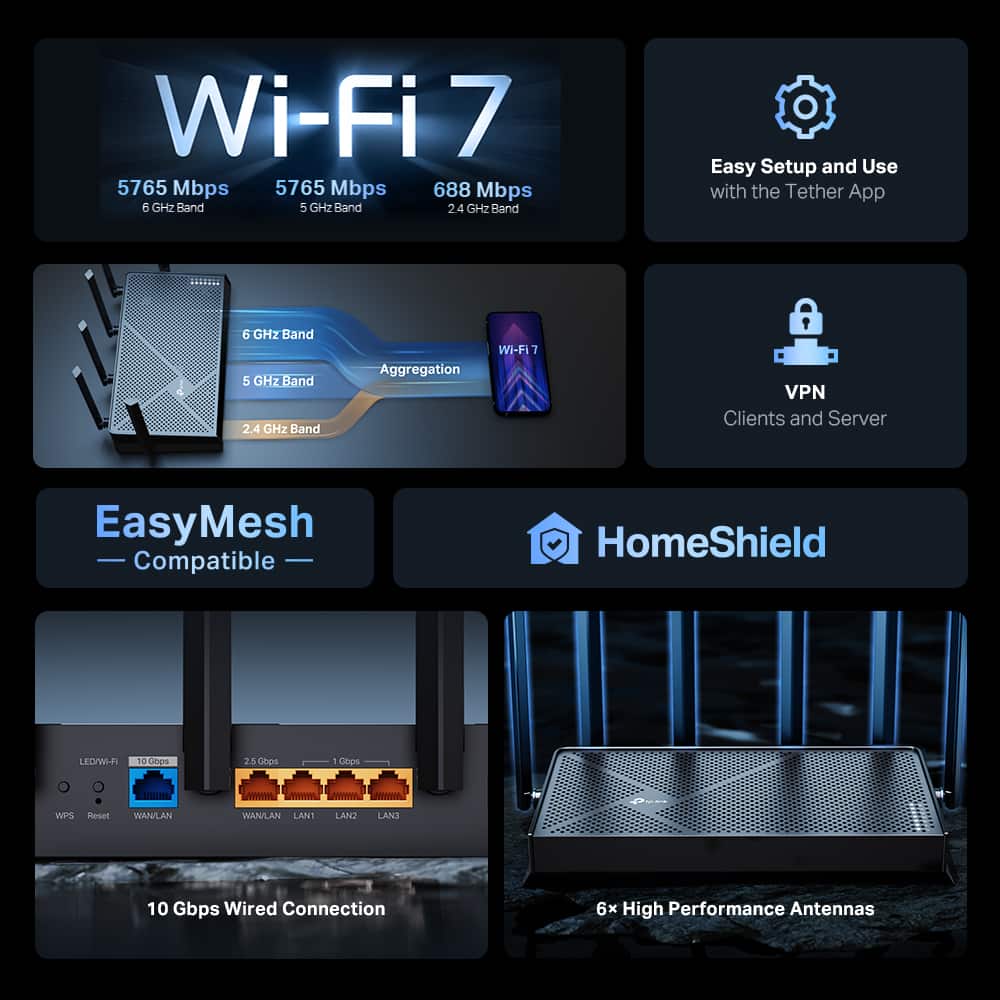
|Posted .This reviewer received promo considerations or sweepstakes entry for writing a review.At a glance the Archer BE670 BE1200 Tri-Band Wi-Fi 7 Router features: 12 Gbps Tri-Band Wi-Fi 7 – Fast speeds for 4K/8K streaming, gaming, and downloads Multi-Link Operation (MLO) – Uses multiple bands at once for higher speed, lower latency, and better reliability 10G Wired Ports – Includes 10 Gbps, 2.5 Gbps, and 1 Gbps LAN ports for ultra- fast connections Expanded Coverage – 6 antennas + beamforming for a stronger, wider, more stable signal EasyMesh Support – Creates seamless whole-home Wi-Fi with compatible devices HomeShield Security – Built-in protection against cyber threats Wide Compatibility – Works with all Wi-Fi devices and internet providers (Comes with a 30 day trial) So far, I’ve been using this router for over a week and haven’t come across any major issues. Speeds and coverage have been excellent throughout my home. I have my PS5 and Xbox Series X hardwired to the router, which allows me to use Remote Play on the PS Portal and the Xbox Cloud app. The experience has been great, with only minimal lag when gaming. I’ve also had no problems working from home, including during Microsoft Teams meetings. Streaming from media apps like Netflix, or YouTube has been top-notch. There are plenty of customization options, especially for the guest network. You can limit bandwidth and enable 2.4 GHz, 5 GHz, and 6 GHz bands individually, or name them the same so the router automatically assigns the best connection for each device. The Tether app is excellent and gives access to most settings, including advanced options typically only available through a web browser. I also appreciate the detailed device insights, such as data usage, current network connection, and the ability to prioritize devices—great for reducing lag on gaming consoles or prioritizing streaming devices. The router also includes useful features like a Reports section that shows daily connected devices and parental controls for managing online time and website access. The traffic usage section breaks down data usage by day, week, and device, even ranking devices on your network. As for drawbacks, I ran into an issue where enabling MU-MIMO through the app wouldn’t save, and I had to use the web browser instead. Additionally, the design isn’t ideal for wall mounting, as the port and antenna layout can make cable management look messy. In that regard, I prefer the cleaner layout of Netgear Nighthawk routers. Overall, the Archer BE670 has been an excellent tri-band Wi-Fi 7 router. It’s powerful enough to provide great coverage for a large house and includes multiple high-speed gigabit ports for fast wired connections, all in a slim package. Even with 20+ devices connected at once—including a wireless security camera—it has not missed a beat. While it is a pricey router, it delivers strong performance and reliability.
I would recommend this to a friend - Pros mentioned:Connectivity, Setup easeCons mentioned:Range
Super fast, simplified WiFi 7, great coverage
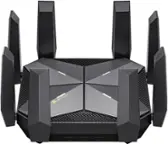
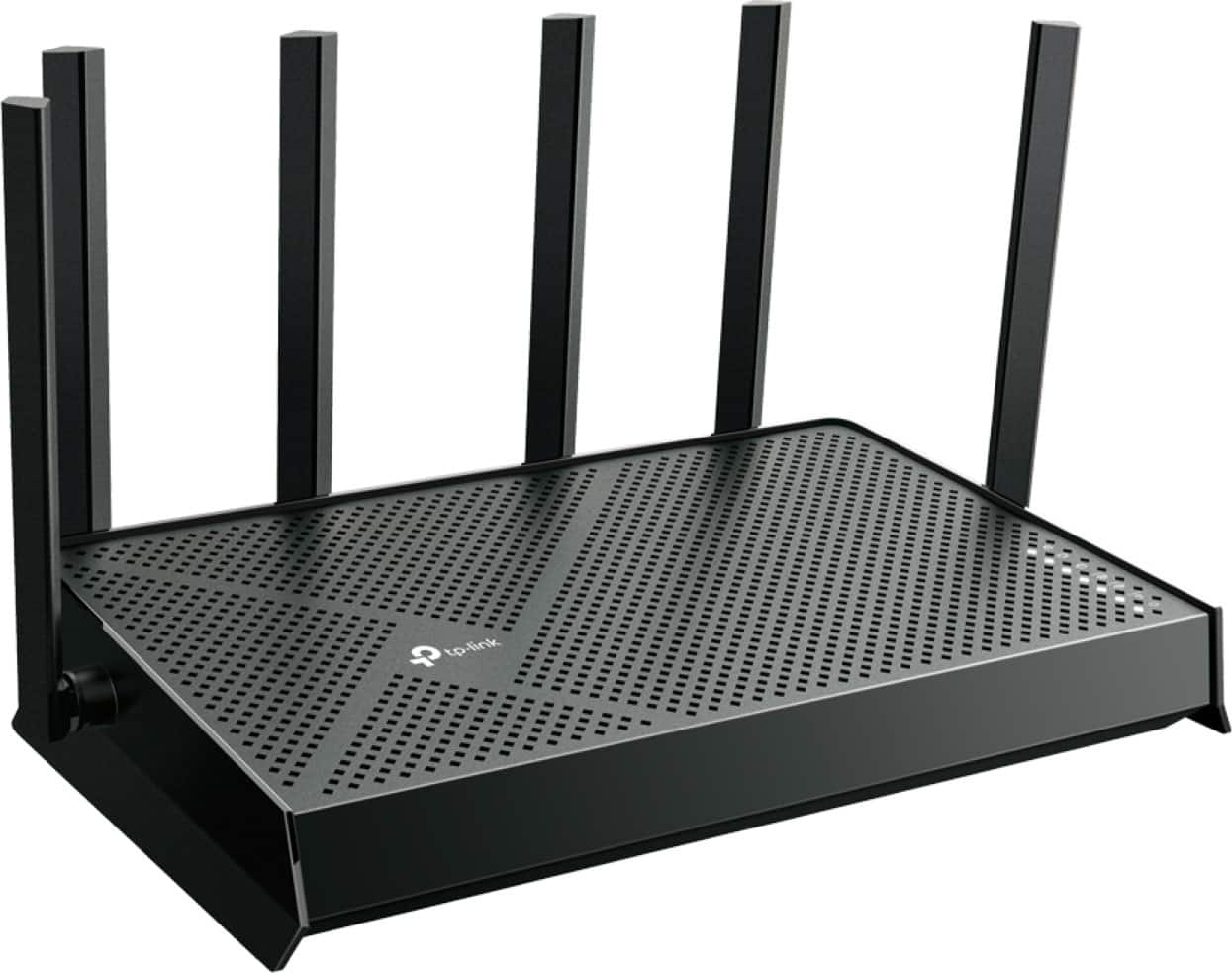
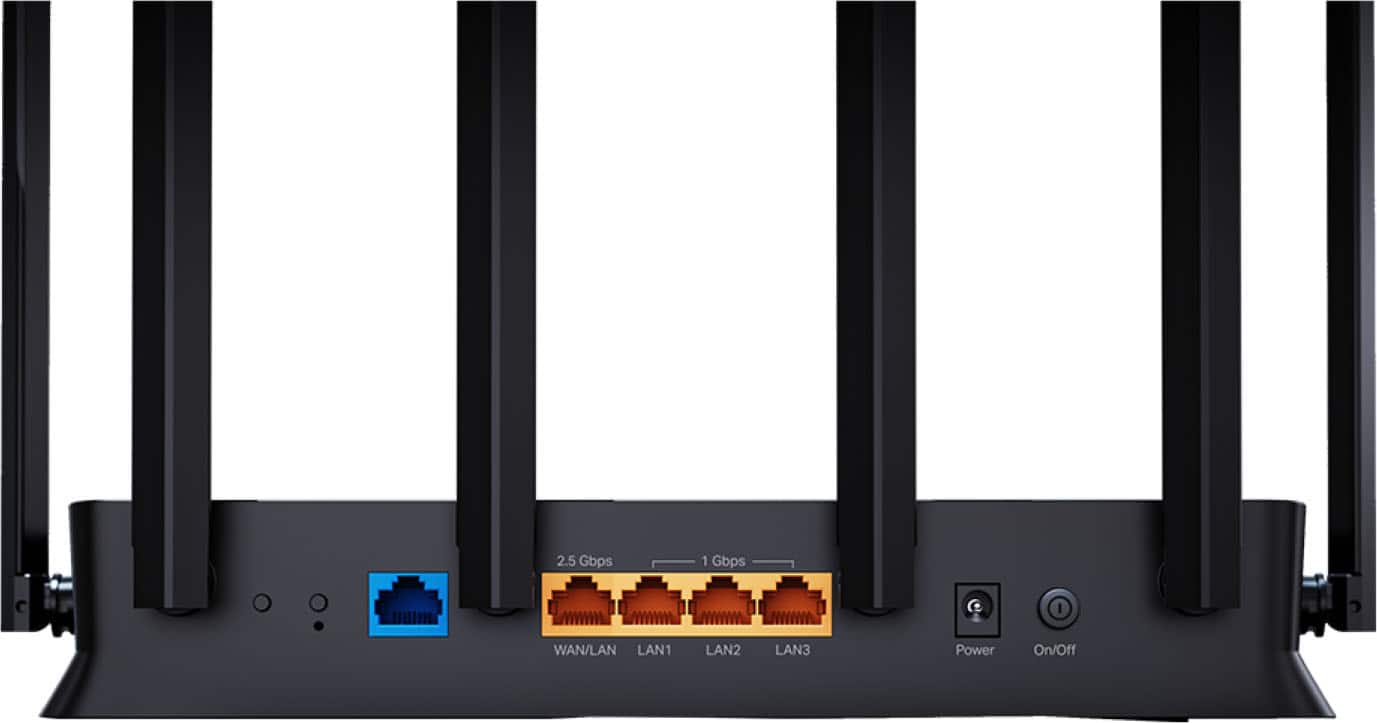
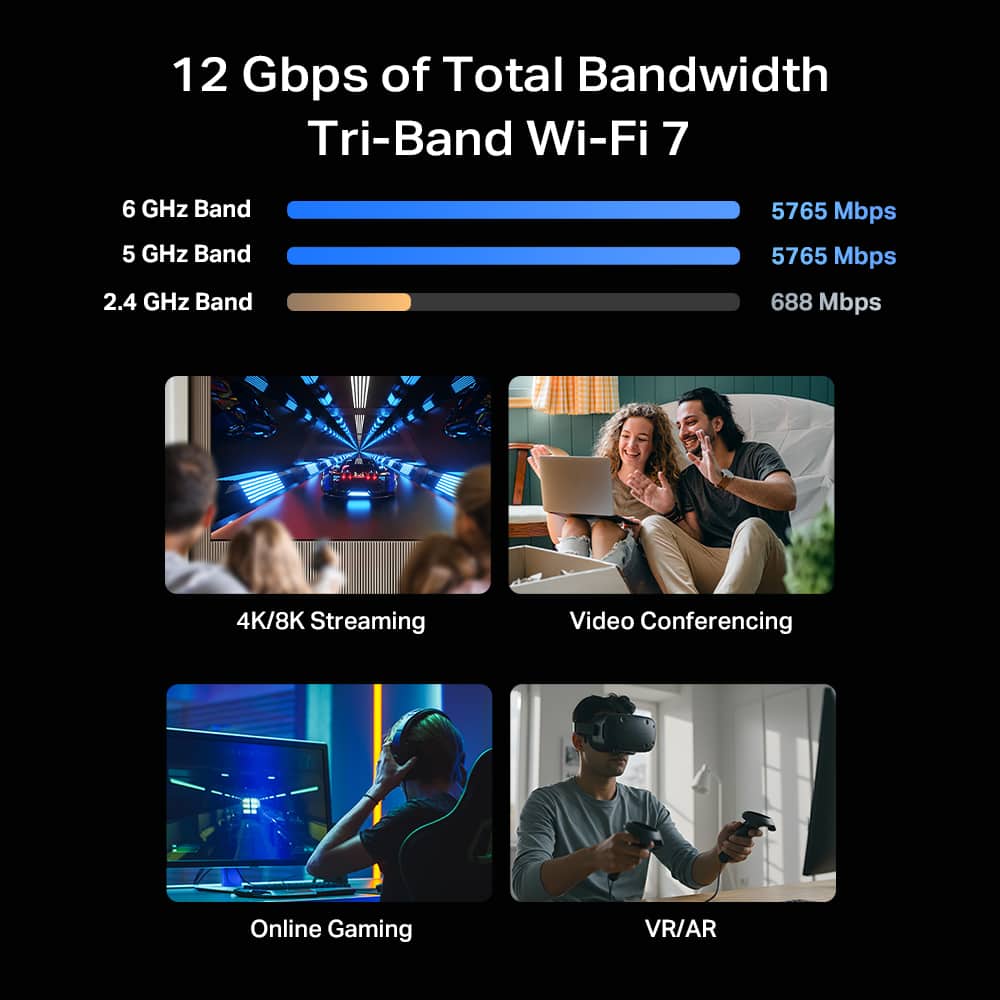
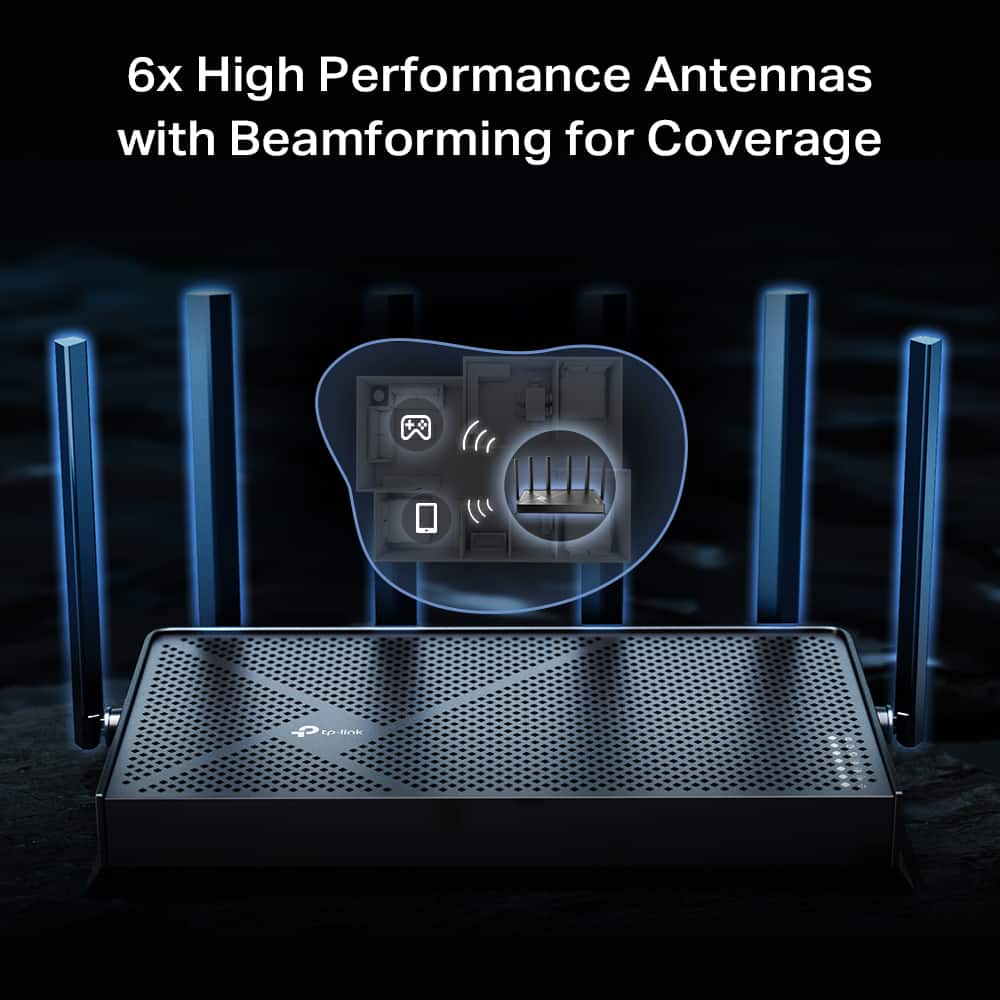
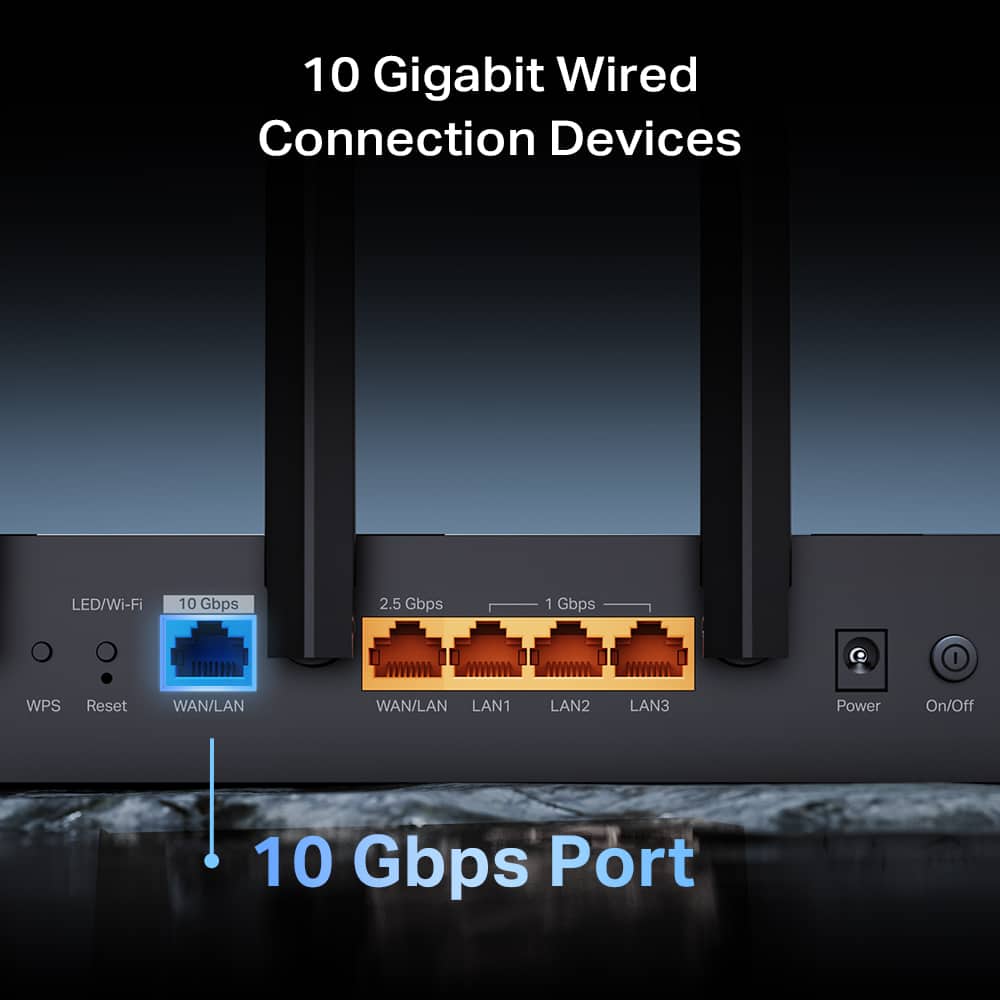
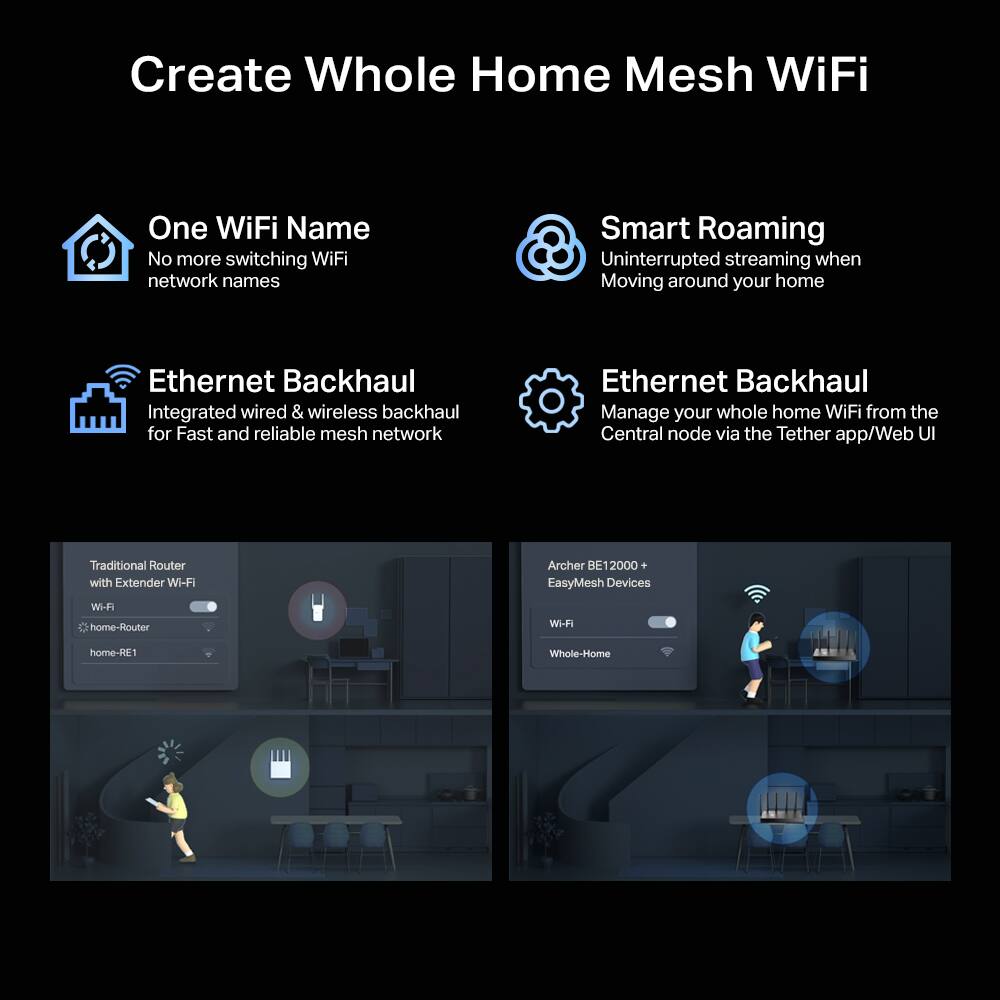
|Posted .This reviewer received promo considerations or sweepstakes entry for writing a review.This is our first standalone TP-Link WiFi 7 router that has the ultra-wide 320MHz channel on the 6 GHz band. It has a max speed of 12 Gbps over its three bands, 5765Mbps on both 6 GHz and 5 GHz, and 688 Mbps on 2.4 Ghz, utilizing features like Multi-Link Operation (MLO), Multi-RU, and 4K-QAM for improved performance and efficiency, and supports up to 128 connected devices. The Archer BE12000 Router has 6 beamforming external, adjustable antennas able to cover up to 3000 sq ft and provides more than enough coverage for our ranch home with finished basement. For additional coverage, the system can be expanded with any of TP-Link’s EasyMesh compatible devices, both wired and wirelessly. The router has a USB-A 3.0 port on its right-hand side where you can connect a networked device like a printer or NAS, as well as 1 each of 10 Gbps and 5 Gbps WAN/LAN, and 3 additional 1 Gbps LAN ports for Ethernet connections or wired backhaul. One flat 5 ft CAT6A Ethernet cable is included. It has an on/off button, WPS, LED toggle, and pinhole reset on the back. Since this is an upgrade from our current WiFi 6 AX3000 network, I was expecting to see an improvement in the speed and stability of our WiFi connections, but the degree and consistency of the change surprised me. I tested 5 different locations inside and outside of my home, from right next to the router to the perimeter of my property, before and after installing the router, and the difference was stark; in every location the WiFi 7 router nearly doubled and sometimes tripled the benchmarked upload and download speeds of my WiFi 6 mesh system. This made streaming games on Steam and Luna, like Warframe and Hogwarts Legacy, super smooth with shorter load times between map areas, and few instances of lag or stutter. Watching streaming videos in high definition like 4K was also a buffer-free experience. When connecting to the 6 GHz band I saw upload speeds on my smartphone more than quadruple while in the same room with the router, and I had no issues receiving usable 5 & 2.4 GHz signal at the edge of my property nearly 200 ft away. Setting up the router took less than 10 minutes using the TP-Link Tether app. It can also be setup via a web browser, if you prefer. Your internet modem simply needs to be connected to one of the router’s WAN ports (10Gbps or 2.5Gbps). When setting up WiFi, the 2.4 GHz and 5 GHz bands can be combined under one SSID, but you’ll need to create different SSIDs for 6 GHz and MLO if you choose to enable those networks. In general the 6 GHz frequency doesn’t travel far or through walls well and works best if you are in the same room as the router with a direct line of sight. From just 2 rooms away the 6 GHz signal was poor and my devices defaulted to the 5/2.4GHz network instead. In the app you can change or enable settings like VPN (requires a paid third-party subscription), guest and IoT networks, and set parental controls like specific device time limits, app and content filtering, website blocking, and view usage statistics. With a thumb drive plugged into the USB port, I was able to access and manage its settings from the web interface but not directly in the Tether app. The router integrates with AI assistants Amazon Alexa and Google Home for voice commands for network administration features, like enabling/disabling WiFi and checking its status. I appreciate that the LED status lights on top can be disabled, which eliminates light pollution at night, since our router is in an office that doubles as a guest bedroom. The device also comes with a 30-day free trial of TP-Link’s HomeShield Security+ which provides additional features like malicious website blocking, intrusion prevention, and expanded parental controls for a monthly fee. Overall, the Archer BE12000 is a powerhouse when it comes to delivering super fast downloads and uploads and is especially impressive if you have devices that can take advantage of the wider 6 GHz WiFi 7 bandwidth. Even for devices operating on 2.4GHz and 5 GHz bands, the range, speed, and stability of our WiFi improved all-around with more consistent and stronger signals across our entire property, plus it provides some futureproofing. It was very simple to set up and accommodates all our wired and wireless devices from laptops and phones to smart home speakers and light switches.
I would recommend this to a friend - Pros mentioned:ConnectivityCons mentioned:Antenna design
Continues to come in strong
|Posted .This reviewer received promo considerations or sweepstakes entry for writing a review.The TP-Link Archer utilizes the latest generation of WiFi-7 capabilities while taking advantage of multi-link operations to maintain consistent wireless connections amongst the devices connected throughout your network. It does this through combining various wireless (beamforming) bands, up/down links to enable performance-based Wi-Fi directly to your devices. From gaming, 8K/4K streaming, and everyday use while ensuring your connection is not dropped under high use times. One of the latest additions to aide in reducing interference from external and surrounding environmental elements is 4K-QAM (4K-Quadrature Amplitude Modulation) to which this helps to increase your network throughput speeds by boosting your data speeds while reducing local area interference. This enables your data to move more securely and faster throughout your environment at a higher volume. One thing to note, this is backwards compatible to 2.4GHz and supports network speed up to 10GB per second WAN/LAN. This was easily combined with my mesh system as direct main router to the mesh network. Out of the box, this thing does not way much at all, comes with your standard power adapter, includes a CAT 6Aflat network cable all color coded to the unit (black). While it is easily unpacked, the antennas were the biggest issue during the unpack process because they shrink wrap each antenna. It is supposed to be easy to peel and remove, to which it was not. The easiest method I found during the removal process to prevent antenna damage with how fragile they are was using my thumb at the base of the antenna where it attaches to the router, using a little scraping motion towards the outside of the antenna where is was serrated to remove the outside wrap. To note, it did still take some additional work in removing this from the six external antennas. Setup is easily done through online traditional method or using the latest TP-Link Tether App. While I really enjoy how easy the app makes things, I prefer the more traditional methods for setting up my networks while having backend network work access and able to control and bind devices throughout the network to their own addresses.TP-Link does make it very easy to get their products going and outside of their quick setup, include a Mesh network setup chart to follow if you are adding to a home mesh network. With privacy being a big focus thes days, TP-Link made it easy to re-add/enable dedicated VPN and secure network options for Wi-Fi with the latest available WPA3‑Personal+WPA2; more secure for newer devices, offers compatibility for older devices.
I would recommend this to a friend - Pros mentioned:Build quality, Setup easeCons mentioned:Range
The Wi-Fi 7 Router Your Smart Home Needs
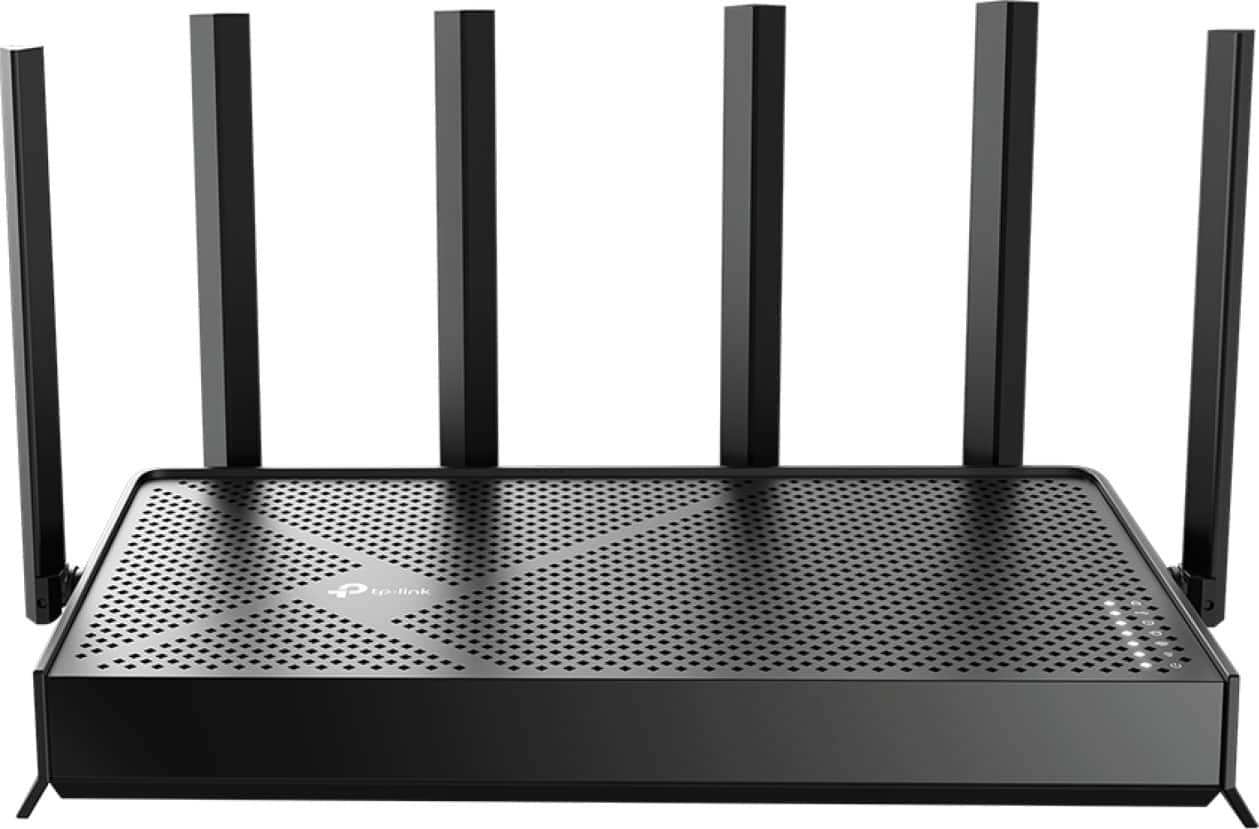
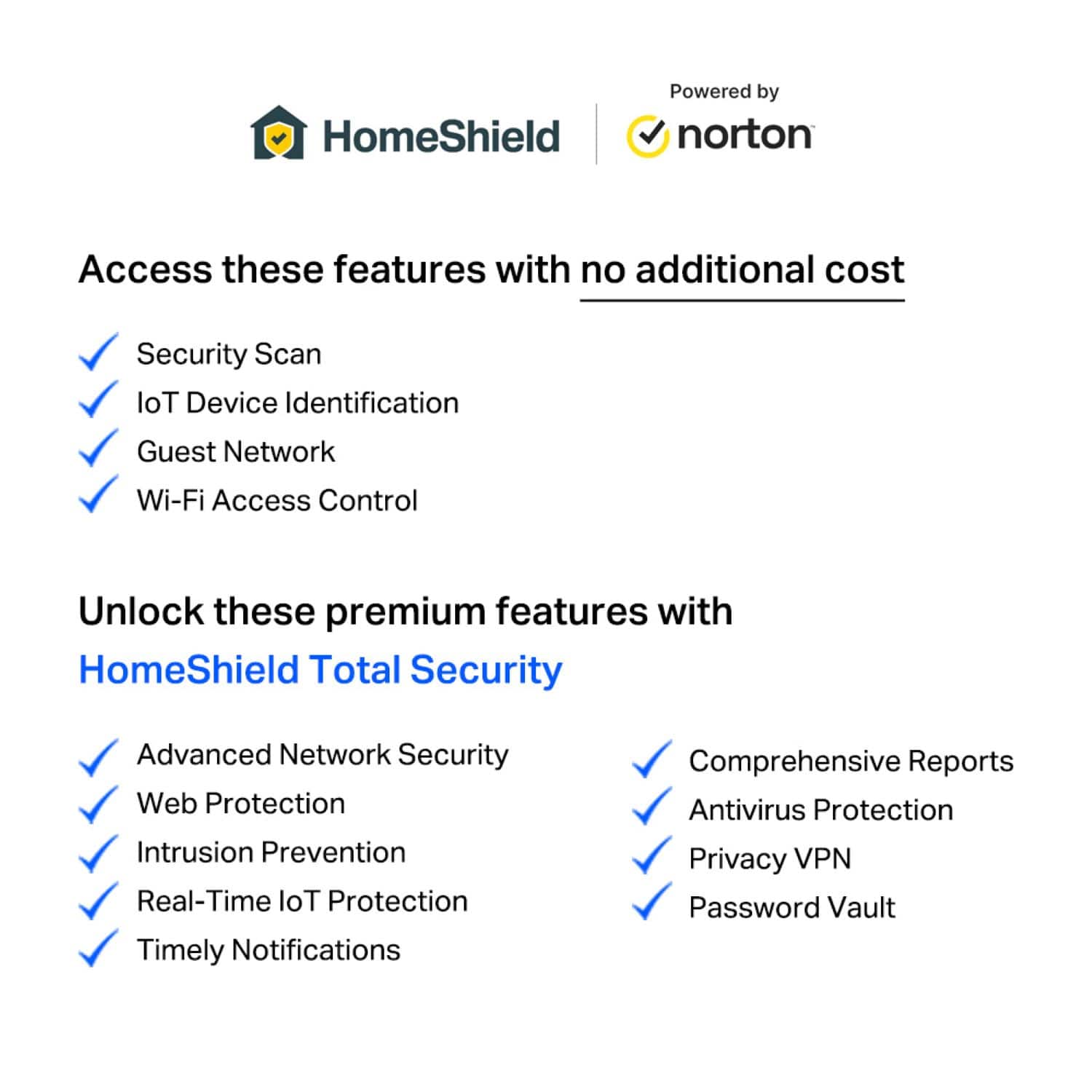
|Posted .This reviewer received promo considerations or sweepstakes entry for writing a review.I was looking forward to picking up the TP-Link Archer BE12000 Wi-Fi 7 Router because my household has become increasingly dependent on fast stable Wi-Fi. Between the smart home devices, security cameras indoor & outdoor, streaming on multiple screens, my home office setup and my children gaming, my old router was starting to show its age. I was looking for something future proof that wouldn’t break the bank. - Design/Build/Unboxing - Opening the box, you get exactly what you would expect from a TP-Link product, the router, power adapter, a premium RJ-45 ethernet cable, and a quick start guide. Everything you need minus the wall-mount hardware. Fortunately, I have a dedicated shelf for my router near my fiber port. The router measures 10.5 x 6 x 2 which makes it compact enough to sit on a shelf or even a desk without taking up too much space. It’s a black plastic construction with a matte finish. It has a classic look with 6 large antennas that can be adjusted as necessary. On the back panel there is one 10 Gbps WAN/LAN port, one 2.5 Gbps WAN/LAN port, 3 gigabit LAN ports, and a USB 3.0 port. There’s also a WPS button, a reset pinhole and a power on/off button. The status LEDS are along the front edge for power, Wi-Fi, internet, and LAN. The build quality feels solid, it’s not premium or flashy, but it feels durable. There’s adequate ventilation and wall mount screw slots if you need them. Setup is easy. The tether app (android/iPhone app) walks you right through the process in about 5 minutes. You will connect to the default SSID, open the app, and follow the prompts. You can also update your firmware through the app which is convenient. - Specs & Features - Wi-Fi 7 802.11be Tri-Band: 2.4 GHz + 5 GHz + 6 GHz Rated Coverage 3,000 Sq Ft Channel Width: Up to 320 MHz on 6 GHz EasyMesh support (only compatible with the range extenders) The most impressive feature here is the 10Gbps WAN/LAN port. Most routers are 2.5 Gbps. If your fiber plan delivers speeds above 1Gbps this router can take advantage of it. Multi-link operation is the wi-fi 7 feature I was curious about. In theory, MLO lets compatible devices connect to multiple bands at the same time and reducing latency. It depends on your devices and whether they support it. For example, my phone supports it but I have other legacy devices that don’t. The 320 MHZ channel on the 6GHz band is massive. It doubles the capacity of Wi-Fi 6e at 160MHZ. Homeshield is TP-Link’s security suite. The basic tier is free and includes network scanning and basic parental controls. - Performance - On the 6GHz band with a Wi-Fi 7 laptop, speeds were great. The 5 GHz band was also strong. The 2.4 GHz band maxes out around 688 Mbps theoretically and it delivered good, performance which is perfect for my iOT devices where we should prioritize stability over speed. I started to feel limitations at mid to long ranges. I live in an 1800 square foot house with 2 levels. I also frequently hang out in the backyard where I have security cameras and a smart bird feeder. The 6GHz band will have shorter range than 5GHz and 2.4GHz. Through walls and floors the 6GHz signal was not as strong as I hoped. TP-Link rates this router for 3000 square feet, but I would call that optimistic. If you have a large or 2-story home, I would plan on adding an EasyMesh extender. Latency is impressively low and much better than my previous Wi-Fi 6E router. Online gaming and video conference calls with work felt much quicker. I believe MLO is doing its job here by sending data across multiple bands at the same time. Multi device handling is solid. I’ve got about 25 devices connected (phones, streaming devices, laptops, tablets, security cameras, a security system, and robo vacuums, and I didn’t notice the same slow down that I have with previous generation tri-band routers. - Pros/Cons Pros: * Full tri-band Wi-Fi 7 with 10Gbps * Strong close-range wireless performance * MLO works well with compatible devices * Easy setup through Tether app, only basic skills required * EasyMesh support * Built-in VPN client support at router level, no need to setup individual devices * Low latency, Gaming and Video calls are responsive Suggestions/Needs Improvement: * Three LAN ports are 1Gbps, only 1 2.5 GB port * Wi-Fi 7 benefits require Wi-Fi 7 devices, it will take time to see more compatibility * Range isn’t as good as advertised Should you buy the TP-Link Archer BE12000? The answer is yes, but with a few comments. Evaluated purely on performance and value, the answer is a resounding yes. It’s one of the best mid-range Wi-Fi 7 routers you can buy now. With tri-band coverage, 10 Gbps wired connectivity, and MLO support, it’s hard to argue with. For a household with a Fiber plan, a handful of Wi-Fi 7 devices, and a relatively smaller home, this router will serve you well. Otherwise, make sure you do a proper analysis and make sure it’s the right fit.
I would recommend this to a friend - Pros mentioned:Connectivity, Performance, Setup ease
Superb gaming router for my entire household
|Posted .This reviewer received promo considerations or sweepstakes entry for writing a review.The new TP-Link BE 12000 router is a massive improvement from my previous setup for my PCs and consoles. Don't get me wrong, I went from a TP-Link Deco mesh system to this single router and it blew away the performance I was getting prior. After using many other brands (Asus, Eero, Netgear and Linksys), TP-Link beats them all for my needs. Rarely if ever is there an issue and the only time I have no connection is overnight firmware updates or my ISP is down. Going from a Dual bank to a Tri band WIFI 7 was a slight step up in speeds on my very few devices that can support 6ghz, but nevertheless the speeds were crazy fast. In the box you get the router, power cable, ethernet cable and a bunch of literature to get you started. I thought I would use my previous TP-Link app called Deco but instead you need to use a different app called Tether to get you started. Also IF you ever need to go mesh to cover a mansion or something, you can get another BE12000 and mesh them together. Setup was a breeze. You turn off you modem, plug it into any of the ports in the back (don't use the 10gb one) and then turn everything on. The App itself will guide you step by step to connecting, naming and customizing your home network to your needs. You can also just directly plug into the router for setup if you choose not to use the app as well. I love how there is plenty of ports 3 x 1gbps. 1 x 2.5 and 1 x 10gbps (but remember, 1 is reserved for your modem connection). I could finally hardwire my 3 gaming PCs in the house and the PS5 instead of just 1 PC and everything else on WIFI for a much stable connection while we all game. What's also cool about the app is that you can see everything connected on your home network and which band they are using (2.4, 5 or 6) and can even create a guest network with a totally different name and PW so your own guests will never use your connections and will get your password. Excellent performance, super easy setup and fast speeds that can cover an entire house that previously I needed a mesh system for makes the BE12000 a clear winner.
I would recommend this to a friend - Pros mentioned:ConnectivityCons mentioned:Antenna design, Range
Welcome to the future of networking!
|Posted .This reviewer received promo considerations or sweepstakes entry for writing a review.The TP-Link Archer BE12000 Wi-Fi 7 router is a mighty router; it has great hardware that if setup correctly will give you blazing Wifi speeds. The Archer BE12000 came premiumly packaged with a fold open box similar to higher end laptops which was a nice subtle touch. Unlike most modern routers the BE12000 has external antennas so you are free to move them to point in a more desired location, but one downside is that the antennas are not replaceable. After several hours of testing the router did not get extremely hot and the boot up process didn't take that long and is ready to go after just a couple of minutes after a reset. This Wi-Fi 7 router has the ability to cast simultaneously over the 2.4/5/6 GHz bands to increase speeds and reliability which made downloading content on my phone super-fast although at a shorter range. The included 10Gb network port is great for today and tomorrow's internet speeds as they become more prevalent and the single included 2.5Gb port will allow your wired devices to connect at high speed and the lowest latency, the remaining 3 LAN ports are just 1Gbps. Using the TP-Link TP Tether mobile app was an easy and it gave easy access to setup features like QoS (Quality of Service) and blocking devices for security as well as remote features for controlling the router when you are outside your network. I do wish they would use the same user interface for these routers that their mesh routers use because it is easier to navigate and get information visually. Getting the maximum speed of my broadband connection over Wi-Fi was great and also being able to add more devices to my network without degradation was awesome. The Archer BE12000 didn't let me down and has very strong hardware to meet my network needs for years!
I would recommend this to a friend - Pros mentioned:PerformanceCons mentioned:Antenna design
Nice “wide” with a “narrow depth” of a footprint
|Posted .This reviewer received promo considerations or sweepstakes entry for writing a review.This is a wide yes skinny depth of a WiFi router with 6 adjustable antennas. Some may not like non discreet protruding external antennas that are extending out of a router while some do. This is about the 3rd WiFi router that I have from TP link and just about each time when it comes to out of the box configuration - the gripe I have is the individual wrapping of each antenna being so hard to rip along the dotted holes of the plastic; you’ll need some long fingernails to do this. Anyway with setting up I prefer through a web browser of course doing so using a laptop (or tablet like my iPad Pro with an Ethernet thunderbolt adapter) connecting an Ethernet cable and going to the specific ip address being either or two addresses (commonly 192.168.1.1) or a local link http://tplinkwifi.net/ but for the life of me.. neither worked, or I did not wait enough? So I had to download the tether app and connect to the default WiFi and followed all the steps from there. After all was complete; then I somehow was able to configure from a web browser. Of course the router is already up to date, and I’m just only using two bands being the 2.4 and 5 ghz, and just turned the 6ghz band off; no use right now. With the 3 bands and 6 antennas, a pair of antennas each uses the separate 3 bands; as I have a picture with the 3 back antennas starting from the left folded back, it shows a bit of a wire of 3 colors - blue, black and looks like gray or white; I recall seeing a forum post of routers in general saying black is your 5ghz antenna while white/gray is your 2.4ghz and so Blue must be 6ghz. With regards to range, as compared to my other router I had up before - I think I’m able to still be connected to my 5 ghz network when I’m still at my driveway vs being out of range with my other router - so that may be a plus. What I do notice and that’s with other previous routers of the TP link line setup to use my same WiFi channel names and passwords - well the security is default to WPA 2/3 Personal and I wasn't able to connect to my 5ghz network as before though I’m using the same password so I had changed it to WPA 2 - PSK and all working as before. Asides from all the advanced configuration options using the browser or the tether app, there is no feature to change the intensity level of the WiFi signal whether low to high to max (that’s one feature I liked on this other brand router). Overall and in conclusion; it’s a perfect router for all kinds of use of gaming, streaming and so on and even creating a dedicated iot network (which I have cameras but I have a hub that acts as its own router for the cameras only) in a house as big as 3000 sq ft but our house is about half that.
I would recommend this to a friend - Pros mentioned:Coverage, Performance
An Excellent Upgrade
|Posted .This reviewer received promo considerations or sweepstakes entry for writing a review.The TP-Link Archer BE12000 Tri-Band Wi-Fi router is a phenomenal high speed router capable of handling all your gaming, streaming, personal devices, smart home, and security needs. It includes the latest 6 GHz Wi-Fi band, and works with any internet provider. It's also compatible with Amazon's Alexa, EasyMesh, and TP-Link's HomeShield. The BE120000 is capable of covering up to 3,000 sq ft, with three bands for faster smoother Wi-Fi. I have found this to be really handy with some of my older smart devices because they will only connect to the 2.4 GHz band. I found the coverage to be accurate. I have always had a dead zone out in my garage, and since I've installed this router, I'm able to easily access the internet out there, which would actually be outside that 3,000 sq ft. When you initially setup this router, you can have each band as an individual Wi-Fi network. In my case, to make it easy for me, I just names them all the same, and let the device connect to the band it want's to. One issue I had was that one of my older smart switches only runs on 2.4 GHz, and for some reason it would not connect. Fortunately, TP-Link has setup another option for an Iot network, which I was able to activate and have the smart device on it's own dedicated network. This saved a lot of time not having to change all my other devices settings to accommodate this one device, and now I just add all the other smart devices to this network. You can also setup a guest network for all three bands as well. This router is fast. My ISP speed is 2 GHz, and I'm getting slightly above that speed directly on my desktop. On my phone I get about 1.4 GHz over Wi-Fi using the Wi-Fi 7 which is very impressive. Gaming using the BE12000 has been very enjoyable. My previous router was maxed out at only 1 GHz per LAN spot, and I had to constantly reset it to be able to game properly without issues. The TP-Link handles everything like a champ. I currently have 40 plus devices connected, and haven't had any issues with any of them since switching over routers. Overall I'm very impressed with the performance and the ease of use of the user interface.
I would recommend this to a friend - Pros mentioned:Connectivity, Performance
Great router for gaming; fast and dependable.
|Posted .This reviewer received promo considerations or sweepstakes entry for writing a review.This TP-Link Archer BE12000 Tri-Band WiFi 7 Router is first and foremost compatible with almost all cable internet providers. It gives you the ability to up your game when it comes to things like speed, security, parental control, guest WiFi access, remote access, and you are able to set it up in various ways depending on your network needs. In the box is the TP-Link Archer BE12000 Tri-Band WiFi7 router, power adapter, and Ethernet cable, paperwork Setup: Setup is pretty straightforward but depends on how you want to set it up and how you will be using your router. You can download and use the free Tether App, or you can use the router IP address in the browser and login that way. Bridge mode. If you are using a cable modem that has a built in router from your cable company, this is not hard to set up at all. You have to go into your cable modem setup page via the address and change the settings to bridge mode. Through the Tether App, you can do so much very easily. This is where you can set up parental controls. It’s also where you can get parental controls for your child’s Android phone and tablet. The other things you can do is check your network, using Networking Diagnosis and Network Optimization. You can also use the router as an Access Point. You can change it in Operation Mode. Summary: This router is fast, dependable and excellent for gaming and streaming. I highly recommend it. I was having issues with latency and getting disconnected from the internet with my current cable internet provider. The problem has been ongoing for about 5 years. They have switched out my equipment several times, changed the wires from the pole to the house and all that. Now that I have been using this router, I seriously think that the issue was with the built in router on the cable modem, because I have yet to be disconnected one time since I set this router up in bridge mode about a week ago. The internet is faster and it is stable now. I can’t ask for anything better.
I would recommend this to a friend - Pros mentioned:Connectivity
Large coverage and ready for the future
|Posted .This reviewer received promo considerations or sweepstakes entry for writing a review.The BE12000 is ready for the future while still being backward compatible. For the future it has Wi-Fi 7 using 6GHz band (5764 Mbps) as well as “easy-mesh” (to add satellite(s) to expand coverage) with 10Gbps and 2.5Gbps wired connections. It also supports previous 2.4 GHz (688 Mbps) and 5 GHz (5765 Mbps) bands that when added to 6GHz bands 5765Mbps = its stated 12000 Mbps. I have to say I was under the impression that you needed 6GHz band for Wi-Fi 7 – but that is not the case these days as 5 and 2.5 GHz band now supports it (all 3 use 802.11be on this router). Without 6GHz, you miss out on 320 MHz channels allowing for highest throughput, but 5 & 2.5GHz still allow other Wi-Fi 7 optimizations like MLO and 4K QAM. Also, if you have a Deco system (as I do), it is not compatible with this router - there are separate apps for Deco products with the BE12000 using TP-Links Tether app. Unpacking router and downloading the Tether app was easy. The router is light weight, and I noticed there are hooks on the back if you want to mount it to the wall – a nice touch. But getting the plastic off the antennas was a tad challenging as I was worried about damaging them. The app walks you through setting it up with no drama. I would mention to be patient as it seems slow to connect, at times during the process. Also make sure you name your new network exactly the same as old as well as using exactly the same password - this should allow all of your devices to auto connect – very important. You can also use the web interface using the general IP address to get started. It is kind of nice to see everything on a much bigger screen than your phone. If you want the system can take care of itself – but you can dig into the app settings if needed. The app allows you to see what devices are connected, access wi-fi settings, test internet speed, name each device, etc. While the system allows for blazing speeds – it can’t provide any faster speed than you are paying for from your internet provider. Also, your devices will dictate what band(s)/speed you can connect to. Older devices will use older/slower bands. My desktop had same speeds whether it was wired or Wi-Fi (could connect with 6GHz band). Using 6GHz on my phone, I had max speeds 5 feet from base or 70 feet away. I ran into an issue with my PS5 and couple of years old Samsung TV. Running speed tests they were both connecting at substantially less them max - resulting in lagging and at times crashing – they were only 30 feet from router. After checking connections, I decided to add a satellite to hard wire both. I considered purchasing an extender but most plug directly into a power outlet and have only 1 ethernet connection. So, I decided to try adding a BE5000 router using the “easy-mesh” option. But I found the “easy-mesh” option really isn’t so easy. Initially I tried using the Tether app, but I could not get it to work, so I used the web interface. Web was much easier to navigate, and I eventually got it connected as a satellite. You need to be patient as it takes awhile to connect and be recognized. After setting up and connecting using ethernet the TV and PS5 speeds matched fastest I could have. 2-year warranty. Terminology differences between printed instructions and app/web interface can be very confusing. Also, 6GHz band installed with a different network name (6 added to end). I may need to tweak a setting, so all bands are under same network name. Initially my Deco was the same but was eventually updated so all are under 1 name. This is a good medium-priced router that should be good for years. Being able to add satellites to create a mesh network in the future is a great option as well. I think unit is well worth it – and recommend.
I would recommend this to a friend - Cons mentioned:Antenna design
Not bad, but the performance wasn't all there
|Posted .This reviewer received promo considerations or sweepstakes entry for writing a review.I consider myself someone that will get in on early innovation and while 802.11be isn't "new." With that, I thought one of my routers could use a bit of speed bump, so why not give the latest from TP Link a whirl? Here's the good, the bad and the mediocre - followed by the 'why' behind my list. Good: Form Factor User Interface (technical & clean) Expected throughput / performance WAN Fail-over Features (MLO, IoT, client reporting, mesh, VPN, Smart Home, etc) 6GHz Meh: Can see the antenna wire (weird) 10G & 2.5G ports 6G distance - password didn't work Bad: Hard to remove shrink wrap No WAN Failover (2 WAN ports) Port quantity Speeds compared to Deco Client blocking didn't work Constantly logged out of TPLinkID Notable: Top isn't that warm but the bottom is I work from the house and we're a streaming household, so WiFi & Internet reliability are huge. So much so, that all of the Mesh points in my home are on a UPS/battery backup up as well. Unboxing the router, I found it to be pretty streamline. 6 antennae each shrink wrapped with what would appear to be a perforation for easy removal, wasn't so easy. On extending each antenna, you can see the wire that's plumbed to it - which I found odd - why expose that? At first, I liked the 10Gb & 2.5Gb ports and that each were a WAN port, however that left us with only 3x 1Gb ports instead of 4 like other routers that offer Dual WAN do. Fast forward - there is no WAN failover. A clean wizard helps with the setup, SSID and password configuration. After that, it's up to you to tweak/tune the options and I did play with a few of them - but not all of them were applicable to me anymore. In addition to the clean interface for the wizard, I find the User Interface in general very nice and easy to use; terms can be called out with (?) buttons and what you're working on is very self explanatory - if you have some knowledge, otherwise some Internet searching will help with the basic understanding before you want to enable something that you don't fully understand I wired up my backup internet - a 400Mb wireless 'worst case' to my 1Gb wired Internet connection. In my testing however, I used the connection to the 1Gb line so the dials looked better. I found that the Archer constantly underperformed compared to my Deco, also by TP Link. I used an M4 Macbook Air at my desk and didn't move it. It was a bit surprising that the simple Archer BE1200 router, wired the same was as my Deco, with nearly no features enabled was slower than my Deco, which runs a bunch of features and has 3 mesh endpoints all over the house. As this isn't a "professional" router so I used the tools that most people will use: speedtest & fast - and made some notes (see attached images); I didn't spin up a docker container dedicated to speedtests - I used chrome in a split tab view - like people with this kind of router would do to see their speeds. A tinkerer would love the features, but for me - VPN is a no-go; I've been bitten by that exposure before and never want to relive that. While not ready to make the jump, things like a IoT network do seem interesting to me, as well as enabling MLO for better WiFi 7 performance and integrations with Alexa/Google. I understand that features need CPU and CPU eats at performance and for me, it wasn't worth turning everything on to have it fall even further behind the Deco. A mesh capability with a wired backhaul could be very good for this and would drive longer range from what's given by the router at present. As I sat across the house - say 40 paces down a hall, through a room or two, to the couch - all on teh same floor - I ruled out 6GHz as an option and stuck with 2.4GHz and even there, while "fine" - wasn't better than the Deco. OK, so I did try to use the 6GHz - but it just didn't work; I was so far away it couldn't even register the password correctly and when I got back to my office, it auto-connected. A signal of 2x 2.4GHz bars remained while only a single one for 6GHz. Of the things I messed around with, the client blocking is something that I use all the time when a new device shows up and I want to know what it is (maybe I forgot) - but in this case, client blocking didn't work at all and there are no firmware updates as of Mar 24 2026. If you are looking to upgrayedd (get it?) - this is a good choice but if you're already with WiFi 7 and you have good coverage, then I say skip it and wait to see what's next. Overall - a 3.5 star router - there were just too many bumps to get to 4 stars - but recommended nonetheless.
I would recommend this to a friendBrand response from TPLinkSupport
Posted .Hi nhtechie,
Thank you for sharing your experience with and recommendation of our Wi-Fi 7 Archer Router! We would love the opportunity to work with you on resolving any remaining questions you may have about features like Client Blocking and speed test results compared to your Deco. Please reach out to us via phone, live chat, or email using the info on our Support Portal, and we'll gladly assist you: https://www.tp-link.com/us/support/contact-technical-support/
Best Regards,
TP-Link Systems Support
- Pros mentioned:Setup ease
Newest tech router delivers the fastest speeds.
|Posted .This reviewer received promo considerations or sweepstakes entry for writing a review.The TP-Link Archer BE12000 is the best router I have tried to date. It has all of the lastest features and is accompanied by a very easy to use app. Out of the box you will get the BE12000 router, the power supply, and an ethernet cable. The router itself is very sleek and styish with 6 massive antennas. Some may feel that it is a bit much, but I feel that more antennas equates to better coverage. I keep my router out in the open, so I have complete coverage throughout my entire house and even in my backyard. The BE12000 has given me the strongest signal strength in the farthest corner of my yard, more so than any router I have used before. The setup of the router is extremely easy. You use the TP Link Tether app to setup your network. I must say, I am a huge fan of the TP Link ecosystem of smart devices and apps. The Tether app is no different. You select add device, then it finds your router, you connect to it and that is all you have to do. Once you are connected to the internet, you can control every aspect of your router via the Tether app. You can change you network name and password, view your speeds, and view how many devices are connected to your router. I also ran an inependent speed test and this router puts out every Mbps that is advertised by my internet service provider. Overall, I highlyl recommend the TP Link Archer BE12000. It features the newest bandwidth signals and can deliver the highest speeds available by today's ISPs. The look is classic and the performance delivers as promised.
I would recommend this to a friend A Great Wi-Fi 7 Router for Your Home Network
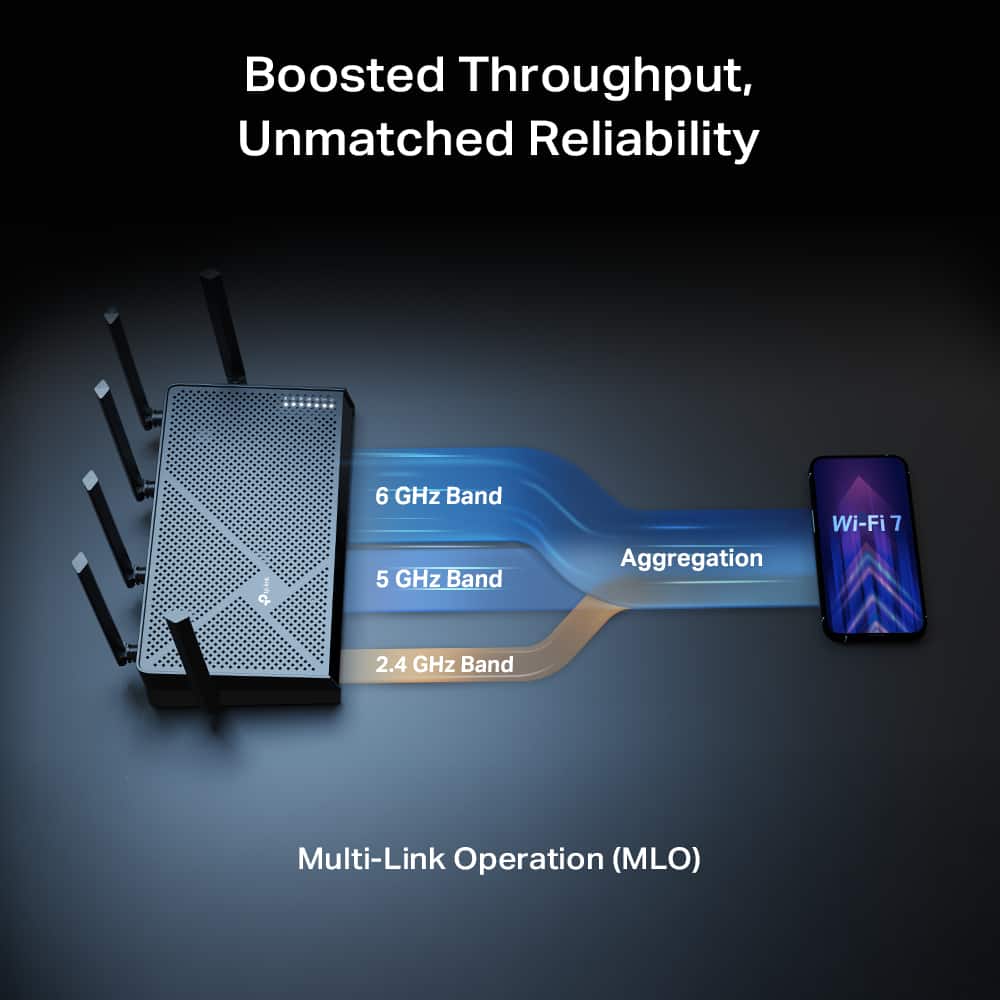
|Posted .This reviewer received promo considerations or sweepstakes entry for writing a review.The TP-Link Archer BE12000 Wi-Fi 7 Router is one of TP-Link’s newest routers designed to take advantage of the latest Wi-Fi 7 technology. After using it in my home network, I’ve been extremely impressed with both the performance and how user friendly the overall setup and management experience is. For households with a lot of connected devices, gaming systems, smart home equipment, and multiple laptops or phones, this router provides the speed and control needed to keep everything running smoothly. The initial setup process is pretty straightforward. You simply plug the included ethernet cable into your modem and then connect the other end into either the 10GB WAN port or the 2.5GB port on the router, depending on your internet setup. One important thing to note is that you will need to make sure your internet provider allows your modem access to their network if you purchased your own modem. If you are using a modem/router combo from your internet provider, you will want to place that device into Bridge Mode so the TP-Link router can handle all of the routing functions and give you the full performance of the Archer BE12000. Once the hardware is connected, you will want to download TP-Link’s Tether app from your smartphone’s app store. Inside the app you simply choose Add New Device and follow the step by step instructions for setting up the router. It was very nice to see just how user friendly the app was, especially compared to the many other router setup experiences I’ve used, that can feel overly technical. The Tether app walks you through everything from naming your network to setting your password and enabling optional features. NOTE: During my setup I ran into a small speed bump. After putting my modem into bridge mode, I didn’t wait long enough for it to properly recycle the IP address from my ISP, which resulted in the modem not passing an internet connection to the router. The solution turned out to be simple. After enabling bridge mode, you should unplug both the modem and router for at least five minutes. Once you plug the modem back in and let it fully reboot, then power up the router, the connection should establish correctly during setup. After my network was fully set up and I started reconnecting all of my devices, I immediately started receiving notifications on my phone whenever a new device joined the network. I really appreciated this feature because it lets me quickly see exactly what devices are connecting to my network and ensures nothing unfamiliar or malicious is accessing it. Inside the Clients tab of the Tether app, you get a full breakdown of every device connected to the network. It shows which Wi-Fi band each device is currently using, along with how much data it is uploading and downloading. The app also allows you to rename devices and assign them a device type, such as laptop, TV, phone, smart light, or gaming console. I really like this feature because it means I can see a clear device name instead of just a random MAC address or a vague description that I have no idea how to identify at first glance. The router also includes a traffic meter that tracks how much data is being used across the entire network. This can be extremely useful for households with internet data caps, since it can help monitor how much bandwidth is being consumed by each individual device. As of writing this review, there is a small bug that TP-Link is aware of where some devices, specifically cell phones on the network, may appear to be sending or receiving hundreds of terabytes of data, which obviously isn’t physically possible. Fortunately this appears to only be a reporting issue, as my other devices are displaying accurate usage statistics, and TP-Link will be fixing this with a firmware update soon. I figured out if you disconnect that device from the network and then remove the device from the clients list and reconnect it to the network it fixes the bug. Because this router is Wi-Fi 7, it introduces a new technology called Multi Link Operation (MLO). Traditionally, devices connect to only one wireless network band at a time, between 2.4G, 5G and 6G. With MLO, compatible devices can use multiple bands at the same time, allowing them to send and receive data across different frequencies. This can improve overall network speed, reduces latency, and increases reliability, since the router can actively move traffic across multiple wireless paths instead of relying on just one. If you currently don't have a lot of capable 6G devices, you should probably consider going with the other feature in Smart Connect, which combines the 2.4G and 5G bands into a single network name. Instead of manually choosing which band to connect to, the router automatically decides which band is best for each device. Devices that require longer range, like smart home equipment like lights and thermostats, will be placed on the 2.4 GHz band, while devices that need faster speeds can use the 5G band. The router knowingly manages these assignments to balance the network and maintain peak performance. I decided to go with the combination of Smart connect for the 2.4G and 5G and then a separate 6G network for my gaming devices to get the fastest speeds. While using Smart Connect, I had an issue with my older Intel based MacBook Pro where it would connect to the network but then drop the internet connection around 5–10 minutes into using it. After some research online, the problem appears to be due to the older Wi-Fi chipset not working well with the newer security standards and the band forwarding between 2.4G and 5G. I solved this by creating a guest Wi-Fi network that runs only on the 2.4G band. I only connect that laptop to the network when I’m using it. Since I mostly use that computer for basic web browsing, this solution works perfectly fine, and having a guest network is also convenient for when friends and family come over who want internet access. For larger homes, the Archer BE12000 also supports TP-Link EasyMesh. This gives you the ability to add another compatible TP-Link router to extend the Wi-Fi coverage throughout your house. EasyMesh will create a mesh network, allowing devices to move around your home without dropping the connection between the other routers. This is a great solution for eliminating dead zones in larger houses or multi-story homes over 3,000 square feet. Another feature that I set up on the router is Quality of Service (QoS). QoS allows you to pick certain devices to receive the fastest bandwidth when the network is busy. In my case, I chose my gaming PC, work laptop, streaming boxes, and gaming consoles, making sure that those devices get top priority for downloads, gaming, and video calls. Along with those other features, the router also includes multi-gig ethernet ports for a total of 5, including a 10G port and a 2.5G ports. It also includes TP-Link HomeShield security features, parental controls, guest network options, and advanced network monitoring tools that help keep your network safe and organized but that has a subscription fee but it comes with a free 30 day trial. Pros Fast Wi-Fi 7 performance Multi-Link Operation (MLO) improves speed and reliability 10GB and 2.5GB ethernet ports TP-Link Tether app for easy setup Detailed device monitoring and network alerts QoS prioritization for devices EasyMesh support for expanding coverage in larger homes Cons Traffic meter bug can show impossible data usage numbers on some phones Older devices may have compatibility issues with Smart Connect Many benefits of Wi-Fi 7 require newer compatible devices to fully utilize Overall, the TP-Link Archer BE12000 Wi-Fi 7 Router has exceeded my expectations as an excellent upgrade to my home network. The combination of Wi-Fi 7 technology, MLO, Smart Connect and an extremely easy to use management app makes it a great option for anyone looking to future proof their home network. Aside from minor compatibility quirks with older hardware, this router has performed reliably and offers a huge amount of control over your network. And I highly recommend it.
I would recommend this to a friendVersatile form factor, easy setup, fast, imperfect
|Posted .This reviewer received promo considerations or sweepstakes entry for writing a review.The TP-Link Archer is the fifth product from TP Link I've brought into my home and strangely it's the first of their famous Archer line that I've used. I have a 2.5gbit fiber internet connection, a lot of computers in my home, and have most rooms wired for ethernet using some 2.5gigabit switches. The Archer BE12000 seemed like it might be a good fit considering it has a 10gbit uplink and (just one) 2.5gbit LAN port for me to connnect to my existing switches. I've had good experiences with TP-Link's parental control features in the past so it seems to check a lot of boxes. #Unboxing# The Archer BE12000 arrived in a standard retail box, with mostly cardboard packing materials for easy recycling. In the box, you get the router, a simple quick install guide, the power adapter, and a ~5 ft "flat" Cat6A ethernet cable. One really nice thing I noticed immediately is the Archer BE12000 has mounting keyholes on the bottom of the device so you can hang it on a wall really easily. Combined with the antenna design, this seems like it could be a really easy pick for someone who doesn't have a ton of shelf space. The quick install guide mentioned that you could use either the TP Link Tether app or use the web interface on a computer to set it up but I went with the Tether app. #Using the BE12000# I was able to get the BE12000 set up in no time using my Android phone and the TP Link tether app. It really was just a matter of plugging the Archer in, connecting the 10G port to one of my switches for physical setup. Then I signed into my existing TP Link account in the app, then scanned the QR code on the bottom of the Archer router. At that point the app walked me through every additional step. It also correctly recognized that it was nested behind a router and would present problems with double NAT, and gave steps to fix this issue that would work for most customers. I also want to call out that TP Link includes a "first step" of powering off your existing modem before connecting the TP Link router - this is an important step that is often missed and insures compatibility with some cable modems that lock themselves to the previous router's MAC address. All functions of the Tether app worked as I remembered - it was easy to configure a combined SSID for band-steering on 2.4/5ghz, a 6ghz SSID, and an MLO SSID. TP Link still paywalls some features behind a subscription, like parental controls and advanced security, though at least for the parental controls they are pretty reasonably priced at only 18 bucks a year (for now). TP Link's parental controls are great - they recognize when a device might be set to randomize the MAC and tell you to fix that for the controls to work properly at the device level. They allow you to easily block individual sites (like featured public Minecraft servers, for example) and enforce Safe Search or restricted mode on sites and Youtube. I haven't tried their advanced security package as I have a separate IDS/IPS that works well. Since my home internet is 2.5gbit and I wanted to max out the speeds as much as possible, I then put the Archer BE12000 into "access point only" mode so I could make full use of the 10gbit connection directly to a 10gbit switch and my home NAS. Here, things got a little weird. For internet speedtests, I was hitting almost 1800mbit/s downloads on wifi which is fantastic. For the direct connection to a 10gbit switch and my NAS, I found that I could get a bit better than 2.5gb ethernet speeds, which is of course fantastic but also less than I hoped. Using devices connected to the 5ghz, 6ghz, or to MLO, I was able to get about 300 MB/s when copying large files from my NAS to the NVMe SSD on my laptop, or copying from my laptop to the NAS. That's about 20MB/s higher than I ever see when copying files via wired ethernet on my home setup (I have 10gbit connections between my switches, but the only 10gbit NIC in the house is the one in my NAS). I also tried copies with two devices simultaneously and lost performance overall, so it was probably a wifi limitation.To me the fact that speeds didn't change appreciably on MLO indicates this suffers from the same limitation as every early Wifi 7 device - MLO doesn't simultaneously connect to multiple bands like it is advertised to, it just allows for more rapid switching up and down the spectrum without interuppting your internet connectivity. Even before this test, I thought it was questionable that TP Link included standard 1gbe ports on this device instead of multiple 2.5 or 10g ports. Now I imagine they knew there was a performance limitation somewhere in the network stack. Yes, you can get better than 2.5gbit speeds over wifi, but only just a bit over. Even with one device on wifi and one connected via 2.5gbit ethernet I was unable to exceed 300 MB/s total. Connected directly to my other switch, I'm able to make use of multiple 2.5gbit streams, so this seems to just be tapped out a bit over normal 2.5gbe speeds. It's not horrible, and especially for the price this Archer router is at, it's acceptable. I just wish it was a more complete product performance wise. #Final thoughts# I think the Archer BE12000 is a very good value but imperfect. I have done a little searching and it seems to be the best priced router with at least a 10gbit port and 2.5gbit port, but I have to question why TP Link didn't go all the way to a 4 port 2.5gbe switch instead of including 3 1gbit ports. I also wish they supported more capabilities like VLAN tagging, though maybe the Archer line just isn't meant for those kinds of prosumer features. For a family with a smaller house or apartment and a few modern iPads or 6ghz capable devices, the Archer is a truly great product with best-in-class parental controls and very good wifi speeds. Being able to use 6ghz wifi and MLO should help the Archer perform well in a crowded wifi space.
I would recommend this to a friendDouble Your Bandwidth In 10 Minutes w/ WiFi 7
|Posted .This reviewer received promo considerations or sweepstakes entry for writing a review.TP-Link's routers are some of the best, if not the best routers on the market. Between rock solid reliability and ease of use, you can't go wrong. I won't use any other router on the market. When I can take a new router out of the box and have it setup in less than 10 minutes, I'm a customer for life. My time is too valuable to waste on troubleshooting my home network. WIFI 7 AND TRI-BAND: I was running a TP-Link WiFi 6E router before this and honestly thought I was set. Spoiler... I wasn't. The jump from 6E to WiFi 7 is not just a spec sheet upgrade, it's something you actually feel. wiFi 7 brings wider 320MHz channels, meaning the router can move significantly more data at once compared to 6E. Think of it like going from a two lane highway to a four lane highway in minutes. The Archer BE12000 is tri-band, running 2.4GHz, 5GHz and 6GHz simultaneously which gives you up to 12 Gbps of total bandwidth across the house. I have 40+ clients connected to my network 24/7 and I'm still pulling around 800Mbps in the same room and around 600Mbps two rooms away wirelessly. As a PC gamer who refuses to run ethernet cable through the walls and floors, those numbers genuinely blew me away. MULTI-LINK OPERATION: One of the biggest WiFi 7 features that actually matters in the real world is MLO, Multi-Link Operation. Instead of your device locking onto one band, it can use multiple bands at the same time. What that means for gaming is lower latency and a more stable connection even when the rest of the household is flooding the network. For someone like me with a house full of smart devices, streaming boxes and a gaming PC all going at once, this is a huge deal. The 6HGz is also great if you decide to set up multiple routers in a mesh. That 3rd channel makes all the difference when back channeling data between routers. TETHER APP: The Tether app is where TP-Link really nails the experience for both ends of the spectrum. If you're someone who just wants to get online and not think about it, jsut a few steps and you're done. If you're a tech junkie who wants to dig into port forwarding, VPN configuration, guest networks and more, it's all in there and laid out in a way that actually makes sense. I've used a lot of router aps and this is genuinely one of the best. Pro tip: if you keep your network name and password the same as your old router when setting this up, every single device on your network will automatically reconnect without you having to touch any of them. With 40+ clients that tip alone saved me over an hour. VERDICT: If you're still on WiFi 6, 6E, or even 5 and you're on the fence about upgrading, the Archer BE12000 is the reason to finally make the jump. It's fast, it's stable, the app is excellent, and setup is genuinely painless (seriously, less than 10 minutes). TP-Link keeps earning my loyalty every single time and this router is no different.
I would recommend this to a friendSolid Wi-Fi coverage.
|Posted .This reviewer received promo considerations or sweepstakes entry for writing a review.This review is for the TP-Link Archer BE12000 Tri-Band Wi-Fi 7 Router. Wi-Fi 7 is just the newest and fastest standard network while maintaining support of all the older ones also ( Wi-Fi 4, Wi-Fi 5, Wi-Fi 6) This product is ideal for larger homes with little interference to ensure coverage throughout the house. I have this unit placed almost exactly in the middle of my house, and it provides full signal in every room. Over the weekend my family and I got to test this unit out fully. Wi-Fi is such a big part of most homes these days and mine is no exception. All at the same time we had three TV's streaming, basketball games on two of them and a movie on the other. Two computers playing online games and our phones. And the internet never slowed down or skipped a beat. I think this router would be more capable than most homes need. And that's what you want. You can have cable or fiber, but with the wrong Wi-Fi router your internet can still be slow. You will not have that problem with this unit. Setup was quick and easy. One thing I always do when getting a new router is use the same Wi-Fi name and password as my old one. I have way too many things throughout my house to have to set up a name Wi-Fi name and password. That would take me ages to do and just would never get done. The unit itself is on the smaller side I would say. With six antennas. And on the back of it you will find three Lan 1 Gbps ports, and one 2.5 Gbps Wan/Lan port along with the 10 Gbps in port for the internet. Wps button, a reset button and the power in port. So far we have been very happy with this unit.
I would recommend this to a friend- Pros mentioned:Performance, Setup ease
Great Price, even better performance!
||Posted . Owned for 2 weeks when reviewed.This reviewer received promo considerations or sweepstakes entry for writing a review.I noticed immediate performance improvement and range in my 2 story home. Setup was not difficukt but the tether app is a pain. Overall a great product.
I would recommend this to a friend THE LATEST WI-FI 7 ROUTER FROM TP-LINK
|Posted .This reviewer received promo considerations or sweepstakes entry for writing a review.Selecting a TP-Link model can be challenging. TP-Link manufactures many models of Wi-Fi routers, some of which have very similar specifications, features and appearance yet different price points for almost identical specifications. I found 120 routers, 64 Mesh routers and 24 models of Wi-Fi 7 routers on the TP-Link website. Therefore, it can take some effort to cull through all of the offerings to decide upon the model which might meet your needs and budget. The TP-Link website does not have a comparison tool for creating a decision matrix to help sort out the various models by features and specifications. I selected the Archer BE670 / BE12000 Tri-Band Wi-Fi 7 router based predominantly on the specifications. It is one of the newer TP-Link models which was presented at the January 2026 CES show held by the Consumer Technology Association. My intention was to significantly improve the level of Wi-Fi in my house which has been equipped with the Wi-Fi 6 Access Point provided by my cable television and Internet Service Provider. The ISP’s router only provides average, if not mediocre link speeds, Internet speeds and range/coverage, even though it is connected to Gigabit Internet Service. The TP-Link Archer BE12000 lists some very impressive specifications and performance capabilities including: 12 Gbps Wi-Fi 7 (802.11 be) Backwards compatible with 802.11 a/b/g/n/ac/ax 6 GHz – 802.11 be/ax; 5 GHz 802.11 be/ax/ac/n/a; 2.4 GHz 802.11 be/ax/n/g/b 6 GHz: 5765 Mbps; 5 GHz: 5765 Mbps; 2.4 Ghz: 688 Mbps Wi-Fi MLO – Multi-Link Operation – Aggregates bandwidth of 2.4, 5 & 6 GHz channels Smart Connect – Assigns devices to best Wi-Fi band Airtime Fairness – Balances bandwidth of connected devices 4K QAM Multi-RU’s OFDMA MU-MIMO 10 Gbps WAN/LAN Port 2.5 Gbps Wan/LAN Port 1 Gbps Ethernet Ports x 3 WPS USB 3.0 Port 6 GHz 320 MHz Ultra-Wide Channels 6 External Antennae – Beamforming TP-Link EasyMesh compatible VPN Client built-in – Access VPN servers without VPN client software per device (OpenVPN, PPTP, L2TP VPN Server, Wireguard VPN) TP-Link Tether App and Web Browser UI Amazon Alexa and Google Assistant voice command compatibility Security up to WPA3 (WPA, WPA2, WPA3, WPA/WPA2-Enterprise Access Control Lists, Parental Controls, Guest Networks, Media Server I could not find specifications for the processor, RAM or chipset. The BE12000 hardware appears externally identical to several other TP-Link router models. There are six external antennae sprouting from the flat housing, which may be oriented vertically when the router is placed flat, or rotated when the router is wall mounted. The top of the router is perforated for heat dissipation. A minor issue may be the shape of the 12 volt transformer which will block two adjacent outlets on some power strips due to its 3-5/8” length. The Power switch, WPS button, 10 Gbps WAN/LAN port, 2.5 Gbps WAN/LAN port and three 1 Gbps LAN ports are located on the rear of the unit. The USB port is on the right side. Setting up the TP-Link BE12000 was a generally simple process using the TP-Link Tether app. However, I did encounter a few setup issues during the process, all of which were ultimately overcome after multiple repetitions of the process. One issue was the app being unable to “find the router” even though it had fully booted up, with my phone being within a foot of the router. Once the app finally “found” the router, I experienced multiple “Login Failed” error messages, which again required multiple, repetitions before the login was successfully accomplished. The remainder of the setup process is the typical process of assigning SSIDs and passwords for each SSID as well as an admin password for router administration. What was less typical was the app offering the option to subscribe to a paid HomeShield Subscription Service. Another atypical option requests permission to enable the Tether smartphone app to more accurately identify the connected network clients by allowing Tether to share all client information with a third-party service provider called Fing. Fing, based in Ireland, offers network scanning and monitoring tools. After scrolling through many pages of the Fing Privacy Policy on the phone, I abandoned the very long read. That privacy policy fills eleven letter sized printed pages. Many people may be concerned about authorizing even more data sharing in an environment where there are already significant concerns about data privacy. The Tether app is an easy-to-use interface which provides access to most of the router settings. There is also an easy to administer interface imbedded in the router firmware which is accessible using a web browser via the local network or via ethernet cable to the router. However, I discovered that some settings do not function properly. Notably, the OFDMA (Orthogonal Frequency Division Multiple Access) and MU-MIMO (Multi-User Multiple Input Multiple Output) settings failed all attempts to enable using the Tether app. These important complementary technologies enhance network efficiency, throughput and capacity. Both OFDMA and MU-MIMO are disabled by default on the BE12000. The Tether app has options to selectively enable/disable those features on a per network (band) basis. The browser-based UI only has the option to enable/disable OFDMA and MU-MIMO together on a global basis for all bands, rather than the granular controls of Tether. This is a problematic deficiency. Since my goal in acquiring the TP-Link BE12000 router was to substantially improve my network performance, I undertook data collection and analysis to compare the performance of my Wi-Fi network with the ISP provided router and with the TP-Link BE12000 router. Immediately prior to setup of the BE12000 I conducted measurement and collection of network performance metrics with the ISP router. After replacing the ISP router with the BE12000 I measured performance in the same manner. In fact, I switched back and forth between the ISP router network and the BE12000 network a few times during testing. I ultimately devoted the better part of three days to data measurement and collection. For good RF signal propagation comparison, both the ISP router and BE12000 were co-located, on a shelf elevated 6’ at a central location in my home. I measured upload and download speeds, link speeds and RF signal levels using three devices across all three bands including 2.4 GHz, 5 GHz and 6 GHz. I measured at four locations in my house, where most of the bandwidth intensive activity typically occurs. Two locations are approximately 40’ from the routers, in different directions from the routers. One location is 67’ from the routers and the fourth location for measurement is in the same room as the routers, with measurements collected within 3’ of the routers. I ensured that only IOT clients were connected and there were no data or bandwidth intensive activities such as video streaming, gaming, file transfers, etc. occurring during measurements. I allowed the routers to select the channels that they preferred through their proprietary methods, and since the BE12000 has a network (channel) optimization feature, I utilized that feature. I ensured that the BE12000 was running the most current version of firmware. The ISP router does not have the robust specifications and features of the BE12000. It is an old stock Wi-Fi 6 router with none of the high-end features of the BE12000. I do not generally have very high performance expectations for an ISP provided router. The performance of that router has been disappointingly mediocre, hence my procurement of the BE12000 router. The TP-Link Archer BE12000 does have very robust specifications and features. It also has six external antennae, compared to the internal antennae inside the case of the ISP router. I hoped for the BE12000 to provide exceptional speeds which would be significantly better than the ISP router provides. The ISP router sets the bar rather low, and should be easily surpassed in a comparison with a high performance specification router like the BE12000. Over the course of the three days of data collection, I compiled an extensive compendium of data, which I analyzed to compare the network performance of the BE12000 vs the ISP router. The final analysis resulted in the following summary conclusions. In the 6 GHZ network, the BE120000 demonstrated superior performance about 20% of the time with about a 25% improvement in speed. The BE12000 performance was equivalent to the ISP router the remaining 80% of the time. The BE12000 never performed worse than the ISP router, but again, the ISP router does not set a high bar. In the 5 GHz network the BE12000 was generally superior to the ISP router the majority of the time, although sometimes the improvement was not very significant. In the 2.4 GHz network the performance of both routers was generally on par, with some test data being better and some being worse for the BE12000. During the few days that I have been using the BE12000 I have also experienced some client devices randomly and spontaneously being disconnected from the network while in active use. This has occurred numerous times and continues to occur. I have never previously experienced similar anomalies with any other router including the ISP router. This is a significant problem. I am not concluding that the BE12000 is a bad router. It might be a decent router as it certainly has high-end specifications. It generally performs as well as the ISP router, and sometimes, particularly in the 5 GHz spectrum, it performs somewhat better. However, I had hoped for a significant improvement in network performance over the ISP router, which has not been realized. Of course, my testing was not in a controlled lab, but rather in the real world environment of my home. Thus, your experience may vary.
No, I would not recommend this to a friend- Pros mentioned:Performance, Setup ease
Boosted internet speed
||Posted . Owned for 1 month when reviewed.This reviewer received promo considerations or sweepstakes entry for writing a review.This router boosted our internet speed, no more lagging. Didn't have to buy "better" internet just needed the right router. Has a phone app that makes it easy to use.
I would recommend this to a friend