Techtober SaleEnds Sunday. Limited quantities. No rainchecks.Shop now

Skip to contentGo to Product Search
Main Content

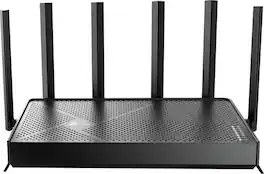
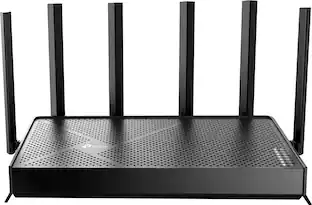
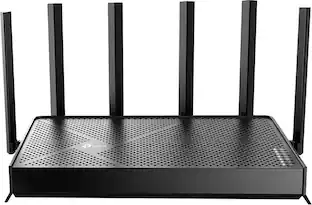
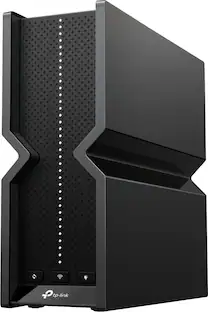
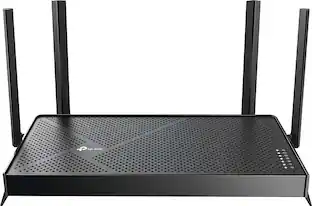
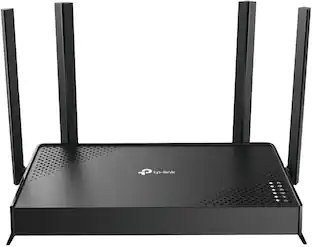
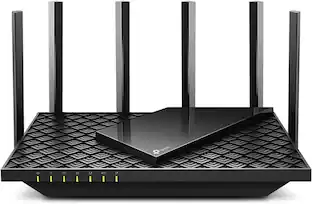
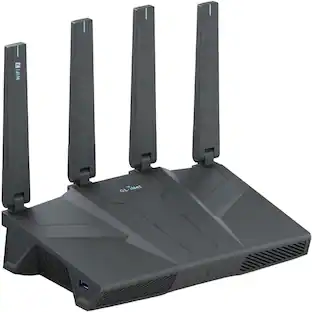
TP-Link - Archer BE12000 Tri-Band Wi-Fi 7 Router - Black

Model: Archer BE12000
SKU: 6668882
Sold byBest Buy

Customers are saying

Customers often highlight the product's quick setup process, reliable performance, and impressive wired connectivity options. Users also appreciate the solid build quality and consistent Wi-Fi 7 speeds that provide a smooth experience. While the device is generally well-regarded, some customers have noted that the signal range does not quite meet expectations and the antennas are not replaceable.

Generated by AI based on customer reviews.

Highlights

Features

  • Built for busy households

    8-stream architecture with suggested support for up to 128 devices helps manage smart-home devices, streaming, and gaming at the same time.(3)

  • Whole-Home Coverage

    Covers up to 3,000 sq ft to help reduce dead zones in typical home layouts, delivering more consistent Wi-Fi room to room. Performance varies by conditions, distance to devices, and obstacles such as walls.

  • Smooth Streaming on Crowded Networks

    High-performance Wi-Fi 7 that goes the distance: Upgrade to fast, reliable Wi-Fi 7 with tri-band performance, multi-gig ports, and strong whole-home coverage, built to handle busy households today and stay ready as your network grows.

  • Work-from-home ready

    Supports VPN client and VPN server functions, helping you securely access your home network while working remotely or traveling.(5)

  • Undeniable Speeds for All Your Devices

    Supports 6 GHz, 5 GHz, and 2.4 GHz with up to 5765 Mbps + 5765 Mbps + 688 Mbps max rates.(1) Performance varies by conditions, distance to devices, and obstacles such as walls.(3)

  • Multi-gig Wired Flexibility

    Connect PCs, consoles, and switches with a 10Gbps WAN/LAN port, a 2.5Gbps WAN/LAN port, and 3× 1Gbps LAN ports for fast wired speeds across your home network.(3)

  • Easy setup and maintenance

    Works with your existing internet service. A separate modem is required for all WiFi routers. For best performance, check for firmware updates in the TP-Link Tether app. (7)

  • Share storage across your network

    USB 3.0 port lets you connect compatible external drives to easily share files and media with devices on your home network.

  • Flexible mesh expansion

    Works with EasyMesh, allowing you to add compatible extenders later and create a seamless network under one Wi-Fi name. Not compatible with mesh Wi-Fi systems like Deco. (3)(4)

  • Our cybersecurity commitment

    TP-Link is a signatory of the U.S. Cybersecurity and Infrastructure Security Agency’s (CISA) Secure-by-Design pledge. This device is designed, built, and maintained, with advanced security as a core requirement.

Specifications

  • Wi-Fi Range
    3000 square feet
    Wi-Fi Mesh System
    No
    Number Of LAN Ports
    5
    Works With
    Amazon Alexa, Google Home
Sponsored

Reviews

96% would recommend to a friend
Customers are sayingCustomers often highlight the product's quick setup process, reliable performance, and impressive wired connectivity options. Users also appreciate the solid build quality and consistent Wi-Fi 7 speeds that provide a smooth experience. While the device is generally well-regarded, some customers have noted that the signal range does not quite meet expectations and the antennas are not replaceable.
This summary was generated by AI based on customer reviews.
  • Setup Ease (20)
  • Performance (16)
  • Connectivity (13)
  • Coverage (9)
  • Build Quality (3)
  • Antenna Design (4)
  • Range (4)

Customer Images

The vast majority of our reviews come from verified purchases. Reviews from customers may include My Best Buy members, employees, and Tech Insider Network members (as tagged). Select reviewers may receive discounted products, promotional considerations or entries into drawings for honest, helpful reviews.

  • Rated 5 out of 5 stars

    Wi-Fi router

    I replaced my spectrum router with this one. And it works great. Much faster. No issues with it so far.

    Posted by SAMANTHA

  • Rated 5 out of 5 stars

    Blazing Fast Wi-Fi 7 Beast That Just Works

    At a glance the Archer BE670 BE1200 Tri-Band Wi-Fi 7 Router features: 12 Gbps Tri-Band Wi-Fi 7 – Fast speeds for 4K/8K streaming, gaming, and downloads Multi-Link Operation (MLO) – Uses multiple bands at once for higher speed, lower latency, and better reliability 10G Wired Ports – Includes 10 Gbps, 2.5 Gbps, and 1 Gbps LAN ports for ultra- fast connections Expanded Coverage – 6 antennas + beamforming for a stronger, wider, more stable signal EasyMesh Support – Creates seamless whole-home Wi-Fi with compatible devices HomeShield Security – Built-in protection against cyber threats Wide Compatibility – Works with all Wi-Fi devices and internet providers (Comes with a 30 day trial) So far, I’ve been using this router for over a week and haven’t come across any major issues. Speeds and coverage have been excellent throughout my home. I have my PS5 and Xbox Series X hardwired to the router, which allows me to use Remote Play on the PS Portal and the Xbox Cloud app. The experience has been great, with only minimal lag when gaming. I’ve also had no problems working from home, including during Microsoft Teams meetings. Streaming from media apps like Netflix, or YouTube has been top-notch. There are plenty of customization options, especially for the guest network. You can limit bandwidth and enable 2.4 GHz, 5 GHz, and 6 GHz bands individually, or name them the same so the router automatically assigns the best connection for each device. The Tether app is excellent and gives access to most settings, including advanced options typically only available through a web browser. I also appreciate the detailed device insights, such as data usage, current network connection, and the ability to prioritize devices—great for reducing lag on gaming consoles or prioritizing streaming devices. The router also includes useful features like a Reports section that shows daily connected devices and parental controls for managing online time and website access. The traffic usage section breaks down data usage by day, week, and device, even ranking devices on your network. As for drawbacks, I ran into an issue where enabling MU-MIMO through the app wouldn’t save, and I had to use the web browser instead. Additionally, the design isn’t ideal for wall mounting, as the port and antenna layout can make cable management look messy. In that regard, I prefer the cleaner layout of Netgear Nighthawk routers. Overall, the Archer BE670 has been an excellent tri-band Wi-Fi 7 router. It’s powerful enough to provide great coverage for a large house and includes multiple high-speed gigabit ports for fast wired connections, all in a slim package. Even with 20+ devices connected at once—including a wireless security camera—it has not missed a beat. While it is a pricey router, it delivers strong performance and reliability.

    Posted by J0A0A7

  • Rated 5 out of 5 stars

    Super fast, simplified WiFi 7, great coverage

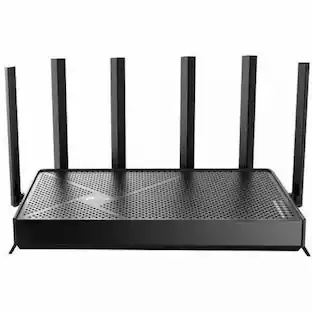
    This is our first standalone TP-Link WiFi 7 router that has the ultra-wide 320MHz channel on the 6 GHz band. It has a max speed of 12 Gbps over its three bands, 5765Mbps on both 6 GHz and 5 GHz, and 688 Mbps on 2.4 Ghz, utilizing features like Multi-Link Operation (MLO), Multi-RU, and 4K-QAM for improved performance and efficiency, and supports up to 128 connected devices. The Archer BE12000 Router has 6 beamforming external, adjustable antennas able to cover up to 3000 sq ft and provides more than enough coverage for our ranch home with finished basement. For additional coverage, the system can be expanded with any of TP-Link’s EasyMesh compatible devices, both wired and wirelessly. The router has a USB-A 3.0 port on its right-hand side where you can connect a networked device like a printer or NAS, as well as 1 each of 10 Gbps and 5 Gbps WAN/LAN, and 3 additional 1 Gbps LAN ports for Ethernet connections or wired backhaul. One flat 5 ft CAT6A Ethernet cable is included. It has an on/off button, WPS, LED toggle, and pinhole reset on the back. Since this is an upgrade from our current WiFi 6 AX3000 network, I was expecting to see an improvement in the speed and stability of our WiFi connections, but the degree and consistency of the change surprised me. I tested 5 different locations inside and outside of my home, from right next to the router to the perimeter of my property, before and after installing the router, and the difference was stark; in every location the WiFi 7 router nearly doubled and sometimes tripled the benchmarked upload and download speeds of my WiFi 6 mesh system. This made streaming games on Steam and Luna, like Warframe and Hogwarts Legacy, super smooth with shorter load times between map areas, and few instances of lag or stutter. Watching streaming videos in high definition like 4K was also a buffer-free experience. When connecting to the 6 GHz band I saw upload speeds on my smartphone more than quadruple while in the same room with the router, and I had no issues receiving usable 5 & 2.4 GHz signal at the edge of my property nearly 200 ft away. Setting up the router took less than 10 minutes using the TP-Link Tether app. It can also be setup via a web browser, if you prefer. Your internet modem simply needs to be connected to one of the router’s WAN ports (10Gbps or 2.5Gbps). When setting up WiFi, the 2.4 GHz and 5 GHz bands can be combined under one SSID, but you’ll need to create different SSIDs for 6 GHz and MLO if you choose to enable those networks. In general the 6 GHz frequency doesn’t travel far or through walls well and works best if you are in the same room as the router with a direct line of sight. From just 2 rooms away the 6 GHz signal was poor and my devices defaulted to the 5/2.4GHz network instead. In the app you can change or enable settings like VPN (requires a paid third-party subscription), guest and IoT networks, and set parental controls like specific device time limits, app and content filtering, website blocking, and view usage statistics. With a thumb drive plugged into the USB port, I was able to access and manage its settings from the web interface but not directly in the Tether app. The router integrates with AI assistants Amazon Alexa and Google Home for voice commands for network administration features, like enabling/disabling WiFi and checking its status. I appreciate that the LED status lights on top can be disabled, which eliminates light pollution at night, since our router is in an office that doubles as a guest bedroom. The device also comes with a 30-day free trial of TP-Link’s HomeShield Security+ which provides additional features like malicious website blocking, intrusion prevention, and expanded parental controls for a monthly fee. Overall, the Archer BE12000 is a powerhouse when it comes to delivering super fast downloads and uploads and is especially impressive if you have devices that can take advantage of the wider 6 GHz WiFi 7 bandwidth. Even for devices operating on 2.4GHz and 5 GHz bands, the range, speed, and stability of our WiFi improved all-around with more consistent and stronger signals across our entire property, plus it provides some futureproofing. It was very simple to set up and accommodates all our wired and wireless devices from laptops and phones to smart home speakers and light switches.

    Posted by ReviewedByPhil

  • Rated 5 out of 5 stars

    Continues to come in strong

    The TP-Link Archer utilizes the latest generation of WiFi-7 capabilities while taking advantage of multi-link operations to maintain consistent wireless connections amongst the devices connected throughout your network. It does this through combining various wireless (beamforming) bands, up/down links to enable performance-based Wi-Fi directly to your devices. From gaming, 8K/4K streaming, and everyday use while ensuring your connection is not dropped under high use times. One of the latest additions to aide in reducing interference from external and surrounding environmental elements is 4K-QAM (4K-Quadrature Amplitude Modulation) to which this helps to increase your network throughput speeds by boosting your data speeds while reducing local area interference. This enables your data to move more securely and faster throughout your environment at a higher volume. One thing to note, this is backwards compatible to 2.4GHz and supports network speed up to 10GB per second WAN/LAN. This was easily combined with my mesh system as direct main router to the mesh network. Out of the box, this thing does not way much at all, comes with your standard power adapter, includes a CAT 6Aflat network cable all color coded to the unit (black). While it is easily unpacked, the antennas were the biggest issue during the unpack process because they shrink wrap each antenna. It is supposed to be easy to peel and remove, to which it was not. The easiest method I found during the removal process to prevent antenna damage with how fragile they are was using my thumb at the base of the antenna where it attaches to the router, using a little scraping motion towards the outside of the antenna where is was serrated to remove the outside wrap. To note, it did still take some additional work in removing this from the six external antennas. Setup is easily done through online traditional method or using the latest TP-Link Tether App. While I really enjoy how easy the app makes things, I prefer the more traditional methods for setting up my networks while having backend network work access and able to control and bind devices throughout the network to their own addresses.TP-Link does make it very easy to get their products going and outside of their quick setup, include a Mesh network setup chart to follow if you are adding to a home mesh network. With privacy being a big focus thes days, TP-Link made it easy to re-add/enable dedicated VPN and secure network options for Wi-Fi with the latest available WPA3‑Personal+WPA2; more secure for newer devices, offers compatibility for older devices.

    Posted by 82jax

  • Rated 5 out of 5 stars

    Superb gaming router for my entire household

    The new TP-Link BE 12000 router is a massive improvement from my previous setup for my PCs and consoles. Don't get me wrong, I went from a TP-Link Deco mesh system to this single router and it blew away the performance I was getting prior. After using many other brands (Asus, Eero, Netgear and Linksys), TP-Link beats them all for my needs. Rarely if ever is there an issue and the only time I have no connection is overnight firmware updates or my ISP is down. Going from a Dual bank to a Tri band WIFI 7 was a slight step up in speeds on my very few devices that can support 6ghz, but nevertheless the speeds were crazy fast. In the box you get the router, power cable, ethernet cable and a bunch of literature to get you started. I thought I would use my previous TP-Link app called Deco but instead you need to use a different app called Tether to get you started. Also IF you ever need to go mesh to cover a mansion or something, you can get another BE12000 and mesh them together. Setup was a breeze. You turn off you modem, plug it into any of the ports in the back (don't use the 10gb one) and then turn everything on. The App itself will guide you step by step to connecting, naming and customizing your home network to your needs. You can also just directly plug into the router for setup if you choose not to use the app as well. I love how there is plenty of ports 3 x 1gbps. 1 x 2.5 and 1 x 10gbps (but remember, 1 is reserved for your modem connection). I could finally hardwire my 3 gaming PCs in the house and the PS5 instead of just 1 PC and everything else on WIFI for a much stable connection while we all game. What's also cool about the app is that you can see everything connected on your home network and which band they are using (2.4, 5 or 6) and can even create a guest network with a totally different name and PW so your own guests will never use your connections and will get your password. Excellent performance, super easy setup and fast speeds that can cover an entire house that previously I needed a mesh system for makes the BE12000 a clear winner.

    Posted by Woo151

Compare similar products

TP-Link - Archer BE12000 Tri-Band Wi-Fi 7 Router - Black
4.7(54)

Meet Archer BE12000, a Wi-Fi 7 tri-band router built for speed and low latency. Wider 320 MHz channels, 4K-QAM, and a clean 6 GHz band boost throughput for crisp 4K/8K streaming and fast downloads, while Multi-Link Operation (MLO) lets supported devices use multiple bands at once to cut lag. A flexible Multi-Gig design with 1x 10Gbps WAN/LAN + 1x 2.5 Gbps WAN/LAN+ 3x 1Gbps LAN keeps up with fiber internet and high-speed local networks, and EasyMesh support lets you expand coverage seamlessly. Setup takes minutes in the TP-Link Tether app, and HomeShield with WPA3 adds always-on security and parental controls for a safer, smarter home network.(1) The Archer BE12000 unit measures 10.57 × 6.02 × 1.87 inches, gives many option of placement for optimal range. The package includes Archer BE12000 router, power adapter, RJ45 Ethernet cable, and installation guide to help you get set up quickly.

TP-Link - Archer BE9700 Tri-Band Wi-Fi 7 Router - Black

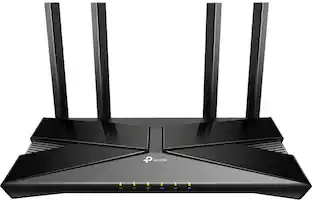
Step into a new era of home Wi-Fi with the TP-Link BE9700 Tri-band Wi-Fi 7 Router. Powered by revolutionary Wi-Fi 7 technology, this tri-band router revolutionizes your home connectivity. It offers expansive wireless coverage and impressive Wi-Fi speeds of up to 9.7 Gbps using Multi-Link Operation across six simultaneous streams spanning the 6GHz, 5GHz, and 2.4GHz bands. Wi-Fi 7 delivers even smoother connections with less interference, lower latency, and enhanced reliability. Plus, enjoy increased capacity to accommodate more devices simultaneously, making it the perfect router for 4K/8K streaming, lag-free online gaming, and seamless smart home connectivity. Designed for ultra high speed, multi-gigabit internet, the Archer BE9700 boasts a 10 Gbps WAN/LAN port, 2.5 Gbps WAN/LAN port, 3× 2.5 Gbps LAN ports, and a USB 3.0 port, catering to all your high-performance device needs. Experience the future of Wi-Fi today with the TP-Link Archer BE9700. †‡§
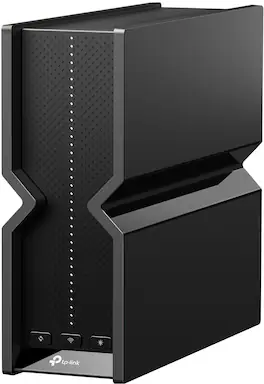
TP-Link - Archer BE11000 Tri-Band Wi-Fi 7 Router - Black

Experience the pinnacle of wireless performance with Archer BE11000 Pro. With its exceptional 11 Gbps tri-band WiFi 7 speed, this router sets new standards in connectivity, offering lightning-fast speeds, significantly reduced latency compared to WiFi 6 routers, support for the 6 GHz frequency band, and an impressive array of ports including a 10G WAN port and four 2.5G LAN ports. Archer BE11000 Pro is the ultimate solution for demanding users who crave unparalleled speed and uncompromising performance.

TP-Link - BE19000 Tri-Band Wi-Fi 7 Gaming Router - Black/Red
4.6(13)

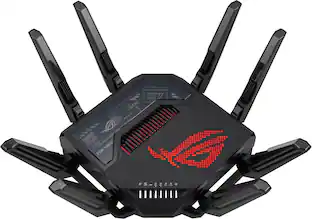
Keep your game on track with the dedicated gaming band freeing you from competing with your family’s Netflix 4K streaming. With a 20% faster gaming band than a Wi-Fi 6 gaming router, it’s always your turn on the network.□

Pros for TP-Link - Archer BE12000 Tri-Band Wi-Fi 7 Router - Black
Connectivity, Coverage, Setup Ease, Performance, Build QualityOverall Performance, Speed, Connectivity, Signal Strength, RangeOverall Performance, Speed, Coverage, Range, Signal StrengthOverall Performance, Speed, Design
Cons for TP-Link - Archer BE12000 Tri-Band Wi-Fi 7 Router - Black
Antenna Design, RangeThere were no cons for this product—Connectivity, SetupThere were no cons for this product—

Specs

Questions & Answers

  • What would be the best quality and most reliable device to extend the stronger wifi network from this device, in a home? Thank you.

    The Archer BE12000 should support EasyMesh, so that would be what I would recommend. Get another BE12000 and use it as a Mesh Extender.

    Answered by TPLinkSupport
    TPLinkSupport response
  • Does this router have beamforming?

    Yes, this router has beamforming.

    This question and answer was generated by AI based on customer and product data.
  • Are parental controls available on this router?

    Yes, parental controls are available for this router.

    This question and answer was generated by AI based on customer and product data.
  • Does this router support VPN server functions?

    Yes, this router supports VPN client and VPN server functions.

    This question and answer was generated by AI based on customer and product data.
  • How many LAN ports does this router have?

    This router has five LAN ports.

    This question and answer was generated by AI based on customer and product data.
Ask a question
No content

Customers often buy these together

Sponsored