Customer Ratings & Reviews


---
**HomeShield**
HomeShield is a built-in service, available in all HomeShield routers and Deco mesh products.
- Router Security Scan
- Wireless Security Scan
- IoT Device Identification
- Basic Parental Controls
- IoT Protection*
- Web Protection*
- Intrusion Prevention*
- Antivirus Protection*
*Included with HomeShield premium subscription service](https://pisces.bbystatic.com/image2/BestBuy_US/images/products/52ba502e-b28d-458b-aeb5-f5848e406fdd.jpg)
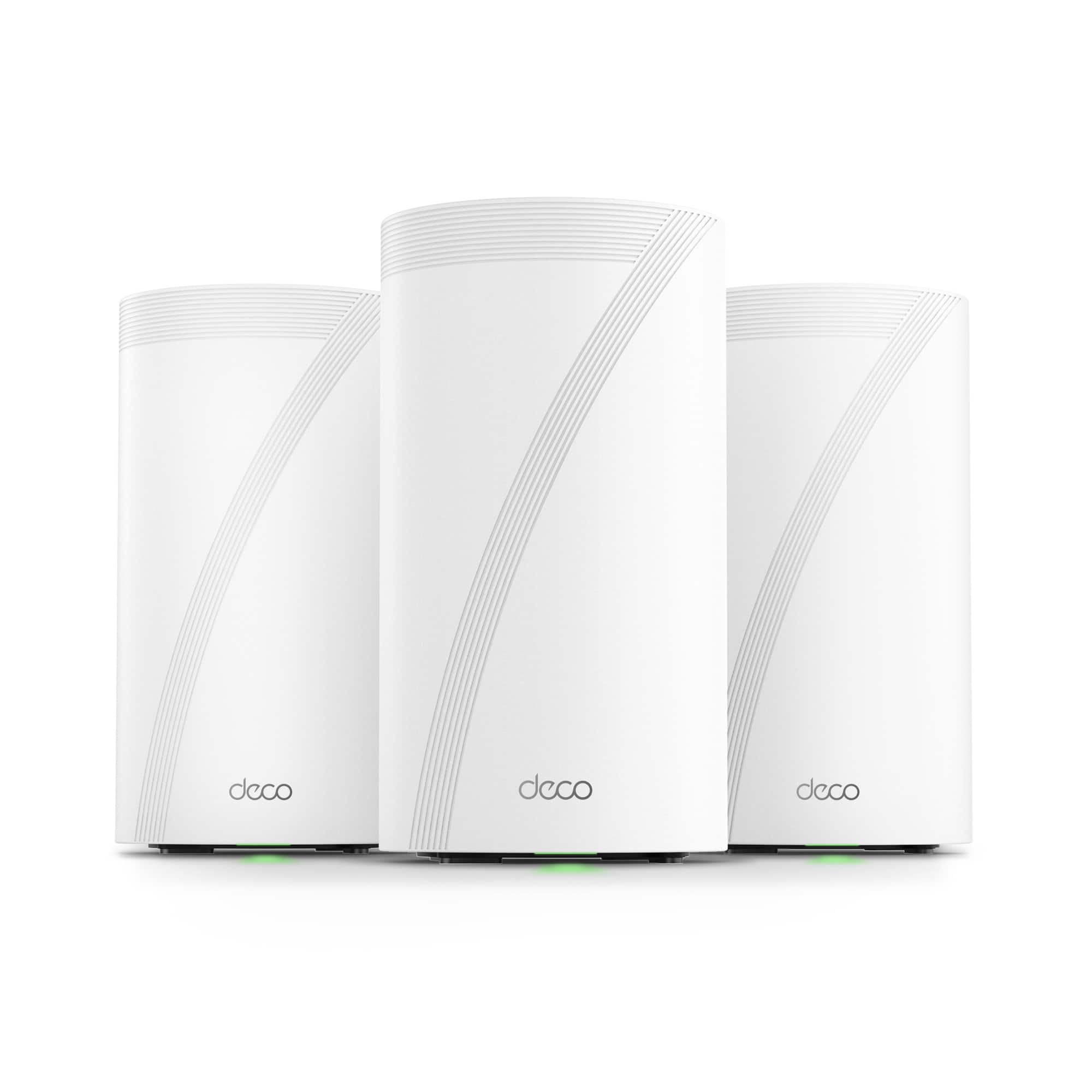
- Model:
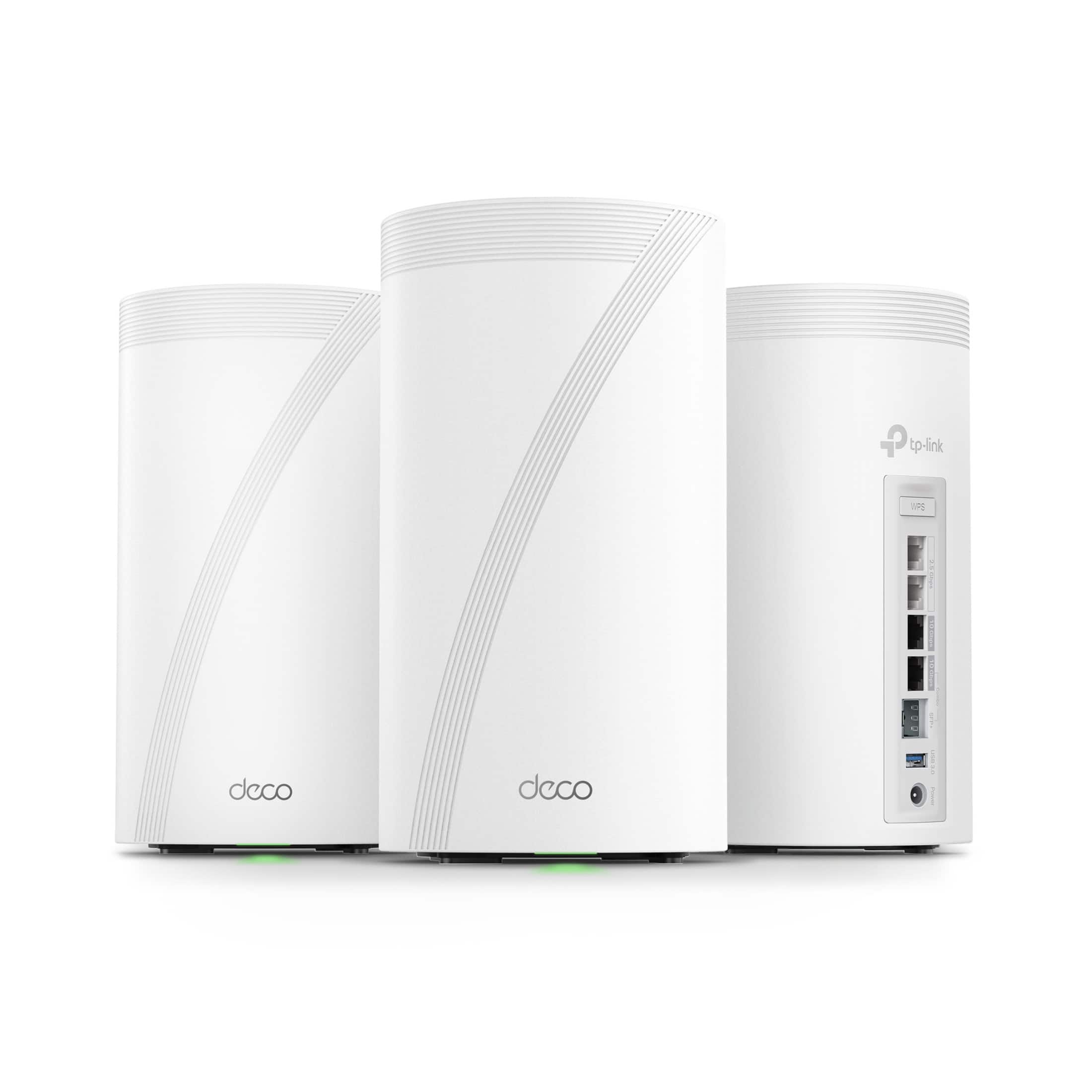
- Deco BE95(3-Pack)
- SKU:
- 6563926
Rating by feature
- Setup
Rating 4.6 out of 5 stars
- Range
Rating 4.5 out of 5 stars
- Signal Strength
Rating 4.6 out of 5 stars
Customers are saying
Customers are impressed with the Deco BE95's coverage, speed, performance, and ease of use. The setup process is also frequently praised, and users report strong signal strength throughout their homes. However, some customers have noted occasional connection issues. Overall, the Deco BE95 appears to deliver a positive user experience for most.
This summary was generated by AI based on customer reviews.
Bought two sets!
||Posted . Owned for 2 weeks when reviewed.This reviewer received promo considerations or sweepstakes entry for writing a review.Great Mesh. Web UI could be a lot better. More app based. Minus one star as Best Buy delivered item late.
I would recommend this to a friend- Pros mentioned:Ease of use
1st TP-Link I've owned
||Posted . Owned for 3 weeks when reviewed.This reviewer received promo considerations or sweepstakes entry for writing a review.So far so good. Easy to set up and the app is easy to understand. My only criticism is the 6ghz coverage is like 10 ft. But definitely recommend.
I would recommend this to a friend Great
||Posted .This reviewer received promo considerations or sweepstakes entry for writing a review.Great WiFi. I have gone through many brand and this is most reliable.
I would recommend this to a friendPoor security, unsafe, but great features
||Posted .This reviewer received promo considerations or sweepstakes entry for writing a review.I have looked at many reviews for the TP-Link BE95 BE30000 units I purchased and this product is top notch for features and functionality, but none talks about the security aspect. You are not secure with this product. TP-Link forces you to use a TP-Link account to access your router. You cannot disconnect from their account and create your own secure user and password. Their web interface is useless as you can't configure anything. The app is awful, very limited in user configurable router items. You cannot disable or change the remote management. This is not secure. You decide if you feel secure with this type of limitations. Yes, it has amazing connectivity and range, but security is more important when a company is known to have backdoors. I don't give my front door keys to anyone so what would I give anyone access to my router.
No, I would not recommend this to a friendBrand response from TPLinkSupport
Posted .Hello Extra,
Yes a TP-Link ID is required to use the Deco App. This is no different then creating an account for any app that you use. The Email and password are completely up to the user and we have no say in what you have to or want to use for those credentials. The Deco app also allows for 2FA for an extra layer of security. So your account is secure, especially if you use 2FA.
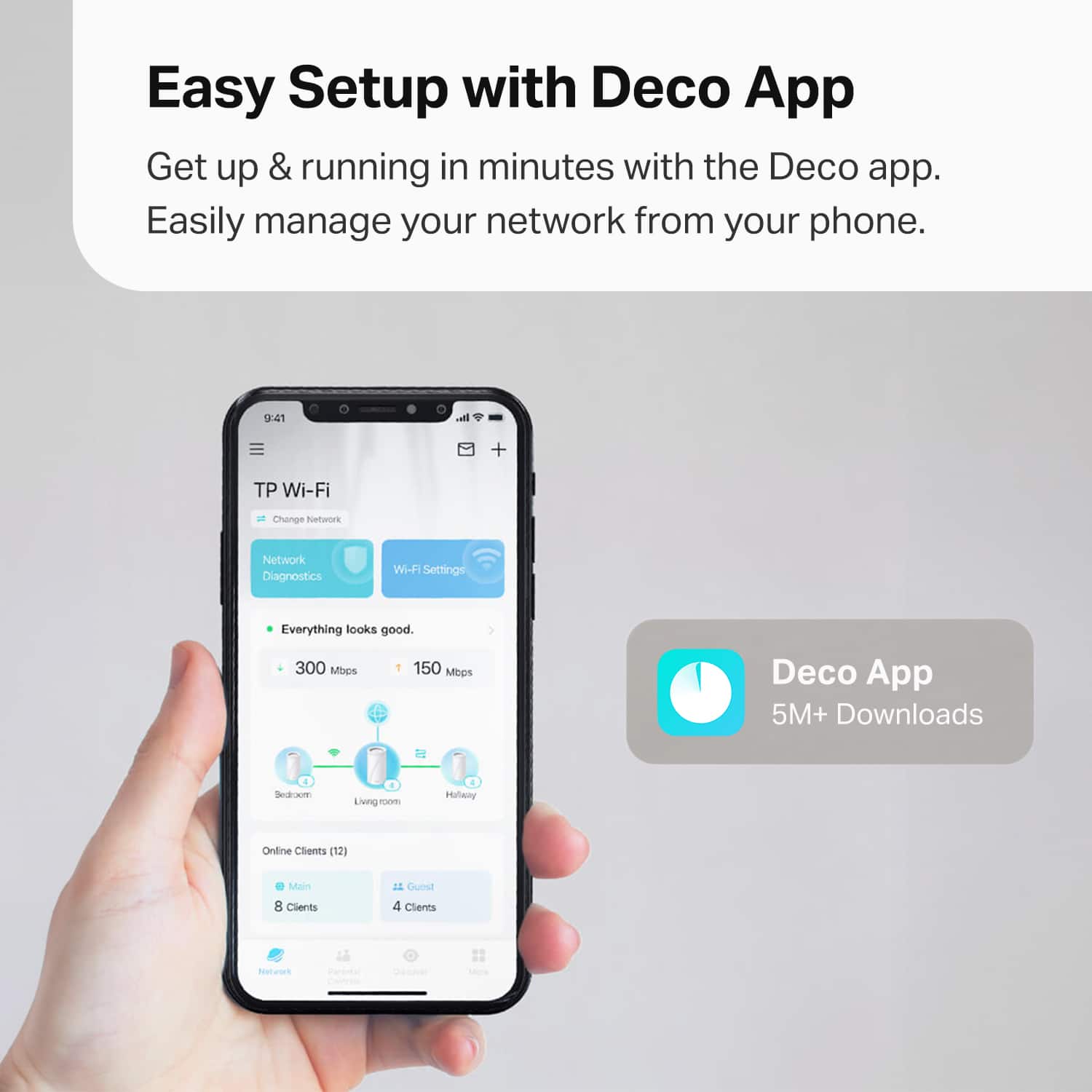
Deco, like most Mesh systems, was built around a simplified app. Most do not have a Web UI and Deco's Web UI is only for network maintenance. It is not and has never been a functional management UI. The simplified app controls are ideal for most users. Powers users may find them limited but you still maintain full control of your network.
Mesh systems are built around controlling your network from anywhere so yes the remote/cloud control function in integral of the mesh system and cannot be disabled. If you have concerns about TP-Link or the security of your device visit this link to learn about how TP-Link ensures our customers stay secure. https://www.tp-link.com/us/landing/security-commitment/
Best Regards
TP-Link Systems Support
Not worth the price
||Posted .This reviewer received promo considerations or sweepstakes entry for writing a review.6g is very local and mesh system doesn't have the range... App is terrible glitchy too
No, I would not recommend this to a friend- Pros mentioned:Ease of use
Works great
||Posted . Owned for 2 weeks when reviewed.This reviewer received promo considerations or sweepstakes entry for writing a review.Got the 2-pack, set them up without an issue. Working great that far.
I would recommend this to a friend Working great!
||Posted . Owned for 2 weeks when reviewed.This reviewer received promo considerations or sweepstakes entry for writing a review.Replaced a competitors mesh network that was getting unreliable with the newer technology of Wifi 7. It has been far more reliable, and provides a bigger footprint of quality wifi throughout the house.
I would recommend this to a friend- Cons mentioned:Connection
Very Buggy
||Posted . Owned for 1 week when reviewed.This reviewer received promo considerations or sweepstakes entry for writing a review.I had great hopes for this system. I purchased two 2-packs and tested them for about 3 weeks before I had no choice but to return them. Devices will sporadically loose connection and and wifi speeds will drop below 2mpbs with pings more than 300ms for several minutes several times a day. Worked with TP technical support to try to get these issues resolved but it seems the issues will only be resolved with future firmware updates.
No, I would not recommend this to a friendBrand response from TPLinkSupport
Posted .Hi,
Thank you for your review. Our Deco team is always working to provide the latest updates, optimizations and features for our Deco Mesh Systems, and current firmware or adjusting settings via the Deco app should've addressed your concerns. We regret to hear you returned your Deco BE95 units. If you have any questions or concerns about Deco or TP-Link products in the future, we hope that you will reach out to our support team - they are happy to help address any concerns you may have about your TP-Link product experience.
Best Regards,
TP-Link Support
WiFi 7
||Posted . Owned for less than 1 week when reviewed.This reviewer received promo considerations or sweepstakes entry for writing a review.This a great WiFi 7 router I get speeds I couldn’t get with my google router.
I would recommend this to a friendBest Mesh Network
||Posted . Owned for 1 month when reviewed.This reviewer received promo considerations or sweepstakes entry for writing a review.Really great mesh network. Handles my 100 devices with ease
I would recommend this to a friendDeco top tier mesh
||Posted . Owned for 1 month when reviewed.This reviewer received promo considerations or sweepstakes entry for writing a review.its very well made. I had no issue with wifi connection
I would recommend this to a friendBest Buy shipped a previously used item/return.
||Posted . Owned for less than 1 week when reviewed.This reviewer received promo considerations or sweepstakes entry for writing a review.Best Buy shipped me a used/open box, previously used system. I even called TP link and they verified it was previously used. I paid for brand new, factory sealed and they are selling customers used item. I can't trust their shipping anymore.
No, I would not recommend this to a friendBrand response from TPLinkSupport
Posted .Hello Nbhargava,
We are sorry to hear that. Because we do not have control over orders or shipping of products we suggest reaching out to Best Buy customer service for assistance.
Best Regards
TP-Link Systems Technical Support
Just say no.
||Posted . Owned for 4 months when reviewed.This reviewer received promo considerations or sweepstakes entry for writing a review.Not worth the hype in real world usage. Seemed to loose the signal every 5 minutes.
No, I would not recommend this to a friendBrand response from TPLinkSupport
Posted .Hi,
Thank you for your review. Our Deco Mesh Wi-Fi systems are designed to provide robust, seamless Mesh Wi-Fi for your whole home. In your case, we first recommend that you make sure your Deco app and firmware are fully up to date and your Deco units are optimally positioned within your home and in proximity to each other.
Our support team is always happy to help answer any questions you may have about our products. Please feel free to reach out using any of the resources included with the product or from our official website, and we'll gladly have a Support Agent follow up with you directly.
Additionally, on our website, you can find a comprehensive FAQ section, user manuals, and a community forum where you can interact with other Deco users.
Thank you,
TP-Link Support
Issues
||Posted . Owned for 2 months when reviewed.This reviewer received promo considerations or sweepstakes entry for writing a review.These devices are unreliable so far, was expecting better but not working at top quality
No, I would not recommend this to a friendBeyond impressed
Posted .This reviewer received promo considerations or sweepstakes entry for writing a review.With any brand new device, i think there will always be software challenges. The tp-link RND department took every concern i had and within a matter of a few days i had beta software addressing each issue flawlessly! I’m over the moon on the type of direct hands on support they gave me .
I would recommend this to a friendDeco is only compatible with Deco
Posted .This reviewer received promo considerations or sweepstakes entry for writing a review.Deco is a specialized Mesh protocol which wont work with any other type mesh protocol. If you have another type device in your network, you'll need to configure that device as a dumb device in bridge mode, OR set up Deco as a separate network. Deco forms an aggregate mesh network from all available wired & wireless throughput within the Deco network. Extremely effective result
I would recommend this to a friendnice! separate SSID for wifi6E / wifi7 6ghz
Posted .This reviewer received promo considerations or sweepstakes entry for writing a review.I have bought a competitor mesh wifi6E router, it uses the same SSID for 2.4ghz, 5ghz, 6ghz, 50% of the times, my wifi6E devices connected to regular wifi6 5ghz on this competitor mesh, why am i paying extra for wifi6E when it connected to regular wifi6 most of the time? so i returned it and get a refund. This tplink wifi6E/wifi7 connected my wifi6E devices to wifi6E 100% of the time. i don't have wifi7 cellphone to test wifi7 speed.
I would recommend this to a friendApp no good
Posted .This reviewer received promo considerations or sweepstakes entry for writing a review.I bought these thinking that I would be able to change any settings using a web address, but it turns out I have to install a app on my phone to set this up. The application that they have you installed on your phone is not very good
No, I would not recommend this to a friendBrand response from TPLinkSupport
Posted .Hi,
Thank you for your review. Deco Mesh Whole Home Wi-Fi systems are designed for quick and intuitive setup and management at your fingertips - via the Deco app on your Android or iOS smartphone.
If you have any questions or concerns regarding your experience with the Deco app, please reach out to our support team using any of the resources included with the product, or using the support portal on our official website, and we'll gladly have a Support Agent follow up with you directly.
Thank you,
TP-Link Support