Customer Ratings & Reviews
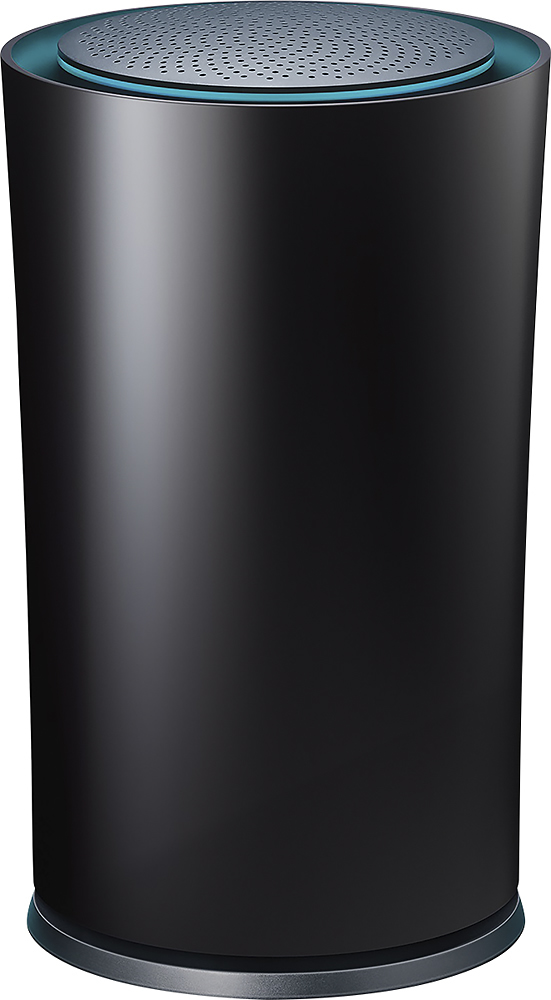

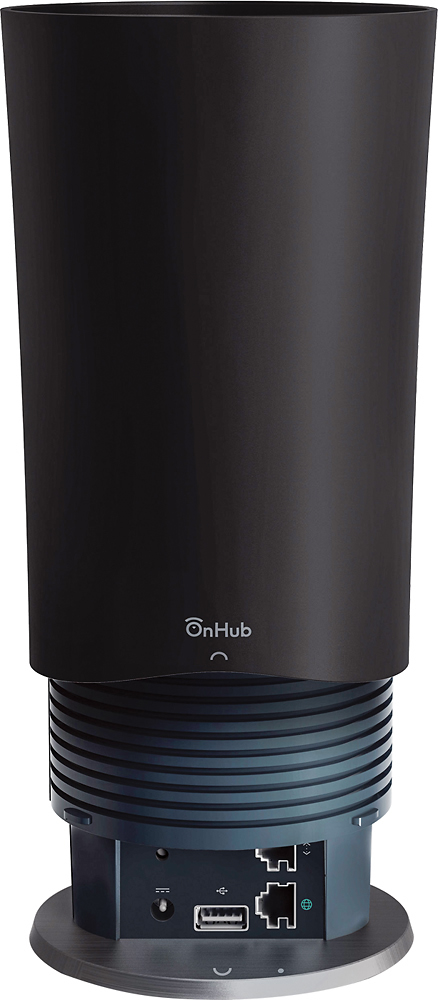

- Model:
- TGR1900BLK
- |
- SKU:
- 4409400
Customer reviews
Rating 4.6 out of 5 stars with 779 reviews
(779 customer reviews)to a friend
Customers are saying
Customers enjoy the Google OnHub AC1900 Dual-Band Wi-Fi Router's ease of use, range, and performance, with many praising its simple setup and strong signal. Positive feedback also highlights the router's design and helpful app. However, some customers express disappointment with the limited number of Ethernet ports and the relatively high price point. A few users also mention a lack of advanced features compared to other routers on the market.
This summary was generated by AI based on customer reviews.
- Pros mentioned:Ease of use, Performance, Range
Rated 5 out of 5 stars
I recommend this to all who want the best router
||Posted .This reviewer received promo considerations or sweepstakes entry for writing a review.The ease of installation and performance of this Wi-Fi router has made me a 100% believer in this product. It has worked flawlessly since purchase and the range is totally acceptable for my situation.
I would recommend this to a friend - Pros mentioned:Ease of use
Rated 5 out of 5 stars
Excellent router for standard home wifi
||Posted .This reviewer received promo considerations or sweepstakes entry for writing a review.I moved into a new home and my old router was not cutting it. It was tucked into a server closet in the middle of the house, but just couldn't penetrate the walls and furniture necessary to give everything a solid signal. Namely, the Chromecast one room away could not handle mirroring, the consoles in a nearby furniture piece had terribly slow wifi connections, and the master bathroom...well, we all know you need wifi in the master bathroom. Which brought me to the OnHub. I didn't really need something that looks nice because it's hidden in a closet, but it DOES look nice, if that matters. More important to me though were the range, the available guest network (which never seemed to work on my old router), and the ability to auto-switch between 2.4 and 5.0 ghz networks (where previously I had two separate networks, one for each, and manually switched when appropriate). Setup couldn't be simpler. Plug the router into your modem, download the smartphone app, and let it handle pretty much everything. It stepped me through setting up the main and guest networks, and in digging around I saw there were plenty of other options for port forwarding and such if I ever need to use it. But, simply put, with the absolute minimal amount of effort I've ever put into setting up a router, I now have the most stable wifi of my life. I've not needed to perform a single reboot, and coverage throughout my house is strong and consistent, even in the master bathroom.
I would recommend this to a friend - Pros mentioned:Ease of useCons mentioned:Ethernet ports
Rated 4 out of 5 stars
Great Router That Works.
||Posted .This reviewer received promo considerations or sweepstakes entry for writing a review.This router is really a great product. I enjoy the aspects of the device where it trouble shoots itself through the mobile app. More advanced users may not like that they can control more advanced settings. But, for me, I don't mind. I want a router that just works. The only reason I'm giving 4 instead of 5 stars is that there is only 1 ethernet port. I know everything is mostly wi-fi these days, but i still have a couple of older devices (TV & Blu-Ray player) that only have ethernet ports. Overall, a great product and great google integration.
I would recommend this to a friend - Pros mentioned:Ease of use, Performance
Rated 5 out of 5 stars
Fast, reliable and Google looking!
||Posted .This reviewer received promo considerations or sweepstakes entry for writing a review.Our wifi router was becoming unreliable and I took a chance on this new technology. I had read up on it, but still was uncertain about the way it interfaces through a mobile app. Wow! Instantly noticed my mobile devices speed improve greatly! Having two teenage sons, you can just imagine the bandwidth the my household uses, and this router allows us to control the flow, prioritizing the devices how we want it instead of happenstance. And my wife likes the look of it much better than the older styles with antennas everywhere. Highly recommend!
I would recommend this to a friend - Pros mentioned:Performance, SpeedCons mentioned:Ethernet ports
Rated 5 out of 5 stars
Google's Secret Weapon!
||Posted .This reviewer received promo considerations or sweepstakes entry for writing a review.I absolutely love this router! Sleek styling from TP-Link and the brains of Google! So much is still locked for this router, and no access for advanced users, and only 1 output Ethernet port and 1 unknown usb a lot but with plans underway from Google to update this router constantly with its large array of antennas and high up/down speeds, I'm already thoroughly impressed by this! Can't wait to see what the future holds for this secret router haha!
I would recommend this to a friend Rated 5 out of 5 stars
Great for now even better later.
||Posted .This reviewer received promo considerations or sweepstakes entry for writing a review.Wonderful device in appearance, and functionality. But the true upshot of this device is the potential for what it WILL have. As of right now your DHCPD options are preconfigured and unmalleable which means your stuck with a 192.168.86.x/24 subnet or you can turn the routing features off and turn it into a dumb AP. So far signal strength and bandwidth is on par with the ASUS (RT-AC68U) Wireless-AC1900 Dual-Band Gigabit Router it is replacing (and at the same price). And is a lot more attractive. The only major feature it is missing is the localized switch, but that is not a big deal as this works quite well with an external switch in my fairly robust home network. Google support was fantastic as I had them call me for an initial setup question (took about 15 seconds to get a real person on the line by just clicking the help button on the configuration app).
I would recommend this to a friend- Pros mentioned:Range, SpeedCons mentioned:Ethernet ports
Rated 4 out of 5 stars
Not as customizable as I'd like it to be :(
||Posted .This reviewer received promo considerations or sweepstakes entry for writing a review.MUST set settings through an app. Can't log in to the router like most people would be used to. You must use an app on a mobile device to configure and change the settings on this router. That aside, this is a fantastic router with a lot of configurability as well as range and speed. 13(?) antennas pinpoint the direction of the device you're connecting to it, and use that to change the amount of power each device gets signal to it from. This means devices close up, don't get flooded with as much signal as devices far away. It also means better performance to devices far away. Awesome especially for how small of a footprint this router takes up. Another negative in my opinion is the lack of Ethernet ports. You get one. That one, is how you hook up to the network. This means if you want to hook a device up, it's ONLY through wireless. Zero wired device support. If you don't need this, then this may be the exact device for you. Check out the firmware mods too. There's a lot of homebrew coming out for this router as well, but be warned that it may violate your warranty terms If you modify your firmware on the router.
I would recommend this to a friend - Pros mentioned:Speed
Rated 5 out of 5 stars
No more internet problems.
||Posted .This reviewer received promo considerations or sweepstakes entry for writing a review.This router does exactly what it says it does. I pay for the 75 Mbps Internet from my cable provider, but hardly ever receive it, but with this router, I get max speeds at all times. I use iTunes constantly for my movies, and with this router, the picture quality is crystal clear and no buffering. I also have a 4K television, and when I stream Netflix in 4K, the picture is as crystal clear as it was with my previous router when I had the TV hard wired. This is the best router on the market, and I highly recommend it.
I would recommend this to a friend Rated 5 out of 5 stars
Great Router for anyone.
||Posted .This reviewer received promo considerations or sweepstakes entry for writing a review.The biggest selling point of this router is the some what future proofing. It self updates and has router tech not yet used that will soon be used in future devices. Seems a bit odd but the 2.4 and 5 ghz are decided by the router. Most high end routers send both signals out and then you decided what to connect to but the router does this for you. So some what dumbs it down for the user. Google on HUB app is awesome app. Some other manufactures starting doing this but most require a PC then putting in IP address and then doing setting that way. Google on HUB router does this through very simple app. Can monitor whose on router, prioritize devices, change password, basically anything from the app. Router has great range as you would expect from 200 buck router. Reaches whole backyard, even good distance down street (about 2 houses, 30-40 yards) With constant 5 phones, tablets, consoles, computer, smart tvs, and so on .. on router never has problem keeping it up. Of course need decent internet set up so personally we bridged comcast modem and only use on hub for everything. Good looking as well can turn off LED if you like. Some may downside is lack or ports (1) but today only thing that uses wired connection is gaming PC maybe console. Though I do wire connect my gaming PC my ping is about 30, on on hub wifi I get ping of like 45 which is still extremely low. So latency is not an issue. So highly recommend this router.
I would recommend this to a friend- Pros mentioned:Ease of use, Performance
Rated 5 out of 5 stars
Best performance router
||Posted .This reviewer received promo considerations or sweepstakes entry for writing a review.This router is beautiful thus you can set it up anywhere, let everyone see it, but the best is really how it performs, its really easy to set up and maintain, its also smart as it will keep getting better with time. My favorite function is the ability to set priority to some device in order to maximize my conection. I recommend this routervto everyone.
I would recommend this to a friend - Pros mentioned:Range
Rated 4 out of 5 stars
It's been 3 weeks
||Posted .This reviewer received promo considerations or sweepstakes entry for writing a review.As the subject line states I've had this product for 3 weeks. So far it is surpassed all other non-commercial routers I have had for my home. I have been using various netgear routers and range extenders and thus far unable to adiquetly cover my entire house and pool area. Add to that five kids with iPads, my laptop and two tvs steaming (forget Xbox and anything else like a phone!) I was bogged down to a stop. For a test I bought this on a whim prior to hosting Christmas with 20+ ppl and a dozen sleeping over with as many kids. No problems at all. Not once. No dead spots and no streaming issues. We played music they Sonos and YouTube on my tv while whatever else ensued and it worked flawlessly. Even my Sonos in the garage and pool area came alive with out me trying to bridge the distance with my mobile phone hoping the signal would stay long enough to connect. As a side note I wanted to get the apple airport express but it was sold out so I thought I'd take a chance. So far so good. But it's only been a short time. For the money if buy my again. Oh yeah- it covers a 4600 soft house garage and pool area. Not bad, I have a set up on the main floor playroom.
I would recommend this to a friend - Pros mentioned:Ease of use, Range
Rated 5 out of 5 stars
Great modem
||Posted .This reviewer received promo considerations or sweepstakes entry for writing a review.I upgraded to this modem because I wanted something that was easy to use and something I did not have to hassle with. I upgraded from an older Linksys model and while the speeds are the same, I now have later technology that I can use to my advantage in the future. I also like how OTA updates are available so I don't have to worry about upgrading firmware every few months. Plus the range of this new router compared to the older one is outstanding.
This review is from TP-Link - Google OnHub Dual-Band Wireless-AC1900 Gigabit Router - Blue
I would recommend this to a friend - Pros mentioned:Ease of use, SpeedCons mentioned:Ethernet ports
Rated 4 out of 5 stars
Solid router if you only need a router
||Posted .This reviewer received promo considerations or sweepstakes entry for writing a review.The AC is super fast and the set up and app is easy to use. The app has a feature where you can limit the wi-fi to other devices so you can favor one, such as a smart TV while you stream a movie. Signal strength is great. The only weakness is the lack of more ports on the router itself. Would be better if they added a few more.
I would recommend this to a friend - Pros mentioned:Ease of use
Rated 4 out of 5 stars
Great evolution, not necessarily revolution
||Posted .This reviewer received promo considerations or sweepstakes entry for writing a review.I picked this up Best Buy last month. I haven't encountered any problems and the setup was easy and without a hitch. Google really thought this product through and it shows. There are several walls and floors in my home and the signal penetrates strongly through all of them. The device was a snap to setup. It also may in the future connect to the Internet of Things, automating home objects and making them smarter. The OnHub also has an attractive appearance, for a wireless router. The phone app that lets you access the OnHub's settings just seals the deal. The one thing some techies may miss are advanced customization of wireless protocols and tweaks. As of 1/11/2016, there isn't a way to manually choose either 2.4 Ghz or 5 Ghz bandwidth for the router (it's done automatically). So devices that will only connect to just 2.4 Ghz or just 5 Ghz may have issues with the router. There's also no way to manually select a specific 2.4/5 Ghz channel. Otherwise, I'd give the Onhub a full 5/5 stars.
I would recommend this to a friend Rated 5 out of 5 stars
Great router with simple set up.
||Posted .This reviewer received promo considerations or sweepstakes entry for writing a review.I was reading articles on the web about this product before it was released. I had been thinking about replacing my 7 year old Linksys router. I had a friend help me set up the Linksys router. Had on going problems with resetting that router over the years and buffering issues. I thought if the On hub router was all that the preliminary reviews said it was, that would be a good replacement. I went in to the local Best Buy on the day after the On Hub was released. Spoke to one of the computer guys about it. He hadn't heard anything about the product. He checked inventory and it said they had one in stock. He said he would go in the back to look for it. He returned about 10 mins. later with the On Hub in hand. Returned home with the new router. Unboxed it and set it in place. It literally took about 7 mins. to update and it picked up all my wireless devices. It has been flawlessly working. Much stronger signal on all my devices. Very pleased with this product.
I would recommend this to a friend- Pros mentioned:Ease of use, Range
Rated 4 out of 5 stars
Ease of Use
||Posted .This reviewer received promo considerations or sweepstakes entry for writing a review.This was a great upgrade from a 2 year old Asus. This router is dumb proof, and it easily installs with the help of an Android app. Total control is provided by this app, even when not at home. This router provided extended ranges that were not possible with my former router. The cost is a pain point, but it is worth the investment.
I would recommend this to a friend - Pros mentioned:Ease of use, SetupCons mentioned:Connection
Rated 4 out of 5 stars
The best tech purchase in years!
||Posted .This reviewer received promo considerations or sweepstakes entry for writing a review.I am thoroughly satisfied with this router. Easy to setup, easy to use, easy to connect. The coverage area produced by this router is amazing. It outperforms the high end Asus AC1900 router that was giving me fits for the past year, and I no longer have to hear the complaints from my better half about why something needs so many ugly antennae sticking out of it. I have a large footprint, 2200 sq.ft. ranch with a finished lower level, and there is not a single dead spot. I could not say that before for the Asus, even with a range extender! High quality product here. I would have given it 5 stars if it wasn't for a connection issue setting up a couple wireless components, ex: HP P1102w. I had to manually setup the DNS IP, which after I figured out this was the issue, I barely cared. If that's as bad as it gets living with this thing, I can't be more elated! Finally! A set it and forget it router! Dreams can become realities!
I would recommend this to a friend - Pros mentioned:Ease of use
Rated 5 out of 5 stars
Excellent Router
||Posted .This reviewer received promo considerations or sweepstakes entry for writing a review.This is an excellent router for the price. It makes it even better that it has the app which you can use to control the router as well. For example, my wife called me because the internet was not working at home. I reset the router with the app and it went back to working perfectly. I have had this router only for a few months and only had to reset it once. Also, I used to not get very good WIFI signal in my kitchen or outside of my house. Now, I receive a very good signal in every room in my house and about 10-15 feet away from the house outside. I would strongly recommend this router to anyone.
I would recommend this to a friend - Pros mentioned:Ease of use, Range
Rated 5 out of 5 stars
Best router
||Posted .This reviewer received promo considerations or sweepstakes entry for writing a review.This router has great range. It is easy to setup. No more long passwords- you create the network name and assign the password. Google makes it easy, effortless and works great. Expensive, but you get what you pay for.
I would recommend this to a friend - Pros mentioned:Setup, Speed
Rated 5 out of 5 stars
Best router I've ever owned
Posted .This reviewer received promo considerations or sweepstakes entry for writing a review.Best router ever. The set up process was so simple. And you can check the app even when you're not home and you can see what's running. You can priorities what devices you want running. I pay for tw cable 100 mps and up till now am I actually getting the 100 mps with this router. Before I would get about 60 with tw router.
I would recommend this to a friend