Customer Ratings & Reviews

- Model:
- TGR1900BLK
- |
- SKU:
- 4409400
Customer reviews
Rating 4.6 out of 5 stars with 779 reviews
(779 customer reviews)to a friend
Customers are saying
Customers enjoy the Google OnHub AC1900 Dual-Band Wi-Fi Router's ease of use, range, and performance, with many praising its simple setup and strong signal. Positive feedback also highlights the router's design and helpful app. However, some customers express disappointment with the limited number of Ethernet ports and the relatively high price point. A few users also mention a lack of advanced features compared to other routers on the market.
This summary was generated by AI based on customer reviews.
- Pros mentioned:Range, Setup
Rated 5 out of 5 stars
Unconventional, but very good!
||Posted .This reviewer received promo considerations or sweepstakes entry for writing a review.I bought this router at the behest of the sales guy. He gave me a long spiel about how good it was and I told him he memorized the sales pitch well. Turns out he was speaking from experience as he already owned one. Showed me his phone with the app on it! I took it home after making sure I could return it. Installation was easy, although I skipped a step in the app, costing me some time! My bad. The pluses: Easy installation if you read Great range Rock solid App is very useful for monitoring things on network Appearance (My wife even tolerates it sitting in plain view in the living room)! No problems after eight months with 19 devices connected The minuses: None yet
I would recommend this to a friend - Pros mentioned:RangeCons mentioned:Ethernet ports
Rated 3 out of 5 stars
Feel like an early adopter but...
||Posted .This reviewer received promo considerations or sweepstakes entry for writing a review.Don't get me wrong. I think this product has great potential. It does have very good range. But I am having a bunch of issues with throughput on 2.4 GHz and 5GHz. Plus devices seem to just periodically disconnect from it. These include my Nest products. I also have a T-Mobile Personal Cell Spot Router (Asus RT-AC68U) and see much better throughput and connectivity. The app and setup are fantastic and Google is on the right track. I just hope a firmware update will resolve the issues I have had thus far. I am committed enough to the concept to hold out for the updates.
I would recommend this to a friendBrand response from TPLinkSupport
Posted .Dear Runbadgerrun,
Thank you for the feedback regarding your recent OnHub experience. We are truly grateful for your commitment toward our products and will certainly take your feedback into consideration as we continue to release new security updates and features for your OnHub.
In the event you may require further assistance with your OnHub, please feel free to contact our 24/7 technical support team via the number or email provided for you below.
Google OnHub Support Team
https://on.google.com/hub/support/
email: [email protected]
phone: 844-442-3693 (toll-free from US and Canada)
- Pros mentioned:Setup, Speed
Rated 5 out of 5 stars
Great router with easy set up
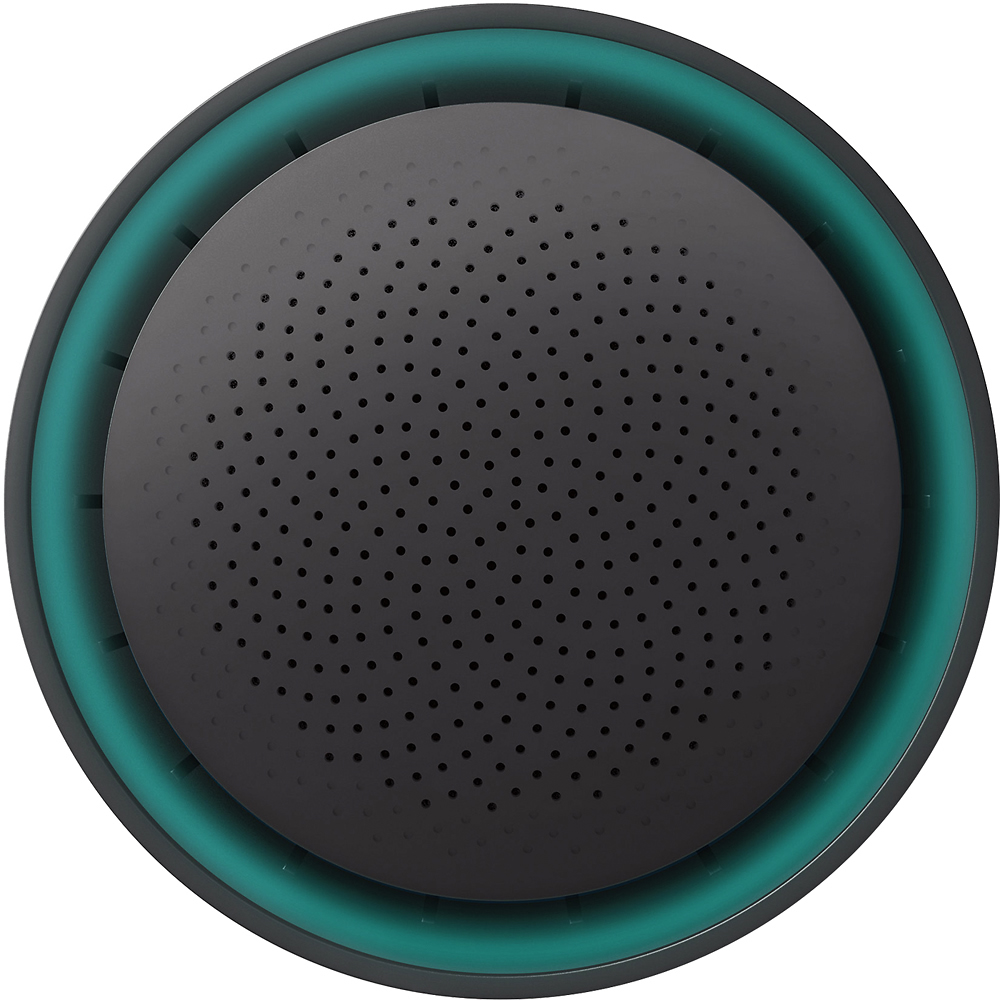
||Posted .This reviewer received promo considerations or sweepstakes entry for writing a review.Easy set up and maintains a very good signal throughout the house. I had a phone/wifi modem from Cox that was absolutely horrible. With premier internet up to 150 mPS, I was lucky to get 15 to 20. I plugged this bad boy in and instantly got my 150 and even exceeded it at times. Very happy with this router. I have 2 computers, multiple tablets, 3 phones, NEST thermostat and smoke detector, an ECHO, an ECHO Dot, a PS3, PS4, XBox1, and XBox360 hooked up with multiple going at any time and have strong signals with all of them. I also like the color lights that show you if you have lost your internet signal. Highly recommend considering this device to anyone.
I would recommend this to a friend - Pros mentioned:Setup
Rated 5 out of 5 stars
Great purchase! Easy Set-up!
||Posted .This reviewer received promo considerations or sweepstakes entry for writing a review.i wish it had additional USB ports included. it was set-up and working in minutes. The app used for set-up is great and allows me to know any where and any time what devices are accessing my network. great purchase and easy set-up!
I would recommend this to a friend - Pros mentioned:Setup, SpeedCons mentioned:Ethernet ports
Rated 5 out of 5 stars
Worth the price you pay
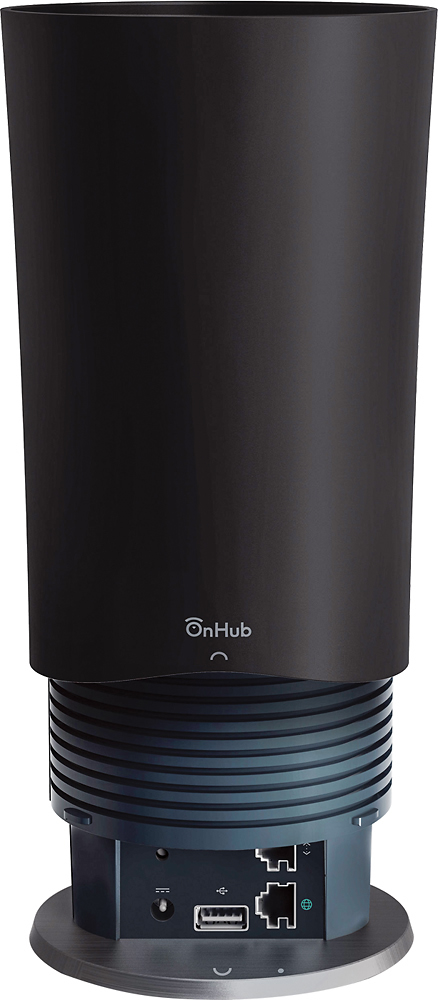
||Posted .This reviewer received promo considerations or sweepstakes entry for writing a review.Very easy to install, took me about 5 mins, most of the time spot on taking it out of the box. At the time of purchase I had a apple AirPort Extreme with TWC 300mbs. At best on my iPad I received about 90mbs from the master bedroom and since I got this it's about 140mbs average. I have tried a few other devices and returned them simply due to signal drop and speed issue. No issues with slow internet or deadspots. However my place is only 1100sqft. I haven't had a reason to restart or reboot this device since I plugged it in. The router only has one Ethernet output and you would need another router for wired multiple wired connnections.
I would recommend this to a friend - Pros mentioned:Ease of use, Range
Rated 5 out of 5 stars
Great Router with Easy Setup
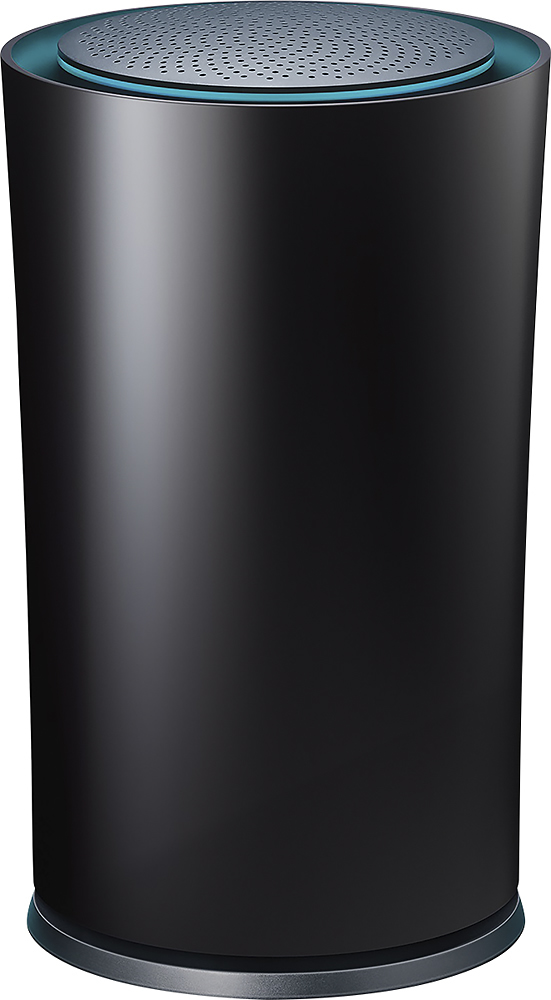
||Posted .This reviewer received promo considerations or sweepstakes entry for writing a review.This router is very easy to setup even with Apple Products. It sits out and the blue glow is kind of cool. Reached the entire property including carriage house, over 100 feet.
I would recommend this to a friend - Pros mentioned:Ease of use
Rated 5 out of 5 stars
Simple setup and great performance
||Posted .This reviewer received promo considerations or sweepstakes entry for writing a review.I'm living in a large flat with a lot of people. My old router serving everybody became quite unreliable with a lot of reboots so it was time for a new one. I always do a lot of research before committing and the OnHub reviews were all positive. There were connectivity short comings for this router but not really a concern for me. My experience with it is only positive. This is by far the easiest router to set up and I know doing it for a living. Also the range of it is something I have not encountered. I could pick up the signal 3 floors below. I admit this is not a cheap router but worth every penny.
I would recommend this to a friend - Pros mentioned:Ease of use, Speed
Rated 5 out of 5 stars
Easy setup
||Posted .This reviewer received promo considerations or sweepstakes entry for writing a review.Went to the store to look for a faster router. I have 2 desktops, 3 iPads, and 2 laptops that is sharing the wifi. I talk to the sales rep and he recommended this router, it can take 13 devices without problems. Plus I like the design. Installation was easy, it links to your smartphone and I had it running in no time. The speed is fast and streaming movie no longer takes forever, love this machine. Would definitely recommend for household with many Devices.
I would recommend this to a friend - Pros mentioned:SetupCons mentioned:Features, Price
Rated 4 out of 5 stars
Excellent router, but pricey
||Posted .This reviewer received promo considerations or sweepstakes entry for writing a review.I've never purchased a $100+ router before. I've had a few Linksys and DLink over the years and they all have failed on me over time. The Google OnHub was nice. It was easy to setup, but it was expensive for what it is. I know many complain that it lacks features, but it appears Google will continue to update the router. One thing of note, the top port if you use it for a physical connection can have issue if you don't use a flexible cable for the OnHub cover to fit back on top. I had to purchase an ethernet extended since I already had a physical cable ran under my house. I then used the supplied cable from Google since it was flexible. Overall, decent router, no issues as of yet.
I would recommend this to a friend - Pros mentioned:Ease of use
Rated 4 out of 5 stars
Much better than the stock COX wireless modem
||Posted .This reviewer received promo considerations or sweepstakes entry for writing a review.Reached to all corners of my 2,000 sq ft house with strong signal. Wifi stays connected as I am leaving my driveway! I recommend this, easy to setup as well.
I would recommend this to a friend - Pros mentioned:Ease of use, Range
Rated 4 out of 5 stars
Great Range stable connection
||Posted .This reviewer received promo considerations or sweepstakes entry for writing a review.I like it a lot, just with it had more than one Ethernet slot. The range is amazing! Covers my entire townhouse and the adjacent area. Very easy to set up.
I would recommend this to a friend - Pros mentioned:Range, Speed
Rated 5 out of 5 stars
Best WiFi so far
||Posted .This reviewer received promo considerations or sweepstakes entry for writing a review.I am an apple guy and I was going to purchase the Airport Exterme. I saw this router and was immediately impressed with the design. I figured well I can always return it so why not give it a try. No regrets! I am impressed with the wifi range and speed. My WiFi is as fast as my ethernet connected devices. The only downside is with the setup it could be easier. I won't be waiting to Andriod but this is one Google product I like.
I would recommend this to a friend - Pros mentioned:Range
Rated 4 out of 5 stars
Great Range
||Posted .This reviewer received promo considerations or sweepstakes entry for writing a review.Incredibly easy setup, and GREAT range. My Comcast router somehow wouldn't reach to the second floor of a townhouse, and even when it would, it wasn't consistent. After recommendations and an affinity for Google products, I bought this, and it is great. For some reason, the signal dropped out once on the first night (something others have referenced), but since then, it is has been perfect. Strong connection - 3 bars in places I couldn't even get a signal with Comcast. The only Con is that there is only 1 Ethernet output, so if you have multiple devices (such as smart TV or Roku, etc.) you will still need some form of bridge.
I would recommend this to a friend - Pros mentioned:Ease of use
Rated 4 out of 5 stars
Good, No brainer Router (almost)
||Posted .This reviewer received promo considerations or sweepstakes entry for writing a review.I'm almost totally satisfied with this router. I had no big problems and it's really easy to setup (kind of fire and forget). I had some problems with my cablem modem, which is a router too. When I tried to bridge it, after some days OnHub lost connectivity (the ISP changed IPs probably) and I ended up reconfiguring the OnHub from scratch, which is not as easy as it seems. Initial setup is a breeze but reseting can be a pain. No matter that, I like the product even if it doesn't have advanced features. I'm a power user but at home OnHub is very good at what it does. Coverage is quite good in my two story house.
I would recommend this to a friend - Pros mentioned:Range
Rated 5 out of 5 stars
Outstanding product
||Posted .This reviewer received promo considerations or sweepstakes entry for writing a review.I needed a router that would support more than 25 devices with no hiccups. It's bad enough that the DSL service in rural areas is weak, having the router also failing--well that was unacceptable. I purchased this router because it should support over 100 devices on the network, and I can honestly say, we have gotten close to 40 with no problems. The best parts about the router: 1. Already said it--will easily connect dozens of devices 2. Will let you set, and will remember through resets, dedicated IP addresses for devices on your network. Critical for NAS and for printers. All my other routers seemed to "forget" the static IP assignments. 3. Range. They aren't kidding when they say the built in 13 antennas make a difference. 4. The app. This is a double edged sword. I don't like that I cannot manage the device from a computer and browser, BUT I absolutely love the app that they have to manage the device. Check and see which devices are using bandwidth real time. Check and see what devices are connected. Even test the WAN service (our terrible DSL--which is confirmed to be terrible by the app.) 5. Families. Being able to create "groups" of devices and turn their access on and off is not only a nice feature for dinner (for those control freaks that must ensure no one can check their facebook at the table) but it also is great for limiting devices that will use the (limited) internet bandwidth. 6. Related to above, being able to assign priority internet access to one device for a period of time is absolutely essential when broadband speed is limited and one must ensure the work computer has the highest priority. WELL WORTH the money. I was set to drop hundreds more. This device met all expectations, and even had a number of "didn't expects" that really made the purchase great.
I would recommend this to a friend - Pros mentioned:Range
Rated 5 out of 5 stars
This Thing Is Awesome, Compact, Efficient
||Posted .This reviewer received promo considerations or sweepstakes entry for writing a review.This Guy Is Awesome Setup is so easy a baby could do it, not lying! cant wait for updates to come as more become available. Deff Recommend to anyone looking for something different as in design. there is advanced settings for the tech savy people. The Range is good to picks up anywhere in teh house and no connection lost or slowed down
I would recommend this to a friend - Pros mentioned:Speed
Rated 5 out of 5 stars
Perfect for congested WiFi areas
||Posted .This reviewer received promo considerations or sweepstakes entry for writing a review.I live in an apartment building and it seems everyone has 2-3 hotspots. I switched ISPs, kept rebooting my cable modem, tried everything. Then I decided to give this OnHub (TP-Link) a try. I'm VERY happy with it. Set up was simple, and the real-time bandwdith usage per device is very useful to know which device is doing what. I'm consistently getting 165Mbps from Comcast and fully enjoying it. I even switched my wired iMac to WiFi because it really was faster. I couldn't believe it (switch was in the middle, maybe wired directly to OnHub would be good).
I would recommend this to a friend Rated 4 out of 5 stars
I had a bit of a difficult setup..Still Worth it!
||Posted .This reviewer received promo considerations or sweepstakes entry for writing a review.I previously had a comcast xfinity router modem combo. It was giving me a lot of poor range and signal issues (especially with my android devices). I decided to stop giving comcast a leasing fee and decided to buy myself a motorola modem and this Google OnHub router. What difficulties came setting this up arised from having to update the modem with comcast. Once that was done a reset of the OnHub (via pen push button on back) and call to Google to set up with a specific server to stop the connection issues I was having with it... And finally after all that I still feel like this purchase was worth while. It looks nice and has a cool app to help with setup.
I would recommend this to a friend- Pros mentioned:Range
Rated 5 out of 5 stars
Very Stable Router
||Posted .This reviewer received promo considerations or sweepstakes entry for writing a review.I purchased this router to replace the Nighthawk x4 that was dropping connections like crazy. While the x4 had a much farther range (down the block) the Onhub covers my entire home and yard with no problems. I haven't had to reboot it for any reason and I have not experienced any connection drops after having it connected for a few months now. The current features are very limited compared to the x4, but the GoogleOn app lets me manage it remotely. This is the router that you set up and it just works. No messing with settings and separate SSIDs for the 2.4 and 5ghz bands. It's one name that changes the connection based on the device needs. Looking forward to future features being added
I would recommend this to a friend - Pros mentioned:Ease of use, Range
Rated 5 out of 5 stars
Easily the best Router I've owned
||Posted .This reviewer received promo considerations or sweepstakes entry for writing a review.This is easily the best router I have ever owned. The buffering and dead zones are a thing of the past. This easily covers my spread out ranch and back yard with WiFi. It was a breeze to set up.
I would recommend this to a friend