Customer Ratings & Reviews

- Model:
- TGR1900BLK
- |
- SKU:
- 4409400
Customer reviews
Rating 4.6 out of 5 stars with 779 reviews
(779 customer reviews)to a friend
Customers are saying
Customers enjoy the Google OnHub AC1900 Dual-Band Wi-Fi Router's ease of use, range, and performance, with many praising its simple setup and strong signal. Positive feedback also highlights the router's design and helpful app. However, some customers express disappointment with the limited number of Ethernet ports and the relatively high price point. A few users also mention a lack of advanced features compared to other routers on the market.
This summary was generated by AI based on customer reviews.
- Pros mentioned:Ease of use
Rated 4 out of 5 stars
nice for extended coverage
||Posted .This reviewer received promo considerations or sweepstakes entry for writing a review.I went shopping for a range extender, my home is a very long one story ranch house, and my modem was placed at the very end of the house,(by cable company when setting up my cable) since that is where I had set up my office, desks, etc., and this "stuff" would have been very troublesome to move. Now I know the importance of midway placement! Well, the very nice saleslady began telling me and asking me some specifics, and she quickly realized that what I needed was a stronger signal directly from a new modem, rather than an extender. She made a lot of sense and after going over several things we settled on this Tp Link Google Onhub Dual-band Wi-fi router...It did the trick!! Fairly simple to install, but you (or at least I) needed a second person due to needing extra hands for holding cell phone close, and getting into my tight spot for working. I am very pleased, and am giving it only 4 stars rather than 5, due to having to download one program onto cell phone and then installing Onhub from That, instead of directly installing it!.
I would recommend this to a friend - Pros mentioned:Setup
Rated 4 out of 5 stars
Waiting for Home Automation addition hence 4 star
||Posted .This reviewer received promo considerations or sweepstakes entry for writing a review.Overall the router performance is good and I really like the in build speed test with in the application. The setup quite frankly is neat and very easy (using NFC to sync the app on the phone with router is cool). The reason I purchased this router because it supports Auto updates from google and this will be a big thing when google start integrating it with its Nest Hardware making it a device that controls every single device in your home and that too remotely.
I would recommend this to a friend - Pros mentioned:SetupCons mentioned:Ethernet ports
Rated 5 out of 5 stars
Easy to Setup, Use
||Posted .This reviewer received promo considerations or sweepstakes entry for writing a review.Bought this one to replace my Apple TC. So far it works better than my previous router, the signals seem pretty strong through out the house. The setup was easy. Wish there is more Ethernet ports.
I would recommend this to a friend - Pros mentioned:Range
Rated 4 out of 5 stars
A great start
||Posted .This reviewer received promo considerations or sweepstakes entry for writing a review.I love the fact that this router is so automated. It's easy to set up and the app is great. It looks fantastic too and the range is incredible. I'm looking forward to future updates. Only downside is that at times, some devices do get a little bit slow. I will typically restart and that fixes the issue. I had an Airport Extreme, but find this one is better.
I would recommend this to a friend Rated 5 out of 5 stars
a google of antennae - hub-ba hub-ba
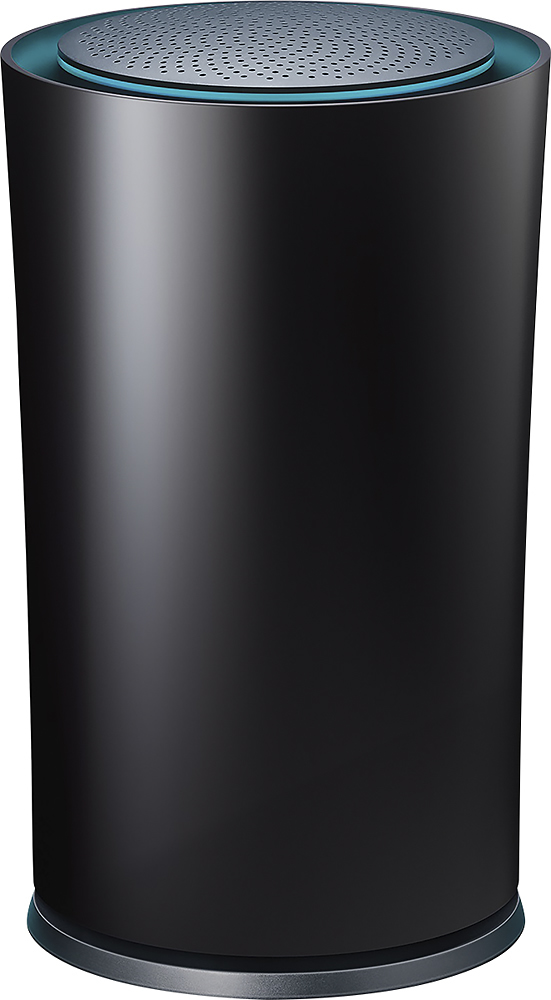
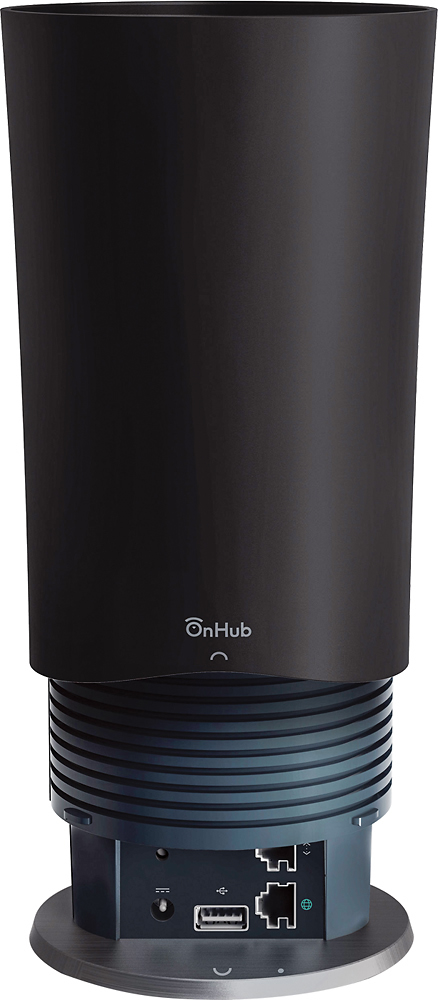
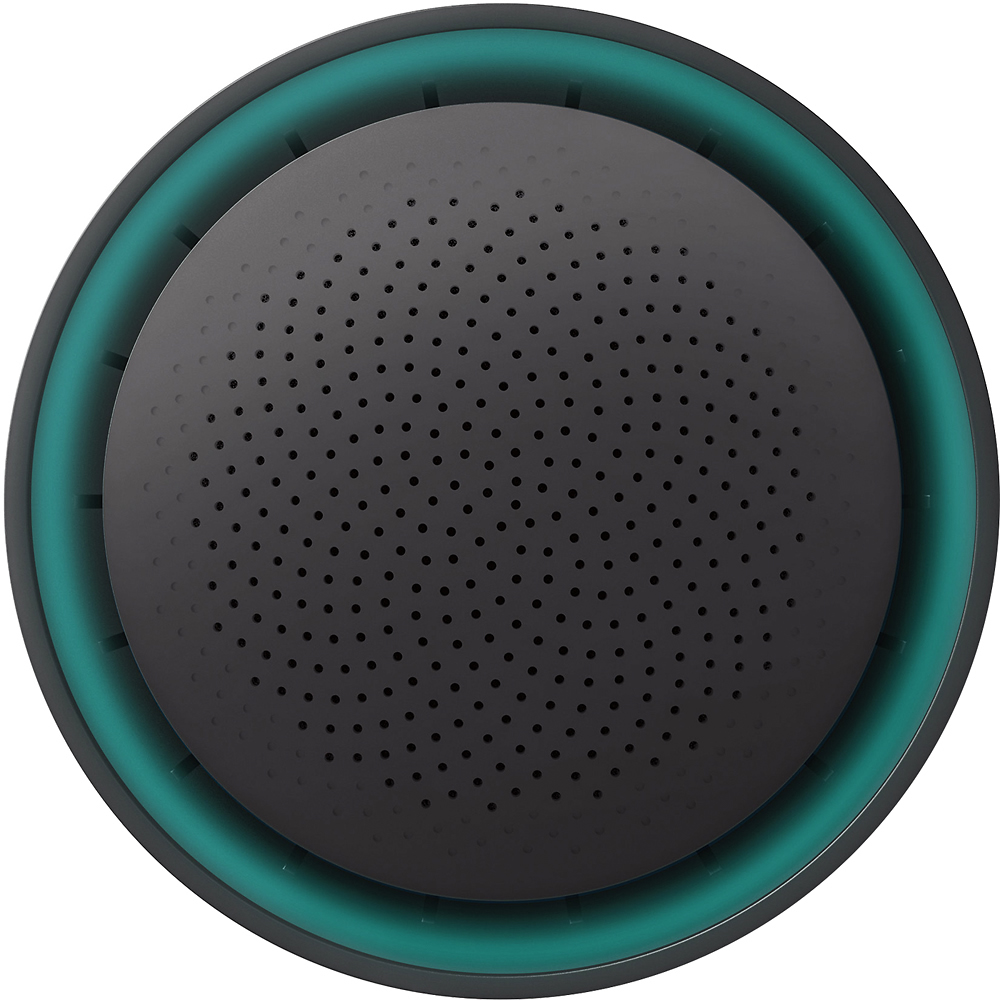
||Posted .This reviewer received promo considerations or sweepstakes entry for writing a review.I have the ON HUB connected to a CISCO Linksys E3000 router data port - it was easy to use the iPhone app to configure the ON HUB and flip it into Bridge mode. I have 4 floors (split level) with lots of concrete supporting walls. I have the HUB centrally located, so it services a 60 foot radius thru walls and ceilings. The 12 antennae gives coverage to all levels with the lowest signal being 3 out of 5. We typically have 7 to 8 concurrent devices using wireless. The hub seems to prioritize streaming with no noticeable impact on interactive uses (aka facebook, outlook, web browsing etc). The iPhone App also lets you select the intensity of the cute little blue status light ring. Keep the instruction page that shows what the different colors of the light mean. The only slightly confusing part was figuring out how to take the protective cover off the base to access the ports (you just give it a counterclockwise twist and lift). Bottom line, easy to set up, iPhone app has basic functionality and is easy to use, and it works.
I would recommend this to a friend- Pros mentioned:Range
Rated 5 out of 5 stars
Awesome device!!!
||Posted .This reviewer received promo considerations or sweepstakes entry for writing a review.With over 15 devices connected there is no lag or system crash with multiple devices streaming and gaming! Truly a gamers b/f, I have Comcast and this works exceptionally well unlike 3 other previous devices(all in price range of this unit). What really stands out is the range, my wife has stopped complaining of constant disconnecting of her MacBook! "+++++ Thanks!!!
I would recommend this to a friend - Pros mentioned:Ease of use, RangeCons mentioned:Price
Rated 4 out of 5 stars
Good router, dead simple setup
||Posted .This reviewer received promo considerations or sweepstakes entry for writing a review.The setup process on this router is done through an app on your phone or tablet and couldn't be any easier. Range is excellent. Drawback is that it is little pricey though the ease of setup and the fact you don't need to be an IT expert to make it work is an acceptable trade off.
I would recommend this to a friend - Pros mentioned:Setup
Rated 5 out of 5 stars
Solid internet in condo. Many competing wireless
||Posted .This reviewer received promo considerations or sweepstakes entry for writing a review.Google OnHub router replaces Linksys E4200. Linksys gave occasional wireless slowdowns and dropouts, maybe from competing wireless in other condos. Google OnHub gives no slowdowns or dropouts. Setup with help of cellphone or tablet was fast. I attached an inexpensive ethernet switch to the single OnHub ethernet connector. Works fine with Hue hub and Smartthings hub.
I would recommend this to a friend Rated 5 out of 5 stars
Google - So Easy
||Posted .This reviewer received promo considerations or sweepstakes entry for writing a review.For a simple router that does what it's supposed to, we love the On HUB router. The app makes it simple to check the router if need be. I also have a netgear router, but do not like the app for netgear. The google App for the ON HUB is so much better. If your looking for a router to use with multiple devices and a great app to control it, ON HUB is for you!
I would recommend this to a friend- Pros mentioned:Range
Rated 5 out of 5 stars
Simple Setup, Reliable, Excellent
||Posted .This reviewer received promo considerations or sweepstakes entry for writing a review.Upgraded from a very old/out dated Netgear N300 router. A massive step up in range and throughput. Wish there was a few more features like QoS available through the software but the setup is dead simple, even for the most novice users.
I would recommend this to a friend - Pros mentioned:Ease of use
Rated 4 out of 5 stars
Product is OK
||Posted .This reviewer received promo considerations or sweepstakes entry for writing a review.Product is very easy and Intuitive, but have a little bug that clones and iPhone 6S MAC Address into your ISP connection. I sent the case to Google for investigation and still waiting for a resolution.
I would recommend this to a friend - Pros mentioned:Ease of use
Rated 5 out of 5 stars
Great router,
||Posted .This reviewer received promo considerations or sweepstakes entry for writing a review.If you want a super easy to use, innovative router that you can set up in minutes with an app (!) this is for you! Plus is from Google so you know is going to be amazing and future proof.
I would recommend this to a friend Rated 4 out of 5 stars
Fabulous WiFi Access Point. Need more work
||Posted .This reviewer received promo considerations or sweepstakes entry for writing a review.I am coming from Asus RT-AC66R, which I also got from Best Buy and promptly installed custom firmware. The reason I am getting this OnHub is to solve my home WiFi dropout issue, particularly places that are far from 2nd floor study where my cable modem and router are located. This OnHub so far has solved my WiFi issue but I do not trust it enough to also serve as my main home router yet. That is the reason that I configured OnHub to "Bridge Mode", turn off my Asus router's WiFi and still retain Asus router for all DHCP, Firewall and VPN functionalities.
I would recommend this to a friend- Pros mentioned:Ease of use, Range, Speed
Rated 5 out of 5 stars
Amazing!
||Posted .This reviewer received promo considerations or sweepstakes entry for writing a review.My salesperson highly recommend this, and am I ever glad he knew what he was taking about! Blazing fast, easy to setup and to use, fantastic range, and looks cool! I love the app for it too! Highly recommend!
I would recommend this to a friend - Pros mentioned:Ease of use
Rated 5 out of 5 stars
The best router on the market
||Posted .This reviewer received promo considerations or sweepstakes entry for writing a review.Very satisfied with this router. The entire setup is done on the app. It is a simple step by step process. I called tech support for an issue with my modem and they were extremely helpful. The tech support is based in the google campus in California. My favorite feature on this router are the free software updates.
I would recommend this to a friend - Pros mentioned:Ease of use
Rated 4 out of 5 stars
Good router, could use more options
||Posted .This reviewer received promo considerations or sweepstakes entry for writing a review.While I understand it was designed for its ease of use, I fail to see why ease of use has to mean it can't be slightly more customizable too. Nor why there couldn't be a Web interface to go with the app.
I would recommend this to a friend - Pros mentioned:Ease of use
Rated 5 out of 5 stars
Set up is a breeze
||Posted .This reviewer received promo considerations or sweepstakes entry for writing a review.This router is truly plug and play. Easy directions and simple set up. You can easily name your network and password without having a tech help you. The app tells you network speed and allows you to dim the lighted ring. No problems so far.
I would recommend this to a friend - Pros mentioned:Range
Rated 5 out of 5 stars
Amazing Unit, Amazing App, No Hassles
||Posted .This reviewer received promo considerations or sweepstakes entry for writing a review.I love this device. I never have to deal with any issues, and the app lets me prioritize my Chromecast when I'm watching movies. It reaches to the far room in my apartment when previously I needed a repeater with my last router.
I would recommend this to a friend - Pros mentioned:Setup, Speed
Rated 5 out of 5 stars
The router of my dreams
||Posted .This reviewer received promo considerations or sweepstakes entry for writing a review.When I moved into a new 2BR apartment (60-70 wifi networks in range), I needed something that would carry a strong, high-speed signal through the length of the unit, and out onto the porch. The ac1200-type router provided by my cable company wouldn't even carry halfway down the hall. I tried an extender, and that was a complete flop. The Google Onhub solved all my problems. It is a breeze to set up. I'm getting the advertised speeds. The iOS app is useful. And finally, it looks cool sitting on a table top.
I would recommend this to a friend - Pros mentioned:Ease of use
Rated 5 out of 5 stars
Best Router I had Bought
||Posted .This reviewer received promo considerations or sweepstakes entry for writing a review.The TP-Link Google OnHub its an amazing product. This its more that an router, its a piece of technology that in future updates will do things that no router cannot do. It's easy to install. Just download the Google OnHub to your smartphone and set it up quickly without problems.
I would recommend this to a friend