Customer Ratings & Reviews


- Model:
- S8FKPK
- SKU:
- 6523237
to a friend
Customers are saying
Customers are impressed with the MatrixPad S8 Kids tablet's durability, parental control features, and affordable price. Many customers mentioned that the tablet is perfect for kids and comes with a protective case. Parents appreciate the preloaded apps and long battery life, making it a convenient choice for families. However, some customers have expressed concerns about the tablet's slow performance and screen issues.
This summary was generated by AI based on customer reviews.
- Pros mentioned:Battery life, Case, Screen size

My Nieces Love It
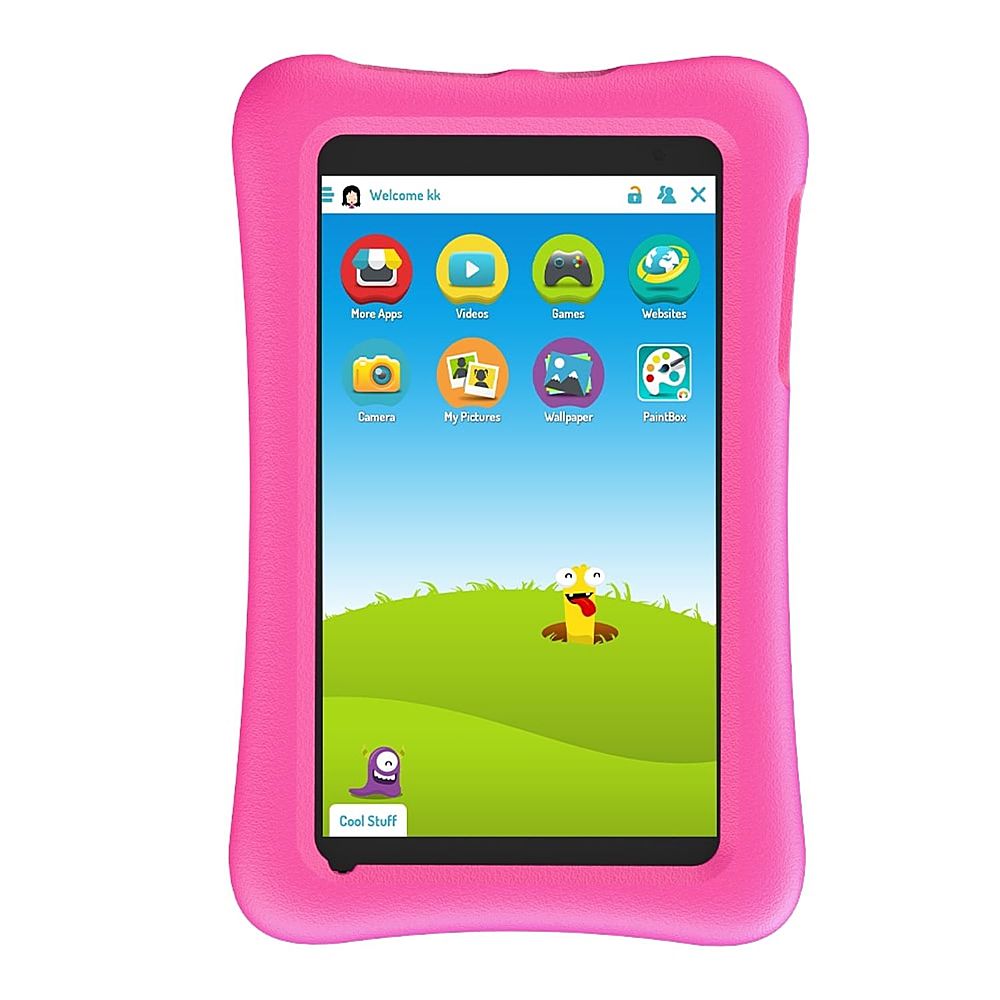
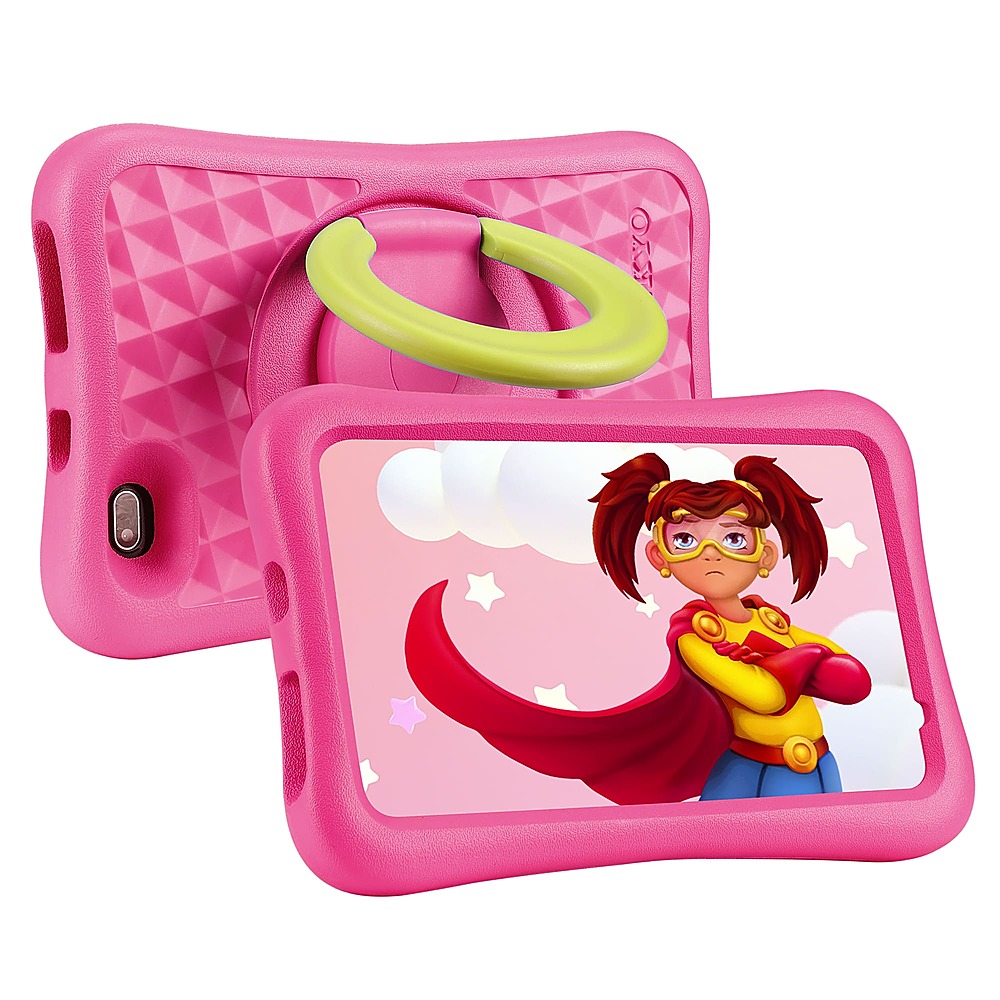
|Posted .This reviewer received promo considerations or sweepstakes entry for writing a review.I got this for my two nieces ages 8 and 10 and they were beyond excited about it. They found it to be lightweight, comfortable to hold, and the perfect size for them. They said it felt responsive, the screen was nice, enjoyed the default sounds and wallpapers, the speakers9 got plenty loud, and it has a whole bunch of fun things for them to do. They enjoyed the built in stand on the back of the device that also allowed them to hold it. They did notice that loading screens are normal and it can take a bit to get into things, but that only built up the anticipation and made them choose wisely. Okay, maybe I’m being a bit exuberant on that last point. Needless to say I’m currently their favorite Uncle. Which is my favorite spot to be. PARENTAL CONTROLS: This tablet comes with great parental controls. Where you can control a lot about the device. During initial setup it walks you through most of the process. Assuming you already have your own account and willing to create a new account for your child. Privacy is still something that I worry about as they collect an awful lot of information that I don’t think they need. So, I personally made a dummy account. Where your account (parent) will control everything the child account can do. Some examples were saying how much time they can spend on the device (which can be broken down to day by day or app by app). Along with what time of the day it will be available and what time of night it will be available. You can add a payment account to allow them to download things off the app store (or not). When making changes to the settings/tablet you can either put in the parental password and change it on the device, or do it through your own device remotely. Last, in the remote app you can lock that tablet in case you’ve told them to get off and they aren’t listening. KIDOZ APP: I really enjoyed this application. Think of it as a kids version of android. Meaning the home screen is like your phones or tablets home screen, and then the “more apps” app is like the android “play store” app. And so on. As it comes with a bunch of different things that will keep your child entertained without ever leaving it. And it’s not only fun items but also educational ones. You can even set it up (in the parental controls in the app) to disable the home button allowing them to exclusively have access to this app alone. Inside the app you have a bunch of options. Such as the “more apps” which is like a store where you can download different applications. Then you have “videos”, “games”, “websites”, “camera”, “my pictures”, “wallpaper”, and “paintbox” automatically installed. Under each one of these apps takes you to a bunch of different kid friendly options that they can explore when on it. The camera is a bit delayed once you press the button. Also, it saves pictures directly to the app along with the usual gallery on android. I’d recommend turning OFF cloud sharing just for privacy reasons. All in all my nieces loved this app as it adds a lot of things they can do. Both fun (games, painting, camera) along with educational (videos, websites). BUILD QUALITY: It comes with a large pink foam case. Which both me and my nieces were a big fan of. As it is squishy, with some pattern to it, which makes it very easy to hold comfortably. Almost wish my iPad Pro 12.9 had that… seriously, I’m not kidding. The tablet itself is extremely lightweight making it easy to hold. It is just the right size to make it maximally portable. The buttons are crisp but quite a bit recessed best for small fingers over adult size ones. The stand/handle works great with dedicated steps and is quite stiff and sometimes hard to open. Touch screen is responsive but also found with the processor being slow it would get overwhelmed and miss touches from time to time. The screen is bright and looks good with easily readable text and good colors and contrast. PERFORMANCE: Look, this is at the bottom tier of budget with a bottom tier processor so expecting it to be a powerhouse is ridiculous. When inside the Kidoz App everything worked relatively well. You will see a loading screen for almost everything you do when you first open it. Sometimes this is a short wait and other times a long wait. But most of the time once you’re in you’re in and it is relatively smooth. But you can see some major slowdowns once you go into the Google Chrome browser or anything that is moderately demanding. Moving around the tablet and switching apps showed a bit of delay constantly. As that 2GB of RAM is not a lot. But Android does a good job at keeping resources limited. But will also impact overall speed (as it won’t be able to hold it all in memory and need to dump it when doing multiple things). Outside of that I found no issues. I find this to be a good lesson in patience and also allows my nieces to appreciate when they get something more expensive that is faster. As for battery life it is good. Meaning that it will last a few (6 – 8) hours before needing to be recharged depending on usage. I’m probably low-balling a bit. But I’d rather error on saying the battery is worse than it is over the opposite. CONCLUSION: As long as you remember that this is a budget tablet that will be severely limited with a low-end processor and low amounts of RAM you’ll likely be very happy with it. It is powerful enough to do all the bare necessities (relatively pain free). Such as lightweight gaming, reading books, basic web browsing, video watching, etc. The only complaint I really have is the processor but when I think about the price that immediately evaporates. As honestly what you get wholistically (screen, size, sensitivity of screen, etc) is incredible for the price. Making it an easy recommendation. But just don’t expect it to perform miracles as any modern age cell phone that is moderately price ($300 - $500) is going to run circles around it (processing wise).
I would recommend this to a friend - Pros mentioned:Battery life, CaseCons mentioned:Apps, Performance
Good affordable tablet for younger kids
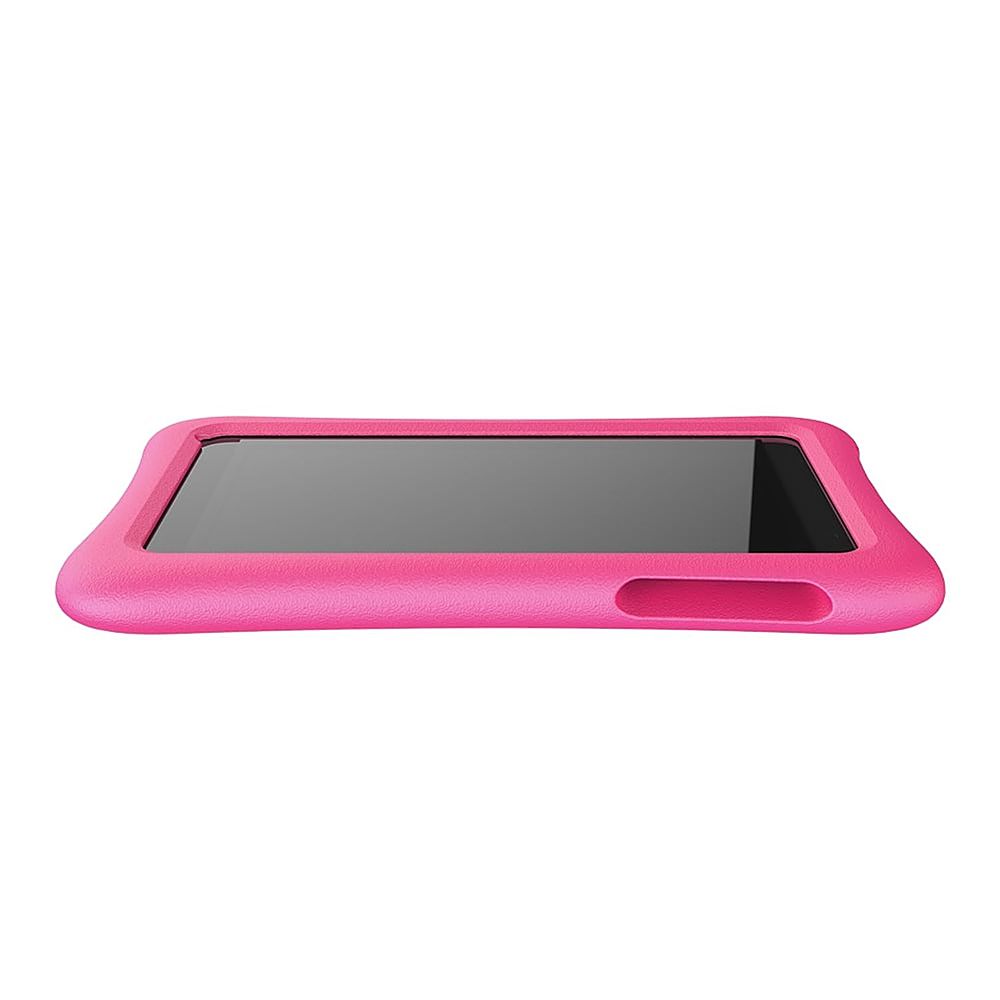
|Posted .This reviewer received promo considerations or sweepstakes entry for writing a review.My five-year-old daughter loves this tablet and I think it is a great alternative to toy computer/tablets that are pretty much in the same price range. I was concerned at first that it would be too hard for her to use due to the regular Android unlock screen and small power button that is in a fairly deep recess in the case, but she had the hang of it after only using it for a few hours and was showing me things! The included case is secure and thick to protect the tablet from drops. The case also has a built-in kick stand that rotates so it can be used in portrait or landscape mode. I wish the kick stand was a little easier to pull out of the recess in the case and that it the power/volume buttons were easier to get to, but it works. My daughter really loves the included Kidoz app that had a variety of kid safe apps, videos, and games. Kidoz can function as a launcher (preventing access to any content not controlled inside the app) to keep kids from accessing the normal Android screens and restrict them to only apps you want them to see. Kidoz also has its own camera app and gallery. My daughter loves to draw pictures and edit photos she has taken using the Kid Painter app inside Kidoz. There is also a Kidoz specific app store, where I download a few more educational apps for her, but be warned that some apps cost money and you have to enable 3rd party app downloads in the Android settings menu. My daughter prefers the YouTube Kids app over the Kidoz Video app, but that was easy to swap. Performance is mixed as you would expect with any lower end Android tablet, but there haven't been any real issues outside apps loading a little slower than I am used to. Battery life is around 6hrs of constant games or videos, but with off-and-on use we typically charge it once a day. The charging cable is short (3ft) and is micro-USB, which is harder to plug in (directional) than some newer formats - so I typically don't let her charge it herself. One last thing to note is that if you set up the device with a kid Google account, it is automatically supervised, and it is easiest for the linked parent to manage it from the Google Family Link app. I tried to go without and could not enable certain permissions without it. The security in the Kidoz app and the built-in Google controls can be a bit much, but everything worked fine once I gave Kidoz permission to install 3rd party apps and adjusted the Android Playstore app to only limit purchases (instead of all apps).
I would recommend this to a friend - Pros mentioned:Case, Setup
Ok, but not my favorite
|Posted .This reviewer received promo considerations or sweepstakes entry for writing a review.The Vankyo Matrix s8 Kids tablet would not be my first choice of tablet for my kids. Mine came with lines in bedded in the screen. I though it may be for the sticker that was on the screen, but after a week, the lines are still there. They are not scratches, they must be screen damage. The best part of this tablet is the case. The pink is a really fun color and the blue piece on the back is awesome. It holds the tablet in great viewing positions. This Vankyo matrix pad was very easy to set up and will sync with any google account. This made downloading apps a breeze. My daughter loves to watch movies on some streaming sites and worked great for that. The kids app pulled up quickly and my kids thought it was neat. My 9 year old said she was “too old” for the games that were on there. I almost feel like this would be perfect for younger kids, 5,6,7. My 6 year old through they were fun and played on it quite a bit. Again, if I were to do it again, I would buy something else in my situation, but it worked for what it was.
I would recommend this to a friend - Pros mentioned:Screen size
A great first kids tablet
|Posted .This reviewer received promo considerations or sweepstakes entry for writing a review.I picked the Vankyo - MatrixPad S8 Kids Tablet 8 inch IPS HD Display – Pink for my great grandson. As soon as he saw the box, he became extremely excited. He already knows how to install apps, play games, watch videos and take pictures on his own. His parents set up the Parental Control Center to make sure the Vankyo - MatrixPad S8 Kids Tablet 8 inch IPS HD Display – Pink is only used on safe Websites for children his age. The Parental Control Center has several methods to manage a safe online environment for my great grandson. He has his own profile through the KIDOZ app. There he has eight topics to explore. He can choose More Apps, Videoes, Games, Websites, Camera, My Pictures, Wallpaper, and PaintBox. His favorite apps are based on counting, ballons, babybus, Dr.Panda and music. His favorite Website is PBS KIDS to watch videos of Daniel Tiger. He is exploring the many attributes of his Vankyo - MatrixPad S8 Kids Tablet 8 inch IPS HD Display – Pink and enjoying it. The Vankyo - MatrixPad S8 Kids Tablet 8 inch IPS HD Display – Pink also functions as a regular basic tablet as well. It has the complete Google family of apps for YouTube, Play Store, Music, Assistant and other functions. The pink rubber cushion fits tightly around the tablet protecting it from drops or rough play. My great grandson cannot stop playing with his new Vankyo - MatrixPad S8 Kids Tablet 8 inch IPS HD Display – Pink.
I would recommend this to a friend Good First Tablet - Works Well
|Posted .This reviewer received promo considerations or sweepstakes entry for writing a review.The Vankyo MatrixPad S8 is an 8” kid-focused tablet running on an Android OS. It uses a separate launcher to lock the tablet into kid-mode called Kidoz. I had my 8, 9, and GF’s 11 year old play with the tablet. They are all used to similar tablets since they share a 2017 and a 2020 model Fire HD kids tablet. They passed it around for last few days, so I think I got a good idea of what they thought. The tablet has an 8” screen with decent screen resolution (1280 X 800) that’s just about 720p, which should be fine for kids. Total storage is 32GB but there is a MicroSD slot that allows for expansion (up to 128GB), which should be plenty for most kids. The tablet runs on Android 9.0 (Pie), which is comparatively pretty old at this point (2018). Battery life clocks in at around 10 hours, which is plenty for most kids even on long road trips. The tablet does use MicroUSB to charge and has 3.5mm jack for wired headphones. It also has Bluetooth connectivity for wireless headphones. Because this is a full Android tablet it comes with a Chrome Browser and other Android staples like calendar, Gmail, Play Store, Duo, etc. I setup the tablet using my google account, so I could tie it to my device list. I was able to go through and configure the tablet like any other Android device – screen timeout, lock screen, password protection, Wi-Fi networks, etc. This was all pretty easy and nothing out of the ordinary came up. Setting up the kids portion of this tablet requires launching the Kidoz app. The app allows you to setup profiles for multiple children – you just have to provide name and age. You can set screen time limits, and I believe the age info limits the apps to age-appropriate content. The installed app list is actually pretty good sized, and there are quite a few free games to download from the store. My kids all found games they really liked that they didn’t have on the Fire tablets. You can also load up money on your kids account in the form of real money for coins in the in-app store. I have it setup so my password is required for anything major, like adding money or adjusting any settings. I had my kids compare their experiences with their Fire tablets and the MatrixPad. For the most part they didn’t really notice much of a difference. The screens looked about the same (quality wise), the touch inputs were accurate and understood by the tablet, and the games were fun. They liked the case which has the kickstand in the back to prop up for lap gaming. The profile switching worked well for the most part, but we did run into a problem with time limits. One account would always say the time was up, even on first login. I deleted the account, remade it, and reset the time limits which appears to have made the issue go away. There was also one or two games that my daughter tried to play that would cause the Kidoz app to freeze. I reset the tablet and she was able to play the game afterwards but it cropped up again later. It didn’t happen often or on all games, so I don’t really know what the issue was. I am somewhat disappointed by some of the design choices. The use of MicroUSB on a tablet is woefully outdated. Its more difficult for kids to plug in, the plug has been out of mainstream use for years so the cords aren’t as ubiquitous, and its more fragile than USB-C. I have had to replace one Fire tablet (2017) that had MicroUSB solely because the port failed after years of use, and my other 2017 gen tablet is barely holding on to plugs these days because the port is so loose. I also have 6 places to charge via USB-C and only 1 (for the 2017 tablet) to charge MicroUSB. The other design issue is around the 3.5mm jack. A lot of kids headphones, nowadays, have right-angle plugs because they last longer. My kids have 4 different headsets from 2 brands, and they all have right angle plugs because they last (some are 2+ years old). Unfortunately, right angle plugs don’t fit into the opening in the case shell – only straight plugs. Wireless headphones aren’t necessarily the best solution for small kids because its just another thing to remember to charge, and they are more expensive. Overall, my kids enjoyed their time using the tablet. I think it would be a solid tablet to start a young child out on. It comes with plenty of games, features, and the parental control works well. It also comes in at a more budget friendly price point than the current Fire tablets, which makes it appealing. My knocks against it are the 3.5mm jack limitations, and the older MicroUSB port – neither of which mattered to my kids, so I guess there’s that.
I would recommend this to a friendGreat Tablet for kids!
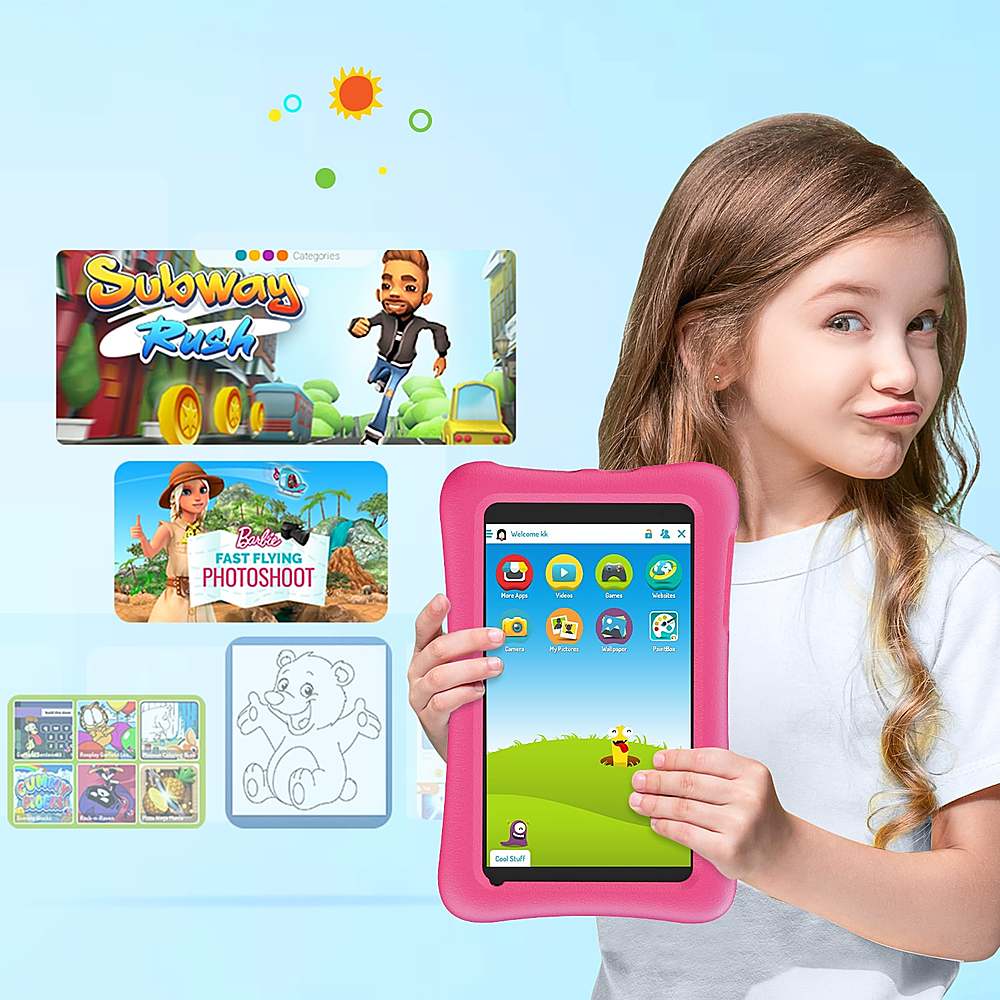
|Posted .This reviewer received promo considerations or sweepstakes entry for writing a review.My daughter loved the VANKYO MatrixPad S8 kids tablet that comes with the COPPA Certified Kid App Kidoz preloaded including many other features. This 8” tablet has many features to keep the kids engaged and excited. It gives full control to the parents to set what the kid is watching like content, media & features. These settings can be customized to the kids’ age so that the content is age appropriate. Not just games, it comes with preloaded content for learning math, reading, music, puzzles & creative arts to work on their skills while having fun. If needed the memory size can be increased to 128 GB using the Micro SD slot. Above all, it comes with a colorful, flexible, soft, and durable case that keeps the tablet safe from accidents, provides a non-slip grip and the holder is 360-degree adjustable. This has an eye mode that cuts the harmful blue light that is dangerous for eyes if the kid is glaring at the screen so this can be used for hours and this is supported by a long battery life that lasts up to 10 hours. All in all, a nice tablet for kids at a good price. My daughter loved it and is using it daily for most of her entertainment needs. She likes to carry this with her.
I would recommend this to a friend- Pros mentioned:Screen sizeCons mentioned:Apps
Navigation icons dont work
||Posted . Owned for 2 weeks when reviewed.This reviewer received promo considerations or sweepstakes entry for writing a review.I was hoping this could be fixed, but it couldnt be. So i just got my money back. In upright position you see the 3 navigation buttons, but cannot select them. Yes you can rotate screen. However, doesn't change while in a video mode. Apps cost money in their kids mode app. That's not a great feature, boo sad face.
No, I would not recommend this to a friend - Pros mentioned:Case
It Even Comes With A Case..
||Posted . Owned for 3 weeks when reviewed.This reviewer received promo considerations or sweepstakes entry for writing a review.My 5 year old loves this tablet. There are many choices of games to choose from, and the volume is on point. The case comes with the sale, and it is also on point. I looked at the reviews before purchasing, and I agree with the other great reviews now.
I would recommend this to a friend Child’s laptop
||Posted . Owned for 1 month when reviewed.This reviewer received promo considerations or sweepstakes entry for writing a review.Qualify is good outside, but what is going in the inside? I have had all sorts of parental controls but my child was somewhow able to change the settings to a screen with only black and white color!
No, I would not recommend this to a friend- Cons mentioned:Performance
Performance
||Posted . Owned for 3 weeks when reviewed.This reviewer received promo considerations or sweepstakes entry for writing a review.The tablet is durable and perfect in size. I don't like how it freezes and move slow. My 2 year only had it for 1 month and I have to reset at least twice a day. It also won't let me download the web protection.
No, I would not recommend this to a friend Vanko MatrixPad kids 8 inch tablet
||Posted . Owned for 3 weeks when reviewed.This reviewer received promo considerations or sweepstakes entry for writing a review.This is for my grandson and he loves it!!! This tablet is easy to operate and he is already learning how to operate this tablet! Great product! Thank you
I would recommend this to a friendAffordable and Durable
||Posted . Owned for 3 weeks when reviewed.This reviewer received promo considerations or sweepstakes entry for writing a review.Worth it. Granddaughter's b/d gift pleased and happy
I would recommend this to a friendGreat for children
||Posted . Owned for 4 months when reviewed.This reviewer received promo considerations or sweepstakes entry for writing a review.This was a great purchase for my two year old Granddaughter.
I would recommend this to a friendNice Tablets
||Posted . Owned for 3 weeks when reviewed.This reviewer received promo considerations or sweepstakes entry for writing a review.Great tablet grandkids love them bought 2 and both work great
I would recommend this to a friend- Pros mentioned:CaseCons mentioned:Apps, Performance
Not perfect, but pretty great
|Posted .This reviewer received promo considerations or sweepstakes entry for writing a review.this tablet provides a very good option for those who want to help entertain children and aren't afraid of screen time. it is built well enough stand up to the use of children with its sturdy case and handle/stand combination. it is also priced well enough that you can hand it to your child and not be extra worried about what might happen. It's not perfect by any means, but it's certainly is worth considering. Pros: - Price/ build: as mentioned above, the protection from the case as well as the stand and handle are probably my two favorite things about this tablet. everything is well thought out and it's design and functions exactly as it should. it is also relatively affordable considering other tablet options. - Dedicated kids area: The tablet comes with a built-in software specifically for children. although in my case we haven't used it too much. it is a nice option to have for those who want to ensure that the content /entertainment is appropriate. I haven't gone to in depth into all of the options available within this software, but I will assume that most are good. however, I would prefer if we would not have to sign up for an account to access all of the features. cons: - performance: well it's hard to give too much of a knock on performance. given the price point of this tablet, it's still left me. pretty disappointed with how sluggish and unresponsive it was. overall. it also would have been extremely nice (given it is a tablet marketed exclusively to children) to have some sort of built-in software to limit touch screen input to be able to give to smaller children to watch movies/ videos without worry of them interrupting via unintended screen presses. overall, this is a very good option for parents and I recommend it.
I would recommend this to a friend Screen is jot responding quick
||Posted . Owned for 1 week when reviewed.This reviewer received promo considerations or sweepstakes entry for writing a review.We like it but the problem is the screen its has a stripe and the screen is delay respond if you gonna browse and even if you gonna play games its delay
No, I would not recommend this to a friend- Pros mentioned:CaseCons mentioned:Performance
Good entry and alternative for kids
|Posted .This reviewer received promo considerations or sweepstakes entry for writing a review.I got this tablet for my three year old to give her her own tablet to play and learn while freeing up everyone else's devices. She is already pretty tech savvy for a three year old as I am sure most kids in this generation are so I didn't foresee any difficulty for her adapting to and learning how to use this tablet at all. If you are looking at this for your child, just keep in mind it is on the entry level for tablets compared to other brands and the performance is in line for where it is marketed. Now with that said, it does do the job quite well. I first love the the parental security platform on this tablet which ensures that you are aware and have to approve certain aspects of the tablet before even getting started with downloading apps. The Kidoz app is the designer preferred app on this tablet which we did try out. It has a good variety of kid approved apps and games that are easy for my child to navigate. She really enjoys the painter color book app. She has tried the video apps in kidoz but she has so much experience with using my phone and her sisters tablet, that she prefers youtube kids app and others where she already has a watch history. So because of this I set her up with a kids google account which is nice because it is just as easy if not easier to monitor having a family google account and it allows us to download apps and games that she is already familiar with from the google play store. The tablet physically hardware wise is also nice. It is very well protected with a thick rubber case with openings to access the buttons and charger. The charger I wish was USB-C but is still the older micro usb. Hopefully the charger port will withstand the test of time and a toddler. There is also a kickstand for her to prop the tablet up to watch while at the table. The kickstand is quite difficult to open now not just for her but also me. Hopefully that will loosen up over constant use. The tablet is a bit slower than we are used to having more powerful cpu ram and what not on phones and other tablets. But it gets the job done for our three year old for now. It is again just an entry level tablet that gives a child their own device to play with while learning and feeling like part of the device gang.
I would recommend this to a friend - Pros mentioned:Battery life, Screen size, Setup
Kids love for both learning and play!
|Posted .This reviewer received promo considerations or sweepstakes entry for writing a review.My two year old niece uses this tablet and loves it! The set up is incredibly easy and user friendly, and connecting this tablet to your wireless connection/internet and Bluetooth is quick and effortless. The battery life is decent and the structure of the tablet makes it very durable, which is important for a children's tablet as they can be super active. The screen quality is equally great, and I have absolutely no complaints there. There is also a feature that allows you to cut back on blue light to help protect against potential damage caused by blue light to eyes, which I appreciate. The support for multiple languages is a plus since we are a bilingual family and also speak Spanish, and there are apps and videos in Spanish for her. The Kids Mode helps put our mind at ease to make sure she is only accessing child safe programs, videos, websites, etc. My niece loves to watch videos and play games on this tablet, and it keeps her occupied when we are out and about or the family needs some downtime.
I would recommend this to a friend Perfect Android tablet for a toddler.
|Posted .This reviewer received promo considerations or sweepstakes entry for writing a review.I got this kids tablet to replace my goddaughter's old iPad. She is currently using an old iPad with a big foam case that has a built in carrying handle. I have replaced that screen for her once and it is on it's last leg. I figured this tablet would be the perfect replacement since it has a built in case with stand, is newer, and runs Android OS. She was so excited to get this tablet as she is four years old and loves her tablet. I set it up for her out of the box and it was very easy. You can use it without any special setup, but you can get the most out of it by setting up a Google kids account. This will actually help with the parental controls for the device while in use. The first thing I showed her was the built in kids app that has activities in it. It has games, videos, and coloring with photo taking and editing. It kept her attention for a little while, but she is addicted to her YouTube. Within a matter of minutes she was watching her favorite videos and there was no more taking it away from her. It has almost been permanently glued to her hands ever since. Once I was able to pry it away from her, I took note of the features of it. It has a very nice foam protective cover that is very durable and feels like it can take a beating. It has a kickstand and handle that stores in the back and can be taken out for use. This is very hard to take out. I had to add a lanyard so she can pull it out. This is one of the only drawbacks of the tablet. The power and volume buttons are recessed into the case, which is not a problem for a small child's fingers to fit into. It has a micro USB port, which is surprising to me that they did not use a USB type C. Maybe this was built with old generic Android tablet parts? I do like that it has a standard 3.5 mm headphone jack. The tablet is not very fast, but it is fast enough that a small child will not complain. Overall I think that this is a perfect tablet to give to a toddler. It is very durable, rugged, and well built. The apps are perfect for kids and it will keep them entertained for several years.
I would recommend this to a friend- Pros mentioned:Case, Storage
Great beginner tablet for kids.
|Posted .This reviewer received promo considerations or sweepstakes entry for writing a review.This is a great starter tablet for small children. It is pretty basic as far as tablets go, but it really does not need to be. It has a front and rear facing cameras (2MP and 5MP respectively). It has a micro-USB port and a microSD port. It has 32GB of storage and runs on the Android 9 Pie operating system. Out of the box, we charged it up, turned it on, and walked through the setup. As this model is for small children, it starts a little slow and the picture quality is downright terrible, but does it need to be fast and take good pics? Children are going to beat this thing to death, so it needs to be sturdy. This table does not disappoint. It comes with a soft case that has an integral stand. The tablet comes with Kidoz installed which gives your child access to thousands of games and educational content. It has a kids mode that allows parents to control the content your child can access. All in all, this is a solid tablet for children who are ready to be exposed to them. It is safe, sturdy, and performs well. It could use better cameras, but for kids they are good enough.
I would recommend this to a friend