Customer Ratings & Reviews

- Model:
- E60U-D3
- SKU:
- 4989400
to a friend
Customers are saying
Customers find value in the superb picture quality and ease of use of this 60" 4K Ultra HD TV. The built-in Chromecast and attractive price point are also frequently praised, while some users find the limited functionality of the remote control and smart features to be drawbacks. A few customers mentioned challenges with the casting feature and the lack of a built-in tuner.
This summary was generated by AI based on customer reviews.
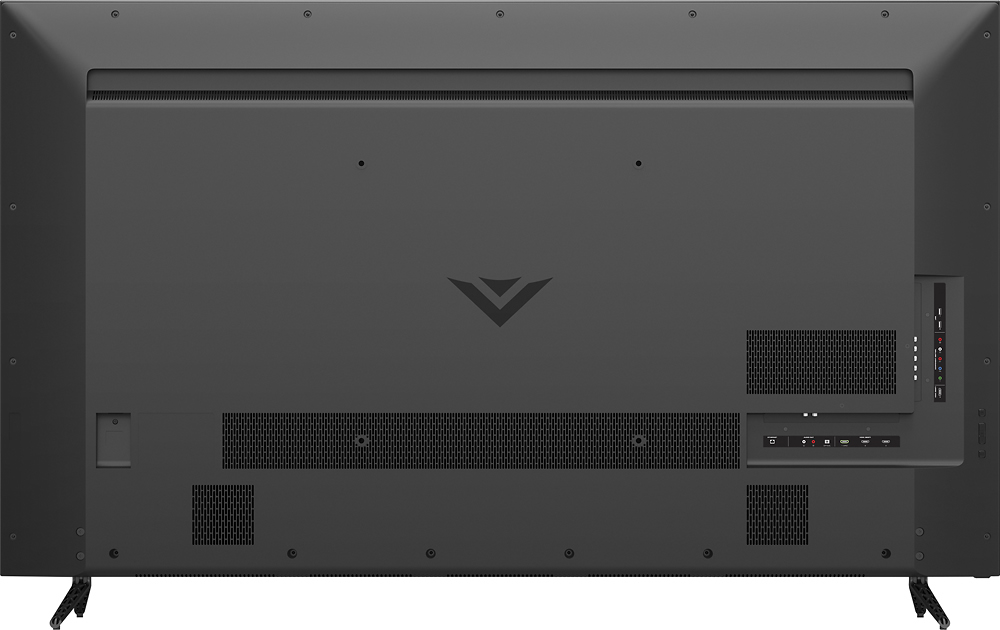
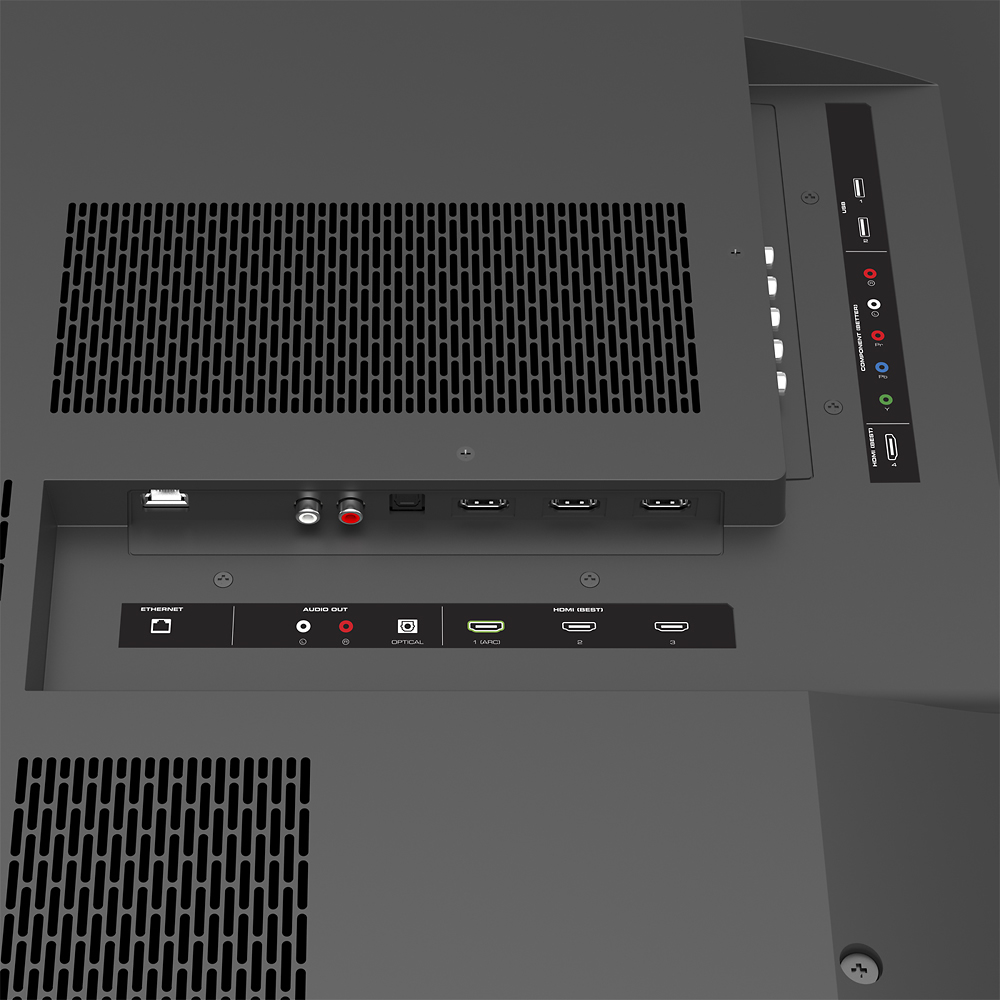
No coaxial input
||Posted .This reviewer received promo considerations or sweepstakes entry for writing a review.Not a very smart tv. Didn't like the user interface. It had some speaker issues too.
No, I would not recommend this to a friendBrand response from VIZIOEntertainmentExpert
Posted .Thanks for your purchase and feedback on the all-new VIZIO SmartCast™ E60u-D3. Because VIZIO SmartCast™ puts control of the display into your mobile device, we’re now able to make updates much faster and more frequently, right to your VIZIO SmartCast™ app. In order to achieve the best picture quality and to take advantage of the 4K Ultra HD technology, it is recommended to use the HDMI connections. Most high definition cable or satellite boxes have an HDMI output. If using the coaxial cable is a must, there are external turners that can be purchased. We realize this is brand new technology and it takes some time to get used to it. That’s why we’re committed to continuous improvement which is going to make VIZIO SmartCast™ the best streaming experience and easiest way to control your display from anywhere in your home.
Regarding audio, there are many audio adjustments that can be made in the Menu of your SmartCast™ app to affect this. We recommend customizing these to find the best options for your setup.
If you have any questions or concerns, we encourage you to reach out to our Support team at 844.254.8088. – Collin
Cheap TV
||Posted .This reviewer received promo considerations or sweepstakes entry for writing a review.This is not a smart tv. It uses chromecast so you will have to use your phone, tablet,or computer to stream. 4k picture was not that great. Sound was not good and speakers started popping. I took it back and spent a little more for the nice samsung.
No, I would not recommend this to a friendBrand response from VIZIOEntertainmentExpert
Posted .We’re sorry to hear about your difficulties. It is extremely rare for this to happen, as we strive to deliver the highest quality product to our customers. Please contact us at 844.254.8088 and we would be happy to help you out with any questions that you may have. Thanks -Randal
to hard to understand set up info
||Posted .This reviewer received promo considerations or sweepstakes entry for writing a review.took 3 hours trying to set up using remote. gave up and returned
No, I would not recommend this to a friendAverage
||Posted .This reviewer received promo considerations or sweepstakes entry for writing a review.The tv is average. There is nothing great about this tv. Honestly the picture is a little fuzzy. I wish I would have been informed better. I would have payed a few hundred more to get a better tv. This tv was recommended in store very dissatisfied.
No, I would not recommend this to a friendBrand response from VIZIOEntertainmentExpert
Posted .Picture quality is highly dependent upon the environment or room the display is located in. Some of the factors that affect picture quality are ambient lighting, such as lamps and sunlight, and personal preference can make a big difference. This is why we include several preset picture modes that are fully customizable through the SmartCast Application.
Pops very loud 30 times per day not real happy
||Posted .This reviewer received promo considerations or sweepstakes entry for writing a review.Bought first tv popped 30 times per day. Took it back got another one of the same tv. Still pops 30 times per day,very very annoying. I would not purchase this tv if I had it to do over again!
No, I would not recommend this to a friendBrand response from VIZIOEntertainmentExpert
Posted .We appreciate you taking the time to provide this feedback for the SmartCast™ E60u-D3, and we're very sorry to hear this! This may be a power source issue. Please contact our support team at VIZIO at 844.254.8088 so we can help you with this. -Collin
Worse remote EVER!
||Posted .This reviewer received promo considerations or sweepstakes entry for writing a review.The standard Remote that comes with the tv is worthless & the app needed to utilize tv functions requires far too much work when it comes to relaxation time!!
No, I would not recommend this to a friendBrand response from VIZIOEntertainmentExpert
Posted .Thanks for your feedback. VIZIO SmartCast™ products are controlled using an application instead of a traditional remote. This means that any VIZIO SmartCast™ device can be controlled using most smartphones and tablets. With the SmartCast feature built in, you can now Cast hundreds of apps. If you have any questions or concerns, we encourage you to reach out to our Support team at 844.254.8088. -Randal
- Pros mentioned:Picture qualityCons mentioned:Remote control, Tuner
Life like picture
Posted .This reviewer received promo considerations or sweepstakes entry for writing a review.I hesitated on purchasing this TV because it does not have a typical remote control and was Android based for controlling the functions and channels. It took me about an hour to pair and update the software on the TV before it worked. This TV is not for technically challenged people who expect to turn it on right out of the box and start watching TV. This TV use your Android phone or tablet as the controller and only comes with a basic function remote. After updating and pairing my phone I streamed ultra hd content from Netflix and could not be more amazed at the picture quality. The picture controls were adjusted just right out of the box although you can adjust them through your phone or tablet. I had a Sony bravia 60 inch led 1080p TV prior to purchasing this TV and this TV beats the Sony easily in all aspects of performance. Clarity, motion, blacks and whites all looked amazing. The only draw back is that the TV has no tuner for over the air broad casts but this can be easily fixed by having a separate tuner. The TV is very snappy with its 8 core processor which was a must for me, faster the better.
I would recommend this to a friend Good price for the size although
||Posted .This reviewer received promo considerations or sweepstakes entry for writing a review.The tv has horrible viewing angles the colors are always off and I could never ajust the brightness correctly
No, I would not recommend this to a friendBrand response from VIZIOEntertainmentExpert
Posted .We appreciate the feedback and are sorry to hear you are having troubles with the colors. There are numerous settings available within the Picture menu. Please contact us at 844.254.8088 and we would be happy to help you with that. Thanks! -Randal
Not a TV
||Posted .This reviewer received promo considerations or sweepstakes entry for writing a review.Just an expensive monitor, please read the specs before buying. I had to returned it and got a Sony instead.
No, I would not recommend this to a friendBrand response from VIZIOEntertainmentExpert
Posted .Thanks for your purchase and feedback on the all-new VIZIO SmartCast™ E60u-D3. Because VIZIO SmartCast™ puts control of the display into your mobile device, we’re now able to make updates much faster and more frequently, right to your VIZIO SmartCast™ app. In order to achieve the best picture quality and to take advantage of the 4K Ultra HD technology, it is recommended to use the HDMI connections. Most high definition cable or satellite boxes have an HDMI output. If using the coaxial cable is a must, there are external turners that can be purchased. We realize this is brand new technology and it takes some time to get used to it. That’s why we’re committed to continuous improvement which is going to make VIZIO SmartCast™ the best streaming experience and easiest way to control your display from anywhere in your home. If you have any questions or concerns, we encourage you to reach out to our Support team at 844.254.8088. – Collin
THE PICTURE :(
||Posted .This reviewer received promo considerations or sweepstakes entry for writing a review.THE PICTURE IT IS LIKE A REGULAR TV PICTURE... THERE IS NOT HD
No, I would not recommend this to a friendBrand response from VIZIOEntertainmentExpert
Posted .VIZIO HDTV's and Displays show the content as it is being received from a source device. Our UHD Displays upscale 720p and 1080p content to a 4K content through a spatial scaling engine. We recommend using an HDMI cable with set top boxes and other devices to provide the best quality picture. You can also cast content from major network applications, streaming services, and home media server apps to provide a wonderful picture at the highest resolution it was filmed in.
Leave in the store
||Posted .This reviewer received promo considerations or sweepstakes entry for writing a review.no picture , took back 24 hours later..The one I got on sale was not a good one...
No, I would not recommend this to a friendBrand response from VIZIOEntertainmentExpert
Posted .We appreciate you taking the time to provide this feedback for the E60u-D3, and we’re sorry to hear about the troubles. We’d love to hear about your experience once you receive your replacement unit. If you need any additional assistance, please feel free to contact us at 877.878.4946. Thanks! –Collin
TV is fine Vizio is horrible.
Posted .This reviewer received promo considerations or sweepstakes entry for writing a review.This is my 3rd Vizio TV over the last 10 years. Each has been good, but each was marred by bad Vizio marketing and support. The last two due to remote issues. We bought this 60" yesterday, the items that sold me over were also the items that caused me grief. The TV installed easily, although take care of the feet on the stands as the tiny rubber feet come off so very easily. You cannot slide it, it must be lifted. When I got it running it was very obvious that the setup very much required you preinstall the Vizio SmartCast app on your phone or iPad to set anything up. However, the only Vizio app that comes up in search is a useless bit of marketing fluff call Vizio Showroom. The link to the app on the Vizio site was also broken. Please note that the remote with the tv is minimal. However searching for the Vizio SmartCast app in the Apple App store was an exercise in futility and there was no support available since it was after 5PM locally. So we made due. This morning first thing I had Vizio support on chat and they did a little as possible to help, telling me to contact Apple App Store support, which is email support and a 48 hr turn around. So I let them know I was an avid reviewer and that I was prepared to share the chat, which I still am. Only after that did they send me a link to the app on the app store. For your use this is it. https://itunes.apple.com/us/app/vizio-smartcast-cast-control/id1054033219?mt=8 The app is installed and I've yet to use it so I may review that later. Pros: Low cost, great resolution, nice size, light weight and power efficient. Cons: 60hz refresh the motion is noticably jumpy, poor Vizio support, bad stand design.
No, I would not recommend this to a friendBrand response from VIZIOEntertainmentExpert
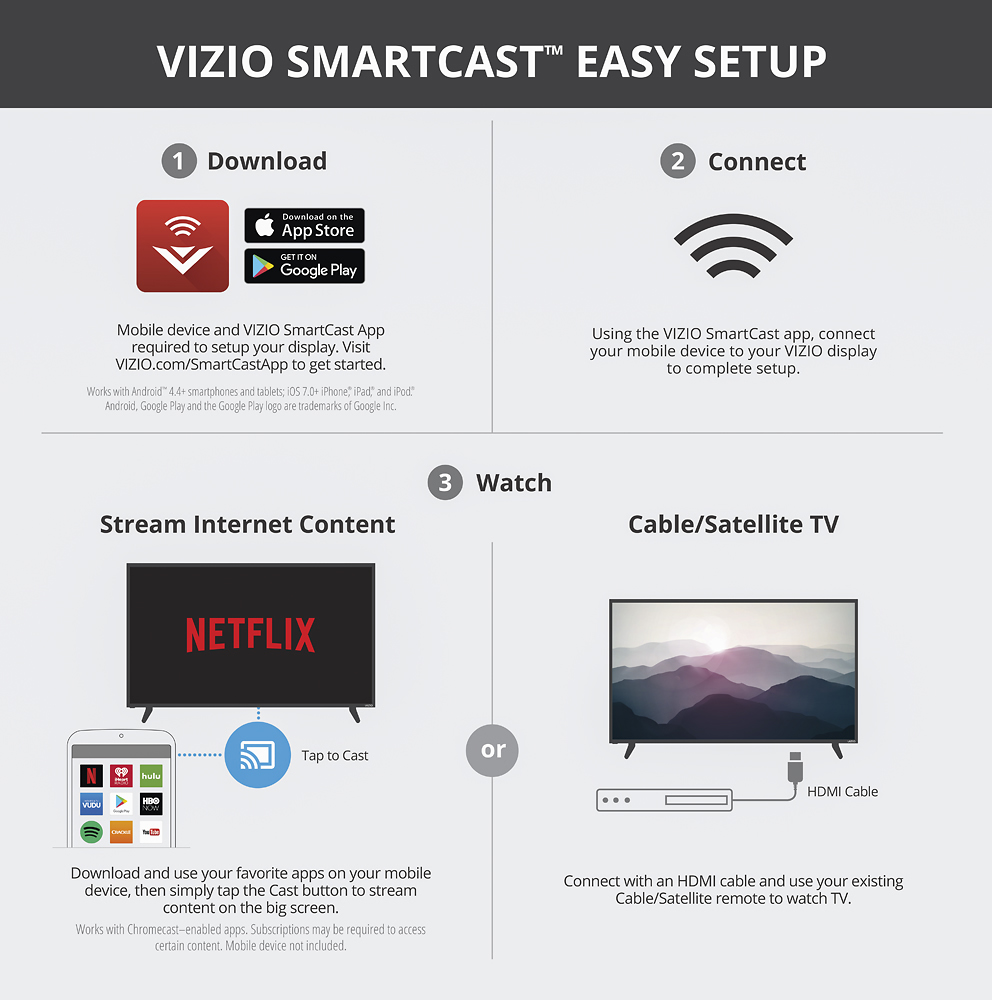
Posted .Thanks for your purchase and feedback on the all-new VIZIO SmartCast™ E60U-D3. We’re happy to share that we recently made changes to the product setup experience in order to make it easier and more intuitive. Because VIZIO SmartCast™ puts control of the display into your mobile device, we’re now able to make updates much faster and more frequently, right to your VIZIO SmartCast™ app. VIZIO SmartCast™ products are controlled using an application instead of a traditional remote. This means that any VIZIO SmartCast™ device can be controlled using most smartphones and tablets. The app can be used on any Android device running 4.4 or higher, and Apple devices running iOS 8.0 or higher. We're sorry to hear you had troubles with the setup and support as we strive to provide a quality product and service. We realize this is brand new technology and it takes some time to get used to it. That’s why we’re committed to continuous improvement which is going to make VIZIO SmartCast™ the best streaming experience and easiest way to control your display from anywhere in your home. If you have any questions or concerns, we encourage you to reach out to our Support team at 844.254.8088. -Randal
Great for inches
||Posted .This reviewer received promo considerations or sweepstakes entry for writing a review.Not great for the smart tv only for how big it is.
No, I would not recommend this to a friendBrand response from VIZIOEntertainmentExpert
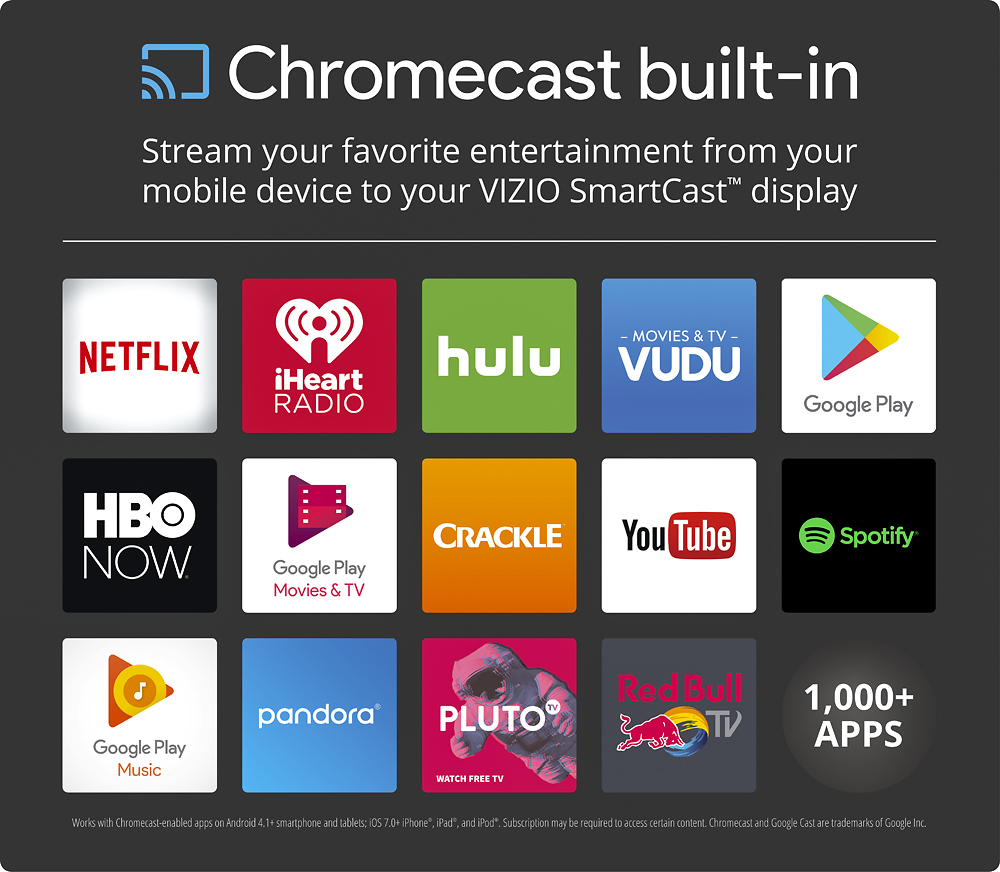
Posted .VIZIO SmartCast with Chromecast Built-in opens up our customer experience to thousands of cast capable applications including many major network apps, streaming services such as HBO Go, Netflix, and Hulu, and home media server applications such as Plex. All of these applications can be used with this display and cast to it directly from a device used all of the time, a smart phone, tablet, or computer. With the VIZIO SmartCast App on your Smart phone or tablet customers have the ability to turn a smart phone or tablet into a powerful remote control and adjust settings quickly and precisely without the hassle of having a menu on the screen blocking content. This allows real time changes with no change in the screen allowing easy and quick calibrations.
- Pros mentioned:Picture qualityCons mentioned:Remote control
Please read carefully
Posted .This reviewer received promo considerations or sweepstakes entry for writing a review.As stated in the description this is a display. It is not a TV and has no tuner in it. If you are technically challenged steer clear. If you don't you will end up very frustrated. If you decide to purchase this product it will work very well as a home theater display. The picture is very crisp and clear. There are some drawbacks though. You will need a smartphone or tablet to install Smartcast on for one big reason. The remote code the system only provides the most basic of functions. For any lot the advanced settings you will need to install Smartcast on your phone or a tablet. The other option is to buy a Visio tablet with Smartcast installed on it. The Visio tablet should have come with the set but it doesn't. Once set up and Smartcast installed on your device be prepared to do a little hunting around in the app to figure out how to use it. The system doesn't come with instructions for using Smartcast and neither does the app. When all was said and done at our house I had Smartcast installed on my Note 5 to adjust the advanced settings. I had Google Home installed on my Samsung Tab A to cast from. I installed a Firestick with Kodi installed on it in o1 HDMI port and a Blu-ray player in another. That case all topped off with a Samsung 5 point sound bar. For us this system works. For others it will be a frustrating experience. I would only recommend this product to someone who is technically component.
I would recommend this to a friend - Pros mentioned:Picture quality
Great Monitor for the money
Posted .This reviewer received promo considerations or sweepstakes entry for writing a review.It's difficult to judge a picture without comparing it to something sitting right next to it but the e60-u does seem to be very clear and vibrant and at any distance it's almost impossible to see a pixel. (this is probably true with any 4k) One thing I am very fond of is the fact that it has zerro motion blur, something even tv's costing twice as much suffer from. I'm a little disappointed that it does not have a tuner but just may be the wav of the future? I guess my biggest gripe is a couple features this device lacks, one being a way to turn the screen off if you were listening to music. The other is the settings you get for the inadequate speakers ie surround and the compression, both of which could have better presets or better yet software to adjust. Over-all the sound SUCKS! This could be a simple download update that I hope to see in the future.
I would recommend this to a friendBrand response from VIZIOEntertainmentExpert
Posted .Thanks for your purchase and feedback on the all-new VIZIO SmartCast™ E60U-D3. There are many audio adjustments that can be made in the Menu, accessed from your paired smartphone or tablet with the VIZIO SmartCast™ app, to affect this. We recommend adjusting these to best fit your personal preference. If you have any additional questions please feel free to contact us at 844-254-8088. Thanks! –Jesse
- Pros mentioned:Picture quality
Lovin my 60" Vizio
Posted .This reviewer received promo considerations or sweepstakes entry for writing a review.I initially went to purchase the 58" D series because the size was better for my home theater, but was out of stock upon my arrival. I'm ecstatic I went with this 60" E series. It fits perfect, I did have to get a 3/4" plywood board to place on my current stand to accommodate the spacing of the tv stands. I just put black self stick contact paper on the board and it looks great. Anyway the TV is excellent, it fits into my other components flawlessly.. Setup was easy using the app through my iPhone. Though it is recommended to use two people to attach the stands and lift it, I was able to easily do it myself. If you need a smart TV, and a good remote because you don't won't to use your phone do not get this TV; this is essentially a very large monitor. For me, I have a Roku2, PS3, and XBox as well as a Logitech Harmony 650 remote. It took me longer to reprogram my remote than anything else. I turned the tv speakers off so I can't advise how they sound, I used the "optical out" to my Yamaha receiver which I use as a pre amp. Now, the picture, I started with the Calibrated mode and went from there, and dialed in a great picture. You have to use the app to adjust the settings and it's easy; you do have to pause at the setting you want because it will move up or down a couple if you don't. There are some great articles out there on calibration and there is the THX tune up app. I did not use the app. I turned off all the auto stuff except "film mode", backlight 90 brightness 50 contrast 50 color 53 sharpness 20 tint 1 color temp normal active led zones on clear action off signal noise off block noise off game low latency off film mode auto gamma 2.1 These settings work for my taste, the contrast on most tv's you can have pretty high but it's really bright on this model. I own three Vizio's and would buy another in a heartbeat I think for the money there is nothing better. I recommend this set. I'm enjoying it and just in time for the Olympics.
I would recommend this to a friend - Pros mentioned:PriceCons mentioned:Remote control
Great monitor anyhow
Posted .This reviewer received promo considerations or sweepstakes entry for writing a review.Great value for the money. The remote looks and feels great, but sadly is relatively useless. Oddly, all tv settings can only be accessed through a smart phone or laptop. Maybe I'm strange, but when I want to watch tv, I prefer to leave my phone in another room. I gave up on the "smart" aspect of this tv 5 minutes into set up, and purchased a Roku 4.
I would recommend this to a friend - Pros mentioned:Picture qualityCons mentioned:Remote control, Smart features
Great TV, Excelent Value, but....
Posted .This reviewer received promo considerations or sweepstakes entry for writing a review.This TV has a great image as expected, was cheap enough... But I hate the fact (not advertised) that this TV is "Cast" ONLY, this TV does no have it's own apps or navigator, forcing you to watch TV with the phone on your hand at all time you want to use the "smart" features... For that, a Chromecast is cheaper and works the same way... The only remote control provided is TOO simple and contains very few buttons... Again, forcing you to use your phone anytime you want to change settings on the TV... TV should be cheaper for the product provided, marketing should include "Cast Only" and remote should have a complete set of keys or 2 remotes should be provided.
No, I would not recommend this to a friendBrand response from VIZIOEntertainmentExpert
Posted .Thank you for the feedback! VIZIO SmartCast is designed to allow customers the use of any compatible smart device or tablet to control any SmartCast HDTV, Display, Sound Bar, or Speaker from one device. The only time the SmartCast App is needed after initial setup would be to fine tune settings to your own personal preference. When "Casting" or "Flinging" content such as Netflix the smart phone or tablet is only necessary to launch the content or as a control device to pause, turn on subtitles, etc. After initiating the Cast you can still use the smart phone or tablet as normal. One of the problems with traditional remotes is that you are unable to add buttons when new features or settings are added. With the VIZIO SmartCast Application we have revolutionized how our device settings are accessed and have insured that customers will have a regularly updated, optimized interface as technology continues to change and evolve.
- Pros mentioned:Picture quality, Price
Excellent Value
Posted .This reviewer received promo considerations or sweepstakes entry for writing a review.I read other reviews that were posted about this TV before I made my decision. Although it states that it's a Smart TV, if you read the info carefully you'll see that it's not a true Smart TV based on what consumers are used to. Was not a problem for us as we have a Blue Ray Streamer. Love the TV, great picture quality and great value for what I paid.
I would recommend this to a friend - Cons mentioned:Remote control
Great DISPLAY - Horrible interface
Posted .This reviewer received promo considerations or sweepstakes entry for writing a review.I went to Best Buy with something in mind: Buying an entry level big screen. 60-65 HDTV or higher resolution for less than $1K. I was leaning toward the LG 65" LED HDTV for $799. After getting to the store, the lady helping me out, suggested that I go for 4K and gave me some details about that. The one that fit my options was this 60" Vizio. It was on sale for $899. I had done my research on the LG.. but not on this Vizio 4K. She made some really good points about getting a 4K TV and ended up getting it. (She NEVER mentioned ANYTHING about the interface on this Display). The MAIN problem I have with this display (not a TV, it doesn't have a tuner), and reason why I'm driving it back to return this weekend, is because it has the MOST UN-INTUITIVE, LACK-OF-OPTIONS, UNRESPONSIVE and CONFUSING interface I have ever experience on a tv. This Vizio Cast thing.... AWFUL!!!! The screen is super nice, looks great and resolution is fantastic! ALL worthless if you get immediately frustrated by the interface. You HAVE to use your phone to cast everything to the display or use a media system, like PS4 ro the likes. The remote has a power button and a couple of minor adjustments buttons. That's it. I gave it a try... I wanted to convince my wife it wasn't that bad... I wanted to find out that it could be good! NO AVAIL. Once everything is set up on your phone.... it is slow, glitchy, unresponsive, confusing.... Everything you DON'T want when you are trying to RELAX and watch a show, TV or movie. I bet the price reflects the unsatisfactory response from the public since it was launched. I want to write about the qualities of the display.... but the interface completely overshadows everything else and makes it pointless.
No, I would not recommend this to a friendBrand response from VIZIOEntertainmentExpert
Posted .Thanks for your purchase and feedback on the all-new VIZIO SmartCast™ E60u-D3. We’re happy to share that we recently made changes to the product setup experience in order to make it easier and more intuitive. Because VIZIO SmartCast™ puts control of the display into your mobile device, we’re now able to make updates much faster and more frequently, right to your VIZIO SmartCast™ app. Some of the recent changes include better iPhone support and support for pairing your mobile device to the display, easier picture calibration and faster boot up time. Your SmartCast™ model is compatible with IPhones having iOS version 8.0 or higher. We realize this is brand new technology and it takes some time to get used to it. That’s why we’re committed to continuous improvement which is going to make VIZIO SmartCast™ the best streaming experience and easiest way to control your display from anywhere in your home. If you have any questions or concerns, we encourage you to reach out to our Support team at 844.254.8088.-Lexie