Customer Ratings & Reviews
- Model:
- CTH490AK
- |
- SKU:
- 4359301
Customer reviews
Rating 4.4 out of 5 stars with 1079 reviews
(1,079 customer reviews)Rating by feature
- Value4.1
Rating 4.1 out of 5 stars
- Quality4.3
Rating 4.3 out of 5 stars
- Ease of Use4.1
Rating 4.1 out of 5 stars
Customers are saying
Customers are delighted by the Intuos Art Creative Small Pen and Touch Tablet for its ease of use, drawing capabilities, and affordability. Many find it a great choice for beginners and appreciate its portability. While some users experienced a learning curve and issues with the software and stylus, overall, customers are pleased with the tablet's performance and functionality.
This summary was generated by AI based on customer reviews.
- Cons mentioned:Software
Rated 5 out of 5 stars
Love it
||Posted .This reviewer received promo considerations or sweepstakes entry for writing a review.I’m a beginner and I’m having a great time using this tablet. The only thing that is a bit of a bother is that the software that comes with it isn’t too great. The calibration is all off and it moves really slow. I switched over to Adobe Illustrator since I had it already and the tablet works just fine there so make sure you have one of the adobe programs first.
I would recommend this to a friend - Pros mentioned:Ease of use
Rated 4 out of 5 stars
First time user
||Posted .This reviewer received promo considerations or sweepstakes entry for writing a review.Very easy to navigate and add on techniques very useful
I would recommend this to a friend - Pros mentioned:Responsiveness
Rated 4 out of 5 stars
Nice drawing pad
||Posted .This reviewer received promo considerations or sweepstakes entry for writing a review.I bought this for my 15 year old daughter for Christmas. She's been wanting a drawing pad for quite some time. My oldest daughters friends has one and said she loves it. It was a bit of a challenge to set it up as far as getting a program to use it but once she started using it she really enjoyed it. Very glad we bought it for her.
I would recommend this to a friend - Pros mentioned:Ease of use
Rated 4 out of 5 stars
Great drawing tablet for a beginner
||Posted .This reviewer received promo considerations or sweepstakes entry for writing a review.Overall a good drawing tablet. Instructions are pretty straight forward. Website to download the drivers took some time to get it to work. Not a easily accessible shortcut to begin with. Once you are used to the navigation it becomes fairly easy.
I would recommend this to a friend Rated 4 out of 5 stars
Great for school art and photo projects
||Posted .This reviewer received promo considerations or sweepstakes entry for writing a review.My step daughter received this for Christmas. She really is enjoying it. It's going to help her create great projects for school
I would recommend this to a friend- Pros mentioned:Ease of use
Rated 5 out of 5 stars
Wife loves it
||Posted .This reviewer received promo considerations or sweepstakes entry for writing a review.We recently purchased this for my wife, and she absolutely loves it. She plugged and played almost instantly. The software that is included it nice, and she's already started tablet drawing. I think the idea is neat and it saves money over time from sketch pads and pencils. Not only this, but the also saves all your masterpieces in one folder so they can be easily managed.
I would recommend this to a friend Rated 3 out of 5 stars
Useful but average in implementation
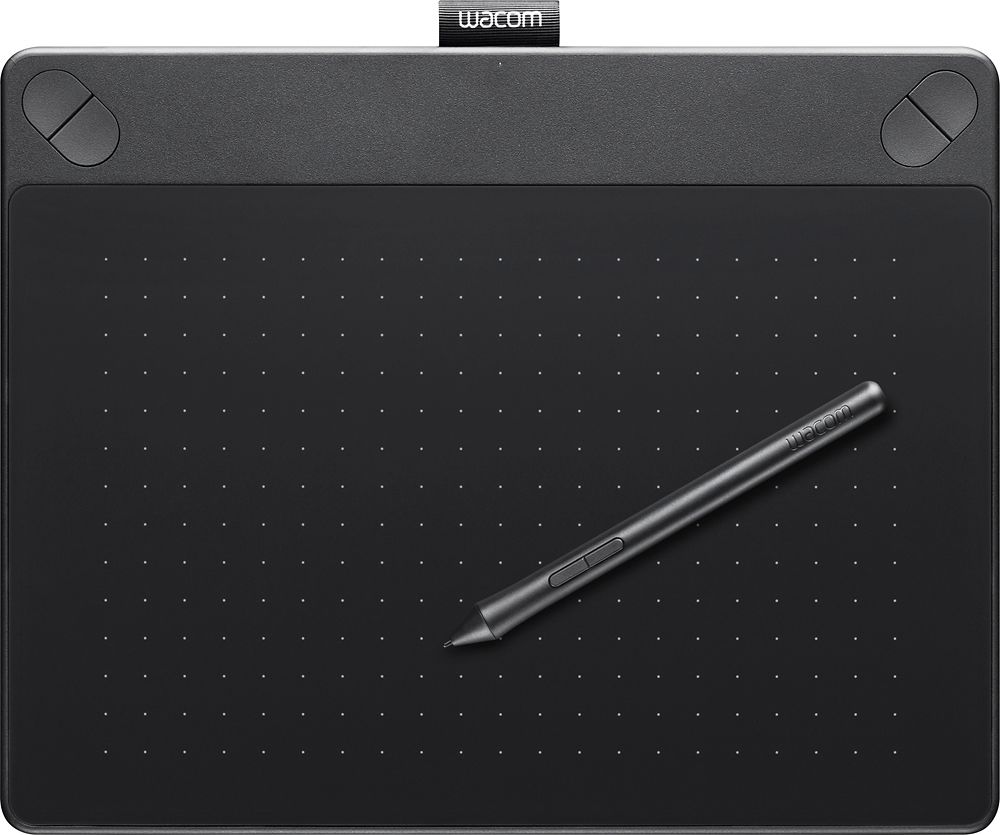
||Posted .This reviewer received promo considerations or sweepstakes entry for writing a review.I wanted better than mouse performance for various photo processing tasks and art in general. A tablet is a must-have. I have not tried others but did some initial research. This was a good price. Summary: - Hope it gets MUCH better Haven't tried pricier units. - I'd not pay more unless the improvements were hugely significant - Very useful; and very frustrating. Best suggestion: Unplug your mouse for 3 days and go tablet alone Fact: not going back to mouse and am still using the tablet for everything. Tablet: The tablet itself is small - too small for me. My hand falls off it at the edges of the screen - at the worst time and often with bad results and correction needed. Extra surface surrounding the active plate would have been nice. Dragging past the edge with the hand suddenly in awkward position straddling pad and table surface and altering pen position can be disruptive when one is concentrating and involved. The dialog boxes and panels for configuration are just plain clunky. Did I say ugly? The four corner buttons - 2 each at the top left and right are inexplicable. Maybe we didn't know what to do and it sounded like a good idea at the time? Now, reach across your pen hand to get to the button not on the free hand side. Any aspect of UI design is very well hidden :-) After initial try I watched many good artist and user videos and found out I wasn't doing anything wrong. Just a matter of getting used to. Pen: The pen is not very bright. I suspect it's also a price point. No eraser. I should read up and purchase a good one when I can. Grade: C Reasons: 1. It's a tablet, and works as such and sets the right context 2. Driver is not very smooth. Can be very jumpy and at times is lost. OS integration is not very good (I use Windows 10) 3. Driver config interface (configuration panel,etc.) is clunky 4. Settings should NOT reset after an upgrade - that's ELEMENTARY. 5. I wish there were a neutral place - something akin to an "ink well" I could stand the pen in when using the keyboard. The safest place, so far, is between my lips or teeth where It cannot affect the pointer.
I would recommend this to a friend- Pros mentioned:Drawing
Rated 4 out of 5 stars
Excellent Beginner Art Tablet
||Posted .This reviewer received promo considerations or sweepstakes entry for writing a review.Purchased for my 12 YO brother who loves to draw and make comics. He absolutely loves this, and it's definitely given him the power he wants when drawing digitally. Only qualm I have with it, is that we needed to exchange it more than once because of one reason or another. Otherwise, great starter.
I would recommend this to a friend - Pros mentioned:Drawing
Rated 5 out of 5 stars
No More *Click Click* Sound
||Posted .This reviewer received promo considerations or sweepstakes entry for writing a review.This Wacom tablet works so much better than having to use your mouse to draw. There is a learning curve, but do not give up. It took me about three weeks of constant practice and making tiny adjustments to get it just right. I cant imagine using a mouse for Photoshop ever again. My wife definitely doesn't miss the constant *click *click *click
I would recommend this to a friend Rated 5 out of 5 stars
You give input, it takes it!
||Posted .This reviewer received promo considerations or sweepstakes entry for writing a review.If you have something to input to a computer, meaningful or not, it takes it in! How nice of it to do what it was designed to do!
I would recommend this to a friend- Pros mentioned:Responsiveness
Rated 5 out of 5 stars
Decent entry level art tablet
||Posted .This reviewer received promo considerations or sweepstakes entry for writing a review.Purchased as a gift for my son. He had it running within minutes. The part that took longest was figuring out how to download and activate the software bundled. He loves the pressure sensitive stylus, which also takes some getting used to and you might need to fiddle with the settings so that you're comfortable with your strokes.
I would recommend this to a friend - Pros mentioned:Ease of use
Rated 5 out of 5 stars
Great replacement for an older Intous II
||Posted .This reviewer received promo considerations or sweepstakes entry for writing a review.I purchased this unit to replace a very old Intuos II that Wacom no longer supports in Windows 10. The unit installed easily right out of the box and works exactly as it should. A more than adequate replacement for my older unit. No bells and whistles but, IMHO, more than adequate for the average home photoshop'er at a decent price point
I would recommend this to a friend - Pros mentioned:Size
Rated 5 out of 5 stars
Great budget and travel-friendly wacom
||Posted .This reviewer received promo considerations or sweepstakes entry for writing a review.I love this tablet. It is thin and lightweight so it's easy to carry and uses usb so it can be used on any computer. I have to use multiple computers at work so this much more convenient than bluetooth. The only negative I have is the touch gestures sometimes dont work, but tinkering with the settings more may help the issue. Great for photoshop!
I would recommend this to a friend - Pros mentioned:Ease of use
Rated 5 out of 5 stars
Wacom - Intuos Art Creative Small Tablet
||Posted .This reviewer received promo considerations or sweepstakes entry for writing a review.My daughter is an art enthusiast and she is also taking art in junior high. She wanted an electronic device to start off her future career. So we found that Wacon Intuous was a great tablet for advanced as well for beginners. The tablet is very user friendly. She adores it and loves what it can do. She has drawn varies types of sketches.
I would recommend this to a friend Rated 4 out of 5 stars
for a grandkid, seems ok
||Posted .This reviewer received promo considerations or sweepstakes entry for writing a review.Pulled out card for grands, "anything you want, within reason." No comments or complaints, so guess doing well.
I would recommend this to a friend- Pros mentioned:Ease of use
Rated 4 out of 5 stars
Good but software was hard to download
||Posted .This reviewer received promo considerations or sweepstakes entry for writing a review.Easy setup and use. Great value. My daughter uses it and loves it. However, on Christmas day the site where you are supposed to get the software was non responsive. I tried multiple times. I ended up having her use some other free software then finally got the software a week later.
I would recommend this to a friend - Pros mentioned:Ease of use
Rated 5 out of 5 stars
Dependable
||Posted .This reviewer received promo considerations or sweepstakes entry for writing a review.This is the 2nd Wacom tablet we've bought. One for each of our girls. They have been a dependable product. My oldest has had hers 3 years and have never had to replace a tip. It's portable so easy to transport. Both girls enjoy the shortcut buttons to apps that allow them to listen to Spotify while using it. All in all a great buy.
I would recommend this to a friend Rated 4 out of 5 stars
Great value for beginners
||Posted .This reviewer received promo considerations or sweepstakes entry for writing a review.Got this for my daughter who loves to draw, hope to reduce the amount of scrap paper all over.
I would recommend this to a friend- Pros mentioned:Ease of use, Size
Rated 5 out of 5 stars
User friendly
||Posted .This reviewer received promo considerations or sweepstakes entry for writing a review.Easy to use with great drivers. Small and compact.
I would recommend this to a friend - Pros mentioned:Responsiveness
Rated 4 out of 5 stars
Good Tablet
||Posted .This reviewer received promo considerations or sweepstakes entry for writing a review.Good tablet for drawing, I just wish the actual product had more of a description or one you could try out in store. Takes some getting used to as you can't push your pen on the tablet without selecting things in Illustrator. Only downside is the size. I would go with a larger model next time.
I would recommend this to a friend