Customer Ratings & Reviews
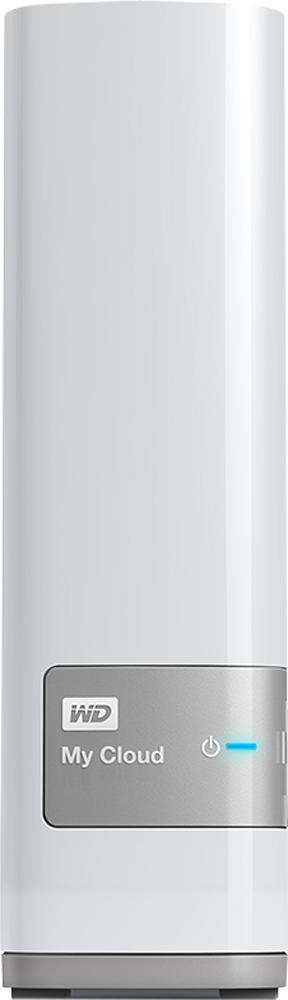
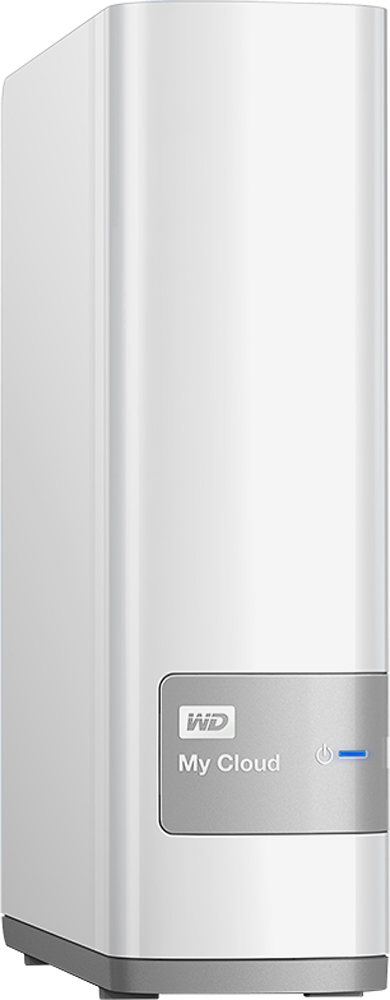
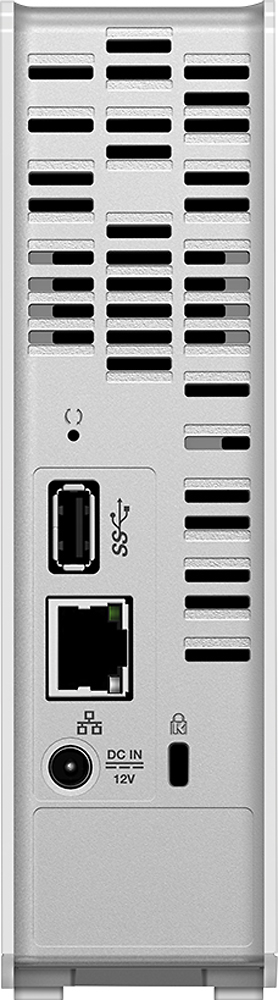
- Model:
- WDBCTL0030HWT-NESN
- |
- SKU:
- 1766022
Customer reviews
Rating 4.2 out of 5 stars with 905 reviews
(905 customer reviews)Rating by feature
- Ease of Use3.1
Rating 3.1 out of 5 stars
Customers are saying
Customers are satisfied with the My Cloud 3TB External Hard Drive's ease of use, ample storage, and relatively easy setup process, as well as its remote access capabilities. However, some users experienced issues with the product's reliability and found the software and instructions to be less than intuitive. The price point was frequently praised. A few users also noted that streaming performance was generally positive.
This summary was generated by AI based on customer reviews.
- Pros mentioned:Ease of use
Rated 4 out of 5 stars
Easy to Set Up
||Posted .This reviewer received promo considerations or sweepstakes entry for writing a review.I'll preface this by saying I have pretty good knowledge of computers and networking. That being said this is a great back up system for home networks for the price and ease of use. It was really easy to set up our desktops, laptops, and Android phones. Since I haven't tried accessing any of it outside of our network I can't speak to the ease of that feature; but I suspect it's just as simple.
I would recommend this to a friend - Pros mentioned:Setup, Storage
Rated 4 out of 5 stars
Easy to set up
||Posted .This reviewer received promo considerations or sweepstakes entry for writing a review.A lot of storage for the price. Device was easy to set up and connect to the network.
I would recommend this to a friend - Pros mentioned:Ease of use, Storage
Rated 5 out of 5 stars
Great product
||Posted .This reviewer received promo considerations or sweepstakes entry for writing a review.My cloud is easy to set up. You can access it from anywhere easily, no hassle. You can transfer pictures, videos and movies. This external hard drive is great. I have setup the wife and kids to download under their names.
I would recommend this to a friend - Pros mentioned:Ease of use, Storage
Rated 5 out of 5 stars
Excellent, Excellent product for personal storage
||Posted .This reviewer received promo considerations or sweepstakes entry for writing a review.I picked up the 3 terabyte one and also picked up a 7 usb hub and so far I've added four other hard drives increasing the cloud size to 13 terabytes. All work in conjunction perfectly and I can stream my movies, tv shows and display photos literally anywhere. You carry your entire digital library with you through an app you can download on your smartphone/tablet. Very well designed and easy to use device. I highly recommend this to any one who has a big digital collection
I would recommend this to a friend Rated 4 out of 5 stars
very happy with personal cloud
||Posted .This reviewer received promo considerations or sweepstakes entry for writing a review.I consider myself fairly tech savvy so I wasn't concerned about setup at all but there was a small learning curve. There are 3 different apps in windows and I had to actually break out the owners manual to understand the setup. WD calls cloud folders "Shares" These "Shares" can be public or private (not intuitive because shares to me means shareable so this wording really confused me.) Setup would ask would you like to make your "share" public? Again very confusing because you don't "share" private folders. So after an hour with the manual I finally get it. "Shares" can be shared or locked down for additional users. All in all I am happy with the product. It is very responsive and I have managed to a bunch of media to the drive. I can access that media from all the rooms in my house via smart tv and dlna server on my Roku in the room without a smart tv. I can play my music collection thru my tvs surround sound system by selecting the cloud drive on the network from my tv menu. My family members were able to download the My Cloud app on their android and apple devices and stream the media I made public. Streams are great quality but take a little bit of time to load (approx 1-2mins.) I am about to purchase a wd passport usb drive to plug into the 3.0 usb port to do an auto backup for the drive. (A bit cheaper than the My Cloud Mirror option)
I would recommend this to a friend- Pros mentioned:Ease of use
Rated 4 out of 5 stars
Easy set-up and use
||Posted .This reviewer received promo considerations or sweepstakes entry for writing a review.MyCloud is easy to set up and use. The WD Smartware software makes it easy to automatically backup all of your files, with a nice feature being that files are automatically backed up each time you change them. It's also easy to fully back up the MyCloud to another device, either USB attached or on your network, and to schedule those backups to occur automatically.
I would recommend this to a friend - Pros mentioned:Ease of use, Storage
Rated 5 out of 5 stars
Great Cloud Storage!
||Posted .This reviewer received promo considerations or sweepstakes entry for writing a review.With the excellent quality of a Western Digital Product, you will get superb cloud storage. This product makes it very easy to save and access files from portable devices via your local Wi-Fi network.
I would recommend this to a friend Rated 4 out of 5 stars
Great network storage device.
||Posted .This reviewer received promo considerations or sweepstakes entry for writing a review.This is my 4th WD NAS drive. The interface is better then previous versions, and there is now an option to turn off public sharing for the public folder. I hated that anyone could put stuff in the public folder that was on my network, so I like that option now. It does catalog the files for music and video, which is a must for using it as a media server. The downside is that when you want to copy large amounts of files to it, it will really slow down while it catalogs everything. Example: Copy 1 or 2 GB of files, and the transfer rate is near 70mbps. However, more that about 2gb at a time, the transfer goes in the toilet. Down to about 5-10mbps. The cataloging of files is definitely a bottleneck, but once files are copied, it picks right back up and runs like a champ. Over all, not bad.
I would recommend this to a friend- Pros mentioned:Ease of use
Rated 4 out of 5 stars
Easy to Use
||Posted .This reviewer received promo considerations or sweepstakes entry for writing a review.I needed a drive for a small business that moves data to and from remote users. This one is easy to setup on a small local network and to make available to remote users via the WD My Cloud web site. It took less than an hour to get the drive online and setup the client on the various workstations and laptops. Great capacity and utility for the money.
I would recommend this to a friend Rated 5 out of 5 stars
Excellent plug and play storage solution.
||Posted .This reviewer received promo considerations or sweepstakes entry for writing a review.I've owned this device now for 3 months and it works flawlessly! Setup was very easy with the provided info graphics, no need to read long manuals and worry about technical data input to be recognizable on the home network. I elected to back up an entire hard drive on my computer instead of manually selecting which folder and files I wanted backed up. With a fast internet connection, the file transfer took about 3 days over WiFi (I strongly recommend connecting the computer directly to the router with an Ethernet cord for faster transfer on the first go-around). After the initial transfer of all the files was done, the drive automatically backs up any changes (new files or old) that you add in the future. You also have the option to use Windows Backup or the exclusive WD software to manage backing up your files. Personally, I think the WD software was much more user friendly, and it still works automatically or on a scheduled basis, just like the built in Windows Backup feature... but the choice is yours which ever method you choose. One word of caution, the drive does come pre-installed with a folder titled "Public" that you can't delete and anyone with access to your WiFi can write files to it. If you save files to this location, they are also in full view to take as well. Several people have brought this issue up in discussion on WD website. While there is no way to delete the folder, there is a slight software bug where if you try to rename the folder, you then have access to lock it down - but otherwise there is no "Public" or "Private" options like you can put on any other folder that you create on the drive. Overall, once I was able to figure our how to lock down the "Public" folder, I felt much more confident in the drive overall that my data was safe and nobody could get to it. Until I started grabbing files on the go with my iPhone, I didn't realize how valuable something like this really is. Definitely a "must buy" for anyone who wants to keep their data safe and available on the go - even for beginners!
I would recommend this to a friend- Pros mentioned:Ease of use
Rated 4 out of 5 stars
Nice to have a drive you can access from anywhere
||Posted .This reviewer received promo considerations or sweepstakes entry for writing a review.Great product. it nice to have a drive you can access from anywhere and free up some needed phone/tablet space. Additionally, I have set it up so my nephews have their own access to upload their pics and vids to the drive from anywhere in the house and then we can all share on the big tv. And its simple to install.
I would recommend this to a friend - Pros mentioned:Storage
Rated 5 out of 5 stars
Lots of storage and easy to setup
||Posted .This reviewer received promo considerations or sweepstakes entry for writing a review.3TB of storage is more than I need to backup and store photos and music from 6 PCs/Laptops in my household. I like the idea of setting it up as a personal cloud device, but truthfully, I backed out of setting it up that way because of security concerns. If major companies can't completely keep their systems safe from hackers on the internet, then what makes me think I can keep this device safe. That said, I may some day venture into this feature. But for now I'm completely content keeping it for backups and as a central depository for all school work that my kids do on multiple computers/laptops in my household.
I would recommend this to a friend Rated 4 out of 5 stars
great personal cloud
||Posted .This reviewer received promo considerations or sweepstakes entry for writing a review.I use this primarily to stream my movie collection, so now wherever I am I have access to it. Fairly easy set, plug and play. Did have some problems initially setting up remote access for other users. Called WD support for help, which is why it is only 4 stars instead of 5. Tech support was difficult to reach and when I did instead of listening to my problem and what I wanted to do he immediately blamed me, my set up and went through a long list of things I should do to accomplish something I did not want to do. I did finally figure it out and it was simple. So great drive, lousy tech people.
I would recommend this to a friend- Pros mentioned:Ease of use
Rated 4 out of 5 stars
My Cloud works as advertised
||Posted .This reviewer received promo considerations or sweepstakes entry for writing a review.Easy to install, connect to my network at home. After initial install, I sent emails to all my devices to get them on the cloud server. Not sure if password protection is strong enough, but so far so good. My pictures from four cell phones auto update to the cloud and I can access it everywhere I have service.
I would recommend this to a friend - Cons mentioned:Reliability, Software
Rated 3 out of 5 stars
a little clunky but works once set up
||Posted .This reviewer received promo considerations or sweepstakes entry for writing a review.Had to return this item once as the drive failed on me after transferring 75 gig approx using the backup feature. The second drive one made me nervous as it wouldn't backup some of the files so I left it on for another day, and fortunately it ironed itself outby backing up all the files. I have both pc and a macbook that both share the cloud along 2 phones and a tablet. It's nice to access the cloud, however it seems like you can only access and not download the files to other devices so for example you put a picture from the pc and you look at it on your phone you won't be able to pull that picture to your album unless you do a screenshot. Second sometimes trying to upload some pictures and videos from the phone doesn't upload. Second the app/software is a little complex in organizing and finding your files compare to the cloud services like Dropbox, Google drive/amazon as you may end up in a dead end while looking for your upload if you don't know which file you placed it. So you have to do your own organizing. You need to upload everything manually as they don't have a automatic backup features like Google drive, Amazon upload, etc. The wd I also slower to upload and see the files compared to the paid cloud but to be fair that's expected as their equipment is likely way more expensive to purchase and maintain. I would recommend the item when all said and done as having your own cloud means it's less likely to become compromised by big corporate issues such as pricing structures, likes storage limits, files size limitations, file type(like Raw files), or if they decide to remove the service. But expect to spend some time like a day configuring and ironing out the kinks that will happen 3 stars because it has a lot of room to improve on such as uploading could be easier, and sometimes I want to download a file to a different device not just look at it. I do have a concern about reliability as the first drive did not work with the second encountering hiccups but saying that it has everything working (I have 400 gig worth of info so I can't check every file to see if it works). The software also needs to be updated to make things more fluid in finding and organizing your data.
I would recommend this to a friend - Pros mentioned:Ease of use, Storage
Rated 5 out of 5 stars
Works great!
||Posted .This reviewer received promo considerations or sweepstakes entry for writing a review.I haven't tried streaming from this yet but I've had no problems storing music, pictures, and files. Able to access from anywhere as advertised.
I would recommend this to a friend - Pros mentioned:Ease of use, Storage
Rated 4 out of 5 stars
Great for what it is
||Posted .This reviewer received promo considerations or sweepstakes entry for writing a review.I have been filling up and upgrading External Hard drives. This is the best 1 yet because I am able to upload everything into the hard drive and then link it to my router so that I can now access my files anywhere. The downside, as with most hard drives is that getting files onto the drive from my previous HDs. I found that hooking up both drives to 1 computer to do the mass transfer was the way to go. The WD Sync would be a great tool, however, it keeps the files on your Computer hard drive, which is exactly the reason I wanted a cloud HD, To Not have to take up Comp HD space. Other than that. Its awesome.
I would recommend this to a friend Rated 5 out of 5 stars
Great cloud based storage for house
||Posted .This reviewer received promo considerations or sweepstakes entry for writing a review.This is where my search ended when I was looking for cloud based storage device for photos and videos. I have one laptop and 2 phones. It does auto backup all files on the device wirelessly which makes backing up the important files. Also mycloud can also stream videos/photos to smart TV without hooking up the wire. User interface could have been great but it is not bad. It has been 2 months since I got this device. No major issues.
I would recommend this to a friend- Pros mentioned:Ease of use
Rated 5 out of 5 stars
From novice to advanced needs it's got you covered
||Posted .This reviewer received promo considerations or sweepstakes entry for writing a review.Plugged it into an open port in my router, turned it on, and was ready to access and use it right away. Online documentation and help system is stellar, and configuring more advanced user, permissions based folder access was really very easy. Moreover, I have a office computer that runs Ubuntu Linux desktop, and a Linux server, and I was able to configure both to access WD My-Cloud very easily, as well as connect my mobile WD My-Cloud app to my Google Drive accounts. I couldn't be happier, and couldn't recommend this drive more.
I would recommend this to a friend - Pros mentioned:Remote access, Setup, Storage
Rated 5 out of 5 stars
Great for remote access, sharing files
||Posted .This reviewer received promo considerations or sweepstakes entry for writing a review.For a one time price and easy setup, this replaces several subscription cloud-based services that I have been using. Both local and remote access work perfectly, and I am able to share files with others with a simple click via email. 3 TB for me is plenty big! I have been using this device for about a month now, and it just works. My single word review: Wow.
I would recommend this to a friend