Customer Ratings & Reviews
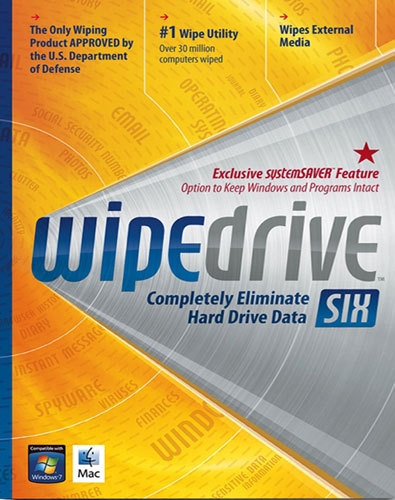
- Model:
- 8071591
- |
- SKU:
- 1369743
Customer reviews
Rating 4.1 out of 5 stars with 114 reviews
(114 customer reviews)Rating by feature
- Ease of Use3.5
Rating 3.5 out of 5 stars
Customers are saying
Customers are enthusiastic about WipeDrive Six for its user-friendly interface and effectiveness in removing viruses. They appreciate how easy it is to use, with one customer saying, "Really worked well and was easy to use." Another customer was pleased with its ability to remove viruses, stating, "Virus were removed and computer is working fine." However, some customers expressed concerns about the thoroughness of the data wipe, with one person saying, "This thing cleaned everything off even my drivers."
This summary was generated by AI based on customer reviews.
Rated 4 out of 5 stars
A bit tricky but did the job
||Posted .This reviewer received promo considerations or sweepstakes entry for writing a review.I followed the instruction on the box, installed the program and then attempted to run it. The program didn't run - giving a error message. I called the support number and spoke to a White Canyon customer service rep. The person told me that the program needed to run "outside" of Windows and gave me instructions on how to do that. Following her directions (sent to me in an email), the program worked perfectly. I think this is one of the bugs that were fixed in later releases. I ran the full 3-pass wipe. It took approximately 10 hours, but that was OK - I just let it run overnight. When done, the entire C drive was clean. This is a good product and I would bet that the later releases are even better.
I would recommend this to a friend- Pros mentioned:Ease of use
Rated 5 out of 5 stars
Seems to have done what I wanted
||Posted .This reviewer received promo considerations or sweepstakes entry for writing a review.Used this product on two obsolete XP computers before donating them to the Goodwill. You have a choice of leaving the operating system on or wiping that too. I left it on. When you first load it it checks for updates and installs them so don't shut down your Internet connections before setting this up. The whole wiping process took several hours on each of my machines but most of the time no attention is required. Easy to use.
I would recommend this to a friend - Pros mentioned:Ease of use
Rated 5 out of 5 stars
Very Good Product.
||Posted .This reviewer received promo considerations or sweepstakes entry for writing a review.I used this with an older computer that was in good shape, except that over time it had become bogged down with the typical "junk." The best part of this product was that while it cleaned away all the unnecessary stuff, it gives you the option to select exactly what operating system elements and programs you want to keep. It does not lobotomize your computer! It is also easy to use. It cleared about 35% of my available memory space, and drastically improved my computer's performance. This is a great product for someone who wants to add some additional life to their unit .
I would recommend this to a friend - Pros mentioned:Ease of use
Rated 4 out of 5 stars
Easy enough for a beginner.
||Posted .This reviewer received promo considerations or sweepstakes entry for writing a review.This product was recommend by a friend who makes his living in the IT industry. I tried the product and it was a breeze.
I would recommend this to a friend - Pros mentioned:Data erasure, Ease of use
Rated 5 out of 5 stars
Great for cleaning out PC’s
||Posted .This reviewer received promo considerations or sweepstakes entry for writing a review.If your giving or throwing out old PC or Mac Computers this should do the trick. Not complicated and easy to use. I’ve used it several times as I usually give away or dispose of old computers after 2 years since technology advances quickly. It’s important for me to make sure no personal or business data is left on these machines. First one I tried that works.
I would recommend this to a friend - Pros mentioned:Ease of use
Rated 5 out of 5 stars
An Excellent Product For Hard Drive Wipes!
||Posted .This reviewer received promo considerations or sweepstakes entry for writing a review.I have several computers that I'm going to get rid of soon, and wanted to be sure the hard drives were clean of any personal files or programs. Wipedrive was recommended by the Best Buy sales associate to me, and I'm so glad I took his advice! This is an easy-to-use program, does the job in a minimum amount of time, and it does what it says it'll do! Highly recommended for the "cleanest" hard drives you'll ever see!
I would recommend this to a friend - Pros mentioned:Data erasure
Rated 5 out of 5 stars
Great buy.
||Posted .This reviewer received promo considerations or sweepstakes entry for writing a review.If you have computers to get rid of. Great to wipe them before selling or donating.
I would recommend this to a friend - Pros mentioned:Ease of use
Rated 5 out of 5 stars
Amazing
||Posted .This reviewer received promo considerations or sweepstakes entry for writing a review.This is the easiest program to use. No need to be a high tech IT person to get the job done . Highly recommended for the $$$.
I would recommend this to a friend - Pros mentioned:Data erasure
Rated 5 out of 5 stars
Excellent
||Posted .This reviewer received promo considerations or sweepstakes entry for writing a review.By far,this is the best product out there when iy comes to wiping a computer.
I would recommend this to a friend - Pros mentioned:Data erasure, Ease of use
Rated 2 out of 5 stars
1 out of 2 worked...
||Posted .This reviewer received promo considerations or sweepstakes entry for writing a review.I had to wipe two primary drives on two identical laptops with all data mirrored between the two. It destroyed one and wiped the other fine. I don't know what the was cause yet - there aren't too many options to go wrong as most of the interface is simple point-n-click so I'm thinking that there is some bug with the software or I had a drive that was ready to go out . Though all hardware diagnostics showed it was fine beforehand. On my first attempt I selected 'secure erase'. After a few hours I tried to re-install Windows but couldn't. BIOS still recognized the drive but Windows nor any tool could create a partition or format it. I took it to a local computer store/shop and they couldn't recover it. I ended up buying another drive... For my other laptop, I didn't select 'secure erase' and it was fine. I was able to re-instal the OS and it's up & running.
No, I would not recommend this to a friend Rated 4 out of 5 stars
Works!!
||Posted .This reviewer received promo considerations or sweepstakes entry for writing a review.I was donating a couple of computers so I needed to wipe them. One issue was that I wanted to save the windows op system but it wiped it all.
I would recommend this to a friend- Pros mentioned:Ease of use
Rated 5 out of 5 stars
Works well
||Posted .This reviewer received promo considerations or sweepstakes entry for writing a review.Easy to use. DOD wipe takes time (depends on drive size) but I feel it safely cleans all data.
I would recommend this to a friend - Pros mentioned:Ease of use
Rated 4 out of 5 stars
Does the job.
||Posted .This reviewer received promo considerations or sweepstakes entry for writing a review.The software did a good job of wiping my hard drive and the ease of using it was very good. The one thing you must be aware of is that it is limited as to the number of times the product can be installed and used. If you have more hard drives/computers than the limit of the license you must purchase another copy of the software.
I would recommend this to a friend - Pros mentioned:Ease of use
Rated 4 out of 5 stars
Good for starting over
||Posted .This reviewer received promo considerations or sweepstakes entry for writing a review.Pretty simple to use, but read the instructions carefully. You should be able to save your operating system if done correctly, but make sure you have your CD in case you do what I did. Ended up reloading my Windows.
I would recommend this to a friend - Pros mentioned:Ease of use
Rated 4 out of 5 stars
Works perfectly
||Posted .This reviewer received promo considerations or sweepstakes entry for writing a review.Very easy to use and did the job quickly without any problem.
I would recommend this to a friend - Pros mentioned:Ease of use
Rated 5 out of 5 stars
Good job
||Posted .This reviewer received promo considerations or sweepstakes entry for writing a review.Easy to use and seemed to work well for cleaning the drives.
I would recommend this to a friend - Pros mentioned:Ease of use
Rated 3 out of 5 stars
It was easy to use
||Posted .This reviewer received promo considerations or sweepstakes entry for writing a review.easy install and easy to use. The license seems a but expensive for what you are getting
No, I would not recommend this to a friend Rated 4 out of 5 stars
Good tool
||Posted .This reviewer received promo considerations or sweepstakes entry for writing a review.Used it before I sold some extra hard drives I had no need for anymore.
I would recommend this to a friendRated 4 out of 5 stars
It did what it was suppose to do. Easy to use!
||Posted .This reviewer received promo considerations or sweepstakes entry for writing a review.The software did a good job! We were cleaning an old computer to donate it to charity!
I would recommend this to a friendRated 4 out of 5 stars
Easy to use
||Posted .This reviewer received promo considerations or sweepstakes entry for writing a review.This was my first experience with a disc cleaning product and I was pleased with the software. The instructions are simple to understand and it provides you with options to retain the operating system. This was important, since I was giving my old desktop to a friend and I didn't want her to have the hassle of reinstalling Windows. The software provides two options, quick wipe and a more comprehensive cleaning. It would have been helpful to have an idea of how much time would be involved for both options. I elected the comprehensive cleaning and it took about 10 hours! Other than the time involved, the product worked as described and I feel comfortable with the results.
I would recommend this to a friend