Customer Ratings & Reviews

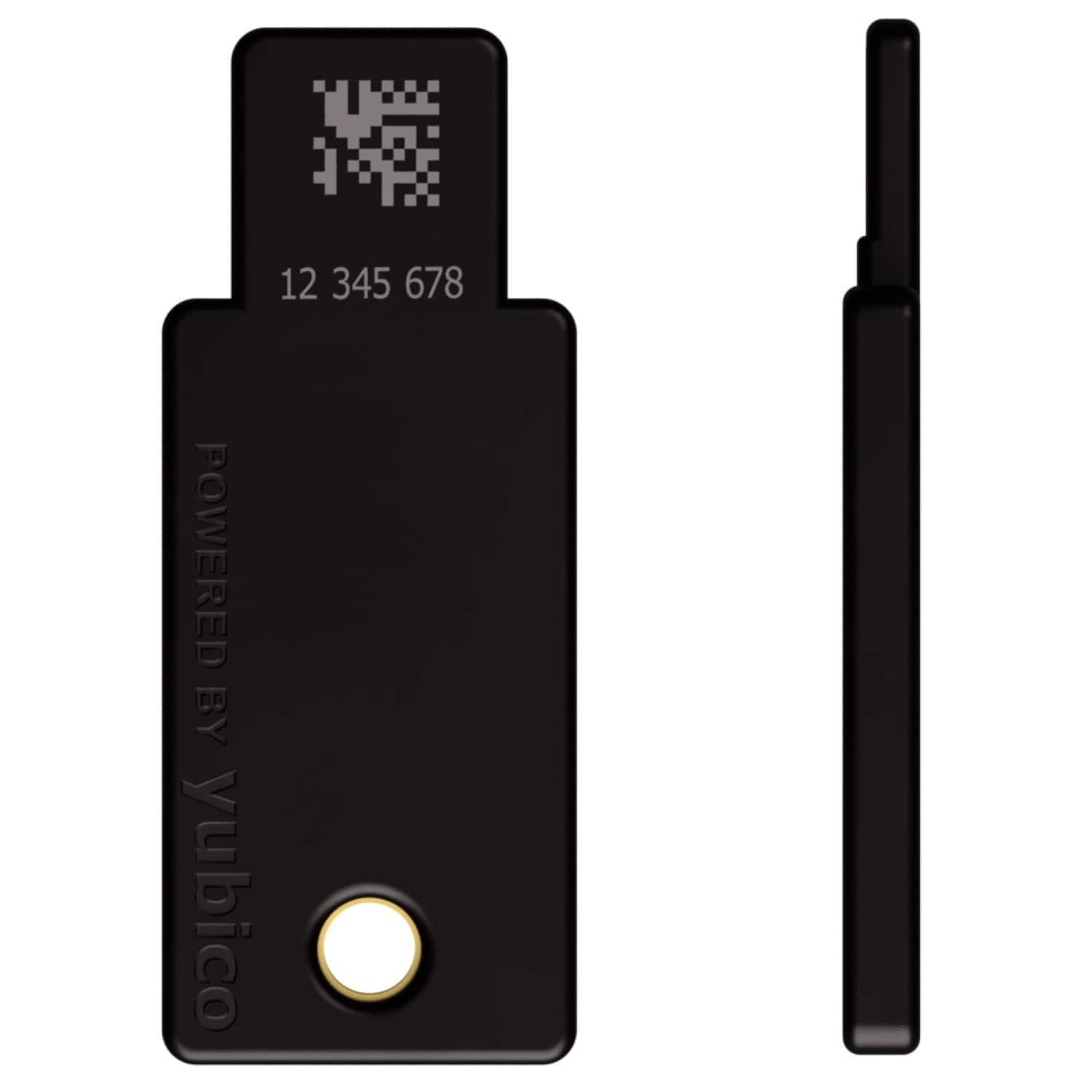
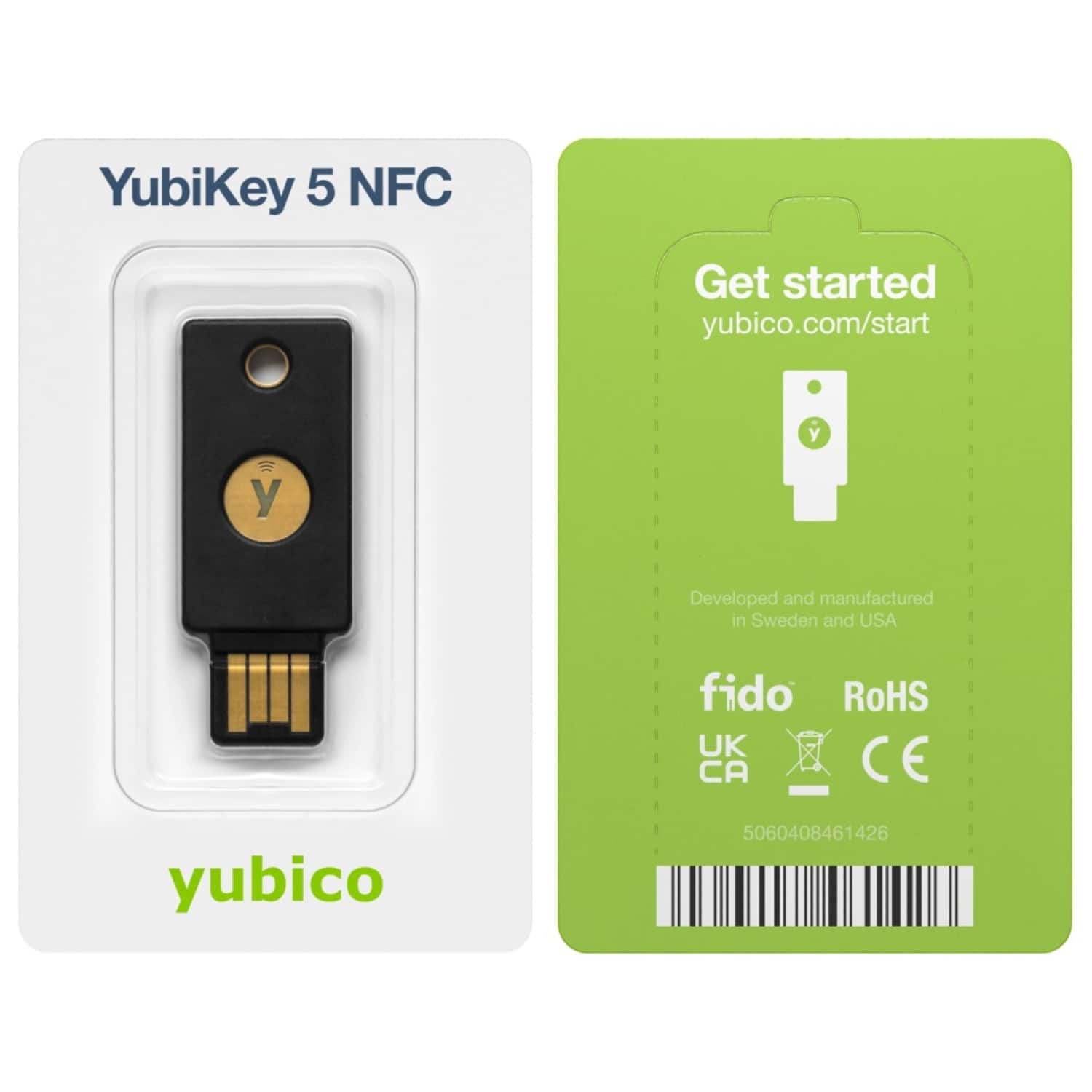
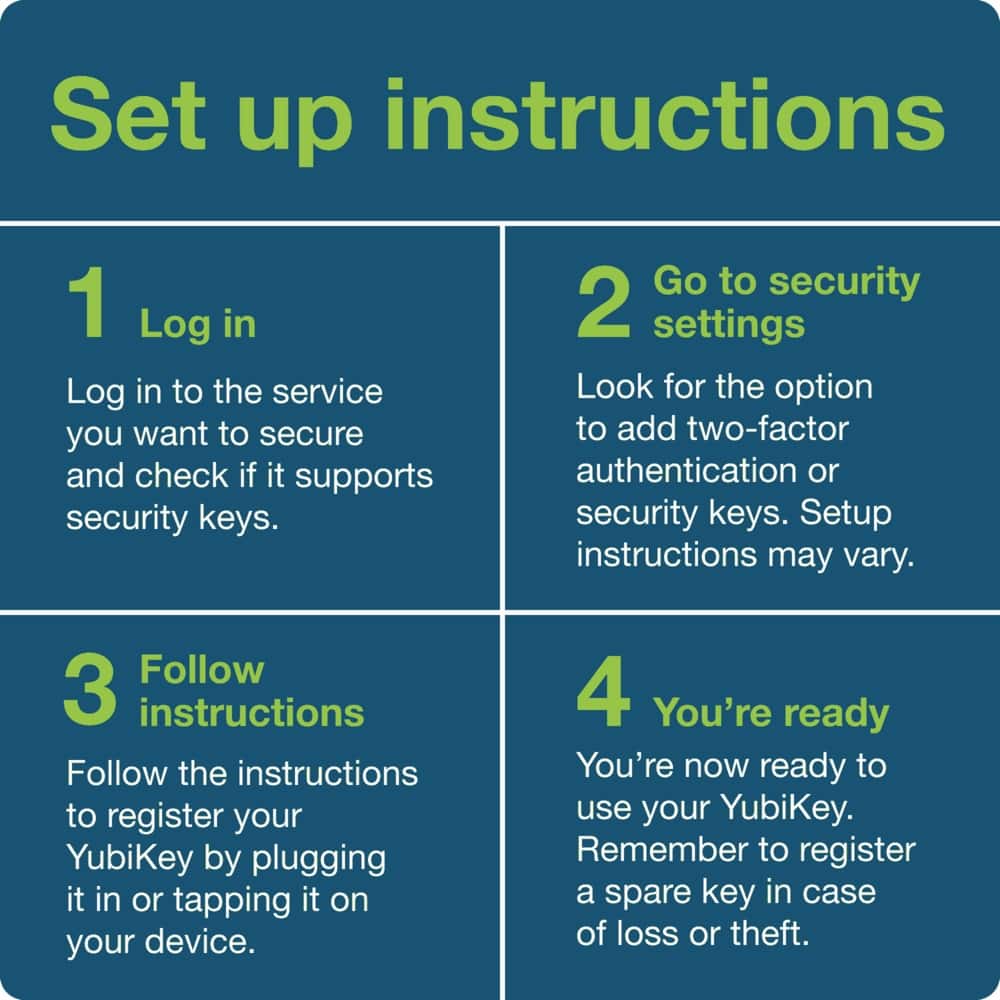
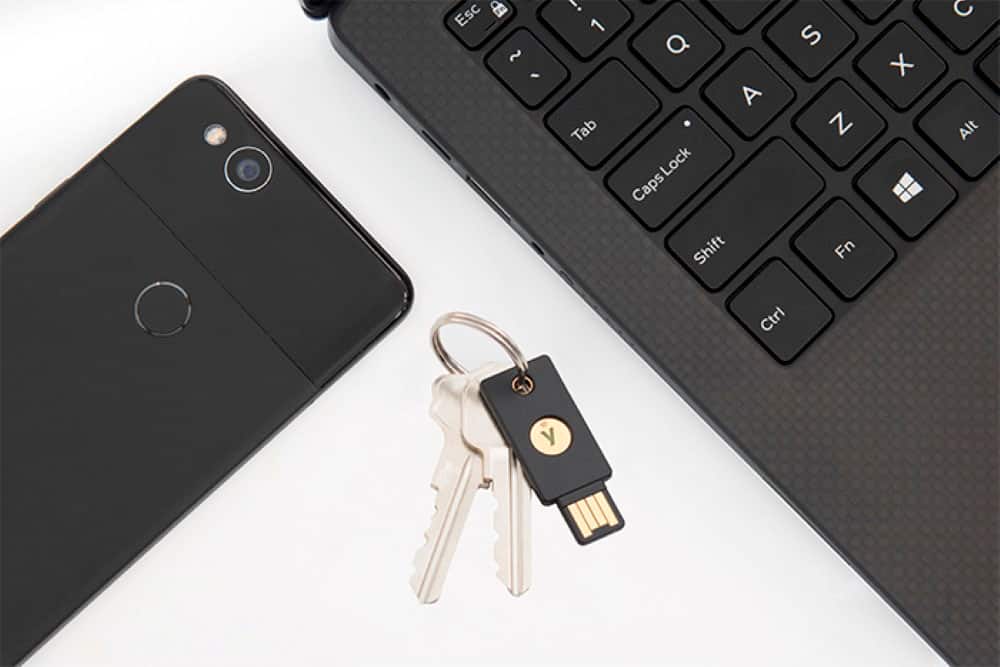
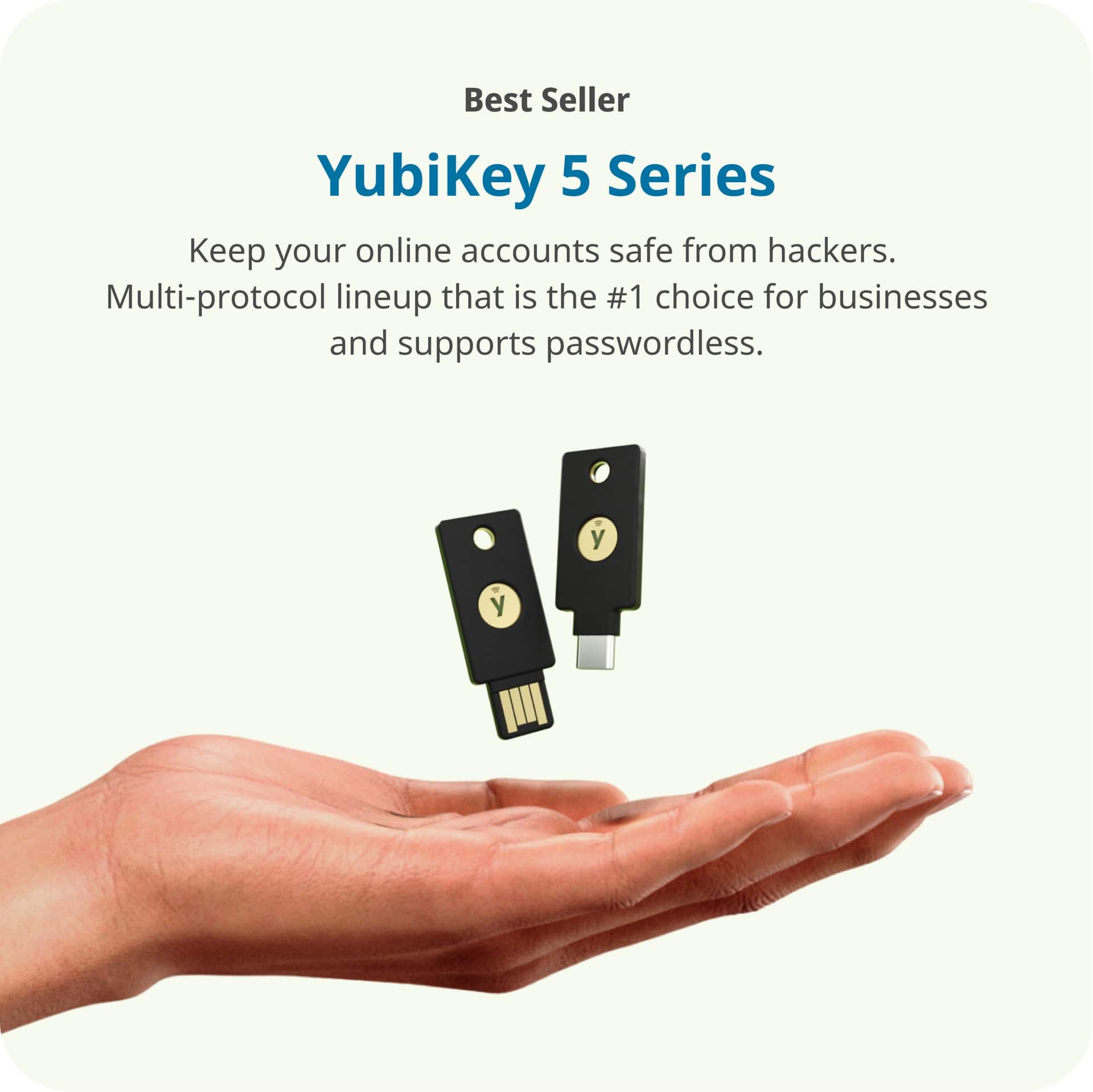

- Model:
- 992-00001/8880001002
- SKU:
- 6588208
Rating by feature
- Value
Rating 4.7 out of 5 stars
- Quality
Rating 4.9 out of 5 stars
- Ease of Use
Rating 4.6 out of 5 stars
Customers are saying
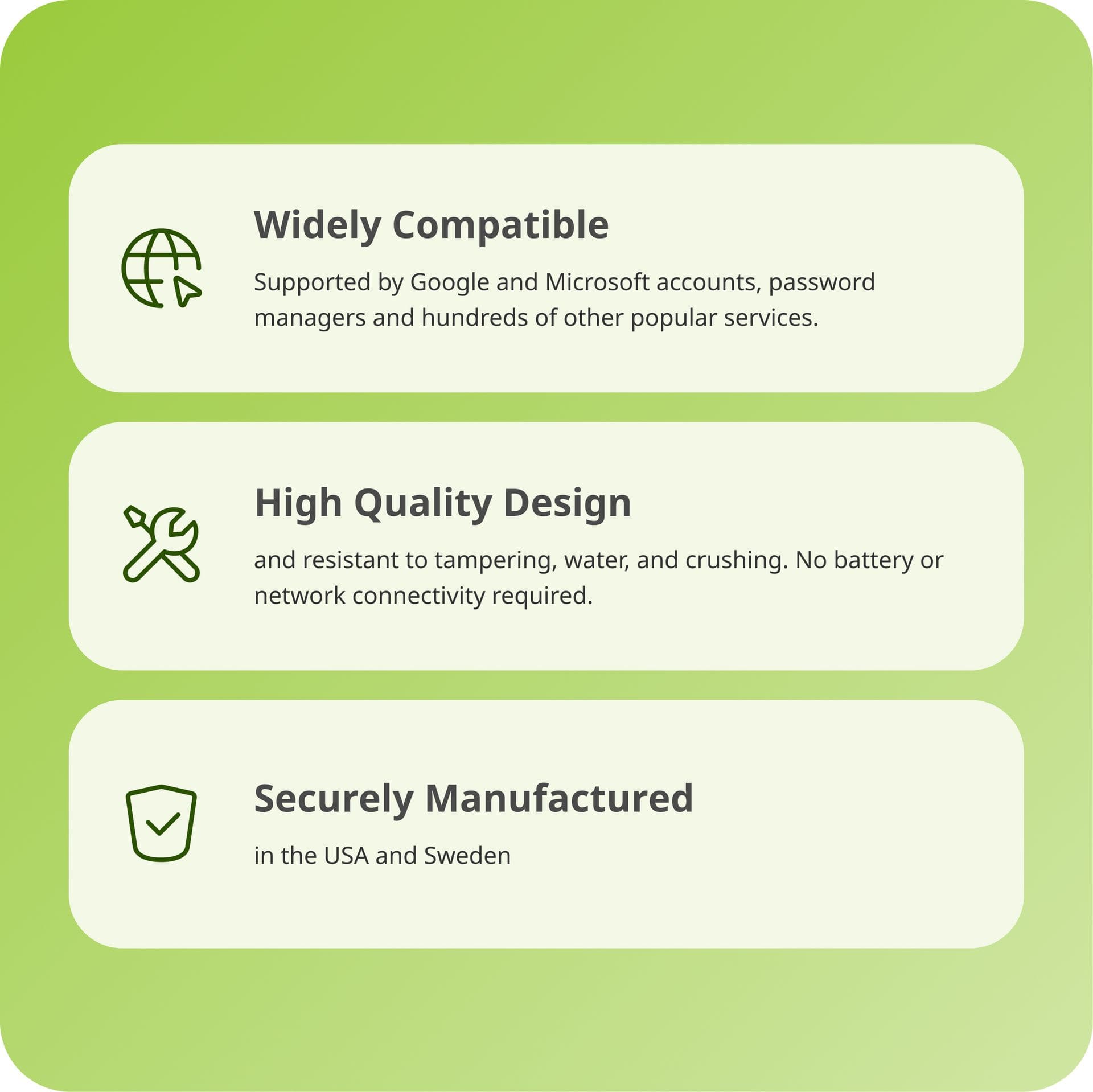
Customers consistently note the YubiKey 5 NFC's ease of use and robust security features, making it a valuable tool for protecting their accounts. Many users praise its overall performance and compatibility with multiple devices. The convenience of NFC connectivity is also appreciated, simplifying the login process.
This summary was generated by AI based on customer reviews.
- Pros mentioned:Overall performance, Security

Yubico aims to make your digital life safer
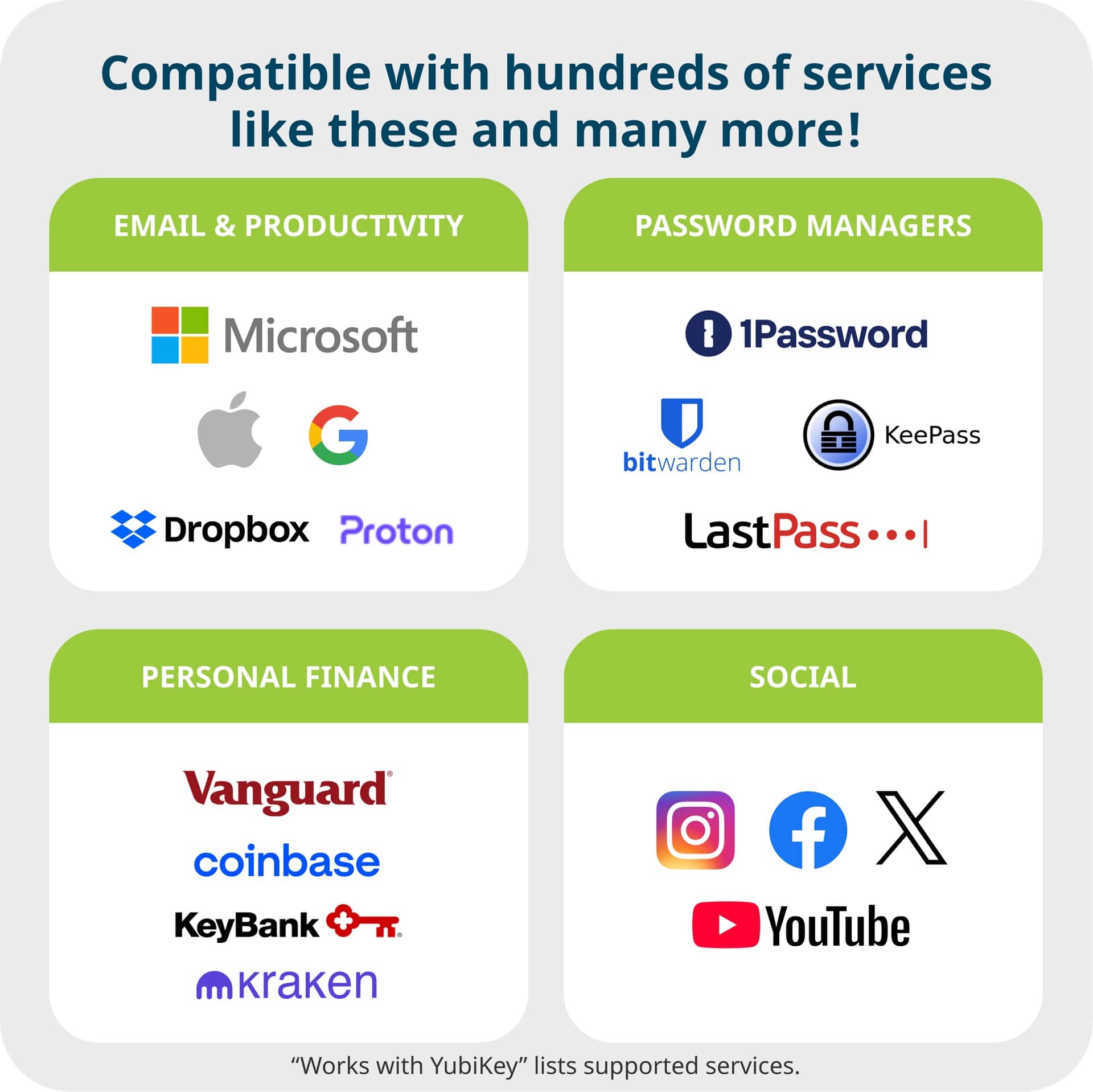
|Posted .This reviewer received promo considerations or sweepstakes entry for writing a review.The YubiKey 5 NFC stands out as a secured device aimed at improving your digital security across various devices and online accounts. It effectively safeguards against unauthorized access to the areas needed most. However, it's worth mentioning that the device might be challenging for individuals not familiar with digital security or configuring security features on multiple devices. Despite this, Yubico provides extensive resources, including a comprehensive library of easily accessible videos to aid users. Pros: Security: The YubiKey 5 NFC incorporates high-level security features such as two-factor authentication (2FA), FIDO2, and U2F support, which significantly decrease the risk of breaches. NFC Functionality: The NFC capability offers a convenient method for seamless authentication with compatible mobile devices. Wide Platform Compatibility: It supports a diverse range of applications and services, including major platforms like Google, Apple, Microsoft, as well as numerous password managers. The list goes on and I recommend going on the Yubico website to review their full list. Durability: The device is well-constructed and designed to endure regular use, ensuring long-term reliability. I feel as though this device will last for a few years. Yubico does recommend owning a "back-up" key to prevent future headaches if you were to loose your device. Cons: Complex Setup: For those new to digital security tools, the setup process can be quite intricate, involving several steps such as configuring accounts to recognize the key and understanding various authentication methods. Although Yubico strives to simplify this with ample video tutorials and support, it can still be overwhelming for beginners. ZERO In-Package Documentation: While there is a link provided on the back of the packaging, there is no further documentation included inside. A QR code or additional instructions within the package would have been beneficial. The YubiKey 5 NFC is an excellent tool for fortifying digital security. It is especially valuable for IT professionals or tech-savvy users, seamlessly integrating into existing security measures. However, for less experienced users, the initial setup and learning process may be time-consuming and require a significant amount of patience and willingness to learn. If you are ready to invest the necessary time to understand its features, the security benefits are there.
I would recommend this to a friend - Pros mentioned:Ease of use, Security
Top security for your online presence!
|Posted .This reviewer received promo considerations or sweepstakes entry for writing a review.I needed a new hardware security token, so I selected the Yubikey 5 NFC. The Yubikey 5 NFC is a small keychain-sized device that provides a hardware factor as an additional factor beyond a password. It's flat and looks like a USB Flash drive at first glance. For high-security applications, this provides a better level of security than getting an SMS or even a rolling token code in an authenticator application because you must have the physical hardware token (Yubikey) present. SMS messages can be intercepted, and Time-Based One-Time Passwords can be duplicated if someone knows the initial seed. For most users, setting up the Yubikey is easy. You tell your application that you want to use a hardware security key. The application will then ask you to insert and activate the security key. Activating the Yubikey 5 NFC is done by pressing on the gold Yubikey logo for a second or so. The key is seen as a USB HID and emulates a keyboard - sending a long, unique string of characters to the application requesting the token. The token generated is unique every time, so reuse isn't possible. Once your Yubikey has been enrolled for an application, the key will always work for that application. The Yubikey 5 NFC also includes NFC functionality, so I selected this, as my old Yubikey did not have NFC. NFC allows you to use your security key on a device that doesn't have a traditional USB port, like an iPhone or Android device. I was pretty excited to see how the NFC functionality worked with the iPhone. Some apps support NFC natively - and during enrollment or authentication you need only to bring the key near the top of the phone when prompted on screen. For other applications that do not support NFC natively, you bring the key near the top of the phone by the camera, and the phone will detect the NFC device. The NFC device takes you to a web page link displaying your individual use token on the screen. You have to copy the string and then paste it into whatever application is looking for hardware token input. This is kind of a kludgey solution but works in a pinch. One interesting fact about the Yubikey 5 series is that each Yubikey is actually two Yubikeys in one. The key effectively has two "slots" - which function independently. If you download the Yubikey Personalization tool, you can start using slot two. For example, you may want to carry one Yubikey - but have it work for both personal and work authentication. You can set your personal authentication up on slot one and then use slot two for work-related functionality. Accessing slots one and two is easy. For slot one access, you simply touch the Yubikey and let go. For slot two access, you touch the Yubikey and hold it down for a couple of seconds, and it will send the data from slot two to the requested application. For NFC access, you have to use either the Yubikey Manager or Yubikey Personalization tool to set the default slot for NFC access - by default, it's slot one. I was able to enroll this key into my corporate Okta account by using the Yubikey Personalization Tool to initialize slot two and download the configuration log from the Yubikey Personalization Tool. You need this file to upload to Okta as a "Yubikey Seed File." Once this file is uploaded, when a user activates any key within the seed file, that key is assigned to their Okta account and will work as a second authentication factor. Yubikey enjoys broad support from the most popular applications—Facebook, Gmail, Instagram, etc. Once you start using it, you learn to rely on it. If you have your key handy, it's much faster than waiting for an SMS code or looking through some app for a rolling one-time password. Overall, Yubikey is an excellent way to increase security around your online presence. If you rely on it as your only additional factor to allow access to sensitive applications, without the key, nobody can get in.
I would recommend this to a friend - Pros mentioned:Connectivity, Ease of use, Security
The Best Form of Account Security to Date!
|Posted .This reviewer received promo considerations or sweepstakes entry for writing a review.I have been using YubiKeys for a few years now and I love them! Having the peace of mind that no one can get into my most important accounts without having a username, password or PIN, and a physical key is priceless. This latest firmware can now support up to 100 passkeys in addition to all of the features they have already been able to do. In my case, I use these to secure my password manager, email, NAS, and social media accounts. If my key is lost or stolen, it is useless to the person who finds it because they still need to know my username and password or PIN for the key. Without those, they can reset the key to wipe its memory, but they cannot access any of my accounts. It is extremely important to note that people need at least two keys to start. In my case, I have a nano key plugged into my computer, a 5 NFC on my keychain, and another 5 NFC secured in an undisclosed location (work, safety deposit box, and trusted friend or family member’s home are all good places) so if my home were to burn down, I would still be able to log into my accounts. Part of the reason people need two keys is because there is purposely no way to back them up. YubiKey does not have a server keeping tabs on who has what keys or what is on them. The keys communicate directly with the services so there is no middleman that could be hacked. If a person only has one key and loses it, there is no way to replace or duplicate it. By having a backup key, they just have to retrieve it, log into their accounts, delete the old key, and add a new one. While kind of inconvenient, it is the most secure way to do this. When it comes to using the keys, each compatible service has a way to add them through their account management pages. Once added, simply log in like you usually do and either plug in the key to a USB port and touch the gold tab, or hold the key up to the NFC reader that exists on most current smartphones. If you are using a service without a password, you will be required to enter your PIN for the key. If you already entered a password, most services just need to see the key. The key is then verified in less than a second and access is granted. It is simple. Depending on what devices you plan to use, there are keys for USB-A like this one, but they also have USB-C for newer devices. When traveling, I always have a cheap USB-A to USB-C adapter in my bag so I can use the key on any device I encounter. I can’t say enough about how good these are for security. Not only do I recommend them to my friends, but I bought some for my parents. My father is a frequent target of phishing attempts because of who he is, so these keys add one more major layer of security to protect him and his client data.
I would recommend this to a friend - Pros mentioned:Connectivity, Security
Security is "Key"
|Posted .This reviewer received promo considerations or sweepstakes entry for writing a review.In our ever growing online world, your access to Social Media, Banking, Secure Systems, Work, are all under attack, and critical to keep safe. 2FA: 2 Factor Authentication, has been around for a long while, but now what is great, is that systems have added the ability to add multiple 2FA's, so you can continue to keep access to your systems, even if something is compromised, or you want to lock it down even more. This simple USB and NFC device, provides that security key... in a physical form. Something you can keep in your possession, at home, in a safe, however you want to keep it and use it. Out of the gate, I tested this with my Facebook account. The website for the key, walks you through a video to tell you exactly how to add it to Facebook, and about 100 other services. If your service isn't on the list, that is okay. this all falls under a pretty consistent standard, so if your site/service supports Key 2FA, then you will be good to go to add it. So back to adding to Facebook, I just went under security, and add a key.. I put the key in my USB port, tapped the button to activate it, and Facebook did the rest. it was then simple to test by logging out, and logging back in... it prompted to use "another form of 2FA", since I have more then one. Key worked perfectly. I have then added this to a couple other accounts really quickly. As I go through my password rotations (changing the key ones), I will add the key. It is also recommend that you have 2 keys (2 physical ones), because if you lose one, you could be permanently locked out of your accounts if you only setup 1 (in fact Apple will not let you set it up, unless you have two), so have that planned. Other pro's, this is really small and really light.. which is good, but also a con... as it could be easy to lose. Add it to a lanyard, so you don't forget it, or lose it. comes in USB-A and USB-C styles, get the right one for your computer. Also the NFC is required if you want to use this with your mobile device. I do wish they had color options available, so I can set one color as my primary key, and another as my backup key... but that is minor, nothing I can't fix with a paint pen or marker. Spend the small amount of money to have this backup. As someone that got hacked 18 months ago, and locked out of my Facebook... I wish I had this then so I could have easily gotten back in...
I would recommend this to a friend - Pros mentioned:Compatibility, Ease of use, Security
Top notch tech despite not the easiest to setup
|Posted .This reviewer received promo considerations or sweepstakes entry for writing a review.Yubico’s Yubikey is a product that is intended to provide an extra layer of security when accessing your accounts online. The Yubikey essentially acts as a multi-factor authentication (MFA) device that is supported by various major platforms/ OS: Microsoft, Google and Apple. Having a secure account is very important. Multi-factor authentication adds an extra layer of security to access your online accounts. Even if your passwords got leaked somehow on the internet, they would be useless when MFA has already been activated. Setting up the Yubikey is intuitive enough for those who's familiar with the technology but I would imagine people who’s not familiar with multi-factor authentication would encounter some difficulties. There's a brief video on Yubico's website on how to setup the device. While setting up the device is not the easiest, it is possible to do so even without consulting the manual. This Yubikey model is a very compact device that you plug into typical USB port to access your account. The device has built-in finger print reader and NFC capability. The NFC capability makes it useful not only for securing your account when using a computer, but also as a two-factor authentication device for your smartphone. There is a keychain hole on the device so you can keep the device with your real life non digital keys. Since the device is so slim and has a very small footprint, you can also store the device inside a wallet or keep it inside a phone case if there’s a small pocket there. While two-factor authentication these days can be easily performed by using your mobile phone, having a hardware key like Yubikey is actually more fool-proofed because it is a closed-loop system, which means one has to gain access of the hardware and use your fingerprint in order for the key to work. This is a very good product for those who want an MFA device. It is very portable and the technology is top notch. Just remember not to lose the device.
I would recommend this to a friend - Pros mentioned:Ease of use, Overall performance
Excellent key to secure your online identities!
|Posted .This reviewer received promo considerations or sweepstakes entry for writing a review.I am super impressed how easy this key was to setup and how easy it is to use and actually go password-less for compatible services. It's very durable, it's small and I was able to set it up to work with my Microsoft and Google accounts in just minutes and the best part is it eliminates passwords when it's plugged in and setup correctly with a given ecosystem. You can also use it not just on one but on multiple services and applications. It also works with the Yubico authenticator app. While it is geared toward business use cases, more and more many consumer and banking systems are compatible with these keys and more and more are switching their security to allow the use of hardware keys like these as they are safer and more secure than just having a password or regular two factor authentication. I was actually surprised to know that even social media sites like Facebook and Twitter (or now X) can be used with them which is awesome and essential these days to protect your online identity. On top of all of that, it can simplify your approach to security/passwords while making it more secure. I'd recommend this to anyone, and especially those who do a lot online whether it's for personal accounts/apps or business accounts/applications. I do wish Yubico would do more marketing to show how easy it is to use their product as I think to most people who are not as technical see something like this and don't even know what it's for let alone how to set it up. That said Yubico has provided lots of great how to's on their website but I think marketing just needs to show more how easy it is to use it because it's great and I'd absolutely recommend it!
I would recommend this to a friend - Pros mentioned:Compatibility, Ease of use, Security
Perfect addition to keep you and your data safe
|Posted .This reviewer received promo considerations or sweepstakes entry for writing a review.This little device is so small but it can so much to keep you and identity/data safe from hackers. I love the fact that it has a pre drilled hole so it can slide right on my key ring. Setting it up is a breeze no what platform you want to use it on. It comes in two variations USB-A or USB-C. You will want the USB-C version if you are more interested in phone protection or USB-A for use on a computer more than likely. It comes with the ability to tie it into your Apple, Google, Vanguard, 1password or Microsoft account. No matter platform you prefer this one device has you covered. After you have paired the key with your preferred platform and device logging in with it is as easy as touching the sensor on the top to authenticate into your account. The fact you can place this right on your keyring and keep it on you at all times is critical to making you feel secure with your information. I plan on integrating this in my work eco system as we are going to be launching MFA throughout the corporation. It's small, simple and efficient not sure what else you could want in a security device, would highly recommend.
I would recommend this to a friend - Pros mentioned:Ease of use
An easy & safe way to protect your online accounts
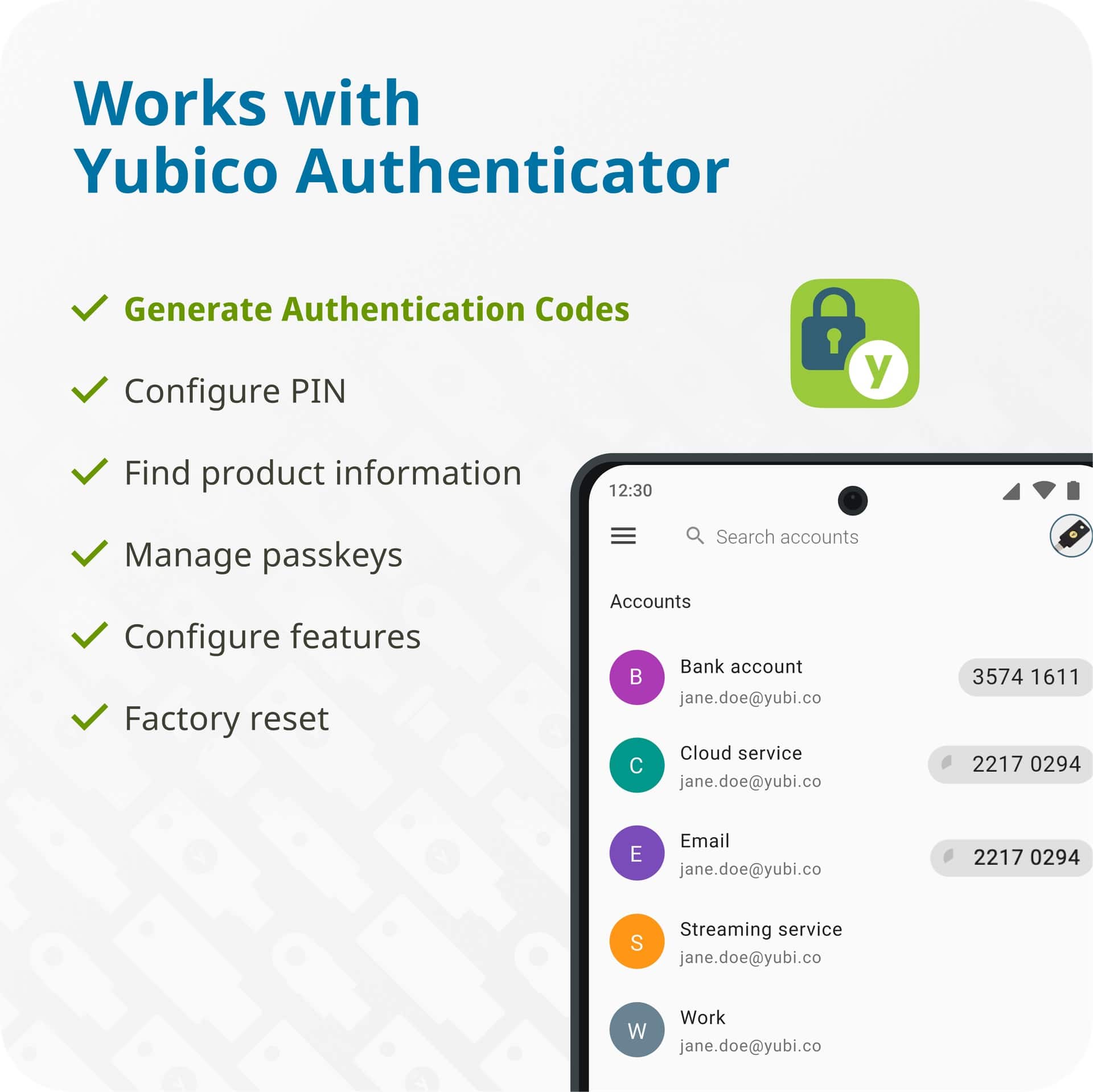
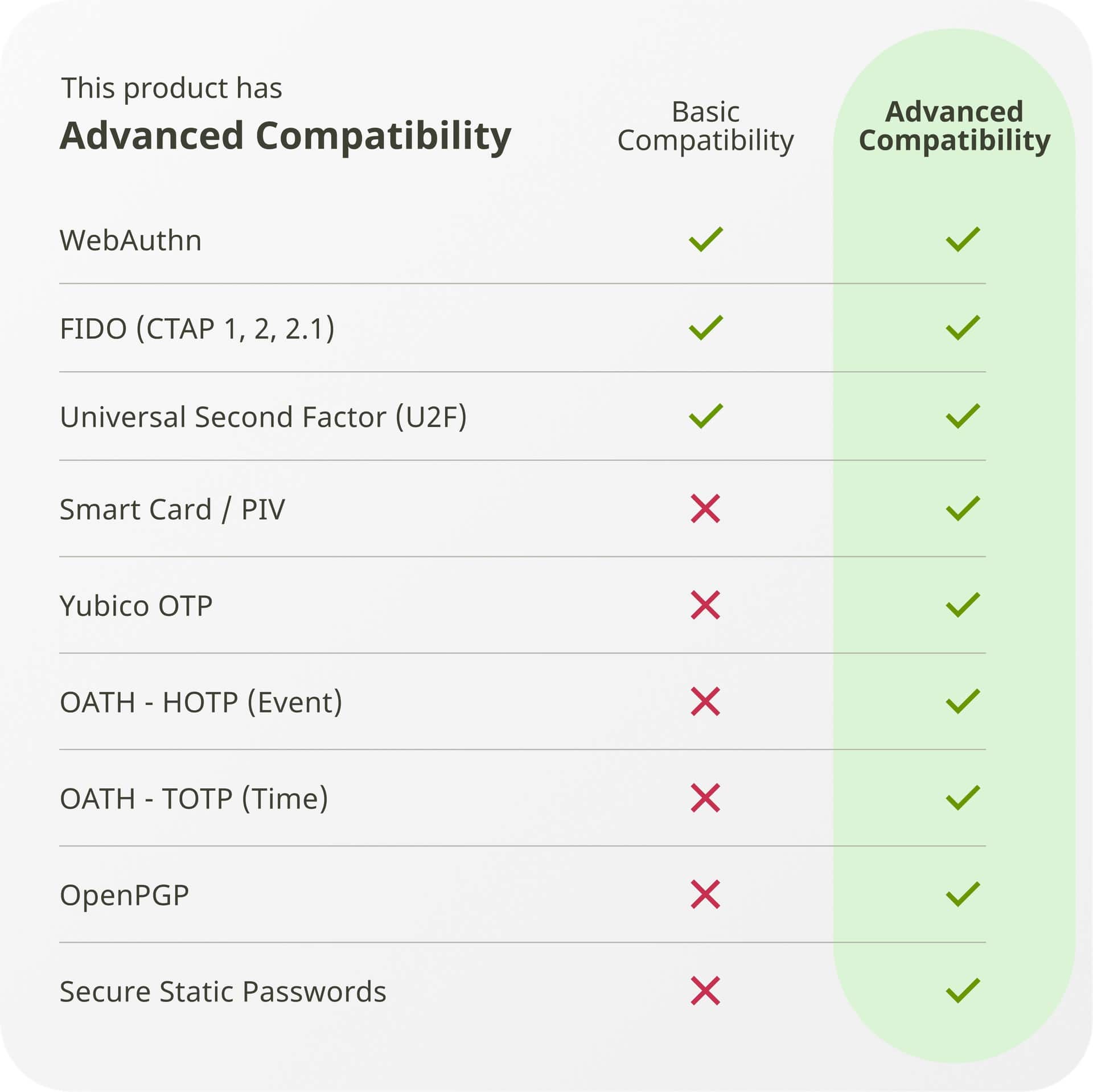
|Posted .This reviewer received promo considerations or sweepstakes entry for writing a review.Introduction: The Yubico YubiKey 5 NFC is a tiny, USB device that helps keep your accounts safe from hacking by adding additional hardware, Multifactor authentication (MFA) to your login process, making MFA as simple as possible. It is small and easy to use, and is much more secure than an authenticator app. The YubiKey 5 NFC can store passwords, passkeys, passphrases, and PINs across multiple devices and services. With the YubiKey, you will no longer need authentication apps to get into your devices and applications, nor do you need to wait for text codes, emails, or use password managers which usually also require MFA. Nope, just plug it in and when you need access, just touch the small touchpad. First Impression: My first impression is that it is a well-made product. The interior is made of what appears to be aluminum, and the plastic protective case is solid. I was concerned about the exposed connector, but I carry this everywhere and it hasn’t been a problem. The packaging is simple and makes accessing the key easy. Technical Specifications: • Productivity & Communication: Google Account, Microsoft account, Salesforce.com • Password Managers: Keeper®, LastPass, 1Password, Bitwarden Premium • Cloud Storage: Dropbox • Social: Facebook, Twitter • Identity & Access Management: AWS IAM, Duo Security, Forgerock, Idaptive, Microsoft Active Directory, Microsoft Azure AD, Okta, OneLogin • Passkeys (FIDO2) slots: 100 • OATH slots: 64 • PIV certificates: 24 • OTP seeds: 2 • Firmware: 5.7 Standards: • Features: Full-featured, multi-protocol • Security Functions: WebAuthn, FIDO2 CTAP1, FIDO2 CTAP2, Universal 2nd Factor (U2F), Smart card (PIV-compatible), Yubico OTP, OATH – HOTP (Event), OATH – TOTP (Time), OpenPGP, Secure Static Passwords • Certifications: FIDO Universal 2nd Factor (U2F), FIDO2, IP68 • Cryptographic Specifications: RSA 2048, RSA 3072, RSA 4096 (PGP), ECC P256, ECC P384, ED25519, X25519 Setup: Initial setup is started by downloading and using the YubiKey Manager. The first thing you want to do is create a PIN for the key. This is done in the YubiKey Manager. After the pin is set, you can download the Yubico Authentication App and start adding your credentials to the YubiKey. Further configuration is documented on the Yubico Website. Performance: The YubiKey is easy to use. For authentication, when the app or website requests authentication, you simply touch the YubiKey to authenticate. It is so much easier than using an authenticator app or SMS text. You can also use the YubiKey to authenticate to your computer, generate OTP codes, act as a PVI compatible smart card, to store PGP keys, and many other functions. It is a smart idea to have at least 1 extra key as a backup in case you lose your primary YubiKey. The number of YubiKey 5 NFC spares is controlled by the services. Some only allow 1 key, most offer at least 2, and others up to 4. For the price, I recommend at least 1 backup key. One important thing to know is that YubiKey firmware is not upgradable. This is by design and protects you against attack. But it also means that anyone interested in hacking your YubiKey to add custom capabilities will not be able to do so. The bad news is to update the firmware to gain new features, you must buy a new YubiKey. It's not ideal, but a necessary precaution to make sure your YubiKey is not compromised. The good news is that your YubiKey is safe from being compromised. Conclusion: Today, it’s unfortunate that we must use MFA to protect ourselves against all forms of malicious attacks and compromises. The most common form of MFA is using 1 or more authentication apps. But that can be a pain, and if your phone gets lost or stolen, you can’t easily log into anything you might need to. But with a hardware key, if you have at least 1 backup key, you’re good. I am very happy with how easy the YubiKey is to use. Configuration isn’t as easy, but it’s not difficult either. The documentation and instructions walk you through setting up each feature step-by-step. Adding a 2nd key as a backup makes sure you will still be able to authenticate if something happens with the 1st key. And the price is very reasonable considering how powerful it is. If you want to strengthen your MFA to protect your computer and accounts, I highly recommend the YubiKey 5 NFC.
I would recommend this to a friend - Pros mentioned:Connectivity, Ease of use
NFC is the best feature
|Posted .This reviewer received promo considerations or sweepstakes entry for writing a review.The YubiKey 5 NFC has been a game-changer for my online security, especially as a first-time user. After recently learning how to use it, I can confidently say that it significantly enhances the safety of my accounts. ### Setup and Usability Setting up the YubiKey 5 NFC was straightforward. I followed a few online guides, which made the process easy to understand. The key supports both USB-C and NFC, allowing me to use it with my laptop and tap it on my smartphone for authentication. This versatility is particularly beneficial since I often switch between devices. The NFC feature is a standout; simply tapping the key on my phone to log in feels seamless and secure. ### Performance In terms of performance, the YubiKey 5 NFC works flawlessly across various platforms. I’ve used it with services like Google, Facebook, and Twitter without any issues. The authentication process is quick, and I appreciate the added layer of security it provides against phishing attacks. I no longer have to rely solely on passwords, which are often vulnerable. ### Considerations However, I did encounter some initial confusion regarding compatibility with certain applications. While it worked well with most services, there were a few instances where I had to troubleshoot. For example, I had some difficulty with the YubiCo Authenticator app for generating time-based one-time passwords (TOTP). Switching to other TOTP apps like Authy resolved this issue, but it’s worth noting for new users. ### Conclusion Overall, I highly recommend the YubiKey 5 NFC for anyone looking to enhance their online security. Its ease of use, combined with robust functionality, makes it an excellent investment for protecting sensitive information. As a first-time user, I found it to be an invaluable tool in my digital security arsenal.
I would recommend this to a friend - Pros mentioned:Ease of use, Security
Amazing for work, great for personal use as well
|Posted .This reviewer received promo considerations or sweepstakes entry for writing a review.The Yubikey 5 NFC is a great FIDO2 USB key that has some extra value for personal users who are keen to improve their security posture on personal accounts. This key functions as an NFC tag to unlock the Yubikey app on your phone, giving you an additional layer of physical security along with the standard benefits of MFA. Rather than approach this from an IT perspective (until recently I was pretty heavily embedded in IAM for the enterprise), I'm going to approach it as a tech savvy personal user looking to up his game for security on personal accounts. For those familiar with setting up TOTP authentication for MFA, the Yubikey is going to be a piece of cake. I added the Yubikey app to my phone and tapped the Yubikey 5 to the back of my device and I was able to get my first TOTP account configured within probably 60 seconds. Using the Yubikey Manager app on my computer, I was able to configure the short and long taps to spit out 6 digit codes for some of my TOTP MFA accounts. It was also easy to add the Yubikey as a physical security key to my Facebook and Github accounts. I'm going to do some additional testing before I commit to using it with more important things but for now, I'm very happy with how easy it is to use. If you're able to use the Yubikey for work, it has even more value. But even just for geeks who want to add a layer of physical security to their MFA protection, the Yubikey 5 NFC is a pretty sweet little device.
I would recommend this to a friend - Pros mentioned:Connectivity, Ease of use
Great for account security
|Posted .This reviewer received promo considerations or sweepstakes entry for writing a review.The Yubi key is user-friendly, straight out of the box follow the website instructions, and download the manager. Then proceed to the accounts you want the Yubi key to manage and follow their instructions. Some account holders will require you to have two (2) Yubi Keys to use the one. Others are okay with just one Yubi key being utilized. Now each type of account whether it be Microsoft, I-Cloud, or any other service, their specifics on how to use the Yubi Key vary from one to the other. However, at least for Google and Microsoft, it was easy to understand their instructions, and easy to use. The Yubi key is small and fits on a keychain very nicely. It appears to be made well and fits into the USB ports like a glove. The NFC portion of the Yubi key also makes this a wonderful feature and makes it that much easier to use. If you want your accounts to be secured, and you want something easy to take with you, then the Yubi Key is the way to go. I would recommend this to a friend. I know several businesses that have purchased these keys and they love them as well.
I would recommend this to a friend - Pros mentioned:Ease of use, Security
Slightly Cumbersome Setup - Good Security Option
|Posted .This reviewer received promo considerations or sweepstakes entry for writing a review.Setting this security key up on my Apple devices helps me feel much more secure in my online dealings. I did need to configure two at the time of setup as Apple requires you to do so in order to help you not get locked out of your data should one of them go missing for some reason. Setup on my iPhone was a bit cumbersome and not as straightforward as I would have preferred. I ran into challenges with it identifying the key at first. I was doing the setup via NFC but at first it wasn't being recognized. I then put the key identifier into the manual entry space and I was able to keep moving forward. The QR code was simply too small for the phone to pick up well and it forced me to have to put the numbers. Once I successfully added them to my phone, I removed them so that I could try it out on my MacBook. This was much simpler, and the keys were both recognized right away. I have both a USB-A and a USB-C key but keep in mind, there is no NFC on either a MacBook or an iPad so you will need to be sure you can connect them accordingly. Overall, I am looking forward to using these in my day to day online activity and hoping to reduce the risk of having my accounts hacked or my identity compromised. I think we're headed in the right direction with the use of devices like this. They are not too large that you can't carry them around easily. Putting it on a key ring should do it and as long as you don't misplace them, you should be able to keep all of your personal data secure.
I would recommend this to a friend - Pros mentioned:Ease of use, Overall performance
Not for beginners. Importing keys tough
|Posted .This reviewer received promo considerations or sweepstakes entry for writing a review.As someone who uses an Yubikey at work, I have seen its usefulness and sought to incorporate its feature set into my personal life to secure my computer login, Microsoft, GitHub accounts, and allow for the secure signing of git commits. The Yubico YubiKey 5 NFC seemed like a promising candidate to meet these needs. **Setup Experience:** The initial setup process was somewhat mixed. The written instructions available on Yubico's website were sufficient, but not without their hurdles. Some assumptions in the setup guide required a bit of trial and error, leading to a necessary factory reset due to confusion over the separation of PINs for different functions of the YubiKey. Despite this, it was a minor setback, and I was able to proceed without much difficulty thereafter. **Performance and Utility:** Once configured, the YubiKey 5 NFC excelled in functionality. It simplified the login processes on my desktop significantly, particularly with web logins to sites like GitHub and accessing my password manager—making these actions quicker than other security methods I’ve used. To improve, I suggest enhancing the process of importing existing GPG keys so users with an existing security posture don't have to jump through so many hurdles. **Mobile Interaction:** For mobile use, the YubiKey felt somewhat cumbersome and I've yet to find an app or use case where I can actually apply it, given the # of apps and sites that have already integrated biometric security which is much more convenient than having to get out a physical key to log in. **Durability and Build:** So far, the device has shown no physical wear and appears durable. It has stood up well to regular use without any issues of degradation. **Final Thoughts:** The YubiKey 5 NFC is highly recommended for advanced computer users who utilize GPG security or are transitioning towards a passwordless digital environment. Its robust security features, once set up, offer a significant improvement to both security and efficiency for desktop users. While mobile integration could be enhanced, the overall performance remains impressive.
No, I would not recommend this to a friend - Pros mentioned:Overall performance
Very Secure, but requires planning ahead
|Posted .This reviewer received promo considerations or sweepstakes entry for writing a review.Depending on which one is purchased, a YubiKey is a USB-A, USB-C, Lightning, or NFC security key that makes two-factor authentication (2FA) or Multi-Factor Authentication (MFA) as easy as possible. Let's walk through an example. With a Google account if you enable 2FA, to log in, you would need to enter your username and password and then Google would text you a code to your phone and then you would enter that code to get access to your Google account. With a YubiKey, you would enter your username, a designated PIN code of your choosing, and with your YubiKey connected to your computer, you touch the sensor and then you're logged in. With the combination PIN and YubiKey, you are still in compliance with 2FA's authentication across multiple types. The PIN satisfies "something you know" and the YubiKey satisfies "something you have". The sensor that is on the YubiKey 5 is not a fingerprint reader. Therefore, you won't satisfy the "something you are" security type. Instead it just registers that there is someone physically present to activate the sensor. The Yubikey itself is about 18mm wide, 45mm long and shy of 3.5mm thick. It has a hole for a keyring on the opposite end from the USB connector. It doesn't need to be as thick as a normal USB key as it only contains the tongue of the USB-A port. While the thickness may give some people pause, it really is a durable device. I put some pressure to see if I could bend the key and it did not waver under what I estimated to be beyond a typical day of pressure. With that being said, something to consider is having multiple YubiKeys. While it may be durable, it's not indestructible. If you have it on a keychain, it'll be knocking around with keys. I drop my keys multiple times a year. The YubiKey can also be lost. Therefore, I recommend having 3. One I keep on my keychain, one to keep at home (maybe plugged into my home desktop) and one to keep in a safe location (maybe offsite from the other two). Please note, that any updates (adding passkey based services) will need to be made across however many YubiKeys you own. If you lose one, you can still get into your accounts with either of the other two while you delete the lost key's passkeys from your secured accounts. To plan ahead where possible, when you create the passkeys in your secured accounts, make sure to name the different YubiKey Passkeys appropriately, so you can identify the Passkey with the proper YubiKey in case you need to later delete the Passkey. Know that the YubiKey 5 can only hold about 25 Passkeys in its FIDO2 vault. While that may be plenty for most people, it is a limitation that would prevent someone from generating passkeys for all accounts. Instead, I would use it for a few frequently used services (e.g. Google, Amazon) and then use it to secure your password manager (LastPass, BitWarden, 1Password, etc.). By having a minimal set of passkeys, it does help to minimize the need to bring all owned YubiKeys to one place for passkey updates. I was disappointed to learn that several financial institutions either don't support YubiKey or only allow one passkey. The latter runs counter to having backup YubiKeys. Before purchasing a YubiKey, it might be helpful to understand what services work with YubiKey. (https://www.yubico.com/works-with-yubikey/catalog/) Without doubt a YubiKey is a superior security device enabling users to utilize 2FA with the highest security commonly available. However, I don't know if a normal consumer would bother with purchasing extra YubiKeys for backup, manually synchronizing them as well as planning ahead by naming Passkeys to match the backup YubiKey. It's a solid product and I would recommend it to my IT co-workers that are security minded. But I would likely promote a password manager with a 2FA compliant Time-based One Time Password (like a text code) for a normal consumer.
I would recommend this to a friend - Pros mentioned:Ease of use
Great addition to MFA
|Posted .This reviewer received promo considerations or sweepstakes entry for writing a review.As an IT guy that works at a lot of varied locations and who is frequently on other people’s servers and devices, I often find it handy to logon to my email, cloud storage, or admin account while at their workstation but the trick is to mitigate leaving a security fingerprint behind. Multi Factor Authentication, often tied to a phone by SMS or an authenticator app, has been a huge boon to protecting my account but there are times where I work so remotely and/or so deep in a building or underground (one of the sites I support is a warehouse/storage in a literal cave) that phone signal is unreliable – and some security scenarios and locations where phones aren’t even allowed – so I wanted a hardware key option that I could have on me that would be useful esp. when my phone isn’t an option. The YubiKey NFC 5 has been a great addition to my security portfolio that enables me to take my passkey with me. It’s simple to add and use the YubiKey NFC 5 with most major accounts – Google, Microsoft, etc. Once added to your account it’s as simple as logging in, inserting the YubiKey (or use NFC), selecting to use your passkey, and touching the sensor pad. Because it supports NFC it’s usable even in situations where you aren’t allowed to directly attach/insert USB devices. I can’t say this is my only or even my primary MFA device, but it’s been a great addition to accessing my accounts and keeping them secure.
I would recommend this to a friend - Pros mentioned:Connectivity
Works With Just About Anything, Better to Have Two
|Posted .This reviewer received promo considerations or sweepstakes entry for writing a review.This key is a jack of all trades, it has a lot of security features and works using one of those security features with a large amount of services and platforms. I am mostly using it via two types of devices, Windows computers and a smart phone. I have used it with the smart phone via the NFC feature and also by using a USB-C to USB-A adapter cable. I have used it on computers via just the USB-A plug in feature. It works very well with my Password Manager Software. I like that you can find out what firmware is on your particular keys with a program from Yubico, and that the firmware is NOT changeable, one less way to compromise a system. Also know that its a good idea to have multiple security keys in case you lose one or two. I have this one, which I keep with me, a USB-C Yubikey 5C which I keep at home in a safe, and another Yubikey 5C which I keep in another location. I like that this has the FIDO2 feature which allows you to go Password less with some platforms and services. I love the idea of using a security key to increase the ease of keeping accounts secure. I just wish more services and platforms would let you go Password-less or at least turn OFF SMS/Text 2FA.
I would recommend this to a friend - Pros mentioned:Ease of use
Corporate Level Security: Foy you!
|Posted .This reviewer received promo considerations or sweepstakes entry for writing a review.Yubikeys are a great way to securing your most valuable accounts and I'm really happy their making this security level that is quite common in corporate world more available for our personal accounts. I found it really easy to set this up to secure my google account: its a great extra level of protection so that you must have physical access to your account, just like physical access to your car keys or house keys. I like this one in particular because you can use it "like a key": it fits on a keychain next to your house key that you can keep in your pocket and plugin when ever you need to authorize a new login to Google. If you do this often on your phone the you will need a USB-A to USB-C converter (or pre usb-c Apple). I prefer USB-A because I still use a laptop for most of my online activity and I didn't want to sacrifice a coveted thunderbolt slot just for my key. I do recommend you download the yubico YubiKey Manager as it helped in setting up Two Factor Authentication on my accounts.
I would recommend this to a friend Security for the security-minded
|Posted .This reviewer received promo considerations or sweepstakes entry for writing a review.I've never used a hardware security key before, and have always been slightly intimidated by them, even as person who's pretty technically inclined. Yubico does what they can to help clear any confusion around how a security key fits into your account security, but unfortunately, there are a lot of standards out there, and each website and system decides which system to implement (if any). Yubico has a page on their website that lists all the providers they know of that support one of the hardware key security standards and will work with a Yubikey. The Yubikey 5 itself, is fairly straightforward. It's a physical hardware device, with some onboard memory for storing keys. This model has a USB-A interface, but may look odd to some because it doesn't have the outer metal box that most USB plugs have. But it fits and works just fine in any USB-A port. It also supports NFC which almost every modern phone has (and some computers). The NFC is actually in a disabled state out of the box until you plug it into a USB port. Yubico explains this is a security measure to prevent the key from being tampered with during shipping. The gold Y in the middle is a touch area (not fingerprint). This helps validate presence, but also since this key will present itself as a keyboard (in addition to being a security key) it spits out a unique random key on the keyboard input. This hardware key works with basically every hardware key standard currently out there. How its implemented is really dependent on the service provider. It could be used as a passwordless verification (e.g. the key is your password), or it could be used as a 2nd factor in addition to a password. Since most services, once a key is setup, require it for all future logins, Yubico recommends getting a 2nd backup key, and setting that up at the same time. That way if you lose one, you'll still have the backup (like a spare car key). That sounds like a good idea, and if you're going the security key route, I would suggest the same. Unfortunately some websites implementation of security keys is lacking, but at least if you have this, your accounts will still be more secure than without it. I just wish all the different protocols and how to set them up was a bit clearer.
I would recommend this to a friend- Pros mentioned:Ease of use
Not What I Expected
|Posted .This reviewer received promo considerations or sweepstakes entry for writing a review.The YubiKey 5 NFC was easy to setup the pin and get device ready for use. The reason why I gave 3 out of 5 stars is because the YubiKey website was not helpful; after pin setup and my Windows recognizing the device, I had no idea how use the device to log into Windows. After about 30 minutes trying to figure it out, I gave up. Later, I had to search for videos on YouTube and various sites to finally figure it out. I had to download additional software from the YubiKey website to log into Windows. So I think that the YubiKey website needs to be more informative and user friendly to the users because the video at the home screen did not help. Another drawback is the instructions ask that users have a backup key as well, so this caused some second guessing if I wanted to use it without a backup YubiKey. In the end, after being able to use the YubiKey to login, everything was OK. I will still recommend this to friends and family as it seems very secure because the YubiKey must be plugged into the system for login as extra security. If I had not lost an hour or more on setup, I think I would have given 5 stars.
I would recommend this to a friend Great way to physically secure passwords
|Posted .This reviewer received promo considerations or sweepstakes entry for writing a review.I was surprised to find out that this product has existed in multiple previous forms and this was the first time I had heard of it. Now that these have become a bit more mainstream some services like Gmail are letting you set them up directly. Requiring the need to be plugged into the device AND have a physical touch to log in adds that extra layer of security many are looking for. This was fairly straightforward for me to set up but you’re unlikely to set one of these up and give it to your grandma. It’s a bit too techy for that. I almost wish these came in a two pack as Yubico themselves recommend you have a backup or second key. I did also encounter a few instances where I couldn’t set it up at all and had to work around it. The NFC portion was a little finicky for me when using it on a mobile device. Overall this is well made and I recommend one for anyone attempting to add more layers of security to their life. The form factor is great and the key itself lends very well to every day carry.
I would recommend this to a friend