Top Rated Desktop Mic Stand
Find the best desktop mic stand for your setup by comparing microphone compatibility, positioning options, and the desk space each stand needs. Whether you’re recording, streaming, or joining video calls, look for a desktop microphone stand that keeps your mic within easy reach without crowding your workspace.
What to look for in a desktop mic stand
Finding the best desktop mic stand for your setup means considering microphone compatibility, stability, positioning and available desk space.
1. Microphone Compatibility
2. Stability
3. Height And Positioning
4. Desk Space And Cable Management
-
1

HMT-2 Tabletop Tripod Microphone Stand for Movo WMX-HM and Rode Interview Go Handheld Wireless Mic Adapters
About this product
A durable ABS tabletop tripod stand with adjustable ball head, ideal for wireless mic adapters and creators.
(0)$14.95 Your price for this item is $14.95 -
2

RØDE - PSA1+ Professional Studio Arm with Spring Damping and Cable Management - White
About this product
A professional white studio arm with spring damping, cable management, and vibration isolation for smooth microphone positioning.
(0)$139.00 Your price for this item is $139.00 -
3
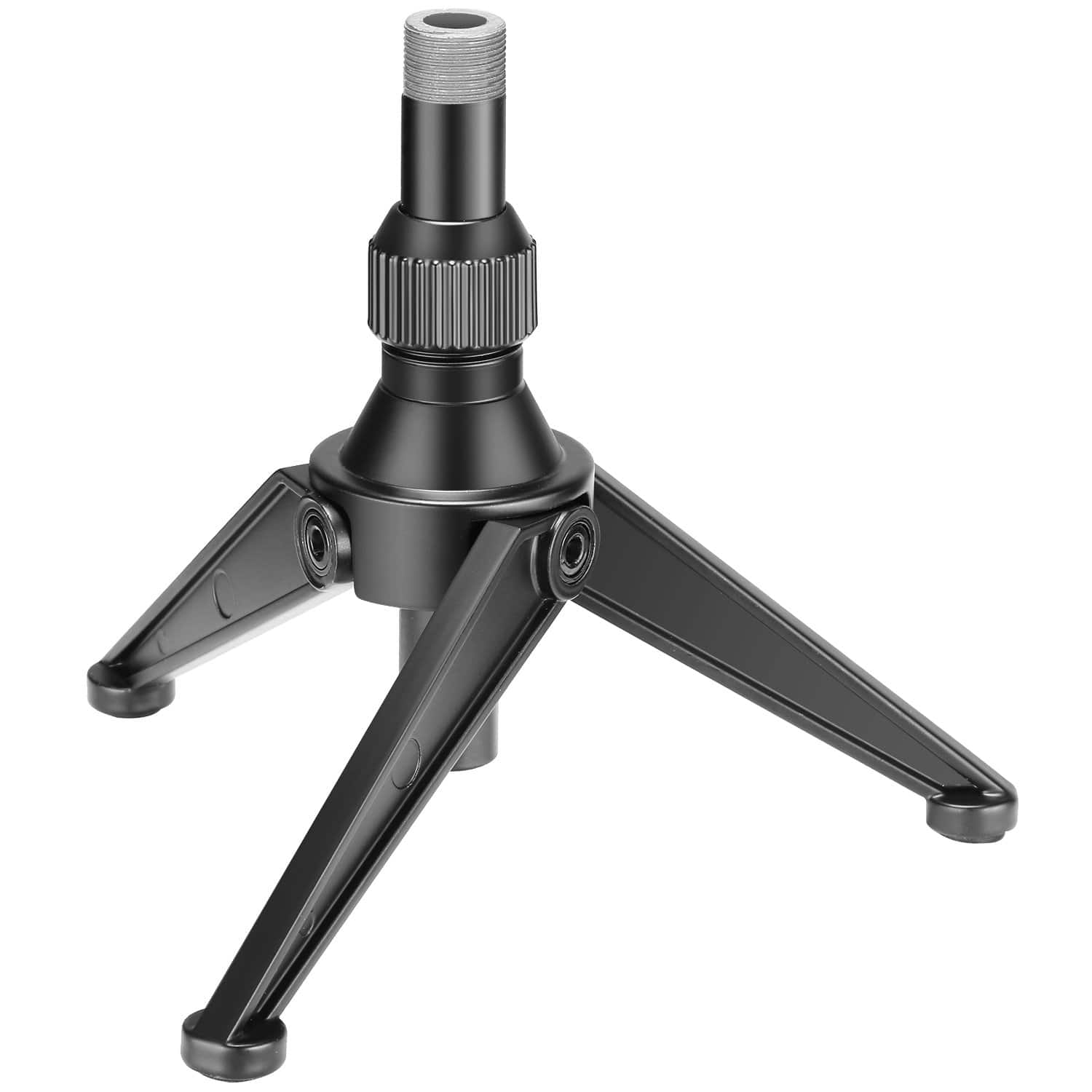
Neewer - Foldable Mini Desktop Mic Stand, 4.9-7.5" - Black
About this product
A foldable black iron and PVC desktop mic stand with adjustable height for versatile recording needs.
(0)$30.49 Your price for this item is $30.49 -
4
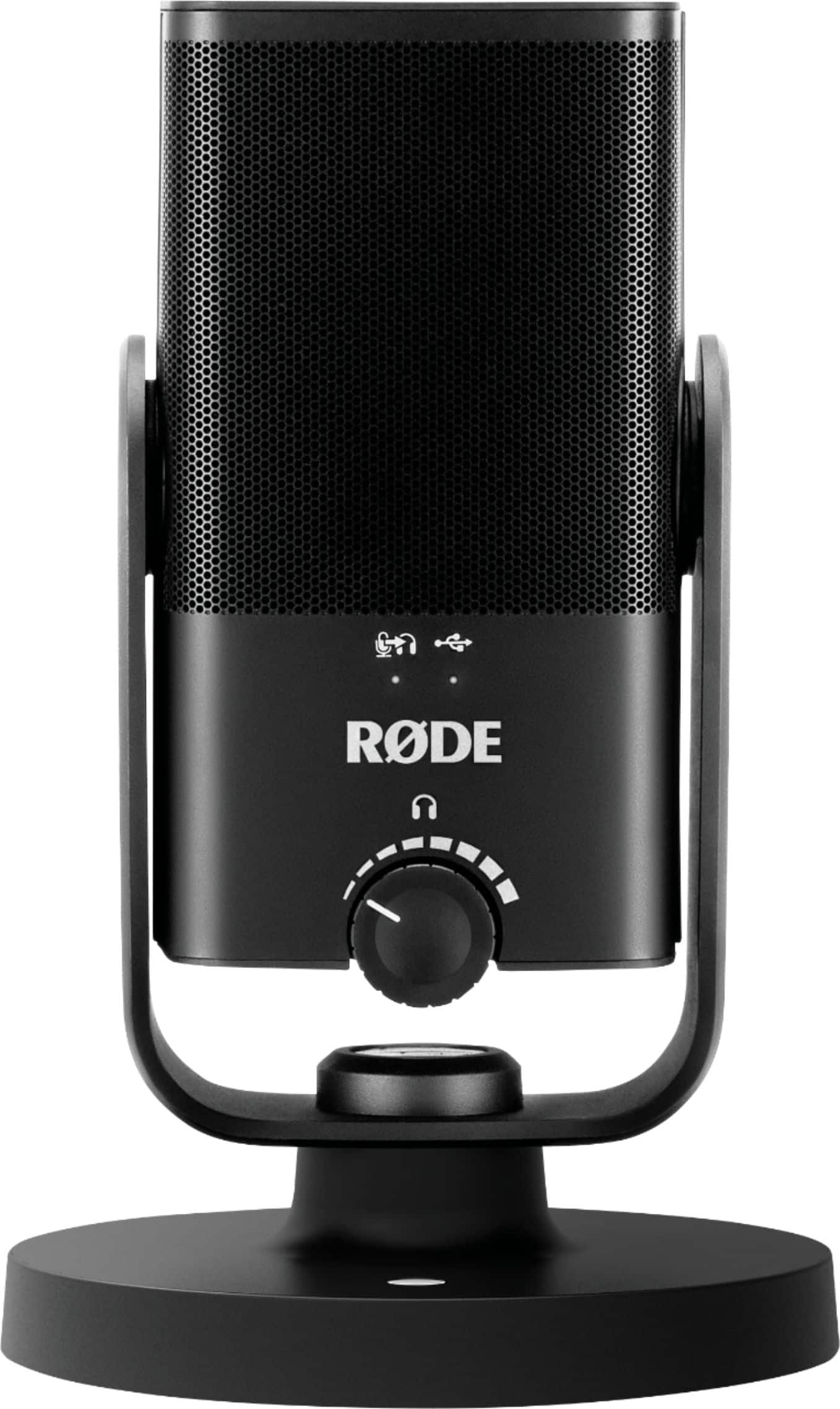
RØDE - NT-USB MINI Studio-Quality USB Microphone - Black
About this product
A compact black USB microphone delivering studio-quality sound with built-in pop filter and zero-latency monitoring.
What customers like
(69)$109.99 Your price for this item is $109.99 -
5

Neewer - UA061 22" Magic Arm Desk Mount w/1/4"&3/8" Threads
About this product
An adjustable aluminum alloy desk mount with clamp, featuring 1/4" and 3/8" threads for versatile attachments.
(1)$36.99Your price for this item is $36.99SAVE $5.00 -
6

Neewer - 22" Magic Arm with C-Clamp - Adjustable Overhead Mount for Camera, Light, Mic & Phone on Desk - Black
About this product
An adjustable black overhead mount with articulating arm and C-clamp for cameras, lights, mics, and phones.
(0)$33.99Your price for this item is $33.99SAVE $10.00
Top Rated Desktop Mic Stand
FAQs
A tabletop mic stand rests on the desk and holds the microphone above its base. A desk-mounted boom arm attaches to the desk and uses movable joints to position the microphone. Both are common desktop mic stand styles for recording, streaming, and calls.
Review the mounting requirements for both the microphone and the stand. Some microphones attach directly, while others require a microphone clip, shock mount, or mounting adapter. Check the manufacturers’ compatibility information for the accessories you plan to use.
Desktop mic stands may include cable clips, routing channels, or sleeves that hold the microphone cable along the stand or arm. Compare how each design routes the cable between the microphone and your recording equipment.
Common accessories include microphone clips, shock mounts, pop filters, and cable clips. Some microphones come with mounting accessories, while others require separate attachments. Confirm that each accessory supports your microphone and stand connection.
A USB microphone typically connects to a computer or compatible recording device, while an XLR microphone typically connects to an audio interface or mixer. A standard desktop mic stand holds the microphone; it does not replace the microphone’s audio connection.


