Powerline Adapter With Wi Fi
-
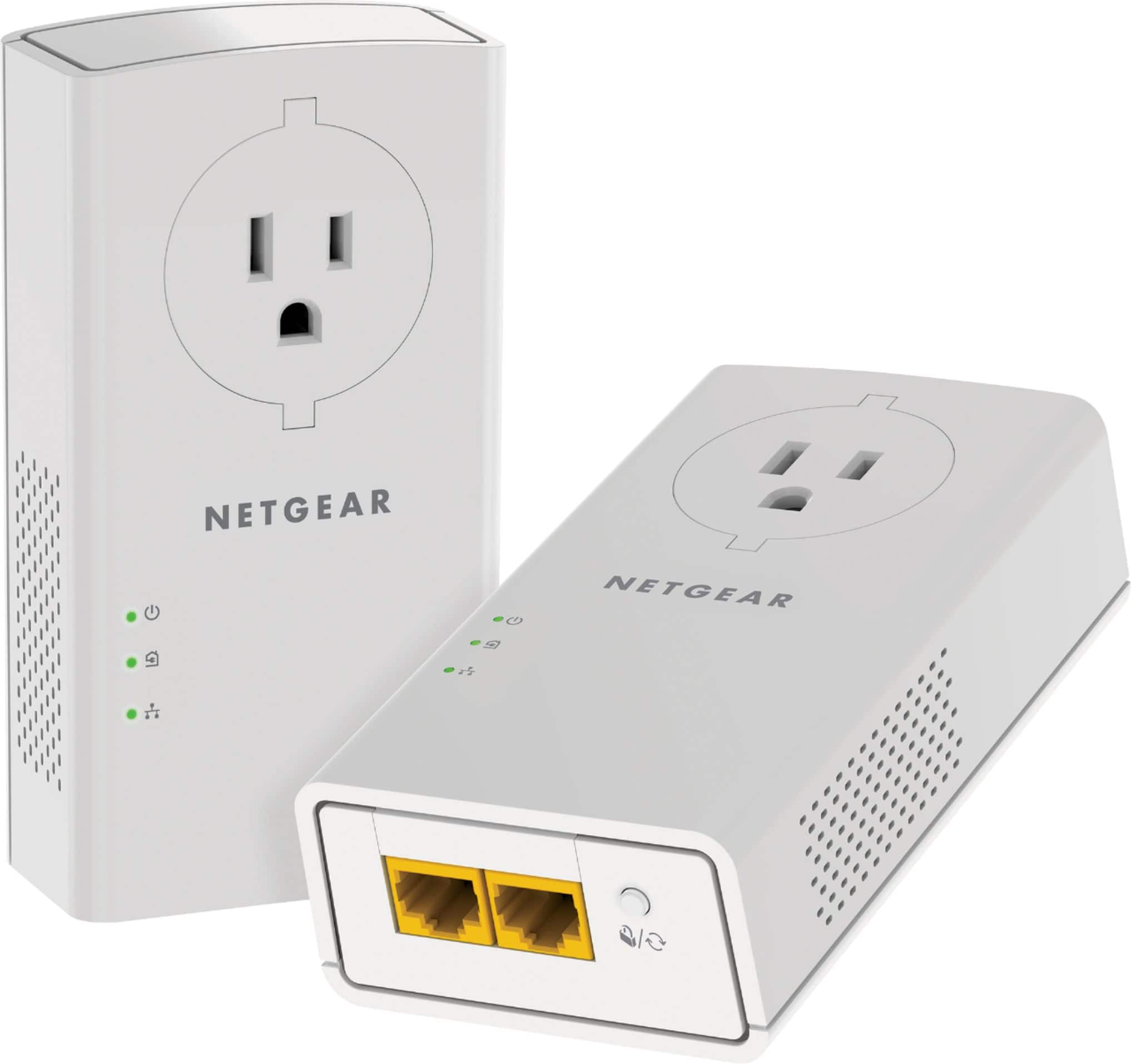
NETGEAR - Powerline 2000 + Extra Outlet - White
SKU: J2VY7YKYYVAllowed me to hard wire my Internet connection to the DirectV Genie resolving issues with an unreliable WI-FI Connection...Son says it's significantly faster than wi-fi....Solved my issue with AT&T WI...
See all Wi-Fi ExtendersProduct Description
A white plug-in adapter that delivers gigabit wired internet speeds through your home's electrical outlets.Your price for this item is $119.99 -
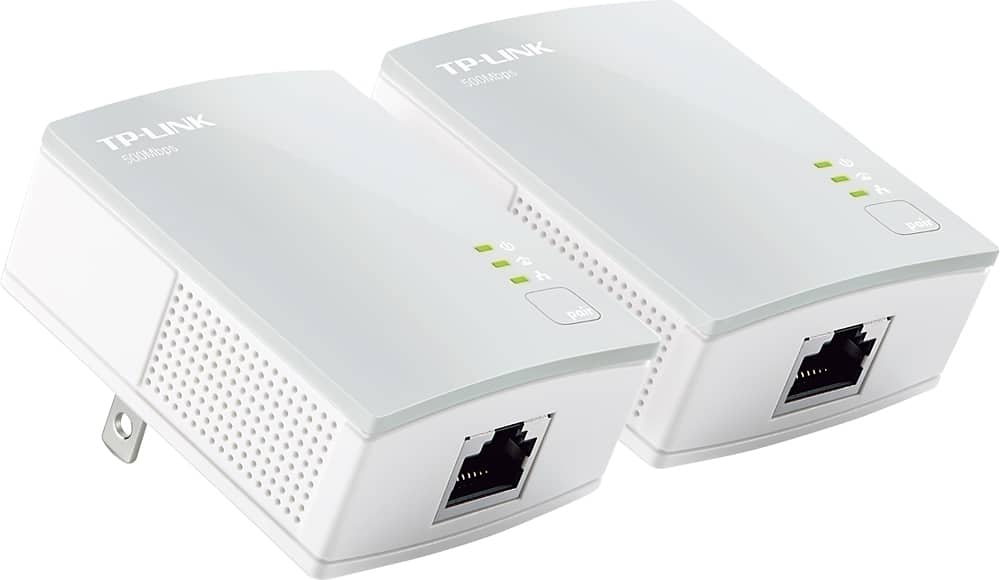
TP-Link - Powerline AV600 Nano Adapter Starter Kit - White
SKU: J36QCQVJ8XSee all Ethernet CablesProduct Description
A white nano adapter kit that transforms powerlines into a secure, high-speed network up to 600 Mbps.Your price for this item is $67.99
Best Sellers

Related Pages






FAQ
A powerline adapter with Wi-Fi uses your home's electrical wiring to extend your network connection and provides wireless connectivity in areas where your router’s signal may not reach. It combines the benefits of wired and wireless networking for better coverage and stability.
To set up a powerline adapter with Wi-Fi, plug one adapter into a power outlet near your router and connect it with an Ethernet cable. Plug the second adapter into an outlet in the area you want to extend coverage to, and follow the manufacturer's instructions to pair the devices and configure the Wi-Fi settings.
Yes, most powerline adapter kits support adding multiple adapters to your network, allowing you to extend wired and wireless coverage to several rooms. Check the product specifications for the maximum number of supported adapters.
Powerline adapters with Wi-Fi are compatible with most standard routers. As long as your router has an available Ethernet port, you can connect a powerline adapter to extend your network.
Powerline adapters with Wi-Fi are designed to minimize interference with other wireless devices. However, for optimal performance, it’s best to avoid placing them near devices that generate electrical noise, such as microwaves or cordless phones.