Surface Pro Wireless Keyboard And Mouse
-
Microsoft - Surface Pro Keyboard for Pro 13" (11th Edition), Pro 9, and Pro 8 - Black
SKU: JJGXPX3XJLBest portable keyboard is the surface keyboard, good quality product. I love it...Love love love!!!
See all Tablet Cases, Covers & Keyboard FoliosProduct Description
A sleek black Alcantara keyboard with a large trackpad, designed for comfortable typing and precise navigation.Your price for this item is $129.99Save $40The previous price was $169.99 -
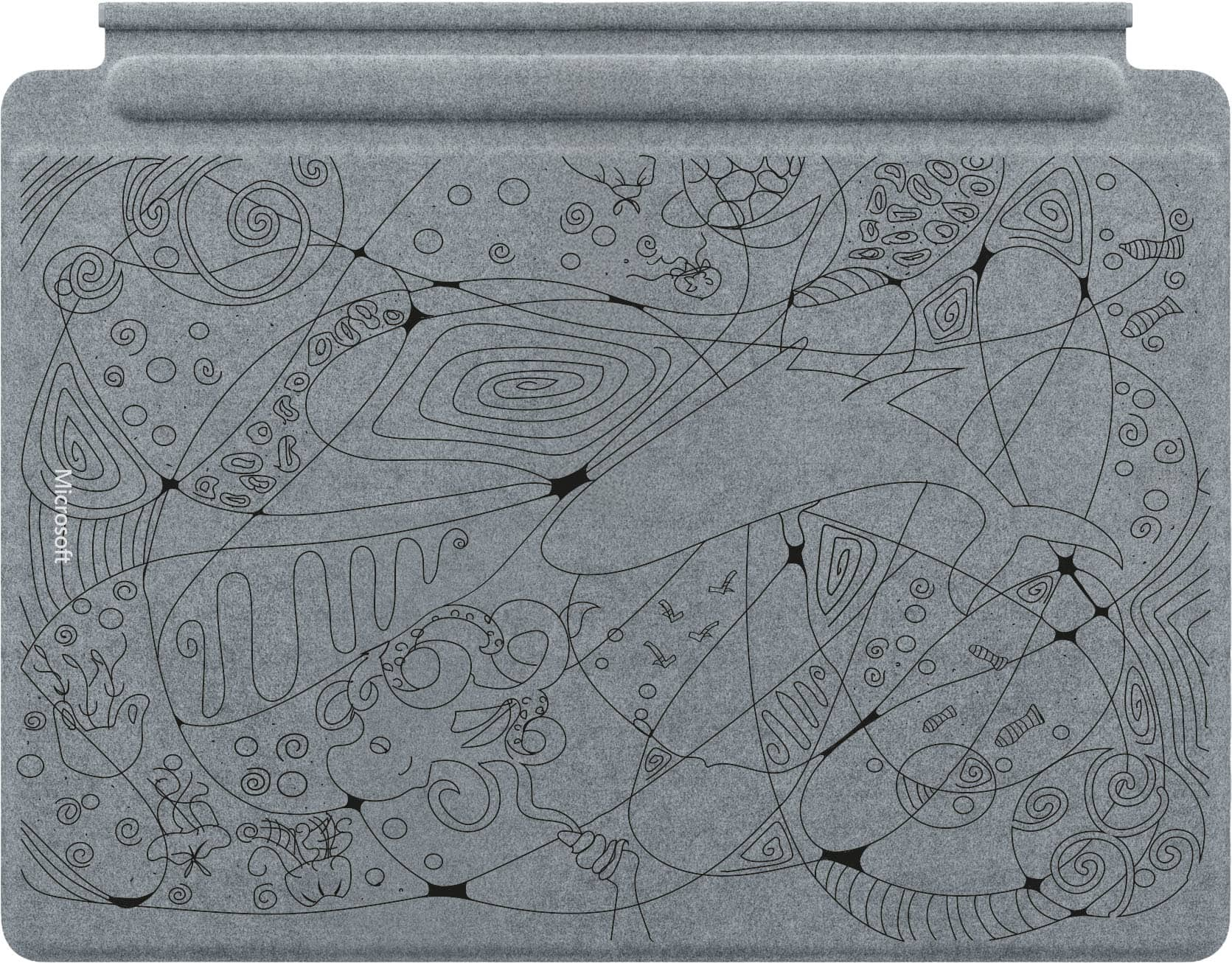
Microsoft - Limited Edition Teen Designed Pro 13” Keyboard for Pro 13” (11th Ed.), Pro 9, and Pro 8 and Surface Slim Pen (2nd Ed.) - Platinum
SKU: JJGXPXZZ83Cool Design, Great Cause...Works great and looks amazing! I love that my purchase went to support a cause.
See all Tablet Cases, Covers & Keyboard FoliosProduct Description
A limited-edition platinum keyboard and pen set featuring Alcantara material and a custom teen-designed motif.Your price for this item is $279.99 -
Adesso - WKB-1320CB 2.4 GHz Frequency 30 ft. Wireless Range Antimicrobial Wireless Desktop Keyboard and Mouse - Black
SKU: J32P877H98See all Wireless & Bluetooth KeyboardsProduct Description
A black antimicrobial wireless keyboard and mouse set featuring 2.4 GHz RF connectivity and multimedia hotkeys.Your price for this item is $29.24


Best Sellers



Related Pages


FAQ
Yes, most Surface Pro wireless keyboards and mice use Bluetooth or USB receivers, making them compatible with a wide range of devices, including Windows PCs, tablets, and some smartphones. Always check the product specifications for detailed compatibility information.
To connect, turn on your wireless keyboard and mouse, enable Bluetooth on your Surface Pro, and select the devices from the Bluetooth settings menu. Some models may require you to use a USB receiver, which can be plugged into your Surface Pro's USB port.
Surface Pro wireless keyboards and mice are available in both battery-operated and rechargeable models. Details about the power source are listed in the product specifications, so you can choose the option that best fits your needs.
Yes, you can connect multiple wireless devices, such as a keyboard, mouse, and headphones, to your Surface Pro simultaneously, as long as they are compatible and your device has available Bluetooth or USB connections.
Many Surface Pro wireless keyboards and mice include customizable shortcut keys or programmable buttons. You can often personalize these features through software provided by the manufacturer to enhance productivity and streamline your workflow.