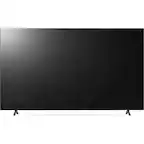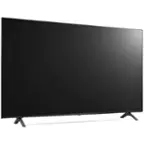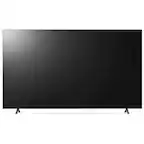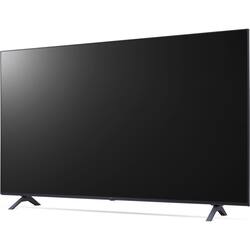
LG - 55-In. UHD Commercial Lite LED Backlit LCD TV - Ashed Blue
- General
- Brand: LG
- Model Number: 55UR640S9UD
- Product Name: 55-In. UHD Commercial Lite LED Backlit LCD TV
- Color: Ashed Blue
- Dimensions
- Product Width: 48.6 inches (The out of box width of the item. Width is measured as the horizontal distance from one side of the item to the other as it would be primarily used or placed.)
- Display
- Display Type: LED
- Resolution: Full HD (1080p) (Refers to the number of pixels, both horizontally and vertically, used to capture video/images. The higher the resolution the finer the detail that can be seen.)
- Screen Size: 55 inches (Size of the screen, measured diagonally from corner to corner.)
- Screen Size Class: 55 inches (The group size measurement of a screen. This differs from a screen size measured diagonally from corner to corner.)
- Brightness: 300 nits (A measure of the total light output.)
- Features
- Indoor Or Outdoor Use: Indoor (Indicates the appropriate environment product was designed to be used in.)
- Other
- UPC: 195174023655
The UR640S Series supports Crestron Connected for high compatibility with professional AV controls to achieve seamless integration and automated control, boosting business management efficiency. The UR640S Series is compatible with Cisco for effective visual meetings, offering robust and integrated control for smart video conferencing. This series is thinner than LG’s conventional model, saving space and enabling easy installation. In addition, its sophisticated blue color improves the décor of the room where the product is installed.
- Screen Size Class: 55": Viewable Screen Size: 55"
- Backlight Technology: Direct LED: Horizontal Viewing Angle: 178°
- Vertical Viewing Angle: 178°: Aspect Ratio: 16:9
- Operating System: WebOS: Operating System: WebOS
- Screen Size Class: 55": Viewable Screen Size: 55"
- Backlight Technology: Direct LED: Horizontal Viewing Angle: 178°
- Vertical Viewing Angle: 178°: Aspect Ratio: 16:9
- Operating System: WebOS: Operating System: WebOS
Product Manuals
Q: How bright is the display on this TV?
A: The display on this TV has a brightness of 300 nits.
Q: What is the viewing angle of this LG TV?
A: This LG TV has a vertical and horizontal viewing angle of 178 degrees.
Q: What type of backlight technology does this TV use?
A: This TV uses Direct LED backlight technology.
Q: What operating system does this TV use?
A: This TV uses the WebOS operating system.
Q: What is the aspect ratio of this TV?
A: The aspect ratio of this TV is 16:9.
Q: Can I do video conference with Teams and Zoom.
A: The LG 55” UR640S Series UHD Signage TV with Slim Depth, LG SuperSign CMS, and Embedded Content & Group Management, Model # 55UR640S9UD, is compatible with with Cisco for effective visual meetings, offering robust and integrated control for smart video conferencing, and it supports an Express Install for Microsoft Teams Rooms, which is a bundled solution from LG Electronics USA designed to simplify and accelerate the installation of Microsoft Teams Rooms...^Ivan.
Q: Do these have any warranty?
A: Hi there. Thank you for your question! The LG 55UR640S9UD does come with a Manufacturer's Limited Warranty. The coverage includes 2 years for labor and 2 years for parts. This warranty ensures that you're supported for any repairs or replacements needed within that time frame. LG WARRANTY INFORMATION - https://www.lg.com/us/support/warranty-information#cusCode=55UR640S9UD.AUS&cat=CT32003204&salCode=CT41000037&sufCode=null If you need further assistance or have additional questions, please send us a private message on @LGUSSupport, and we'd be happy to assist you. —Renzo
Q: What is Asher Blue on lg tv?
A: The "Asher Blue" feature on LG TVs, specifically on the model 55UR640S9UD, refers to a specific color option or preset within the TV's settings. It's likely a named color profile or picture mode designed by LG to enhance or modify the color reproduction on the screen. Such presets often adjust settings like brightness, contrast, and color temperature to optimize the viewing experience based on the content being displayed or user preferences. If you're interested in using the Asher Blue setting on your LG TV, you can navigate to the Picture Settings or Picture Mode options in the TV's menu to select it. This setting might provide a particular tint or color balance that appeals to your viewing preferences or the content you're watching. If you have more questions about your LG TV or need further assistance, feel free to ask! —Renzo