Skip to contentGo to Product Search
Main Content

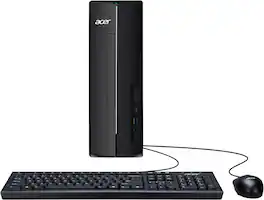
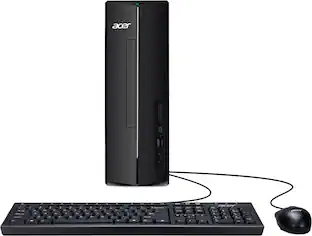
Acer - Aspire XC-1715_CZN-UB13 Desktop - AMD Ryzen 3 5000 Series 2021 - 8GB LPDDR5 - 512GB - USB Keyboard and Mouse - Black

Model: XC-1715_CZN-UB13
SKU: 6679698
Sold byBest Buy

About this product

Aspire XC is the perfect PC to tackle any task. From basic computing to multimedia entertainment, it’s a robust hub for your every computing need. Snap between tasks with the AMD Ryzen 3 5400U Processor and 8GB DDR4 memory, this sophisticated PC delivers plenty of speed, power and storage so you can play, create, do more! Easily expandable and with remarkable performance, the Aspire XC Series desktop is the perfect partner when it comes to demanding tasks like video editing and compiling photo albums. And it offers front-panel media access so you can easily connect to your digital devices!

Highlights

Features
  • Windows 11 Home

    Windows 11 was designed with you at the center - to make life easier, more creative, secure, connected and fun! It's also faster with new features to help you get more done.

  • AMD Ryzen 3 5400U Quad-Core Processor

    Powered by an AMD Ryzen3 5400U Processor with Radeon Graphics, the Aspire XC-1715 delivers smooth, reliable performance for everyday life.

  • 8GB DDR4 RAM Memory

    With 8GB of DDR4 memory, all processing happens superfast, for supersmooth computing experiences.

  • 512GB M.2 2280 PCIe SSD

    Maximize your creativity and enjoy more of your favorite media with plenty of storage space. An 8-liter chassis provides plenty of extra space for future expansion.

  • Sleek and Functional

    Introducing the Aspire XC series desktop: Easy access arrow-like power key, vertical hairline brush front cover and attractive glossy badge deco. The XC Desktop packs all you need for daily computing with room to grow and fits great either on a desktop or floor.

  • Immersive Sound

    The HD Audio with available High-Definition Sound delivers crystal clear acoustics for a theater-like entertainment experience at home. The HDMI port lets you move the action to a widescreen monitor or your big-screen TV.

  • Wireless Wi-Fi 6E Connectivity

    Wi-Fi 6E brings less wireless congestion and faster Wi-Fi for a stable connection. Further connectivity options include Bluetooth® 5.3, a USB 3.2 Type-C, which supports charging and high-speed data transfers.

  • Room for More

    Maximize your creativity and enjoy more of your favorite media with plenty of storage space. A sizable 9-liter chassis provides plenty of extra space for future expansion.

  • Acer Intelligence Space

    Your central hub for intelligent device features, Acer Intelligence Space detects your system hardware and recommends compatible AI applications, helping you optimize performance, enhance your gaming experiences, and discover new tools effortlessly.

  • Ports

    1 - USB 3.2 Gen1 5 Gbps Type C Port (Front), 3 - USB 3.2 Gen1 5 Gbps Type A Ports (1 Front and 2 Rear), 2 - USB 2.0 480 Mbps Ports (Rear), 1 - HDMI 1.4b Port, 1 - Display Port (Rear), 2 - Audio Ports (Front), 2 - Audio Ports (Rear) and 1 - Ethernet RJ-45 Port

Specifications
  • Processor Model
    AMD Ryzen 3 5000 Series
    Storage Type
    SSD
    Total Storage Capacity
    512 gigabytes
    System Memory (RAM)
    8 gigabytes
    Graphics Type
    Integrated
Sponsored

Reviews

Rating 4.6 out of 5 stars with 10 reviews

5 star rating. 8 reviews4 star rating. 1 review2 star rating. 1 review
80% would recommend to a friend

Customer Images

The vast majority of our reviews come from verified purchases. Reviews from customers may include My Best Buy members, employees, and Tech Insider Network members (as tagged). Select reviewers may receive discounted products, promotional considerations or entries into drawings for honest, helpful reviews.

  • Rated 5 out of 5 stars

    Decent approach to a Budget Desktop for 2026

    Pros: - Basic budget desktop PC at a reasonable price. - Uses DDR4 SODIMM (Laptop RAM), which is more affordable. - Good performance for basic computing with simple upgrade. Cons: - Pre-installed bloatware programs use up the limited RAM. - Uses mobile/laptop parts that have lower performance than desktop counterparts. Out of the Box: Acer did a great job including everything you’d need to get started within the box: Desktop PC, AC Adapter, Power Cable, USB Keyboard and USB Mouse. The included Keyboard and Mouse are basic but work well. This is a great bundle for a basic web browsing and email user. Unfortunately, Acer still includes multiple Pre-installed Bloatware apps like McCfee and cash grab games. Luckily, all of these, and most of the Acer branded apps, can be removed with minimal impact. Even the Acer Jumpstart and Acer Sense are redundant programs, as Windows Updates can handle the required system updates without needing to run a separate program in the background. Specs & Upgradability: The Acer Aspire XC 1715 is basically a laptop put into a desktop tower. It is as basic of a computer as they come, but it is plenty of PC for basic tasks like web browsing and email. It is built with older components that are widely available, and significantly cheaper than newer parts with an MSRP of $449.99. For the CPU Acer chose the Ryzen 3 5400U, this is a mobile processor with 4 cores and 8 threads. This means the power draw on the CPU is on the lower end at 15W, with a configurable draw between 10-25W. Graphics is provided through the Radeon Vega 6 integrated graphics. For RAM, Acer chose to go with SODIMM module (Laptop RAM), including only 1x 8GB DDR4 3200MT/s stick. There is a second slot that is empty and can be upgraded, for a maximum total of 16GB. I both love and hate this configuration. I love it as it provides a simple path to upgrade to 16GB, just install another 8GB stick of RAM. Since it is DDR4 SODIMM, it is significantly cheaper than DDR5. But I hate this as the performance of the Default system is significantly impacted as the RAM is not running in Dual Channel mode. For storage, a 512GB PCIe 3.0 NVMe SSD is installed. 512GB is the new standard size of pre-installed drives for most PC, which is plenty for basic document and web application use, though if you want more space you will want to either get an external drive or a larger NVMe drive to install. But that would require transferring or reinstalling windows. The installed drive being an NVMe is much faster than a standard SATA SSD and WAY faster than an HDD. The drive Reads around 2,600MB/s and Writes around 1,200MB/s. The newest standard is PCIe 5.0, which is much faster but also more expensive. There is an empty Sata connector on the motherboard, which I assume would be for the Disk Drive or another storage drive, except that there is no power adapter included. The motherboard is a custom board, which requires a specific power adapter to be used to power another SATA device. Performance: For basic computing tasks, the Acer Aspire XC-1715 handles most tasks individually well; browsing the internet, watching videos and creating documents or excels. The system starts to slow down if you open too many apps or web browser tabs, the main bottleneck being the 8GB of RAM. Just starting the computer with all the default applications (Bloatware) uses up almost all the available RAM. I was sitting at 85% utilization for RAM, after starting up without opening any applications, just allowing the default programs to start up. I removed almost all the programs set to start on startup (in Task Manager, Startup apps tab), and my utilization dropped down to 45% which provides much needed resources for better performance. This allowed the system to start up quicker and be more responsive. Ideally, for much better performance, you would install a 2nd stick of 8GB DDR4 RAM (specifically an 8GB DDR4 3200 MHz SODIMM stick). I had a stick of RAM that worked on hand and installed it, which greatly improved the performance of the PC. The responsiveness of the applications and overall system more than doubled (think instead of waiting 10 seconds for a window to open, it took around 5 seconds). Additionally, with the extra RAM installed, I was able to open multiple apps at the same time without noticing any performance issues (each app opened within about 5 seconds). The integrated graphics will provide enough power to watch videos up to 4K at 60FPS with hardware decoding enabled. If you’re multi-tasking while watching a video/show, expect best performance at lower resolutions like 1080/1440. On the gaming side, you CAN game on this, but at 1080p on low to low-med settings and expect no more than 60FPS. I would not recommend this to play anything recent, but if it is older titles from 15+ years ago, this will play them without an issue at lower settings. Conclusion: If you want basic desktop experience, without the current high prices that come with the newest generation of desktop hardware, the Acer Aspire XC-1715 is a great alternative for the budget-minded PC user. It offers a decent amount of performance, for a reasonable MSRP (and hopefully a better sale price in the coming sales season). Adding an additional stick of RAM upgrades the PC from okay to good performance. Though you will likely want to disable multiple startup programs to improve the performance and uninstall unnecessary preinstalled apps to get back the limited storage space. Overall, the Acer Aspire XC-1715 (2026 Refresh) is a great approach providing a budget desktop PC in the current PC market.

    Posted by BradfordBT

  • Rated 5 out of 5 stars

    Budget PC That Gets the Job Done

    With prices of electronics going up over the years, it's nice to see that we can still find an affordable desktop computer. That's what this Aspire model from Acer provides. While it won't have the bells and whistles of a higher end gaming desktop, it makes for a terrific student PC or beginner PC for children that are just getting started with computers. Pros: - The MSRP is excellent for a budget PC that has all the basics you would need. (Including Windows 11) - If you don't plan on gaming or performing tasks that require a lot of heavy processing power, this PC will do the trick for you. It's great for email, web browsing, video streaming, etc. - There are plenty of ports with USB access both on the front and back. Audio ports are conveniently located in the front to connect speakers or a headset. The USB-C port is in the front which is perfect for charging phones, earbuds, and other accessories. - It comes with a mouse and keyboard. - The included 500GB solid state drive helps this machine run silently. Gone are the days of spinning hard drives that can really get annoying in a quiet room! - The tower has a very small form factor making it easy to store either above or below a desk. It's also very lightweight. Cons: - You get what you pay for. The features and expandability are limited, but you should know that going in with a budget model computer. - The included mouse is not great. It will get the job done, but I would suggest having a better one handy. This computer is exactly what you would expect it to be. Perfect for students going off to college that need something to do their schoolwork on, a beginner's first computer, or even an adult that just wants a basic machine to browse the internet and check their email.

    Posted by jsisko76

  • Rated 5 out of 5 stars

    Simple small tower PC good for daily use.

    Small tower, simple setup, enough to do everyday items. Acer has been around for a long creating PCs and other components. I actually bought one of their first small form factor PCs many years ago for my mother in law. It lasted for quite long time. Anyway back to this Acer - Aspire XC-1715_CZN-UB13 Desktop - AMD Ryzen 3 5000 Series 2021 - 8GB LPDDR5 - 512GB - USB Keyboard and Mouse - in Black. Setup was super easy. In the box was the mini tower, power adapter, mouse and keyboard. Note for them the save space they are using power adapter that is not a standard tower power source. Pro on this is that it allows for smaller tower con is that it is a special adapter. I did not price it out so not sure how much it would cost to replace this adapter if it fails or something. Back of PC has multiple ports. 1 HDMI 2 USB A 3 2 USB A 2 Sport Network Mic in Audio out Front of PC has multiple ports too 1 USB C 1 USB A 3 Mic in Audio out So it's enough for every casual use. Ok back to setup. Plugged in fired up and hooked up a monitor and the windows setup went through at it needed to do. Took about 40 mins total with updates. Not bad. I browses the Internet just fine. I used word processing and spreadsheets just fine. Watched videos just fine. All good.. My only wish was that it would have come with an HDMI cord. I was short a spare one so I had to take one from another one of my PC setups. But that would have been over asking as this PC doesn't come with a monitor. For super simple use and small size this PC does the trick.

    Posted by PhillipB

  • Rated 5 out of 5 stars

    A budget computer that performed better than most

    First impression: My first impression of the Acer Aspire XC-1715_CZN was uncertainty. The case is small and weighs less than the box that delivered it. Looking through the vents, I saw a motherboard barely 6.5” x 6.5”. I knew this was not a high-performance computer going into the review, but I didn’t know just how non-performance it was. The aesthetics of this computer are nice. The center of the front comes out about an inch making a triangular look, almost like a locomotive, and the plastic front panel has a stylish brushed aluminum look. I like the looks of this computer. What’s in the Box: • Acer Aspire XC-1715_CZN computer • 90W A/C Power Apadter. • Bundled Keyboard and Mouse • Basic Setup Documentation Technical Specifications: • CPU: AMD Ryzen™ 3 5000 series, 2.6 GHz 4 cores, 8 threads • RAM: 8 GB LPDDR5 5500 MT/s RAM • Storage: 512 GB PCIe® NVMe™ PPCIe SSD • Graphics: AMD Radeon™ Integrated Graphics • Wi-Fi: 6E • Ports: 1xHDMI, 1xDisplay Port, 4xUSB 5Gbps, 1xUSB 2.0, 1 xRJ45 • Power Supply: 90 W Smart AC power adapter • Color: Black • Size: 11.61 × 3.94 × 12.99 in • Weight: 8.82 lbs Pros • Compact design will fit desks easily. • Silent operation. • USB 3.2 5Gbps Type A and C on the front panel. • 4 USB ports on the back. • Both HDMI and DP on the back. • Uses Laptop memory making it affordable to upgrade the RAM. Cons • Only 8GB of RAM. Setup: Setup of the computer is a typical Windows 11 configuration and nothing more. I used my Microsoft account, and everything fell right into place. And there were not that many Windows updates for me to install, which means it’s a newer image. Performance: The performance is surprisingly good for such a basic computer. When searching the Web or performing office tasks it performs much better than I thought it would; it’s quite responsive. Even opening office apps were faster than I expected. When watching YouTube videos, I was surprised to see 4K60FPS videos without any frame drops or bandwidth noise. The bootup time of this PC shocked me in a good way. After performing all the Window’s updates and disabling all Auto-Start options except AcerSense, the machine booted from a cold start to login screen in 9.97 seconds. I was not expecting this at all and it was a very pleasant surprise. The performance really drops fast though when you try to run too many apps or have too many tabs open. This is not a result of inferior products or parts but is the result of only 8GB of RAM This behavior is not surprising to me at all. It’s difficult to do much with 8GB with today’s Windows and applications, and I know the performance will greatly improve with an additional 8GB. Conclusion: Let me start by saying that when I review a product, I review the product to perform as designed by the manufacturer, not what I think they should have done or could have done. Saying this, I really like this computer. It is a budget-friendly, small form factor desktop with a polished, almost elegant, brushed aluminum front. While the front aesthetics are minor, it is a nice touch and really separates this desktop from the other budget desktops. The performance is a little better than I expected for a budget or entry-level computer. This little computer does everything well that a computer like this should and only dipped below average when overusing the available memory. This computer has all the basics you need for general computing, plus a few extras such as 6 USB ports, both HDMI and Display Port connections, and upgradable RAM. If you need a general-purpose everyday use computer without the frills and performance of a more powerful computer, I believe you will be very happy with this one. I recommend this computer.

    Posted by KB4MTO

  • Rated 5 out of 5 stars

    Simple, compact and does the job

    I tested the Acer Aspire XC as an everyday productivity computer first because I wanted to get a good feel for its performance before deciding how I would ultimately use it. I tried it with normal day-to-day tasks including web browsing with multiple tabs open, email, Microsoft Office-type work, streaming and general multitasking. For those uses, it handled everything well and felt responsive without making simple tasks feel like a chore. This configuration has an AMD Ryzen 3 5000 Series processor, 8GB of memory and a 512GB drive. I think the important thing for anyone considering this desktop is having realistic expectations about what those specs are intended for. This isn’t a gaming PC or something I would choose for heavy video editing or other demanding workloads. For regular home use, schoolwork, basic office productivity and web-based applications, though, I found the performance perfectly adequate. One thing I really like is the compact tower. It doesn’t take up much room, which opens up some interesting possibilities beyond using it as your main desktop. Acer also includes a USB keyboard and mouse. They’re basic, but they get the job done and make it possible to get everything set up without needing to have extra peripherals on hand. After testing the Aspire for productivity, I decided I’m going to use it as a dedicated desktop for my home security setup. I have multiple cameras and security devices, and having one computer that I can leave set up for viewing cameras, accessing security dashboards and handling related tasks makes more sense than constantly using my primary computer. The Aspire’s small footprint is especially useful for this because I can tuck the tower into my setup without giving up much space. The biggest thing I would consider before choosing this configuration is the 8GB of memory. It worked fine during my testing, but it’s not a lot of memory by today’s standards. If your normal routine involves keeping a lot of programs and browser tabs open simultaneously or running more demanding software, I would look carefully at whether a higher-spec configuration would be a better long-term choice. Overall, the Aspire XC does what I think a computer in this category should do. It’s compact, straightforward and capable of handling normal productivity tasks without paying for performance you may never use. After actually using it, I think it makes the most sense for someone who needs a basic home or office desktop, a computer for a student, or even a dedicated system for something specific like my security setup. Just understand the limitations of the 8GB memory configuration before deciding if it fits how you plan to use it. I gave it 5 stars because it delivers based on its specs.

    Posted by Olive

Compare similar products

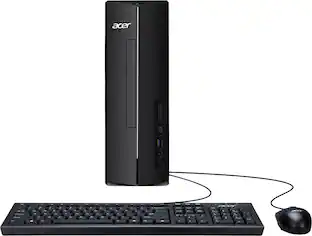
Acer - Aspire XC-1715_CZN-UB13 Desktop - AMD Ryzen 3 5000 Series 2021 - 8GB LPDDR5 - 512GB - USB Keyboard and Mouse - Black
4.6(10)

Aspire XC is the perfect PC to tackle any task. From basic computing to multimedia entertainment, it’s a robust hub for your every computing need. Snap between tasks with the AMD Ryzen 3 5400U Processor and 8GB DDR4 memory, this sophisticated PC delivers plenty of speed, power and storage so you can play, create, do more! Easily expandable and with remarkable performance, the Aspire XC Series desktop is the perfect partner when it comes to demanding tasks like video editing and compiling photo albums. And it offers front-panel media access so you can easily connect to your digital devices!
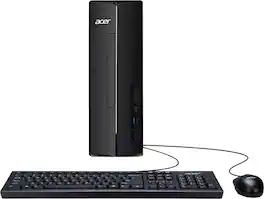
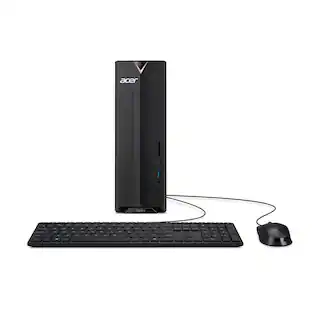
Acer - Aspire XC-1715 Desktop- Intel Processor N150 - 512GB M.2 2280 PCIe SSD-8GB DDR5 Memory - Black
4.9(60)

The Aspire XC is the perfect PC to tackle any task. From basic computing to multimedia entertainment, it’s a robust hub for your every computing need. Snap between tasks with the Intel® Processor N150 and 8GB DDR5 memory, this sophisticated PC delivers plenty of speed, power and storage so you can play, create, do more! Easily expandable and with remarkable performance, the Aspire XC Series desktop is the perfect partner when it comes to demanding tasks like video editing and compiling photo albums. And it offers front-panel media access so you can easily connect to your digital devices!
Acer - Aspire Desktop - AMD Ryzen 5 40 Processor 2025 - 8GB LPDDR5 Memory - 512GB Storage - Black
4.3(19)

The Aspire XC Desktop is the perfect PC to tackle any task. From basic computing to multimedia entertainment, it’s a robust hub for your every computing need. Snap between tasks with the AMD Ryzen 5 40 Processor and 8GB LPDDR5 memory, this sophisticated PC delivers plenty of speed, power and storage so you can play, create, do more! Easily expandable and with remarkable performance, the Aspire XC Series desktop is the perfect partner when it comes to demanding tasks like video editing and compiling photo albums. And it offers front-panel media access so you can easily connect to your digital devices!

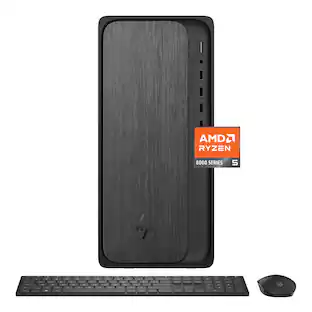
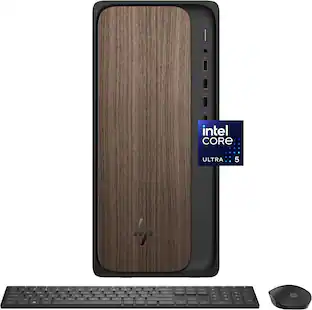
HP - OmniDesk Desktop - AMD Ryzen 5 8500G - 8GB DDR5 Memory - 512GB SSD - Gray Wood
4.6(38)

Powerful performance and modern design for daily productivity. The HP OmniDesk PC combines powerful performance and trusted technology to tackle even the most demanding daily tasks with ease. It features the latest ports, a powerful AMD Ryzen processor, DDR5 memory support for fast loading times and responsive multitasking, and graphics for immersive visuals.

Pros for Acer - Aspire XC-1715_CZN-UB13 Desktop - AMD Ryzen 3 5000 Series 2021 - 8GB LPDDR5 - 512GB - USB Keyboard and Mouse - Black
There were no pros for this productOverall Performance, Ease of Use, Speed, MemoryThere were no pros for this productOverall Performance

Specs

Questions & Answers
  • Can the system memory be expanded?

    Yes, the system memory on this desktop can be expanded up to 16 gigabytes.

    This question and answer was generated by AI based on customer and product data.
  • What is the total storage capacity of this desktop?

    This desktop computer features a total storage capacity of 512 gigabytes.

    This question and answer was generated by AI based on customer and product data.
  • Is this desktop computer equipped with Bluetooth connectivity?

    Yes, this desktop computer is equipped with Bluetooth 5.3 connectivity.

    This question and answer was generated by AI based on customer and product data.
  • Does this desktop computer come with a keyboard and mouse?

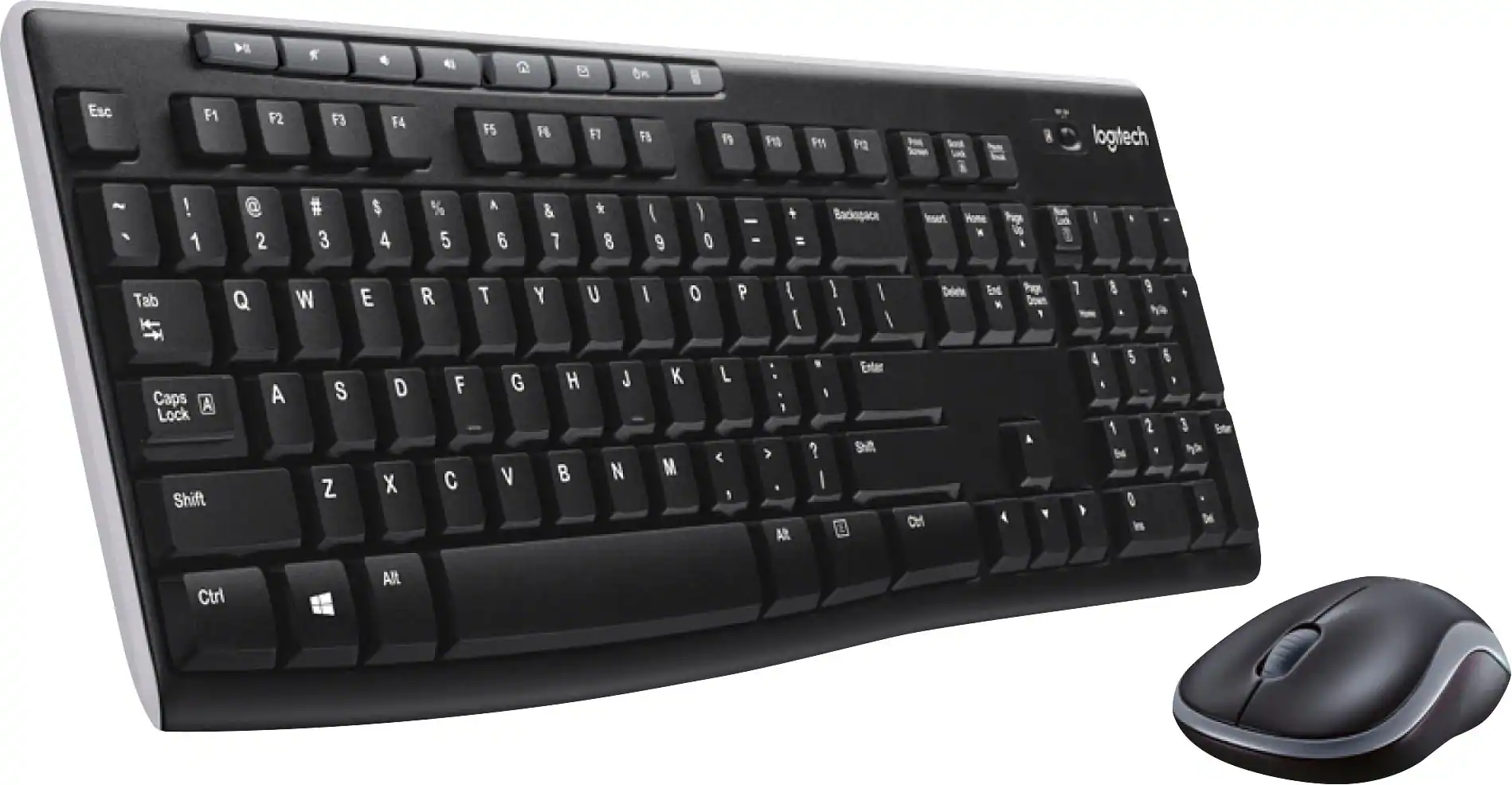
    Yes, this desktop computer includes both a USB keyboard and a mouse.

    This question and answer was generated by AI based on customer and product data.
  • Does this desktop computer have an optical drive?

    No, this desktop computer does not have an optical drive.

    This question and answer was generated by AI based on customer and product data.
Ask a question
No content

Customers often buy these together

Sponsored

Finance Options

My Best Buy® Credit Card
Choose a benefit:Or
Buy Now, Pay Later
Lease to own

Special Offers

Top Offers
Included with Purchase