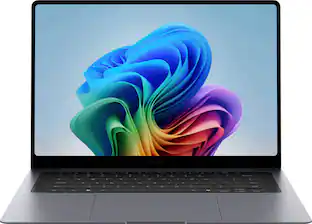
Acer - Swift Go 16 AI - Copilot+ PC - 16" WUXGA Touchscreen Laptop - AMD Ryzen AI 7 445 2026 - 16GB Memory – 1TB Storage - Obsidian Black


Highlights
- Key Specs
- Screen Size: 16 inches (Size of the screen, measured diagonally from corner to corner.)
- Screen Resolution: 1920 x 1200 (WUXGA) (Screens come in a range of resolutions (measured in pixels, horizontal x vertical). The higher the resolution, the greater the picture quality.)
- Touch Screen: true (Touch-screen devices make navigating more intuitive. Using a touch-screen display, you can do things such as tap to select, hold and drag to move items, swipe to scroll, and pinch to zoom.)
- Refresh Rate: 120Hz (The number of frames per second the device can produce natively without enhancement. Higher rates help produce smooth, seamless pictures.)
- Brightness: 350 nits (A measure of the total light output.)
- Processor Model: AMD Ryzen AI 400 Series (Your computer's processor is like its brain. Working in combination with system memory, the power of the processor determines the complexity of software you can run, how many programs you can have open at the same time, and how fast those programs will run. Most computers feature an AMD, Intel or Snapdragon processor.)
- CPU Base Clock Frequency: 2 gigahertz (Actual central processing unit (CPU) speed may vary by device configuration and design. The average rate at which the processor is able to execute tasks under normal operating conditions as asserted by the manufacturer.)
- Storage Type: SSD
- Total Storage Capacity: 1000 gigabytes
- System Memory (RAM): 16 gigabytes (Random-access memory (RAM) is a computing device's short-term data storage, which allows active information to be accessed quickly. The size and type of RAM determines how efficiently the device can handle large amounts of information at one time. For example, gaming or video editing requires more RAM for optimal performance.)
- Graphics: AMD Radeon 840M (Often referred to as a "graphics processing unit" (GPU), this device is responsible for displaying image content and decoding/encoding video content in programs and games.)
- Display Connector(s): 1 x HDMI 2.1 (The number and type of connectors used to connect to an external display.)
- Battery Life (up to): 12 hours (Battery life will vary depending on the product configuration, product model, applications loaded on the product, power management setting of the product and the product features used by the customer. As with all batteries, the maximum capacity of this battery will decrease with time and usage.)
- Battery Chemistry: Lithium-ion
- 2-in-1 Design: false (A laptop and a tablet combined in one lightweight, portable device. Sometimes referred to as "convertible" or "hybrid" laptops, these devices deliver the processing power and keyboard of a laptop. When you're ready to play, either detach the screen or fold your 2-in-1 into tablet mode to comfortably watch movies, play games, read an e-book and more.)
- Backlit Keyboard: true (Integrated lights allow for visibility of the keys in low-light conditions.)
- General
- Brand: Acer
- Model Number: SFG16-A71T-R5UY
- Product Name: Swift Go 16 AI - Copilot+ PC - 16" WUXGA Touchscreen Laptop - AMD Ryzen AI 7 445 2026 - 16GB Memory – 1TB Storage
- Color: Obsidian Black
- Year of Release: 2026
- Display
- Display Type: LCD
- Screen Size: 16 inches (Size of the screen, measured diagonally from corner to corner.)
- Screen Resolution: 1920 x 1200 (WUXGA) (Screens come in a range of resolutions (measured in pixels, horizontal x vertical). The higher the resolution, the greater the picture quality.)
- Touch Screen: true (Touch-screen devices make navigating more intuitive. Using a touch-screen display, you can do things such as tap to select, hold and drag to move items, swipe to scroll, and pinch to zoom.)
- Refresh Rate: 120Hz (The number of frames per second the device can produce natively without enhancement. Higher rates help produce smooth, seamless pictures.)
- Display Surface: Anti-glare
- Brightness: 350 nits (A measure of the total light output.)
- Color Gamut (Standard RGB): 100 percent
- Processor
- Processor Brand: AMD
- Processor Model: AMD Ryzen AI 400 Series (Your computer's processor is like its brain. Working in combination with system memory, the power of the processor determines the complexity of software you can run, how many programs you can have open at the same time, and how fast those programs will run. Most computers feature an AMD, Intel or Snapdragon processor.)
- Processor Model Number: AMD Ryzen 7 445
- Processor Model Year of Release: 2026 (The year the processor model was initially available for sale or built into a computer.)
- CPU Base Clock Frequency: 2 gigahertz (Actual central processing unit (CPU) speed may vary by device configuration and design. The average rate at which the processor is able to execute tasks under normal operating conditions as asserted by the manufacturer.)
- CPU Boost Clock Frequency: 4.6 gigahertz (Actual central processing unit (CPU) speed may vary by device configuration and design. The maximum rate at which the processor is able to execute tasks, typically only used for a short period of time as needed. This rate may temporarily boost the processor's performance, but may result in overheating, shutdown, or damage to equipment if sustained.)
- Number of CPU Cores: 6-core (A core, or "brain" of a CPU, allows it to receive and execute instructions. Each core can work independently or together to perform parallel operations.)
- Number of CPU Threads: 12 (Generally, the more threads, the faster and more responsive the operating system.)
- Neural Processing Unit (NPU): true (Whether the product comes with an integrated neural processing unit (NPU) that performs computations for AI (artificial intelligence) functions to increase proficiency of the CPU and reduce power consumption.)
- Maximum NPU Performance: 50 trillions operations per second (The maximum neural processing unit (NPU) computations performed. NPUs increase proficiency of the CPU and reduce power consumption for AI (artificial intelligence) functions.)
- Storage
- Storage Type: SSD
- Total Storage Capacity: 1000 gigabytes
- Solid State Drive Capacity: 1000 gigabytes (The amount of data that can be stored on the device's solid state drive (SSD). SSD is a flash-based storage with faster speeds than a hard disk drive (HDD).)
- Memory
- System Memory (RAM): 16 gigabytes (Random-access memory (RAM) is a computing device's short-term data storage, which allows active information to be accessed quickly. The size and type of RAM determines how efficiently the device can handle large amounts of information at one time. For example, gaming or video editing requires more RAM for optimal performance.)
- Type of Memory (RAM): LPDDR5X (Each type of RAM delivers a different level of speed, bandwidth, energy efficiency and performance.)
- Graphics
- Graphics Type: Integrated (Dedicated graphics uses a separate graphics card for processing video images. Because it does not use memory from the system's RAM, there is no extra burden on the CPU and graphics are processed more efficiently. Integrated graphics shares system RAM to process video images.)
- GPU Brand: AMD Radeon
- Graphics: AMD Radeon 840M (Often referred to as a "graphics processing unit" (GPU), this device is responsible for displaying image content and decoding/encoding video content in programs and games.)
- Compatibility
- Operating System: Windows 11 Home (The operating system manages all software and hardware, including files, memory and connected devices. Most importantly, it lets you interact with your device and your programs in a visual way; otherwise, you'd be typing computer code to get anything done.)
- Connectivity
- Display Connector(s): 1 x HDMI 2.1 (The number and type of connectors used to connect to an external display.)
- Number of HDMI Outputs (Total): 1
- USB Ports: 2 x USB-C, 2 x USB-A 3.2 (The number and type of USB ports the product has.)
- Number of USB Ports (Total): 4
- Number of USB-A Charging Ports: 1
- Number of USB-C Charging Ports: 2
- Headphone Jack: true (The device features an interface that allows for the connection of headphones.)
- Wireless Connectivity: Wi-Fi, Bluetooth (The manner in which a device sends data to another device over a short distance without the use of wires or cables.)
- Wireless Standard: BE (The wireless networking protocol used by the device. Each iteration of the protocol is based on the 802.11 standard developed by the Institute of Electrical and Electronics Engineers (IEEE) Standards Association. Denoted by letters following 802.11 (802.11a, 802.11ac, etc.), each version, published in alphabetical order, encompasses all previous versions.)
- Wireless Networking Standard: Wi-Fi 7 (The wireless networking standard used by the device. Each iteration of the standard developed by the Wi-Fi Alliance corresponds to an existing IEEE 802.11 protocol; for example, standard 802.11ac (or AC) is termed Wi-Fi 5. Refers specifically to the standard the device is designed to use, but ultimately determines product interoperability and backward compatibility including previous versions.)
- Cooling
- CPU Cooling System: Air
- Power
- Battery Life (up to): 12 hours (Battery life will vary depending on the product configuration, product model, applications loaded on the product, power management setting of the product and the product features used by the customer. As with all batteries, the maximum capacity of this battery will decrease with time and usage.)
- Battery Chemistry: Lithium-ion
- Camera
- Front-Facing Camera: true
- Front Facing Camera Megapixels: 5 megapixels (The more megapixels, the more detail that the camera facing the user can capture.)
- Front Facing Camera Video Resolution: 1800p (2.8K) (Refers to the number of pixels, both horizontally and vertically, used by the camera facing the user to capture video. The higher the resolution the finer the video detail that can be seen.)
- Built-In Microphone: true
- Features
- 2-in-1 Design: false (A laptop and a tablet combined in one lightweight, portable device. Sometimes referred to as "convertible" or "hybrid" laptops, these devices deliver the processing power and keyboard of a laptop. When you're ready to play, either detach the screen or fold your 2-in-1 into tablet mode to comfortably watch movies, play games, read an e-book and more.)
- Backlit Keyboard: true (Integrated lights allow for visibility of the keys in low-light conditions.)
- Media Card Reader: true (A hardware device that allows for access to data on a memory card and enables the transfer of its files to a computer. These devices may have one or multiple slots for various types of memory cards, and may be integrated into the computer or available as an external device.)
- Media Card Slot: microSD
- Audio Technology: DTS®:X Ultra Audio
- Security Features: Facial recognition
- Dimensions
- Product Height: 0.63 inches (The out of box height of the item. Height is measured as the vertical distance from the bottom of the item to the top as it would be primarily used or placed.)
- Product Width: 14 inches (The out of box width of the item. Width is measured as the horizontal distance from one side of the item to the other as it would be primarily used or placed.)
- Product Depth: 9.89 inches (The out of box depth of the item. Depth is measured as the distance from the front of the item to the back as it would be primarily used or placed.)
- Product Weight: 3.53 pounds (The out of box weight of the item.)
- Certifications Listings & Approvals
- ENERGY STAR Certified: true (Devices carrying the ENERGY STAR service mark, such as computer products and peripherals, kitchen appliances, and other products, generally use 20% to 30% less energy than required by federal standards.)
- EPEAT Qualified: true (The Electronic Product Environmental Assessment Tool (EPEAT) was designed to provide an environmental assessment tool for purchasers. In order to qualify for EPEAT, a product must meet all 23 required criteria.)
- EPEAT Level: Gold (The Electronic Product Environmental Assessment Tool (EPEAT) was designed to provide an environmental assessment tool for purchasers. In order to qualify for EPEAT, a product must meet all 23 required criteria. Products are rated Bronze, Silver or Gold based on how many of 28 optional criteria they meet (below 50%, 50%, 75%).)
- Included
- Numeric Keypad: true
- Warranty
- Warranty - Parts: 1 year
- Warranty - Labor: 1 year
- Other
- UPC: 195133342834
Wherever life takes you, the Acer Swift Go 16 AI is designed to move with you. Its slim, ultra‑thin design slips effortlessly into your day, while all‑day battery life and the powerful AMD Ryzen™ AI 7 445 processor deliver seamless performance – so you can work, create, and stay connected effortlessly, wherever you go. A stunning WUXGA (1920 x 1200) touch matte display makes every moment more immersive, while built‑in AI performance helps ideas take shape so you can stay one step ahead.
- Windows 11 Operating System: With intuitive navigation, faster performance, and stronger security, Windows 11 is designed to elevate how you work and create. Its extensive ecosystem and continuous updates empower you to unlock your PC’s full potential.
- The Fastest, Most Intelligent Windows PCs Ever: Transform your everyday workflow with natural, intuitive AI assistance built right in. As a Copilot+ PC*, it enhances your creativity with Cocreator, letting you generate captivating images with ease. Live Captions help break language barriers, and with Recall, you can quickly find documents, emails, photos, and more — simply by describing how you remember them.
- 16” WUXGA Multi-Touch Matte Display: A standout 16” WUXGA (1920 x 1200) touch IPS matte display delivers cinema‑grade color with 100% sRGB, 120Hz refresh rate and 16:10 aspect ratio.
- AMD Ryzen AI 7 445 Processor with Ryzen AI (Up to 50 NPU TOPS): Take on your day with the Acer Swift Go 16 advanced by the AMD Ryzen™ AI 7 445 Pprocessor, delivering performance and a robust AI engine for responsive multitasking, accelerated next gen creativity, and smarter, more streamlined productivity—all backed by up to 12 hours of battery life to keep you going longer.
- Smooth, High-Speed Multitasking with 16GB of LPDDR5X: Enjoy lightning fast responsiveness and seamless multitasking for gaming, editing, and everyday browsing, thanks to 16GB of ultra fast LPDDR5X memory.
- 1TB of PCIe 4.0 SSD Storage: Save files in an instant and store massive amounts of data with ease. PCIe 4.0 SSDs deliver high speed data throughput, making them ideal for intensive gaming, multi server environments, daily backups, and more.
- Ultra-Light at 3.53 lbs. and as Thin as 0.45”: Embrace true portability with a sleek, lightweight aluminum chassis, featuring an anodized, sandblasted finish that reflects meticulous craftsmanship you can feel.
- Future-Ready Connections: Window 11.Wi Fi 7 delivers ultra fast, stable performance with multi link technology for smooth streaming, creation, and collaboration. USB Type-C Port - supporting USB4® adds rapid data transfer, fast charging, and easy access to high performance devices through a single port.
- Precision Corning® Gorilla® Glass Touchpad: The Acer Swift Go 16 AI features a premium Gorilla Glass touchpad that elevates everyday control with a smooth, durable, and visually refined surface. Its scratch‑resistant glass construction delivers a responsive, seamless feel that enhances precision and comfort with every gesture.
- 5M IR HDR Webcam with Privacy Shutter: Look your best with a 5M Infrared High Dynamic Range Webcam equipped with Windows Hello facial recognition, AI background blur, and auto framing. And with Acer PurifiedVoice™ and its AI noise reduction, distracting sounds are filtered out for you and your callers—even when using external headsets or mics.
- Comprehensive Protection: Keep your information secure with multiple layers of hardware and software protection. Acer User Sensing application adds extra peace of mind by detecting when you step away—automatically locking your screen, dimming the display when you look aside, and waking up the moment you return.
- Military-Grade Durability: Meeting MIL‑STD 810H durability standards, means it’s tested against everyday bumps, drops, and environmental stress. This is a laptop made to keep up with you, day after day.
- The Ports You Need, Built In: Get connected with 2 x USB Type-C Ports - supporting USB4® (up to 40 Gbps), Display Port over USB-C, USB Charging & Power Delivery (Up to 100W), 2 x USB 3.2 Gen 2 Ports (one featuring power-off charging), 1 x HDMI™ 2.1 Port supporting 48 Gbps, 10K maximum resolution, Fixed Rate Link and 1 x Headphone/Speaker/Line-out Jack with Support for High Impedance Headsets (Up to 600ohms)
- Acer Apps Included: IrisGo: Your on-device Digital Butler for Instant Answers, Acer Display Lens: Enhance video conferences and productivity tasks, Acer QR Capture: Instantly detect and decode any QR code, Acer My Key: A customizable hotkey, Acer QuickPanel: Allows you to adjust Acer PurifiedView™ and PurifiedVoice™ AI-enhanced effects quickly and easily, Acer User Sensing
- Additional System Features: Back-lit Keyboard, Flexible 180° Hinge, Dedicated Numeric Keypad and Protective Sleeve Included
- Enjoy 2 months of Xbox Game Pass Premium: Play 200+ games on Acer Swift Go 16 AI with two months of XBOX Game Pass Premium and get access to a library of legendary, high-quality games, get exclusive in-game perks, partner discounts, and earn points annually with Xbox Rewards.
Whats Included
- Laptop
- 100W USB Type-C Power Adapter
- Protective Sleeve
- Power Cord
Disclaimers
- *Copilot+ PC experiences vary by device and market and may require updates continuing to roll out; timing varies. See aka.ms/copilotpluspcs
- **Battery life was measured under specific test settings pursuant to MobileMark 2030
Q: What kind of wireless connectivity does this laptop support?
A: This laptop supports Wi-Fi 7 wireless connectivity.
Q: Can I use a headset with high impedance with this laptop?
A: Yes, you can use a headset with high impedance up to 600ohms with this laptop.
Q: Does this laptop have a backlit keyboard?
A: Yes, this laptop features a backlit keyboard.
Q: How many USB ports does this laptop have?
A: This laptop has a total of four USB ports.
Q: Is the packaging of this laptop made from recycled materials?
A: Yes, this laptop's packaging is 100% recycled.
Q: Does this laptop have a numeric keypad?
A: Yes, this laptop has a dedicated numeric keypad.
Q: What operating system does this laptop use?
A: This laptop comes with Windows 11 Operating System.
Q: What pens work with this laptop?
A: The SFG16-71 series features a capacitive touchscreen rather than an active digitizer, meaning it relies on pens that mimic finger touch rather than specialized pressure-sensitive pens.
Compare similar products
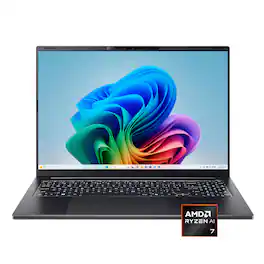
Wherever life takes you, the Acer Swift Go 16 AI is designed to move with you. Its slim, ultra‑thin design slips effortlessly into your day, while all‑day battery life and the powerful AMD Ryzen™ AI 7 445 processor deliver seamless performance – so you can work, create, and stay connected effortlessly, wherever you go. A stunning WUXGA (1920 x 1200) touch matte display makes every moment more immersive, while built‑in AI performance helps ideas take shape so you can stay one step ahead.

Designed for creativity. A stunning 16-inch screen in a stylish new design with on-device Copilot+ and AMD Ryzen AI 300 Series Processors, offering top power efficiency for the latest AI experiences.

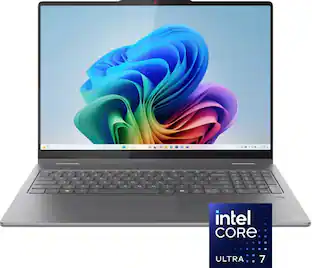
AI-Powered Performance for Days - Embrace the next level of AI performance where productivity is boosted, and ideas transform into reality. Swift 16 AI is your gateway to a smarter, more efficient digital life, powered by the Intel Core Ultra processor, with an NPU delivering up to 47 TOPS. Tap into a vast ecosystem of AI experiences across various apps, elevating your workflow to new heights..
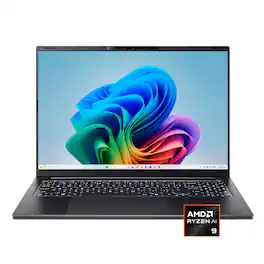
Wherever life takes you, the Acer Swift Go 16 AI is designed to move with you. Its slim, ultra‑thin design slips effortlessly into your day, while all‑day battery life and the powerful AMD Ryzen™ AI 9 465 processor deliver seamless performance – so you can work, create, and stay connected effortlessly, wherever you go. A stunning WUXGA (1920 x 1200) touch matte display makes every moment more immersive, while built‑in AI performance helps ideas take shape so you can stay one step ahead.
| Pros for Acer - Swift Go 16 AI - Copilot+ PC - 16" WUXGA Touchscreen Laptop - AMD Ryzen AI 7 445 2026 - 16GB Memory – 1TB Storage - Obsidian Black | |||
|---|---|---|---|
| There were no pros for this product— | Overall Performance, Screen Quality, Processor Speed, Battery Life, Portability | Screen Quality, Overall Performance, Processor Speed, Battery Life, Portability | Processor Speed, Battery Life, Heat Dissipation |
| Cons for Acer - Swift Go 16 AI - Copilot+ PC - 16" WUXGA Touchscreen Laptop - AMD Ryzen AI 7 445 2026 - 16GB Memory – 1TB Storage - Obsidian Black | |||
| There were no cons for this product— | Heat Dissipation, Noise Level, Connectivity, Port Count, Weight | Memory, RAM | There were no cons for this product— |
Specs




Reviews
Customer Images
The vast majority of our reviews come from verified purchases. Reviews from customers may include My Best Buy members, employees, and Tech Insider Network members (as tagged). Select reviewers may receive discounted products, promotional considerations or entries into drawings for honest, helpful reviews.
- Rated 5 out of 5 stars
Great everyday use laptop
Out of the box, I was impressed by the build quality of this laptop. It has an aluminum chassis and it just feels incredibly solid. I’ve tried out a lot of budget Windows laptops and this one felt nothing like those. It’s very slim and it’s very easy to carry around. I love that it was shipped with its own sleeve. It’s a nice addition and I really like that the charger is USB-C rather than a barrel connector. The setup was pretty standard for a Windows laptop. I walked through the different steps and got through the Windows updates and then ran some benchmark tests. Geekbench 6 - Evaluates CPU and GPU performance. Single-Core Score: 2523 Single-core performance measures how quickly the laptop handles tasks that rely heavily on one processing core at a time. A score of 2523 is very strong for a thin-and-light productivity laptop and helps the Swift Go 16 AI feel fast and responsive during normal daily use. Multi-Core Score: 8800 Multi-core performance reflects how well the system handles heavier workloads that use multiple cores simultaneously. A score of 8800 positions this laptop well for productivity and moderate creative work. While it is not designed to replace a dedicated workstation or gaming laptop, it performs very well for a portable ultrabook. OpenCL Score: 13098 The OpenCL benchmark measures GPU compute performance using the integrated graphics processor. The Radeon integrated graphics are capable for casual gaming and media workloads, though this is clearly not intended to be a high-end gaming machine. Users looking for AAA gaming performance or demanding 3D workloads would still benefit from a system with dedicated graphics. Geekbench AI - Evaluates the computer’s ability to handle AI and machine learning workloads. Single Precision Score: 2092 / Half Precision Score: 1192 The results reinforce that this laptop is designed with modern productivity and AI-assisted workflows in mind rather than gaming or workstation-class rendering. Quantized Score: 5211 Quantized AI workloads are heavily optimized for modern NPUs and efficient AI inference tasks. This strong score highlights one of the biggest advantages of the Ryzen AI platform. It suggests the Swift Go 16 AI is well-prepared for newer AI-enhanced Windows features, productivity tools, and future Copilot+ experiences. FurMark Benchmark - A GPU stress test designed to push graphics hardware to its limits. Score: 1409 points (23 FPS) This score confirms that the GPU in this machine is suitable for media consumption, lightweight creative work, and casual gaming. GENERAL USE The 16-inch display has been great to use in everyday situations. Everything looks sharp, colors are vibrant, and the aspect ratio gives you a little more vertical space. I really appreciated the 120Hz refresh rate which helps the whole system feel smoother when scrolling through pages. I was also impressed with the speakers. For such a thin laptop, they get surprisingly loud without sounding harsh or distorted. I usually kept the volume around level 14 for videos and music, and that was more than enough for comfortable listening. They’re definitely good for streaming content, casual music listening, and video calls. The keyboard has honestly been one of my favorite parts of the laptop. Typing feels comfortable and responsive, and I like that Acer still included a full-size keyboard layout even though the number pad is more compact. It never felt cramped while typing. I also ran a typing test using Monkeytype to see how it compared to my normal typing speed. My average is usually around 73 WPM with 98% accuracy, but on the Swift Go 16 AI I scored 78 WPM with 96% accuracy. That tells me the keyboard is very easy to adapt to and comfortable enough for longer typing sessions. Overall, I’ve been very impressed with this laptop. It performs really well under everyday use and even though it’s not a great option for gaming, it is great for regular performance. It’s a very efficient system and I really love the style of it.
nickcal Posted
- Rated 4 out of 5 stars
this a solid laptop to start with
Acer latest 2026 laptop the Swift Go 16 is a great laptop to consider for a first laptop for school or for work. its a 16” laptop thats a perfect size for any type of work, this the kind of laptop thats perfect for daily drive and it also looks great. DEVICE: the unboxing experience is fairly basic brown box and as soon as you open the laptop and cord it there for you to use, you wont have to worry about unboxing multiple little box. inside the box I got the obsidian black color. I think it’s a really good color but one thing that you’ll notice is prone to fingerprint issues so you’re gonna end up cleaning this laptop a lot because it’s such an oil magnet. Swift go 16 is a comes with a 16GB good night what happened? Why did you just put them back? I changed them memory ram which is a perfect requirement for a typical laptop like this so I won’t go below 8GB if I were you. you also get a one terabyte of storage a good start for a laptop. CPU on this laptop is equipped with Ryzen AI 7 445 processor, you got a resolution of 1920 x 1200 is a touch IPS panel, and from the experience of using the touch panel is a very responsible one. The coding of the screen is a matted display which I prefer glossy, but the matted the way it was done on this one. It’s actually not that bad this laptop is also equipped with Wi-Fi seven you also get a front facing camera that it’s five megapixel so so far the quality it’s not so bad when it comes to the port you get to USB type port and you get two USB 3.2 gen 2 and 1 HDMI 2.1 also comes with a headphone jack ports. the power adapter is 100 USB type C. and the package also comes through protective sleeve for your laptop for extra protection, which is great. FEATURES AND EXPERIENCE: now let’s talk about the features from earlier I mentioned this laptop, supports a touchscreen screen. You can also lay the screen all the way flat to the ground so if you want to use this for your work and you’d like to share your screen to another person. Perfect for schoolwork or personal work also, if you want artist, it’s a good way to use this laptop since it supports a touchscreen so it’s a lot easier to write on the screen or draw using the screen itself. Throughout my time with this laptop, I’ve actually been using more of the touchscreen than the keyboard itself, and it’s just a lot easier to navigate throughout the website and scrolling up and down and clicking things and so far he hasn’t let me down the touch or the clicks are very responsive so the moment you press them you almost like it respond instantly. The keyboard layout, I thought it was fine and the text size of the key caps was also pretty good. It’s easy to see. They’re not small like other keyboards one thing about the touchpad. They mentioned that this comes with the gorilla glass touchpad to reduce any scratches so far I haven’t had an issue when it comes to scratches. The touchpad itself is very responsive as well. It was doing what is needed to do. This laptop is fairly thin is a lightweight laptop so it’s not something that it’s hard to hold it. The overall presentation of the look of the laptop is very slick. The other thing about this laptop it seems like they’re really trying to focus and push copilot PC, which is all AI base which mainly I do not use at all. I prefer using the laptop raw power rather than rely on anything AI one thing about the CPU it does supports a little bit of AI so I’m sure it gives a little bit of uplift when it comes to performance. The AI can pretty much manager battery consumption, but when it comes to using copilot, you would never see me use that I tested playing music with his laptop. I’ve noticed the laptop stated that support DTX audio quality and so far the laptop has not disappointed me when it comes to clarity of the audio and the volume level, the audio itself doesn’t sound roughly like some laptop. I’ve tested before I thought I’ve been on 50% volume. The laptop was very clear. The IPS screen is not so bad. I did notice some light banding during the boot up when the Acer icon shows up while loading a computer you’ll see a little bit of a halo lighting. Looks like the back light wasn’t covering certain area properly, but beyond that what’s the laptop booed up the picture quality is fine. I did run a little bit of games on this one as well. I played a little bit of bum, rush, cyberpunk and honestly, you can still gain with this laptop as long as you’re not playing any anything to demanding I was testing on some good 2-D games that I have on Steam and most of them works properly without any issue trying the game called The Finals then I’ve noticed that maybe it’s not really designed to play that kind of game with this laptop. I would recommend using this if you’re a creator or like I said any type of schoolwork, Project or Personal work. CONCLUSION Overall experience with Acer swift go 16 AI I would say yes I think for the price itself. It’s a solid laptop to own. I really love the touchscreen as one of the main thing that I think this laptop is worth it because it’s very responsive and again most of the time I was just using the touch we went throughout testing this laptop. It’s easy to use. It doesn’t need a cursor to move around you just point-and-click and that’s all I need again buyers be aware. The coding on this laptop is fingerprint magnet so you will see your oily fingerprints which will require you to clean this laptop, a lot often. Battery life has been great as well. I tried to test as much as I could. I got at least close to 10 hours but then again I was also trying to gain with this laptop. I have the volume pretty high so for the advertised 12 hours I would not doubt it can reach that much. I have no issue with RAM size 6GB is perfect, 1TB of space that that’s pretty much should be the standard and I think it’s already a standard if you’re buying a laptop below that space I would not do it, unless you’re an old person who doesn’t do any of the things I just mentioned and just wanna browse Facebook. I think Acer did a good job with his honestly I just can’t wait to see laptops again without a push about this AI stuff but I don’t think it’s gonna happen. AI seems to show it a very handy feature or technology so you’ll probably keep seeing laptop that says copilot. I’m sure they have a data on that that shows that’s what people wanted, but I’m not one of those guys.
Naztynestor Posted
- Rated 5 out of 5 stars
Great for Everyday Task
This Acer Swift laptop is capable of doing the everyday task like email, playing media, web browsing and most office applications. The AMD GPU isn’t the most powerful but it should be able to play most games at a HD resolution. The computer comes with several AI based software applications that can help you improve everything from your workflow to your art/photo manipulation. The 16” Touch Screen is bright and colorful and its slim profile make it easy to transport in the included case. The 16gb of memory and 1 tb of storage should be plenty for most users but note that neither can be upgraded easily. Pros: - Touch Screen that lays flat - 1 tb of NVMe Gen 4x4 storage - Runs fairly quiet and cool even in Performance mode - Ai ready and capable - Built in GPU and NPU - Nice travel bag to protect the laptop Cons: - Not upgradeable – no open NVMe slots to add storage Tech Specs: The display is a touch panel with a 1920 x 1200 resolution and a 120 hz refresh rate. The built in GPU is an AMD 840M and the included AMD software gives you limited control of its performance. Bottom lines is that this laptop is ok for entry level gaming and media applications as shown below in the 3D Mark scores. The AMD AI 7 445 is a six core, twelve thread processor that provides a balance between performance, battery life and heat. During the Geekbench 6 stress test the fans were relatively quiet and the laptop didn’t get hot – see the Geekbench results below. The laptop has a NPU and is AI capable for those wanting to run AI apps. The laptop has 16 mb of DDR5 ram which should plenty for most apps. The SSD is a NVMe 1 tb SSD and its a PCIe gen 4x4 so its fast. Note that the memory and storage cannot be easily upgraded. There is only a single SSD storage slot which is occupied and the memory is not accessible. The laptop has two USB-A 3.2 ports, two USB-C ports, an HDMI port, and a Micro SD and Headset jack. Acer Software: There are several installed software applications that use AI to help with everything from your workflow to your photos and art. The Acer Sense software allows you to manage the laptop’s performance as well as manage the battery utilization. Benchmark Testing: 3DMark Estimated Performance from Steel Nomad Light stress test Battlefield V @1080p Ultra = >30 fps Apex Legends @1080p Ultra = 100 + fps GTA V @1080p Ultra = 145+ fps Red Redemption 2 @ 1080p Ultra = >30 fps Fortnite @1080p Ultra = 85+ fps Geekbench 6 Single Core Score = 2552 Multi Core Score = 9868 Open CL Score = 12929 Vulcan Score = 7861
explore42 Posted
Explore tech essentials Sponsored
 $749.99The price was $999.99
 $1,149.99The price was $1,499.99
 $849.99The price was $1,199.99