Acer - USB C SD 4.0 Card Reader, 2 in 1 UHS-II Micro SD Card Reader to Type C Adapter for MicroSD, SDXC, SDHC, RS-MMC Compatibl - Gray
Reviews coming soon
About this product
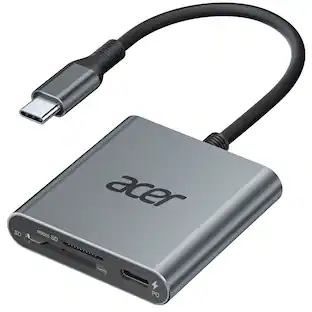
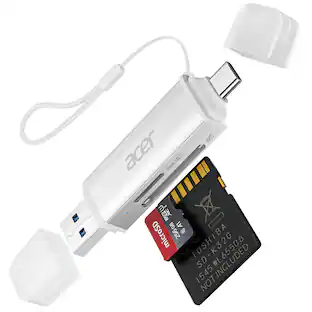
Acer USB C SD 4.0 Card Reader, 2 in 1 UHS-II Micro SD Card Reader to Type C Adapter for MicroSD, SDXC, SDHC, RS-MMC Compatible with iPhone 17/16, MacBook Pro/Air, Laptop, Tablet
2-in-1 Design
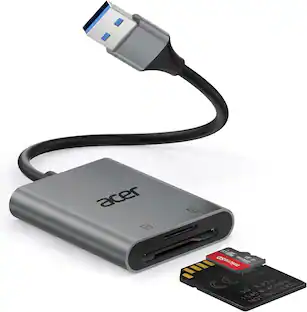
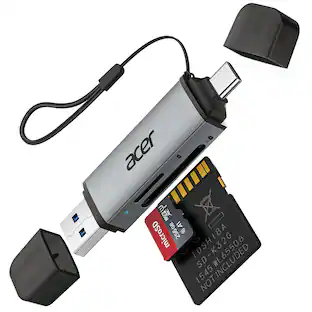
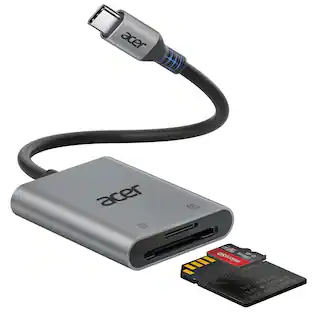
The USB C SD Card Reader features a standard SD slot and a micro SD (TF) slot. Both slots can be utilized simultaneously, enabling easy synchronization and file exchange. It supports most standard memory cards such as SD, SDXC, SDHC, Micro SD (TF), Micro SDXC, and Micro SDHC.
Efficient Transmission
USB C to SD Card Reader offers a transmission speed of 312MB/S.It supports UHS-II SD/Micro(4.0) & UHS-I card speed levels, facilitating smooth transfer of video and image files.The transfer speed is contingent upon the type of SD card being used
Small and Portable
The SD Card Adapter adopts a simple design, lightweight and portable. Supports USB OTG function, connects to mobile phone to share pictures and videos at any time. Its compact design makes it easy to carry with computers and cameras, making it easy to transfer files during travel.
New Upgrade
When using the iPhone 15 Pro and iPhone 15 Pro Max to shoot high-definition videos with Apple ProRes, connect the device and insert an SH-II card (external storage must support at least 220MB per second). This allows you to quickly store high-definition videos directly onto your SD card. (Note: For high-definition video shooting, ensure that your camera settings are set to SDR or HDR instead of LOG to avoid blurriness.)
Compatibility
The Memory Card Reader is plug-and-play, requiring no installation of any plug-ins or drivers. It can be used with various devices featuring USB-C ports. It is perfectly compatible with Windows, macOS, Linux, Chrome OS, Android, iPad, MacBook Pro/Air, Laptop, Tablet, iPhone 15/15 Pro/15 Plus, Android smartphones and more.
- BrandAcerModel NumberACER-UC201-BBYProduct NameUSB C SD 4.0 Card Reader, 2 in 1 UHS-II Micro SD Card Reader to Type C Adapter for MicroSD, SDXC, SDHC, RS-MMC CompatiblColorGrayWarranty - Parts1 yearWarranty - LaborNone
Reviews
This product doesn't have any reviews yet.


Compare similar products
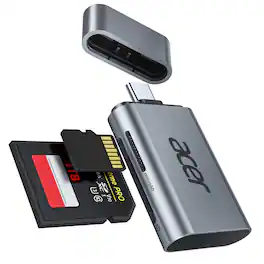
Acer USB C SD 4.0 Card Reader, 2 in 1 UHS-II Micro SD Card Reader to Type C Adapter for MicroSD, SDXC, SDHC, RS-MMC Compatible with iPhone 17/16, MacBook Pro/Air, Laptop, Tablet

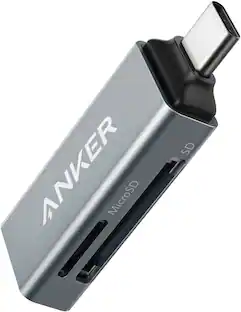
Anker SD Card Reader, 2-in-1 USB C Memory Card Reader for Digital Camera SD Card Viewer with Dual Slot for SDXC, SDHC, SD, MMC, RS-MMC, Micro SDXC,MicroSD, Micro SDHC Card, and UHS-I Cards

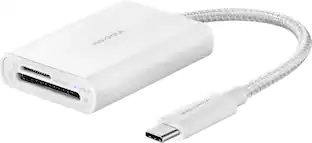
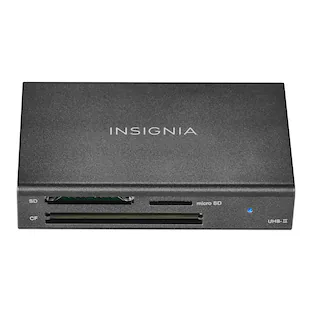
If you’re filming or taking photos, don’t run out of memory in the middle of a shoot. Transfer and back up files with the Insignia USB-C-to-SD/microSD Dual-Slot Card Reader. Simply connect the USB-C connector to your computer, tablet, or other device to quickly transfer data. It’s compatible with a variety of SD and microSD cards to keep your creativity flowing without having to pause and delete unwanted files. A blue LED shows the card reader is receiving power or reading/writing data. And its compact design and attached braided 1.67-inch cable mean you can easily fit it in a pocket or purse. Never let a full memory card stop you again.
| Pros for Acer - USB C SD 4.0 Card Reader, 2 in 1 UHS-II Micro SD Card Reader to Type C Adapter for MicroSD, SDXC, SDHC, RS-MMC Compatibl - Gray | |||
|---|---|---|---|
| There were no pros for this product— | There were no pros for this product— | Ease of use, Overall Performance, Speed, Compatibility, Size | There were no pros for this product— |
| Cons for Acer - USB C SD 4.0 Card Reader, 2 in 1 UHS-II Micro SD Card Reader to Type C Adapter for MicroSD, SDXC, SDHC, RS-MMC Compatibl - Gray | |||
| There were no cons for this product— | There were no cons for this product— | SD Card Reader | There were no cons for this product— |
Specs
How do take off pictures from phone to card reader
Answered by TeamAcerTo move photos from your phone to an SD card using a card reader, connect the reader to your phone, insert the SD card into the reader, then open your phone's file manager, select the photos, and use the "Move to" or "Copy to" option, choosing the SD card as the destination. Another way is to connect both the phone and the SD card to a computer, then drag and drop the photos from your phone's storage to the SD card.
Will this product work on the smart phone, Galaxy S20?
Answered by TeamAcerYes, the Acer USB-C SD 4.0 card reader should work with a Samsung Galaxy S20 phone.

Find more like this
 $9.99The price was $17.99
More to consider
- $9.99The price was $17.99
 $49.99The price was $50.99
 $21.99The price was $29.99
Capture the moments Sponsored
 $12.99The price was $13.99
Discover related products
 $49.99The price was $69.99
 $36.99The price was $49.99



Keep exploring
 $13.99The price was $14.99
- $49.99The price was $50.99
- $21.99The price was $29.99
 $58.86The price was $88.96
- $9.99The price was $17.99