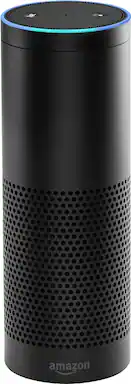
Control your life with the Amazon Echo. It started with a music player that could play anything from Prime Music to Spotify and Pandora, and it gives you hands-free convenience, yet it can now control lights, switches and thermostat and answer questions thanks to advanced voice recognition. Use the Amazon Echo to order an Uber or even pizza from Domino's.
Q: What needs to be done to install this device? Is it relatively easy?
A: To setup your Amazon Echo, you'll need to either download the Alexa app onto your smart phone/tablet or it can be setup via a web browser on a wifi connected computer. Once downloaded/on web browser, connect the power cable to your Echo and wait for the light ring to change from blue to orange. From there, it walks you through setup in the app/browser from connecting your Echo to your wifi all the way to giving you some quick tips and giving Alexa a little 'Voice Training' to learn how YOU speak so it can better understand you. It is a very straight-forward process - they've made it really simple to get started. Just make sure your Echo is in a central location, at least 8 inches away from any walls or windows. If you find that Echo doesn't hear you clearly or you'd rather it be in another room, it can be easily unplugged, repositioned, and plugged back in without needing to be setup again.
A: It needs to be plugged in for power, but the internet connection is wireless
Q: What's the difference between Amazon echo and Amazon Dot?
A: Amazon Echo is a 9.25-inch-tall cylinder speaker with a 7-piece microphone array. It responds to the wake word "Alexa" and is capable of voice interaction, controlling compatible smarthome devices, music playback from smart devices over Bluetooth, making to-do lists, setting alarms, streaming podcasts, playing audiobooks, reading PDFs, providing weather forecasts, warning you of traffic conditions, answering trivia, and supplying other types of information in real-time. Echo requires a Wi-Fi connection in order to respond to voice commands and fetch content for you, and it must remain plugged in for power. Echo Dot is 1.6-inch-tall cylinder with one tiny speaker. It's basically just the top section of Amazon Echo - and half the price, but equally as smart. It supports always-on Alexa, connects to the cloud to stream music, controls your smarthome devices, and does all the same stuff as Echo. The original Echo Dot launched in the US in March 2016, but it was refreshed when Amazon announced its UK release. The main difference between Dot and Echo is that the full-size speaker is gone. The idea is you'll hook Dot up to your own audio setup (via out jack or Bluetooth), so you can use Alexa with your existing speakers. That tiny speaker won't output much audio; it's only for Alexa voice feedback (which, again, requires Wi-Fi).
Q: does it come with the remote control? if not, how much more for one? thank U
A: The remote is you. Tell it what to do, including raising and lowering volume and it does it.
Q: Does amazon echo products work with iTunes.
A: Hello Amanda, Amazon Echo will definitely play any music already on your iPhone or iPad! You can connect your devices to Alexa using bluetooth and play via the music app on your device. Once connected and playing, you can use your voice to skip to the next song, etc. If you'd like to be able to pick a song just by using your voice, without going through your iPhone/iPad, you can get an Amazon Music Subscription and upload songs from your iTunes library. You can upload up to 250 songs for free, or pay an annual fee for up to 250,000.
Q: Can you rename Alexa whatever you want? (Wakeup word)
A: No you can not. However, you can choose between 3 wake up words. Alexa, Amazon, or Echo.
A: Hello Mindy! The Amazon Echo supports many devices, and the list is growing every day. Amazon sends Echo owners an email weekly letting them know of new things to try. They also have a growing list on their website, which I can't link to for obvious reasons. Just know that Best Buy price matches if it's shipped and sold by Amazon, and you can go in to a store, play with it, get advice, walk out with it that day, and even have it setup for you by Geek Squad if you'd rather the professionals get it all setup. As for the Hue lights in particular, they are supported by Amazon Echo, but you would need a Hue starter kit, as Hue bulbs require their own smart bridge to work. The bridge connects to your router and allows you to control the lights from anywhere, and you'll need to press the button on the bridge to allow the Echo to see the devices when first setting them up to be controlled by Alexa. For some inspiration, CNET has their own smart home, which they've added a couple Echos to so they could control their garage doors, locks, etc with their voice. Do a search for CNET Smart Home on your favorite search engine. Armed with that information, head to Best Buy and they can make recommendations on products that will do exactly what you want, and trust me, if you can dream it, you can do it nowadays with smart home devices. Just make sure you have a good router. Having an old router with a bunch of smart devices all talking to each other can really slow things down. You wouldn't want to tell your light to turn on and then wait ten minutes for it to do so. The latest 'Wave 2' routers are just coming to market, and they're designed for multiple device households with smart home and streaming in mind.
Q: Does this device do more than play music on command?
A: Yes, it is able to do more than just play music. It can play games, tell you the weather, remind you to do something, put things on your calendar, tell you the new news, jokes, and much more. I believe Alexa uses Bing as a search engine. She is also able to translate and 36 different languages. She has what she calls skills and you need to enable them in order for you to do many of the functions. Oh, and she also will give you recipes.