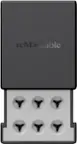
Apple - Pencil (1st Generation) with USB-C to Pencil Adapter - White - Open Box - fair
Apple - Pencil (1st Generation) with USB-C to Pencil Adapter - White - Open Box - fair
- Works like new. Restored to factory settings.
- May have larger dents or scratches.
- May be missing parts, accessories, or packaging.
More Buying Options
Related Item

About This Item
About Open Box
Reviews
Customers are saying
Customers are impressed with the Pencil's ease of use and overall performance, finding it effective for tasks like drawing due to its pressure sensitivity and precision. The long battery life, broad compatibility, and USB-C adapter are also appreciated features. However, some customers have reported occasional connectivity issues and concerns about the grip and cap design.
Customer Images
The vast majority of our reviews come from verified purchases. Reviews from customers may include My Best Buy members, employees, and Tech Insider Network members (as tagged). Select reviewers may receive discounted products, promotional considerations or entries into drawings for honest, helpful reviews.
Compare similar products

Apple Pencil lets you easily take notes, mark up, and draw on iPad with pixel-perfect precision—as naturally as you do on paper. Apple Pencil (1st Generation) works with iPad Pro 12.9-inch (1st and 2nd generation); iPad Pro 10.5-inch; iPad Pro 9.7-inch, iPad Air (3rd generation); iPad (A16 chip); iPad (6th, 7th, 8th, 9th and 10th* generation - *requires USB-C to Apple Pencil Adapter); and iPad mini (5th generation).

An affordable Apple Pencil with advanced features. Perfect for note-taking, sketching, annotating, journaling, and more. It magnetically attaches to your iPad for storage and pairs and charges with USB-C. Apple Pencil USB-C works with iPad Pro 13-inch with M5 chip; iPad Pro 13-inch with M4 chip; iPad Pro 12.9-inch (3rd, 4th, 5th, and 6th generation); iPad Pro 11-inch with M5 chip; iPad Pro 11-inch with M4 chip; iPad Pro 11-inch (1st, 2nd, 3rd, and 4th generation); iPad Air 13-inch and iPad Air 11-inch with M4 chip; iPad Air 13-inch and iPad Air 11-inch with M3 chip; iPad Air 13-inch and iPad Air 11-inch with M2 chip; iPad Air (4th and 5th generation); iPad mini (A17 Pro chip); iPad mini (6th generation); iPad (A16 chip); and iPad (10th generation).

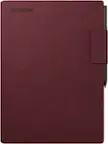
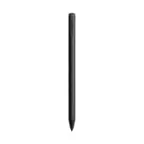
Maintain precise control over your iPad with the Insignia Active Stylus for iPad, iPad Pro, iPad Air and iPad mini. This stylus functions just like your Apple Pencil, using its precise tip to target individual pixels. Tilt to adjust your line thickness when drawing, just like an actual pencil. It also features magnetic support with compatible models, letting you easily locate your stylus each time. Double tap the tail end of the stylus to turn it on or off, helping you to conserve battery life. An included USB-C cable charges your stylus in as little as 30 minutes.

The new Apple Pencil makes note-taking, writing, and drawing better than ever. It magnetically attaches to iPad Pro, charges wirelessly, and lets you change tools with a simple double tap. Apple Pencil (2nd generation) works with iPad Pro 12.9-inch (3rd, 4th, 5th, and 6th generation); iPad Pro 11-inch (1st, 2nd, 3rd, and 4th generation); iPad Air (4th and 5th generation); and iPad mini (6th generation).
| Pros for Apple - Pencil (1st Generation) with USB-C to Pencil Adapter - White | |||
|---|---|---|---|
| Ease of use, Overall Performance, Battery Life, Compatibility, USB-C | Overall Performance, Ease of use, Battery Life, Connectivity, Charging Speed | Overall Performance, Ease of use, Battery Life, Connectivity, Price | Ease of use, Overall Performance, Compatibility, Battery Life, Charging |
| Cons for Apple - Pencil (1st Generation) with USB-C to Pencil Adapter - White | |||
| Connectivity, Grip, Pairing, Design, Cap | Pressure Sensitivity, Tip Durability, Features | Pressure Sensitivity, Lag | Lag, Price, Tip, Connection, Size |