Apple - Studio Display - Standard glass - Tilt-adjustable stand - Silver - Open Box - Fair
Customers are saying
Customers love the excellent display quality, high resolution, and impressive speakers, along with its beautiful design. However, the product's high price is a significant concern, and some users are disappointed by the 60Hz refresh rate. Additionally, minor issues like the non-removable power cord, lack of an adjustable stand, and occasional connectivity problems have been noted.
Highlights
Immersive 27-inch 5K Retina display with 600 nits of brightness, support for one billion colors, and P3 wide color*
12MP Ultra Wide camera with Center Stage for more engaging video calls
Studio-quality three-mic array for crystal-clear calls and voice recordings
Six-speaker sound system with Spatial Audio for an unbelievable listening experience
One Thunderbolt 3 port, three USB-C ports
96W of power delivery to charge your Mac notebook
Nano-texture glass option
Configurable stand options
- Refresh Rate60HzMaximum Resolution5120 x 2880Panel TypeRetina DisplaySynchronization TechnologyNot ApplicableScreen Size27 inches
Reviews
Rating 4.8 out of 5 stars with 739 reviews
- Display Quality (433)
- Resolution (55)
- Speakers (43)
- Design (37)
- Price (50)
- Refresh Rate (19)
- Power Cord (5)
- Compatibility (4)
- Connectivity (4)
Customer Images
The vast majority of our reviews come from verified purchases. Reviews from customers may include My Best Buy members, employees, and Tech Insider Network members (as tagged). Select reviewers may receive discounted products, promotional considerations or entries into drawings for honest, helpful reviews.
About Open Box

Compare similar products

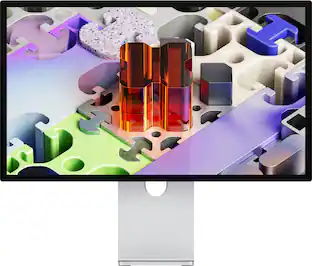
Introducing Studio Display. An immersive 27-inch 5K Retina display* with a 12MP camera with Center Stage, studio-quality mics, and six-speaker sound system. Pairs beautifully with any Mac.

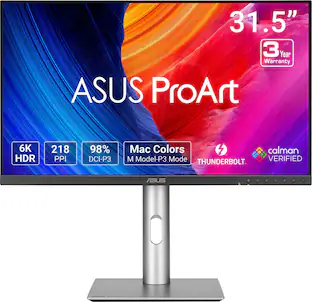
An immersive 27-inch 5K Retina display, 12MP Center Stage camera with Desk View, advanced mics and speakers, and Thunderbolt 5 ports. Studio Display is the perfect partner for Mac.
An immersive 27-inch 5K Retina display, 12MP Center Stage camera with Desk View, advanced mics and speakers, and Thunderbolt 5 ports. Studio Display is the perfect partner for Mac.
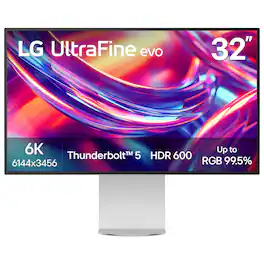
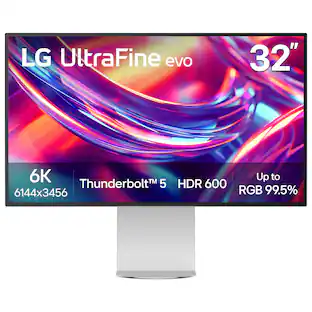
Bring your most ambitious ideas to life with the LG UltraFine evo 6K monitor—a cutting-edge display built for creative professionals who demand clarity, precision, and speed. Whether you’re editing 6K video, retouching large-format photography, building 3D assets, designing immersive websites, or training AI visuals, this display delivers studio-grade performance that keeps up with your vision. With Thunderbolt 5 and full Mac and Windows compatibility, you get ultra-fast data transfer, 96W charging, 6K daisy chaining, and support for DisplayPort 2.1—all through a single cable. The 32-inch Nano IPS Black panel boasts over 21 millions pixel for 6K resolution at 224 PPI, up to 99.5% AdobeRGB, 98% DCI-P3, Real 10-bit color depth, and VESA DisplayHDR 600—delivering cinematic contrast, rich tonal transitions, and incredible color fidelity across print, digital, and HDR content. A 2000:1 contrast ratio reveals deeper blacks, and sharp shadow detail, while TÜV 3-Star Eye Comfort certification means more comfortable during long editing or coding sessions. The LG Switch app enhances your workflow with personalized image settings, 11-screen layouts, and one-click video call launches. Add in ergonomic tilt, height, pivot, and 90° rotation, plus built-in speakers and a full suite of ports (USB-C, HDMI, DisplayPort 2.1 (UHBR 13.5 DSC)), and you have a powerful all-in-one hub for the way modern creatives work—fluent, focused, and flawlessly connected.
| Pros for Apple - Studio Display - Standard glass - Tilt-adjustable stand - Silver | |||
|---|---|---|---|
| Display Quality, Resolution, Speakers, Design | Build Quality | There were no pros for this product— | Build Quality, Color Accuracy, Connectivity |
| Cons for Apple - Studio Display - Standard glass - Tilt-adjustable stand - Silver | |||
| Price, Refresh Rate, Power Cord, Compatibility, Connectivity | There were no cons for this product— | There were no cons for this product— | There were no cons for this product— |
Specs
Customers often buy these together
Computer Keyboards

![The text on the image reads:
888 DD DI DD 4 DSC i F2 F3 4 FS T6 ET 1. 1N IN F.. 11 1.. 114 1n F1 F12 118 in9 - a ee 1 8F 2 3 $ 4 % 5 A 6 & 7 . 8 I 9 I 0 ee I + = delete fn home page up clear - / + tab Q W E R T Y U I 0 P { [ ] ] | I delete end page down 7 8 9 ee caps lock A S D F G H J K L : I - return 4 5 6 + shift Z X C V N M < F > ? / shift a 1 2 3 control option 2 command 3 command option control Y - 0 enter
After grouping and correcting the text, it reads:
888 DD DI DD 4 DSC i F2 F3 4 FS T6 ET 1. 1N IN F.. 11 1.. 114 1n F1 F12 118 in9 - a ee 1 8F 2 3 $ 4 % 5 A 6 & 7 . 8 I 9 I 0 ee I + = delete fn home page up clear - / + tab Q W E R T Y U I 0 P { [ ] ] | I delete end page down 7 8 9 ee caps lock A S D F G H J K L : I - return 4 5 6 + shift Z X C V N M < F > ? / shift a 1 2 3 control option 2 command 3 command option control Y - 0 enter](https://pisces.bbystatic.com/image2/BestBuy_US/images/products/f4059d3a-0c2a-46ef-bcfd-4e11b9b26d5d.jpg;maxHeight=232;maxWidth=233?format=webp)

![The text on the image is a list of keys on a keyboard. Here is the grouped and corrected text:
1. Function keys: F1, F2, F3, F4, F5, F6, F7, F8, F9, F10, F11, F12
2. Numeric keys: 1, 2, 3, 4, 5, 6, 7, 8, 9, 0, -, =, +, (, )
3. Modifier keys: shift, control, option, command, caps lock, and return
4. Navigation keys: arrow keys (up, down, left, and right), and home and end keys
5. Punctuation keys: [, ], |, /, and ;
6. Numeric keypad keys: 7, 8, 9, *, -, and =
7. Other keys: tab, Q, W, E, R, T, Y, U, I, O, P, J, K, L, and Z
This list includes all the keys on a standard keyboard, grouped by their functions and types.](https://pisces.bbystatic.com/image2/BestBuy_US/images/products/eba31cb9-2606-42ab-9643-ed4280533545.jpg;maxHeight=232;maxWidth=233?format=webp)
![g) FS F4 F3 esc F2 F1 A $ % # 6 ! 4 5 ~ 3 1 2 R T W E Q tab F G S D lock A caps V C X Z shift H command option control F6 & 7 Y H B logi 44 F9 FB F7 * ( ) 9 0 8 I O U K L J < N M 1.0% r FI3 FQ2 Fl F10 fn + delete - = - 3 I { / P [ ] A return : I ; shift ? > I control option command 2 10 300 3 F PS F1 page clear home up page 7 end down Q P F F8 = I 8 9 4 5 1 2 0 F9 * 1 + 6 3 enter](https://pisces.bbystatic.com/image2/BestBuy_US/images/products/6578/6578481_sd.jpg;maxHeight=232;maxWidth=233?format=webp)

![esc ! - 1 tab caps lock shift ctrl F2 F3 # 2 3 Q W E R T Y U I O P A S D F G H J K L Z X C V B N M start opt alt cmd logi 44 HI . F10 F8 F7 F6 * ( ) - - & 0 8 9 7 O P U I Y K L H J > < N M B F + = { [ : I : ? I alt cmd 2 30 3 1 FQ page insert home up backspace page 1 delete end down ) ] / I I & shift ctrl fn opt 6 / + / clear 8 9 + 7 & P9 up home 5 6 4 a 4 2 3 enter 1 dn pg end = 0 del ins](https://pisces.bbystatic.com/image2/BestBuy_US/images/products/6539/6539508_sd.jpg;maxHeight=232;maxWidth=233?format=webp)
Monitor Stands
More recommended items
 Monitor and Video Cables
 Laptop Docking Stations
 Mice
Mice Cables and Adapters
More to consider
 $1,299.99The price was $1,999.99
 $634.00The price was $839.99
 $649.99The price was $699.99
 $549.00The price was $569.99


Explore tech essentials Sponsored
 Top Deal$299.99The price was $369.99
 $89.99The price was $119.99
 $299.99The price was $349.99
 $421.99The price was $449.99

Discover related products
 $13.99The price was $19.99








Keep exploring
 $599.99The price was $699.99
 $862.99The price was $999.00
 $799.00The price was $885.76
 $649.99The price was $659.99
 $499.99The price was $519.99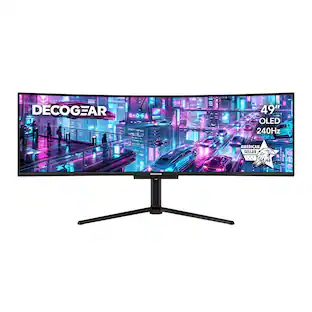
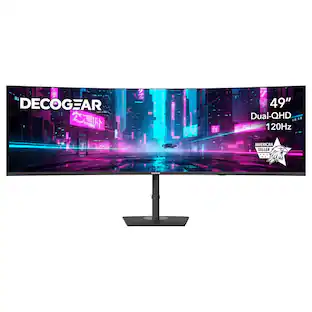
Deco Gear - 49" QD-OLED 240Hz Curved Super Ultrawide Gaming Monitor 5K DQHD 0.03 ms HDR400 90W USB-C
$899.99The price was $959.99 $986.00The price was $1,186.18
 $628.99The price was $720.02