LG - 32” UltraFine evo 6K Nano IPS Black Professional Monitor with DisplayHDR 600 (Thunderbolt 5, HDMI, DisplayPort, USB-C) - Silver
Customers are saying
Customers are pleased with the solid build quality of this monitor, which features a sturdy stand and no unwanted wobbling. Users also frequently highlight the excellent color accuracy and the industry-leading 6K resolution that provides superior text clarity. Furthermore, the device offers versatile connectivity options, including Thunderbolt 5, HDMI, USB-C, and DisplayPort.
Highlights
Features
The World’s First 6K Monitor with Thunderbolt 5
Crafted for creatives who demand more, the LG UltraFine evo brings 6K clarity, stunning clarity, and rich color to every frame. With Thunderbolt 5 and seamless Mac and Windows compatibility, it's the display your ideas deserve—and your tools demand.¹
6K Resolution and 224 PPI Ultra-High Pixel Density
With 6K resolution (6144 × 3456) and a razor-sharp 224 PPI, the LG UltraFine evo packs over 21 million pixels into a 32" panel—delivering 156% more pixels than standard 4K. UltraFine evo has has more working pixels in every inch—allowing you to view full-resolution content while keeping creative tools and editing interfaces clearly visible, sharp, and distortion-free.
Performance and Precision for Creative Pros
Whether you’re editing 6K video, retouching photos, sculpting in 3D, designing responsive web layouts, or training AI visuals—the Mac and Windows compatible UltraFine evo display supports your craft with immaculate color and impeccable visual fidelity.
Next-Gen Compatibility, Powered by Thunderbolt 5
Thunderbolt 5 empowers creators, editors, and AI professionals with ultra-fast transfer speeds- 2x faster than Thunderbolt 4, along with 6K daisy chaining support, and DisplayPort 2.1—all via one cable. With 96W power delivery, Mac and Windows support, Thunderbolt 5 bridges future-ready workflows with maximum scalability and efficiency.
Daisy Chain Your Creative Workflow
Connect multiple monitors with a single cable using Daisy Chain support—ideal for multitasking across design software, editing timelines, and reference materials. This streamlined setup reduces desk clutter and boosts productivity, giving creative professionals the expansive workspace they need.
Versatile Connectivity for Pro-Level Setups
Compatible with both Mac and Windows, the LG UltraFine evo 6K monitor transforms into a powerful workstation hub with Thunderbolt 5, HDMI, DisplayPort 2.1 (UHBR 13.5 DSC), and USB Type-C ports—giving you seamless access to devices, drives, and displays.
Studio Mode: Easy Color Tuning Compatible with Mac Computers
Built for Mac compatibility, Studio Mode² offers three calibrated color presets that fine-tune your UltraFine evo 6K display for a more consistent, unified viewing experience. It adjusts subtle tone variations, helping ensure your screen stays consistent with your creative intent—from edge to edge.
High-PPI Clarity Compatible with Mac Creators
With 224 pixels per inch, UltraFine evo 6K delivers incredibly sharp visuals on a larger screen—ideal for photo editing, design, and precision work. Whether you're retouching images or rendering graphics, experience Mac-optimized clarity that brings every detail into focus.³
Mac-Compatible Controls with M-Control
Adjust your display with ease using your Mac keyboard. With M-Control⁴ support, UltraFine evo 6K lets you fine-tune brightness and volume right from your keys—no on-screen menu diving.
DisplayHDR 600: Visual Nuance Unlocked
VESA DisplayHDR 600 produces brilliant highlights, crisp contrast, and vibrant color accuracy—revealing every detail in your scene. Perfect for color grading, photo retouching, and 3D rendering where precision and realism matter most.
Professional Color Mastery, Pixel by Pixel
For creators who demand precision and accuracy, the UltraFine evo displays up to 99.5% Adobe RGB, 98% DCI-P3, and Real 10-bit color depth. Expect ultra-smooth tonal transitions, deeper HDR detail, and consistent results from screen to print.
Nano IPS Black with 2000:1 Contrast: Deeps Blacks & Rich Shadows
Nano IPS Black delivers up to a 2000:1 contrast ratio for deeper blacks, richer detailed shadows, and astounding detail—helping creative professionals maintain visual clarity, tonal depth, and consistent color expression across the screen.
Eye Comfort Certified by TÜV Rheinland
With TÜV Rheinland Eye Comfort certification⁵, UltraFine evo 6K provides a more comfortable viewing experience even during long hours of work or media consumption.
Ergonomic Adjustability with Virtually Borderless Design
The 4-sided, virtually borderless display maximizes screen space while the ergonomic stand allows tilt, height, pivot, and 90° rotation. Ideal for creative pros and multitaskers viewing large docs, coding, or setting up a streamlined multi-monitor workspace.
Intuitive Screen Adjustments for Creative Workflows with LG Switch
LG Switch app⁶ streamlines your display setup so you can focus on creating. Use the picture wizard to fine-tune brightness and image quality for photo editing or color grading. Instantly launch video calls and organize windows across 11 flexible on-screen layouts.
Built-In Sound for Streamlined Studio Setups
Integrated audio simplifies your workspace by eliminating the need for external speakers—ideal for video playback, remote meetings, and creative reviews. Designed to support your workflow with clear, reliable sound right from the display.
Specifications
- Refresh Rate60HzMaximum Resolution6144 x 3456Response Time5 millisecondsPanel TypeIPSSynchronization TechnologyNot Applicable
Reviews
Rating 4.1 out of 5 stars with 16 reviews
- Build Quality (8)
- Color Accuracy (6)
- Connectivity (4)
- Resolution (3)
Customer Images
The vast majority of our reviews come from verified purchases. Reviews from customers may include My Best Buy members, employees, and Tech Insider Network members (as tagged). Select reviewers may receive discounted products, promotional considerations or entries into drawings for honest, helpful reviews.

Compare similar products
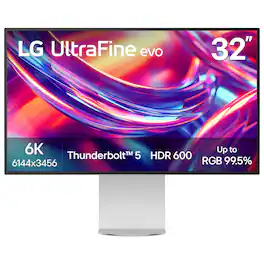
Bring your most ambitious ideas to life with the LG UltraFine evo 6K monitor—a cutting-edge display built for creative professionals who demand clarity, precision, and speed. Whether you’re editing 6K video, retouching large-format photography, building 3D assets, designing immersive websites, or training AI visuals, this display delivers studio-grade performance that keeps up with your vision. With Thunderbolt 5 and full Mac and Windows compatibility, you get ultra-fast data transfer, 96W charging, 6K daisy chaining, and support for DisplayPort 2.1—all through a single cable. The 32-inch Nano IPS Black panel boasts over 21 millions pixel for 6K resolution at 224 PPI, up to 99.5% AdobeRGB, 98% DCI-P3, Real 10-bit color depth, and VESA DisplayHDR 600—delivering cinematic contrast, rich tonal transitions, and incredible color fidelity across print, digital, and HDR content. A 2000:1 contrast ratio reveals deeper blacks, and sharp shadow detail, while TÜV 3-Star Eye Comfort certification means more comfortable during long editing or coding sessions. The LG Switch app enhances your workflow with personalized image settings, 11-screen layouts, and one-click video call launches. Add in ergonomic tilt, height, pivot, and 90° rotation, plus built-in speakers and a full suite of ports (USB-C, HDMI, DisplayPort 2.1 (UHBR 13.5 DSC)), and you have a powerful all-in-one hub for the way modern creatives work—fluent, focused, and flawlessly connected.
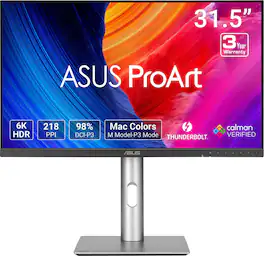
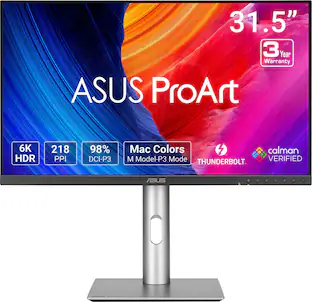
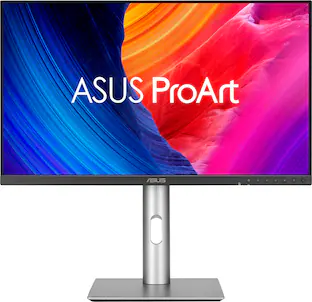
ASUS ProArt Display PA32QCV is a 31.5-inch 6K HDR monitor designed for professional content creators. This Calman Verified display boasts a wide gamut with 98% DCI-P3 coverage and Delta E<2 color accuracy. The ProArt Preset feature now includes the new M Model-P3 mode to deliver seamless and consistent colors when working with MacBook devices. Dual Thunderbolt™ 4 ports support daisy-chaining and enable superfast data transfers and 96-watt power delivery via a single cable.
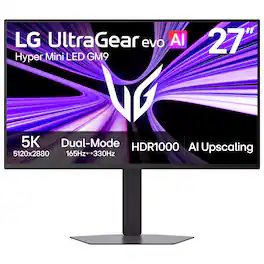
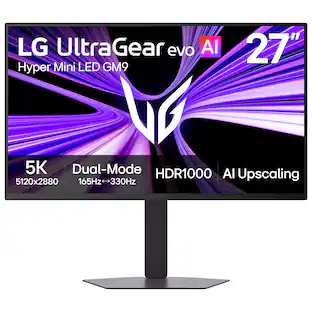
Powered by UltraGear evo’s next-generation Hyper Mini LED¹ technology, the GM9 (27GM950B-B) 27-inch 5K (5120×2880) gaming monitor delivers extraordinary clarity, brightness, and speed. With over 14 million pixels, VESA DisplayHDR 1000, and up to 1250 nits peak brightness, games appear vivid and detailed with brilliant highlights and deep contrast. Precision backlighting with 9,216 LEDs helps suppress blooming while revealing finer textures across bright and dark scenes. AI Upscaling² enhances content toward 5K resolution without requiring a GPU upgrade, while 218 PPI pixel density keeps text, HUDs, and game details exceptionally sharp. Dual-Mode refresh rates let you switch between 5K at 165Hz for reponsive, cinematic gameplay or QHD at 330Hz for ultra-fast competitive gaming, supported by a 1ms (GtG) response time and NVIDIA G-SYNC Compatible³ and AMD FreeSync Premium technologies. Next-gen connectivity including DisplayPort 2.1⁴ (UHBR20), USB-C with 90W power delivery, and HDMI 2.1 supports high-performance PCs and consoles, while AI Scene Optimization, AI Sound, and built-in speakers help create a smarter, more immersive gaming setup.

An immersive 27-inch 5K Retina display, 12MP Center Stage camera with Desk View, advanced mics and speakers, and Thunderbolt 5 ports. Studio Display is the perfect partner for Mac.
| Pros for LG - 32” UltraFine evo 6K Nano IPS Black Professional Monitor with DisplayHDR 600 (Thunderbolt 5, HDMI, DisplayPort, USB-C) - Silver | |||
|---|---|---|---|
| Build Quality, Connectivity, Resolution, Color Accuracy | Display Quality, Resolution, Connectivity | Build Quality, Display Resolution | Display Quality |
Specs
Questions & Answers
Will the Thunderbolt 5 ports charge a MacBook battery?
Answered by LG Digital Customer CareWhat are the power requirements for charging your MacBook battery? The Thunderbolt™ 5 ports on the LG 32” UltraFine evo 6K Nano IPS Black Professional Monitor with DisplayHDR™ 600 (Thunderbolt™ 5, HDMI, DisplayPort, USB-C) - Silver, Model # 32U990A-S, have a Power Delivery (PD) of 96W...^Ivan.
Does this monitor have a built in webcam?
Answered by LG Digital Customer CareHi, Emac! Thank you for sharing your question to us about the LG Monitor (32U990A‑S). No, this model does not include a built‑in webcam. If you need video capability, you can pair it with any external USB webcam for a clean and flexible setup. You can explore the full feature list and support details here: https://www.bestbuy.com/product/lg-32-ultrafine-evo-6k-nano-ips-black-professional-monitor-with-displayhdr-600-thunderbolt-5-hdmi-displayport-usb-c-silver/JJ8VPZKRFK. If you’d like help choosing a compatible accessory or reviewing connection options, feel free to email us at lgdigitalcare@lg.sprinklrsupport.com. — Avril
If the refresh rate is 60hz at 6k what would the refresh rate be at 4k or 1080p?
Answered by LG Digital Customer CareThe LG 32” UltraFine™ evo 6K Nano IPS Black Professional Monitor with DisplayHDR™ 600 (Thunderbolt™ 5, HDMI, DisplayPort, USB-C) - Silver, Model # 32U990A-S, supports a maximum resolution of 6144 x 3456 @ 30/ 60 Hz over HDMI, DisplayPort, and Thunderbolt™. It supports a maximum resolution of 3840 x 2160 @ 30/ 60 Hz over HDMI, and 3840 x 2160 @ 60 Hz over DisplayPort and Thunderbolt™, and it supports 1920 x 1280 @ 60 Hz over the same ports...^Ivan.
How many Thunderbolt ports does this monitor have?
This monitor has two Thunderbolt ports in total.
This question and answer was generated by AI based on customer and product data.Does this monitor support high dynamic range?
Yes, this monitor supports high dynamic range with VESA Certified DisplayHDR 600.
This question and answer was generated by AI based on customer and product data.

Customers often buy these together
Computer Keyboards

![The text on the image is a list of keys on a keyboard. Here is the grouped and corrected text:
1. Function keys: F1, F2, F3, F4, F5, F6, F7, F8, F9, F10, F11, F12
2. Numeric keys: 1, 2, 3, 4, 5, 6, 7, 8, 9, 0, -, =, +, (, )
3. Modifier keys: shift, control, option, command, caps lock, and return
4. Navigation keys: arrow keys (up, down, left, and right), and home and end keys
5. Punctuation keys: [, ], |, /, and ;
6. Numeric keypad keys: 7, 8, 9, *, -, and =
7. Other keys: tab, Q, W, E, R, T, Y, U, I, O, P, J, K, L, and Z
This list includes all the keys on a standard keyboard, grouped by their functions and types.](https://pisces.bbystatic.com/image2/BestBuy_US/images/products/eba31cb9-2606-42ab-9643-ed4280533545.jpg;maxHeight=232;maxWidth=233?format=webp)
![g) FS F4 F3 esc F2 F1 A $ % # 6 ! 4 5 ~ 3 1 2 R T W E Q tab F G S D lock A caps V C X Z shift H command option control F6 & 7 Y H B logi 44 F9 FB F7 * ( ) 9 0 8 I O U K L J < N M 1.0% r FI3 FQ2 Fl F10 fn + delete - = - 3 I { / P [ ] A return : I ; shift ? > I control option command 2 10 300 3 F PS F1 page clear home up page 7 end down Q P F F8 = I 8 9 4 5 1 2 0 F9 * 1 + 6 3 enter](https://pisces.bbystatic.com/image2/BestBuy_US/images/products/6578/6578481_sd.jpg;maxHeight=232;maxWidth=233?format=webp)
![esc
F1
F2
F3
F4
F5
F6
F7
F8
F9
F10
F11
F12
F13
F14
F15
F16
F17
F18
F19
` 1
@ 2
# 3
$ 4
% 5
^ 6
& 7
* 8
( 9
) 0
- -
+ =
Q
W
E
R
T
Y
U
I
O
P
{ [
} ]
|
7
8
9
-
A
S
D
F
G
H
J
K
L
: ;
" "
Z
X
C
V
B
N
M
, <
. >
/ ?
fn
control
option
command
command
option
control
0](https://pisces.bbystatic.com/image2/BestBuy_US/images/products/61efe0f6-0bb8-4d06-a37e-e95c7bba95ca.jpg;maxHeight=232;maxWidth=233?format=webp)

![The text on the image reads:
888 DD DI DD 4 DSC i F2 F3 4 FS T6 ET 1. 1N IN F.. 11 1.. 114 1n F1 F12 118 in9 - a ee 1 8F 2 3 $ 4 % 5 A 6 & 7 . 8 I 9 I 0 ee I + = delete fn home page up clear - / + tab Q W E R T Y U I 0 P { [ ] ] | I delete end page down 7 8 9 ee caps lock A S D F G H J K L : I - return 4 5 6 + shift Z X C V N M < F > ? / shift a 1 2 3 control option 2 command 3 command option control Y - 0 enter
After grouping and correcting the text, it reads:
888 DD DI DD 4 DSC i F2 F3 4 FS T6 ET 1. 1N IN F.. 11 1.. 114 1n F1 F12 118 in9 - a ee 1 8F 2 3 $ 4 % 5 A 6 & 7 . 8 I 9 I 0 ee I + = delete fn home page up clear - / + tab Q W E R T Y U I 0 P { [ ] ] | I delete end page down 7 8 9 ee caps lock A S D F G H J K L : I - return 4 5 6 + shift Z X C V N M < F > ? / shift a 1 2 3 control option 2 command 3 command option control Y - 0 enter](https://pisces.bbystatic.com/image2/BestBuy_US/images/products/f4059d3a-0c2a-46ef-bcfd-4e11b9b26d5d.jpg;maxHeight=232;maxWidth=233?format=webp)
![esc ! - 1 tab caps lock shift ctrl F2 F3 # 2 3 Q W E R T Y U I O P A S D F G H J K L Z X C V B N M start opt alt cmd logi 44 HI . F10 F8 F7 F6 * ( ) - - & 0 8 9 7 O P U I Y K L H J > < N M B F + = { [ : I : ? I alt cmd 2 30 3 1 FQ page insert home up backspace page 1 delete end down ) ] / I I & shift ctrl fn opt 6 / + / clear 8 9 + 7 & P9 up home 5 6 4 a 4 2 3 enter 1 dn pg end = 0 del ins](https://pisces.bbystatic.com/image2/BestBuy_US/images/products/6539/6539508_sd.jpg;maxHeight=232;maxWidth=233?format=webp)
Monitor and Video Cables

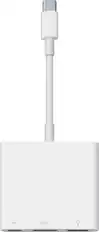
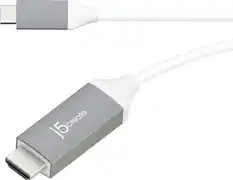
More recommended items
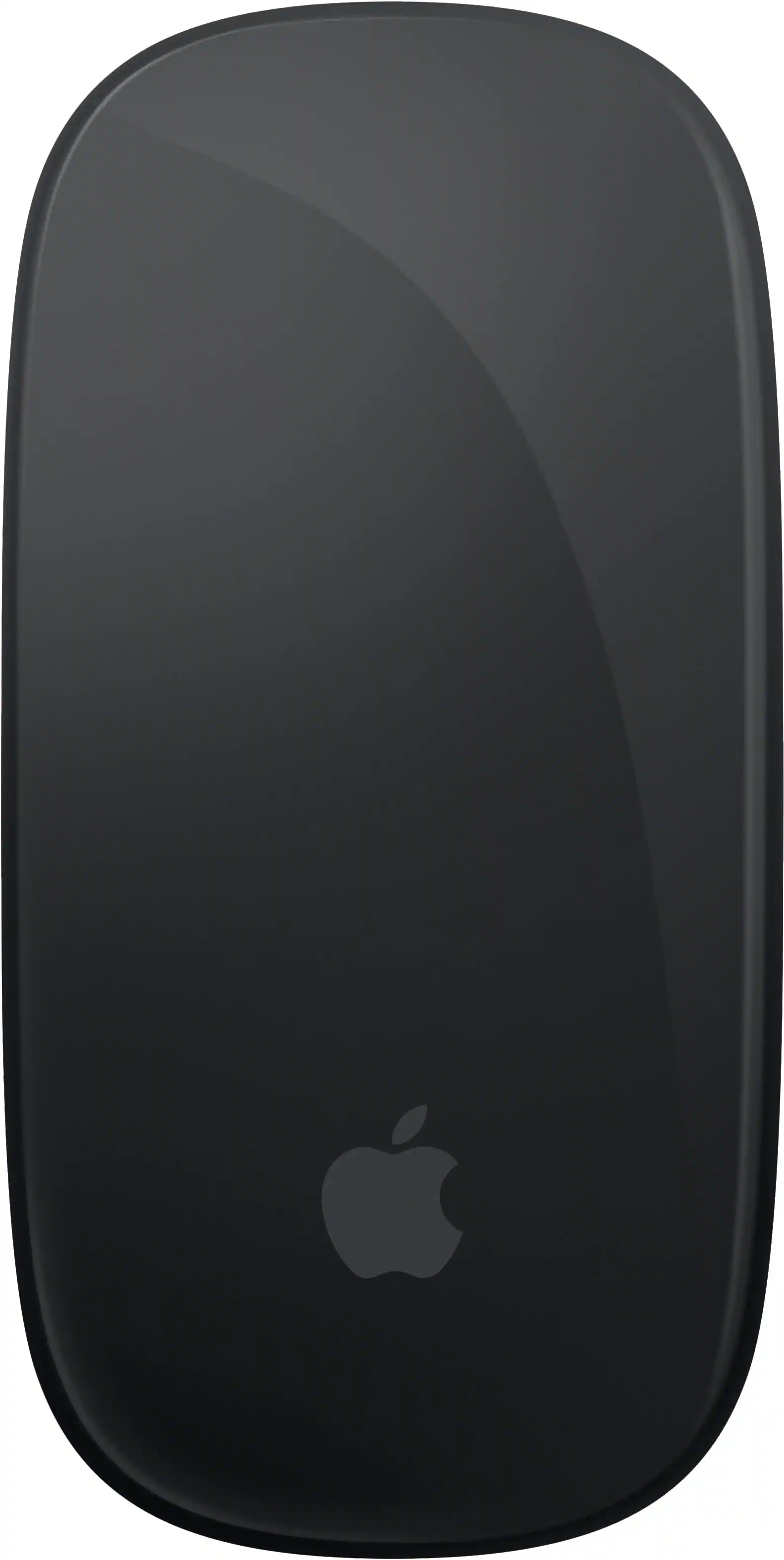 Mice
Mice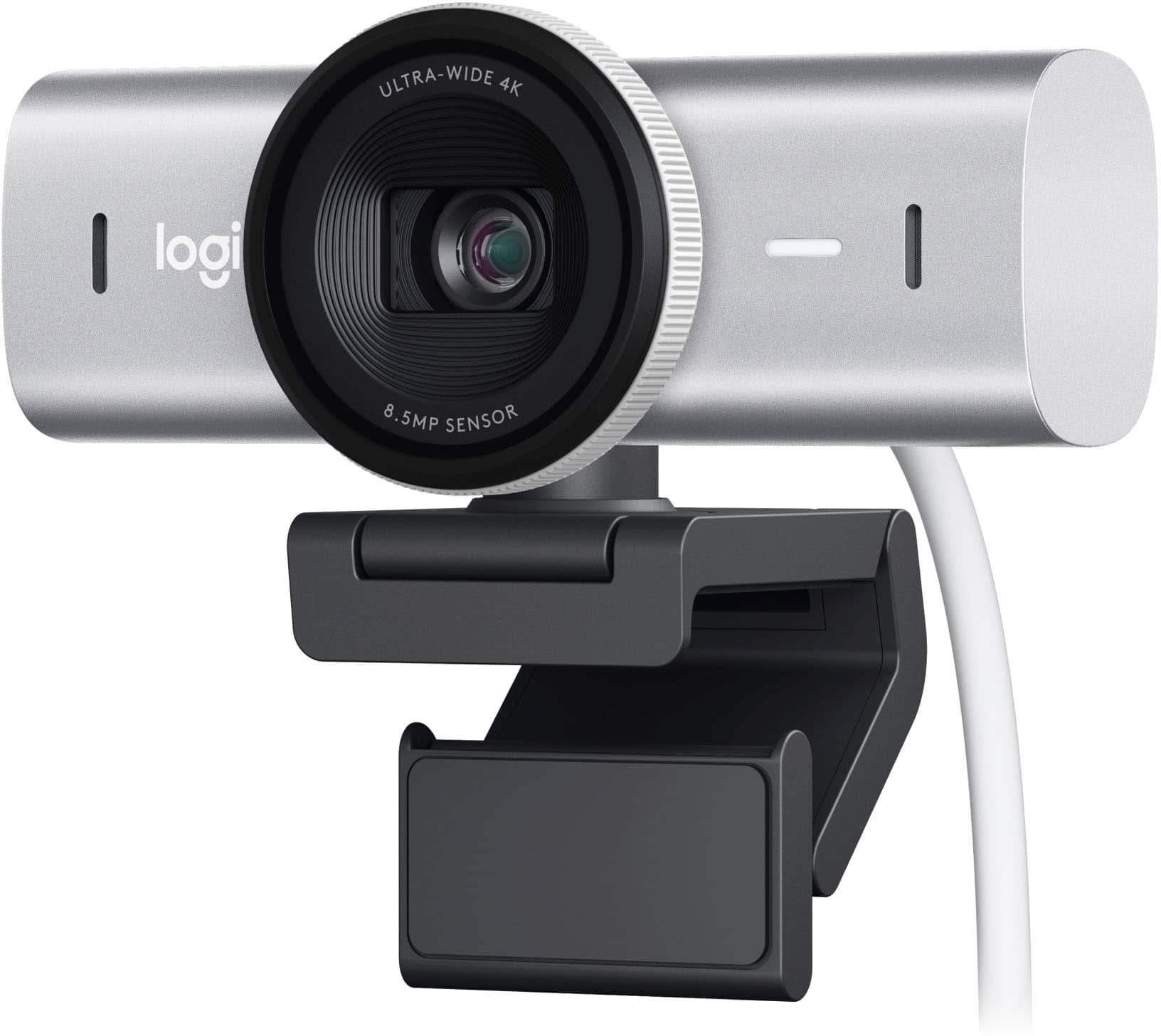 Web Cameras
 Cables and Adapters
More to consider
 $1,262.99The price was $1,299.99
 Top Deal$799.99The price was $1,199.99
 $1,299.99The price was $1,569.99
 $1,539.00The price was $2,389.99
 $869.00The price was $959.99
 $1,699.99The price was $1,999.99
 $707.95The price was $752.54
 Top Deal$1,599.99The price was $1,799.99
Explore tech essentials Sponsored
 $189.99The price was $299.99

Discover related products
 $631.99The price was $659.99
 $1,019.99The price was $1,299.00
 $849.99The price was $999.00
 $449.99The price was $455.99






Keep exploring
 $429.99The price was $453.31
 $120.99The price was $129.99
 $479.99The price was $549.99