Apple - USB-C-to-USB Adapter - White - Open Box - fair
- Works like new.
- May have larger dents or scratches.
- May be missing parts, accessories, or packaging.
More Buying Options
Related Item

About This Item
About Open Box
Reviews
Customers are saying
Customers frequently mention the USB-C-to-USB Adapter's broad compatibility and its usefulness with existing USB devices. Users appreciate its ease of use and the overall quality typical of Apple products. A minor drawback mentioned by some is the slight inconvenience of the cord length.
Customer Images
The vast majority of our reviews come from verified purchases. Reviews from customers may include My Best Buy members, employees, and Tech Insider Network members (as tagged). Select reviewers may receive discounted products, promotional considerations or entries into drawings for honest, helpful reviews.
Compare similar products

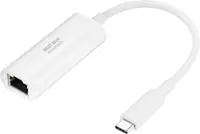
The Apple USB-C-to-USB Adapter lets you connect iOS devices and many of your USB accessories to a MacBook with a USB-C port. Plug the USB-C end of the adapter into the USB-C port on your MacBook, and then connect your flash drive, camera or other standard USB device.
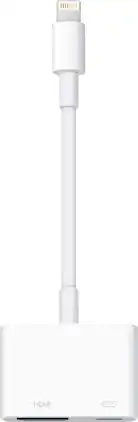
Display media from your Apple device on an HDTV or other HDMI-compatible screen using this Apple MD826ZM/A Lightning digital A/V adapter, which features video mirroring capability for enjoying content in up to 1080p resolution.

The USB-C to Lightning Adapter lets you connect your Lightning accessories to a USB-C-enabled iPhone or iPad to conveniently provide three key functions, charging, data and audio, with a single adapter. This adapter has a braided cable for added durability.

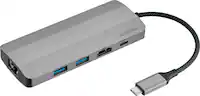
The USB Type-C digital AV multiport adapter lets you connect your USB Type-C enabled Mac or iPad Pro to an HDMI display, while also connecting a standard USB device and a USB Type-C charging cable.
| Pros for Apple - USB-C-to-USB Adapter - White | |||
|---|---|---|---|
| Compatibility, Ease of use, USB, Quality, Size | Ease of use, Compatibility, Overall Performance, HDMI, Streaming | Compatibility, Overall Performance, Ease of use, USB-C, Lightning | Compatibility, Overall Performance, HDMI, Ease of use, Connectivity |
| Cons for Apple - USB-C-to-USB Adapter - White | |||
| Cord Length | Price, Cord Length | Price, Connectivity | Price, Ports, Heat, Size |