DoorBOOsters are hereEnds Sunday. Limited quantities. No rainchecks.Shop now

Skip to contentGo to Product Search
Main Content

ASUS - CX14 14" FHD Chromebook Laptop - Intel Celeron N50 (2023) - 4GB Memory - 64GB Storage - Gray

Model: CX1405CTA-CL464
SKU: 12881865
Sold & shipped by

Customers are saying

Customers have good things to say about the device's overall performance, which users describe as remarkably smooth, alongside its excellent portability and impressive battery life. While the sleek design, fast processor, and satisfying keyboard feel are also frequently praised, some users noted that the audio quality is basic and the storage capacity is somewhat limited. Overall, the product is well-regarded for its reliable functionality and convenient features.

Generated by AI based on customer reviews.

Highlights

Features

  • 14" FHD Anti-Glare Screen

    This 14-inch Full HD panel adopts professional anti-glare coating to eliminate harsh light reflections, delivering crisp, vivid visuals from wide viewing angles. It reduces eye strain during long-hour study, office work and streaming videos, bringing you comfortable viewing experience both indoors and outdoors.

  • Intel Celeron N50

    Powered by the efficient Intel Celeron N50 chip, it delivers steady, lag-free performance for daily browsing, document editing and online classes. Its low-power architecture balances smooth operation and energy saving to extend all-day battery runtime effortlessly.

  • Intel UHD Graphics

    Enjoy solid image quality that brings your everyday content to life with vibrant colors and sharp details.

  • Wi-Fi 6

    Equipped with advanced Wi‑Fi 6 wireless module, it brings faster transmission speeds, lower network latency and stronger anti-interference ability. Enjoy seamless online meetings, video streaming and file downloads without stuttering even under multi-device crowded network environments.

  • Bonus Docking Station Set

    1x 7-in-1 Docking Station w/128GB Storage, 1x 32GB MicroSD Card with Adapter, 1x Type-C Data Cable, 1x 3-in-1 Charging Cable, 1x Suede Cleaning Cloth.

Specifications

  • Screen Type
    IPS
    Screen Size
    14 inches
    Screen Resolution
    1920 x 1080 (Full HD)
    Touch Screen
    No
    Refresh Rate
    60Hz
Sponsored

Reviews

Customers are sayingCustomers have good things to say about the device's overall performance, which users describe as remarkably smooth, alongside its excellent portability and impressive battery life. While the sleek design, fast processor, and satisfying keyboard feel are also frequently praised, some users noted that the audio quality is basic and the storage capacity is somewhat limited. Overall, the product is well-regarded for its reliable functionality and convenient features.
This summary was generated by AI based on customer reviews.
  • Overall Performance (82)
  • Portability (37)
  • Battery Life (25)
  • Connectivity (9)
  • Design (5)
  • Audio Quality (12)
  • Storage Capacity (4)

Customer Images

The vast majority of our reviews come from verified purchases. Reviews from customers may include My Best Buy members, employees, and Tech Insider Network members (as tagged). Select reviewers may receive discounted products, promotional considerations or entries into drawings for honest, helpful reviews.

  • Rated 5 out of 5 stars

    Pretty decent laptop for a decent price

    I use this laptop ranging from watching anime and doing hvac school work. This is a very good laptop if you need one just to chill and not do anything very extraordinary

    This review is from ASUS - CX14 14" FHD Chromebook Laptop - Intel N50 (2023) - 4GB Memory - 64GB Storage - Dusk Gray

    Posted by JEREMIAHS

  • Rated 4 out of 5 stars

    ChromeOS for the casual user

    I am a long-time Chromebook user, and for the first time in a long time, I have to say I am not very satisfied with its performance. The laptop is hard to recommend from a performance-only perspective. Early Chromebooks were slow, underpowered internet devices that everyone kind of expected them to be. Over time, even the low-end Chromebooks got better, so much that I would not hesitate to get a low-end 4GB Chromebook for your child or the senior in your life. In a matter of fact, I have two other 4GB variant Chromebooks from previous years, including one from Asus that I absolutely adore for its weight, functionality, and performance. This particular Asus Chromebook had me in knots. First off, the keyboard is more like that of a Windows machine with a “G” button than a standard Chromebook keyboard. The “G” button is something I have seen in the development images for the new Google Aluminum OS (the next-generation Chrome OS) that's coming out soon. I can't fault the manufacturer for keeping future keyboard layouts in mind, and familiarity helps adoption. The keyboard is workable, but for someone used to ChromeOS shortcuts, it feels a bit different. That said, it didn't take me long to get used to it. It took my senior mother a bit to get used to it, though. The keyboard touch feel is nice, and the trackpad works well. The screen is clear and bright, with full 1080p resolution. The sound output is tinny but workable; the connectivity options are good, with an HDMI port and USB-A and USB-C ports, all on one side of the laptop. The USB-C ports are charging and display-port capable, along with 5GBPS connectivity. The battery life is more than enough for a road workhorse, and the device will receive updates until 2033. The OS setup feels very slick, very familiar, very much ChromeOS. Setup was a doddle, especially if you are an Android user; just scan the QR code with your phone to pair it, transfer your information, and begin its updates. This is where the machine's performance first showed cracks. You see, this is powered by the Intel N50, a 6W dual “efficiency” core processor designed for low-power consumption. With two efficiency cores, anything CPU-intensive would take a little longer. That in itself isn't a huge deal; the problem arises when you have multiple tabs and windows and are swapping between browser tabs and other documents. This is where the two cores really fall short. Quite often, I found myself waiting for the screen to catch up with what I was trying to do. It's frustrating for a power user. I have never experienced this performance issue before. I even reset the laptop to factory settings to see if it was a fluke during setup, but the problem persisted. I still will state that the benefits of the ChromeOS laptop outweigh its flaws. The laptop is of a good weight, size, and rugged build quality. It is very good for a child or a senior. ChromeOS’s native ability to not allow rogue programs to run makes it inherently more secure than any Windows machine could ever be. If the end user is patient, it is well worth giving one to them, but this model is not for the power user. If you run one program at a time, it's perfectly fine. If your entire life runs on the Chromium browser, you have nothing to worry. In the end, I have relegated this unit to my mother, who, despite her age, wants to stay connected to the internet. This has replaced her previous Asus Chromebook, trading the older, smaller screen for this higher-resolution, one-inch-larger screen that is easier on her tired eyes. Overall, not a bad device, and it provides a solution when needed. Just be aware of the limitations that a power user may feel it a bit lacking in the performance department.

    This review is from ASUS - CX14 14" FHD Chromebook Laptop - Intel N50 (2023) - 4GB Memory - 64GB Storage - Dusk Gray

    Posted by TheStigenator

  • Rated 4 out of 5 stars

    Lots of potential & great for use cases

    Verdict: This is a tricky one… The ASUS CX14 is a great value on sale; it’s a chrome book that works and can generally do everything you want to do online and in the Google ecosystem. However, at full price, it becomes harder to recommend, and I would stay away if you are looking for a traditional computer (install programs, have lots of files on your hard drive, have many programs and tabs open, etc.). I think that this is a great starter laptop for students, and for people who fully live online AND in the google ecosystem. First impressions. It’s small and portable. Military specs. It has HDMI, and enough ports actually. It can fully lay flat when you open it all the way. I love that the charger is USB-C. Setup. I love the google login experience of Chromebooks. It’s seamless and all your google stuff is immediately accessible. Performance. Specs are barebones basic, but the computer functions thanks to the lightweight Chrome OS. It works well with just one or two tabs open, or one or two programs open, but it starts to struggle quickly as you add more load to the computer. Use cases. It’s important to note that there is something to the google ecosystem… I currently work in a company that does 80% of its work in Google (email, sheets, docs, appsheet, scripts, drive, etc.). If we didn’t need Office and Acrobat, I could see everyone having nice Chromebooks for a fraction of the cost of traditional nice laptops. I also have one more idea with these… I am going to try to use it in a business where we do everything online: google apps and a calling app; this could actually work well. Features. I like the hot keys on the top row; very convenient, especially the refresh, screen capture, and the back button. Things I like: - Solid frame; seems to be built well; actually military-grade standards - Super portable: small and lightweight - Runs fairly smoothly considering the basic specs - Full HD Display - Fast startup - Great battery life - Physical privacy shutter - Built-in antivirus? I don’t think I even knew that about Chromebooks - Full HD webcam Things I don’t like: - Very basic specs, expected at this price range, but manage expectations - The speakers are not loud and average quality – expected at this price range - The hard drive is very small, but with google drive, perhaps that will never be a factor Overall, this is a good laptop for specific use cases… I think this is maybe 4 stars in terms of Chromebooks and price/value. If compared to a normal laptop, then this is 2 stars. Before buying, you need to consider your requirements and your daily use. If you manage expectations and know what you are buying, you will be happy with this Chromebook.

    This review is from ASUS - CX14 14" FHD Chromebook Laptop - Intel N50 (2023) - 4GB Memory - 64GB Storage - Dusk Gray

    Posted by AllAboutTech

  • Rated 3 out of 5 stars

    Reporting for light duty

    Asus has brought out this $250 Chromebook aimed for those students and casual home users. As I unboxed this, I couldn't believe how light this thing felt for being a 14 inch Chromebook (3.06lbs). The next thing I noticed was that this thing has some tough plastic, I had to look this spec up and saw it has military grade durability (it meets US MIL-STD 810H standard). The keyboard does have some flex when pressed down, which leaves some concern if left open and it falls to the ground, it might sustain some damage that way. If left closed, I feel like it wouldn't be much of a concern if dropped. The screen resolution being full hd 1920x1080p is reasonable at this price point. The anti glare, IPS LED screen is decent but one of the main drawbacks is that it does not get too bright (peak brightness is 300nits). This means you would be limited to indoor use and away from direct lights. At least the anti glare coating helps in keeping the display looking clearer if you are in a bright environment. Overall use- The 4gb of ram and 64gb flash storage is starting to feel tight for our modern uses. It handles web browsing with different tabs open, and streaming fairly well though. It's when doing more intensive multitasking that you start to notice the bottle neck. Video calls are decent and clear enough with the 720p webcam to use Google Meet or Zoom, Teams. The built in microphone is also decent. The speakers are lacking though. I would highly recommend a dedicated headset. For I/O connections, it is adequate enough with HDMI, 1x USBA, 2x USBC, and headphone/microphone jack combo. They are all located on the left side of the Chromebook. I wish they could have added another USBA on the right but I get keeping costs down. WiFi 6 and Bluetooth are plenty fast and reliable for everyday use. Battery use is also decent, where your usage might vary but I can see all day battery life if taking small everyday tasks. It is pretty efficient for being a 3 year old processor. Asus rates this at 10-12 hours on a full charge, which seems fair to say. To summarize, this is aimed for the budget conscious, students, casual web browsers. It will hold up to everyday use and abuse. It is light enough to not have to worry about throwing it in a backpack. The 4gb memory is a hindrance and you notice it in the Chromebook menus. Don't expect to be doing anything too demanding outside web browsing and streaming.

    This review is from ASUS - CX14 14" FHD Chromebook Laptop - Intel N50 (2023) - 4GB Memory - 64GB Storage - Dusk Gray

    Posted by HoMi3

  • Rated 5 out of 5 stars

    Very impressive for the price!

    I selected this Chromebook for two main reasons: it is among the most affordable Chromebooks, and it promised MIL-STD-810 durability. For my needs, I don’t require a lot of speed or high specs, but if I am going to get something, I want something that will last a long time. But this is a budget Chromebook, so you have to expect some compromises to be made. If you want better specs, you will pay more. The first impression is positive. The screen can flex a bit, but the bottom of the chassis feels solid, and has very little flex at all. The machine feels very sturdy, despite being plastic. Overall, I am impressed so far. Turning it on yields a screen that is bright and vivid. But, being a budget machine, the display is a TN panel so the colors shift if you move your head too far left or right. This is not ideal, but expected for this price point. It is full HD, so you get actual 1920 x 1080 resolution, and it really does look very nice as long as you are directly in front of it. While this isn’t a touchscreen, at least that means that you don’t have to get greasy fingerprints on it. The keyboard is also more than adequate. The typing feel is about what I would expect from a low or mid-range laptop. It is not exceptional, but it is certainly functional. The one feature that would have been great to have is a backlight for the keyboard. It is unfortunate that this feature is lacking, but understandable. Finally, the speakers are actually quite good. They are not spectacular, but much better than what I was expecting given the size and price The camera is functional, but a little bit disappointing. The image is good enough for web meetings, but not exceptional. My face almost looked like a good watercolor instead of an actual picture. Still, it should do the job if you aren’t too picky. The IO is also notable here too. You get TWO USB-C ports, both capable of handling charging as well as DisplayPort alt mode for driving a monitor, and 5 Gbps data transfer. With one single cable I was able to charge this, connect it to my 3440 x 1440 monitor, and have a wired keyboard and mouse. There is also a USB-A connector that also boasts 5 Gbps, as well as a full-sized HDMI jack. Even the MacBook Neo doesn't give you anywhere near this much connectivity. Aside from a headphone jack, you also get an actual locking slot for attaching a cable lock. I have a laptop that is four times the price that doesn’t have this feature and Asus deserves credit for including this. Inside is an Intel N50 processor. You won’t be surprised to hear that this is essentially half of an N100 processor. It has two very good efficiency cores that can boost up to around 3.5 GHz. While the cores actually are very good, there are only two of them, which is the biggest compromise in this system. It is generally pretty snappy, but I have had occasions where a YouTube video was playing, and typing into the YouTube app search bar was very sluggish. But the upside of having only two cores is that the CPU runs very cool. The entire system is passively cooled without a single fan in sight. There is a heat pipe that goes from the CPU to the other side of the chassis, which is essentially just a metal plate. There are no fans to wear out, ingest dust, or suck battery. One advantage of a Chromebook is that it also features the ability to easily run Linux. I got that set up easily, and installed EMACS and LibreOffice easily. LibreOffice is far better than any native Android office application, and I can highly recommend it. Since this runs an x64 CPU instead of the more common ARM processor, it should be easy to find binaries for any Linux app that you want. You are still limited to 4 GB and two cores, so you need to keep your expectations realistic. The memory is limited to 4 GB of RAM, and the storage is 64 GB. Both of these specs are adequate. Wireless is WiFi 6 which is more than fast enough for this class of machine. Now onto the other big reason that I chose this machine: the ruggedness. MIL-STD-810 is a very large spec, with a lot of parts, including such things as vibration and shock, humidity, temperature extremes, dust, and blowing rain. Nowhere could I find anything that lists which parts of the standard this Chromebook is tested to. I just feel like if you claim that you meet parts of the spec, you should advertise WHICH parts you meet. I can tell you that it is not in any way water resistant, especially since the back has some wide-open vents that can catch water. The pdf manual for this machine even says that you don’t want to use it near liquids, rain, moisture, or dusty environments. I can only assume that the testing is more for vibration and durability, but it would have been nice to know for sure. Still, as mentioned before, the chassis is rigid and if you treat it well, it seems like it will last for a long time. So, my final summary is that this is an extremely well-built machine. It is, however, a budget device, so some specifications were sacrificed in order to meet the price point. But I admit that this exceeded my expectations given the price, so I call it a win.

    This review is from ASUS - CX14 14" FHD Chromebook Laptop - Intel N50 (2023) - 4GB Memory - 64GB Storage - Dusk Gray

    Posted by Harrkev

Compare similar products

ASUS - CX14 14" FHD Chromebook Laptop - Intel Celeron N50 (2023) - 4GB Memory - 64GB Storage - Gray
4.3(52)

The ASUS Chromebook CX14 simplifies all your daily computing needs. Equipped with an Intel Processor N50 and 4GB memory, it runs Chrome OS seamlessly with integrated Google tools, offering fast startup and consistent smooth performance. Boasting a tough lightweight chassis that passes MIL-STD 810H military ruggedness tests, it comes with a vivid 14-inch Full HD display, stable Wi‑Fi 6 wireless, and a handy 180-degree hinge, making it a great portable companion for light office work and entertainment anywhere you go.

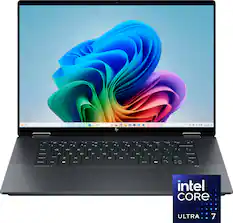
Lenovo - IdeaPad Slim 3x - Copilot+ PC - 15.3" 2k Touchscreen Laptop - Snapdragon X 2025 - 16GB Memory - 256GB SSD - Luna Grey

Smarter computing meets bold design and durability. As a Copilot+ PC, the IdeaPad Slim 3x features up to 45 TOPS NPU for AI, multitasking and smooth video calls. Its 15.3" 16:10 display delivers elevated visuals, while the rugged chassis ensures reliability. With all-day battery life and Rapid Charge, to get two hours of power in 15 minutes.
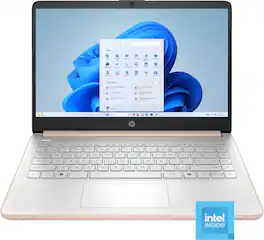
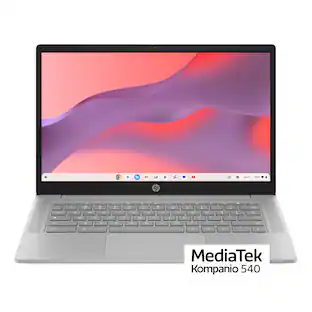
HP - 14" Laptop - Intel N150 Processor - 4GB Memory - 128GB Storage - Pale Rose Gold

This laptop is designed to keep you productive and entertained, featuring a long battery life and a thin and portable design. Microsoft Copilot AI assistance helps you work smarter and find answers faster. Give work presentations a boost with the included one-year subscription to Microsoft 365 applications. Enjoy high-quality, clear video calls with the HD camera.
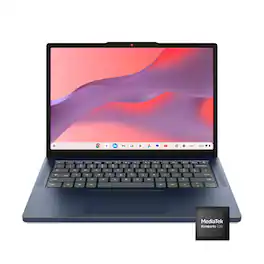
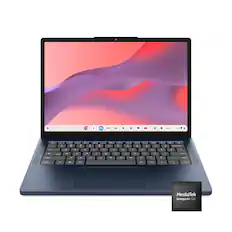
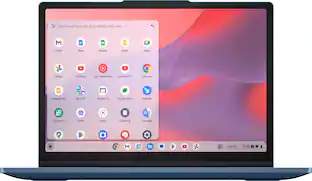
Lenovo - IdeaPad Slim 3 Chromebook - 14" 2K Touchscreen Laptop - MediaTek Kompanio 540 2026 - 4GB Memory - 64GB eMMC - Cosmic Blue

Live animated, live lively, live balanced. When you’re packing the thin and light IdeaPad Slim 3 Chromebook laptop, featuring WiFi 6E and 18 hours of battery life, balancing work and play all day becomes effortless. The 14" 2K IPS touchscreen display and MediaTek Kompanio 500 Series processors are a significant upgrade to your work and entertainment, with front-facing Waves-tuned speakers.

Pros for ASUS - CX14 14" FHD Chromebook Laptop - Intel Celeron N50 (2023) - 4GB Memory - 64GB Storage - Gray
Overall Performance, Portability, Battery Life, Design, ConnectivityOverall Performance, Battery Life, Portability, Speed, TouchscreenOverall Performance, Portability, Battery Life, Design, Processor SpeedOverall Performance, Portability, Battery Life, Design, Touchscreen Responsiveness
Cons for ASUS - CX14 14" FHD Chromebook Laptop - Intel Celeron N50 (2023) - 4GB Memory - 64GB Storage - Gray
Storage Capacity, Audio QualityStorage Capacity, Screen Size, Compatibility, Setup ProcessStorage Capacity, Heat Dissipation, Noise LevelThere were no cons for this product—

Specs

Questions & Answers

  • I need Microsoft office features does it have it.

    The ASUS CX1405CTA Chromebook does not natively support Microsoft 365 desktop applications. However, Microsoft Office applications such as Word, Excel, PowerPoint, and Outlook can be accessed and used through the web via Microsoft 365.

    Answered by ASUS Answers
    ASUS Answers response
  • I need a k keyboard that is back lit. Which model has that feature?

    If you are specifically looking for a Chromebook, the following models have keyboard backlit: Chromebook Plus CX34 (CX3402), ExpertBook CX54 Chromebook Plus, Chromebook Plus CM34 Flip (CM3401), Chormebook CX34 Flip (CX3401) Chromebook Flip C536 amd Chromebook Plus CX15.

    Answered by ASUS Answers
    ASUS Answers response
  • I want to update maps on my car. Can this handle map capacity?

    The ASUS Chromebook CX1405CTA has sufficient storage capacity to support map updates for offline use and planning. Please note that the device does not include built‑in GPS hardware, so for in‑car navigation it would need to be paired with a smartphone or an external GPS device.

    Answered by ASUS Answers
    ASUS Answers response
  • How long do you receive updates

    The ASUS Chromebook CX1405CTA will continue receiving official ChromeOS updates until June 2035.

    Answered by ASUS Answers
    ASUS Answers response
  • Does this model have an SD card slot?

    The ASUS Chromebook CX1405CTA does not include an SD card slot.

    Answered by ASUS Answers
    ASUS Answers response
Ask a question
No content

Customers often buy these together

Sponsored