Labor Day Appliances SaleEnds 9/16. Limited quantities. No rainchecks.Shop now

Skip to contentGo to Product Search
Main Content

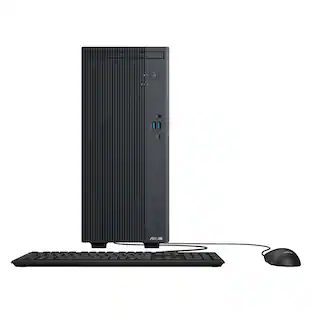
ASUS - V701 Desktop - Intel Core Ultra 9 275HX - 16GB Memory - 1TB Storage - Black

Model: V701ML-U9.16.1TB
SKU: 6679691
Sold byBest Buy

About this product

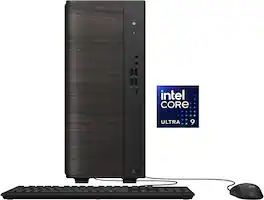
ASUS V700 Mini Tower (V701ML) is crafted to feel right at home in your living space. Designed with clean lines and a warm, modern touch, it enhances any space while delivering uncompromising performance with an Intel Core Ultra processor, backed by high-capacity memory and storage. An advanced cooling system keeps it cool and whisper-quiet, so it never disrupts your flow. Built with premium components and tested for long-lasting durability, it’s the best desktop PC you can count on for years to come.

Highlights

Features
  • Intel Core Ultra 9 Power for Heavy Multitasking

    The ASUS V700 is powered by the Intel Core Ultra 9 275HX CPU on Windows 11. Keep dozens of browser tabs, video edits, and big spreadsheets open at once without the slowdown you get on ordinary home PCs

  • Fast DDR5 Memory That Keeps Up With You

    16GB of DDR5 SO-DIMM memory moves data quicker than older DDR4 systems, so apps launch faster and switching between programs feels smooth. There's an open slot to add more down the road

  • 1TB SSD for Speed and Space

    The 1TB M.2 Gen 4 solid state drive boots Windows in seconds and loads big files almost instantly. That's room for thousands of photos, your video projects, and a full game library with space to spare

  • A Look That Fits Right Into Your Home

    Soft rounded edges and a warm wood-grain finish give the V700 a modern feel that blends into your living room, office, or bedroom instead of standing out like typical tech. A hidden air inlet keeps the clean look while letting air flow freely, and a gentle 4000K glow adds a calm, comfortable ambiance to your space

  • Quiet for a Living Room

    A redesigned cooling system with copper heat pipes and a larger rear fan runs at about 33dB, close to the sound of rustling leaves. You can work, stream, or relax without a loud fan humming in the background

  • Compact Size That Fits Almost Anywhere

    At just 6.23" wide, 11.88" deep, and 14.05" tall, and weighing about 13.23 lbs, the V700 tucks easily onto a desk, a shelf, or the floor beside your setup. You get full desktop power without the bulk of a full-size tower

  • All the Ports You Need on One Machine

    Everything plugs in without a hub. Four faster USB 3.2 Type-A ports plus two USB 2.0 ports cover your printer, drives, webcam, and more. HDMI 2.1b and DisplayPort 1.4 run a dual-monitor setup right out of the box, and the built-in Gigabit Ethernet port gives you a stable wired connection for video calls, big downloads, and lag-free online play

  • Tool-Free Design for Easy Upgrades

    The chassis opens without a screwdriver, so adding memory or storage later takes minutes instead of a trip to a repair shop. It grows with you as your needs change

  • Keyboard and Mouse Included in the Box

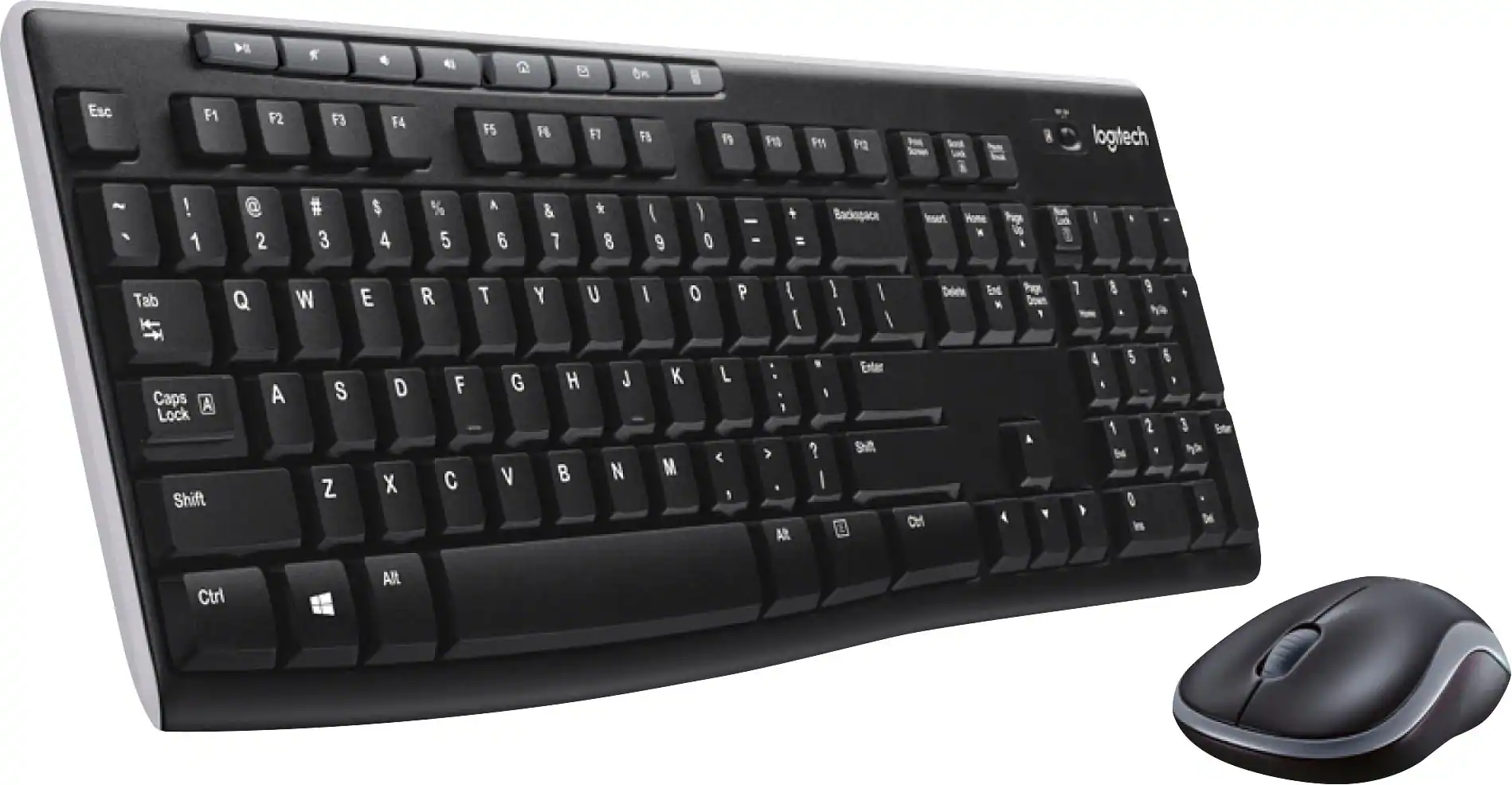
    Comes with a wired USB keyboard and a wired optical mouse, so you're ready to plug in and start using it the day it arrives. No extra accessories to buy first

See all features
Specifications
  • Processor Model
    Intel Core Ultra 9 Series 2
    Storage Type
    SSD
    Total Storage Capacity
    1000 gigabytes
    System Memory (RAM)
    16 gigabytes
    Graphics Type
    Integrated
Sponsored

Reviews

Rating 4.4 out of 5 stars with 14 reviews

5 star rating. 7 reviews4 star rating. 6 reviews3 star rating. 1 review
86% would recommend to a friend

Customer Images

The vast majority of our reviews come from verified purchases. Reviews from customers may include My Best Buy members, employees, and Tech Insider Network members (as tagged). Select reviewers may receive discounted products, promotional considerations or entries into drawings for honest, helpful reviews.

  • Rated 4 out of 5 stars

    A Good Office Desktop Computer

    After spending some time with the ASUS V701 Desktop, I came away with a pretty clear impression of what ASUS was trying to build here. The V701 is a compact, modern office and productivity machine that puts the powerful Intel Core Ultra 9 processor into a relatively small chassis. This particular configuration I tested comes with an Intel Core Ultra 9 275HX, 16GB of DDR5 memory, a 1TB PCIe 4.0 M.2 NVMe SSD, Windows 11 Home, and integrated Intel UHD graphics. ASUS also gave it a clean, compact design that makes it easy to fit underneath or beside a desk. At roughly 6.23 inches wide, 11.88 inches deep and 14.05 inches tall, this is considerably smaller than a traditional ATX tower. The biggest selling point of this computer is definitely the Intel Core Ultra 9 275HX. This is a 24-core, 24-thread processor with a maximum boost clock of 5.4GHz, and it is an interesting choice for a desktop because the 275HX is a mobile-class processor rather than one of Intel's traditional desktop Core Ultra chips. Despite that, it has plenty of CPU horsepower for the kind of work this computer is intended to handle. For an office environment, the processor is honestly overkill in a good way. Running Microsoft Office, dozens of browser tabs, Teams or Zoom, accounting software, web-based business applications, spreadsheets, PDF files and other productivity applications isn't going to be a problem. The system is very capable when it comes to heavier CPU-based workloads such as compiling code, CPU rendering, compression and other applications that benefit from a high core count. In a 3DMark-CPU bench test it scored a 16,087 for multi thread performance and in Single thread it scored a 1,300 both of these scores are an excellent indication of how good this CPU is. The V701 has no dedicated graphics card installed in this configuration. Instead, the computer uses the Intel UHD integrated graphics built into the processor. That is perfectly fine for displaying Windows, running 2x monitors, watching 4K video, using Microsoft Office, browsing the web and handling normal business applications. You aren't buying this computer to play the latest videogames, nor would I recommend it for serious GPU-accelerated video production, 3D rendering or other workloads that depend heavily on a dedicated GPU. ASUS does provide a PCIe expansion slot, so technically there is an upgrade path, but the small chassis and power supply make the GPU upgrade situation considerably more complicated than it would be on a conventional desktop. Now a nitpick that I personally have for this product, is the upgradability of it. ASUS does provide a PCIe x16 expansion slot on the V700 platform, so there is technically a path to adding a dedicated GPU. However, this isn't a traditional tower where you can simply drop in any GPU. The chassis is compact, and you're going to have to pay very close attention to the physical dimensions of whatever GPU you were to choose, like a short, low-profile one. That being said, the power supply is where it truly limits you. This specific V701 configuration has 180W power supply. A 180W power supply leaves very little overall power for a meaningful dedicated GPU once you account for the CPU and the rest of the system. I also wouldn't assume that the PSU can simply be swapped out for a standard modular ATX power supply. It looks like ASUS uses a compact, proprietary style system design in this machine, and I would want to physically verify the PSU connectors, mounting dimensions and available power leads before buying a replacement. So, if you go with the model I wouldn't plan on adding a GPU to this configuration. ASUS is using DDR5 SO-DIMM memory, which is the type of memory you normally find in laptops and compact Nuc PCs. This computer does come with 16GB installed and has 2x SO-DIMM slots, with ASUS listing support for up to 64GB. This configuration uses a single 16GB stick of RAM, meaning there is an open slot for an upgrade. Storage is pretty standard, in that it includes 1x 1TB M.2 2280 PCIe 4.0 NVMe SSD. It also provides additional storage expansion options with an additional M.2 and SATA port expansions on the motherboard for SSDs or HDDs capability depending on the configuration. That being said, it might be hard trying to fit a HHD into this tower. The connectivity on this computer is actually one of its strongest features. On the front of the V701, ASUS gives you 1x USB-C 3.2 capable of up to 20Gbps, 4x USB-A ports capable of up to 10Gbps, a 2x 3.5mm headphone jack and microphone jack. That's a decent amount of front facing ports for a machine this small. Having 4x fast USB-A ports on the front means you can easily connect a keyboard, mouse, external SSD, flash drive, webcam or other accessories without having to reach around to the back of the computer. The rear I/O on the motherboard has plenty to offer too. You get 4x USB 3.2 Gen 1 Type-A ports rated at 5Gbps along with 2x USB 2.0 Type-A ports. There is also a DisplayPort 1.4 connection, HDMI 2.1, Gigabit Ethernet, a microphone input, line-in and headphone/line-out. I was pleased to see that the HDMI port was HDMI 2.1, so you can run a high refresh rate 4K monitor at 120Hz. It does come with a keyboard and mouse, that are fine for out of the box and they work, but I would probably invest into a wireless keyboard and a wireless mouse. Pros Powerful Intel Core Ultra 9 275HX processor Extremely compact desktop chassis Quite Plenty of front USB connectivity 1TB M.2 SSD Cons No dedicated GPU Uses laptop-style DDR5 SO-DIMM memory instead of desktop DIMMs 180W PSU in this configuration severely limits potential GPU upgrades The ASUS V701 is a very good office and small-business computer that has a powerful CPU in the Core Ultra 9 275HX and is easily the star of the show, along with a 1TB NVMe M.2 SSD and a compact chassis makes this a very capable productivity machine. My real nitpick is that ASUS built what looks like a desktop on the outside but is much more like a laptop inside. The SO-DIMM memory is an unusual choice, and while the PCIe slot technically gives you the ability to install a dedicated graphics card, the compact case with a 180W power supply means I wouldn't plan on adding a GPU with this computer. But this is honestly for those who want a powerful PC for their small businesses, home offices, or just a dedicated everyday productivity computer, and that is who I would recommend it for.

    Posted by Ian L

  • Rated 4 out of 5 stars

    5 Stars for ASUS quality and cooling. 2 stars for

    5 Stars for ASUS quality and cooling. 2 stars for PSU watts an manual. 5 stars for a well-built ultra lite desktop. 5 stars for looks. 5 stars for speed. 2 stars for undersized PSU for add on accessories and weak manual. See pictures of interior ASUS - V701 Desktop - Intel Core Ultra 9 275HX - 16GB Memory - 1TB Storage - Black Model: V701ML-U9.16.1TB SKU: 6679691 This unit very lite and has a small footprint wherever you place it. It is a quality build except for the PSU. 1. 5 stars for boot M.2. Model Number: SDSP71100TAN-000E0 SANDISK Optimus GX 7100 NVMe™ SSD - 1TB Similar product to the 850X! Fast transfer speeds to external USC C M.2 adapter Five Minutes to back up an 850X boot drive to external adapter 120 GBs Five-year warranty Complete printed manual online at SanDisk Full specifications in the pictures with review. No heat sink Manufacturing Origins of SanDisk M.2 Components: SanDisk’s M.2 storage products — including SSDs and memory cards — are designed and engineered globally, with core components like NAND flash chips and controllers made in Taiwan and South Korea under SanDisk’s (now Western Digital’s) specifications. These chips are fabricated using advanced photolithography processes, often in wafer fabs in Asia, before being assembled into modules. Malaysia – used for assembly and testing of some memory products, including SD cards and USB drives, leveraging cost advantages and skilled labor. Be sure to install the Dash Board APP to check FW. This product appears to be supply chain stable for the time being. Specifications Capacity 1TB Form Factor M.2 2280 S3-M Sequential Read Performance 7,250MB/s Sequential Write Performance 6,900MB/s Random Read 1M IOPS Random Write 1.4M IOPS Interface PCIe 4.0 x4 NVME 2.0 Dimensions (L x W x H) 3.15" x 0.87" x 0.09" Warranty 5-Year Limited Warranty Weight 5.8gms Model Number SDSP71100TAN-000E0 Operating Temperature 0°C to 85°C Non-Operating Temperature -40°C to 85°C 2. Worked on first boot / no issues in updates except BIOS update which was very strange. Be careful as it hung on reboot. 3. Looks like 2 years parts and labor warranty in the ASUS APP. 4. Complete printed manual with extended warranty options online and also in the MY ASUS APP 5. Cooling was well laid out with copper tubing’s going from the CPU to fan assembly. Very quiet and efficient. 6. No heat shield for the M.2 4.0 drive. If you swap out/clone drives, be sure to turn off drive encryption in the settings. 7. Internal drive is fine the way it is! No upgrade needed and I added a second M.2 drive in the spare M.2 slot (you will need a screw). Use the clone software that works for you (SANDISK worked fine). If you forget to turn off drive encryption before you start you will be in for a bad day at best. I discovered, by accident, that Acronis can wipe a drive if you select a data only un-encrypted drive to clone and stop it after 20 minutes. Also, there is a free software online (on initial use) that you can wipe the drive. 8. The MOBO has numerous expansion ports that are not explained in the manual. An experienced builder can figure this out but the manual is very deficient on tagging all these ports. 9. Never use additional security software with Microsoft built in complete security system 10. Keep MY ASUS (important FW update needed/ had issues/be careful) and set up your account online/register for service. After warranty runs out consider keeping it! Run the complete update in this APP! 11. Go into Microsoft settings and turn off everything you can live without. On initial setup say no to everything in life as you can always say yes later (exception security log-ins). 12. Fully install XBOX and sign in. No free 3-month pass. 13. Perfect business and home use. Very nice unit. 14. Only one USB C port. 15. This unit as all the normal inputs and outputs for a desktop. 16. Ventilation is outstanding 17. WF 6 AX and LAN connections worked perfect. 18. PSU is an 80 plus bronze 180-watt unit. Do not overload this PSU. 19. The long video card slot should be used for other things unless you upgrade the PSU. Two additional short slots. 20. Cloning was easy with the M.2 free authorized software. 21. The ASUS APP is a very nice product to keep you unit updated. 22. Sound is with ear buds or an external sound system. 23. Unit had no defects that I could find. 24. Most parts made worldwide supply. Installed XBOX Ultimate and played several games (Fight Simulator 2024, Minecraft Bedrock, Warcraft 3, etc). Fans were on the highest speed in auto mode for the high-end games. Cooling is sufficient. When completely finished setting the unit up, I updated the BIOS FW in the ASUS APP. Critical update for this unit and watch the screen like without fail and take a picture of the warning if it fails to boot/ then enter BIOS and rummage around for boot. Windows update should catch all the rest. Fan came on at the right temperatures. Also, the keyboard FN keys allow you have multiple functionalities. XBOX-X controller is the best bet for games. The i9 ULTRA CPU showed its strength in gaming mode as I was surprised how quick it was. The external mouse and keyboard were ok for some gaming with NO lighted keys. I use an external XBOX controller for most games. The keys are clearly tagged as to functions. No separate number key pad area (no issue). Final thoughts! Manual information and PSU power were substandard. This a compact robust desktop. Fast and portable. Features! • Intel Core Ultra 9 Power for Heavy Multitasking The ASUS V700 is powered by the Intel Core Ultra 9 275HX CPU on Windows 11. Keep dozens of browser tabs, video edits, and big spreadsheets open at once without the slowdown you get on ordinary home PCs • Fast DDR5 Memory That Keeps Up With You 16GB of DDR5 SO-DIMM memory moves data quicker than older DDR4 systems, so apps launch faster and switching between programs feels smooth. There's an open slot to add more down the road • 1TB SSD for Speed and Space The 1TB M.2 Gen 4 solid state drive boots Windows in seconds and loads big files almost instantly. That's room for thousands of photos, your video projects, and a full game library with space to spare • A Look That Fits Right Into Your Home Soft rounded edges and a warm wood-grain finish give the V700 a modern feel that blends into your living room, office, or bedroom instead of standing out like typical tech. A hidden air inlet keeps the clean look while letting air flow freely, and a gentle 4000K glow adds a calm, comfortable ambiance to your space • Quiet for a Living Room A redesigned cooling system with copper heat pipes and a larger rear fan runs at about 33dB, close to the sound of rustling leaves. You can work, stream, or relax without a loud fan humming in the background • Compact Size That Fits Almost Anywhere At just 6.23" wide, 11.88" deep, and 14.05" tall, and weighing about 13.23 lbs, the V700 tucks easily onto a desk, a shelf, or the floor beside your setup. You get full desktop power without the bulk of a full-size tower • All the Ports You Need on One Machine Everything plugs in without a hub. Four faster USB 3.2 Type-A ports plus two USB 2.0 ports cover your printer, drives, webcam, and more. HDMI 2.1b and DisplayPort 1.4 run a dual-monitor setup right out of the box, and the built-in Gigabit Ethernet port gives you a stable wired connection for video calls, big downloads, and lag-free online play • Tool-Free Design for Easy Upgrades The chassis opens without a screwdriver, so adding memory or storage later takes minutes instead of a trip to a repair shop. It grows with you as your needs change • Keyboard and Mouse Included in the Box Comes with a wired USB keyboard and a wired optical mouse, so you're ready to plug in and start using it the day it arrives. No extra accessories to buy first What's Included V701ML-U9.16.1TB Desktop, Wired Keyboard, Wired Mouse, Quick Start Guide, Warranty Card Specifications Specifications • Key Specs Processor Model Intel Core Ultra 9 Series 2 Storage Type SSD Total Storage Capacity 1000 gigabytes System Memory (RAM) 16 gigabytes Graphics Type Integrated Graphics Intel UHD Graphics • General Brand ASUS Model Number V701ML-U9.16.1TB Product Name V701 Desktop - Intel Core Ultra 9 275HX - 16GB Memory - 1TB Storage Color Black Year of Release 2026 • Processor Processor Brand Intel Processor Model Intel Core Ultra 9 Series 2 Processor Model Number 275HX CPU Base Clock Frequency 2.7 gigahertz CPU Boost Clock Frequency 5.4 gigahertz Number of CPU Cores 24-core Number of CPU Threads 24 Neural Processing Unit (NPU) Yes Maximum NPU Performance 13 trillions operations per second • Storage Storage Type SSD Total Storage Capacity 1000 gigabytes Solid State Drive Capacity 1000 gigabytes Solid State Drive Interface PCIe 4.0 • Memory System Memory (RAM) 16 gigabytes Type of Memory (RAM) DDR5 System Memory RAM Speed 5200 megahertz Number Of Memory Slots 2 Number of Memory Sticks Included 1 System Memory RAM Expandable To 64 gigabytes • Graphics Graphics Type Integrated GPU Brand Intel Graphics Intel UHD Graphics • Compatibility Operating System Windows 11 Home • Connectivity Display Connector(s) 1 x DisplayPort 1.4, 1 x HDMI 2.1 Number of HDMI Outputs (Total) 1 Number of DisplayPort Outputs (Total) 1 USB Ports 8 x USB-A 3.2, 2 x USB-A 2.0, 1 x USB-C 3.2 Number of USB Ports (Total) 11 Number of USB-A Charging Ports 8 Number of USB-C Charging Ports 1 Microphone Input Yes Wireless Connectivity Wi-Fi, Bluetooth Wireless Standard AX Wireless Networking Standard Wi-Fi 6 Number Of Ethernet Ports 1 • Cooling CPU Cooling System Air GPU Cooling System Air • Power Power Supply Maximum Wattage 180 watts • Expansion Number of M.2 Slots 2 Number Of Internal 2.5" Bays 2 • Features Customizable Case Lighting No Size Small • Dimensions Product Height 14.05 inches Product Width 6.23 inches Product Depth 11.88 inches Product Weight 13.23 pounds • Certificatio

    Posted by ETP1

  • Rated 4 out of 5 stars

    Powerful compact workstation that sips electricity

    The ASUS V701ML Desktop is a compact Mini Tower PC based on a high-end mobile CPU (Intel Core Ultra 9 Processor 275HX) that offers performance rivaling high-end desktop CPUs from just a few generations earlier. I have often been extremely impressed by high-end mobile CPUs as they seem to offer performance close to high-end desktop CPUs while consuming much less electricity. With the high cost of electricity today, I always thought it might be a good idea for someone to come out with a desktop that used a laptop CPU. There would be so many advantages to such a system. With the larger desktop case, the laptop CPU could have access to better thermal cooling so we don’t have to worry about CPU throttling as we would if the CPU was inside a tight laptop chassis. You could design a much more compact case that takes very little desk space. Overall, you would have a smaller, compact computer that is very quiet and offers almost the same performance as a bigger desktop computer while consuming much less electricity. The ASUS V701ML achieves these goals. It is a good-looking computer that takes up less space than a normal desktop computer. Build quality seems good and it offers easy access to the inside for upgrades just by loosening 2 screws. The box contains the following items: The ASUS V701ML computer itself ASUS AW311 USB Keyboard ASUS AW311MS USB Optical Mouse AC Power Cord Setup Guide and Warranty Pamphlet Specifications Intel Core Ultra 9 275HX with 24/24 cores/threads (Max TDP 55.0W) Intel Integrated Graphics with 4 Xe Cores ASUSTek V701ML motherboard 16 GB of DDR5-5600 (SO-DIMM) using Samsung memory 1 TB Sandisk SN5100S MVMe SSD Realtek 8852BE-VT Wireless LAN WiFi 6 LiteOn 180W proprietary power supply 1x DisplayPort 1.4 connector 1x HDMI 2.1 connector 8x USB-A 3.2 (10 Gb/s), 2 x USB-A 2.0, 1x USB-C 3.2 (20 Gb/s) ports 1x Ethernet port 1x Microphone Jack, 1x Headphone jack 2x SO-DIMM slots (one filled and one available) 2x M.2 Slots (one filled and one available) 1x PCIe x16 connector 2x PCIe x1 connector 2x SATA connectors Performance The ASUS V701ML performs extremely well for productivity tasks. I have been using it mainly for software development in Visual Studio. It performs as well as my other computers using desktop CPUs but consumes much less power. It is also extremely quiet during operation. Editing and compiling code was very zippy. It’s also great for media consumption, web browsing and office work. I tested transcoding video using Handbrake and I was getting over 900 fps when encoding to H.265 and AV1 using Intel Quick Sync. With built-in Intel Quick Sync, this might make a decent workstation for media creation and video editing. For gaming, I tested it with Xenonauts 2 at 1920x1080 using High-Quality settings and I got about 30fps. Cyber Knights: Flashpoint also gave me around 30 fps at 1920x1080 using Best Quality settings. Both were quite playable. I think the ASUS V701ML is suitable for light gaming (such as for turn based games) but higher-end gaming might be a bit out of reach for the integrated graphics. Expandability The inside of the case is very clean with lots of space to work with. It almost looks like a laptop motherboard with laptop inspired cooling inside a PC case. Expandability is mainly limited by the proprietary LiteOn 180W PSU. This is the biggest weak point for this computer. Because it is proprietary, it would be hard to find a compatible more powerful PSU to swap with. There are no extra cables coming out of the power supply that you can use for powering SATA drives or graphics cards. So, I don’t see an easy way of making use of the two available SATA connectors on the motherboard. For graphics cards, you are limited to cards that take their power entirely from the PCIe slot (about 75W). Those are harder to find in today’s market. Overall expandability is good based on the available ports and slots, but it’s all negated by the low powered proprietary PSU. Summary Overall, the ASUS V701ML is an excellent choice for someone who wants a powerful productivity workstation that sips electricity and is not a high-end gamer. It is a good choice for someone who has limited desk space or who wants a clean uncluttered minimalist workspace. Even though it is advertised for ease of upgradability, the proprietary 180W PSU makes upgrading much harder than it should be. If you need a computer that can easily grow as your needs grow, this might not be the best choice.

    Posted by DoctorHoo

  • Rated 4 out of 5 stars

    Extremely Powerful / Limited Upgradeability

    TLDR: The Asus V701 is an extremely powerful desktop that only lacks a dedicated video card. PROS Intel Core 9 Ultra Packs a Punch Upgradeable RAM & SSD Aesthetically Appealing Nearly Silent Operation CONS Limited Upgradeability Proprietary Motherboard Connections Ships with Old Windows 11 Software Hard To Read Labels on Desktop KEY SPECS Intel Core 9 Ultra 275HX (24 Cores / 24 Threads) (8P Cores / 16E Cores) 16GB 5600MT/s DDR5 SO-DIMM RAM 1TB NVMe SSD FRONT PORTS 1 x 3.5mm Headphone 1 x 3.5mm Microphone 4 x USB-A 3.2 Gen 2 1 x USB-C 3.2 Gen 2x2 REAR PORTS 1 x DP 1.4 1 x HDMI 1.4 4 x USB-A 3.2 Gen 1 2 x USB-A 2.0 1 x LAN GBe 1 x 3.5mm Microphone 1 x 3.5mm Line Out 1 x 3.5mm Line-in INTITIAL CONFIGURATION Like other Asus desktops I've reviewed as of late, there were no issues during initial boot-up and configuration. Asus has done a very good job at ensuring the driver suite is complete and functional prior to shipment. Because of this, I experienced no issues during initial Windows set-up. Also, like the other Asus products I've recently reviewed, this desktop also ships with minimal bloatware. The MyAsus app is the only offender, and it is a necessary commodity. The MyAsus app is the one-stop app for product registration, warranty status, system diagnostics, and firmware/bios updates. The app works well and seems to have minimal intrusion and resource consumption in day-to-day use. Kudos Asus! WINDOWS 11 The V701 ships with Windows 11 Home. However, for a computer that is new to the market, the V701 mysteriously ships with Windows 11 25H2 instead of the much newer 26H1. Not sure why this product in particular ships with the older Windows platform. Not a deal breaker as 26H1 is just a few clicks away with the Windows Media Creation Tool. PERFORMANCE / USAGE I'll say it right off, the Core Ultra 9 is one of the most powerful CPU's you can buy today. It puts other brands and even its siblings to shame. As soon as I activated Windows and started the chore of installing OS and app updates, I could tell the 9 was playing on a different level than its competition. The speed at which it processed updates and changes was impressive. The boost in performance was immediately noticeable, even before I began doing benchmarking or app testing. I am consistently surprised at just how responsive and peppy the V701 is. Running a series of benchmarks on the Ultra 9 and some of its siblings confirmed my initial thoughts. The Core Ultra 9 is very powerful. CPU synthetic benchmarks are below: Intel Core Ultra 9 275: 58610 / 97th Percentile Intel Core Ultra 7 355: 18563 / 53rd Percentile Intel Core i9-12900H: 30863 / 79th Percentile Intel Core i5-13400: 25869 / 71st Percentile Intel Core i5-13420H: 20605 / 59th Percentile As you can see, the Ultra 9 is more than 2x faster than its 8 and 10 core siblings and more than 40% faster than Intel's own 14C / 20T Core i9 processor from just a couple generations ago. Not to mention, these results place the Ultra 9 faster than a recent competitor's 24 core processor I tested and reviewed a few weeks ago. NEGATIVES First. The BIGGEST drawback of these Asus desktops is that they use the laptop in a desktop design and because of this, there are little options for upgradeability. The V701's case and chassis are slim and small. It uses non-standard components for most of the assembly. For example, the power supply is a TFX power supply (the V701 is physically too small to accommodate an ITX power supply). While not impossible, they are more difficult to find than the industry standard ITX power supplies. When you are able to locate one, there are limited output options available too. The most powerful TFX power supply I could easily locate was just 500 watts. Even then, I'm not sure it would be compatible with Asus' proprietary GPU power connection on the motherboard. Second. The labeling on the case is next to impossible to read. The writing doesn't offer enough contrast to the black case to make out the wording on the front of the PC. FINAL THOUGHTS If upgradeability is not important to you, the V701 will make a great small desktop. It has excellent thermal characteristics and even under stress, the V701 remains cool, quiet, and composed. Asus has done a very good job at designing airflow through the case. There is nothing to complain about regarding the raw processing power of the 701. The Core Ultra 9 offers a whopping 24 CPU cores, providing more than enough processing power for even the most demanding workloads while using the same amount of power laptops of just a couple generations ago could only dream of being able to hit. The amount of computing power Intel has put in the Ultra 9 is impressive. The V701 is an ideal companion for those that need a workhorse of a desktop. The Ultra 9 packs a wallop and Intel's integrated graphics provide way more than enough power to satisfy 99% of the market. The V701 is fast, quiet, and looks sharp. RECOMMENDED

    Posted by NAMO

  • Rated 5 out of 5 stars

    Small, Quiet, Performs Well

    I was hesitant to order the Asus mini tower PC because I didn’t have much experience with this brand. However, searches for general information about Asus indicated that it was on par with the other name brand PCs. Since it was described as “mini”, I expected the PC to be something 8 to 10” tall that would sit on a desk alongside a monitor and printer. I would consider it to be average desktop PC size. It is slightly larger than an HP Pavilion\Omni Desk and about the same weight. The exact measurements are 6.23 x 11.88 x 14.05” and 13 pounds. It has feet to keep it in place. A wireless mouse and keyboard are optional equipment. The one I received has a wired mouse and keyboard. I prefer wireless. Before doing the initial setup I inserted my wireless mouse and keyboard dongles into the Asus PC USB slots, and when it powered up, the mouse and keyboard worked immediately. I expected to have to use the wired mouse until I got to the router connection step. The power button is on the front - not the top where something could be set on it by accident. The button lights up nicely so it’s easy to tell the status. The front panel is a fake “dark woodgrain finish” that has a dual purpose. It serves as a hidden air inlet that pulls the heated air quickly out the back and eliminates the need for noisy fans. The sound is said to be 33 dB and to resemble “rustling leaves”. That’s true when it’s coasting, but when I made it work harder, the sound was more like light rain. The PC has 1 TB SSD storage, 16GB Memory, an Intel Core Ultra 9 processor, an Asus motherboard with premium components and noise cancelling audio technology that filters out background noise. There are more ports and connections than I’ll ever need. I like that there are USB ports and a headphone jack on the front. In total, there are: 1 USB 3.2 Type C 8 USB 3.2 Type A 2 USB 2.0 Type A 1 3.5 mm Headphone Jack 1 3.5 mm Combo Audio Jack 1 HDMI 1 DisplayPort 1 Ethernet port 1 Microphone In 1 Line in 1 Headphone Out 4 Expansion Slots with a total potential storage capacity of 6 TB HDD and SSD storage It took about 30 minutes for the initial set up and an additional 15 minutes to get through the Microsoft sales pitches and privacy settings. To sign in to my Microsoft account I had to get a code through email or text. I think that’s something new and required having another device available to retrieve the code. Set up offered to bring in folders, apps, settings and credentials as well as Google with Gmail and Google Password Manager. Set up got stuck when setting up a Google Passkey and I had to go back and say “Not Now” to move forward. I think something got hung up at that step because later when I tried to log into sites that had a saved password, I would get an error that the ID or password was incorrect. Or I was required to enter a Passkey PIN - that I hadn’t been able to set up. I prefer Google as the search engine and Chrome as the web browser, but I left the defaults of Bing and Edge for a while to see how they would do. The Asus PC connected to the printers quickly and easily. It also connected to the Bose Bluetooth soundbar and maintained the connection. Then I opened 20 active tabs simultaneously, to simulate the way I usually work. I was able to switch between tabs without any delays in loading and everything seemed to be working well. Movies loaded and played without any issues. Games like Solitaire and Mahjong played smoothly. However, YouTube videos were seriously out of sync with the soundbar. So much so that I had to disconnect it and use the monitor speakers. YouTube videos were also slow to load (12 seconds) and there was considerable buffering. I compared specifications between the HP Omni Desk that I normally use and this Asus PC. Everything was identical, except that the Asus has a 2.7 GHz processor and the HP’s is 2.4 GHz - so that wasn’t it. Then I downloaded Chrome and loaded up the same 20 open tabs and watched the same YouTube videos. The difference was amazing. The soundbar sound was no longer out of sync. YouTube videos opened instantly and played smoothly. To make sure it wasn’t a fluke, I repeated the test and got identical results. I can't say for sure whether Edge and YouTube just don't get along well or if the memory used by the open tabs caused the problem. I would highly recommend this desktop PC. It performs well, is quiet and has room for expansion. I would also recommend changing out Edge for a different web browser.

    Posted by jkj1

Compare similar products

ASUS - V701 Desktop - Intel Core Ultra 9 275HX - 16GB Memory - 1TB Storage - Black
4.4(14)

ASUS V700 Mini Tower (V701ML) is crafted to feel right at home in your living space. Designed with clean lines and a warm, modern touch, it enhances any space while delivering uncompromising performance with an Intel Core Ultra processor, backed by high-capacity memory and storage. An advanced cooling system keeps it cool and whisper-quiet, so it never disrupts your flow. Built with premium components and tested for long-lasting durability, it’s the best desktop PC you can count on for years to come.
ASUS - VM501 Desktop - AMD Ryzen 7 260 - 16GB Memory - 1TB Storage - Black
5.0(11)

The ASUS VM501MHC delivers dependable everyday performance in a small 15L tower design built for productivity, multitasking, and home entertainment. Powered by an AMD Ryzen 7 processor and high-speed DDR5 memory, it handles daily workflows smoothly while keeping your workspace clean and efficient. Fast PCIe Gen 4 SSD storage helps applications load quickly, while Wi-Fi 6 connectivity ensures stable online performance for work, streaming, and video calls. An advanced thermal design keeps the system cool and quiet under pressure, and versatile connectivity makes it easy to connect displays, peripherals, and accessories. Complete with a wired keyboard and mouse, the VM501MHC is designed to provide reliable performance, expandability, and convenience for modern users.

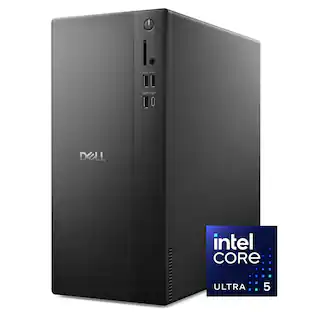
Dell - Slim Desktop - Intel Core Ultra 7 Series 2 265 2025 - 16GB Memory - 1TB Storage - Black

Boost productivity with a high-performance desktop designed to fit in any space. Featuring built-in AI, powered by Intel Core Ultra desktop processors (Series 2).

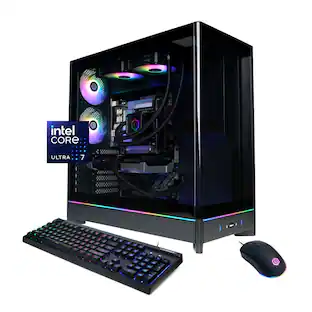
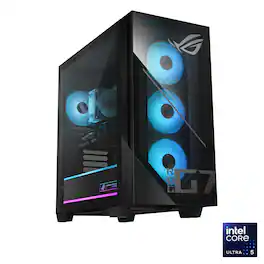
ASUS - ROG G700 Gaming Desktop - Intel Core Ultra 7 265KF (2024) - 32GB Memory - NVIDIA GeForce RTX 5070 12GB - 2TB Storage - Black

The G700 Gaming Desktop combines fearless design, next-generation power, and advanced connectivity into a striking and versatile package. Its dual-glass panel chassis showcases the bold ROG identity with the iconic ROG Slash and Fearless Eye logo, complemented by customizable RGB lighting with Aura Sync. Powered by the next-gen Intel Core Ultra 7 265KF processor and NVIDIA GeForce RTX 5070 GPU, the G700 is equipped with 32GB of DDR5 RAM and 2TB of high-speed PCIe Gen 4 storage for unparalleled performance. A quad-fan airflow system, 240mm AIO liquid cooler, and dust filters ensure optimal thermal management and system longevity. Built for reliability and flexibility, the spacious 58L chassis accommodates triple-slot GPUs, and a full-sized 850W power supply, while the tool-less design allows for effortless upgrades and maintenance. Stay connected with 2.5Gbps Ethernet, WiFi 6, and versatile high-speed ports, while Dolby Atmos delivers multidimensional soundscapes for an immersive audio experience. The G700 is the ultimate choice for gamers and creators seeking a future-ready, high-performance desktop.

Pros for ASUS - V701 Desktop - Intel Core Ultra 9 275HX - 16GB Memory - 1TB Storage - Black
There were no pros for this productOverall PerformanceOverall Performance, Speed, Noise Level, Size, Storage CapacityOverall Performance, Noise Level, Speed, Design, Heat Dissipation
Cons for ASUS - V701 Desktop - Intel Core Ultra 9 275HX - 16GB Memory - 1TB Storage - Black
There were no cons for this productThere were no cons for this productConnectivity, Port SelectionRAM

Specs

Questions & Answers
  • ASUS website says this has expanded sodimm ddr 4 memory ? Where is this connected? Expansion Slots(includes used) 2x DDR4 SO-DIMM slot 2x M.2 2280 connector for storage 1x M.2 connector for WiFi 2x PCIe® 3.0 x 1 1x PCIe® 5.0 x 16?

    The SO-DIMM memory modules plug directly into physical SO-DIMM memory slots located on the motherboard inside the V701ML Desktop PC. While the expansion slot list on some ASUS regional specification pages for the V701ML template textually notes DDR4 SO-DIMM, the system actually uses high-performance Intel Core Ultra processors that run on DDR5 memory.

    Answered by ASUS Answers
    ASUS Answers response
  • Need pictures of interior?

    You can download the User's Manual at: https://www.asus.com/displays-desktops/tower-pcs/asus-desktop/asus-v700-mini-tower-v701ml/helpdesk_manual?model2Name=V701ML if you need a pciture or drawing of the interior.

    Answered by ASUS Answers
    ASUS Answers response
  • Is the PSU ugradable with a standard PSU. 180 Watts is a little low if a person adds a video card.

    No, the PSU on this V701ML Desktop PC is not upgradable with a standard retail ATX or SFX power supply unit. If a person adds a video card(only support low-profile GPU), ASUS manufactures matching proprietary 330W (80+ Platinum) and 500W (80+ Platinum, 1000W peak) power supplies specifically for this motherboard and case.

    Answered by ASUS Answers
    ASUS Answers response
  • What is the part number for the 500 watt power supply and where can we get one as Asus website does not sell them? Would like to upgrade to the 500 watt to put in a Rtx 3060 or possibly 5060 later on.

Ask a question
No content

Customers often buy these together

Sponsored

Finance Options

My Best Buy® Credit Card
Choose a benefit:Or
Buy Now, Pay Later
Lease to own

Special Offers

Top Offers
Included with Purchase