Best Buy essentials™ - LCD Screen Cleaning Kit - Open Box - fair
Best Buy essentials™ - LCD Screen Cleaning Kit - Open Box - fair
- Works like new.
- May have larger dents or scratches.
- May be missing parts, accessories, or packaging.
More Buying Options
About This Item
About Open Box
Reviews
Customer Images
Compare similar products

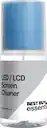
Keep your screens clean and streak-free with a simple kit that has all you need. The Best Buy essentials LCD Screen Cleaning Kit works with both LCD and LED screens. Backed by Best Buy, clean the screen of your smartphone, TV, monitor and more with a kit that includes 6.7 oz. (200 ml) of alcohol- and ammonia-free solution in a pump and spray bottle. An included 8 x 6 in. microfiber cloth keeps your screen smudge free without causing any scratches. When you’re done, store the cloth inside the cap of the solution bottle, making this kit easy to store or carry. It’s just a screen – until it hinders your work or intrudes on your play time. Let us help you with a kit that will keep your screen clear of fingerprints, dust and other contaminants.
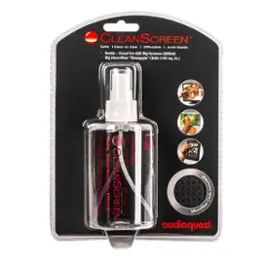
Only at Best Buy. Keep displays crystal clear with this AudioQuest CleanScreen cleaner. The 6-oz. bottle contains a unique formula that safely smooths and buffs the surface of view screens while reducing static. This AudioQuest CleanScreen cleaner comes with a microfiber cloth that removes dust and is made of ultra-soft texturized material that absorbs oils and reduces drying time.
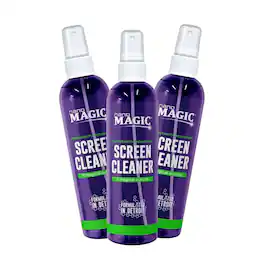
Elevate your screen experience with the Nano Magic Optical-Grade, Streak-Free Electronic Cleaning Kit. Formulated with advanced nanotech, this powerful 3-pack solution effortlessly removes fingerprints, smudges, and grime from all your devices, leaving behind a crystal-clear, streak-free finish. Safe for use on TVs, monitors, tablets, phones, and more, the fast-drying formula dries quickly without leaving any residue. Proudly made in the USA, this convenient 3-pack ensures you have the perfect cleaning solution for your home, office, or on-the-go needs.

It’s just a CD or DVD player. Until you can’t watch your favorite movie or listen to your favorite CD. With the Best Buy essentials Laser Lens Cleaner, clean the laser lens of your existing CD, DVD and Blu-ray player, removing dust and dirt. It fixes and prevents playback problems with 10-brush cleaning, keeping your device functioning smoothly without causing any damage. Backed by Best Buy, we’ve included the instructions on the disc itself. Simply place the cleaning disc into the player disc tray with the label side up. If the disc does not automatically play, press the play button on your device. Finally, follow the voice instructions to complete the cleaning process. Let us help you keep your disc players working like new with an easy-to-use laser lens cleaner.
| Pros for Best Buy essentials™ - LCD Screen Cleaning Kit | |||
|---|---|---|---|
| Screen Cleaning, Ease of use, Overall Performance, Price, Design | Screen Cleaning, Overall Performance, Ease of use | There were no pros for this product— | Overall Performance, Ease of use, Price, DVD Player, Laser Lens Cleaner |
| Cons for Best Buy essentials™ - LCD Screen Cleaning Kit | |||
| Streaks, Residue, Towel Size | Streaks, Residue, Price | There were no cons for this product— | Compatibility, Instructions, Playback |