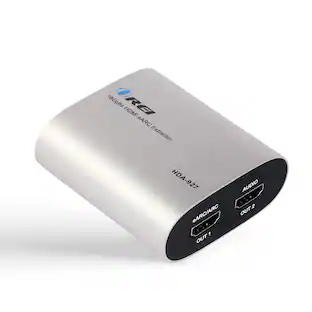
j5create - Wireless Display HDMI Extender Pro - Black
Customers are saying
Customers are positive about the ScreenCast Wireless Display Adapter's ease of use, overall performance, and connectivity. Many find the setup quick and easy, and appreciate its compatibility with devices like iPhones. However, some customers have concerns regarding lag and video quality issues, particularly when there is movement.
Massive 328 ft Range
Wirelessly transmit high-definition signals up to 100 meters, perfect for large venues and offices.
Ultra-Low Latency
Experience seamless streaming with less than 0.06s (60ms) delay for near instantaneous response.
IR Remote Pass-Through
Control your source device from the receiving end using your original remote and included IR cables.
5 GHz Stable Connection
Dual-band technology ensures a reliable, interference-free stream for a smooth viewing experience
Dual Antenna Power
Equipped with 5 dB high-gain antennas to maximize signal penetration and stability.
- Brandj5createModel NumberJVAW56Product NameWireless Display HDMI Extender ProColorBlackMaximum Video Resolution1080pPoweredYes
Reviews
Rating 3.8 out of 5 stars with 176 reviews
- Ease of use (35)
- Overall Performance (21)
- Connectivity (16)
- Setup (12)
- Compatibility (9)
- Lag (13)
- Video Quality (13)
Customer Images
The vast majority of our reviews come from verified purchases. Reviews from customers may include My Best Buy members, employees, and Tech Insider Network members (as tagged). Select reviewers may receive discounted products, promotional considerations or entries into drawings for honest, helpful reviews.
Compare similar products

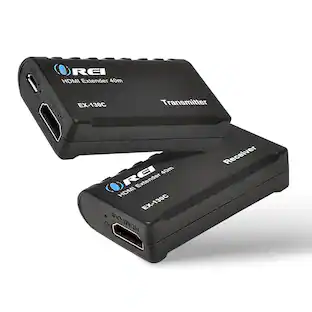
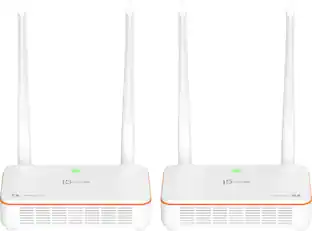
The JVAW53PRO Wireless Display HDMI™ Extender Pro includes a transmitter and receiver kit. It can send a high definition video and audio signal to an HDMI™ enabled TV set, projector or LCD PC monitor display device with receiver distance up to 100 meters and nearly zero latency. Users can extend other HDMI™ sources, including DVD players, Blu-ray™ players, PCs, notebooks and gaming machines (ex. Sony® PS5®, Nintendo Switch 2™). The JVAW53PRO is fully HDCP compliant via HDMI™, supporting resolutions up to 1080p and stereo digital audio. The extender also supports the transfer of IR remote control signals to the receiver side.

Transmit audio and video with this j5create HDMI over wireless extender. Wi-Fi connectivity enables high-speed data transmission to your HDMI-enabled TV set, HDTV or projector up to 200 feet away with low latency. This j5create HDMI over wireless extender is compatible with macOS, iOS, Windows and Android devices for versatility.
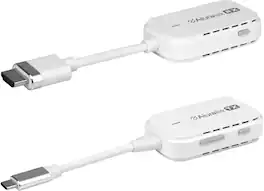
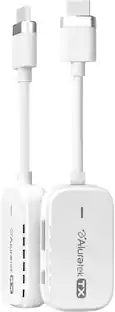
Aluratek’s Streamcast Mobile lets you wirelessly view your favorite content from your phone or other devices that support USB-C* to your HDTV. With the wireless HDMI Streaming kit, you don’t need to be worried about cables. Direct connection without network setup or software installations. * USB-C need to support display port Alt mode

The WUHD3-66M-K Wireless HDMI Extender enables seamless media signal transmission up to 20m/65ft, eliminating the need for cables. It operates on 5G frequency bands, ensuring stable, interference-free performance. This extender is an excellent solution for video conferencing, home entertainment, multimedia education, and other setups where traditional wiring is not practical or possible, providing a convenient and efficient wireless alternative.
| Pros for j5create - Wireless Display HDMI Extender Pro - Black | |||
|---|---|---|---|
| Ease of use, Setup, Overall Performance, Connectivity, Compatibility | Ease of use, Setup, Picture Quality, HDMI, Distance | There were no pros for this product— | There were no pros for this product— |
| Cons for j5create - Wireless Display HDMI Extender Pro - Black | |||
| Lag, Video Quality | Lag, Performance, Range, Connection, Heat | There were no cons for this product— | There were no cons for this product— |
Specs
Customers often buy these together
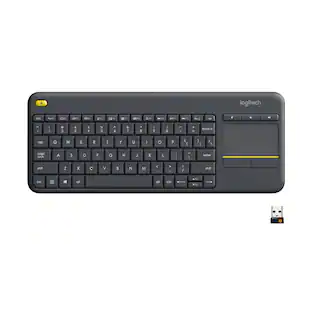 $29.99The price was $34.99
 Top Deal$19.99The price was $29.99


Customers ultimately bought

Explore tech essentials Sponsored



Discover related products
 $13.99The price was $19.99
 $30.99The price was $32.99








Keep exploring
 $74.99The price was $159.99