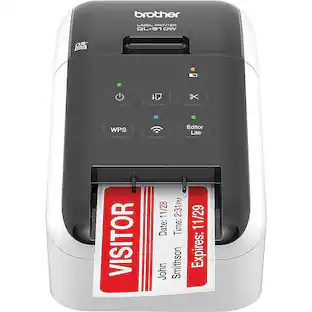
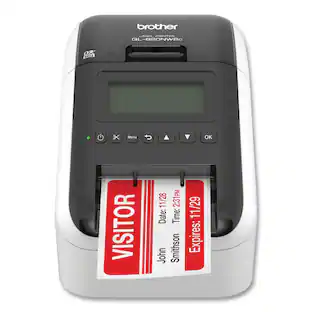
Brother - 5 in. x 5.7 in. x 9.2 in. 110 Labels/min Print Speed Ultra Fast Label Printer - Black/Red
About this product
Create amazing Black/Red labels using DK-2251 or cost-effective, paper labels for packages, envelopes, file folders, name badges, postage and more. Wireless interface offers easy connectivity -- print from virtually anywhere or share on a network. Ultra-fast, printing up to 110 standard address labels per minute with black text at 300 dpi. Create and print labels from your mobile device when connected to a wireless network. Add an optional Li-ion battery for a complete mobile solution. Easy-to-integrate with free software development kits (Windows®, iOS®, and Android™). Convenient, Brother® DK drop-in labeling supplies. No ink or toner needed. Windows® and Mac® compatible.
Amazing & Cost-effective
Easy connectivity -- print from virtually anywhere or share on a network.
Print amazing Black/Red labels using DK-2251.
Create cost-effective paper labels for packages, envelopes, file folders, name badges, postage and more.
Ultra-fast, up to 110 standard address labels per minute with black text at 300 dpi.
Create and print labels from your mobile device when connected to a wireless network.
- BrandBrotherModel NumberQL-810WCProduct Name5 in. x 5.7 in. x 9.2 in. 110 Labels/min Print Speed Ultra Fast Label PrinterColorBlack/RedWarranty - PartsManufacturer's limited two-year warranty.Warranty - LaborManufacturer's limited two-year warranty.
Reviews
Rating 1 out of 5 stars with 1 review
The vast majority of our reviews come from verified purchases. Reviews from customers may include My Best Buy members, employees, and Tech Insider Network members (as tagged). Select reviewers may receive discounted products, promotional considerations or entries into drawings for honest, helpful reviews.

Compare similar products
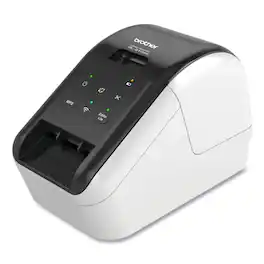
Create amazing Black/Red labels using DK-2251 or cost-effective, paper labels for packages, envelopes, file folders, name badges, postage and more. Wireless interface offers easy connectivity -- print from virtually anywhere or share on a network. Ultra-fast, printing up to 110 standard address labels per minute with black text at 300 dpi. Create and print labels from your mobile device when connected to a wireless network. Add an optional Li-ion battery for a complete mobile solution. Easy-to-integrate with free software development kits (Windows®, iOS®, and Android™). Convenient, Brother® DK drop-in labeling supplies. No ink or toner needed. Windows® and Mac® compatible.
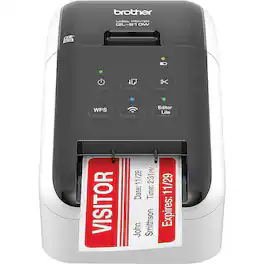
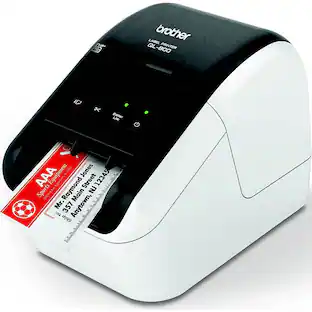
The Ultra-Fast Brother QL-810W label printer helps busy professionals easily tackle a variety of labeling tasks. With the Brother QL-810W ultra-fast label printer you can create amazing Black/Red labels using DK-2251 or cost-effective, paper labels for packages, envelopes, file folders, name badges, postage and more. Ultra-fast, printing up to 110 standard address labels per minute with black text at 300 dpi. The built-in Wireless interface offers easy connectivity - print from virtually anywhere or share on a network. With Brother's network management tools it is easy to integrate and manage on any network. Create and print labels from your mobile device when connected to a wireless network via: AirPrint, Brother iPrint&Label. Using the free, Brother iPrint&Label app with your Apple iPhone, iPad, and iPod touch or Android smart phones you can quickly access and print label templates - or create your own custom labels with graphics or photos. Add an optional Li-ion battery for a complete mobile solution. Easy to integrate with free software development kits (Windows, iOS and Android). Uses convenient, Brother genuine DK drop in labeling supplies. Needs no ink or toner. Windows and Mac compatible.

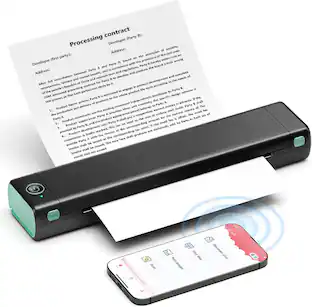
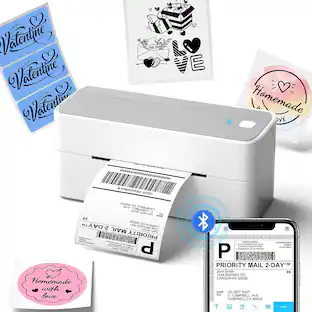
The Phomemo M832 is the ultimate high-definition printer for work-from-home and on-the-go printing. Equipped with a 300dpi print head and a built-in paper bin, this compact, inkless thermal printer delivers crisp, professional-quality documents anytime, anywhere. Its seamless Bluetooth connectivity and versatile paper support make it the perfect solution for effortless printing, whether you're at home, in the office, or traveling.

Streamline your shipping and inventory processes with this Brother wide-format label printer. The automatic crop function lets you print perfectly sized labels for packages and envelopes, while the fast printing action delivers up to 69 clear, easy-to-read address labels per minute. This Brother label printer offers plug-and-play function without the need for installing software, and it's compatible with Windows PC's.
| Pros for Brother - 5 in. x 5.7 in. x 9.2 in. 110 Labels/min Print Speed Ultra Fast Label Printer - Black/Red | |||
|---|---|---|---|
| There were no pros for this product— | Print Quality, Connectivity | There were no pros for this product— | There were no pros for this product— |
Specs
Be the first to ask a question.
We’ll try to get your question answered within 24 hours by a Best Buy customer or brand representative.
Customers often buy these together
 $79.99The price was $159.99
 $727.36The price was $759.08



More to consider
 $232.16The price was $243.02
Explore tech essentials Sponsored


Discover related products
 $153.79The price was $221.99
 $631.99The price was $659.99
 $249.00The price was $275.00
 $12.99The price was $13.99
 $1,377.99The price was $1,409.33









Keep exploring
 $99.90The price was $124.99
 $79.99The price was $88.88
 $18.99The price was $19.99